TF2 Secondary Font
This resource pack brings **TF2 Secondary** font from Team Fortress 2.
Works on 1.13+.
# Recommendations
**Use version 1.20.5+ on Vanilla** for correct font line height.
**Use version 1.19.2+ with Caxton** for correct font line height.
Use [Caxton](https://modrinth.com/mod/caxton) mod for **smooth, high quality font rendering**.
Also it allows modifying the text shadow to ensure it is correctly offset.
Falls back to default rendering if not installed.
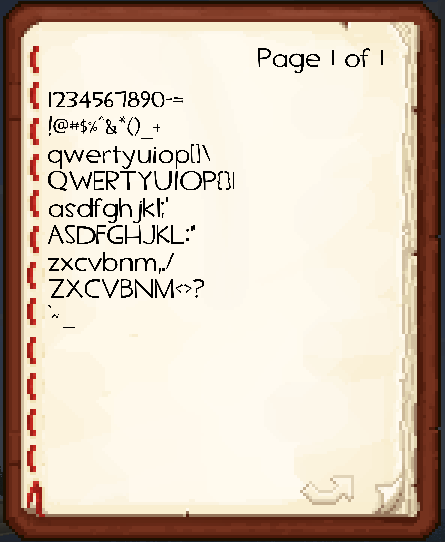
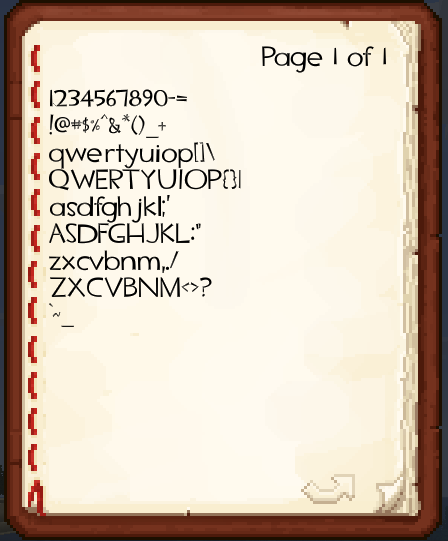
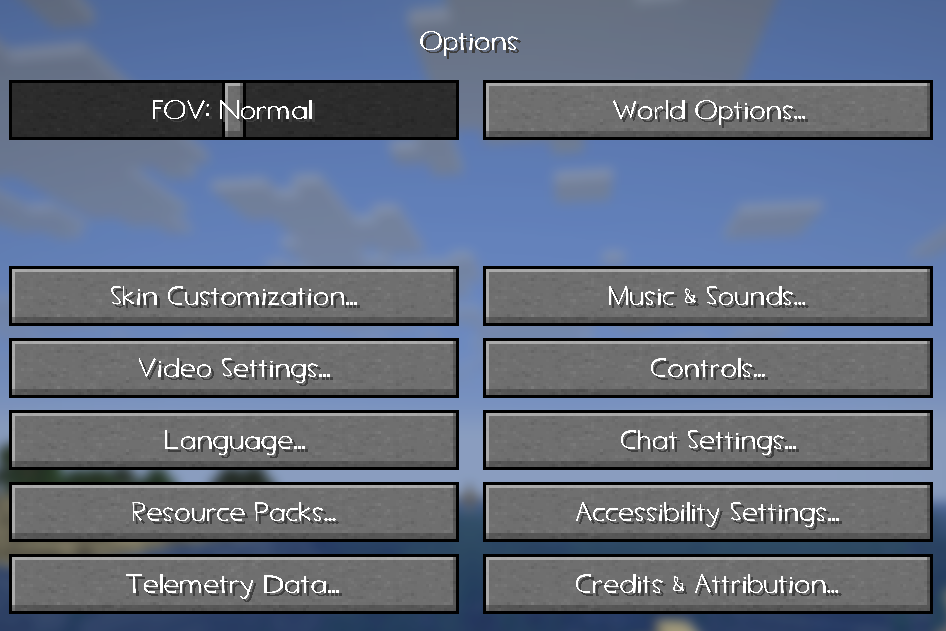
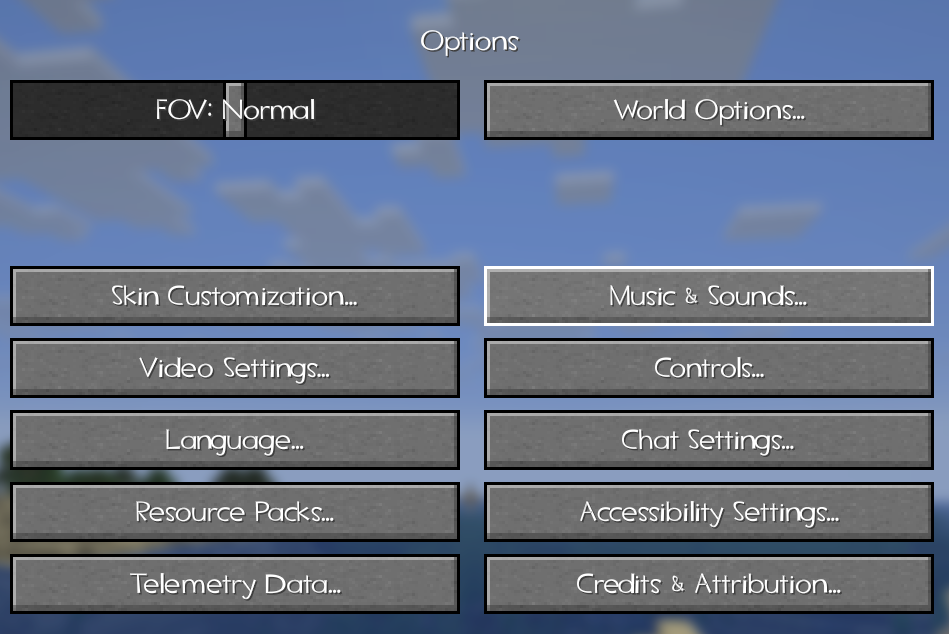
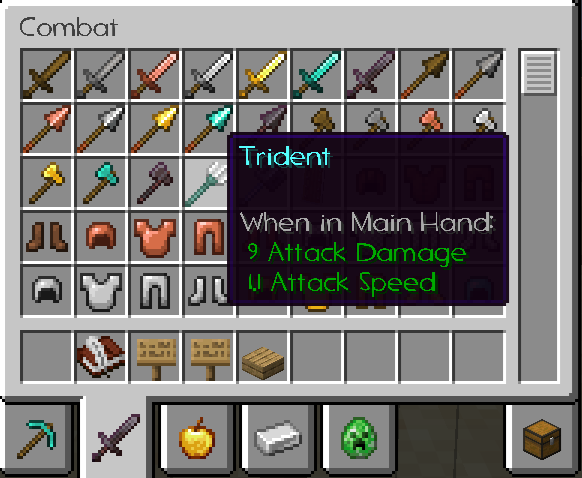
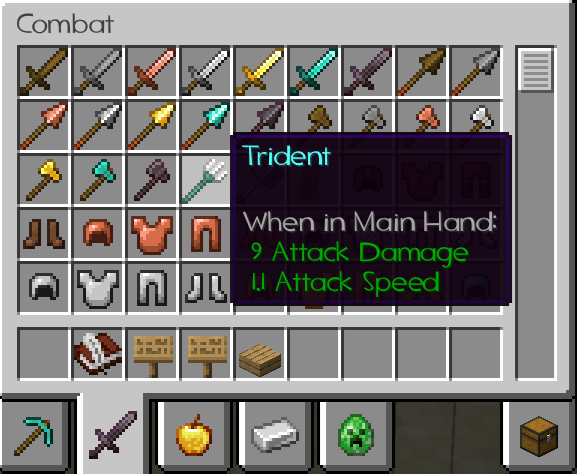
# Comparison – without and with Caxton
Book
Settings
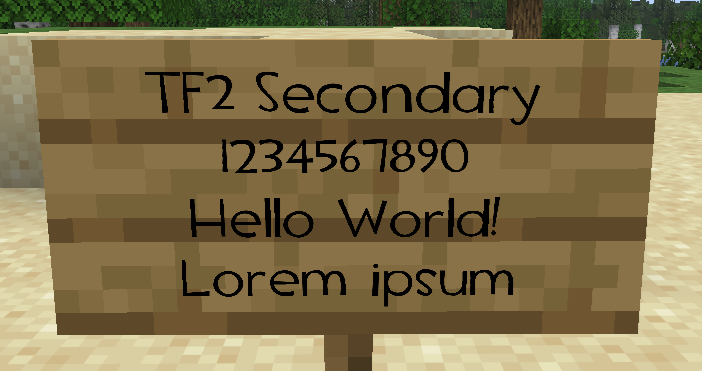
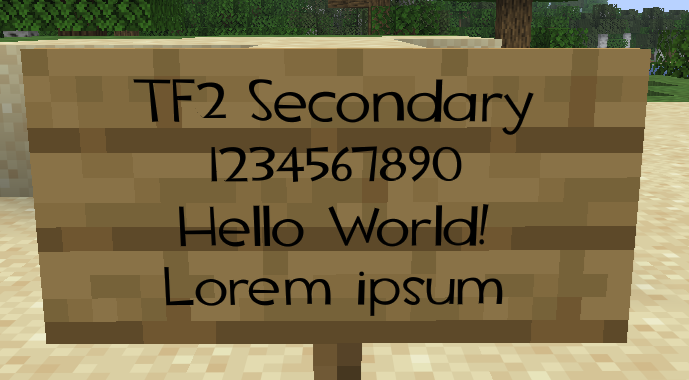
Signs
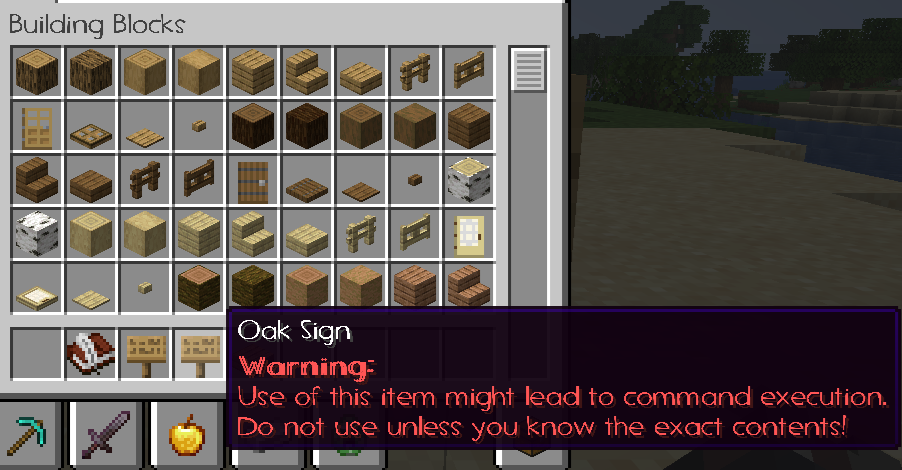
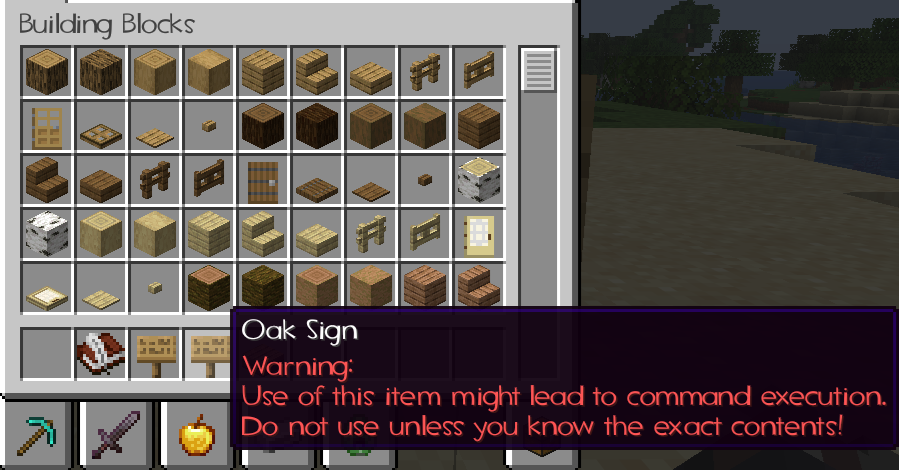
Item warning
Weapon description
# Credit
This resource pack uses the TF2 Secondary font from Team Fortress 2. The font is included in the official TF2 DIY Kit released by Valve. All rights belong to Valve.
ColorCraft

# 🎨 ColorCraft — Bring Color to Your Interface
**ColorCraft** redefines how you see Minecraft’s UI — literally.
It enhances text visibility and adds rich formatting to menus, messages, and UI elements across multiple languages and mods.
Better contrast, better clarity, better *vibes*. 🌈
—
## ✨ What It Does
Tired of dull, unreadable menus or chat text blending into the background?
ColorCraft injects vibrant colors and styles into Minecraft’s interface — making it more intuitive and eye-catching without altering the game’s vanilla spirit.
✅ Improved contrast on menus and buttons
✅ Styled text for game modes, tooltips, effects, and more
✅ Support for mods & multiple languages
✅ Seamless integration with existing UI packs
—
## 🖼️ Sneak Peek
| Feature | Preview |
|———-|———-|
| Main Menu |  |
| Create World Menu |  |
| Settings & UI |  |
| Sodium Compatibility |  |
| Keybinds |  |
| Enchantments |  |
| Dye Colors |  |
| Effects |  |
| Pause Menu |  |
| Death Screen |  |
| Chat Messages |  |
—
## 🌍 Supported Languages
Almost all major Minecraft Vanilla languages are supported ! (some mods may not be fully supported yet for all languages)
`ru_ru` Thanks to [YarTom](https://modrinth.com/user/YarTom) for some of the translations.
—
## 🧩 Mod Compatibility
ColorCraft supports a wide variety of mods to ensure every text in your world stays clean and colorful.
✅ Supported mods:
– [Alex’s Caves](https://modrinth.com/mod/alexs-caves)
– [Alex’s Mobs](https://modrinth.com/mod/alexs-mobs)
– [Alexs Caves: Stuff & Torpedoes](https://modrinth.com/mod/alexscaves-torpedoes)
– [Better Statistics Screen](https://www.curseforge.com/minecraft/mc-mods/betterstats)
– [Bobby](https://modrinth.com/mod/bobby)
– [Cave Dust](https://modrinth.com/mod/cave-dust)
– [Cloth Config](https://modrinth.com/mod/cloth-config)
– [Create](https://modrinth.com/mod/create)
– [Detail Armor Bar Reconstructed](https://modrinth.com/mod/detail-armor-bar-reconstructed)
– [Durability Tooltip](https://modrinth.com/mod/durability-tooltip)
– [Dynamic FPS](https://modrinth.com/mod/dynamic-fps)
– [Dynamic Crosshair](https://modrinth.com/mod/dynamiccrosshair)
– [Embeddium](https://modrinth.com/mod/embeddium)
– [Enderite Mod](https://modrinth.com/mod/enderite-mod)
– [Enhanced Block Entities](https://modrinth.com/mod/ebe)
– [Extended Enchanting](https://modrinth.com/mod/extended-enchanting)
– [Fancy Block Particles – Renewed](https://modrinth.com/mod/fbp-renewed)
– [Farmer’s Delight](https://modrinth.com/mod/farmers-delight)
– [Immersive Hotbar](https://modrinth.com/mod/immersive-hotbar)
– [Inventory Particles](https://modrinth.com/mod/inventory-particles)
– [Inventory Management](https://modrinth.com/mod/inventory-management)
– [InvMove](https://modrinth.com/mod/invmove)
– [Malilib](https://modrinth.com/mod/malilib)
– [Mod Menu](https://modrinth.com/mod/modmenu)
– [Naturally Trimmed](https://modrinth.com/mod/naturally-trimmed)
– [Nvidium](https://modrinth.com/mod/nvidium)
– [oωo](https://modrinth.com/mod/owo-lib)
– [Physics Mod](https://modrinth.com/mod/physicsmod)
– [Presence Footsteps](https://modrinth.com/mod/presence-footsteps)
– [Shulker Box Tooltip](https://modrinth.com/mod/shulkerboxtooltip)
– [Sodium](https://modrinth.com/mod/sodium)
– [Sodium Extra](https://modrinth.com/mod/sodium-extra)
– [Sounds](https://modrinth.com/mod/sound)
– [Stellar View](https://modrinth.com/mod/stellarview)
– [Supplementaries](https://modrinth.com/mod/supplementaries)
– [TCDCommons API](https://www.curseforge.com/minecraft/mc-mods/tcdcommons)
– [Terralith](https://modrinth.com/datapack/terralith)
– [VanillaTweaks](https://modrinth.com/mod/vanillatweaks)
– [Vein Mining](https://modrinth.com/mod/vein-mining)
– [Veinminer Enchantments](https://modrinth.com/mod/veinminer-enchantments)
– [Wakes](https://modrinth.com/mod/wakes)
– [Waystones](https://modrinth.com/mod/waystones)
– [Xaero’s Minimap](https://modrinth.com/mod/xaeros-minimap)
– [Xaero’s World Map](https://modrinth.com/mod/xaeros-world-map)
– [Yet Another Config Lib (YACL)](https://modrinth.com/mod/yacl)
> 🧱 *Want your mod supported?*
Drop your mod link in the issues tab — compatibility updates are frequent.
—
## 🧠 Compatibility Notes
– Works with (maybe) any Minecraft version
– Compatible with all major mod loaders (Fabric, Forge, etc.)
– Can be used alongside other **UI enhancement** or **dark mode** packs
– Designed for **vanilla readability** — no texture changes outside of text
– Some of the UI Texture Pack features may conflict with other UI packs, so make sure to place ColorCraft above them in the resource pack list for best results.
—
## ⚙️ Installation
1. Download the latest release from [Modrinth](https://modrinth.com/resourcepack/colorcraft) or your launcher.
2. Drop it into your `resourcepacks` folder.
3. Enable it in-game and place it **above** any UI pack (for priority).
4. Enjoy your clean, colorful Minecraft interface. ✨
—
## ❤️ Contribute
Want to translate, tweak, or suggest a new color scheme?
Open a [Pull Request](https://github.com/JustArthur/ColorCraft/pulls) or start a [Discussion](https://github.com/JustArthur/ColorCraft/discussions).
> Every contribution keeps ColorCraft vibrant — thank you for helping make Minecraft more readable for everyone!
—
**🧡 Stay colorful. Stay creative.**
Text Formatting Tooltip
## What does this resourcepack do?
It creates a simple cheat sheet in anvil GUI to help with text formatting

# ⚠⚠⚠WARNING
This resourcepack can not make visible changes in real game text. This resourcepack only adds a small tooltip for editing text in [minecraft text formatting](https://minecraft.fandom.com/wiki/Formatting_codes)
But you can always download [text formatting everywhere](https://modrinth.com/mod/text-formatting-everywhere) mod
# Supported languages
This resourcepack uses symbols in the name of an anvil for a tooltip, so it might be buggy with languages like arabic or hebrew (all languages that white right-to-left)
Text colored
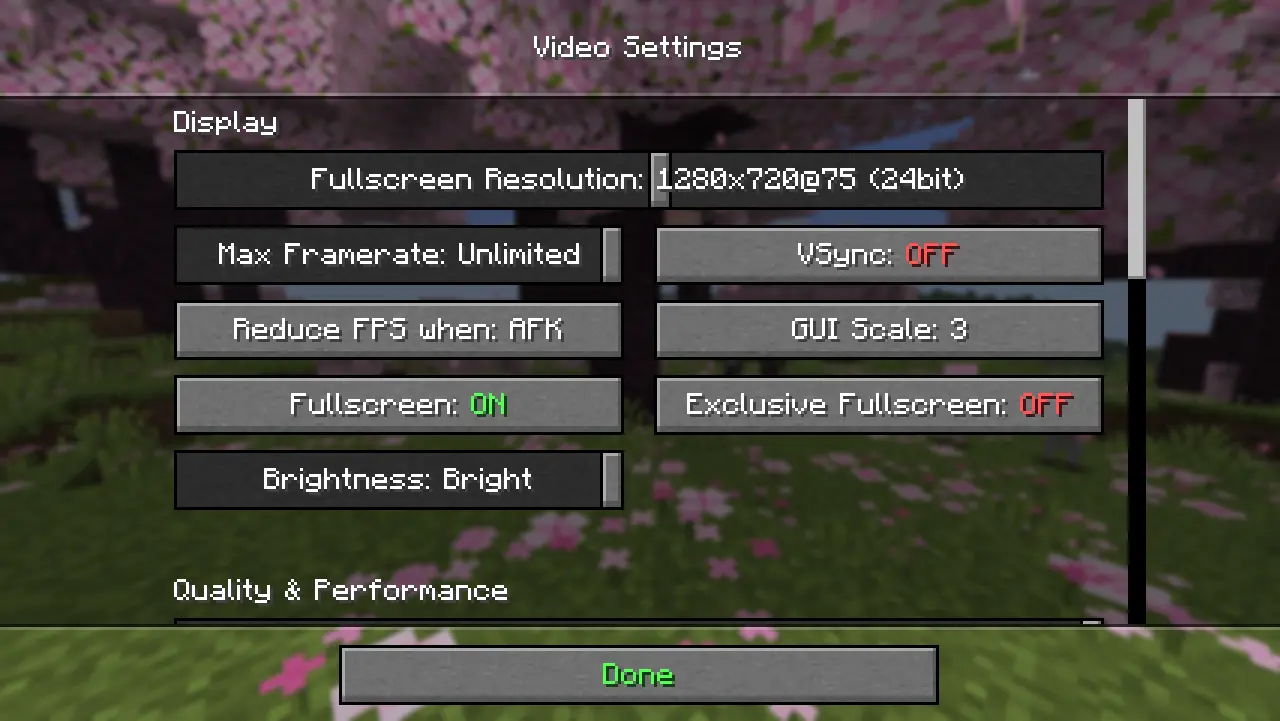
**Text Colored** – resource pack that makes the Minecraft interface more intuitive. Colored text helps you navigate faster: green (✅”**ON**”) and red (❌”**OFF**”) are instantly readable, while the rest of the elements are colored for better navigation. Comfort and style in every detail!


TemplateTexures
# How to Edit
Step 1 unzip
Step 2 open and edit the .mcpack (discription).
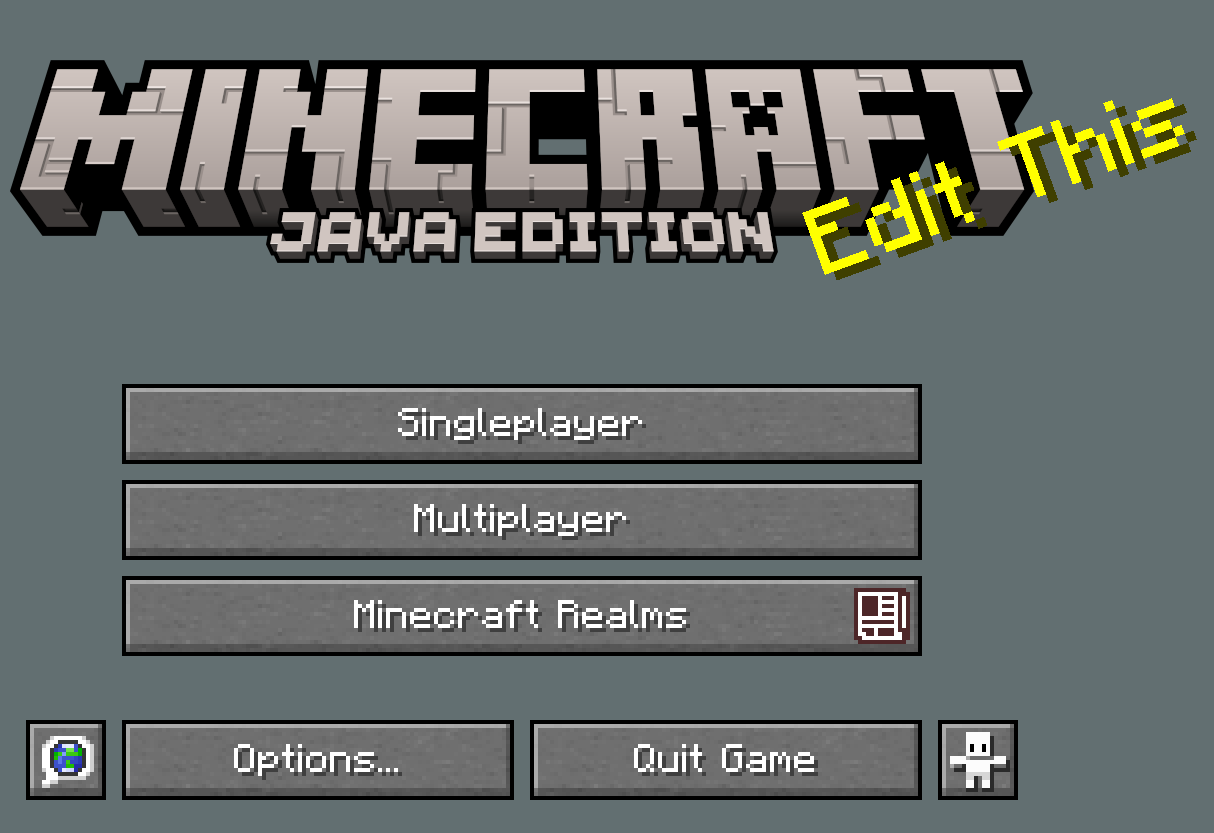
Step 3 edit the text splashes in the file texts.
Step 4 edit the images for the blocks just keep file name as is
Step 5 Optional edit GUI and background and other stuff if needed.
Step 6 rename and rezip.
END
# In 1.0
The Base Project
# In 2.0
Fixes + Directories + updated mcmeta + **FONTS! in .ttf format**
# Screenshots
TechnoStep
Replaces Minecrafts normal Pigstep sounds with a Technoblade version by [ Avatarpeanut](https://www.youtube.com/channel/UC4nTfXc1yDkZVyj3Ci9KdvQ).
Art is also made by [ Avatarpeanut](https://www.youtube.com/channel/UC4nTfXc1yDkZVyj3Ci9KdvQ).
Download The Bedrock version on [MCPEDL](https://mcpedl.com/technostep/).
You can alternatively download this from [CurseForge](https://www.curseforge.com/minecraft/texture-packs/technostep).
[Original Song](https://www.youtube.com/watch?v=RNd1N3eBwOs)
Technofault
I made Technofault as a tribute to Technoblade who died from Sarcoma, a rare form of cancer, in 2022. This pack features countless references to Techno’s videos as well as many utility textures and some general improvements to vanilla Minecraft.
Although not required, [OptiFine](https://optifine.net/downloads) or supplements such as [EMF](https://modrinth.com/mod/entity-model-features), [ETF](https://modrinth.com/mod/entitytexturefeatures), and [Skyboxify](https://modrinth.com/mod/skyboxify) are necessary for some features to work.
## About:
Technofault is based on the resourcepack Tightfault, which Technoblade used in many of his videos, including his [SkyBlock](https://www.youtube.com/playlist?list=PLQSoWXSpjA38zfNaTtrYqVc2D4giF-FnI) series.
* You can find the original version of Tightfault made by Tight for 1.8.9 [HERE](https://www.youtube.com/watch?v=fRDaP1aAPug)
* You can find karmette’s remake of Tightfault for modern versions of Minecraft [HERE](https://www.curseforge.com/minecraft/texture-packs/tightfault-revamp-edit)
Many of the Technoblade-specific assets were originally in my discontinued project, [The Techno Pack](https://www.modrinth.com/resourcepack/the-techno-pack), and have been remade and included along with many new assets to Technofault. These include:
* Pigs wear Technoblade crowns with a 5% chance of having full outfits
* Piglin Brutes have Technoblade outfits
* Piglins have TechnoDad outfits
* Zombified Piglins have Goon outfits
* Carrot on a Stick is a Potato on a Stick
* Hunger Bar icons are Potatoes
* Baked Potatoes are the Golden Potatoes from the [Festival of Voices](https://www.youtube.com/watch?v=ngwcuEaxjfs)
* Enchanting Table book is The Art of War by Sun Tzu
* Diamond swords have golden hilts embedded with a ruby
* Golden Helmets are Technoblade’s Golden Crown
* Explosion particles are Techno’s favorite texture (his face)
* Snout Banner Pattern is Techno’s Agro Pig logo
* Plain Shields display Techno’s Antarctic Empire Banner
* Strays have Antarctic Empire uniforms
* The Killer Bunny has Techno’s outfit from Origins SMP
* End Crystals are Material Lucky Blocks from [Minecraft Ultimate](https://www.youtube.com/watch?v=vAACnDkKqFo) and [FOV](https://www.youtube.com/watch?v=ngwcuEaxjfs)
* Multiple Paintings are Techno-themed Paintings
* When a Bell resonates, you can hear Techno chant “One of us!”
* When a Wither spawns, you can hear Techno yell “Then die like one!”
* When a Totem pops, you can hear Techno say “Not even close baby!”
* End Flashes are a World of Technoblade
* [Technoblade Never Dies](https://www.youtube.com/watch?v=G0YnFULVfh4) by Amosdoll Music may play in the main menu
* Menu Splashes are Technoblade quotes
* Menu Panorama is Technoblade’s Cabin (for 1.21) and The Potato Dome (for 1.8)
* Wolves can be renamed “Floof” to look like Techno’s pet dog
* Cats can be renamed “Pumpkin” to look like Techno’s pet cat
* Renaming Swords to “Christmas Spirit” gives them Candy Cane textures
* Renaming the respective items Ember Rod, Pigman Sword, Reaper Scythe, and Staff of the Rising Sun, will give them unique textures
* Renaming “Netherite” to “Ultimate” gives tools the Minecraft Story Mode Ultimate texture
* Zombies have Jesse’s outfit and Husks (or Zombie Villagers in 1.8) have Lukas’ outfit
* Squid Kid Squids, Dream Chainmail Masks, Philza Baby Zombies, Skeppy Barrier Blocks, and Ranboo Cakes!
* Totems of Undying are Techno Totems (by [lcyCrystal](https://www.planetminecraft.com/texture-pack/technoblade-totem-5628174/))
* Default Skins are the skins from [Technoblade Never Dies](https://www.youtube.com/watch?v=SBtS-n1j4U4) (see in-game credits for skin credits)
* End Credits are narrated by Technoblade and TechnoDad if Music is turned on
Additionally, there is an equipable [Technoblade Memorial Cape](https://www.planetminecraft.com/mob-skin/technoblade-memorial-cape-6308425/) (with instructions) included in Technofault’s files!
I have also included various assets which I think improve vanilla Minecraft. These include:
* Creepers are JAPPA-style
* Witches are a consistent Illager-style
* Illusioners are Minecraft Dungeons-style
* Cold Chickens are Minecraft Earth-style
* Ghasts are 1.21.6-style
* Iron Golems have red flowers ([VT](https://vanillatweaks.net/))
* Elder Guardians are Ancient Guardians (based off [Barely Default](https://www.curseforge.com/minecraft/texture-packs/mickey-joes-relatively-improved-default)’s design)
* Elytras are Ender Dragon wings (based off [ImpSteve](https://modrinth.com/resourcepack/ender-dragon-wings)’s design)
* Nether Stars are Wither Storm-style
* Enchanted Golden Apples are Notch Apples
* Snout Armor Trims are gilded and darkened a shade
* Netherite Upgrades are Gold and Debris colored
* Diamonds are diamond-shaped
* Debug Sticks are Debug Wrenches ([ManuelXXVI’s Wooden Debug Wrench](https://www.planetminecraft.com/texture-pack/xxvi-s-debug-wrench/))
* Disc “13” is [C418](https://c418.org/)’s unreleased Disc, “Dog”
* Dyes have unique textures and no trays ([VT](https://vanillatweaks.net/))
* World Border is horizontal ([VT](https://vanillatweaks.net/))
* Entities have smoother Shadows
* Withered Hearts are more visible
* Pumpkin Overlay is Wurst menu (this is a joke texture, and I do not endorse hacking lol)
* Leather Armor doesn’t have brown patches
* Bottles of Enchanting are shaped like Splash Potions
* Ladders are 3D making them visible from above
* Blocks of Ores have a consistent shiny style
* Infested Blocks are identifiable ([ManuelXXVI’s Infested Blocks](https://www.planetminecraft.com/texture-pack/xxvi-s-infested-blocks-overlay/))
* Test Block Fail is red rather than purple
* Grass Block sides are longer ([VT](https://vanillatweaks.net/))
* Water is more clear ([VT](https://vanillatweaks.net/))
* Fast Leaves look better ([VT](https://vanillatweaks.net/))
* Dark Oak Leaves are darker ([VT](https://vanillatweaks.net/))
* Decorated Pots, Observers, and Smooth Stone are fixed ([VT](https://vanillatweaks.net/))
* Scaffolding is less obtrusive ([ICE_CUBES’ Better Scaffolding](https://www.planetminecraft.com/texture-pack/better-scaffolding-5886710/))
* Chiseled Deepslate is engraved with a Warden mouth (based off [The First City](https://modrinth.com/mod/the-first-city)’s design)
* Bedrock is retextured (based off [Oreville Studios](https://www.youtube.com/@OrevilleStudios)’ design) and darkened
* Tridents are 2D sprites ([Stridey’s Sprite Trident](https://www.planetminecraft.com/texture-pack/sprite-trident/))
* Beds have 2D sprites ([VT](https://vanillatweaks.net/))
* Spyglass third-person model is 2D ([VT](https://vanillatweaks.net/))
* Paintings have unique icons ([VT](https://vanillatweaks.net/))
* Axolotl Bucket variants have unique textures ([VT](https://vanillatweaks.net/))
* Shields are lower in first-person ([VT](https://vanillatweaks.net/))
* Brewing Stands have a guide (remake of [VT](https://vanillatweaks.net/))
* Shields have HD Banner Patterns ([VT](https://vanillatweaks.net/))
You should ONLY download Technofault from Planet Minecraft, CurseForge, or Modrinth. If you find Technofault on any other sites, it is NOT published by me and is NOT safe to download.
Technofault is ARR, but if you would like to use specific assets in your projects, you can message me on Planet Minecraft or CurseForge and I can discuss usage with you. If you would like to feature Technofault in a video or elsewhere, please do! I just ask that you credit me (EiiStar) and link to Technofault (preferably the Modrinth link: [https://modrinth.com/resourcepack/technofault](https://modrinth.com/resourcepack/technofault)).
[Planet Minecraft page](https://www.planetminecraft.com/texture-pack/the-techno-pack/). [CurseForge page](https://www.curseforge.com/minecraft/texture-packs/the-techno-pack-tightfault).
## Extras:
You can donate to cancer research in Technoblade’s name here at the [Sarcoma Foundation of America](https://curesarcoma.org/ways-to-help/donate/donor-campaign/?campaign=technoblade
)!
Go watch [Technoblade Never Dies](https://www.youtube.com/watch?v=SBtS-n1j4U4), an amazing animated movie by [Squared Media](https://www.youtube.com/@SquaredMediaYT), directed by [Mont27P](https://www.youtube.com/@Mont27P)!
You should also check out [EvanMCGaming](https://www.youtube.com/@EvanMCGaming)’s two-part documentary about Technoblade’s career:
1: [The Legend of Technoblade](https://www.youtube.com/watch?v=N_dIRLhSNaE) 2: [The Legacy of Technoblade](https://www.youtube.com/watch?v=asNgWAsNTjc)
##
If you confess with your mouth that Jesus is Lord and believe in your heart that God raised him from the dead, you will be saved.
– Romans 10:9
For by grace you have been saved through faith. And this is not your own doing; it is the gift of God, not a result of works, so that no one may boast.
– Ephesians 2:8-9
Techit’s Thai Fixes
# Techit’s Thai Fixes
Hi! My name is Techit, and I’m the creator of this resource pack—a Minecraft resource pack designed to fix the appearance of the Thai language in Minecraft. Without this resource pack, the Thai language is very hard to read and looks quite ugly.
## In-game image

## Downloads
Currently, Modrinth is the primary source for downloads.
You can download the pack [here](https://modrinth.com/resourcepack/techit-thaifixes/versions).
## Community / Bug reports
You can report bugs or join my community on [Discord](https://discord.gg/xwPNqpdsYK).
## Credits and Notice
– The “Kanit” and “Mali” typefaces were created by Cadson Demak and are licensed under the Open Font License (OFL).
– Special thanks to “FatFish,” who originally created the Minecraft Resource Pack “Thai Fix.”
Tech RPG Font
Get a server today and play with your friends! Click HERE or below banner & Use Code GAMERPOTION to get 25 off!






Tech RPG Font
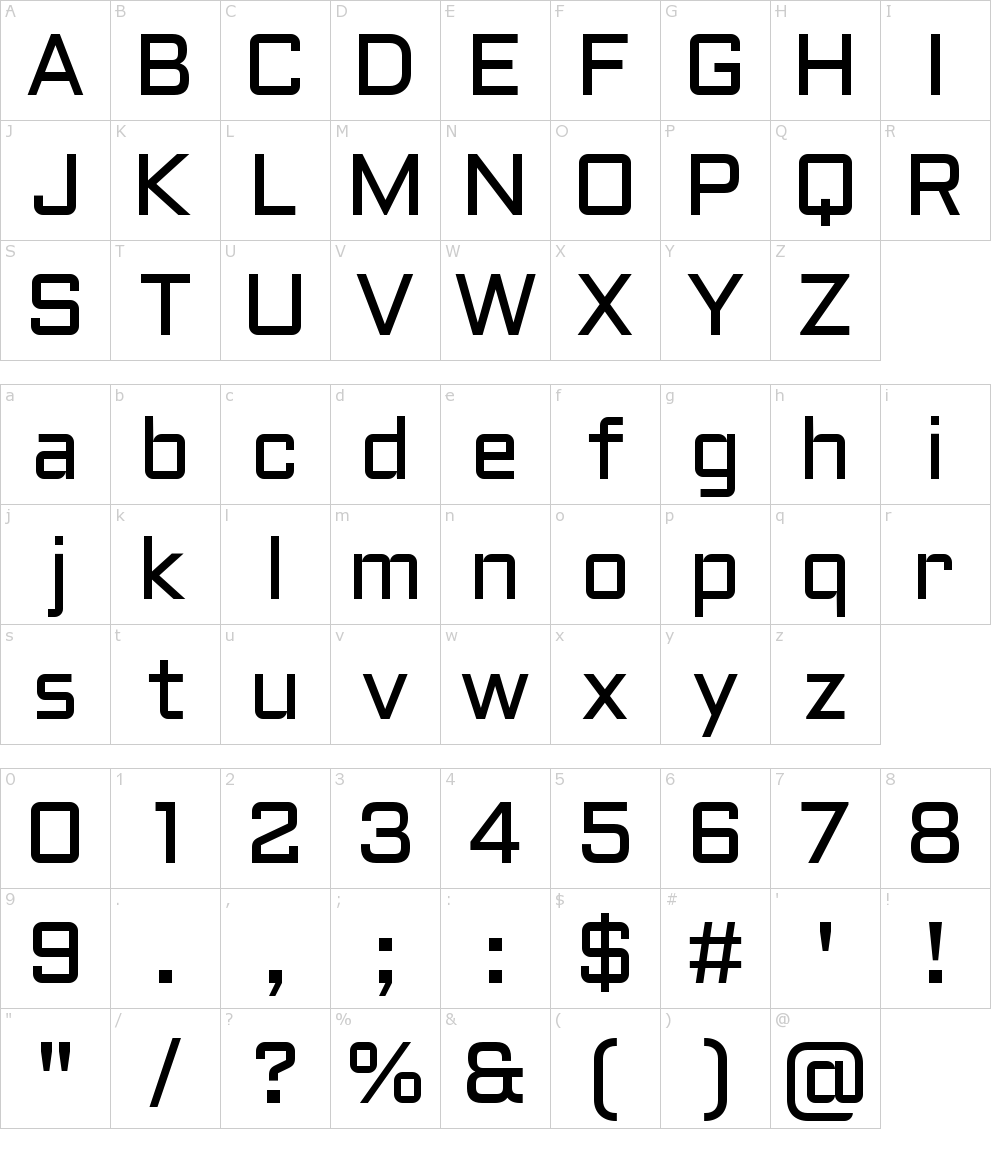
Your vanilla experience will be further improved thanks to this modern and unique crisp tech styled font which is easy to read. Made for the DarkRPG modpack but now available to the public!
Based on the popular Aldrich Google Font by MADType.
The font is licensed under the Open Font License.
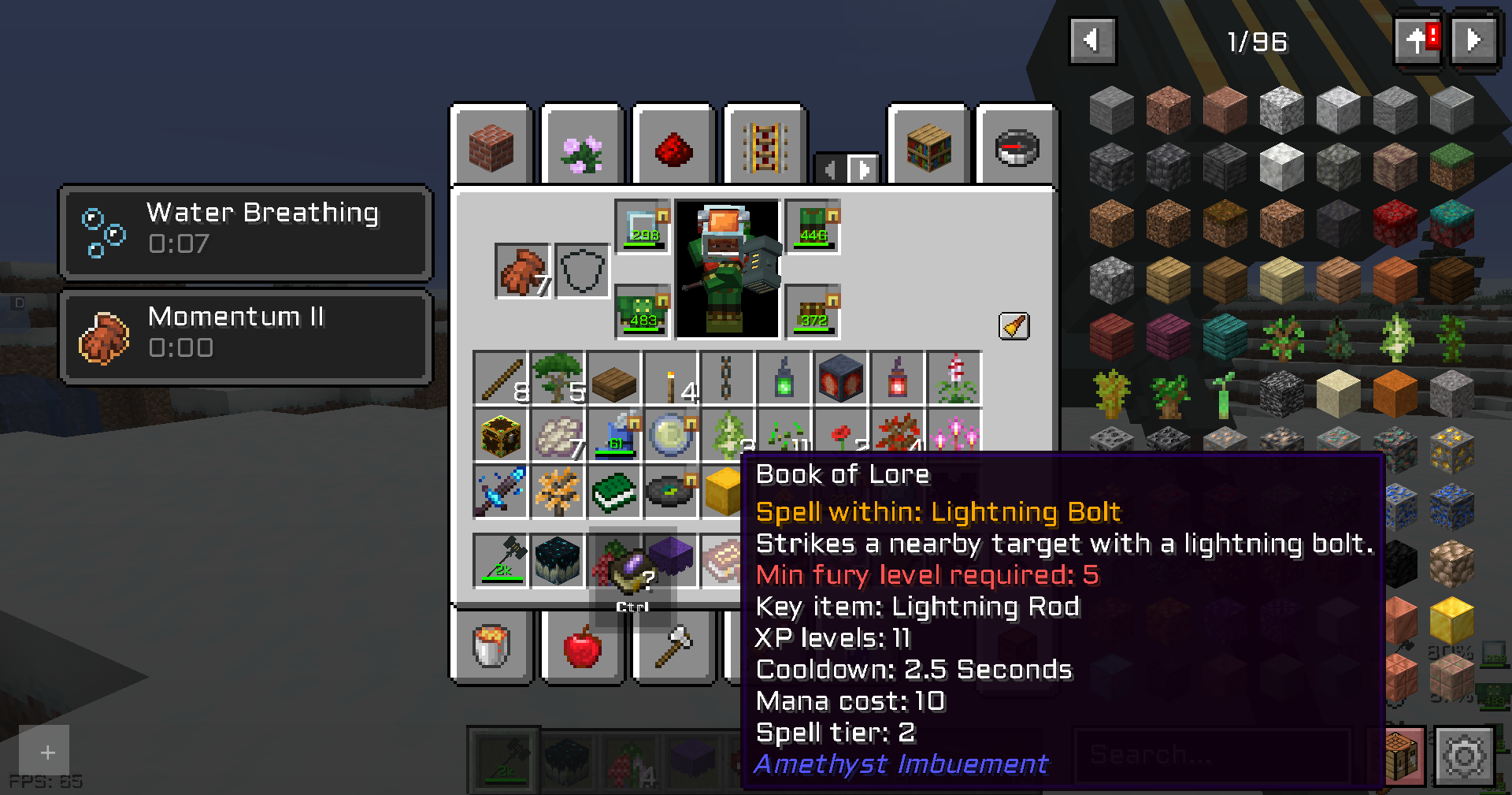
Screenshots (from DarkRPG)
Click the banner below to get your server today! or go to BisectHosting.com and make sure to use the code ‘gamerpotion‘ to get your 25% off.

Talking Bubbles!
## **NOTE, THIS IS A RESOURCEPACK ONLY! YOU ALSO NEED DATAPACK FOR TALKING BUBBLES TO FUNCTION PROPERLY!**
– **Remember to reload at the beginning because this datapack adds its own Scoreboards which are automatically added!**
Talking bubbles is a very fun and creative datapack for minecraft that allows the Player to imagine what our long-nosed Villager friend wants to tell us!
For this moment, Villager can talk about: Weather, Entities nearby, About their mood, Fear during Raid, Winning after Raid, and of course Random nonsense! Like what Villagers often do!
What could be funnier than seeing a Villager running afraid away from a Parrot!
This is the first version of the datapack, it has already been tested but there is a chance that it will not work as it should, so please give me feedback then while I am preparing the next update!