### About
Complementary Shaders is a shader pack for Minecraft Java Edition with exceptional attention to detail, high standards of quality, and top tier optimisation. It offers a ton of high quality effects, two default visual style choices, custom effects for almost every block in the game, profiles ranging from Potato to Ultra and it’s designed to never be obstructive during gameplay. It started as an edit of BSL Shaders in 2018, and it received countless major updates including a complete rewrite to meet the standards of our community. Complementary Shaders is dedicated to be shaped by user feedback over anything else, and it still receives regular updates to this day.
“Unbound” is one of the two default styles Complementary Shaders r5 comes with. It is the less restricted style of Complementary that aims for a more realistic image. [**Learn more about the two styles here.**](https://www.complementary.dev/shaders/#style-section)
### Choose Your Style
Complementary Shaders comes with two distinct visual style options. The only difference between these two styles is the default settings. The Unbound style is designed for people looking for a more realistic experience, while the Reimagined style is made to reimagine Minecraft while preserving its unique visual elements. Please note that you can still customize everything after you download either style. You can switch to blocky clouds on the Unbound style, or use realistic water on the Reimagined style. All settings are located in Shader Options.
### Installation
**New:** You can just download the [**Complementary Installer**](https://www.complementary.dev/shaders/#download-section) and click Install to automatically do all the steps below.
**-** First you need to install the [**Iris**](https://irisshaders.dev/download) mod to be able to load shaderpacks.
**-** Then you need to launch the game, and get to the Shaderpacks/Shaders menu in Video Settings.
**-** Open the shaderpacks folder by clicking the button in the menu.
**-** Download Complementary Shaders and put it in the shaderpacks folder. (Please don’t unzip the file)
**-** Get back in the game, and choose Complementary in the shaderpacks menu. (Refresh the menu if it doesn’t appear)
### Other
**-** Check out the [**Complementary Development Website**](https://www.complementary.dev/) for more information.
**-** Join the [**Complementary Discord**](https://discord.gg/ck5htDSQPv) community if you have any questions, or just want to talk.
**-** If you would like to support the development of Complementary, you can do so on [**Patreon**](https://www.patreon.com/emingt).
 Transform your Minecraft world into a vibrant, animated masterpiece! This shader pack brings a cel-shaded, cartoon aesthetic to your gameplay with smooth lighting, bold outlines, and stylized color grading.
Pushing the boundaries of accessible intelligence. Whether you need lightweight efficiency or industrial-grade reasoning, the **Next Series** delivers.
**Why build with Lamapi?**
– ⚡ **High Efficiency:** From compact 1B models to powerful 70B reasoning engines.
– 🌍 **Multilingual Mastery:** Optimized for superior performance in English & Turkish.
– 🛠️ **Ready to Deploy:** State-of-the-art open weights available immediately.
Looking for a host that takes your gaming experience as seriously as you do? We provide robust infrastructure ensuring smooth gameplay and enterprise-grade uptime.
**Why switch to us?**
– 💎 **7-Day Free Trial:** Experience the quality risk-free (No commitment).
– 🛡️ **99.9% Uptime SLA:** Your server stays online, guaranteed.
– ⏰ **24/7 Support:** Expert help whenever you need it.
🔥 Experience the difference with 25% off your first month,
* **Full Lightmap Support** – Torches, lava, and all light sources work perfectly
* **Normal-Based Shading** – Subtle 3D depth effect while maintaining the cartoon style
* **Smooth Tonemap** – Reinhard tonemapping with gamma correction for accurate colors
* **Hand Rendering** – Special lighting pass for held items to ensure visibility
* **Performance Optimized** – Efficient shader code that runs smoothly on most systems
## 🎮 Perfect For
* Builders who want a unique artistic style
* Content creators looking for standout visuals
* Players who love animated aesthetics
* Anyone tired of ultra-realistic shaders
1. Download the shader pack
2. Place the `.zip` file in your `shaderpacks` folder
3. Open Minecraft and go to Options → Video Settings → Shaders
4. Select the Cartoonie
5. Enjoy your animated world!
 **Enjoy your cartoon adventure!** 🎬✨
BVS – Best Vanilla Shader
EN 🌐
# ABOUT:
**Hi, I’m LoLip_p! I created this shader by saving vanilla Minecraft. I also tried to make flexible settings so that you can disable or enable the available functions to your liking. Support the author on [Patreon](https://patreon.com/lolip_p).**
**A fast version of the shader is also available: [**BVSF**](https://modrinth.com/shader/bvsf)!**
## THE SHADER HAS:
– Support [Better Clouds](https://modrinth.com/mod/better-clouds)
– Support [Distant Horizons](https://modrinth.com/mod/distanthorizons)
– PBR support _(LabPBR)_
– Depth of Field
– Motion Blur
– Shading _(Shading the edges that do not fall under the sun’s rays)_
– Shadows
– FXAA _(anti-aliasing)_
– SSR _(Screen Space Reflection)_
– Auto Exposure
– Color Correction
– Support 7 language: _EN RU UA FR DE CH BR_
## INSTALL THE SHADERS
– Download Client Which Supports Installing Shaders Such As Optifine And Iris
– Download The Shaders
– Copy Shaders to /.minecraft/shaderpacks
– Launch Minecraft, Go To Options –> Video Settings –> Shaders
– Choose **BVS – Best Vanilla Shader**
## DEMO VIDEO
RU 🐻
# О:
**Привет, я LoLip_p! Я создал этот шейдер, сохранив классическую версию Minecraft. Я также постарался сделать настройки гибкими, чтобы вы могли отключать или включать доступные функции по своему усмотрению.**
**Также доступна быстрая версия шейдера: [**BVSF**](https://modrinth.com/shader/bvsf)!**
## ШЕЙДЕР ИМЕЕТ:
– Поддержка [Better Clouds](https://modrinth.com/mod/better-clouds)
– Поддержка [Distant Horizons](https://modrinth.com/mod/distanthorizons)
– Поддержка PBR _(LabPBR)_
– Глубина резкости
– Размытие движения
– Затенение _(Затенение краев, не попадающих под лучи солнца)_
– Тени
– FXAA _(сглаживание)_
– SSR _(Отражение в пространстве экрана)_
– Автоматическая экспозиция
– Коррекция цвета
– Поддержка 7 языков: _EN RU UA FR DE CH BR_
# ÜBER:
**Hallo, ich bin LoLip_p! Ich habe diesen Shader erstellt, indem ich Vanilla Minecraft gespeichert habe. Außerdem habe ich versucht, flexible Einstellungen zu erstellen, damit Sie die verfügbaren Funktionen nach Belieben deaktivieren oder aktivieren können.**
**Eine schnelle Version des Shaders ist ebenfalls verfügbar: [**BVSF**](https://modrinth.com/shader/bvsf)!**
## DER SHADER VERFÜGT ÜBER:
– Unterstützung für [Better Clouds](https://modrinth.com/mod/better-clouds)
– Unterstützung für [Distant Horizons](https://modrinth.com/mod/distanthorizons)
– PBR-Unterstützung _(LabPBR)_
– Tiefenschärfe
– Bewegungsunschärfe
– Schattierung _(Schattierung der Kanten, die nicht unter die Sonnenstrahlen fallen)_
– Schatten
– FXAA _(Anti-Aliasing)_
– SSR _(Screen Space Reflection)_
– Automatische Belichtung
– Farbkorrektur
– Unterstützung von 7 Sprachen: _EN RU UA FR DE CH BR_
## INSTALLIEREN SIE DIE SHADER
– Client herunterladen, der die Installation von Shadern wie Optifine und Iris unterstützt
– Shader herunterladen
– Shader nach /.minecraft/shaderpacks kopieren
– Minecraft starten, zu Optionen –> Videoeinstellungen –> Shader gehen
– **BVS – Best Vanilla Shader** auswählen
## DEMO VIDEO
BR 🎭
# SOBRE:
**Olá, sou o LoLip_p! Criei este shader salvando o Minecraft vanilla. Também tentei criar configurações flexíveis para que você possa desativar ou ativar as funções disponíveis de acordo com sua preferência.**
**Uma versão rápida do shader também está disponível: [**BVSF**](https://modrinth.com/shader/bvsf)!**
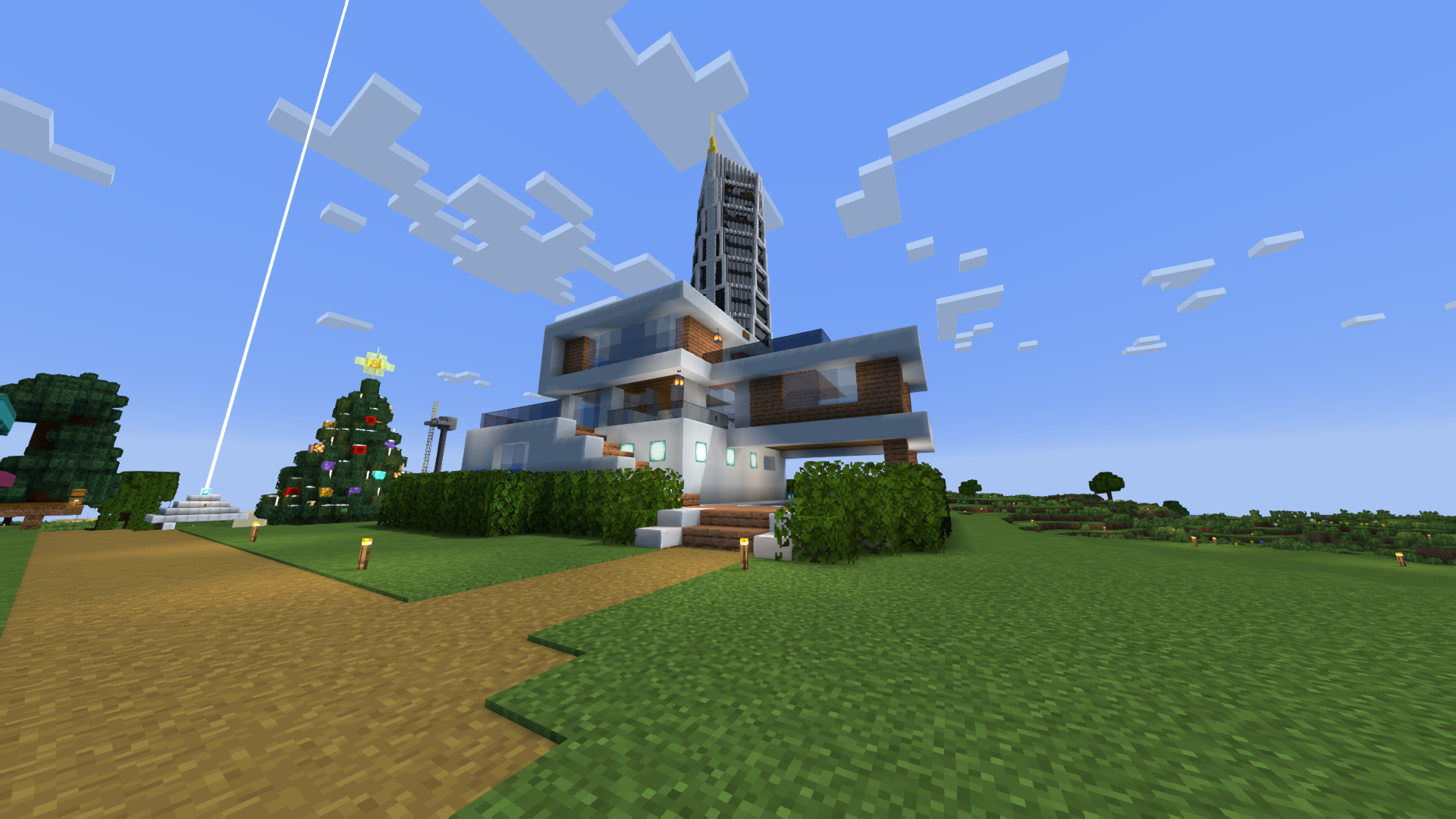
### CAPTURA DE TELA:
## O SHADER TEM:
– Suporte a [Better Clouds](https://modrinth.com/mod/better-clouds)
– Suporte a [Distant Horizons](https://modrinth.com/mod/distanthorizons)
– Suporte PBR _(LabPBR)_
– Profundidade de campo
– Desfoque de movimento
– Sombreamento _(Sombreamento das bordas que não são atingidas pelos raios solares)_
– Sombras
– FXAA _(anti-aliasing)_
– SSR _(Reflexão no espaço da tela)_
– Exposição automática
– Correção de cor
– Suporte a 7 idiomas: _EN RU UA FR DE CH BR_
## INSTALE OS SHADERS
– Baixe o cliente que suporta a instalação de shaders como Optifine e Iris
– Baixe os shaders
– Copie os shaders para /.minecraft/shaderpacks
– Inicie o Minecraft, vá para Opções –> Configurações de vídeo –> Shaders
– Escolha **BVS – Best Vanilla Shader**
## VÍDEO DE DEMONSTRAÇÃO
FR 🥐
# À PROPOS:
**Bonjour, je m’appelle LoLip_p ! J’ai créé ce shader en enregistrant Minecraft vanilla. J’ai également essayé de rendre les paramètres flexibles afin que vous puissiez désactiver ou activer les fonctions disponibles à votre guise.**
**Une version rapide du shader est également disponible : [**BVSF**](https://modrinth.com/shader/bvsf)!**
## LE SHADER DISPOSE DE:
– Prise en charge [Better Clouds](https://modrinth.com/mod/better-clouds)
– Prise en charge [Distant Horizons](https://modrinth.com/mod/distanthorizons)
– Prise en charge PBR _(LabPBR)_
– Profondeur de champ
– Flou de mouvement
– Ombrage _(Ombrage des bords qui ne sont pas exposés aux rayons du soleil)_
– Ombres
– FXAA _(anti-aliasing)_
– SSR _(Screen Space Reflection)_
– Exposition automatique
– Correction des couleurs
– Prise en charge de 7 langues : _EN RU UA FR DE CH BR_
## INSTALLER LES SHADERS
– Téléchargez le client qui prend en charge l’installation de shaders tels que Optifine et Iris
– Téléchargez les shaders
– Copiez les shaders dans /.minecraft/shaderpacks
– Lancez Minecraft, allez dans Options –> Paramètres vidéo –> Shaders
– Choisissez **BVS – Best Vanilla Shader**
## VIDÉO DE DÉMONSTRATION
UA 🕊️
# О:
**Привіт, я LoLip_p! Я створив цей шейдер, зберігши класичну версію Minecraft. Я також постарався зробити налаштування гнучкими, щоб ви могли відключати або вмикати доступні функції на свій розсуд.**
**Також доступна швидка версія шейдера: [**BVSF**](https://modrinth.com/shader/bvsf)!**
## ШЕЙДЕР МАЄ:
– Підтримка [Better Clouds](https://modrinth.com/mod/better-clouds)
– Підтримка [Distant Horizons](https://modrinth.com/mod/distanthorizons)
– Підтримка PBR _(LabPBR)_
– Глибина різкості
– Розмиття руху
– Затінення _(Затінення країв, що не потрапляють під промені сонця)_
– Тіні
– FXAA _(згладжування)_
– SSR _(Відбиття в просторі екрану)_
– Автоматична експозиція
– Корекція кольору
– Підтримка 7 мов: _EN RU UA FR DE CH BR_
## УСТАНОВКА ШЕЙДЕРА
– Завантажте клієнт, що підтримує встановлення шейдерів, таких як Optifine та Iris
– Завантажте шейдери
– Скопіюйте шейдери в /.minecraft/shaderpacks
– Запустіть Minecraft, перейдіть в «Налаштування» –> «Налаштування відео» –> «Шейдери»
– Виберіть **BVS – Best Vanilla Shader**
## ДЕМО ВІДЕО
BSL Shaders – Classic
**Notice: BSL Classic is now discontinued. A config file with classic’s look is available [here](https://www.patreon.com/posts/classic-settings-146997444).**
[](https://modrinth.com/shader/bsl-shaders)
[](https://modrinth.com/resourcepack/bsl-minipacks)
## ABOUT
BSL Shaders – Classic is a shaderpack made exclusively for Minecraft: Java Edition. It’s oriented towards vanilla aesthetics. This shader includes realtime shadows, volumetric light, ambient occlusion, bloom, customizable clouds and water, and built in anti-aliasing. Additional effects are available, such as depth of field, motion blur, specular and normal mapping, celshading, world curvature, and more.
## QUICK LINKS
– [**capttatsu.com**](https://capttatsu.com/bslshaders/) is this project’s official site, read the detailed description, FAQs and changelog here.
– Follow me on [**Bluesky**](https://bsky.app/profile/capttatsu.com) and/or [**X/Twitter**](https://twitter.com/capttatsu) to get news on my shaderpack.
– [**Join my discord server**](https://discord.com/invite/ZJd7jjA) for discussion, question, feature request, and bug report.
– Like my shaderpack? Consider supporting on [**Patreon**](https://www.patreon.com/capttatsu).
## AGREEMENT
You’re allowed to…
– Use this shaderpack for taking screenshots and videos.
– Modify the shaderpack for personal use.
– Publish your heavily modified version of the pack.*
– Redistribute the shaderpack for modpack / server with my permission.*
You’re not allowed to…
– Redistribute the shaderpack without my permission.
– Claim (and rename) my shaderpack (or its code) as your own.
– Use monetized URL shorteners to my site or files.
*My shader and myself (the author) should be credited clearly, add link to my site if possible.
## INSTALLATION
– Download and install Optifine or Iris
– Download the shaderpack
– Put the shaderpack inside .minecraftshaderpacks
– Launch Minecraft
– Open Options, Video Settings, Shaders
– Choose BSL Shaders
[](https://modrinth.com/resourcepack/bsl-minipacks)
## ABOUT
BSL Shaders is a shaderpack made exclusively for Minecraft: Java Edition. It’s bright, colorful, and distinct. This shader includes realtime shadows, volumetric light, ambient occlusion, bloom, customizable clouds and water, and built in anti-aliasing. Additional effects are available, such as depth of field, motion blur, specular and normal mapping, celshading, world curvature, and more.
## QUICK LINKS
– [**capttatsu.com**](https://capttatsu.com/bslshaders/) is this project’s official site, read the detailed description, FAQs and changelog here.
– Follow me on [**Bluesky**](https://bsky.app/profile/capttatsu.com) and/or [**X/Twitter**](https://twitter.com/capttatsu) to get news on my shaderpack.
– [**Join my discord server**](https://discord.com/invite/ZJd7jjA) for discussion, question, feature request, and bug report.
– Like my shaderpack? Consider supporting on [**Patreon**](https://www.patreon.com/capttatsu).
## AGREEMENT
You’re allowed to…
– Use this shaderpack for taking screenshots and videos.
– Modify the shaderpack for personal use.
– Publish your heavily modified version of the pack with my permission.
You’re not allowed to…
– Redistribute the shaderpack without my permission.
– Claim (and rename) my shaderpack (or its code) as your own.
– Use monetized URL shorteners to my site or files.
## INSTALLATION
– Download and install Optifine or Iris
– Download the shaderpack
– Put the shaderpack inside .minecraftshaderpacks
– Launch Minecraft
– Open Options, Video Settings, Shaders
– Choose BSL Shaders
Bloop Shaders
# ABOUT BLOOP
Bloop is a Minecraft shader designed to deliver excellent graphics while maximizing performance.
Perfectly scalable, it offers smooth gameplay on low-end PCs and higher graphics options for more powerful systems, from integrated graphics to an RTX 3090.
Enjoy an enhanced visual experience without compromising on frame rates.
– Performance oriented profiles and simple settings
– Realtime Shadows with simple and advanced shadow filtering
– Distant Horizons support, Including Shadows
– Physics Mod support
– Floodfill lighting
– Advanced and Simple AO
– Full LabPBR compatibility
– POM and Material SSR
– Volumetric Light and Mist
– cloud and contact shadows
– Bloom
– Depth of field
– Volumetric and vanilla cloud support
– Custom tonemapping
– TAA with support for anti ghosting on entities
– Support for various modded blocks
and a lot more
# Performance Comparison
Performance Table
Ryzen 9 7900X with Integrated Graphics at 1080p, Render distance 8
“`
┌──────────────────────────┬──────────────────────┬───────────┬───────────────┬───────────────────┬─────────┐
│ Shader │ Preset │ Shadows │ Shadow Range │ Shadow Resolution │ FPS │
├──────────────────────────┼──────────────────────┼───────────┼───────────────┼───────────────────┼─────────┤
│ No shaders │ NA │ NA │ NA │ NA │ 180 fps │
├──────────────────────────┼──────────────────────┼───────────┼───────────────┼───────────────────┼─────────┤
│ Bloop │ Lowest │ Yes │ 8 chunks │ 1024 px │ 45 fps │
│ │ Low │ Yes │ 8 chunks │ 1024 px │ 40 fps │
│ │ Med Low │ Yes │ 10 chunks │ 1024 px │ 30 fps │
│ │ Medium │ Yes │ 10 chunks │ 2048 px │ 20 fps │
│ │ Med High │ Yes │ 16 chunks │ 2048 px │ 15 fps │
│ │ High │ Yes │ 16 chunks │ 4096 px │ 10 fps │
│ │ Ultra │ Yes │ 16 chunks │ 4096 px │ 5 fps │
├──────────────────────────┼──────────────────────┼───────────┼───────────────┼───────────────────┼─────────┤
│ Makeup UltraFast │ shadowless low │ No │ NA │ NA │ 60 fps │
│ │ shadowless Medium │ No │ NA │ NA │ 40 fps │
│ │ shadowless High │ No │ NA │ NA │ 30 fps │
│ │ Low │ Yes │ NA │ NA │ 25 fps │
│ │ Medium │ Yes │ NA │ NA │ 23 fps │
│ │ High │ Yes │ NA │ NA │ 20 fps │
├──────────────────────────┼──────────────────────┼───────────┼───────────────┼───────────────────┼─────────┤
│ Bliss │ Default │ Yes │ 8 chunks │ 2084 px │ 10 fps │
├──────────────────────────┼──────────────────────┼───────────┼───────────────┼───────────────────┼─────────┤
│ Complementary reimagined │ Potato │ No │ NA │ NA │ 20 fps │
├──────────────────────────┼──────────────────────┼───────────┼───────────────┼───────────────────┼─────────┤
│ Potato Shaders │ NA │ No │ NA │ NA │ 25 fps │
├──────────────────────────┼──────────────────────┼───────────┼───────────────┼───────────────────┼─────────┤
│ RenderPearl │ Lowest │ Yes │ 2 chunks │ 512px │ 55 fps │
│ │ lower │ Yes │ 6 chunks │ 512px │ 40 fps │
│ │ Low │ Yes │ 8 chunks │ 1024 px │ 35 fps │
│ │ medium │ Yes │ 10 chunks │ 2048 px │ 20 fps │
│ │ high │ Yes │ 10 chunks │ 2048 px │ 15 fps │
├──────────────────────────┼──────────────────────┼───────────┼───────────────┼───────────────────┼─────────┤
│ Aurora │ Default │ No │ NA │ NA │ 20 fps │
├──────────────────────────┼──────────────────────┼───────────┼───────────────┼───────────────────┼─────────┤
│ Mellow │ Low │ No │ NA │ NA │ 100 fps │
│ │ fancy │ No │ NA │ NA │ 70 fps │
│ │ fabulous │ No │ NA │ NA │ 50 fps │
└──────────────────────────┴──────────────────────┴───────────┴───────────────┴───────────────────┴─────────┘
“`
Bliss Shaders
# About The Shader
_**Bliss is a big edit of Chocapic13’s V9.0 – V9.1; [The original shaders can be found here!](https://www.curseforge.com/minecraft/customization/chocapic13-shaders)**_
I liked chocapic13’s shaders, but i could not be satisfied. I decided i wanted to try and bring my own visual goals out in the shader while i learn how to develop shaders. So here i am, with a pretty sizeable edit that stands to be quite different from the original shader!
# Requirements
– The mod [“Iris”](https://www.irisshaders.dev/download). The mod [“Optifine”](https://optifine.net/downloads) might work as well.
– Designed for Minecraft versions 1.17.0+
– AMD, Intel, and NVidia graphics are supported
– Apple devices have limited support due to OpenGL version restrictions. [Please refer to this thread for more info](https://github.com/X0nk/Bliss-Shader/issues/181)
# Questions? Bugs? Want to help test unstable versions?
– [Contact me on my Discord server](https://discord.gg/8nVt56H9zH)
– [Alternatively, contact me on the ShaderLabs Discord](https://discord.gg/RpzWN9S)
– [Test the unstable github branch here (there is a download guide in the README)](https://github.com/X0nk/Bliss-Shader/tree/Unstable)
– [Report a bug, request a feature, or ask a question here](https://github.com/X0nk/Bliss-Shader/issues/new/choose)
– [Want to support me? Throw money at me here](https://ko-fi.com/xonkdev)
Pushing the boundaries of accessible intelligence. Whether you need lightweight efficiency or industrial-grade reasoning, the **Next Series** delivers.
**Why build with Lamapi?**
– ⚡ **High Efficiency:** From compact 1B models to powerful 70B reasoning engines.
– 🌍 **Multilingual Mastery:** Optimized for superior performance in English & Turkish.
– 🛠️ **Ready to Deploy:** State-of-the-art open weights available immediately.
Looking for a host that takes your gaming experience as seriously as you do? We provide robust infrastructure ensuring smooth gameplay and enterprise-grade uptime.
**Why switch to us?**
– 💎 **7-Day Free Trial:** Experience the quality risk-free (No commitment).
– 🛡️ **99.9% Uptime SLA:** Your server stays online, guaranteed.
– ⏰ **24/7 Support:** Expert help whenever you need it.
🔥 Experience the difference with 25% off your first month,
* GLSL 120 compatibility for maximum support
* Multiple render targets (MRT) for advanced rendering
* Optimized composite pass with minimal texture sampling
* 4-directional depth checking for accurate outlines
* Transparent blocks (water, glass) don’t receive outlines due to depth buffer constraints
* Outline thickness may decrease at extreme render distances
* Outlines appear slightly more prominent during nighttime
1. Download the shader pack
2. Place it in your `.minecraft/shaderpacks` folder
3. Enable it through Optifine/Iris shader settings
4. Enjoy your new anime-style Minecraft world!
### Have an issue or feature request?
Open an issue [here](https://github.com/hotsu0p/beyond-vanilla/issues).
1. **Download:**
– Visit the green “Releases” tab and download the latest release.
– Extract the contents of the ZIP file.
2. **Installation:**
– Open your Minecraft launcher.
– Navigate to the “shaderpacks” folder inside the “shaderpacks” directory in your Minecraft game folder (usually located in `%appdata%/.minecraft/shaderpacks`).
– Move the extracted folder into the “shaderpacks” directory.
3. **Launch Minecraft:**
– Select the profile with the installed shader pack.
– Start the game.
### Shader Features:
– Experience a stunning visual upgrade with enhancements to lighting, shadows, and atmospheric effects.
– Immerse yourself in the game with carefully crafted details.
### Compatibility:
– Tested on Iris and Sodium 1.1.6.
– Optimized for mid to low-tier devices.
– Not tested on Optifine.
– Compatible with Nvidia GPUs (tested on a 4070 Ti).
– Not tested on AMD or Mac platforms.
### Upcoming Enhancements:
– [✅] More screenshots for a comprehensive preview.
– [✅] Enhanced sky in the end.
– [✅] Improved portal visuals.
– [✅] Sun and moon enhancements.
– [✅] Uploaded to Modrinth for wider availability.
– [] Fix more bugs
– [] Performance improvements for smoother gameplay.
– [] Additional features to elevate your gaming experience.
– [] Add a feature from the commuity..
– [] Quality of life features
– [] Glass blur
– [] Revamped GUI for a polished interface.
– [] Add more to the todo
### Partner!!
Are you interested in supporting me and the development of beyond vinilla? If so, I suggest trying out BisectHosting. As a new customer, use the hotsuop to receive a 25% discount on your first month of a gaming server. With 24/7 support and rapid response times, you can expect outstanding service for all your gaming needs.

### Credits:
– **Hotsuop:** Creator of the base shader.
– **CaptTatsu:**: For creating BSL Shaders, which this is based off of.
If you contribute to the repository, your name could be featured here!
AxoShaders
Axolotls Shaders — Vibrant & Reimagined
A lightweight, atmospheric shader pack designed to enhance the default Minecraft look without sacrificing performance. This shader combines the punchy, vibrant colors of Bedrock Edition with advanced Java-side lighting techniques.
✨ Key Features
Cinematic Lighting: Utilizing ACES Tonemapping for rich, balanced colors that avoid “crushed blacks” or overblown highlights.
Soft Shadows: Optimized PCF shadows with adaptive bias to eliminate “shadow acne” and provide smooth depth.
Vibrant Atmosphere: A custom fog system that reacts to the time of day, creating beautiful golden hours and deep, moody nights.
Living World: Subtle, procedural wind animations for leaves, grass, and crops.
Correct Gamma Workflow: Full sRGB-to-Linear conversion ensures that torchlight and sunlight mix realistically.
🛠️ Compatibility
Loaders: Iris (Recommended) or OptiFine.
Versions: Minecraft 1.20.x, 1.21.x, and above.
Hardware: Designed to run well on both dedicated GPUs and modern integrated graphics.