FancyWind and Waves
**English version:**
FancyShader — Lightweight Wind & Waves
Adds satisfying animated wind to grass, flowers, and leaves, plus gentle water surface waves. Zero visual changes — completely vanilla colors, lighting, and fog. Just pure movement.
**Features:**
Grass & flowers sway in the wind
Leaves rustle with a natural flutter
Water surface gently ripples
Underwater fog
No color grading, no bloom, no performance cost
Compatible with Minecraft 1.17–1.21.x via OptiFine or Iris.
Subscribe so you don’t miss any updates! If you have questions or need support, join our Discord.
**Русская версия:**
FancyShader — Лёгкий ветер и волны
Добавляет приятную анимацию ветра на траве, цветах и листьях, а также лёгкое покачивание поверхности воды. Никаких изменений картинки — полностью ванильные цвета, освещение и туман. Только чистое движение.
**Возможности:**
Трава и цветы качаются на ветру
Листья шелестят с естественным трепетом
Поверхность воды плавно колышется
Никакой цветокоррекции, блума и потерь производительности
Совместимо с Minecraft 1.17–1.21.x через OptiFine или Iris.
Подписывайтесь, чтобы не пропустить обновления! Если есть вопросы или нужна помощь — заходите в наш Discord за поддержкой.
Extraterrestrial Expanse
Extraterrestrial Expanse is a minecraft shader primarily for iris.
It adds things such as:
– Custom clouds
– Random events
– reflections
– Ambiance (plants waving in the wind, water waves)
Do note that this project is currently in BETA! so expect a lot of bugs and (most likely performance) issues, and if you come across many, feel free to report them in the discord.
Exposa Shaders
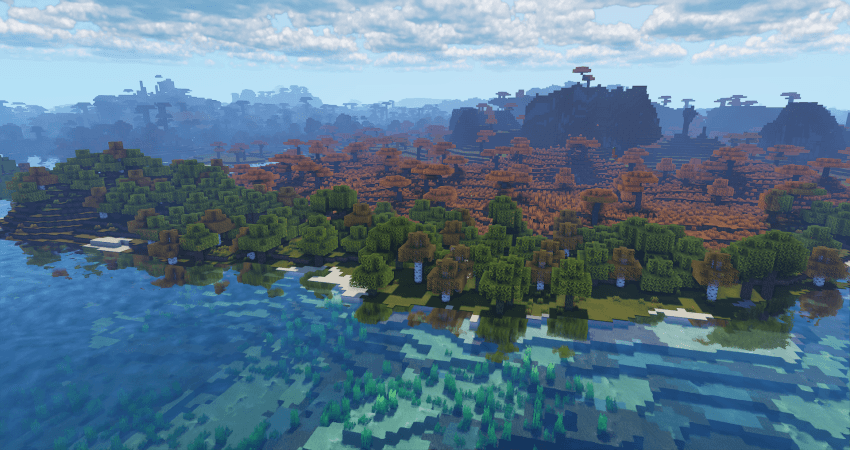
[Cinematic Showcase](https://youtu.be/itbCHGM3cJs)
(PSST, you should use this shaderpack while listening to this upcoming song, presave it its awesome and its also mine! Yes I am promoting my song… Yes I am desperate.) [Awesome Song To Listen 2 While using Exposa](http://tunelink.to/Jub5v)
# Description
Hello! This is Exposa! Used to be known as Exposa Unique Shaders. This project is a shaderpack that aims for both a natural and a fantasy style.
# Compatibility
It is compatible with Optifine and Iris, unknown about other mods and clients. It is also recommended to be used for versions 1.17x and above. It works well with AMD and NVIDIA and INTEL .
**Nether and End support are full ATM. For custom dimensions support, please let me know what dimensions you would like to see supported.**
# License
For the most, I use the all rights reserved license, but I really wouldn’t recommend using my code (I did not intend it for the use of being edited). If you’d like to edit anyway, you can ask me here!
# Features
* rough reflections
* water reflections
* shadows
* motion blur
* depth of field
* puddles
* temporal anti aliasing
* HDR
* bloom
* tonemapping
* lightshafts
* volumetric clouds
* Seasonal Colors (Autumn, Winter, Spring, Summer)
* Shooting Stars
* Proper weather & translucent support
* Nether & End support
* Ambient SSS
* SSAO
* Directional Lightmaps
* VL Mist / Smokey Fog!
* Nether VL Swirly Fog
* Better TAA
* Better Puddles
# Some Credits
RRe36 ([https://www.curseforge.com/members/rre36](https://www.curseforge.com/members/rre36)) – Lots of help with clouds, volumetric fog, bloom and etc. Capt Tatsu ([https://www.curseforge.com/members/capttatsu](https://www.curseforge.com/members/capttatsu)) – Gave me permission to use the reflections functions and even helped me apply them, let me use and modify bloom, motion blur, dof, volumetric fog and etc.
Unicorn Blood ([https://www.curseforge.com/members/dakotah2468](https://www.curseforge.com/members/dakotah2468)) – Letting me use and modify fog.
Xenith – Help with shadows method.
Jesse/L – In my older versions, he gave me a tonemap to use.
Belmu – Has helped me set up some things like rough reflections, you can support him here! ([https://www.curseforge.com/minecraft/customization/noblert-shaders)](https://www.curseforge.com/minecraft/customization/noblert-shaders))
HardTop for the french translation: [https://hardtopnet.ovh](https://www.curseforge.com/linkout?remoteUrl=https%253a%252f%252fhardtopnet.ovh%252f)
Espen for many things (I only remember providing me with the minimum & maximum depth functions): [https://modrinth.com/shader/bloop-shaders/versions](https://www.curseforge.com/linkout?remoteUrl=https%253a%252f%252fmodrinth.com%252fshader%252fbloop-shaders%252fversions)
Xonk for many things (I only remember SSAO & SSS tricks and reflections LOD trick atm ;_;): [https://github.com/X0nk/Bliss-Shader](https://github.com/X0nk/Bliss-Shader)
Zombye for cool TAA tricks: [https://github.com/zombye/spectrum/tree/master/shaders/program](https://github.com/zombye/spectrum/tree/master/shaders/program)
Eldeston & Chocapic13 for previous coordinates transformation: [https://modrinth.com/user/Eldeston](https://www.curseforge.com/linkout?remoteUrl=https%253a%252f%252fmodrinth.com%252fuser%252fEldeston), [https://www.curseforge.com/minecraft/shaders/chocapic13-shaders](https://www.curseforge.com/minecraft/shaders/chocapic13-shaders)
Random Noise website: [https://www.pcg-random.org/](https://www.curseforge.com/linkout?remoteUrl=https%253a%252f%252fwww.pcg-random.org%252f)
sRGB & Linear color space conversions: [https://www.shadertoy.com/view/4tXcWr](https://www.curseforge.com/linkout?remoteUrl=https%253a%252f%252fwww.shadertoy.com%252fview%252f4tXcWr)
Enhanced Vision
#Enhanced Vision Shader
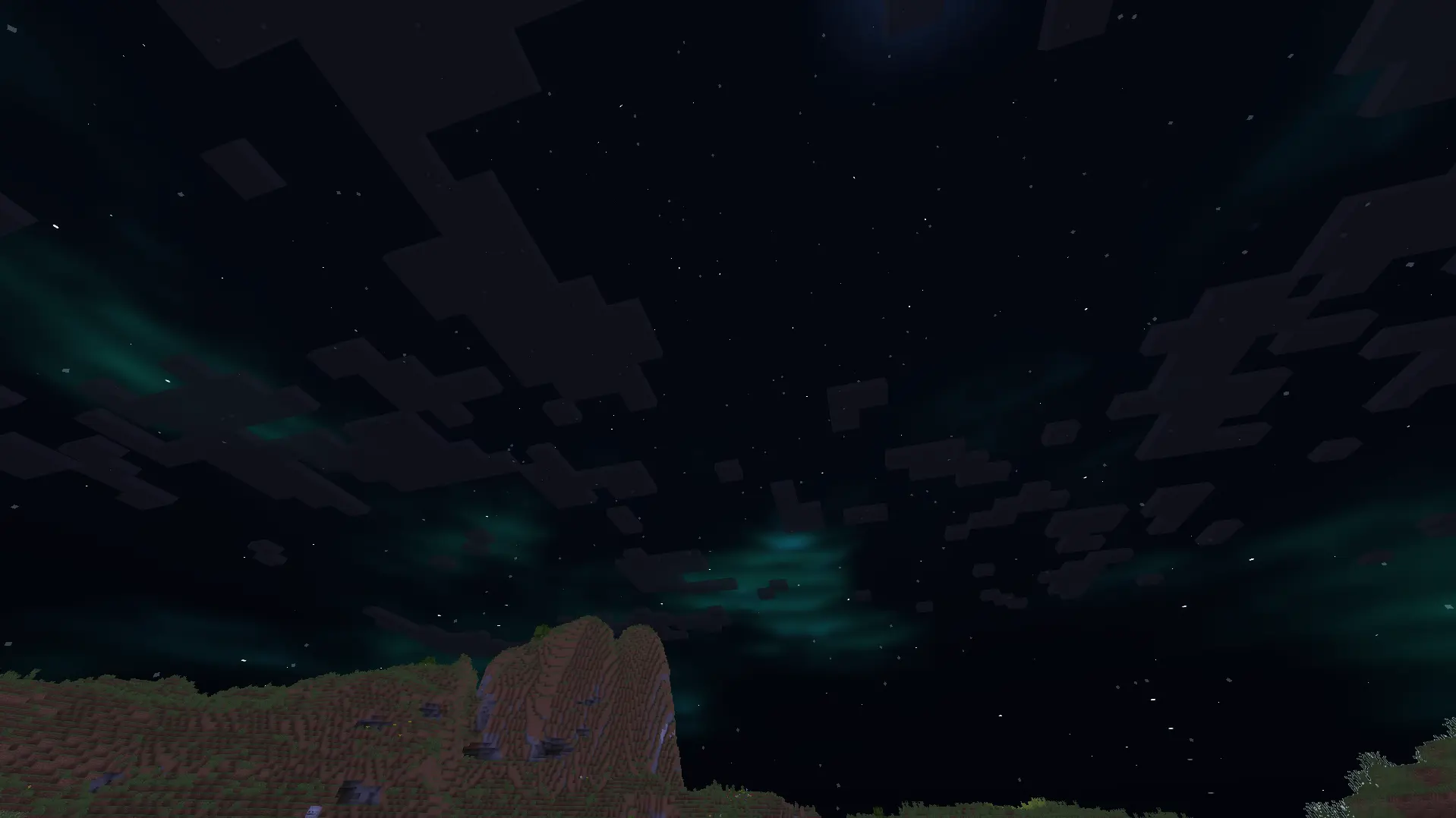
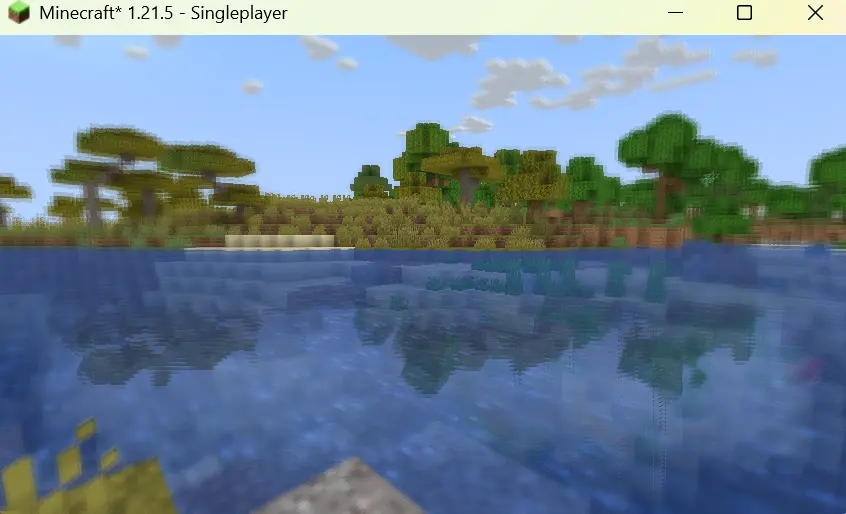

## Features:
1.It shows outlines of mobs and walls around the centre screen, with outline brightness increasing as darkness increases.
2.It adds a shimmering effect above lava and other heat sources to mimic real-life shimmering over fire sources.
3.It blurs objects which are on the side of the screen, with the strength of the blur effect increasing with increasing distance of the object from the centre of the screen.
4.It creates reflections on the surface of the water.
5.It adds auroras and stars to the night sky.
6.It improves the sky colour by making it brighter.
7.It adds basic foliage swaying.
Eerie Craft
This minecraft shader is inspired by horror games like silent hill and this mod has multiple features that accomplishes that feat of making the player feel uncomfortable-
1. The clouds are made dark and realistic unlike vanilla minecraft clouds that don’t seem intimidating. The clouds have movement added to them too.
2. Added a new water texture apart from the vanilla minecraft water texture to make it interesting.
3. Added realistic lighting and shadows along with the light spreading through fog particles.
4. Added fog to the game to make any attack from a mob unpredictable, even normal light sources won’t save you from the atmosphere of this mod because they won’t work.
5. Vegetation movement is in the mod that makes the forest environment dynamic.
6. Sun and moon have their own glow and unique texture apart from vanilla minecraft!
Dusk
# Dusk 0.1
This is a shader with semi-PBR support and directional lighting.
Right now it is in very early development and expect _some_ bugs.
Currently it doesn’t support animated textures.
Features (so far):
– Directional illumination from the sun,
– PBR normal suppor,
– PBR reflectiveness,
Note: The shaderpack does not have built-in PBR and will need a resource pack.
DrDestens Minecraft Shaders
# DrDestens MinecraftShaders
DrDestens MinecraftShaders is a shaderpack for Minecraft: Java Edition. It features water effects with reflections, ambient occlusion, bloom, realistic depth of field, motion blur, TAA and many other things. The shaderpack supports the LabPBR and OldPBR/SeusPBR standard, and you can use it with PBR texturepacks for added detail.
## Feature Overview
– Screen Space Reflections
– Depth of Field
– Screen Space Ambient Occlusion (SSAO)
– Temporal Anti-Aliasing (TAA)
– Physically Based Rendering
– Various Water Effects
– Godrays
– Bloom
– Motion Blur
– Realistic DoF Chromatic Aberration
– Custom sky gradient
– Improved Fog with Sunsets
– Improved Dynamic Lighting
– Directional Lightmaps
– Outline
– Custom Block Selection Outline
## Full Feature List
### Lighting
– PBR
Enables Physically Based Rendering
Make sure you enable Normal and Specular mapsm in the OptiFine shader options
– PBR Format – *LabPBR 1.3, SeusPBR / OldPBR*
– **Physically Based Rendering**
– Height as AO
Uses the Height information for Ambient occlusion
– Normal Mapping Fix
With newer OptiFine versions this might not be necessary
Enable this if normal maps do not show on entities or handheld objects
– Use Hardcoded Metals
If disabled, the shader will use the color for the reflectance data
LabPBR only
– Subsurface Scattering
– Parallax Occlusion Mapping
Adds additional detail to blocks using the height map
Low performance impact
Can create artifacts at screen borders
– POM Depth
Specifies how deep the POM goes
Higher values will create artifacts
– POM Distortion
Exaggerates the height map
Helps create more depth with small POM Depth values
Creates artifacts when used with high POM Depth values
– Smooth POM
Smooths out the height map
Significantly reduces artifacts
– Skylight AO
Specifies the amount of ambient occlusion on skylight
– Blocklight AO
Specifies the amount of ambient occlusion on blocklight
– Skylight Gamma
Higher = Darker
Lower = Brighter
– Blocklight Gamma
Higher = Darker
Lower = Brighter
– Minimum Light
Restricts blocklight to never go below this value
Prevents caves from being pitch black (unless you set it to zero that is)
– **Lightmap Colors**
– Nether Ambient Brightness
– End Ambient Brightness
– End Ambient Saturation
– Skylight Day *(RGB Color Picker)*
– Skylight Night *(RGB Color Picker)*
– Blocklight *(RGB Color Picker)*
Select blocklight color (torches, glowstone, etc.)
If “Complex Blocklight” is enabled, this color will **NOT** be used
– Complex Blocklight
Allows you to select two colors for blocklight
One for dark parts, one for bright parts
– Blend Curve
Higher: Emphasize “Bright” color
Lower: Emphasize “Dark” color
50 = linear transition
– Complex Blocklight Dark *(RGB Color Picker)*
– Complex Blocklight Bright *(RGB Color Picker)*
### Depth Of Field
– Depth of Field
Blurs non-focused objects, like a real camera
– Bokeh Samples
Quality of the blur
Higher is better
Significantly affects performance
– DoF Intensity
Intensity of the Depth of Field effect
Low performance impact
– Maximum Blur – *High, Unlimited*
Limits the strength of the DoF blur
Helps reduce artifacts when using lower sample counts and is better for gameplay
– DoF Downsampling Amount
Amount of Downsampling that takes place for the Depth of Field effect
Reduces DoF artifacts, increases pixelation artifacts
No/Low performance impact
– Far Blur Only
Only blurs far away things
– Sample Rejection
Improved DoF Quality by (mostly) removing color bleeding
Can have a significant performance impact
– Focus Delay
Sets how long the focus takes to adjust
### Reflections
– Reflection Mode – *OFF, Sky, Flipped Image, Raytraced*
– Raytracing Quality
Number of raytracing iterations
Lower is faster
– Thickness Estimation Modifier – *Infinite*
Increase this if the reflection blind spots annoy you
Influences assumption about how thick a pixel is
No performance impact
– Fade Edges
– Reflection Threshold
PBR only
Sets the minimum required reflectiveness in order for SSR to enable
Higher values may introduce reflection cutoffs
– Screen Space Refraction
Distorts things seen through water
– Refraction Strength
– Glass Reflections
Adds reflections to tinted glass blocks
### Water
– Waving Water
”Physical” Waves
Moves the water surface
– Wave Height
– Wave Normals – *OFF, Noise, Sine*
– Normals Strength
Fake Waves, pretending to be real ones
Added detail
– Normals Scale
– Water Absorption Density
– Water Absorption Bias
Adds a constant to the water fog distance
Can help in making water more visible
– Water Texture
Enables the vanilla water texture
– **Water Color Options**
– Water Absorption *(RGB Color Picker)*
– Absorption Color Multiplier
### Camera and Tonemapping
– Exposure
– Tonemapping – *Custom Reinhard, Unreal*
– Contrast
– Vibrance
– Saturation
– Brightness
– Vignette – *OFF, Round, Square*
Darkens screen borders
– Vignette Strength
### Post Processing
– TAA
Temporal Anti-Aliasing
Smooths edges at the cost of a slightly blurrier image
Might cause problems with OptiFine’s high-res screenshot feature
– **TAA Options**
– TAA Blending Constant
Controls the opacity of the current frame
Set this value lower for smoother TAA
– TAA Sharpening
Changes the strength of the sharpening effect
– Bloom
Creates a glow around bright objects
Looks nice 😉
– Bloom Strength
– Motion Blur
– Motion Blur Intensity
– SSAO
Screen Space Ambient Occlusion
Makes cavities dark
High performance impact
– SSAO Quality – *Low, Medium, High*
– SSAO Strength
### Atmospherics
– Fog – *OFF, Normal, Border*
– Fog Amount
– Morning Fog
Increases fog amount during sunsets
Only works with fog in “Normal” mode
Requires fog and sunsets to be enabled
– Morning Fog Strength
– Cave Fog
– Cave Fog Brightness
– Godrays
– **Godray Colors**
– Godray Sun *(RGB Color Picker)*
– Godray Moon *(RGB Color Picker)*
– Godray Strength
– Godray Radius
– Godray Samples
– **Sky Colors**
– Sky Noon *(RGB Color Picker)*
– Sky Sunset *(RGB Color Picker)*
– Sky Midnight *(RGB Color Picker)*
– End Sky Upper *(RGB Color Picker)*
– End Sky Lower *(RGB Color Picker)*
– Sun Angle
### Weather
– Rain Detection – *Temperature, Color*
– Rain Opacity
– Rain Refraction
– Rain Refraction Strength
### Other Stuff
– Outline – *OFF, White, Black, Rainbow*
– Outline Distance
– Block Selection Outline – *Black, White, Rainbow*
**Only works with newer OptiFine versions (G7 or higher)**
– Block Selection Outline Opacity
– Wavy Blocks
– Wavy Leaves
– World Curvature
– World Radius
– Hand Invisibility Effect
Distorts handheld objects when invisible
– White World
– Directional Lightmaps
Applies normal mapping to dynamic lights
Requires a ressource pack with PBR support
– Directional Lightmap Strength
– Dynamic Light Brightness
Changes the brightness of light from emissive blocks
### Optimisation
– Flat Vertices
Disable when using custom models with smooth surfaces
## Agreement
**You are allowed to**
– Use my shaderpack in your videos / screenshots
**You are not allowed to**
– Redistribute my shaderpack: If you want to provide a download link you **must** link to my Modrinth / Curseforge page
– Use monetized URL shorteners linking to downloads of my shaderpack
– Publish edits of my shaderpack without my permission
Derivative Shader
Derivative Shader is a graphic enhancement shader designed to transform your game with high-quality, vibrant, and realistic visuals. It elevates your gaming experience to a new level of beauty and realism through its array of powerful features and immersive elements.
### **What’s inside Derivative Shader?**
Derivative Shader offers three distinct presets: Default, Survival, and Film.
Default: The most popular choice. It delivers stunning graphics and beautiful effects without requiring high-end hardware.
Survival: Specially tuned to increase brightness, allowing players to navigate through the darkness with ease—no more getting lost in the shadows.
Film: The ultimate visual experience. This preset demands high performance to deliver ultra-detailed graphics. It includes Cinema mode and Motion Blur, making your game look as realistic as a live-action movie.
### **What sets Derivative apart from other Shaders?**
**Dynamic Weather: Rain now features realistic interaction effects on both ground surfaces and water bodies**

**The clouds change when Rain and Sun!** 
**Cinematic Experience: Integrated Cinematic bars and professional-grade Motion Blur for a smooth, realistic feel**

**Detailed Environments: Highly realistic and detailed underwater effects**

### **Is Derivative Shader demanding?**
Yes, it is. Since Derivative Shader prioritizes high-end graphics and extreme detail, it is very resource-intensive. It is not recommended for low-end devices or hardware that does not meet the necessary performance standards.
### **Best use cases for Derivative Shader?**
Derivative Shader is perfectly suited for worlds featuring massive structures or grand architecture. It is the ideal choice for players who want to fully experience the epic scale and magnificent atmosphere of their creations.
### **Disclaimer**
I am not the creator or owner of this Shader. I am simply sharing it for the Mondrith community to enjoy. If you encounter any bugs or issues, please contact the developer via this link :[https://texture-packs.com/shaders/derivative/](https://texture-packs.com/shaders/derivative/)
DERCODE
**RECODERS: DureXXX / M1zora / Sone4ka / Frs0n**
Shader Profile System Broken pls use High profile
# **About**
**DERCODE is a recode based on the Derivative shader that adds various effects and improvements**
**It also fixes various bugs from the original Derivative shader**
**At the moment, the shader has BAD-optimization due to poorly implemented PT functions**
**This project started development in late 2024 based on the Bliss shader, but was later moved to Derivative because older Bliss builds did not allow implementing the features that were achieved here**
**The shader will continue to receive updates in the future, and it may eventually be rewritten from scratch instead of being just a recode**

Everything related to RECODE will be documented in the changelogs.
## Shader profiles
Low, Medium, High, Film, Derivative, Survival
## **Performance**
optimization on HIGH profile DERCODE 1.6
MC 1.21.11 only SODIUM + IRIS + FullHD + 8RAM
gtx1650 laptop 4VRAM 22chunks = 100-130 fps
## **Links**
My Discord server link
there will be news, polls, etc and also feel free to report bugs there : [DerivativeRECODE](https://discord.gg/UavqfqAwzv)
CurseForge link
Changelogs e.t.c : [CurseForge](https://www.curseforge.com/minecraft/shaders/dercode)
Crucify
# Crucify Shaders
🔥 Reality-Bending Nightmare Shaders for Minecraft 🔥
Crucify is a horrifying shader pack designed to destroy your sanity with nauseating visual effects, disturbing distortions, and psychedelic colors. Not for the faint of heart!
### ⚠️ WARNING ⚠️
These shaders contain intense visual effects including strobing, flickering, and rapid color changes that may be uncomfortable or potentially trigger photosensitive conditions. Use at your own risk!
### 🧠 Features That Will Break Your Brain
– Sky Insanity: Psychedelic patterns and distortions transform the sky into a nightmare
– Terrain Warping: Watch as the world wobbles and shifts beneath your feet
– Entity Distortion: Mobs and players twist and contort in disturbing ways
– Hand Movements: Your hands perform unnatural, disturbing animations
– Water Chaos: Water becomes a psychedelic, nauseating experience
– Weather Madness: Rain and snow move in chaotic, impossible patterns
– Rainbow Horror: Shifting colors that cycle through nightmarish hues
– Screen Distortion: Your entire view warps and pulses
– Texture Warping: All textures shift and distort unnaturally
### 📋 Requirements
– Minecraft Java Edition
– Iris Shaders
“I don’t know why anyone would want to use these lmao” – Developer
Download if you dare, but don’t say we didn’t warn you. This isn’t about making Minecraft pretty – it’s about making it horrifying.