YoFPS

YoFPS is a Chocapic13’s Shaders edit that focuses on quality and performance.
It has a similar performance to Skylec, and it supports Iris.
It was being first developed by MLGImposter, while now it’s being continued by NoComment.
YoFPS is a Chocapic13’s Shaders edit that focuses on quality and performance.
It has a similar performance to Skylec, and it supports Iris.
It was being first developed by MLGImposter, while now it’s being continued by NoComment.
# Wispy Shaders V1.4
A performance-optimized shader pack initially based on Mellow Shaders and outperforms many other so claimed ‘potato’ shaders. Works on all major versions
## Credits
* **Original Shader**: [Mellow Shaders](https://www.curseforge.com/minecraft/shaders/mellow) by [TheCMK](https://www.curseforge.com/members/thecmk/)
* **Performance Optimizations**: [l_aggy](https://www.curseforge.com/members/l_aggy/projects)
## Features
(All information and statistics is based on V1.3)
* **Ultra-optimized** for integrated graphics (iGPUs)
* **40%+** improvement on Balanced compared to MakeUp-Ultrafast with all effects off
* **Color grading** and biome‑specific lighting for all dimensions.
* **Cinematic post‑processing**: bloom, sharpening, tonemapping, TAA, motion blur, film grain, vignette.
## To-do
1. More benchmarking
2. Adding features (Can’t really optimize more)
3. Bugfix some features
## Performance Profiles
* iGPU (8 Chunks) tested on i5-4570 (HD4600) on CachyOS
* dGPU (24 Chunks) tested on R9 8940HX (5060 Laptop=4060 desktop) on Windows 11
* Choose a profile in shader settings that matches your hardware:
| Profile |FPS (iGPU) |FPS (dGPU) |Description |
| —————– |———- |———- |—————————- |
| ULTRA_PERFORMANCE |190+ |440+ |Maximum FPS, minimal effects |
| PERFORMANCE |190+ |?? |Good balance for iGPU |
| BALANCED |180+ |?? |A mix of features |
| QUALITY |120+ |?? |More effects |
| ULTRA_QUALITY |120+ |380+ |Lowest FPS, All features |
## Installation
1. Install [Iris Shaders](https://irisshaders.dev/) or OptiFine
2. Download Wispy Shaders
3. Place the ZIP file in `.minecraft/shaderpacks/`
4. Select Wispy in Video Settings → Shaders
5. Choose a performance profile
## Optimizations
* ~~Disabled~~ Deleted expensive composite passes by default
* Fast gamma correction
* Simplified post-processing
* Optimized every composite pass and fog,lighting,sky,water,taa,bloom e.t.c
* Reduced shader complexity
* Too many to count now mainly faster math less calls,lookups and samples check [source](https://github.com/Epxlsol/Wispy-Shader) for more
[](https://ko-fi.com/M4M01S7TSM)
## Links
– Original Mellow: https://modrinth.com/shader/mellow
– Report Issues: https://github.com/epxlsol/wispy-shader/issues
—
**Note**: This is a performance-focused fork. For the original experience with all features, use [Mellow Shaders](https://modrinth.com/shader/mellow).
# **Wisp Shaders**

Primitive shaders with **no fancy effects or PBR**, meant to make the game look good while sticking to the vanilla style.
# Features:
– Directional lighting, lightmap based
– More vibrant environment colors
– Custom clouds
– Adjustable fog
– Waving leaves
– Water foam effect
– Cloud reflections in water
– Rain puddles
# Compatibility
The shaders were developed and are intended for minecraft version **1.21.1 and up**, and Iris version **1.7 and up**, but **may** work on lower versions.
If tag support is present, the tag _**minecraft:leaves**_ will be used for waving leaves, otherwise leaves from **vanilla** and **Biomes O’ Plenty** are used.

# English
The Voyager shader 2.0 is an improvement of the first Voyager, correcting the shortcomings of the first and adding some new effects !
## Optifine
Voyager shader 2.0 is compatible with Optifine only in 1.16.5, 1.7.1, 1.18.2, 1.19.2 et 1.19.3, in previous version the shaders will doesn’t work correclty
Download Optifine :
https://optifine.net/downloads
## Iris
Voyager shader is compatible with Iris shaders mods only in version 1.4 and more, in previous version the mod will not load the shader at all
Download Iris :
https://modrinth.com/mod/iris
## Report bugs
If you have a bug related to Voyager shader 2.0, you can report them in my discord in the #bugs channel but first read the pinned message
Discord link : discord.gg/2eyNefx
## Mod supports
Voyager shader 2.0 supports the following mods :
-Biome O Plenty
-Botania
-Abnormals atmospheric
-Abnormals autumnity
-Abnormals environmental
-Abnormals neapolitan
-Abnormals update aquatic
-Abnormals bussier bees
-Earth mob mod
-Desolation
-Astral sorcery
-Farmer’s delight
-Oh the biomes you’ll go
-Ecotones
-Terrestria
-Wild world
-Dynamic trees
## Accord
### You can…
-Use the shader to make screenhots or videos
-Use the shader for a modpack
-Modified the shader only for a personal use
-Create a link only if it redirects to the post Curseforge on behalf of Symbiome67 or the post PlanetMinecraft
on behalf of SixSeven67 or the post on Modrinth of 6ix7even
### You can not…
-Redistribute the shader, only the Curseforge post on behalf of Symbiome67 and the PlanetMinecraft post on
behalf of SixSeven67 and the post on Modrinth of 6ix7even are official
-Redistribute a modified version of the shader
-Use monetized shortcut links to the Curseforge post on behalf of Symbiome67 and the PlanetMinecraft post
on behalf of SixSeven67 or the post on Modrinth of 6ix7even
# Français
## Optifine
Voyager shader 2.0 est compatible avec Optifine seulement en 1.16.5, 1.7.1, 1.18.2, 1.19.2 et 1.19.3,dans les versions précédentes le shader ne fonctionnera pas correctement
Télécharger Optifine :
https://optifine.net/downloads
## Iris
Voyager shader est compatible avec Iris shaders mods seulement en version 1.4 et plus, dans les versions précédentes le mod ne charge tout simplement pas le shader
Télécharger Iris :
https://modrinth.com/mod/iris
## Signaler les bugs
Si vous avez un bug lié au Voyager shader 2.0, vous pouvez le signaler sur mon serveur Discord dans le canal #bugs mais lisez d’abord le message épinglé Lien Discord: discord.gg/2eyNefx
## Supports de mod
Voyager shader 2.0 supporte les mods suivant :
-Biome O Plenty
-Botania
-Abnormals atmospheric
-Abnormals autumnity
-Abnormals environmental
-Abnormals neapolitan
-Abnormals update aquatic
-Abnormals bussier bees
-Earth mob mod
-Desolation
-Astral sorcery
-Farmer’s delight
-Oh the biomes you’ll go
-Ecotones
-Terrestria
-Wild world
-Dynamic trees
## Accord
### Vous pouvez…
-Utiliser le shader pour faire des screenshots ou des vidéos
-Utiliser le shader pour un modpack
-Modifier le shader seulement pour une utilisation personnelle
-Créer un lien seulement si il redigire vers le post Curseforge au nom de Symbiome67 ou le post
PlanetMinecraft au nom de SixSeven67 ou le post Modrinth au nom de 6ix7even
### Vous ne pouvez pas…
-Redistribuer le shader , seul le post Curseforge au nom de Symbiome67 et le post PlanetMinecraft au nom de
SixSeven67 et le post Modrinth au nom de 6ix7even sont officiels
-Redistribuer une version modifiée du shader
-Utiliser des liens raccourcis monétisés menant vers le post Curseforge au nom de Symbiome67 et le post
PlanetMinecraft au nom de SixSeven67 ou le post Modrinth au nom de 6ix7even
## **What is the Vanilla Plus Shader?**
This shaderpack gives the the game a modern and streamlined visual overhaul while staying faithful to the original visuals.
## **What features does it offer?**
* Dynamic soft shadows
* Volumetric vanilla-style clouds (they rely on the cloud texture from the resourcepack as well)
* Temporal Anti-Aliasing
* Improved lighting and dynamic colours
* Optional custom water and screenspace reflections
* Screenspace godrays
* Support for resourcepack materials based on the labPBR standard
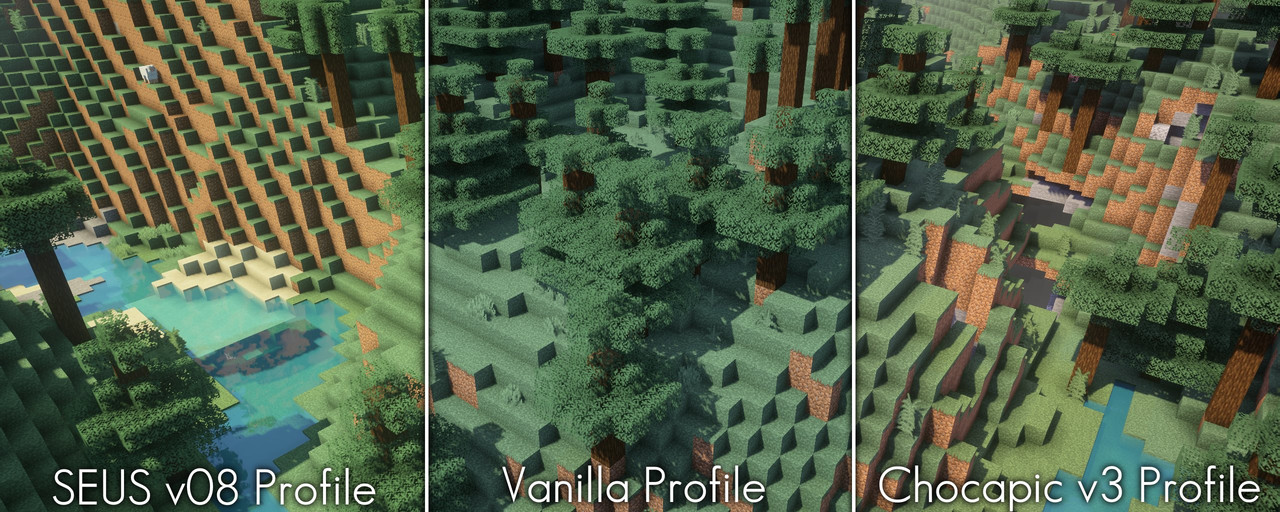
* Various colour profiles that imitate certain looks or older shaderpacks that are broken on modern Minecraft versions (examples below)
* Various optional lens effects such as depth of field, lens flares and vignette
## **Any Requirements?**
* OptiFine for 1.16 or newer/Iris 1.5.0 or newer
* A graphics card that supports OpenGL 4.3 or newer
* Windows/Linux
## **External Links:**
* My Website: [Link](https://rre36.com/vanilla-plus)
* My Discord Server: [Link](https://discord.gg/y5xzQ6H)
[](https://www.patreon.com/bePatron?u=19790203)
# Vanilla Advanced
I wanted a shader that both looked good and ran well on my potato computer… enjoy!
# Features
– Shadows
– Colored Shadows
– Volumetrics
– LabPBR Support
– Waving Foliage & Water
If you want to give feedback, ping me (@ThePlaneGuy45) in the shaderLABS discord server:
https://discord.com/invite/RpzWN9S
(note: not guaranteed to work on older GPUs or integrated graphics)
[](https://youtu.be/XPqMHXbSd4M)
## **What is the UShader?**
This shaderpack is a recreation of a modified version of SEUS v10.1 I used privately for a long time. Took me a while to match some of the unique looks the SEUS version had but I eventually figured it out.
Please note that this pack does **not** perform better than SEUS v10.1 with the default settings due to many new effects that didn’t exist in that version, like volumetric clouds and fog. With the correct settings however it is able to outperform it by a lot while producing much better visuals.
It is also important to note that this pack does **not** use any code from SEUS v10.1.
## **What features does it offer?**
* atmospheric sky
* volumetric fog
* volumetric clouds
* dynamic shadows
* soft shadows
* screen-space raytraced ambient occlusion (RTAO)
* water volume
* dimension support
* wind effects
* temporal anti-aliasing and upscaling (TAAU)
* motionblur
* bloom
## **Any Requirements?**
* Optifine for 1.16 or newer/Iris 1.5.0 or newer
* GTX 1050/RX 560 or similar/better (has to support OpenGL 4.0)
* something faster is generally recommended though
* Windows/Linux
* **DUE TO REPEATED ISSUE-REPORTS: Intel HD 5000 Graphics and older are NOT supported!**
## **External Links:**
* My Website: [Link](https://rre36.com/vanilla-plus)
* My Discord Server: [Link](https://discord.gg/y5xzQ6H)
[](https://www.patreon.com/bePatron?u=19790203)
# The Better Default
A lightweight, high-performance shaderpack for Minecraft 1.21+, 26+.
Designed to look like “Minecraft 2.0” – keeping the vanilla feel while adding modern lighting, shadows, and atmosphere.
## Features
* **Dynamic Lighting**: Handheld torches light up the area.
* **Colored Lights**: Soul lanterns are blue, Redstone is red.
* **Better Water**: Reflective and blue, no more dark void.
* **Atmosphere**: Soft bloom, godrays, and waving foliage.
* **Performance**: Optimized for high FPS on Iris/Sodium.
## Compatibility
* Requires **Iris** (and Sodium).
* Works on Minecraft 1.21+, 26+.
# Due to Modrinth’s choice to censor mods to users in foreign countries I will not be updating anything on Modrinth. Come check out my curseforge instead https://legacy.curseforge.com/members/unicornblood2468/projects.
# Dev8 out now on Curseforge
Also shout out to Shader Labs discord!
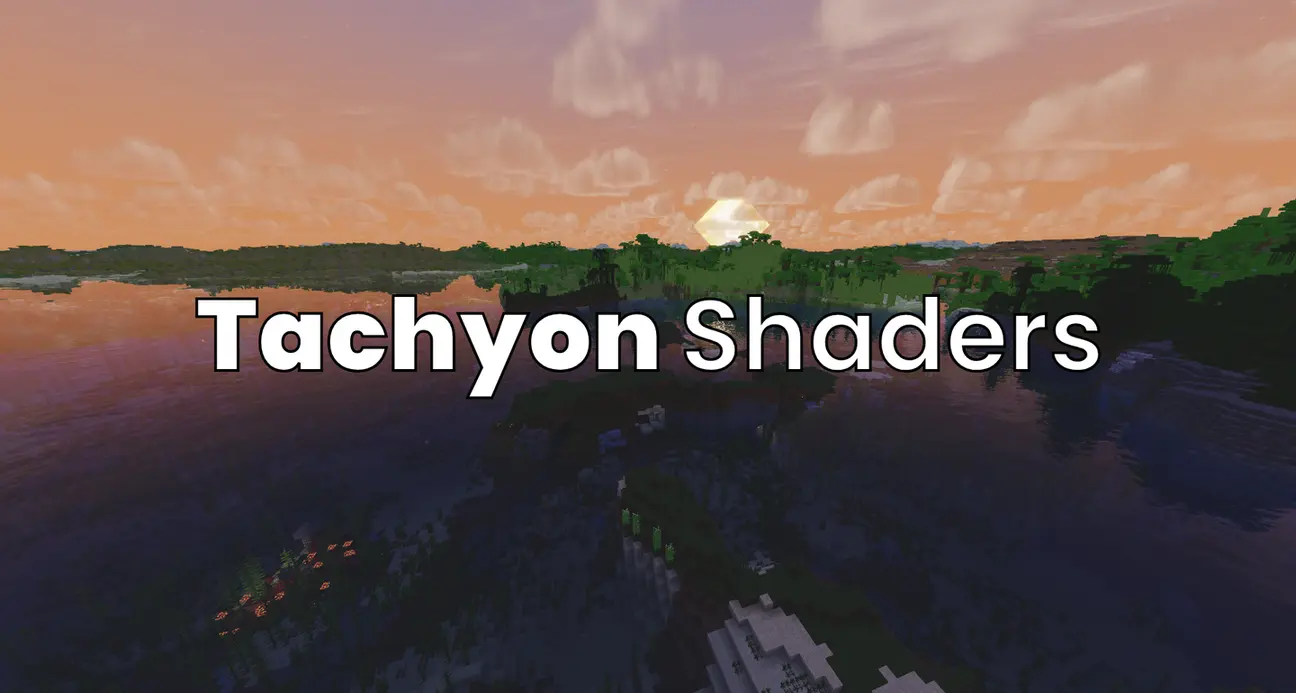
Tachyon is a highly customizable shader, with HDR, POM, reflections, Volumetric fog and clouds, shadows, Tonemapping, AO, and many other features. It’s optimized to be incredibly fast, often getting higher fps than even light shaders like fastPBR. I designed it to be able to both be a vanilla+ style shader for those who prefer more minimalistic improvements (in this mode it is even faster), as well as a more traditional high-visuals style.
# Known Issues
– the end and nether don’t have dedicated shaders yet so they’re really broken. working on a fix but it’s gonna take a bit
# Customizability
With every feature a shader adds, there’s one more feature you may not want. So Tachyon lets you customize *everything*. You don’t like shadows? Off. You find POM distracting? Off! You can customize Tachyon from just vannilla with shadows, to a full shader with reflections, HDR, ACES tonemapping, POM, etc.
# PBR Resource Pack
This shader looks way better with a PBR resource pack, since they provide extra details like how reflective each pixel is or a depth map. My favorite one to use is [sPBR](https://modrinth.com/resourcepack/spbr), as it remains 16×16 and very true to vanilla.
# PVP
This shader is fast enough and not nearly as distracting as others, so it’s actually usable in pvp, unlike many others. I know a lot of people (especially people who care about fps a ton) will not use this anyway, but I find that with high profile, visuals preset (and “nice water” under materials turned off as it makes it really hard to see shallow pools in pvp), my fps is consistently at my monitor’s max refresh rate.
# Credits
This is my first shader, and while I’d love to claim I wrote this all myself with no help, I did look at other shaders’ code for reference. Most notably:
1. [Solas Shader](https://modrinth.com/shader/solas-shader), which I based the clouds and water off of. The noise texture is a direct copy from this shader, so huge thanks to solas.
2. [XorDevs-Default-Shaderpack](https://github.com/XorDev/XorDevs-Default-Shaderpack) for a lot of the basic rendering, as it is basically a shader implementation of vanilla. Some code is very closely copied from this.
3. [Complementary Reimagined](https://modrinth.com/shader/complementary-reimagined), As I used it as a reference for screen space reflections and DH support.
4. [IterationT](https://drive.google.com/file/d/1rUvHaxnHmQCG5LvOL4I8kvoDpJu53lgV/view?usp=drive_link) for some POM reference. I am aware that this shader copied a lot of shaders, but I didn’t directly copy anything from this shader either.
5. [This Youtube Tutorial](https://www.youtube.com/watch?v=RjyNVmsTBmA) for shadows and other basics for how minecraft shaders work.
Other than the noise texture from solas, and I got explicit permission from Solas’ developer for that, I didn’t actually copy anything, so it doesn’t violate any of the shaders’ licenses.