TSLPing
# TSLping
A Minecraft ping query plugin that allows players to check **their own ping**, **other players’ ping**, and **server-wide ping lists**, with **average ping statistics**.
—
## 📸 Screenshots

—
## ✨ Features
– Check your own ping
– Check a specific player’s ping
– View all online players’ ping (paged list)
– Server average ping statistics
– PlaceholderAPI support
—
## ⌨ Commands
| Command | Description |
|——|————|
| `/tping` | Check your own ping |
| `/tping ` | Check a specific player’s ping |
| `/tping all [page]` | View all players’ ping list |
—
## 🔐 Permissions
| Permission | Description | Default |
|———|————|——–|
| `tslping.use` | Use ping command | Everyone |
| `tslping.all` | View all players’ ping | OP |
—
## 🧩 PlaceholderAPI Variables
| Placeholder | Description |
|———–|————|
| `%tslping_ping%` | Player’s own ping |
| `%tslping_avg%` | Server average ping |
—
## ⚙ Configuration
**File:**
plugins/TSLping/config.yml
yaml
复制代码
**Example:**
“`yml
enabled: true
entries_per_page: 10
ping_colors:
green: 100 # <100ms = green
yellow: 200 # <200ms = yellow, >=200ms = red
📦 Dependencies
Paper 1.20.4+ / Folia
PlaceholderAPI (optional)
🐞 Feedback
GitHub Issues:
https://github.com/Cherry7593/TSLping/issues
QQ: 348913197
👤 Author
Zvbj
Trust Players
**TrustAll — A simple but powerful trust system for Minecraft servers.**
Add trusted players with /trust and you’ll never hurt them again — no sword hits, no arrows, no potions, no TNT, no end crystal damage.
If you try to hit a trusted player, your attack is canceled and a red warning appears:
“you are trust this player you can’t hit him!”
You can remove trust anytime with /untrust .
Perfect for friends, clans, or PvE servers where friendly fire shouldn’t happen.
✅ Supports 1.19.2 → 1.21.9
✅ Works on Paper / Spigot / Purpur / Folia
✅ Includes sound feedback & customizable messages/config
✅ Optional mutual trust mode
Trophies

**
TROPHIES**
**
COLLECTIBLE SHOWCASE PLUGIN**
**
▸ v2.0.1 ◂ ▸ Spigot 1.18.2+ ◂▸ Java 21 ◂**
*Reward your players with collectible trophies they can
**hold**, display, and cherish — **permanently**.*
**
◆ FEATURES ◆**
**

PHYSICAL ITEMS**
Trophies are real inventory items. Players hold them, drop them, feel them. No abstract clicks — **real, tactile reward**.

**
━━━━ ◆ ━━━━**
**

FULLY CUSTOMIZABLE**
Any block, any custom head, any color. Configure every detail from the admin GUI — **no files to edit**.

**
━━━━ ◆ ━━━━**
**✦ PARTICLE AURA**
**Radiant spheres of color** burst around the player on placement. Version-gated for modern clients.

**
━━━━ ◆ ━━━━**
**

UNLOCK SYSTEM**
Gate trophies behind unlock requirements, or make them freely placeable. **Your call, per trophy**.

**
━━━━ ◆ ━━━━**
**

GUI-DRIVEN ADMIN**
**Every setting** — trophy creation, slot assignment, colors, textures — lives inside an in-game GUI.

**
━━━━ ◆ ━━━━**
**

PERMANENT**
Once a trophy is placed, it cannot be removed. **The commitment is the reward.**

**
◆ ADMIN WALKTHROUGH ◆**
*From server console to configured trophy in under a minute.*
**
I**
━━━━
**
Open the Admin Panel**
Run **/trophies admin** and the central hub GUI opens. Three buttons: **Manage Trophies** (gold block), **Showcase Settings** (chest), and **View Player Showcase** (player head). Click the gold block to begin.

**
II**
━━━━
**
Create a New Trophy**
Click the emerald button at the bottom-right corner of the trophy list (**”+ Create New Trophy”**). A fresh trophy is instantly generated with a unique UUID and placed in the first available showcase slot. The editor opens **automatically**.

**
III**
━━━━
**
Customize Every Detail**
Click the name tag to rename, the crafting table to change the display block, the player head to paste a Base64 skin texture, the firework star to pick a particle color, the door to toggle placement mode, and the compass to relocate. Each opens a dedicated GUI — **no config file editing, no command memorization**.

**
IV**
━━━━
**Give It to a Player**
Close the GUI and run **/trophies give **. The player receives a glowing physical item in their inventory, and the trophy auto-unlocks in their data. **One command** — no separate unlock step required.
I don’t have a friend to help me show this 🙁
**
━━━━━━━━━━━━━━━━━━**
**
✦**
**
THE MOMENT OF PLACEMENT**
**
━━━━━━━━━━━━━━━━━━**
**
“When a trophy is placed,**
**
light bends around the player.”**

**
◆ MC 1.20.6+ CLIENTS ONLY ◆**
**
━━━━━━━━━━━━━━━━━━**
**
◆ COMMANDS ◆**
> **/trophies**
– trophies.use
Open your personal showcase
> **/trophies admin**
– trophies.admin
Open the admin panel
> **/trophies give **
– trophies.give
Give a trophy item to a player (auto-unlocks it too)
> **/trophies unlock **
– trophies.unlock
Unlock a trophy without giving the item
> **/trophies player **
– trophies.viewothers
View another player’s showcase
> **/trophies reload**
– trophies.admin
Reload config and trophies from disk
**
◆ UNDER THE HOOD ◆**
> **CLIENT-SIDE PARTICLE GATING**
Particles are only sent to players on Minecraft 1.20.6+ (configurable). Older clients see nothing; **no crashes, no noise**. ViaVersion-aware when installed.
> **TWO PLACEMENT MODES**
***Unlock Required*** gates the trophy behind an admin command. ***Always Placeable*** lets any player holding the item place it freely.
> **PRODUCTION-GRADE PERSISTENCE**
Trophy definitions in **trophies.yml**, per-player data in **playerdata/.yml**, plus a cache layer to keep I/O off the main thread.
**
━━━━ ◆ ━━━━**
**
“Once placed, a trophy cannot be removed.**
**
Its permanence is what makes it precious.”**
**
━━━━ ◆ ━━━━**
**
◆ INSTALLATION ◆**
1. Download **Trophies.jar**.
2. Drop it into **plugins/**.
3. Restart the server
4. Run **/trophies admin** to start.
No required dependencies.
ViaVersion optional for client-version detection.
**
◆ SUPPORT ◆**
Bug reports, feature requests, questions — all welcome on Discord
[](https://discord.com/users/430105019828797457)
**
━━━━ ◆ ━━━━**
**
MADE BY Ricmaranga**
**
SPIGOT 1.18.2+ · JAVA 21**
TrollMenu
# TrollMenu
**TrollMenu** is a polished Paper troll plugin built for staff teams that want fast in-game control, scary effects, player chaos, presets, and now a much better moderation workflow.
It already ships with freezes, fake screens, lightning, cages, inventory chaos, movement control, and preset sequences — and `1.5.0` adds the missing quality-of-life layer that makes the menu feel much more usable during live staff sessions.
## New in 1.5.0
– Added target-based troll history tracking
– Added `/trollmenu history [limit]`
– Added `/trollmenu repeat ` to replay the latest action or preset
– Added a new GUI history button with left-click audit and right-click replay
– Added last-troll summaries inside the player browser and target action screen
– Cleaned up the reconstructed source and rebuilt the plugin cleanly
## Why Servers Use It
– Large variety of visual, inventory, movement, and panic-style troll actions
– Fast player browser + action GUI built for live use by staff
– Preset sequences for instant chaos without typing commands
– Runtime-safe reset tools for reversible effects
– New audit/repeat flow that helps staff stay organized during events or investigations
## Main Commands
– `/trollmenu`
– `/trollmenu open `
– `/trollmenu preset `
– `/trollmenu reset `
– `/trollmenu history [limit]`
– `/trollmenu repeat `
– `/trollmenu unfreezeall`
– `/trollmenu settings`
## Preview


## Best Fit
– SMP staff teams
– content / event servers
– troll-heavy minigame communities
– admin utility packs that want a stylish in-game control panel
## Support The Project
If TrollMenu is useful on your server and you want more updates like this:
– [Buy Me a Coffee](https://buymeacoffee.com/perusi)
TrollMenu keeps the chaos fun, fast, and easier for staff to control.
—
## Searching for a minecraft host? Look down
[](https://billing.sparkedhost.com/aff.php?aff=3214)
Direct link:
https://billing.sparkedhost.com/aff.php?aff=3214
Trims Effect
## ========✨ TrimEffects (By GoldwarGlory) ========
– ✨ **TrimEffects is a lightweight Paper plugin.**
– ✨ **Highly configurable, lag-free, and future-safe.**
– ✨ **It gives potion effects based on worn armor trims.**
– ✨ **Effects scale with the number of trimmed armor pieces.**
– ✨ **Edit config.yml easily using in-game config editor. { “`/trimseffect edit“` }**
## ========⭐ Features of TrimsEffect ========
– ⭐ **Highly configurable via config.yml**
– ⭐ **Safe against invalid trims or effects**
– ⭐ **Multiple trims supported at the same time**
– ⭐ **Optimized for large servers (500+ players)**
– ⭐ **Potion effects based on armor trim patterns**
– ⭐ **Ability to disable crafting of specific trim templates**
– ⭐ **Reload config without restarting (/trimeffectsreload)**
– ⭐ **Smart effect scaling depending on how many armor pieces share the same trim**
## ========⚙ How to Install TrimsEffect ========
1. ✅ **Download the plugin jar**
2. ✅ **Place it in your server’s plugins/ folder**
3. ✅ **Start the server once to generate config.yml**
4. ✅ **Edit the config as you like**
5. ✅ **Run /trimeffects reload or restart the server**
## ========🚀 Performance & Safety for servers ========
– 🚀 **No NMS, no packets**
– 🚀 **Checks only 4 armor items per update**
– 🚀 **Reload-safe (effects reapply correctly)**
– 🚀 **Event-based (no repeating tasks, no ticking loops)**
– 🚀 **Safe config parsing (invalid trims/effects are ignored)**
## ========💖 Support & Join our community ========
– ❤️**Join my Discord server for updates, support, and suggestions**
– ❤️**My Modrinth Profile: https://modrinth.com/user/GoldwarGlory**
– ❤️**My Discord Server: https://discord.gg/qwXHuyJbvX**
## ========➕Extra info of TrimsEffect ========
✅ plugin.yml
“`yaml
name: TrimsEffect
version: 1.0.11
main: me.goldwar.trimeffects.TrimsEffects
api-version: 1.20
author: GoldwarGlory
website: https://modrinth.com/plugin/trimseffect
commands:
trimseffect:
description: Main command
permissions:
trimseffect.reload:
default: op
description: Reload the plugin’s config
trimseffect.gui:
default: true
description: Open the Trim Effects GUI
trimseffect.edit:
default: op
“`
🌟 config.yml
“`yaml
un-craftable-trims: # Trims that CANNOT be crafted (optional feature)
– silence
– sentry
effect-scaling: # Default effect scaling (used if trim has no custom scaling)
1: 1
2: 2
3: 2
4: 3
# ———————————————
# Trim → Effect mapping
# effects = potion effects applied
# scaling = OPTIONAL per-trim scaling override
# ———————————————
trims-effect:
silence:
effects:
– STRENGTH
– RESISTANCE
– ABSORPTION
scaling:
1:
STRENGTH: 2
RESISTANCE: 1
ABSORPTION: 0
2:
STRENGTH: 3
RESISTANCE: 2
ABSORPTION: 1
dune:
effects:
– SPEED
coast:
effects:
– WATER_BREATHING
wild:
effects:
– JUMP
ward:
effects:
– RESISTANCE
eye:
effects:
– NIGHT_VISION
vex:
effects:
– HASTE
tide:
effects:
– DOLPHINS_GRACE
snout:
effects:
– FIRE_RESISTANCE
rib:
effects:
– ABSORPTION
spire:
effects:
– REGENERATION
wayfinder:
effects:
– SATURATION
raiser:
effects:
– STRENGTH
shaper:
effects:
– HASTE
host:
effects:
– HEALTH_BOOST
flow:
effects:
– SPEED
bolt:
effects:
– FAST_DIGGING
sentry:
effects: [] # empty = no effects
gui: # /trimseffect gui
enabled: true # enable GUI?
title: “&aTrim Effects” # GUI Title
size: 54 # GUI size (slots)
trim-materials: # material of trim in /trimseffect gui
default: NETHER_STAR
settings:
milk-consume: true # if true, consuming milk will not remove trim effects
track-versions: true
disabled-worlds:
– gijibijibww
– GoldwarGlory
– plsFollow:)
“`
Trigger-触发器插件
Trigger Plugin Introduction
Trigger is a highly compatible trigger plugin, primarily designed to empower server owners to implement functionalities that are otherwise difficult to achieve.
It uses a concise configuration syntax, allowing for complex conditional judgments and action responses based on almost any in-game event.
It boasts powerful version compatibility (since v1.5.0) and also maintains compatibility with many plugin cores and mod APIs.
Currently compatible with: 1.21.X, 1.20.X, 1.19.X, 1.18.X, 1.17.X, 1.16.X, 1.15.X, 1.14.X, 1.13.X, 1.12.X, 1.11.X, 1.10.X, 1.9.X, 1.8.X, 1.7.X, 1.6.X, 1.5.X, 1.4.X, 1.3.X, 1.2.X, 1.1.X, 1.0.X
✨ Core Features
1. Trigger System
Supports over 100 native events: Player movement, block breaking, entity damage, command input, world time changes… Almost any game event can serve as a trigger starting point.
Events can be attached with ANY / ALL modes for fine-grained control over trigger logic.
Triggers can be enabled/disabled and assigned priority to determine execution order.
2. Condition System
Built-in numerous condition placeholders: Player attributes, item information, entity types, world states, timer variables, etc., meeting any judgment requirement.
Supports logical combinations: Build complex conditional expressions using and, or, and parentheses.
Supports regex matching, numerical comparison, string comparison, and negation operations (! or un prefix).
3. Action System
Can execute console commands, player commands (with OP elevation support), send messages (regular, title, action bar), play sounds, display particle effects, and more.
Actions support delayed execution ({wait:seconds} syntax) for timed control.
Fallback actions (un_command) can be specified when conditions are not met.
4. Region System
Supports WorldGuard regions, and also features its own built-in region system. Regions can be dynamic or static, with real-time tracking.
Allows configuration of region-related aspects for customized regional behavior.
5. Group System
Item Groups: Define complex items with NBT, enchantments, and Lore for condition matching or command operations.
Entity Groups: Manage entity types, health, equipment, supporting UUID tracking of members.
Player Groups: Dynamically manage player collections for group permissions or event binding.
Region Groups: Dynamically manage regions, enabling real-time analysis for timely actions and condition processing.
Trigger Groups: Manage multiple triggers simultaneously for easier administration.
Group operations can dynamically add or remove members via commands or trigger actions.
6. Timers & Variables
Timers: Create count-up or countdown timers. Value changes can trigger events. Supports global/private scopes and can be persistent.
Variables: Store any data type (numbers, strings, booleans). Can be read in conditions and support persistence.
Both Timers and Variables support cross-server synchronization (requires BungeeCord configuration).
7. Custom Menus & Containers
Menus: Create custom menu content, similar to ChestCommands, but integrated with triggers for better management.
Containers: Menus can act as containers, either private or public. This solves issues with persistent player data synchronization and allows configuration of item insertion/removal permissions.
8. Custom Commands
Custom Commands: Players can learn how to configure and implement custom command features based on loaded help content. Includes custom command permission node functionality.
9. More Target Selectors
Starting from v2.0.0, 4 new target selectors have been added: @t, @d, @y, @x.
@t – The player or entity the user is looking at.
@d – The nearest entity.
@y – A random entity or mob.
@x – The position the player is looking at.
10. JavaScript Scripting Functionality
Starting from v2.1.0, other plugins can easily register custom conditions and actions for seamless integration with Trigger.
Write complex logic directly in triggers using JavaScript scripts – dynamic judgments, loops, calling server APIs – all within your grasp.
11. Pet System
Starting from v2.1.0, create and nurture exclusive pets that will follow you into battle, learn skills, wear equipment, and even evolve into new forms. Forge unique combat companions!
12. World Editing System
Starting from v2.1.0, create custom worlds like superflat or void without relying on WorldEdit. Use the golden axe to select regions for copy, paste, fill operations, and other standard world editing actions.
13. Data Statistics & Analysis System
Starting from v2.1.0, record detailed player data, from kills to chat messages. The statistics module tracks player behavior comprehensively. Use the /tg stats command to view personal or others’ detailed stats. Supports PlaceholderAPI for real-time data display in scoreboards or menus.
14. Web Management System
Starting from v2.1.0, bring your server into the browser! The web management panel allows real-time viewing of trigger, variable, and timer statuses, toggling triggers on/off, and even calling REST APIs for integration with other systems. Simple configuration, secure and reliable, allowing you to control server dynamics anytime, anywhere.
15. Dependencies
All dependencies for this plugin are optional; it basically requires no other plugins to function.
16. Other Information
From now on, we do not charge any fees. This plugin is designed to solve problems related to unimplementable features. If you encounter someone reposting it and charging a fee, please report them promptly.
Author: 红伞伞白杆杆
TridentDupeFixer
### Introduction
Fixed the TridentDupe exploit.
Compatible with all server and game versions from 1.13+.
### Related exploit link
[https://github.com/Killetx/TridentDupe/tree/main](https://github.com/Killetx/TridentDupe/tree/main)
TrialChamberPro

# TrialChamberPro
### What’s new in 1.4.4
– **Vanilla loot is now one copy-paste away.** Two ready-to-use loot tables — `vanilla-normal` and `vanilla-ominous` — ship inside `loot.yml` as a commented section. They’re faithful three-pool recreations transcribed directly from Mojang’s own datapack JSONs, so if you (or your players) just want unmodified Minecraft 1.21 Trial Chamber drops, you don’t have to build them yourself. Uncomment the block, run `/tcp reload`, done.
Plus everything from the 1.4.x line: **MiniMessage everywhere**, **smarter auto-discovery** that merges chambers spanning multiple chunks, a **flatter admin GUI**, a **startup schema check** for `messages.yml`, **trial spawner wave tracking fixes**, and the **chamber pause state** added in 1.4.3. And from 1.3.x: **custom mobs** (MythicMobs, EliteMobs, EcoMobs, LevelledMobs, InfernalMobs, Citizens), **fully translatable GUI** (~330 `gui.*` keys), **Bukkit events API**, **spawner presets**, **`/tcp give`**, and **Minecraft 26.x support** via the `-mc26` build.
📘 **Full documentation:** https://darkstarworks.gitbook.io/darkstarworks-plugins/tcp-documentation — most questions are answered there, and every section below links to its own detailed page.
—
## 🎁 Win a Premium Module Licence
Capture your best TrialChamberPro setup — a screenshot or short clip — and post it in **#showcase** on our Discord. The community votes via reactions, and the **3 most-loved entries each win a permanent premium licence** (TCP-WildSpawners or TCP-VaultCrates, your pick). Surprise bonuses for runners-up.
👉 **[Join the Discord →](https://discord.gg/qwYcTpHsNC)**
—
## Premium Add-on Modules
TrialChamberPro is, and always will be, **completely free**. But after a lot of requests from server owners wanting to push things further, we now offer optional premium modules for servers that need more.
### 🔷 TCP-WildSpawners
Place TCP preset spawners **anywhere on your survival map** — no Trial Chamber required. Hand them out via shops, crates, or staff commands. Wherever a player puts one down, it summons your custom mobs. Includes an in-game GUI editor, per-preset griefing protection, holograms, mob tether, creative pick-block, and state-preserving mining so players can relocate a live spawner without losing cooldown progress.
Requires TrialChamberPro v1.4.0+ (free).
👉 **[esmp.fun/plugins](https://esmp.fun/plugins)** — purchase & download
### 🔶 TCP-VaultCrates
The **first crate plugin that doesn’t use chests.** Vanilla Trial Vaults are the only Minecraft block with built-in per-player loot state, two visual tiers (normal + ominous), a key mechanic, and a dramatic open animation that doesn’t need a resource pack. TCP-VaultCrates lets you register vaults anywhere on your map as crates with configurable loot pools and per-tier keys. Hand keys out via shops, missions, or — when paired with TCP-WildSpawners — drop them from spawner mobs.
Requires TrialChamberPro v1.4.0+ (free).
👉 **[esmp.fun](https://esmp.fun/plugins)** — purchase & download
—
**The definitive Trial Chamber management plugin for multiplayer servers.**
Transform Minecraft’s Trial Chambers from single-use dungeons into renewable, multiplayer-ready content. Automatic resets, per-player loot, custom rewards, griefing protection — and it all works out of the box.
—
## Why TrialChamberPro?
Vanilla Trial Chambers weren’t designed for multiplayer. The first player takes everything, vaults stay locked forever, and griefers destroy spawners. **TrialChamberPro fixes all of that.**
| Problem | Solution |
|———|———-|
| First player gets all loot | Per-player vault system with individual cooldowns |
| No way to reset chambers | Automatic scheduled resets with player warnings |
| Griefers break spawners | Full protection system with optional WorldGuard support |
| Paper trial key bugs | Built-in fixes for known Paper issues |
| No progression tracking | Statistics, leaderboards, and PlaceholderAPI support |
| Setup overhead per chamber | **Auto-discovery** — chambers register themselves |
—
## Two-Line Plug-and-Play Setup
For most servers, the only thing you need to configure is this:
“`yaml
# plugins/TrialChamberPro/config.yml
discovery:
enabled: true # find natural trial chambers automatically
auto-snapshot: true # capture blocks so resets can restore them
“`
Restart once. Fly or walk through your world — every natural trial chamber registers itself as its chunks load, with per-player loot, protection, and automatic resets already active. Done.
> Why it’s opt-in: on **old** worlds that pre-date 1.21, players sometimes build decorative structures out of tuff and copper blocks. The auto-detector could register those as chambers. On fresh worlds there’s no risk. [More detail in the docs →](https://darkstarworks.gitbook.io/darkstarworks-plugins/tcp-documentation/configuration/config.yml#auto-discovery-of-natural-trial-chambers)
Prefer manual control? You can still register chambers with WorldEdit (`/tcp generate wand MyChamber`) or by coordinates — see [Your First Chamber](https://darkstarworks.gitbook.io/darkstarworks-plugins/tcp-documentation/getting-started/your-first-chamber).
—
## Features
### Core Systems
– **Auto-Discovery** — natural chambers register themselves on chunk load + startup sweep. [Docs →](https://darkstarworks.gitbook.io/darkstarworks-plugins/tcp-documentation/configuration/config.yml#auto-discovery-of-natural-trial-chambers)
– **Automatic Resets** — chambers restore on schedule with configurable warnings, or set interval to `0` for manual-only.
– **Per-Player Vaults** — everyone gets their own loot with separate cooldowns.
– **Full Protection** — block break/place, container access, mob griefing prevention. WorldGuard-aware.
– **Statistics & Leaderboards** — vaults opened, mobs killed, time spent. [Docs →](https://darkstarworks.gitbook.io/darkstarworks-plugins/tcp-documentation/guides/statistics)
– **Admin GUI** — `/tcp menu` does everything. No YAML editing required.
### Advanced Loot
– **Multi-Pool Tables** — common / rare / unique pools like vanilla, fully configurable. [Docs →](https://darkstarworks.gitbook.io/darkstarworks-plugins/tcp-documentation/configuration/loot.yml)
– **Per-Chamber Overrides** — assign a different loot table to any specific chamber.
– **GUI Editing** *(new in 1.2.26)* — open `/tcp menu` → Loot Tables, click a table, and edit it. Changes save to `loot.yml` instantly.
– **Custom Plugin Items** — drop Nexo, ItemsAdder, or Oraxen items directly from vaults:
“`yaml
– type: CUSTOM_ITEM
plugin: nexo # or itemsadder / oraxen / craftengine / mythiccrucible
item-id: mythic_sword
weight: 5
“`
– **Custom Model Data** — set `custom-model-data` on any vanilla item for resource-pack integration.
– **Command Rewards** — run any console command as loot (economy deposits, permission grants, XP).
– **Potion & Tipped Arrows** — full attribute support including Bad Omen III–V ominous bottles.
– **LUCK Integration** — optional bonus rolls for players with the LUCK effect.
### Multiplayer Enhancements
– **Spawner Wave Tracking** — boss bar shows wave progress as players fight. Hysteresis-based despawn means the bar disappears when you leave the area *(improved in 1.2.26)*.
– **Spectator Mode** — dead players can watch teammates complete the challenge, bounded to the chamber.
– **PlaceholderAPI** — 20+ placeholders for scoreboards, holograms, tab lists.
### Technical Excellence
– **Folia Native** — full support for regionized multithreading.
– **Paper / Purpur / Pufferfish** — works on all major Paper forks.
– **Async Architecture** — Kotlin coroutines, zero main-thread blocking.
– **Dual Database** — SQLite (default) or MySQL with connection pooling.
– **WorldEdit / FAWE** — optional, used only if you want selection-based chamber creation.
—
## Fully Translatable
Every user-facing string lives in `plugins/TrialChamberPro/messages.yml`. Want your server in French, Chinese, Spanish, or Klingon? Edit one file, `/tcp reload`, done.
Supports `&`-style color codes, `{placeholder}` substitution, and Adventure Components for boss bars.
📘 [Full message reference →](https://darkstarworks.gitbook.io/darkstarworks-plugins/tcp-documentation/configuration/messages.yml)
—
## Quick Start (manual mode)
Prefer not to use auto-discovery? Classic workflow still works:
“`
1. Drop the JAR in your plugins folder
2. Start your server
3. Select a Trial Chamber with WorldEdit (//wand)
4. Run: /tcp generate wand MyChamber
5. Run: /tcp snapshot create MyChamber (enables auto-reset)
6. Done!
“`
—
## Commands (at a glance)
| Command | Description |
|———|————-|
| `/tcp menu` | Open the admin GUI (does everything) |
| `/tcp generate wand ` | Register chamber from WorldEdit selection |
| `/tcp reset ` | Force immediate reset |
| `/tcp snapshot create ` | Enable automatic resets |
| `/tcp loot set
` | Override loot for a chamber |
| `/tcp stats [player]` | View statistics |
| `/tcp leaderboard ` | View top players |
| `/tcp reload` | Reload config & loot tables |
📘 [Full command reference →](https://darkstarworks.gitbook.io/darkstarworks-plugins/tcp-documentation/reference/commands)
—
## Permissions (essentials)
| Permission | Description | Default |
|————|————-|———|
| `tcp.admin` | Full admin access | OP |
| `tcp.stats` · `tcp.leaderboard` | View own stats / leaderboards | Everyone |
| `tcp.spectate` | Use spectator mode after death | Everyone |
| `tcp.bypass.cooldown` | Ignore vault cooldowns (careful: removes progression!) | OP |
| `tcp.bypass.protection` | Build in protected chambers | OP |
| `tcp.discovery.notify` | Get notified when auto-discovery registers a chamber | OP |
> **Heads up:** `tcp.bypass.cooldown` is granted to OPs by default. If you’re testing cooldowns as an OP, they’ll appear broken — either test as a non-OP or explicitly negate the permission.
📘 [Full permissions guide with rank examples →](https://darkstarworks.gitbook.io/darkstarworks-plugins/tcp-documentation/reference/permissions)
—
## Requirements
| Requirement | Version |
|————-|———|
| **Minecraft** | 1.21.1+ (use `-mc26` JAR for 26.x) |
| **Server** | Paper, Folia, Purpur, or Pufferfish |
| **Java** | 21+ |
### Optional Dependencies
– **WorldEdit / FastAsyncWorldEdit** — selection-based chamber creation.
– **WorldGuard** — additional region protection.
– **PlaceholderAPI** — scoreboard / hologram placeholders.
– **Vault** — economy command rewards.
– **Nexo / ItemsAdder / Oraxen / CraftEngine / MythicCrucible** — custom items in loot tables.
– **LuckPerms** — permission command rewards.
—
## Essential Configuration
Sensible defaults work out of the box. The three settings most servers actually tweak:
“`yaml
global:
default-reset-interval: 172800 # 48 hours. Use 0 for manual-only resets.
vaults:
normal-cooldown-hours: -1 # -1 = vanilla (locked until chamber reset)
ominous-cooldown-hours: -1 # Set a positive number for per-player time cooldown.
discovery:
enabled: true # Auto-register natural chambers. Opt-in.
auto-snapshot: true # Allow auto-discovered chambers to restore on reset.
“`
📘 [Full config.yml reference →](https://darkstarworks.gitbook.io/darkstarworks-plugins/tcp-documentation/configuration/config.yml) · [loot.yml reference →](https://darkstarworks.gitbook.io/darkstarworks-plugins/tcp-documentation/configuration/loot.yml)
—
## PlaceholderAPI (summary)
20+ placeholders for player stats (`%tcp_vaults_opened%`, `%tcp_mobs_killed%`, `%tcp_time_spent%`), current state (`%tcp_current_chamber%`), and leaderboards (`%tcp_top_vaults_1_name%` through `_10_`). Built-in 60-second cache.
📘 [Full placeholder list →](https://darkstarworks.gitbook.io/darkstarworks-plugins/tcp-documentation/guides/statistics#placeholderapi)
—
## Support
– 📘 **[Documentation](https://darkstarworks.gitbook.io/darkstarworks-plugins/tcp-documentation)** — setup guides, configuration reference, troubleshooting. **Please check here first!** Most questions are already answered.
– 💬 **[Discord](https://discord.gg/qwYcTpHsNC)** — community support, announcements, feature requests. Not everyone’s a reader — that’s fine, come chat.
– 🐛 **[GitHub Issues](https://github.com/darkstarworks/TrialChamberPro/issues)** — bug reports.
– ⭐ **[Source Code](https://github.com/darkstarworks/TrialChamberPro)** — open source under CC-BY-NC-ND 4.0.
—
## Target Audience
– **Survival Servers** — renewable endgame content that keeps players engaged.
– **SMP Networks** — fair loot distribution across your playerbase.
– **Minigame Servers** — competitive Trial Chamber runs with leaderboards.
– **Adventure / RP Servers** — protected dungeons with custom rewards.
—
**Paper 1.21.1+ / 26.1.2+** · **Folia Native** · **Java 21+**
Made with Kotlin by [darkstarworks](https://github.com/darkstarworks)
—
This plugin is free forever and actively maintained.
If you have questions or would like to just say Hi, come [join the Discord](http://discord.gg/qwYcTpHsNC).
Rather stay silent? (Anonymous) donations are also **VERY** welcome: https://ko-fi.com/darkstarworks
TreeQoL
# Tree Quality of Life
Sneak + break a log, the whole tree comes down.
TreeQoL handles the boring part of tree chopping – breaking all the logs, clearing the leaves, and replanting the sapling – so you don’t have to.

Simple breaking from top to bottom animation

—
## Features
**Tools** – You customize tools. Blacklist individual axe types (e.g. golden axe) or add custom items from ItemsAdder or Nexo as valid axe tools.
**Glow highlight** – shows logs that will be chopped by glowing effect. Color and duration customizable.
**Smart tree validation** – min/max log count, max horizontal spread (so you can include branchy oaks but exclude log walls), and a leaf-percentage check that distinguishes natural trees from player-built structures.
**Animation** – off by default. When enabled, logs break layer by layer, top-down or bottom-up, with configurable delay, particles, and sounds. (Very satisfying with delay 0)
**Auto replant** – places a sapling at the root after chopping the tree. Can require suitable soil, can consume one from the player’s inventory, and can be enabled/disabled per wood type.
**Fast leaf decay** – removes leaves in batched waves after the logs are gone. Speed and batch size are configurable. Can also be toggled per wood type.
**Language** – easy to use language system.
—
## Commands
| Command | Permission | What it does |
|—|—|—|
| `/treeqol toggle` | `treeqol.toggle` | Turn breaking trees on/off for yourself |
| `/treeqol lang ` | `treeqol.lang` | Override your language |
| `/treeqol reload` | `treeqol.reload` | Reload config and lang files live |
| `/treeqol info` | – | Version info |
| `/treeqol help` | – | Command list |
| Permission | Notes |
|—|—|
| `treeqol.use` | Required to chop whole trees |
| `treeqol.toggle` | Required for `/treeqol toggle` |
| `treeqol.lang` | Required for `/treeqol lang` |
| `treeqol.reload` | Required for `/treeqol reload` |
| `treeqol.bypass.worldguard` | Ignore WorldGuard restrictions |
—
## Integrations
| Plugin | Integration |
|—|—|
| WorldGuard | Chopping respects the BUILD flag – blocked regions stay blocked |
| CoreProtect | Every broken log is logged as a player block removal |
| ItemsAdder | Custom items can be configured as tools |
| Nexo | Same as ItemsAdder |
| Jobs Reborn | Player work by chopping trees |
—
## Languages
The plugin reads the player’s client locale automatically and picks the matching `lang/XX.yml` file. Players can override this with `/treeqol lang `. If a translation doesn't exist for their locale, it falls back to `default-locale` in `config.yml` (English by default).
Bundled: **English** (`en`), **Polish** (`pl`).
To add a new language, copy `lang/en.yml` to `lang/de.yml` (or whatever the locale code is), translate the strings, and reload. No restart needed.
---
## Config
```yaml
# ═══════════════════════════════════════════════════
# TreeQoL Configuration
# ═══════════════════════════════════════════════════
# Default locale used when the player's locale cannot be determined or their
# translation file does not exist. Must match a file in the lang/ folder.
default-locale: "en"
# Force all players to use this locale regardless of client locale.
# Leave empty ("") to use per-player locale detection.
force-locale: ""
# ── Core Behaviour ──────────────────────────────────
tree-felling:
# Master switch - set false to disable all features without unloading the plugin.
enabled: true
# Player must hold SHIFT while breaking a log to trigger tree chopping.
require-shift: true
# Permission node required to use tree chopping. Leave empty to allow everyone.
permission: "treeqol.use"
# ── Tool Restrictions ──────────────────────────────
tools:
# Controls which items can trigger tree chopping:
# ANY - any item (including bare hand)
# AXES - only axe-type items (default)
# SPECIAL_ONLY - only items listed in special-items below
mode: "AXES"
# Axe materials for which tree chopping is DISABLED even when mode is AXES.
# Use Bukkit Material names (e.g. GOLDEN_AXE, WOODEN_AXE).
disabled-axe-types: []
# Special items that always activate chopping regardless of mode setting.
# Supports vanilla materials and custom items from ItemsAdder / Nexo.
special-items:
enabled: false
items: []
# Example entries:
# items:
# - type: VANILLA
# material: NETHERITE_AXE
# display-name: "" # optional: require exact display name match
# - type: ITEMSADDER
# id: "mypack:magic_axe"
# - type: NEXO
# id: "magic_axe"
# ── Block / Tree Type Restrictions ────────────────
blocks:
# Whitelist: only these log types will trigger tree chopping.
# Leave empty to allow ALL log types.
allowed-log-types: []
# Blacklist: chopping is always disabled for these log types.
disabled-log-types: []
# ── Tree Size Limits ──────────────────────────────
size:
# Minimum number of log blocks required to trigger chopping.
# Prevents accidentally chopping 2-block posts or tiny structures.
min-logs: 3
# Maximum number of log blocks that can be broken at once.
# Safety cap to prevent lag on huge custom trees.
max-logs: 200
# Maximum horizontal spread (bounding box width/depth) of the tree.
# Purely vertical trees have spread 0. Increase for oak/jungle trees with branches.
max-horizontal-spread: 5
# Number of topmost log layers to scan for leaves when validating the tree.
leaf-validation-layers: 3
# Minimum percentage (0–100) of surrounding blocks that must be leaves
# for the structure to be recognised as a natural tree.
min-leaf-percentage: 20
# ── Visual Effects ────────────────────────────────
effects:
# Apply Mining Fatigue to the player when a tree chopping is triggered.
slow-mining:
enabled: true
amplifier: 0 # 0 = Mining Fatigue I, 1 = II, etc.
duration-ticks: 40
# Highlight (glowing outline) all log blocks that will be broken.
highlight-blocks:
enabled: true
duration-ticks: 20
# Glow colour - must be a valid ChatColor name.
color: "WHITE"
# ── Break Animation ───────────────────────────────
animation:
# Play a staged break animation instead of instant removal.
enabled: true
# Direction of staged breaking:
# TOP_DOWN - logs break from top to bottom (realistic fall)
# BOTTOM_UP - logs break from bottom to top
direction: "TOP_DOWN"
# Delay in ticks between each Y-layer of logs being broken.
delay-per-layer-ticks: 1
# Spawn block-crack particles at each broken log position.
particles: true
# Play the log break sound for each layer.
sounds: true
# ── Auto Replant ──────────────────────────────────
auto-replant:
# Automatically place a sapling at the tree's root after chopping.
enabled: false
# Delay in ticks before placing the sapling.
delay-ticks: 5
# Per-tree-type control. If a type is not listed, it inherits 'enabled' above.
per-type:
OAK_LOG: true
BIRCH_LOG: true
SPRUCE_LOG: true
JUNGLE_LOG: true
ACACIA_LOG: true
DARK_OAK_LOG: true
MANGROVE_LOG: true
CHERRY_LOG: true
PALE_OAK_LOG: true
# Require suitable soil (grass, dirt, farmland…) under the root for replanting.
check-soil: true
# Consume one sapling from the player's inventory instead of placing one for free.
# If the player has no matching sapling, replanting is skipped.
consume-sapling: false
# ── Fast Leaf Decay ───────────────────────────────
fast-leaf-decay:
# Quickly remove natural leaf blocks after a tree is chopped.
enabled: true
# Delay in ticks between each wave of leaf removal.
delay-per-wave-ticks: 2
# Maximum leaf blocks to remove per wave.
max-per-wave: 20
# Per-tree-type control. If a type is not listed, it inherits 'enabled' above.
per-type:
OAK_LOG: true
BIRCH_LOG: true
SPRUCE_LOG: true
JUNGLE_LOG: true
ACACIA_LOG: true
DARK_OAK_LOG: true
MANGROVE_LOG: true
CHERRY_LOG: true
PALE_OAK_LOG: true
# ── Plugin Integrations ───────────────────────────
integrations:
worldguard:
# Block tree chopping in regions where the player cannot build.
enabled: true
check-build-flag: true
coreprotect:
# Log each chopped block in CoreProtect as a player block removal.
enabled: true
# Label prepended to the CoreProtect log entry (useful for filtering).
action-label: "#treeqol"
itemsadder:
enabled: true
nexo:
enabled: true
jobs:
# Award Jobs Reborn payment/XP for every log chopped, as if the player
# had broken each one individually. Requires Jobs Reborn to be installed.
enabled: true
# ── Command Settings ──────────────────────────────
commands-config:
# Cooldown in seconds between /treeqol toggle uses. 0 disables cooldown.
toggle-cooldown: 0
```
TreeFalls
[download]: https://img.shields.io/github/downloads/Mvndi/TreeFalls/total
[downloadLink]: https://modrinth.com/plugin/treefalls
[discord-shield]: https://img.shields.io/discord/728592434577014825?label=discord
[discord-invite]: https://discord.gg/RPNbtRSFqG
[ ![download][] ][downloadLink]
[ ![discord-shield][] ][discord-invite]
[**Discord**](https://discord.gg/RPNbtRSFqG) | [**Hangar**](https://hangar.papermc.io/Hydrolien/TreeFalls) | [**Modrinth**](https://modrinth.com/plugin/treefalls) | [**GitHub**](https://github.com/Mvndi/TreeFalls)
# TreeFalls
Smooth tree falling Paper/Folia plugin.

## Usage
Download the latest version from [the releases][downloadLink]. Start your server.
## Config
You can change the configuration in the `config.yml` file.
Each time you change the configuration, reload with `/tf reload` or restart your server.
In the config you can set :
– The number of blocks that the player can break at once.
– The list of gamemode where the player is can cut trees by breaking a single log.
– The list of materials that are considered as trees.
– The list of tools that are considered as breaking tree tools.
– If the leaves should fall or not. True by default.
– The number of leaves that can fall at once.
– The list of materials that are considered as leaves.
If enabled, the leaves will only fall if they are not connected to an other tree. Leaves drop item from there loot table as if they where broken by hand, exept if they fall on a block that break them as a torch, then they drop leaves.
## Other plugins
Trees can’t be cut in protected area for any protection plugin if it does not have blocks outside of the protected area.
[Towny](https://github.com/TownyAdvanced/Towny) towns get an extra layer of protection, trying to cut a tree half in a foreign town will cut only the half outside of the town.
Player placed logs/woods can be protected by [CoreProtect](https://github.com/PlayPro/CoreProtect) to not be concidered as trees. It will work as a soft dependency.
There is no dependency require for this plugin.
Since trees are much easier to cut with this plugin, you might want to disable bone meal on tree with this other plugin [BoneMealLimiter](https://github.com/Mvndi/BoneMealLimiter).
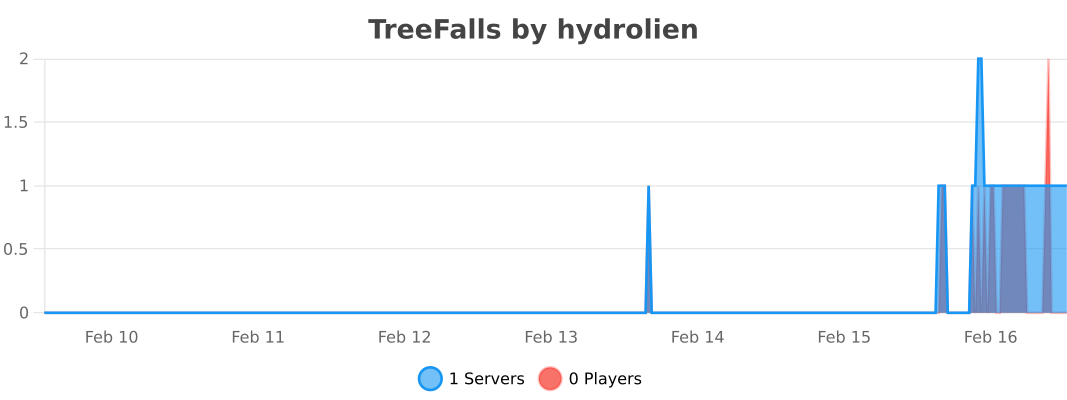
## Statistics
[](https://bstats.org/plugin/bukkit/TreeFalls/29518)
## Build
Clone the project from [GitHub](https://github.com/Mvndi/TreeFalls).
Run `./gradlew assemble`
The plugin jar file will be in build/libs/
You can also start a test server directly from Gradle with `./gradlew runServer`
## Thanks
Thanks to [SmoothTimber](https://github.com/SourceWriters/SmoothTimber) that inspired this project.
This project is kind of a simplified version of SmoothTimber with modern tools (Maven -> Gradle, Spigot -> Paper, Manual run -> auto run with runServer), much less dependencies and no legacy support (1.20+).