VoteBan Players
# VoteBan
This plugin supports ANY ban or mute system since it uses custom commands.
Commands:
– /votemute [reason] – Start a vote mute for a player online.
– /voteban [reason] – Start a vote ban for a player online.
– /votekick [reason] – Start a vote kick for a player online.
– /addvote – Vote for a current ban/kick in progress.
Permissions:
– VOTEBAN.* – Access to all commands.
– VOTEBAN.VOTE – Use the /addvote command.
– VOTEBAN.STARTKICK – Use the /votekick command.
– VOTEBAN.STARTBAN – Use the /voteban command.
– VOTEBAN.STARTMUTE – Use the /votemute command.
– VOTEBAN.BYPASS – Not allow votes on players with this permission.
Images



Vote2Sleep
# 🌙 Vote2Sleep — The Ultimate Sleep Voting Plugin for Minecraft
Tired of waiting for everyone to sleep?
With **Vote2Sleep**, your players can **vote to skip the night or clear storms** — all with smooth animations, sound effects, and real-time feedback that make the experience satisfying for the whole server.
Perfect for **survival** and **multiplayer** worlds that value collaboration and immersion.
—
## ✨ Main Features
🛏️ **Smart Voting System**
Players can start a vote just by entering a bed or using `/sleep`.
You decide how many players are needed, how long votes last, and what happens when they succeed.
🌤️ **Skip Nights and Storms**
Vote to skip long nights or rainy days.
You can enable or disable each feature individually for full control.
🎨 **Beautiful Visuals**
* Boss bars, titles, and action bars that update in real time
* Configurable sounds and particle effects
* Optional dawn animation that transitions smoothly into daylight
* Support for multiple colors and styles
⚙️ **Complete Customization**
Every aspect can be tuned from the config file — percentages, timeouts, effects, animations, and even per-world settings.
You can create a calm, immersive experience or something flashy and dynamic.
💾 **Statistics & Database**
Track vote data and activity with **SQLite** or **MySQL**.
Perfect for large servers that want detailed insights or cross-server stats.
🧭 **Advanced Options**
* Exempt specific gamemodes (like creative or spectator)
* Use permission-based exemptions (`vote2sleep.exempt`)
* Automatic config updates — keeps your settings intact during upgrades
* Built-in update checker and metrics support
—
## 🌍 Multi-Platform Compatibility
✅ Works perfectly on:
* **Bukkit**
* **Spigot**
* **Paper**
* **Purpur**
* **Folia**
It’s designed to be lightweight, lag-free, and 100% compatible across major platforms.
—
## 🧩 Commands Overview
| Command | Description |
| ———————————- | ———————————————— |
| `/sleep` | Start or join a vote to skip the night or storm |
| `/sleep status` | View current vote progress |
| `/sleep enable` / `/sleep disable` | Enable or disable the plugin in a specific world |
| `/sleep reload` | Reload configuration files |
| `/sleep stats` | Show voting statistics |
| `/sleep cancel` | Cancel the active vote |
| `/sleep force` | Instantly skip night or storm |
Aliases: `/v2s`, `/sleepvote`, `/vote2sleep`
—
## 💡 Configuration Highlights
“`yaml
settings:
vote-percentage: 0.5 # 50% of players required
skip-delay-seconds: 3 # Delay before skipping
allow-night-skip: true # Enable night skipping
allow-storm-skip: true # Enable storm skipping
bed-interaction: true # Allow starting votes by using beds
reset-statistics: true # Reset player phantom statistics when night is skipped
heal-players: false # Heal players when night is skipped
feed-players: false # Feed players when night is skipped
display:
boss-bar:
enabled: true
color: “BLUE”
effects:
lightning-on-skip: false
particle-effects: true
animation:
dawn:
enabled: false
duration-seconds: 3
advanced:
database:
enabled: false
“`
Each category is neatly organized — from visuals to advanced behavior — so even beginners can tweak it easily.
See the full [config.yml](https://github.com/K1ritoz/Vote2Sleep/blob/main/src/main/resources/config.yml)
for advanced customization, animations, and more.
—
## 🚀 Quick Setup
1. Download `Vote2Sleep.jar`
2. Drop it into your `/plugins/` folder
3. Start the server
4. Run `/sleep enable` and let your players vote!
That’s it — no complex setup needed. It works perfectly right out of the box.
—
## 💫 Why Servers Love Vote2Sleep
* Makes sleeping **fair and democratic**
* Adds **immersive visuals and atmosphere**
* Requires **no dependencies** to work
* Keeps configs safe through updates
* Designed for **performance and simplicity**
—
📦 **Requirements:**
* Minecraft **1.21.4+**
* Java **21+**
🔗 **Source & Docs:** [GitHub – Vote2Sleep](https://github.com/k1ritoz/Vote2Sleep)
⭐ *Make the night disappear — together.*
VortexRPG
# ⚔ VortexRPG
### A full-scale MMO engine for Paper 1.21+ — by Eternal Realm™
—
VortexRPG is a production-grade MMO core framework that transforms your Paper server into a fully realized RPG world. Choose your class, master a spell arsenal, close fracture rifts tearing open across the realm, run expedition contracts with your party, and trade on a dynamic player economy — all powered by a **single, zero-dependency JAR**.
Drop it in your `plugins/` folder.
—
## ✦ Core Systems
### ⚔ Classes & Ascension
– Six base classes — **Knight, Mage, Ranger, Cleric, Beastmaster, Engineer**
– Two ascension paths per class — 12 specializations total
– Custom stat profiles, XP curves, and attribute scaling per class
– Skill point allocation, passive bonuses, and class-bound relics
– Lock in your ascension path with `/class ascend`
### 🔮 Spells & Skill Atlas
– Data-driven spell system — define everything in `spells.yml`
– Built-in spells: **Ember Lance** (Mage — AoE fire + Bleed), **Warden’s Bloom** (Cleric — AoE heal + Arcane Ward)
– Composable mechanics: damage, heal, apply effect, spawn particles, play sound, send message
– Spell Forge for crafting custom spells in-game
– Per-class restrictions, level gates, cooldown management
– Cast with `/cast` or bound item clicks
### ✨ Effects Engine
– Fully stackable, tick-driven status effects defined in `effects.yml`
– Built-in: **Bleed** (5-stack physical DoT with crit particles), **Arcane Ward** (3-stack magic barrier)
– On-apply, on-tick, and on-remove hook pipelines
– Harmful and beneficial categories with tag filtering
### 🌀 Fracture Rifts
– Dynamic rift events that tear open across your world at runtime
– Built-in profiles: **Wild, Skeletal Assault, Necrotic Surge, Arcane Tempest** and more
– Per-profile mob tables, health/damage multipliers, and effect assignments
– Named boss encounters with configurable multipliers and boss-exclusive effects
– Gateway network — fast-travel nodes discovered and traversed in-world
– Spiral auto-generation with `/fracture gateway generate`
### 🗺 Expeditions & Breach Finales
– Expedition board with contract tiers, objectives, and time limits
– Full party system — form a group, run contracts together, split rewards
– Breach Finales — instanced boss arenas triggered from the expedition board
– Leaderboards, reward tracks, and quartermaster NPC for loot turn-ins
### 💰 Economy & Marketplace
– Dynamic market with supply/demand elasticity, price floors, and caps
– Configurable decay rates keep the economy balanced over time
– Vault bridge for compatibility with any external economy plugin
### 🤖 AI-Driven NPCs
– Citizens integration for quest givers, merchants, and trainers
– Neural NPC manager powered by Ollama or any OpenAI-compatible API
– Per-NPC conversation memory, greeting templates, and timeout handling
### 🧰 Professions & Adventure Board
– Profession ledger with gathering, crafting stations, and profession stats
– Adventure board — seasonal objectives, reward tracks, daily/weekly missions
### 💾 Zero-Setup Persistence
– Player data saved as **JSON files** — no external database required
– Atomic file writes prevent data corruption on crash
– Caffeine in-memory cache for near-zero latency on active players
– Revision-based optimistic locking prevents concurrent save conflicts
– All data in `plugins/VortexRPG/playerdata/`
### 🛡 Admin Toolkit
– `/vortex` hub — forge editors, hot reload, registry inspection, diagnostics
– 50+ granular permission nodes
– Support dump generator for easy bug reports
– PlaceholderAPI expansion for scoreboards, TAB, and chat
– **Folia-compatible** — scales across multi-threaded server environments
—
## ✦ Requirements
| Requirement | Version |
|—|—|
| Paper (or fork) | 1.21+ |
| Java | 21+ |
> ⚠ Requires **Paper 1.21+** — Pufferfish, Purpur, and Folia are supported. Plain Spigot is not.
### Optional Integrations
| Plugin | Purpose |
|—|—|
| Citizens 2.0+ | NPC system (quest givers, merchants, AI companions) |
| WorldGuard 7.0+ | Region-based protection |
| PlaceholderAPI | Expose player stats to any compatible plugin |
| Vault | Economy bridge to existing server currency |
—
## ✦ Installation
1. Drop `VortexRPG.jar` into your `plugins/` folder
2. Start or restart your server
3. All configs are generated automatically in `plugins/VortexRPG/`
4. Edit `config.yml`, `spells.yml`, `effects.yml`, `fractures.yml`, and `items.yml` to customize
5. Use `/vortex reload` to hot-reload configs without restarting
—
## 💬 Support
[](https://discord.gg/4NspeUX6tG)
Join our Discord for bug reports, feature requests, and support: **https://discord.gg/4NspeUX6tG**
VortexMobs
# 🌪️ VortexMobs
### Hostile mobs that adapt to your server. No config. No scripts. No setup.
**Paper • Folia • Purpur • Spigot • Fabric**
[](https://discord.gg/Tya84XrgSF)
[](https://github.com/Sauron05/VortexMobs)
—
## The idea
Every Minecraft server eventually develops a meta. Players figure out that bows are safe. That height is an advantage. That shielding and burst damage make most encounters trivial. Once that happens, survival combat starts feeling like a routine chore instead of a real threat.
VortexMobs was built to break that loop.
It runs silently in the background, watching how fights actually end on your server. Over time it builds a server-specific combat profile and starts shaping mob behavior to push back against whatever your players rely on most. The result is a server where hostile mobs feel genuinely dangerous again — not because their numbers are bigger, but because they start responding to the way you play.
—
## What it actually does
> When players consistently win at range → mobs close gaps faster and more aggressively
>
> When players exploit height → encounters become more punishing for terrain abuse
>
> When focus-fire melts fights instantly → mobs build sustained pressure instead
>
> When shielding is overused → the AI starts targeting that defensive habit
None of this happens overnight. The brain builds over real encounters. The longer your server runs, the more precisely the AI reflects your community’s playstyle back at it.
—
## Features
| | Feature | What it does |
|—|—|—|
| 🧠 | **Adaptive Brain** | Persistent server AI built from real encounter data |
| ⚔️ | **Tactic Pressure** | Mob behavior shaped around your dominant player habits |
| 🏹 | **Anti-Kite Engine** | Gap-closing behavior that punishes ranged reliance |
| 🛡️ | **Shield Cracking** | Counter-pressure against defensive repetition |
| 🌪️ | **Dynamic Flow** | Encounters that stay unpredictable over time |
| 👑 | **Adaptive Boss** | Boss that unlocks new abilities as the brain evolves |
| 🚀 | **Multi-Platform** | Paper, Folia, Purpur, Spigot, and Fabric |
| 🔓 | **Open Source** | Full source code on GitHub |
—
## Platform support
| Platform | Version | Status |
|—|—|—|
| Paper / Purpur / Spigot | 1.21.x — 26.x | ✅ |
| Folia | 1.21.x — 26.x | ✅ |
| Fabric | 1.21.x | ✅ |
| Fabric | 26.x | ✅ |
—
## Commands
| Command | Description |
|—|—|
| `/vortexmobs brain` | View current server brain status |
| `/vortexmobs spawnboss` | Spawn the adaptive boss |
| `/vortexmobs resetbrain confirm` | Reset the server brain |
| `/vortexmobs reload` | Reload configuration |
—
## Support development
VortexMobs is completely free. If it is doing something useful for your server and you want to support future AI improvements, new adaptive behaviors, balance passes, and long-term polish — donations are welcome and always optional.
💛 **[Support on PayPal](https://www.paypal.com/ncp/payment/K74B94LS3YXNW)**
—
*The brain trains. The mobs adapt. The server pushes back.*
VCT – Voiid Countdown Timer

# Voiid Countdown Timer
As simple as the name implies. A customizable timer datapack & plugin.
[](https://ko-fi.com/maxxvoiid/donate)
[](https://modrinth.com/datapack/voiid-countdown-timer)
[](https://curseforge.com/minecraft/bukkit-plugins/voiid-countdown-timer-for-bukkit)
[](https://vctdocs.mintlify.app/)
[](https://github.com/Voiid-Studios/voiidstudios/blob/main/LICENSE.md)
[](https://github.com/Voiid-Studios/voiidcountdown)
[](https://crowdin.com/project/voiidcountdowntimer)


## ❓ What is VCT?
Voiid Countdown Timer (VCT) is a fully customizable timer for Minecraft.
It works in two different versions:
– 📦 **Datapack** → The Lite version of VCT, ideal for single-player worlds or realms.
– 🔌 **Plugin** → The full version of VCT, perfect for multiplayer servers with Spigot/Paper.
With both versions, you can:
– 🎨 Create visual timers with a progress bar.
– 🖌️ Customize color styles.
– 🛠️ Run custom events when the timer starts or ends.
## ✨ Features
Voiid Countdown Timer includes:
– 🎨 Custom Colors Styles
– ⚙️ Quick and easy setup
– ⏳ Progressive Time Bar
– 🎈 Custom Events
– 👥 SinglePlayer and Multiplayer Compatible
– 💻 Open Source and constantly updated
## 📋 Requirements
### 📦 Datapack
– Version: `1.15+`
### 🔌 Plugin
– Version: `1.13+`
– Server: Spigot, Paper, or Purpur (not CraftBukkit)
## 🚀 Installation
### 📦 Datapack
1. Download the [latest version here](https://modrinth.com/datapack/voiid-countdown-timer/versions?c=release&l=datapack)
2. Place the downloaded `.zip` file in the `datapacks` folder of your world.
3. Enter the world and you will receive a message confirming the installation! 🎉
### 🔌 Plugin
1. Download the [latest version here](https://modrinth.com/datapack/voiid-countdown-timer/versions?c=release&l=spigot)
2. Place the downloaded `.jar` file in the `plugins` folder of your server.
3. Restart the server and the plugin will be ready. ⚡
## 📖 How to use it
### 📦 Datapack
– Execute the command `/function vct:book` to receive the configuration book.
– From the book you will be able to:
– ⏰ Set time
– 🎛️ Timer controls
– 🌈 Customize style of colors
– 🗣️ Change language
– ❌ Uninstall
### 🔌 Plugin
– Configuration using commands and configuration files (`config.yml`)
– To see all available commands, use `/vct help`.
– In `config.yml`, you can customize various timer options; all of them are detailed in the [official documentation.](https://vctdocs.mintlify.app/)
## [📚 Plugin Documentation](https://vctdocs.mintlify.app/)
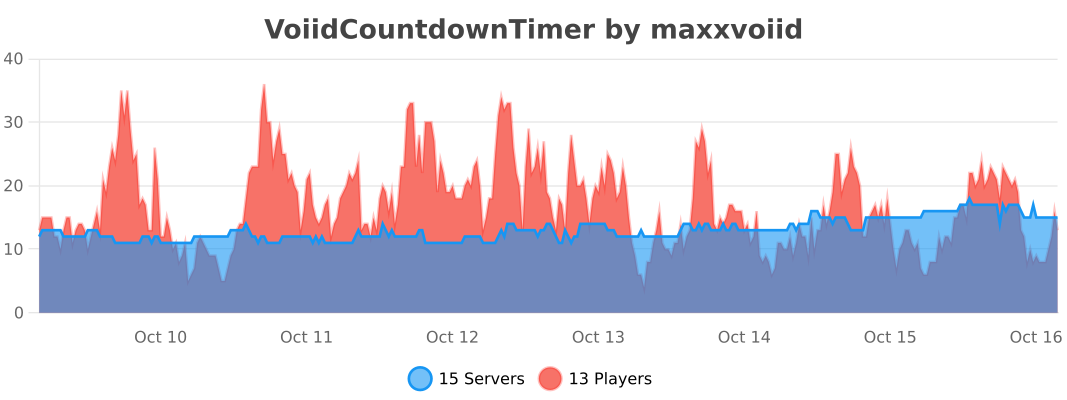
## 🔥 bStats


VoidWorldGenerator
[download]: https://img.shields.io/github/downloads/HydrolienF/VoidWorldGenerator/total
[downloadLink]: https://hangar.papermc.io/Hydrolien/VoidWorldGenerator
[discord-shield]: https://img.shields.io/discord/728592434577014825?label=discord
[discord-invite]: https://discord.gg/RPNbtRSFqG
[ ![download][] ][downloadLink]
[ ![discord-shield][] ][discord-invite]
[**Discord**](https://discord.gg/RPNbtRSFqG) | [**Hangar**](https://hangar.papermc.io/Hydrolien/VoidWorldGenerator) | [**Spigot**](https://www.spigotmc.org/resources/voidworldgenerator.113931/) | [**GitHub**](https://github.com/HydrolienF/VoidWorldGenerator)
# VoidWorldGenerator
A simple minecraft plugin to generate a void world.
Compatible with `Paper`, `Spigot` & `Folia` in all version since `1.20`.
1.1.2 is the last Java 17 compatible version. Update to [Java 21](https://adoptium.net/temurin/releases/?version=21) or use [1.1.2](https://github.com/HydrolienF/VoidWorldGenerator/releases/tag/1.1.2).
It can be used to prevent world generation outside of the world border.
To prevent that fully generate your world with a plugin as [Chunky](https://www.spigotmc.org/resources/chunky.81534/) then add this plugin & configure your bukkit.yml.
# Installation
Download latest .jar on [releases tab](https://github.com/HydrolienF/VoidWorldGenerator/releases).
Place the .jar in `plugins/`.
Add next lines at the begining of bukkit.yml:
“`yml
worlds:
world:
generator: VoidWorldGenerator
“`
If your world is not called `world`, replace `world` by your world name. You can set VoidWorldGenerator as generator for more than 1 world.
“`yml
worlds:
myCustomWorld1:
generator: VoidWorldGenerator
a2ndCustomWorld:
generator: VoidWorldGenerator
“`
Biome to use for empty chunks & the default spawn coordinates can be edit in the plugin config in `plugins/VoidWorldGenerator/config.yml`.
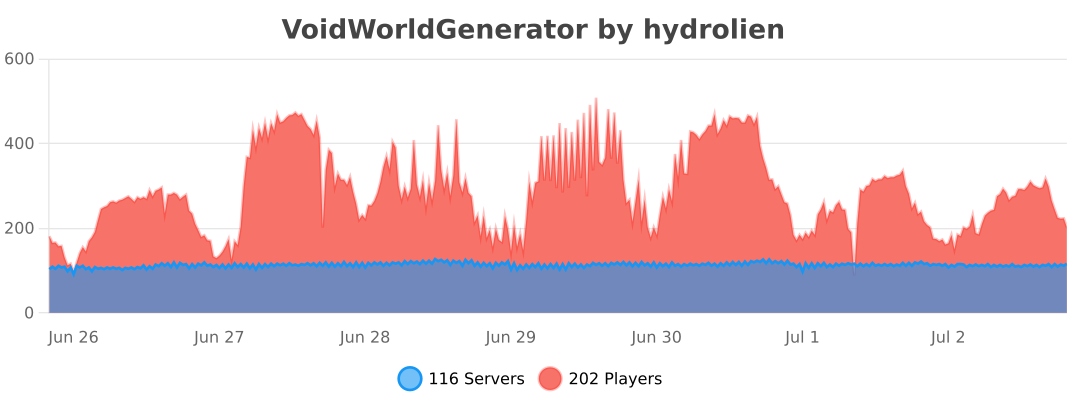
## Statistics
[](https://bstats.org/plugin/bukkit/VoidWorldGenerator/20171)
## Build
Build with `./gradlew assemble`. Plugin file will be in `build/libs/`.
# Assemble, publish, sign & zip.
“`sh
./gradlew clean publish
./gradlew jreleaserDeploy
“`
The published lib will be available [there](https://central.sonatype.com/publishing).
Push tag to git for github action release to Modrinth & Hangar.
VoidVaults
**📦 What is VoidVaults?**
**VoidVaults** is a lightweight (432KB) and high-performance Ender Chest replacement, built from the ground up for modern servers. 🔥
It’s built with a 100% asynchronous design, smart caching, and modern code to guarantee zero server lag. Now updated with powerful inventory management tools! 👑
—
**⚙️ Two Modes, One Plugin**
Choose the style that fits your server in the `config.yml`.

**🔵 Mode 1: SIMPLE**
– A clean, simple vault. No buttons, just storage.
– Permissions: `voidvaults.slots.9` up to `voidvaults.slots.54`
– Perfect for: Giving players one big, 54-slot vault as a single reward.
**🟣 Mode 2: PAGED (Default)**
– The full-featured experience with multiple pages.
– **50-Slot Pages:** Sell access to 5 pages (`voidvaults.pages.2`, `voidvaults.pages.5`).
– **Control Bar:** Includes Navigation, Sort, Deposit, and Search buttons.
– **Unlockable Slots:** Use permissions to control how many slots are unlocked per page.
—
**✨ Inventory Management (New in v1.1.0)**
**VoidVaults** now includes built-in tools to help players manage their storage.

**📚 Smart Sorting**
– Instantly organizes the current page.
– Groups similar items and sorts them alphabetically.
**📥 Quick Deposit**
– One click to stack matching items from your inventory into the vault.
**🔎 Advanced Search**
– Find items instantly with a dedicated Search GUI or chat input.
– Non-matching items are visually filtered out (grayed out).

—
**🔧 Highly Configurable**
Every aspect of the plugin can be tweaked to fit your server’s theme.

– **Customizable GUI:** Change every item name, lore, and material.
– **Messages:** Full color support for all chat messages.
– **Toggles:** Disable specific features (like Sorting or Searching) if you don’t want them.
– **Storage:** Use lightweight `YAML` or production-ready `MySQL`.
—
**🖥️ Professional Admin Tools**
– `/voidvaults stats`: See real-time performance metrics and cache size.
– `/voidvaults cleancache`: Clean offline players from memory.
– `/voidvaults open [page]`: View and edit any player’s vault live.
– `/voidvaults setslots `: Override a player’s slot permissions.
—
**🔗 Links & Support**
**Need help? Want to support the project?**
**💻 Source Code:** [GitHub](https://github.com/mattbaconz/VoidVaults)
**📊 Metrics:** [bStats](https://bstats.org/plugin/bukkit/VoidVaults/28100)
**💬 Support:** [Discord Server](https://discord.com/invite/VQjTVKjs46)
**☕ Donate:** [PayPal](https://www.paypal.com/paypalme/MatthewWatuna)
—
**🧩 Dependencies (Optional)**
– **Vault API:** Required for economy integration (fees).
– **PlaceholderAPI:** Required for placeholder support.
—
**🎮 Compatibility**
– **Version:** 1.21+
– **Compatibility:** Paper, Purpur, Folia, and Spigot
VoidSpawn+

—
# 📝 Overview
VoidSpawn is a high-performance Paper/Spigot plugin designed to automatically teleport players to safety when they fall into the void. The plugin monitors each player’s Y-coordinate and instantly teleports them to a designated spawn point when they fall below a configurable threshold.
### How It Works
1. Players fall below the configured Y-level threshold for their world
2. The plugin instantly detects the void fall
3. Players are teleported to a custom spawn point (set via `/vs setspawn`)
4. If no custom spawn exists, players are sent to the world’s default spawn
5. A smooth fade animation and sound effect enhance the experience
—
## ✨ Key Features
### 🎯 Core Functionality
– **Multi-World Support** – Configure unique Y-levels for each world
– **Custom Spawn Points** – Set specific teleport locations with exact orientation
– **Default Spawn Fallback** – Automatic fallback to world spawn if custom spawn not set
– **Optimized Detection** – Lag-free performance even with many players
### 🎨 Player Experience
– **Smooth Fade Effect** – 2-second fade-in/fade-out screen transition
– **Customizable Messages** – Full color code support with `&` formatting
– **Sound Effects** – Configurable teleport sounds
– **Cooldown System** – Prevents teleport spam and exploitation
### 🛡️ Administration
– **Permission-Based Access** – Granular control over commands and bypass
– **Hot Reload** – Update configuration without server restart
– **Per-World Configuration** – Enable/disable void protection per world
– **Minecraft 1.20+** – Full compatibility with latest versions
—
## 🚀 Installation
### Requirements
– Minecraft Server: Paper/Spigot/folia 1.20 or newer
– Java: 17 or higher
### Setup Steps
1. Download `VoidSpawn-1.0.0.jar`
2. Place the file in your server’s `plugins/` folder
3. Restart your server
4. Configure the plugin (files created automatically):
– `plugins/VoidSpawn/config.yml`
– `plugins/VoidSpawn/spawns.yml`
—
## 🎮 Commands
### Administrator Commands
| Command | Description | Permission Required |
|———|————-|———————|
| `/vs setspawn` | Sets the void spawn point for current world at your location and facing direction | `voidspawn.admin` |
| `/vs reload` | Reloads the configuration from disk | `voidspawn.admin` |
**Alias:** `/voidspawn` works identically to `/vs`
—
## 🔐 Permissions
| Permission Node | Description | Default |
|—————-|————-|———|
| `voidspawn.admin` | Access to all `/vs` commands | OP only |
| `voidspawn.bypass` | Exempts player from void detection (useful for testing) | OP only |
—
## ⚙️ Configuration
### config.yml Structure
“`yaml
# Fade Effect Settings
fade-effect-enabled: true # Enable/disable screen fade animation
# Sound Settings
teleport-sound: ENTITY_ENDERMAN_TELEPORT # Sound played on teleport (use ‘none’ to disable)
# Cooldown Settings
teleport-cooldown: 3 # Seconds before player can be teleported again
# Messages (supports & color codes)
teleport-message: “&aYou have been teleported to safety!”
spawn-not-set-message: “&eNo custom spawn set. Teleporting to world spawn…”
cooldown-message: “&cPlease wait before being teleported again.”
# World-Specific Settings
worlds:
world:
y-level: -64 # Players below this Y-level are teleported
enabled: true # Enable/disable void protection for this world
world_nether:
y-level: -64
enabled: true
world_the_end:
y-level: -64
enabled: true
“`
### Configuration Options
#### Visual Effects
– **fade-effect-enabled**: `true/false`
– Enables smooth screen fade during teleportation
– Duration: 2 seconds total (1s fade out, 1s fade in)
#### Audio Settings
– **teleport-sound**: Sound name or `none`
– Default: `ENTITY_ENDERMAN_TELEPORT`
– Must be valid Bukkit Sound enum name
– Set to `none` to disable sound
#### Anti-Spam Protection
– **teleport-cooldown**: Integer (seconds)
– Prevents repeated rapid teleportations
– Default: 3 seconds
– Helpful for preventing abuse
#### World Configuration
For each world, configure:
– **y-level**: Y-coordinate threshold (players below this are teleported)
– **enabled**: `true/false` to toggle void protection
—
## 🗺️ Setting Up Spawn Points
### Initial Setup (Required)
1. Ensure you have OP status or `voidspawn.admin` permission
2. Enter the world you want to configure
3. Stand at the exact location where players should spawn
4. Face the direction players should be facing
5. Execute: `/vs setspawn`
6. Confirmation message will appear
### What Gets Saved?
– World name
– X, Y, Z coordinates
– Yaw (horizontal rotation)
– Pitch (vertical rotation)
### Without Custom Spawn
If no custom spawn is set via `/vs setspawn`, players will:
1. Receive the `spawn-not-set-message`
2. Be teleported to the world’s default spawn point
3. Still benefit from void protection
—
## 🔧 Advanced Usage
### Multiple Worlds
Configure different Y-levels for each world type:
“`yaml
worlds:
survival_world:
y-level: -64
enabled: true
creative_world:
y-level: -128
enabled: false # Disable in creative
mining_world:
y-level: -64
enabled: true
“`
### Custom Messages
Use Minecraft color codes with `&`:
“`yaml
teleport-message: “&b&lVOID RESCUE &r&7» &aYou’ve been saved!”
spawn-not-set-message: “&e&l⚠ &7Using default spawn point…”
cooldown-message: “&c&l✖ &7Wait {cooldown}s before next teleport”
“`
### Performance Tuning
The plugin is optimized by default, but you can:
– Disable fade effects for minimal overhead
– Adjust cooldowns to reduce event frequency
– Disable in creative/spectator worlds
—
## 📊 Performance Information
VoidSpawn is built with performance as a priority:
– **Optimized Event Handling**: Only processes relevant player movement events
– **Memory Efficient**: Automatic cleanup on player disconnect
– **No Tick Lag**: Asynchronous processing where possible
– **Minimal Overhead**: Typically <1% CPU usage even with 100+ players
### Best Practices
- Set appropriate Y-levels (don't set too high)
- Use reasonable cooldowns (3-5 seconds recommended)
- Disable in worlds where void protection isn't needed
---
## ❓ Troubleshooting
### Players aren't being teleported
- Check if void protection is enabled for that world in config.yml
- Verify the Y-level is set correctly
- Ensure players don't have `voidspawn.bypass` permission
- Check server console for errors
### Spawn point not working
- Confirm spawn was set with `/vs setspawn`
- Check `spawns.yml` for the world entry
- Try setting the spawn again
- Verify world name matches exactly
### Performance issues
- Disable fade effects if experiencing lag
- Increase cooldown duration
- Check for conflicting plugins
- Review server TPS with `/tps` command
---
## 📞 Support
For bug reports, feature requests, or general support, please contact the development team.
Voidplate
## 📜 Overview
Voidplate is a lightweight Paper plugin that lets you wear armor without covering your Minecraft skin.
It permanently hides the visual appearance of armor while preserving all of its stats, enchantments, and functionality.
To others, it looks as if you’re not wearing any armor at all — but you’ll still have full protection.
## ✨ Features
– **Permanent Cosmetic Change**: Once applied, the armor’s appearance cannot be reverted.
– **Armor-Only**: Works only on armor pieces (helmets, chestplates, leggings, boots).
– **Crafting Process**: Use the smithing table with:
– A **Long Invisibility Potion** (8:00)
– Your **armor piece**
– An **Echo Shard**
to forge the hidden appearance.
– **No Resource Pack Required**: All effects are handled server-side using vanilla mechanics.
## 🛠 Installation
1. Download the latest Voidplate `.jar` from Modrinth.
2. Place it into your server’s `plugins/` folder.
3. Restart your server — no additional configuration required.
## ⚠️ Notes
– This plugin only hides the **visual model** of armor — it does not affect protection values or enchantments.
– The process is **irreversible**. Make sure you apply it to the correct item.
– Works with other cosmetic plugins unless they overwrite the same visual components.
—
VoidItemControl
# 📦 VoidItemControl | Advanced Item Management System
**VoidItemControl** is a professional, high-performance item interaction management system designed for modern Minecraft servers. It allows administrators to have full control over which items can be placed or dropped, supporting unique quest items, currencies, and special server artifacts.
### 🛠️ Key Features
* **Action Restriction System** – Precisely block **PLACEMENT** or **DROP** actions for specific items based on their material type.
* **Metadata Sensitivity** – The system recognizes items not just by material, but also by their **Display Name** and **Lore**, allowing for unique restricted items.
* **Universal Compatibility** – Designed to run smoothly on **Spigot**, **Paper**, **Bukkit**, and **Folia** engines from versions **1.8** to **1.21.x**.
* **Void Give System** – Integrated `/vic give` command allows administrators to instantly grant players items defined in the config with all metadata preserved.
* **Bypass Permissions** – A flexible permission system allowing staff or specific player groups to ignore item restrictions.
—–
### 💻 Installation & Setup
1. Download the `.jar` file.
2. Drop the file into your server’s `/plugins` folder.
3. Restart your server to generate the configuration files.
4. Customize your restricted items list and system messages in `config.yml`.
—–
### 📜〢 Configuration Example
“`yaml
############################################################
# #
# VOIDITEMCONTROL – CREATED BY KUBA_121 #
# A professional item interaction management system #
# #
############################################################
############################################################
# #
# PERMISSIONS: #
# – voiditemcontrol.admin: Access to /vic reload/give #
# – voiditemcontrol.bypass: Immune to item restrictions #
# #
############################################################
# Should the plugin notify you about new updates?
update-check: true
# Define your restricted items here
restricted-items:
# Unique identifier for the restriction (used in /vic give)
bedrock_rule:
# Material name (Bukkit name)
material: “BEDROCK”
# Optional: Block only if the item has this specific name
display-name: “&b&lVOID BEDROCK”
# Optional: Block only if the item has this lore
lore:
– “&7This item is controlled”
– “&bby the void system.”
# Actions to block
prevent-placement: true
prevent-drop: true
# Should the player be notified when an action is blocked?
notify-player: true
magic_block:
material: “COMMAND_BLOCK”
display-name: “&d&lMAGICAL COMMAND BLOCK”
lore:
– “&7This is a block”
prevent-placement: true
prevent-drop: false
notify-player: true
messages:
# The global prefix for all system messages
prefix: “&b&lVoidControl &r&8»&7”
# Sent when a player tries to place a restricted block
placement-blocked: “%prefix% &7The &bvoid &7prevents you from placing this object.”
# Sent when a player tries to drop a restricted item
drop-blocked: “%prefix% &7This item is &bbound to your soul &7and cannot be dropped.”
# Standard system notifications
no-permission: “%prefix% You lack the &bvoid power &7to do this.”
reload-success: “%prefix% Configuration reloaded &bsuccessfully&7.”
# Structure for the /voiditemcontrol help command
help-menu:
– “&8&m——–&r &b&lVoidControl Help &8&m——–”
– “&7/vic help &8- &fDisplays this menu”
– “&7/vic give [amount] &8- &fGive item”
– “&7/vic reload &8- &fReloads the configuration”
– “&8&m—————————————-”
usage-command: “%prefix% Usage: &b/vic &8<&7help&8|&7reload&8|&7give&8>”
“`
—–
### 🛡️ Support & Community
Join our **Code Hub** for technical support, bug reports, and updates.
* **Discord:** [[Join Support Server]](https://discord.gg/jdWeSJbcKx)
* **Source:** [[GitHub]](https://github.com/kuba-121/VoidItemControl)