### How to prepare a custom image~
First, use ffmpeg (or any tool) to resize your image to **160×160 pixels**.
“`bash
Using ffmpeg:
ffmpeg -i Input.png -vf scale=160:160 image.png
“`
Then place the resized image in the same directory as the Python script below.
Run the script to produce an `image_chunks` folder, then copy the 16 **.glsl files** inside into `shaders/data/image_chunks` (you need to unpack the shader pack first).
Enter the game, enable the custom image option in the shader settings, and wait for the shader to finish compiling — Then it’s ok~
A Python Script
“`python
from PIL import Image
import os
def generate_glsl_chunks(image_path, output_dir=”image_chunks”):
try:
img = Image.open(image_path).convert(‘RGBA’)
except FileNotFoundError:
print(f”Error: Image file not found at {image_path}”)
return
width, height = img.size
if width != 160 or height != 160:
print(f”Error: Image must be 160×160 pixels, but it is {width}x{height}.”)
print(f”You can use:”)
print(f”ffmpeg -i image.png -vf scale=160:160 output.png”)
print(f”to adjust the image resolution.”)
return
Shaders typically fall into one of two camps: completely overhauling minecraft’s style or completely copying it. This shader aims to overhaul the graphics while making it feel like nothing has changed. It’s the same style as vanilla minecraft but built for my own preferences, which are:
– Beautiful and Pleasant
– Unobtrusive
– Sharp AA
– Gameplay-Oriented
– Interesting and Exciting
– Performant
### Supports [Voxy](https://modrinth.com/mod/voxy), [Distant Horizons](https://modrinth.com/mod/distanthorizons), [Colorwheel](https://modrinth.com/mod/colorwheel), and more!
### Note: Optifine is only partially supported. If you think it should be more supported, you can always let me know
## How to install:
– 1: Install either [Fabulously Optimized](https://modrinth.com/modpack/fabulously-optimized) (full modpack, preferred) or [Iris](https://modrinth.com/mod/iris)/[Occulus](https://modrinth.com/mod/oculus) (single mod, can be added anywhere)
– 2: Download the latest version of this shader
– (If you want to see the values used by each style, you can download a style-specific version)
– 3: Launch minecraft, go to the shaderpacks menu, and click the ‘Open Shader Packs Folder’ button
– 4: Put the downloaded shader zip into the shaderpacks folder
– 5: Select the shader within the shaderpacks menu
## Performance Comparisons:
I’m not sure how trustworthy these results are, but it should give you a rough idea of the performance between shaders. Also, you can compare your graphics card to mine [here](https://www.techpowerup.com/gpu-specs/geforce-gtx-1070.c2840). Tests:
### License Overview:
**This is not exact or binding in any way.**
#### You can (with restrictions):
– Use this for gameplay, screenshots, videos, etc
– Use this in modpacks
– Create public and/or private modifications
– Reuse shader code
#### You cannot (without any exceptions):
– Redistribute this shader with little to no modifications
– Create shortened / indirect links to this shader
#### You can read the full license [Here](https://github.com/What42Pizza/I-Like-Vanilla/blob/main/LICENSE).
Note: this shader has very limited testing and is very likely to break in niche cases, but I’m very open to fixing any and all bugs that are reported
Please visit your local church
Hysteria Shaders
[](https://lunapixel.studio/discord)

[](https://ko-fi.com/elocindev)
A stylized, atmospheric horror-themed Iris shaderpack with high customizability and performance.
Successor of [Insanity Shader](http://www.curseforge.com/minecraft/shaders/insanity-shader).
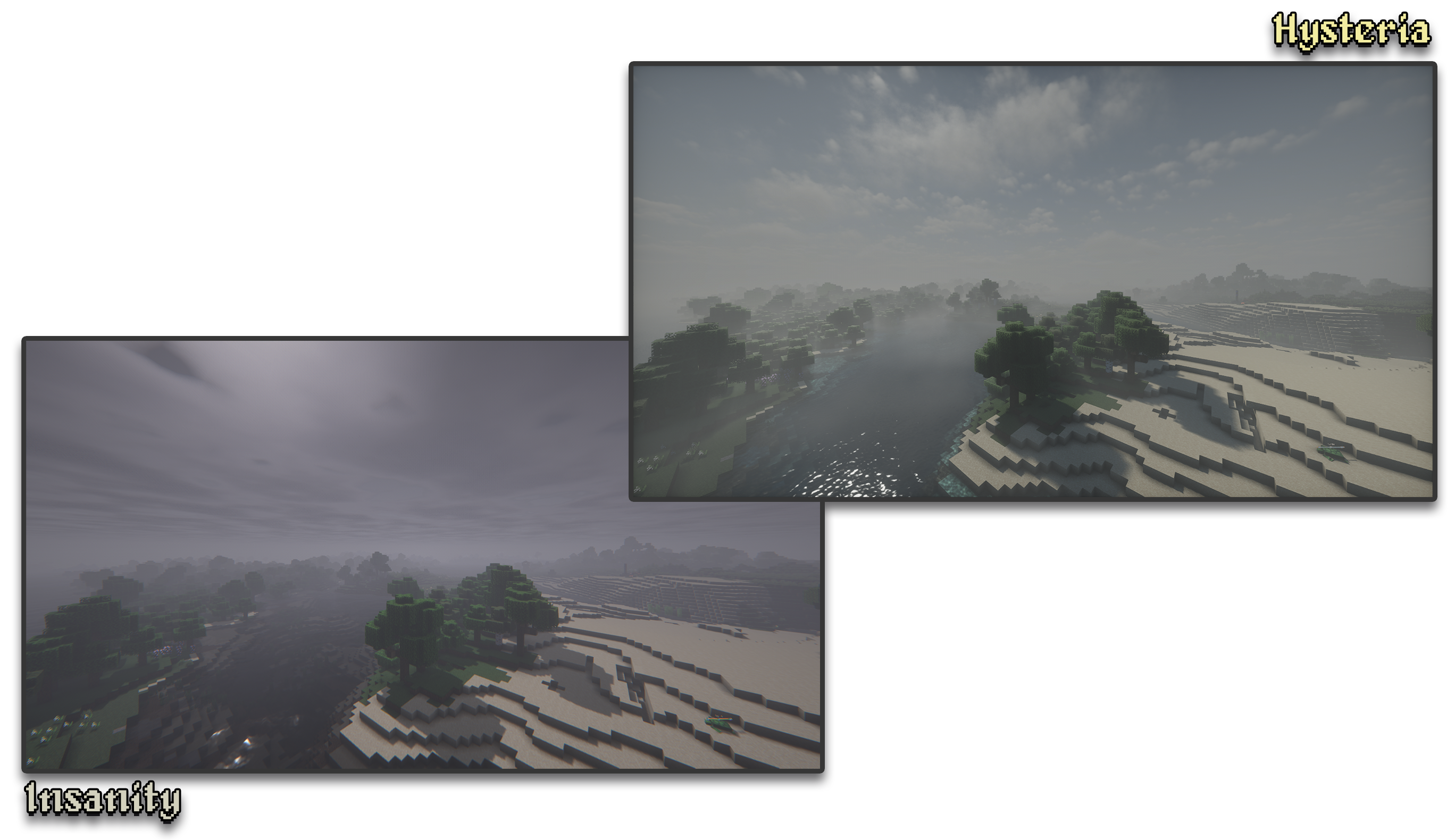
Based on Photon, Hysteria provides a similar feel to Insanity, but with modern features such as volumetric clouds and fog, colored lighting, distant horizons support, and more!

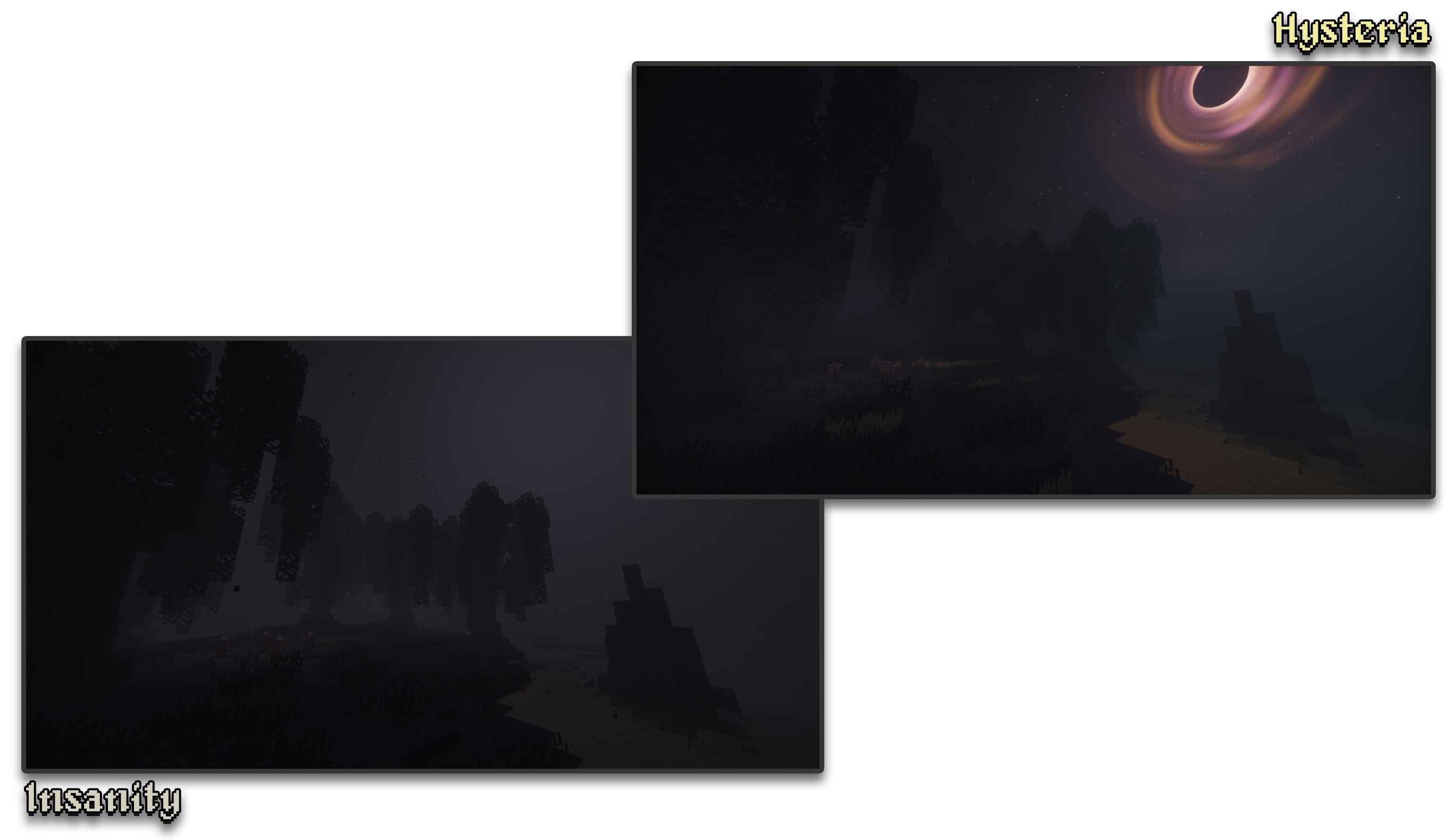
– 🧟 **Atmospheric Scary Look.** Perfect for horror & zombie modpacks!
– 📓 **Highly customizable shader configuration.** Expanded from Photon’s limits.
– ⛈️ **Immersive & Dynamic Weather.** Every day is a different day, with different clouds and colors.
– 🌫️ **Volumetric Fog & Clouds.** With ground-level and distant fog, changing volumetric clouds, and more!
– 🌎 **Distant Horizons Support.** Experimental!
– 📝 **User-friendly menu.** Including a quick options menu with easy to configure settings.
– 💻 **Runs on most modern PCs.** Optimized even for lower-end GPUs. Even better than Insanity!
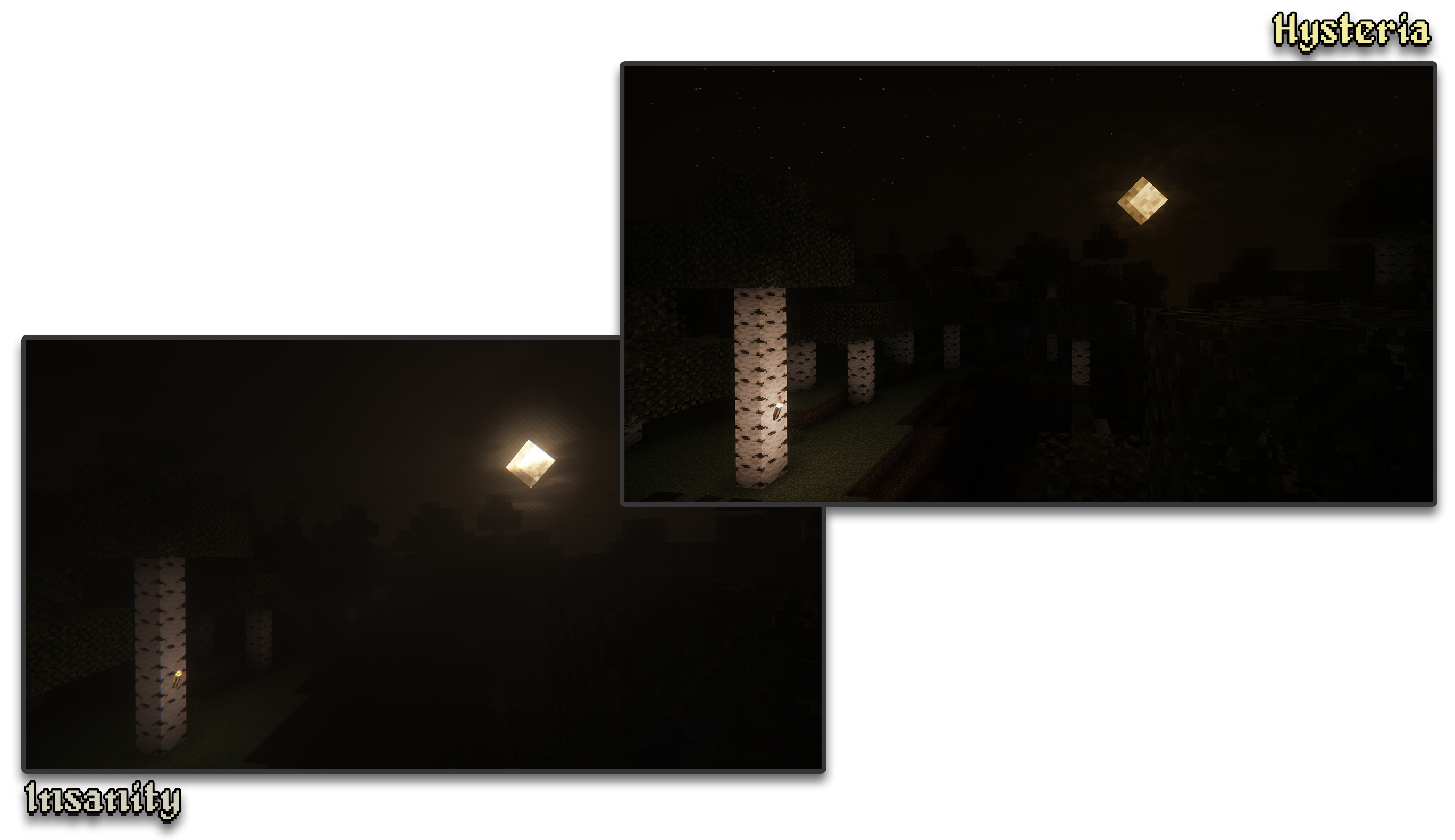
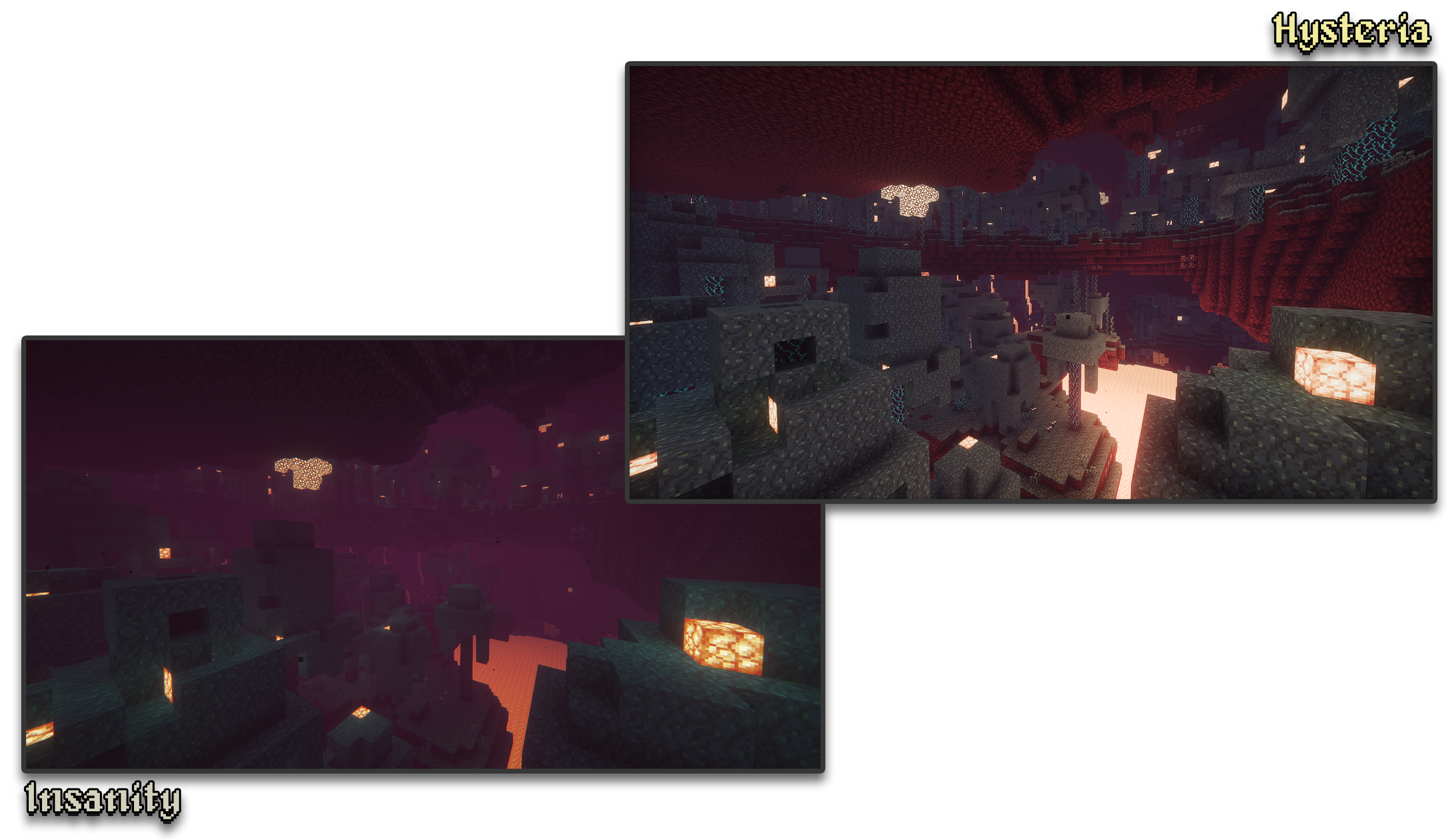
– 🔦 **Always bring some torches.** Not only the night is dark, the Nether and End are even worse!
– 🌎 **Wide compatibility across versions.** Supports all newer MC versions from 1.7.10 upwards.
– ☀️ **Built-in Colored Lighting.** With support for labPBR resource packs.
– **Sixthsurge**
– For making Photon, the shaderpack that Hysteria is based on
– **Capt Tatsu**
– For making BSL, helping me start out Insanity. Without Insanity, Hysteria wouldn’t exist!
Haze Shader is a lightweight shader pack that enhances Minecraft’s visuals without losing its iconic blocky style.
🧱 Stylized blocky shadows that stay true to the game’s design
🌊 Clean reflections on water, ice, and other shiny blocks
💡 Soft, refined emissive lighting for naturally glowing elements
⚡ Optimized for performance – ideal for all systems, even low-end PCs
Haze Shader focuses on subtle, smart upgrades that make your world feel more alive—without ever stepping away from what makes Minecraft, Minecraft.
Grey Wobbly World
By Ritz Creator
“Everything looks familiar… and yet, somehow wrong. The sky is clear, the land is quiet — but the world itself feels like it’s breathing, shifting, uncertain.”
🧩 Overview
Grey Wobbly World is an atmospheric Minecraft mod that alters both the visual and sensory experience of the game. Rather than adding new mobs or dimensions, this mod transforms the very fabric of the existing world — turning it into a surreal, distorted version of reality.
It’s not horror in the traditional sense — there are no monsters lurking in the shadows — but instead a more existential, creeping unease. A Minecraft world that feels… off.
🌍 Key Features
🌀 World Wobble Simulation
Your perspective subtly shifts as the land beneath you undulates. It’s not violent — it’s dreamlike. As if you’re walking through a memory, or a world rendered unstable by forgotten forces.
🌑 Desaturated Biomes
All natural colors have been leeched out. Grass, leaves, and most flora are now in cold greys and browns. Only rare, scattered flowers retain faint hints of color — a visual whisper of what the world once was.
🪵 Silent Lands
Paired with ambient silence or minimalistic background audio (optional), the mod enhances solitude. It creates the perfect backdrop for psychological storytelling, survival challenges, or creative exploration.
🧱 Vanilla-Compatible and Lightweight
No new blocks, entities, or recipes. Just a fundamental shift in perception and tone — making it ideal for roleplaying, mapmaking, or simply reshaping your gameplay mood.
📖 Lore-Friendly Context (Optional Roleplay)
In the forgotten times, an unknown event washed over the land — draining its essence, bending its terrain, and leaving behind a faint echo of its former self. Players are not just survivors here… they are witnesses to a world unraveling. Every step forward is a step deeper into the unraveling edges of space and memory.
🛠️ Technical Notes
📦 Iris Compatible
🌗 Future versions may introduce subtle shaders, eerie ambient sounds, and post-processing enhancements
💡 Works with most terrain generation mods (non-conflicting)
🎮 Ideal Use Cases
Psychological horror or surreal adventure maps
Custom modpacks focused on immersion or altered perception
Content creators seeking a quiet, uncanny visual mood
Builders who want to create dreamlike, grayscale environments
🔚 Final Thought
Grey Wobbly World doesn’t tell you what’s wrong with the world.
It lets you feel it.
I would be happy if you made a YouTube video about this pack!
GlacierShaders is a shader pack for Minecraft Java Edition, carefully crafted for low-end device users who want to enjoy warm and appealing visuals without sacrificing FPS. It delivers a clean, stylized look with blue-toned water, a calm vanilla-inspired sky — all while avoiding performance-heavy features like waving leaves or ultra-realistic lighting.
GlacierShaders offers blue-toned water, a clean vanilla-style sky with soft glowing clouds, and disables heavy effects like waving leaves and foliage to ensure maximum FPS. These choices are made to support low-end devices, keeping visuals smooth and enjoyable without performance drops.
**How to report BUGS!!**
Our GlacierDevelopment Discord server is Live you can report bugs and Chat with other GlacierShaders users, report bugs, get help with issues, and join exciting giveaways — all in one place!
This is a simple shader designed to replace all block rendering with a continuous galaxy scene with orange and cyan highlights, while also replacing all entity rendering to feature a golden overlay. This shader was designed for a video by @joostjoe on youtube.
**This shader completely inverts the colors in Minecraft. Everything looks like you’re looking at a negative photo. Supports daylight, night, water, blocks, mobs, and interface. Suitable for those who want a strange, surreal, or psychedelic experience in the game.**
This shader is very good. It can make Minecraft look much more beautiful than before. The sky will be brighter and more realistic, the water will look clearer and nicer, and the lighting in the game will become softer and more natural. You can really feel the difference when you walk around in your world.
This shader works with both OptiFine and Iris, so no matter which mod loader you use, you can install it easily. It runs well on almost any computer, even if your device is not very powerful. You don’t have to worry about lag or slow performance while using it.
If you are tired of the normal Minecraft graphics and want to make your game look better, this shader is perfect for you. It is simple, clean, and works great for survival, building, or just exploring. Try it and you will see how good your Minecraft can look with this shader.
Fantasy.VT
Features:
Distant Horizons, Voxy, Colorwheel and other mods easily integrate with this shader!
The package includes several color schemes, the best one is VT Color, which is not available anywhere!
The fog system can be customized according to your preferences!
There are many cloud styles available!
Shadows can be created based on a light map or a shadow map!
An extensive color palette is available with the ability to adjust saturation, exposure, and balance!
Very easy to set up!
Compatibility:
At the moment, the software has been tested only for versions 1.17 and higher. Earlier versions may or may not work.
Modern Nvidia, AMD, and Intel GPUs are supported on both Windows and Linux. Macs may or may not work.
Please use the latest version of Iris. It should work with any version that supports custom uniforms. There are some bugs in Optifine, but in general it should also work.