–<[Zareh's Optimizeds]>–
—
## **🌟 About the Modpack**
–<[Minecraft: Zareh’s Optimized]>– is a meticulously crafted **client-side** modpack designed to **maximize performance, enhance graphics, and refine gameplay mechanics** while preserving the core essence of Minecraft. Whether you’re running the game on a high-end PC or an older machine, this modpack ensures that you get a **fluid, visually stunning, and optimized** Minecraft experience without unnecessary bloat.
This is not your typical modpack filled with heavy gameplay overhauls—**it is fully compatible with vanilla servers and does not require server-side installations**. You can hop onto your favorite servers or single-player worlds without any concerns, enjoying all the enhancements that –<[Minecraft: Zareh’s Optimized]>– provides while others continue to play normally.
Our focus is on **improving FPS, reducing memory usage, enhancing graphics, and introducing quality-of-life features** that make the game feel smoother and more immersive. With the perfect balance between **aesthetic upgrades and performance boosts**, this modpack is the ideal choice for players who want to experience **Minecraft at its best** without altering the fundamental gameplay mechanics.
This Is the Version:
—

## **🚀 Why Choose –<[Minecraft: Zareh’s Optimized]>-?**
### **🔥 Extreme Performance Optimization**
Minecraft is notorious for being **poorly optimized**, even on high-end machines. To combat this, –<[Minecraft: Zareh’s Optimized]>– includes a suite of **powerful performance-enhancing mods** that dramatically improve FPS, reduce lag, and optimize world loading without sacrificing visuals. Some of these essential mods include:
✅ **Sodium & Lithium** – A powerful alternative to OptiFine, significantly improving graphics performance and game stability.
✅ **Phosphor & Starlight** – Optimizes the lighting engine, eliminating stutters and lag caused by chunk updates.
✅ **FerriteCore** – Reduces memory consumption, allowing the game to run more efficiently, especially on lower-end systems.
✅ **MemoryLeakFix & Smooth Boot** – Helps fix RAM leaks and reduces startup time for a seamless experience.
With these optimizations, you can expect **higher frame rates, smoother chunk loading, and significantly reduced RAM usage**, making Minecraft more playable on any setup.
### **🎨 Stunning Visual Enhancements**
While performance is the priority, that doesn’t mean we ignore visuals! This modpack includes a curated selection of **resource packs and shaders** that enhance the **lighting, textures, and atmospheric effects** without causing significant FPS drops.
✨ **Resource Packs:**
– High-quality **HD textures** that maintain the original aesthetic of Minecraft.
– Enhanced **UI and item textures** for better readability and immersion.
– Optimized **block and entity models** that improve realism without overloading your system.
🌄 **Shaders:**
– Multiple shader pack options **optimized for different PC specifications**.
– **Dynamic lighting, realistic shadows, and atmospheric fog** that add depth to the world.
– A perfect blend of **beauty and performance**, ensuring smooth gameplay even with shaders enabled.
### **🛠️ Quality-of-Life Upgrades**
Aside from visual and performance enhancements, –<[Minecraft: Zareh’s Optimized]>– introduces a set of **gameplay refinements** that make playing more enjoyable without altering the core mechanics. These include:
✔️ **Minimap & Waypoints** – Never get lost again! Easily track your position and set waypoints.
✔️ **Improved HUD & UI Enhancements** – A more informative and clean interface for better control.
✔️ **Better Controls & Hotkeys** – Improved keybindings and settings for a more intuitive experience.
✔️ **Minor Tweaks & Bug Fixes** – Small adjustments that make the game feel smoother and more polished.
### **🌍 Multiplayer & Server Compatibility**
A major advantage of –<[Minecraft: Zareh’s Optimized]>– is that it is **entirely client-side**, meaning you can use it **on any server** without needing special permissions or modifications. Whether you’re playing on a **vanilla SMP, a modded server, or even competitive PvP**, this modpack will work seamlessly.
✅ **No unfair gameplay advantages** – This is not a cheat or exploit-based modpack.
✅ **Compatible with Vanilla and Modded Servers** – Works without conflicts or requiring additional server modifications.
✅ **Lightweight and Flexible** – Can be customized further based on personal preferences.
—
###
### **1️⃣ What makes –<[Minecraft: Zareh’s Optimized]>– different from other modpacks?**
Unlike most modpacks that introduce heavy game-changing features, –<[Minecraft: Zareh’s Optimized]>– focuses purely on **performance, visual quality, and gameplay fluidity** without modifying core mechanics. It is a **client-side modpack**, meaning you can join any server without needing server-side modifications.
### **2️⃣ Will this modpack work on low-end PCs?**
Absolutely! This modpack is specifically **optimized for all hardware configurations**, from low-end systems to high-end gaming rigs. Mods like **Sodium, Lithium, and FerriteCore** drastically reduce memory consumption and CPU/GPU load, making Minecraft much more playable on weaker machines.
### **3️⃣ Does this modpack support OptiFine?**
No, OptiFine is not included because **Sodium + Iris (for shaders) provide better optimization and performance than OptiFine**. However, you can manually install OptiFine if you prefer using it.
### **4️⃣ Can I add my own mods to this modpack?**
Yes! This modpack is designed to be **flexible**. You can easily add or remove mods to tailor the experience to your liking. However, be aware that adding heavy mods could impact performance.
### **5️⃣ How do I install the modpack?**
**Installing –<[Minecraft: Zareh’s Optimized]>– is simple:**
1. Install **Fabric** or **Forge** (depending on the version provided).
2. Copy all the mods into your `mods` folder inside `.minecraft`.
3. Apply the resource packs and shaders from the Minecraft settings menu.
4. Adjust graphics settings based on your PC’s performance.
5. Launch the game and enjoy a **smooth, visually enhanced Minecraft experience!**
### **6️⃣ Is this modpack safe to use?**
Yes! Every mod included in this pack has been tested and verified to be **safe, clean, and widely used by the community**. There are no hacks, cheats, or malicious software.
### **7️⃣ Can I use this modpack in multiplayer?**
Yes! Since all mods are **client-side**, you can use them on any server **without violating server rules**. You will get all the benefits of enhanced performance, visuals, and gameplay improvements while still playing fairly with others.
—
This modpack was created with passion and precision to **bring out the best in Minecraft without altering its core gameplay**. Whether you’re a casual builder, a PvP enthusiast, or a survival adventurer, **-<[Minecraft: Zareh’s Optimized]>– is the ultimate way to experience Minecraft at its peak performance.**
Enjoy smooth, stunning, and seamless Minecraft like never before! 🚀🔥
Zapped
**zapped has been achived because I am not happy with its current quality.
zapped will get a full rework when the time is right**
Zapped is a Data-pack that turns lightning rods from a useless block to a way to transport zaps so you can power machines and productivity armour.
1.2 update released
-music disc (creator disc combined with a zap)
-config (/function zapped:config/config)
-armour texture (enable in config)
**Requires a Resource-pack to see tools (copper tools appear gold) or to see the armour texture**
**( armour texture disabled by default in config)**
Copper Lines
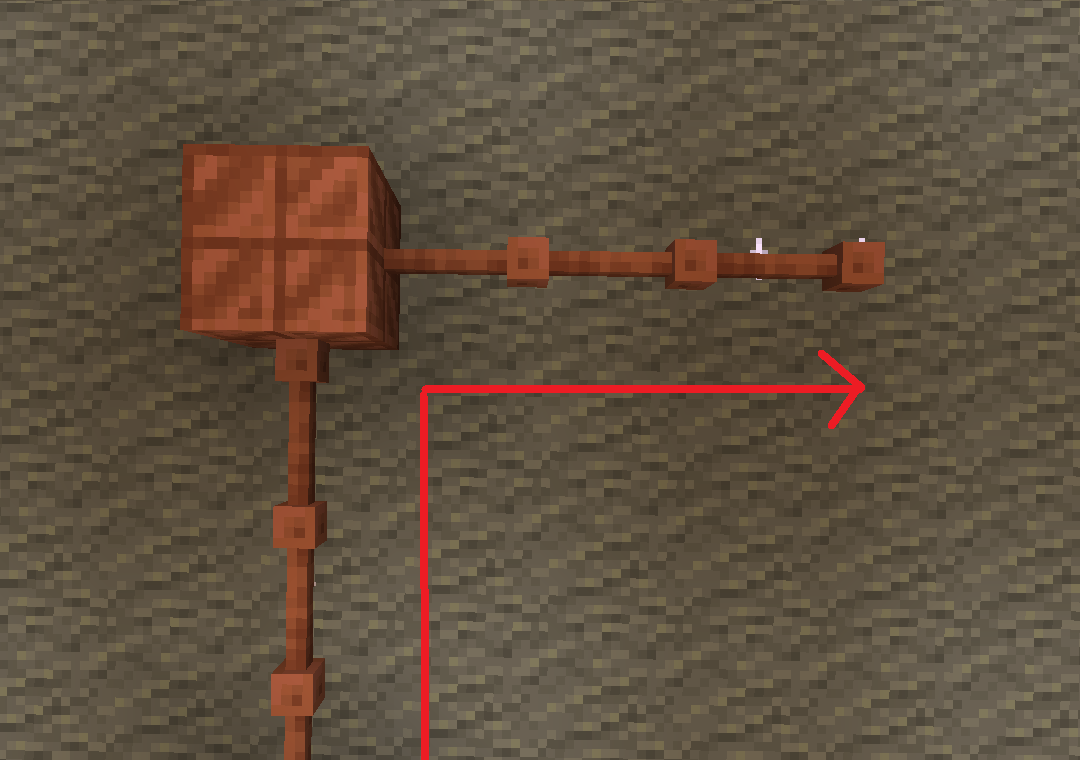
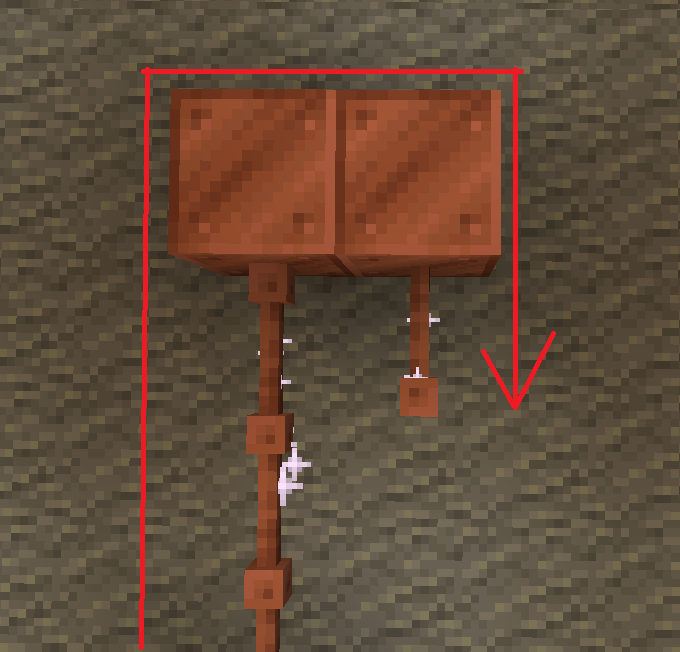
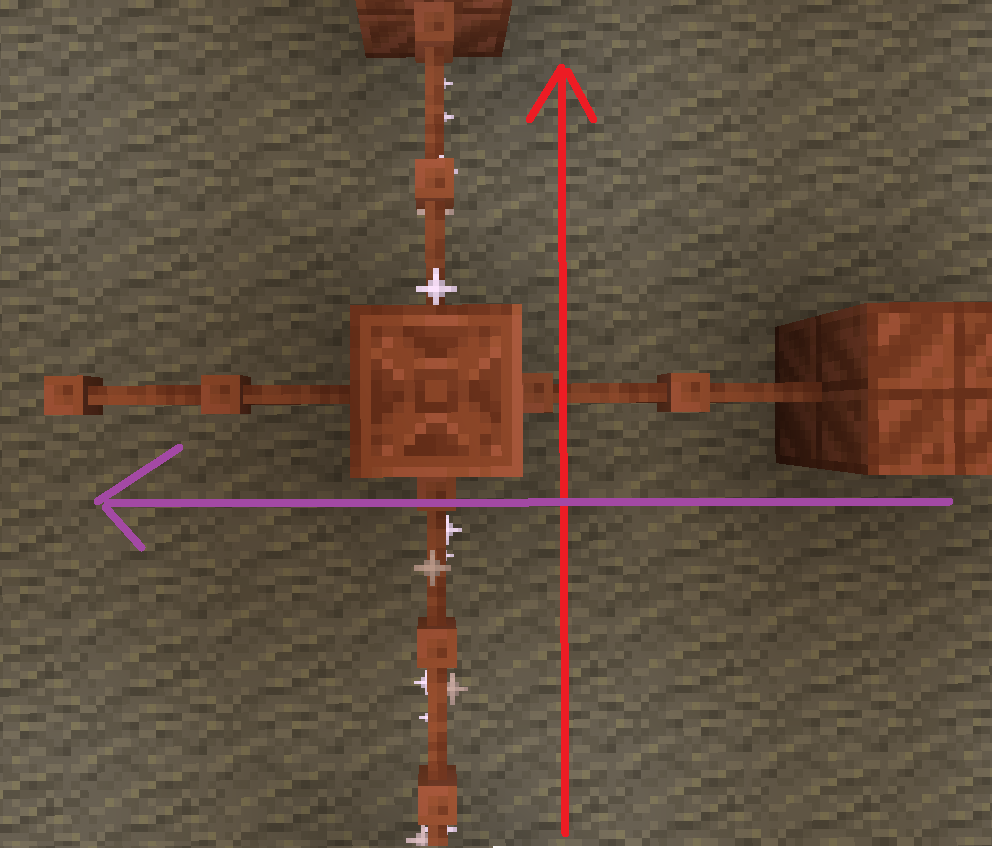
batteries store up to 32. though rusted batteries turn 32 into 16

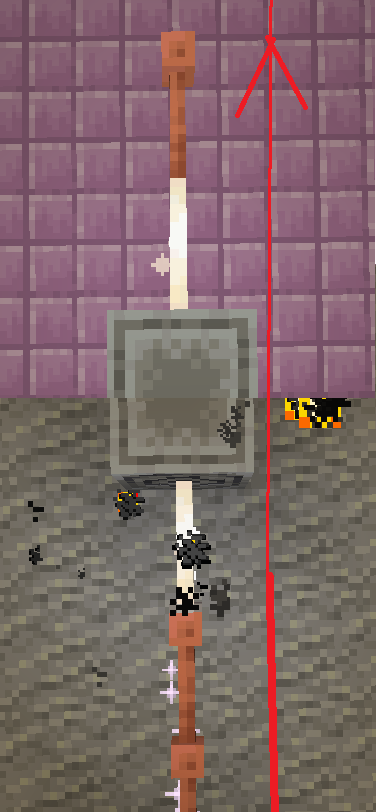
Don’t use copper blocks like that. Also, there is a chance it stays within the blocks and expires.

The most common thing to power is the productivity armour/tools or copper armour/tools.
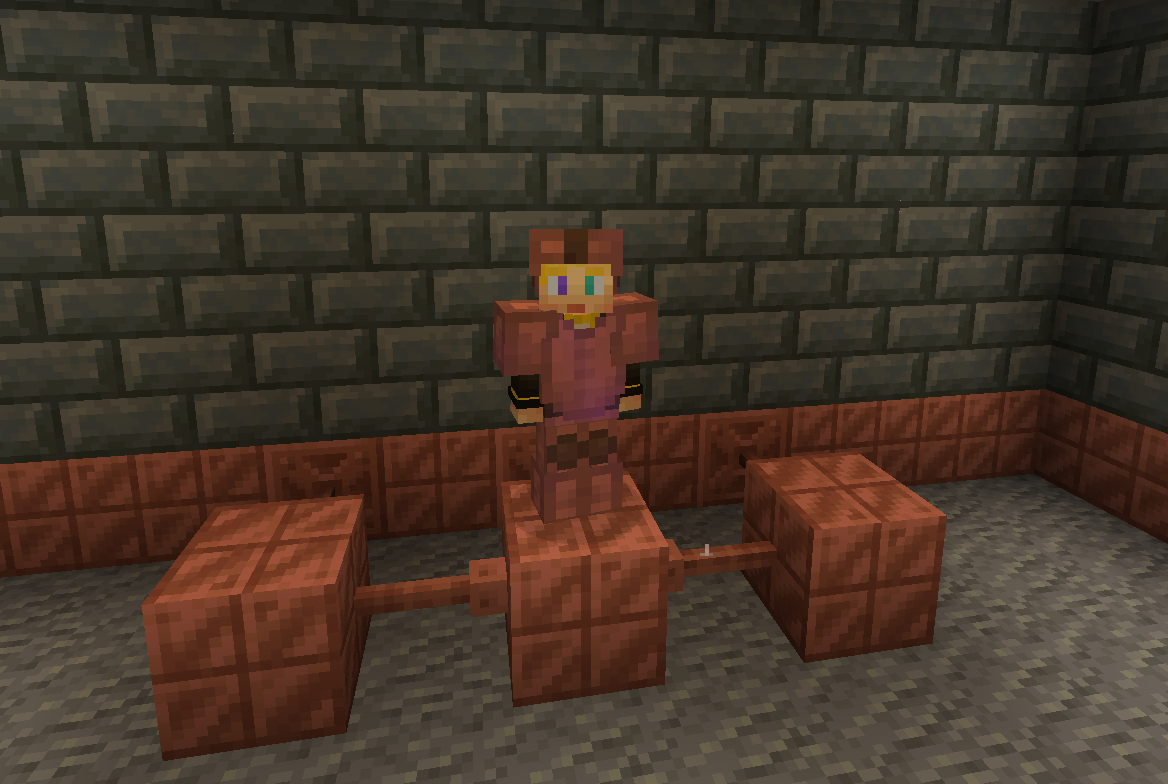
The armour and tools are weak and easily destroyed. The armour gives less protection than iron and tools are slightly better than stone.
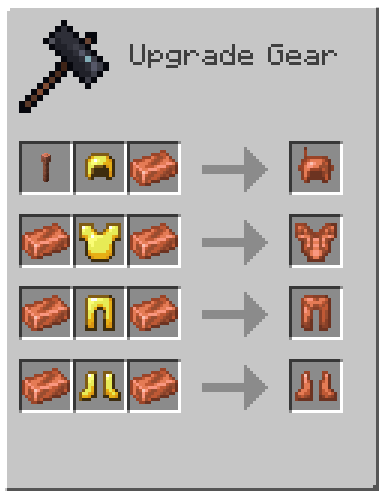
armor recipe
Because of copper’s malleability, it requires a structure.
The copper armour must be conductive, making golden armour a perfect cadet because it is also conductive.
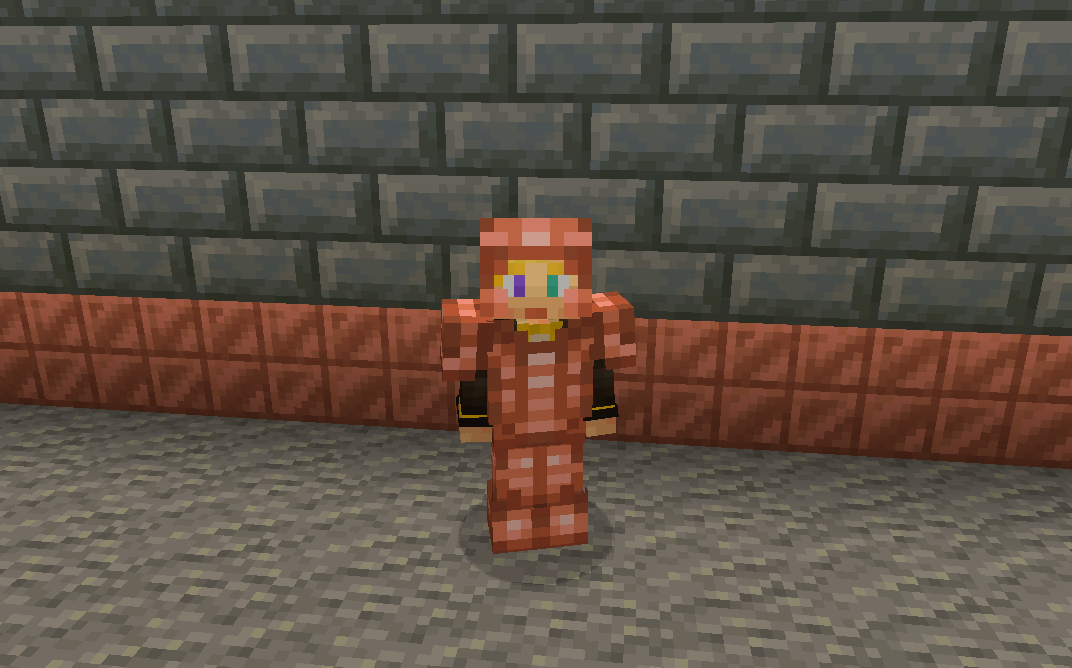
without resoursepack
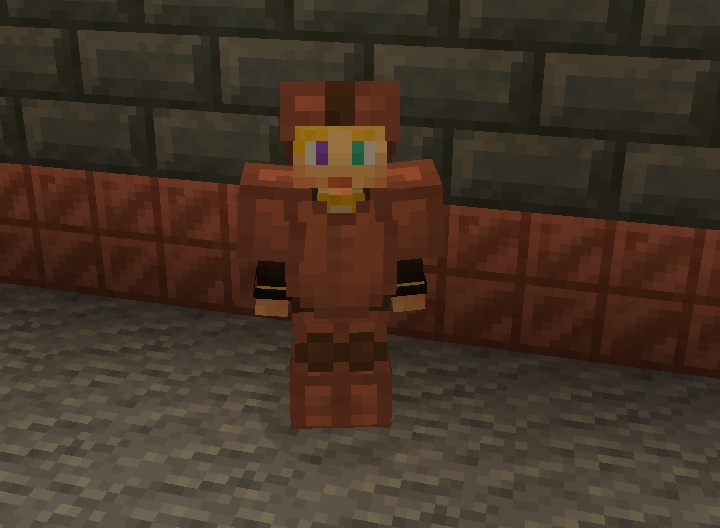
But don’t let the tools fool you these are powerful assets.
With the power of zaps, you can charge the armour to be better than they once were.
Armour at max charge now gives as much protection as a diamond. They also give you a faster and extended grip (R.I.P-Crab). The boots also decrease fall damage.
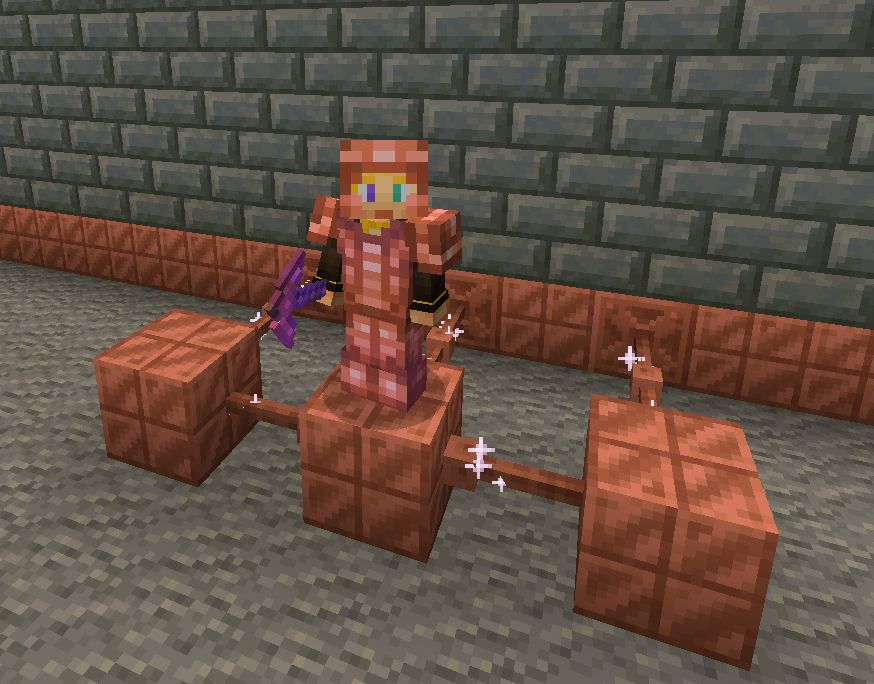
without resoursepack
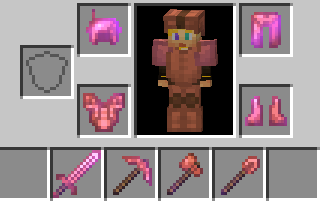
The charged tools rivel netherite making them faster and sharper.
The sword is slower to swing but has a better sweeping edge and damage.
The axe is fast
The pickaxe is fast
The shovel.. is also fast.
And the hoe doesn’t exist 🙁 …
Spoiler
YET
You can also charge copper bulbs to have a better range.
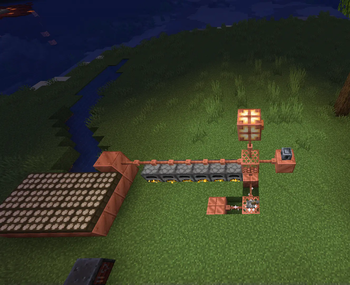
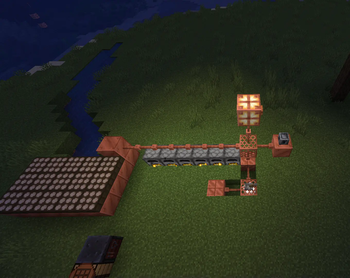
Tired of charging your armour?
With the use of the heavy core, you can change your armour wirelessly!
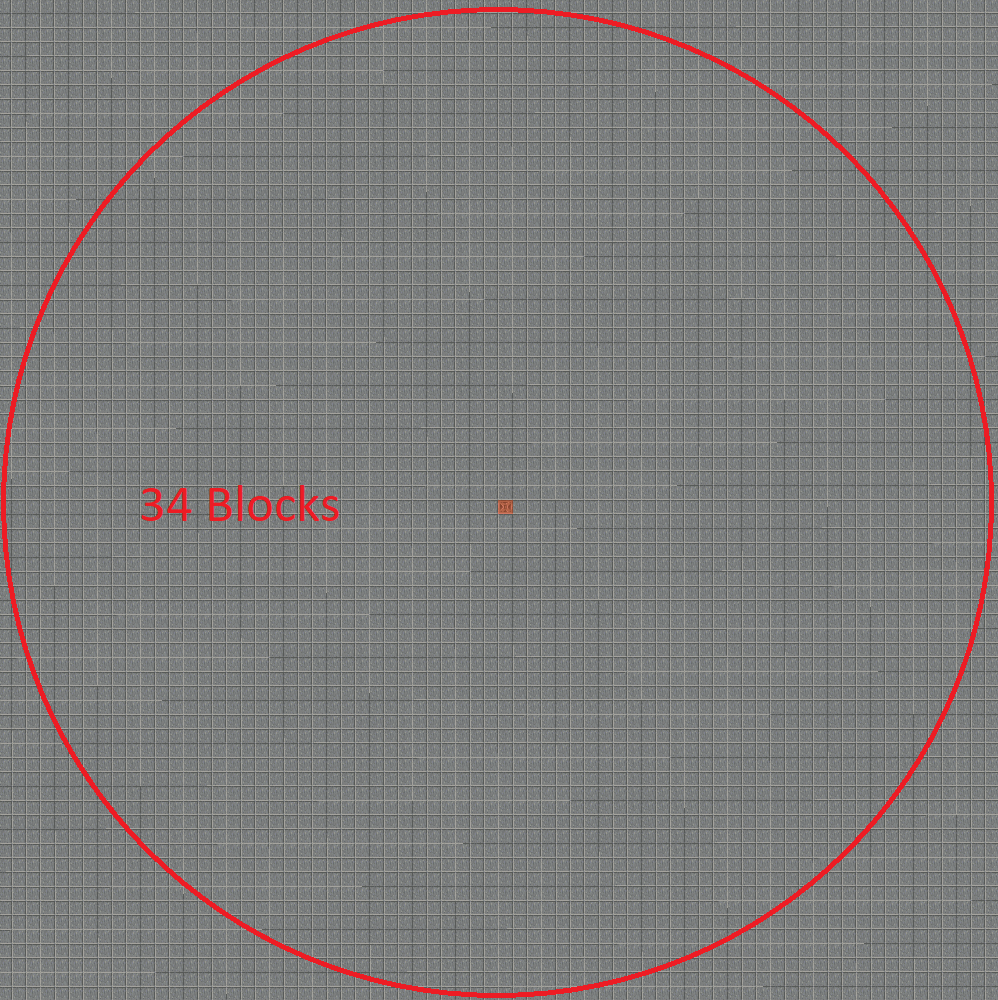
However due to the zaps exposure to the air it requires 40 zaps for one charge.
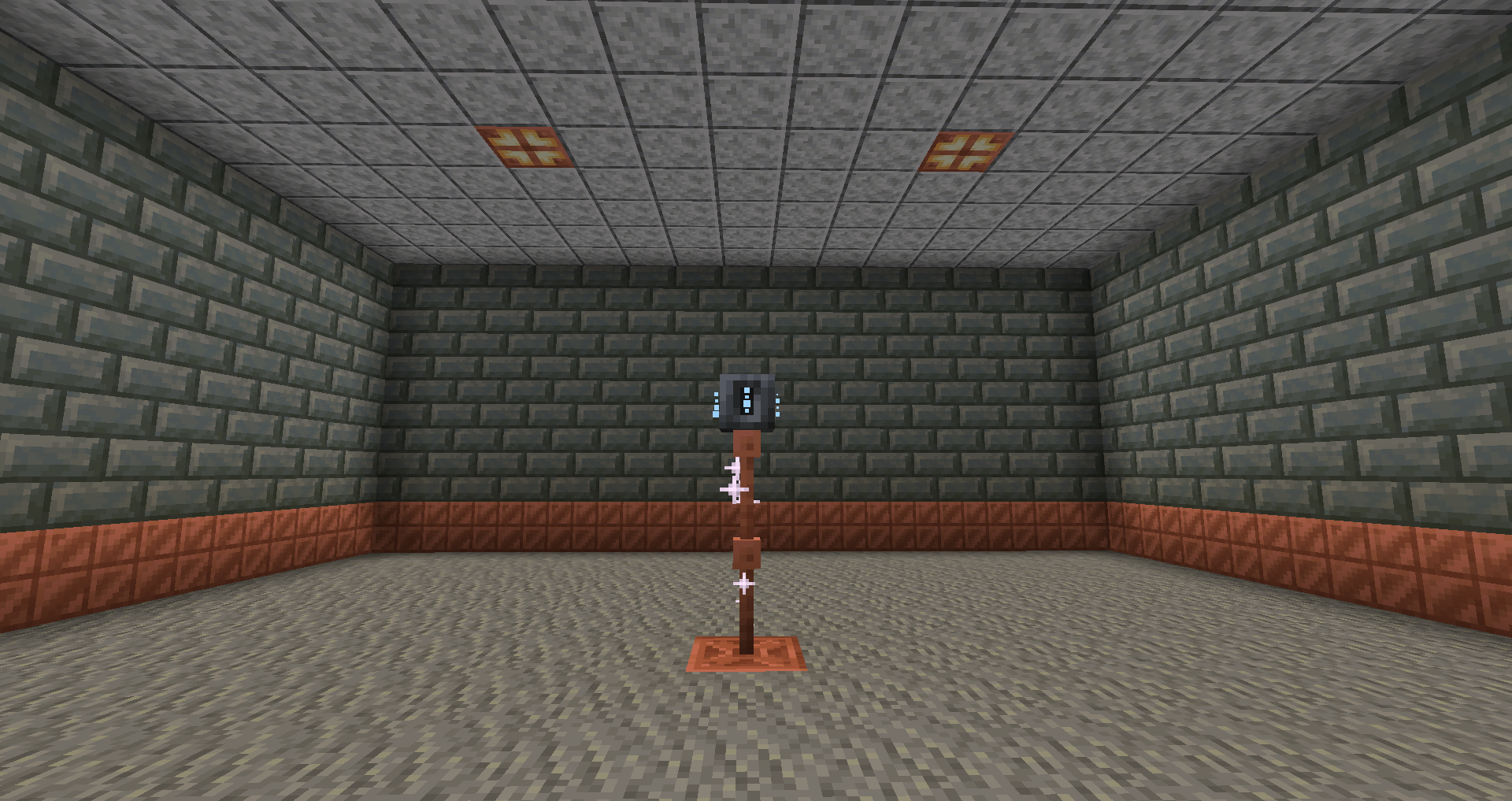
Heavy core distance
Now for the good part, how do you generate zaps?
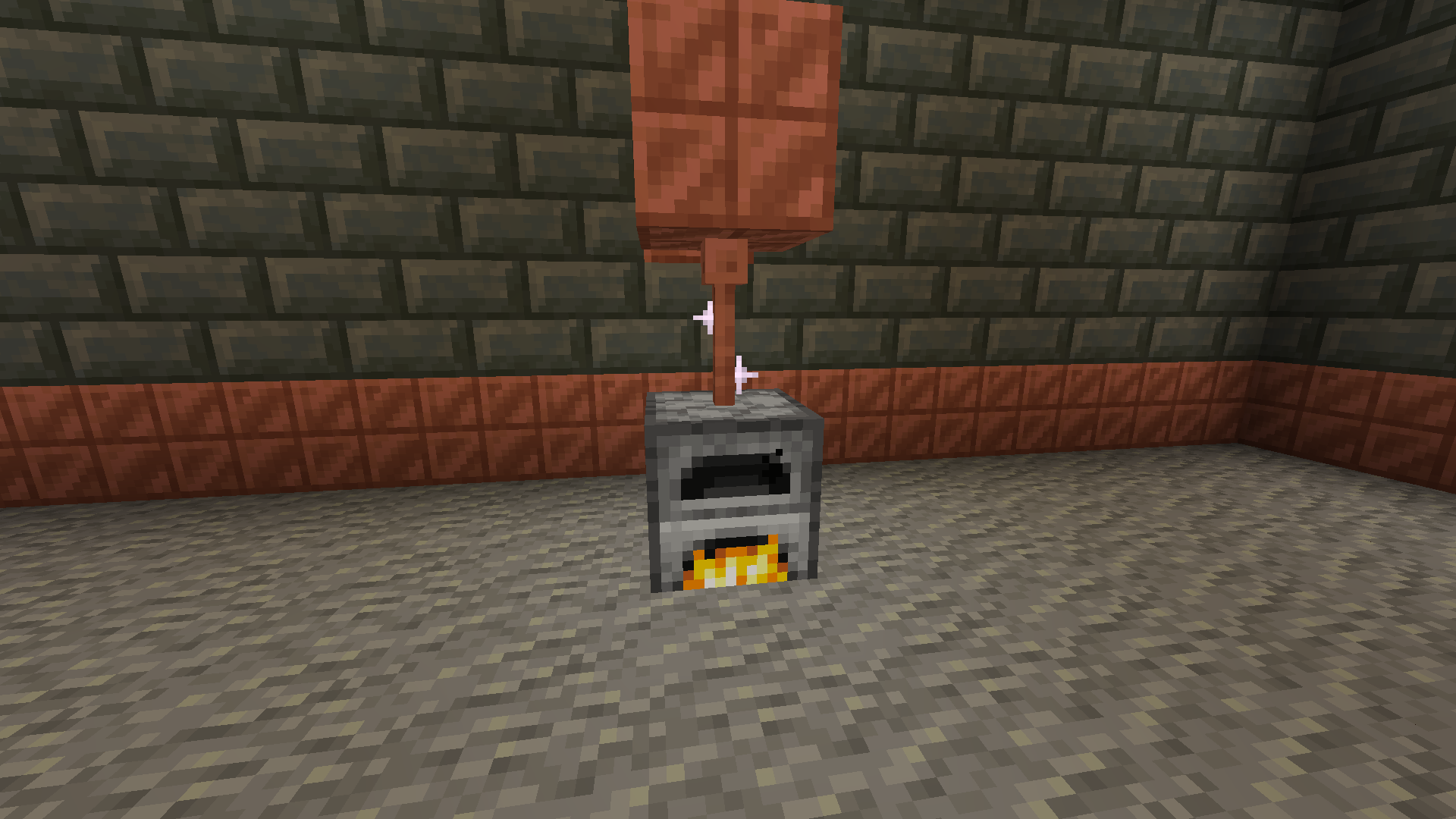
There are a few ways to do it with the easiest being furnaces.
The furnaces must be constantly lit.
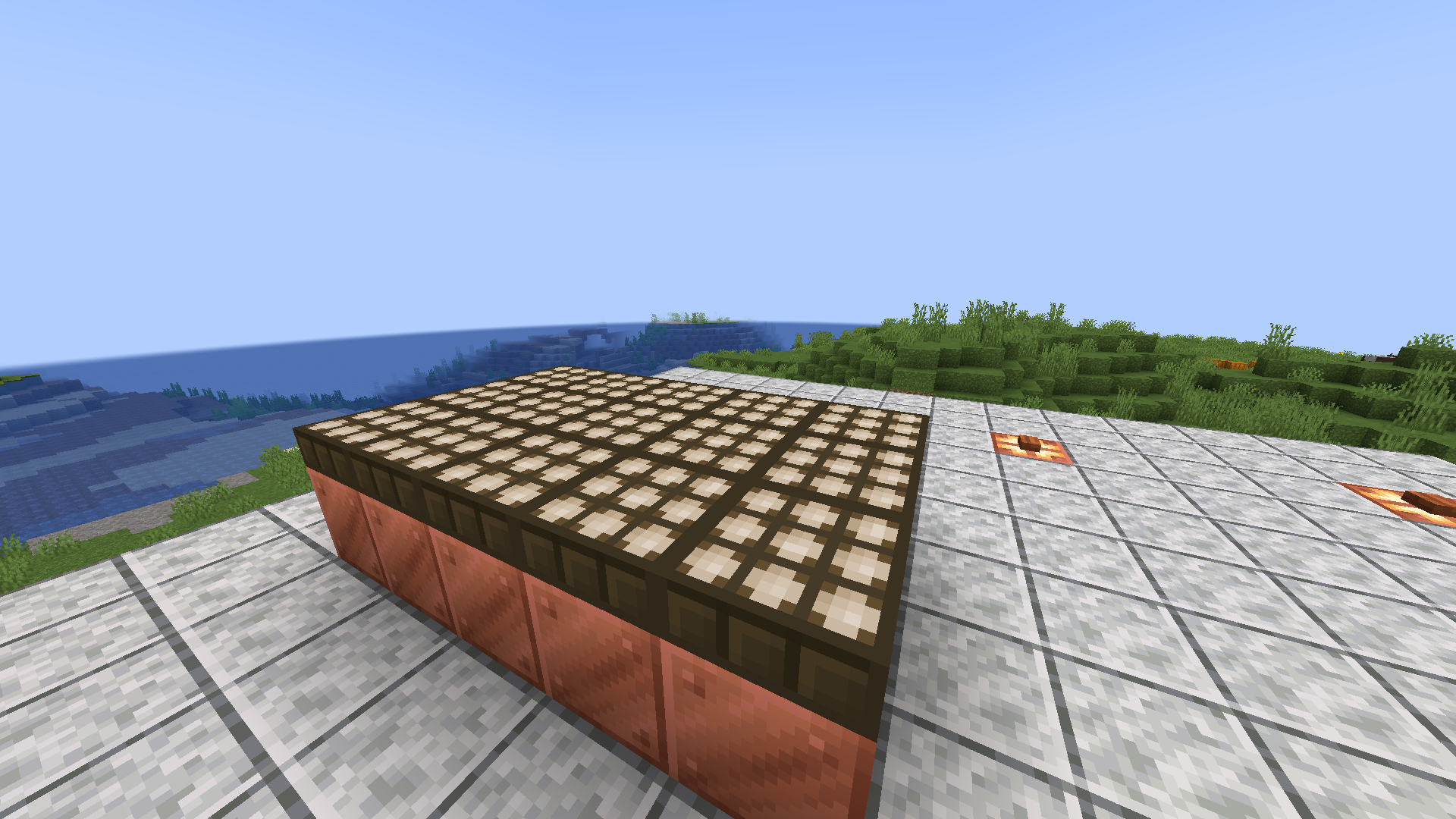
Then there are daylight sensors that generate power over time slowly but surely.
If combined with copper blocks to minimise space.
Or you can go the old-fashioned way and use lightning rods for their intended purpose.
Produces high power when struck necessary for all buildings.
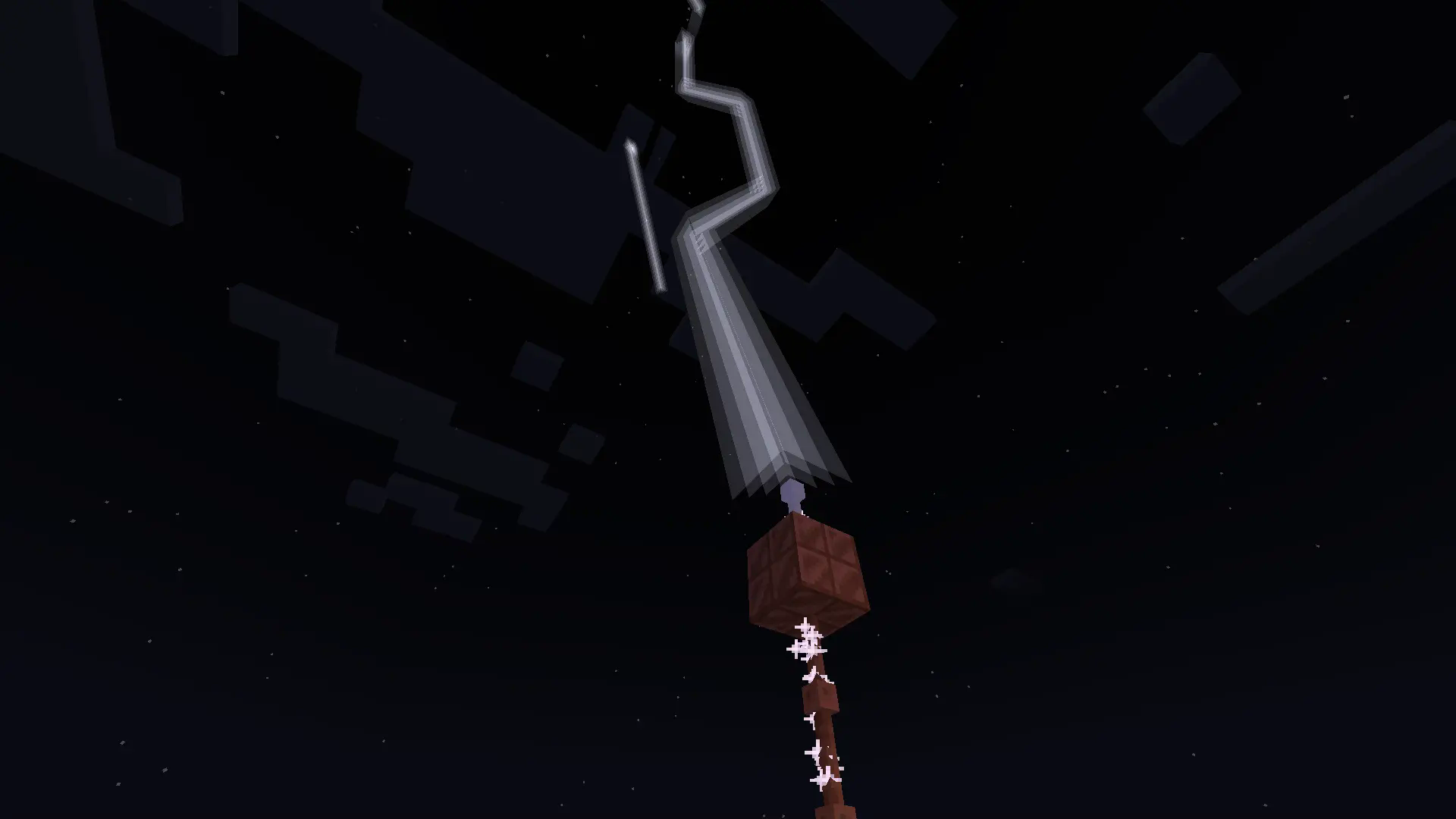
With more infrastructure, you can turn a mob farm into an energy source.
Which is made possible with the catalyst
Recipe
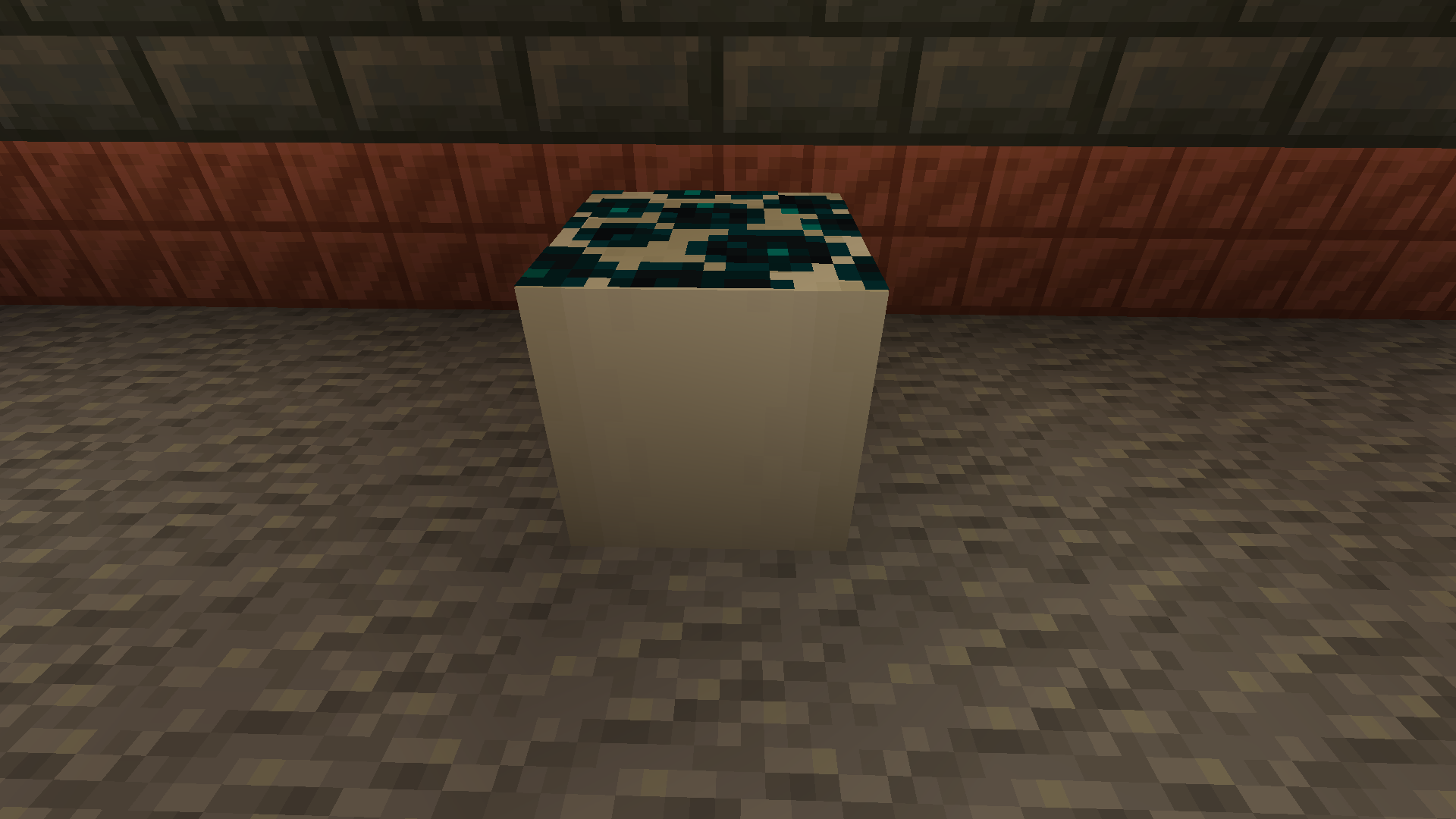
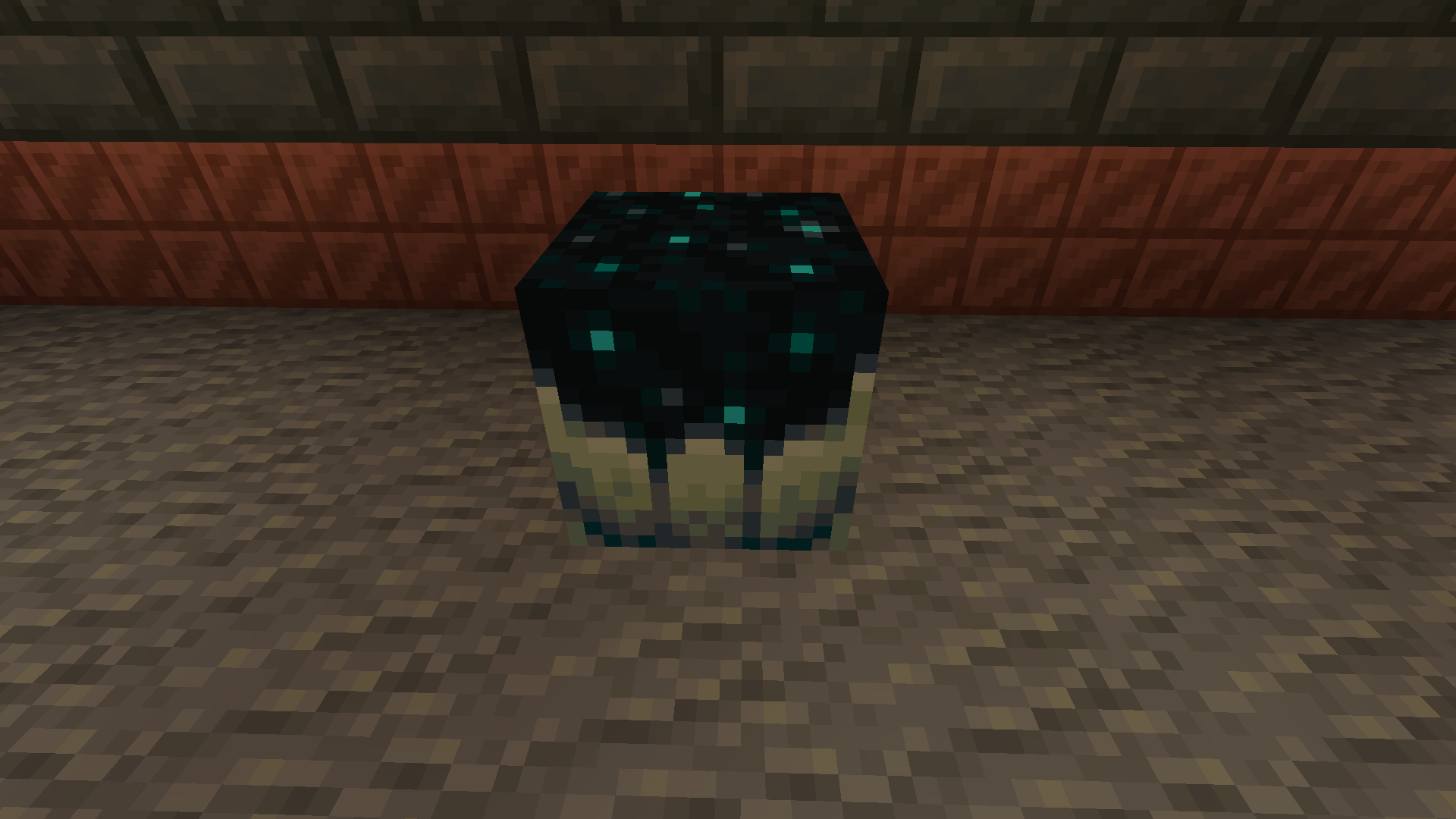
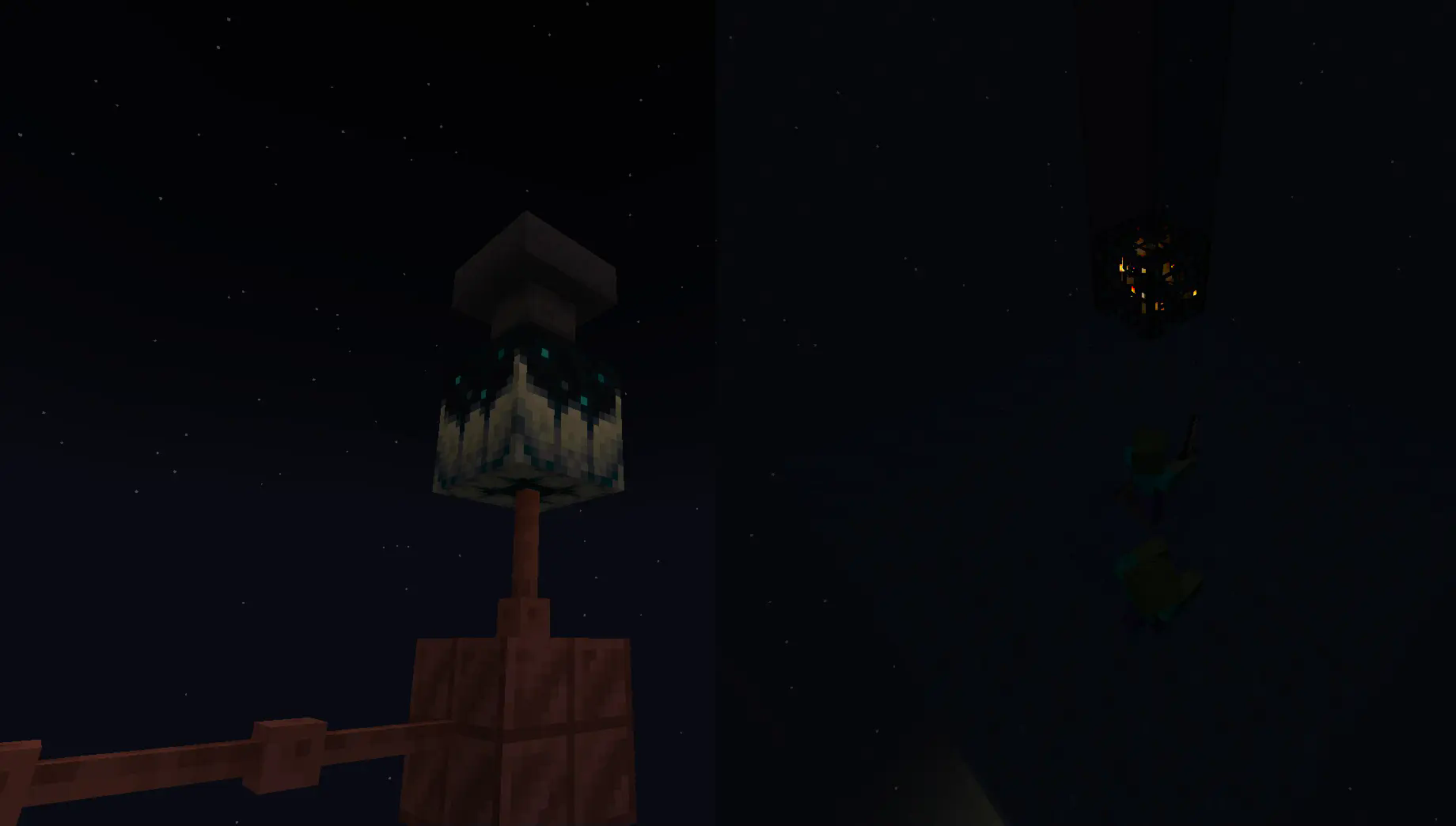
Going into the late game there is the gateway.
To make a gateway you need to align 2 lodestones together at the same cords in both the end and overworld. It also doubles up as a chunk loader.
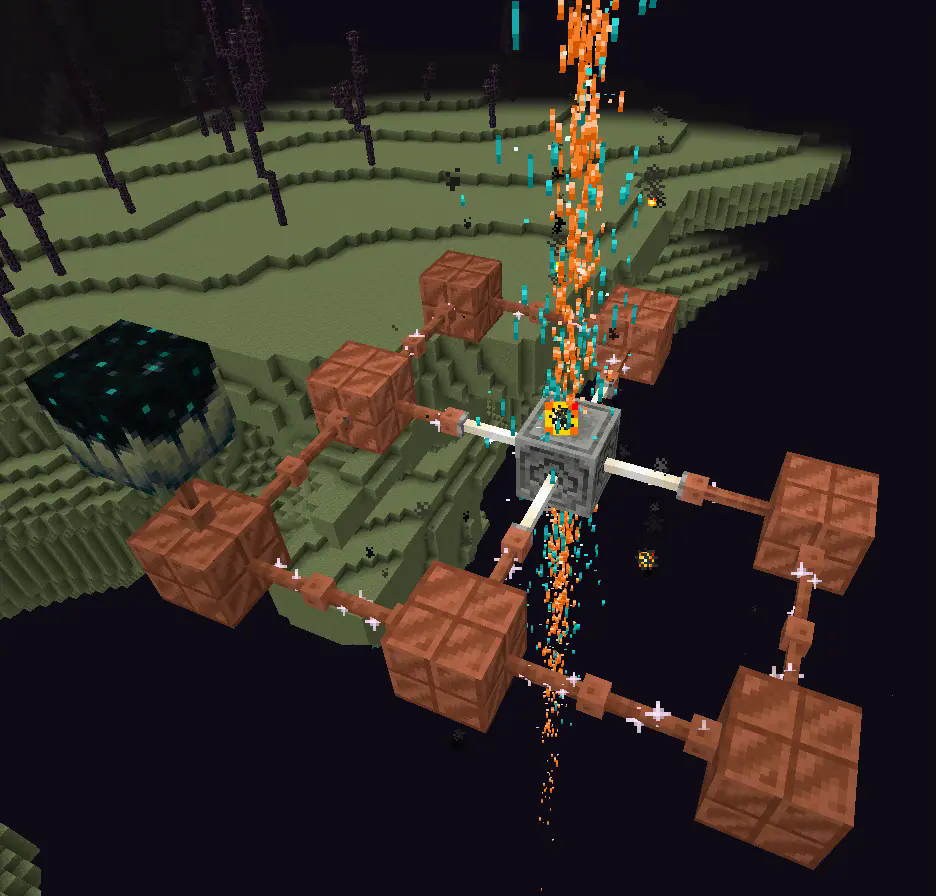
If you want to avoid touching grass for a few days, you can make a netherite block and magnetize it.
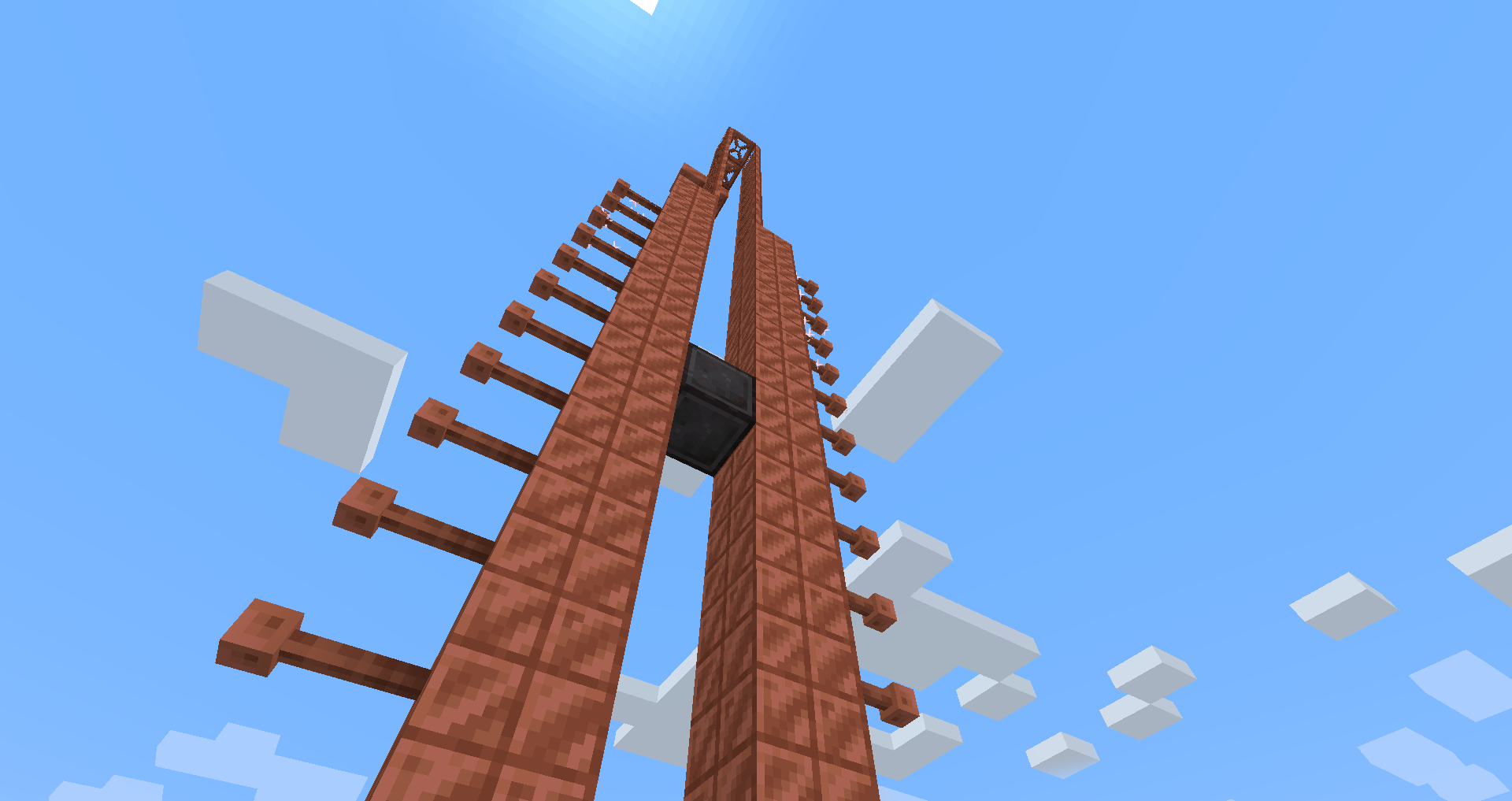
credit goes to T_en_M for the Stolen music disc
(disc available 1.2+)
T_en_M’s discord:[https://discord.com/invite/pZAtE8a2q3](https://discord.com/invite/pZAtE8a2q3)
Inspired by SimplySarcs Copper video
And
AuraAcorns Copper Wiring
[https://modrinth.com/datapack/copper-wiring](https://modrinth.com/datapack/copper-wiring)
Future Updates?
**Soon:**
-better redstone support(maybe)
-more machines
**Later:**
-I would love to add the Copper Golem
-A use for the conduit (I think it will allow the productivity armour to go underwater)
-~~amethest?~~ (different project)
-some sort of transport, maybe with the beacon
-lightning weapon, a sister weapon to the mace perhaps
-better visuals
Whats not to come
1.20.6 and lower (probably)
The meaning of life
Known bugs
-on 1.21-1.21.3 versions leather armour texture can apair white
PLS LOVE YOURSELF AND MAKE BACKUPS.
I will not be held accountable for my bad code.
And that’s it.
If you want to submit an issue or want to request a feature or just want to roast the data pack, the link is here:
[https://github.com/Wangle17/Zapped-Datapack/issues](https://github.com/Wangle17/Zapped-Datapack/issues)
Zap
# Zap


A small collection of Fabric mods designed to optimize the server side of Minecraft.
Inspired by Fabulously Optimized!
## 🌃 Featuring
– [Debugify](https://modrinth.com/mod/debugify), by [isXander](https://modrinth.com/user/isxander)
– [FerriteCore](https://modrinth.com/mod/ferrite-core), by [malte0811](https://modrinth.com/user/malte0811)
– [Krypton](https://modrinth.com/mod/krypton), by [astei](https://modrinth.com/user/astei)
– [Lithium](https://modrinth.com/mod/lithium), by [2No2Name](https://modrinth.com/user/2No2Name)
– [MemoryLeakFix](https://modrinth.com/mod/memoryleakfix), by [fxmorin](https://modrinth.com/user/fxmorin)
– [No Chat Reports](https://modrinth.com/mod/no-chat-reports), by [Aizistral](https://modrinth.com/user/Aizistral)
– [ServerCore](https://modrinth.com/mod/servercore), by [Wesley1808](https://modrinth.com/user/Wesley1808)
– [Your Options Shall Be Respected](https://modrinth.com/mod/yosbr), by [shedaniel](https://modrinth.com/user/shedaniel)
## Install instructions
There are various ways you can install Zap in your server:
1. Using mrpack-install
[mrpack-install](https://github.com/nothub/mrpack-install) is a new tool which allows for easy server modpack installations.
**To install Zap:**
1. [Install mrpack-install in your server](https://github.com/nothub/mrpack-install/releases/latest).
2. Run this command on your server’s command line: `mrpack-install yT9inLnJ`
3. Zap should now be installed in your server!
**To update Zap:**
1. Run this command on your server’s command line: `mrpack-install update`
2. Zap should now be updated!
2. Install through launcher, and move to server folder
Install Zap using any launcher of your choice.
After that, simply move the `mods` folder from the downloaded modpack to your server folder.
3. Use packwiz-installer to install and auto-update on launch
**It is _essential_ to have server backups if you use this method!!**
[packwiz-installer](https://github.com/packwiz/packwiz-installer) is a useful tool that lets you automatically install and update a modpack through the `pack.toml` file of that pack.
Some server hosts may let you set a command that runs before the server actually starts. It’s called a _pre-launch command_. I can’t exactly help if you are using an external server provider as I do not know where they let you do that stuff, you will have to figure that out on your own.
First, you need to [install `packwiz-installer-bootstrap`](https://github.com/packwiz/packwiz-installer-bootstrap/releases). After that, move it to the same folder as your server’s Fabric loader jar. This will usually be the root of the server.
“`
java -jar packwiz-installer-bootstrap.jar -g -s server https://codeberg.org/RaptaG/Zap/raw/branch/main/modpack/pack.toml
“`
If you are running this server through a batch file or something like that, you can add this command before your server’s launch command and it should work just fine.
You can also refer to [packwiz’s wiki](https://packwiz.infra.link/tutorials/installing/packwiz-installer/#using-a-modpack-with-a-server)
4. With Superpack
You can use a useful tool by Gaming32 called Superpack to download this modpack’s content and extract it to a folder. Here are the [Superpack releases](https://github.com/Gaming32/Superpack/releases).
###### Thanks to Devin for allowing me to use some of his instructions from [Adrenaserver](https://modrinth.com/modpack/adrenaserver)!
## ❓ FAQ
– **Q:** Backports? Support for non-latest versions?
> **A:** Zap aims for the latest Minecraft stable release. Therefore there’ll be no backports nor support for non-latest versions of the game.
– **Q:** How does version numbering work?
> **A:** The format is **x**.**y**.**z**. **x** changes with every new major Minecraft release, **y** with every new minor Minecraft release and **z** with every modpack update within the minor MC release.
– **Q:** Why is chat reporting disabled on my server?
> **A:** To protect the players’ privacy and accounts from inaccurate bans, chat reporting is disabled by Zap as a whole. For more information refer to the [FO FAQ regarding chat reporting](https://fabulously-optimized.gitbook.io/modpack/readme/chat-reporting-faq).
## 👥 Credits
Thanks to:
– [robotkoer](https://modrinth.com/user/robotkoer), for making the amazing Fabulously Optimized modpack
– **Every single developer** of all the mods and included in Zap
– [comp500](https://modrinth.com/user/comp500), for creating the amazing [packwiz](https://packwiz.infra.link) tool, which I use to maintain Zap
– [Modrinth](https://modrinth.com), for making this pack possible to be published to a greater Minecraft modding audience
– [Codeberg](https://codeberg.org), for hosting an open source, [Forgejo](https://forgejo.org) based git service where I host Zap
## 📜 License
This modpack is open source and licensed under the GNU LGPLv3 License.
Please refer [to the source code](https://codeberg.org/RaptaG/Zap) for more legal info.
Armor Hider
# Armor Hider
[](https://github.com/zannagh/armor-hider/releases)
[Release&logo=github)](https://github.com/zannagh/armor-hider/releases)
[](https://modrinth.com/mod/zannaghs-armor-hider)
[](https://www.curseforge.com/minecraft/mc-mods/armor-hider)
[](https://discord.gg/AMwbYqdmQb)
A mod to alter the transparency or fully hide armor and equipment with multiplayer support, without any dependencies – supporting a wide range of game versions and available for Fabric, Quilt and NeoForge.

### Features
– **Per-slot opacity sliders** for helmet, chestplate, leggings, boots and offhand
– **Enchantment glint control** to selectively hide the glint on any slot
– **Combat detection** let you automatically show armor when in combat
– **Full multiplayer sync** so other players see your settings when the server has the mod
– **Works client-side only** too without server mod required
– **Live in-game preview** of your changes
– **Keybindings** to quickly toggle Armor Hider or open the settings screen
– **Admin controls** for server operators (force armor visible, server-wide combat detection)

[](https://github.com/zannagh/armor-hider/issues)
[](https://github.com/zannagh/armor-hider/issues)
[](https://github.com/zannagh/armor-hider/issues)
I track issues (including feature requests) via GitHub and do my best to close out any bugs timely (plus, I get way too excited about new features myself..). If you don’t have an account, feel free to join the Discord server and let me know there.
—
## Customizability
Find Armor Hider’s settings integrated into the game via “Skin Customization” in the game settings (or via ‘Zannagh’s Armor Hider’ on older game versions). When in-game, the mod settings feature a live preview of your changes.

### Armor Opacity
The mod allows you to define an opacity between 0% (hidden, cancelling the rendering) and 100% (the mod doesn’t do anything) for each armor item slot. In addition, it’s possible to specify whether skull items (skeleton/wither/… skull) should be affected by the helmet setting and if Elytras should be affected by the chestslot setting.
Furthermore, you can selectively hide the enchantment glint on any of the slots.
If you’d like to have armors visible in combat, you can choose whether combat will temporarily show your armor or not, see [Combat Detection](#combat-detection) below.
### Offhand Opacity
Armor Hider additionally offers to hide the offhand slot if you don’t want your fancy skin obstructed by a shield or other items.
## Synchronization
If the mod is installed on the server you’re joining, all of your local preferences will get sent to the server on change or join. The server-side mod then takes care of relaying your preferences to all other clients. That way, if the mod is present on the server, everyone will see your avatar exactly as you’ve configured it (including combat detection, glint and other features).
Combat events are synchronized and not only client-side, so when the server runs the mod, you’ll see another player’s armor once they enter combat (granted they have the related setting enabled).
If a host is not yet running the mod, there’s a setting available which lets you define whether the then ‘unknown’ players should have their armor rendering unaffected or carry over your own settings.
## Advanced Settings

* **Apply your settings to unknown players**: Whether to use your own opacity settings or the default settings (armor
shown normally, as without the mod) when a player’s settings cannot be determined — for example when using the mod
only client-side on an unmodded server (see [Server communication matrix](#server-communication-matrix) below)
* **Disable Armor Hider features**: Globally disable Armor Hider on your client. If the server is forcing Armor Hider
off, this setting is overridden
* **Disable Armor Hider for other players**: Disable Armor Hider rendering for other players’ armors only. If the server is forcing Armor Hider off or the global disable is set, this setting is ignored
### Administrative Settings
For hosts, these settings require moderator/operator permissions (for compatibility reasons, the mod only checks for permission level >= 3) and are applied server-wide, overriding individual player preferences.
* **Armor in combat (server)**: Forces combat detection server-wide — when enabled, armor is always shown for any player in combat, overriding each player’s individual combat detection setting – useful for PvP servers
* **Force Armor Hider off for all players**: Forces Armor Hider to be disabled for all players on the server (especially useful when you’re running a PvP server and don’t want people to hide other players’ armors)
### Combat Detection
Combat Detection
With combat detection enabled, your armor automatically becomes visible when you take or deal damage.
**Enabled Combat Detection**

**Disabled Combat Detection**

## Server Communication Matrix
Your locally set preferences get sent to the server on change or join. Players joining a server will retrieve the
preference library from the server in order to apply other players’ preferences on their client.
The following matrix shows how preferences are resolved depending on where the mod is installed:
| Mod on Server | Mod on Client | Behavior |
|:—:|:—:|—|
| Yes | Yes | Full functionality. Your preferences are synced to the server and relayed to other players. You see other players’ actual configured armor opacity. Combat events are relayed by the server for synchronized combat detection. |
| Yes | No | No effect. The server stores preferences but the vanilla client cannot render transparency changes. |
| No | Yes | Client-side only. Other players’ preferences cannot be determined. Depending on the **”Apply your settings to unknown players”** setting: **ON** — your own opacity settings are applied to all players; **OFF** — default settings are used (armor rendered normally, as without the mod). Combat events will not be passed around in the server. |
| No | No | No effect. The mod is not present. |
## Community
Join the [Discord server](https://discord.gg/AMwbYqdmQb) for support, discussion, and feature requests.
## Issues and Feature Requests
As mentioned before, feel free to create an issue on the GitHub repository or reach out on Discord to make me aware of problems or ideas that could make this mod better.
## Supported Game Versions and Loaders









Zaldasan’s Awasome vanilla
My vanilla+ is designed for people wanting expirience of basic minecraft with just few modifcations
Such as
– Jade
– JEI
– McCrayfishes Furniture Mod
– Handcrafted
– Farmer`s Delight
– And more!
Its also designed to work with multiplayer in mind!
VR support soon
ZakoHealthIndicator
A client-side Fabric mod that shows an on-screen health indicator when you hit another player in PvP. The health value is displayed as a colored HUD element that scales up at low HP, with customizable position, scale, and display duration.
ZakoHeads
This mod adds a fun and unique twist to the game by giving players oversized heads, creating a humorous and lighthearted visual effect. It is a purely cosmetic change that does not affect gameplay balance, mechanics, or stats in any way. The mod is safe to use in all environments, including single-player and any type of multiplayer server.
Этот мод добавляет возможность делать головы игроков забавными и большими. Он изменяет визуальное отображение персонажей в игре, увеличивая их головы и добавляя комический эффект, что делает игровой процесс более веселым и непринужденным. Мод никак не влияет на игровой баланс и не содержит ограничений на использование в любых типах серверов или одиночной игре.
ZaifaPlayz FPS Boost Modpack
ZaifaPlayz FPS Boost Modpack is a lightweight and performance-optimized pack designed to improve FPS on low-end devices, including phones using PojavLauncher and PCs using the Mojang Launcher. It focuses on boosting performance without drastically changing the vanilla experience.
This modpack includes essential optimization mods like Sodium, Lithium, Phosphor, and Starlight to reduce lag, improve load times, and ensure smoother gameplay. With minimal visual changes, it preserves the original Minecraft look while enhancing performance.
Perfect for players with 2–4GB RAM devices, this pack is ideal for PvP, survival, or casual play. It supports multiplayer and runs efficiently on servers that allow client-side performance mods. Whether you’re exploring or building, ZaifaPlayz FPS Boost Modpack delivers a clean and lag-free Minecraft experience.
ZaifaPlayz Modpack
ZaifaPlayz Modpack is a high-performance Minecraft modpack designed to maximize your FPS and optimize game performance. Featuring Sodium, Lithium, FPS Booster mods, Replay Mod, Zoomify, and other performance-enhancing utilities, this pack ensures smooth gameplay even on lower-end systems. Whether you want to record your adventures, zoom into details, or enjoy Minecraft with higher frame rates, ZaifaPlayz Modpack delivers a seamless and enhanced experience. Perfect for players who value speed, stability, and visual clarity.
Zagga Zach’s Ultra Performance Pack V2
**Zagga Zach’s Ultra Performance Pack V2** is built _exclusively_ for one mission: pushing the highest possible FPS on low-end devices. Whether you’re running Minecraft on a potato laptop or squeezing extra frames from outdated hardware, this pack strips away the bloat and dials in performance. Every mod is hand-picked to boost speed, cut lag, and keep your game smooth – even on the weakest systems. No fluff, no unnecessary visuals – just pure, ultra-optimized Minecraft, made for machines that usually struggle to keep up.