Zoktay_Totem
### 🛡️ Zoktay Totem Resource Pack
## English:
This resource pack replaces the default Totem of Undying with a custom Zoktay-themed design. It is specifically optimized for PvP and Survival players who want a fresh, modern look without sacrificing performance. The textures are high-quality and compatible with most Minecraft versions from 1.16.5 up to the latest 1.21+. No extra mods like OptiFine are required, but they are recommended for the best experience.
## Türkçe:
Bu kaynak paketi, standart Ölümsüzlük Totemi görünümünü özel Zoktay tasarımıyla değiştirir. Performans kaybı yaşatmadan oyununuza modern bir hava katar. PvP ve Survival oyuncuları için idealdir. 1.16.5’ten 1.21+ sürümüne kadar sorunsuz çalışır.
### ✨ Features / Özellikler:
Unique Design: Custom Zoktay totem model.
High FPS: Optimized for competitive gameplay.
Compatibility: Works on all modern versions.
Zoglin Miniboss
# The Zoglin is usually just a novelty mob you see once for an advancement, or for an unusual farm, and leave it at that.
But as a miniboss, it can be a challenge with a powerful reward, that being the rotten tusk.
The Rotten Tusk gives potion effects for 3 minutes, those being:
– Strength 2
– Speed 2
– Absorption 4
– Hunger 2
The Zoglin can’t have a powerful reward without being buffed, so it has 100 health, some natural armor, extra damage and knockback, and increased size.
The Zoglin also drops rotten flesh, bones, and sometimes, a snout armor trim.
ZoFFree Totem
### Resourcepack that replaces Totem of Undying with ZoFFree skin.
You can choose your resourcepack version: 3D or Default.
There’s a video preview of Totem in hand in the gallery.
Resourcepak is able on versions from 1.11 to latest Minecraft version.
Zoe Isn’t Cyberpunk

### Summary:
**Zoe Isn’t Cyberpunk (Zoe)** is a Cyberpunk-influenced (*Influences include* Cyberpunk 2077, Cyberpunk RED *and* Cyberpunk: Edgerunners) mod. It takes many aspects of these universes and implements them in its own way.
# A new (https://www.youtube.com/watch?v=bDYwRxKdzEk) is now available!
## A new [wiki](https://zoeisntcyberpunk.wiki.gg/) is now available!
# The Zoe SMP is now live! Join the [discord](https://discord.com/invite/H3dTXFBPCA) for more information
**Features**: Implants, custom weapons, custom software, custom mobs, 2 bosses, building blocks and more.
The mod is recommended for multiplayer.
Stats
**Cybertechne:** Affects the quality of crafted implants, increased via crafting implants.
**Biotechne:** Represents your “humanity” – your capacity for handling implants. Increased by killing mechanical mobs (especially bosses) and having implants equipped.
**Robotechne:** Increases the power of software. Increased by having software equipped/using software.
Commands
**/zoe_techne** – Used to change a player’s Cybertechne/Biotechne/Robotechne
**/zoe_implant** – Used to generate or clear implants
**/zoe_software** – Used to equip or clear Software
Config
**zoe_config.toml** – General configurations to the Zoe experience
**zoe** (folder) – Configurable settings for each individual implant, including disabling them entirely
Compatibility & Support
### Implants:
Zoe uses JSON files for its implant attributes. If you wish to change them, you can find them in your game file directory (%appdata%) under …/config/zoe and you are free to change it as you wish.
the JSON file names must follow this format: ‘zoe_‘ or it will **not** work.
**NOTE:** If you want your implant changes to stay PERMANENT between mod updates, set their “update” value to ‘false’!
While it is possible to change implant details during runtime, I highly advise against it on servers and even in Singleplayer to avoid any issues (for example, the attribute application system breaking). You should close your world/server before making changes to the JSON files.
### Other
Zoe uses tags and similar things to try and be as friendly as possible for compatibility with other mods. Joining the discord and asking me directly is the best way to learn more about this.
Notice
This mod does not associate itself officially with any of the influences mentioned above, it is merely inspired by them.
This mod is made using **MCreator**. I hope to improve my coding so I’ll eventually be able to move to full-on coding, but MCreator will remain my main method of development until further notice.
While MCreator does get a lot of flak for understandable reasons (and also some pre-determined disinclination), I’ve tried my very best to implement proper compatibility and support where I could for server owners, other mods and the like.
For more info regarding compatibility/support, please check the ‘Compatibility & Support’ section.
zmsg
What are the capabilities of this plugin? :
This plugin is designed to differentiate itself from other chat plugins that don’t require a dependency generator; this plugin allows you to…
1. /chattoggel
2. /msgtoggel
3. /w
4. /msg
5. admincommands
6. /zmsg reload
7. /msgalerts
**What does Chattogel do?**
You are able to deactivate the chat; for example, a player writes something in the chat, but you can’t see it. However, if you have ChatTogel enabled, you can still send messages.
**What does /msgtoggel do?**
/msgtoggel lets you toggle whether you want to receive private messages from players. I also have /msgblock in mind, but that will come later.
**What does msg or w do?**
/msg or /w is simply like the original Minecraft message. Msg is like typing in chat, but only to one person.
**What does /zmsg reload do?**
It simply reloads the configuration without having to stop the server.
**What does /msgalerts do?**
It allows you to see what players write in the message.
Has the Plugins Permission ?
Yes, of couse the permission is:
– zmsg.chat.color
– zmsg.chat.toggle
– zmsg.cooldown.bypass
– zmsg.msg.bypass
– zmsg.msg.toggle
– zmsg.msgalerts
– zmsg.reload
– zmsg.repeat.bypass
_**If you have any questions about the plugin, you can reach me at disord my username:**_
mrzitrroneog
ZMiracle (MIRACULOUS) RABBIT MIRACULOUS
– Hi, this is the ZMiracle mod. This mod is dedicated to the cartoon series LadyBug and Cat Noir. The mod is early, but it will develop quickly! (The mod supports survival)
– Compatible with optifine
– The mod adds Kwami to the game, which make it possible to transform into a hero. Kwami come from Miraculous Jewelry that can be created thanks to a Grimoir. (it is advised to use JEI for crafting)
– Also in mod there is a full localization of the Russian language and a choice of suit and camouflage – /zmenu
> Key Bing:
1. Z – Detransformation
2. X – Transformation
3. C – Power
4. V – Hide/Show kwami
5. B – Renounce
6. N – Weapon Mode
– Rabbit update last. Mod closed. I`m sorry
Zipp CPVP Pack
# Zipp CPVP Pack ⚔️
The **Zipp CPVP Pack** is designed for players who want a clean and distraction-free CPvP experience.
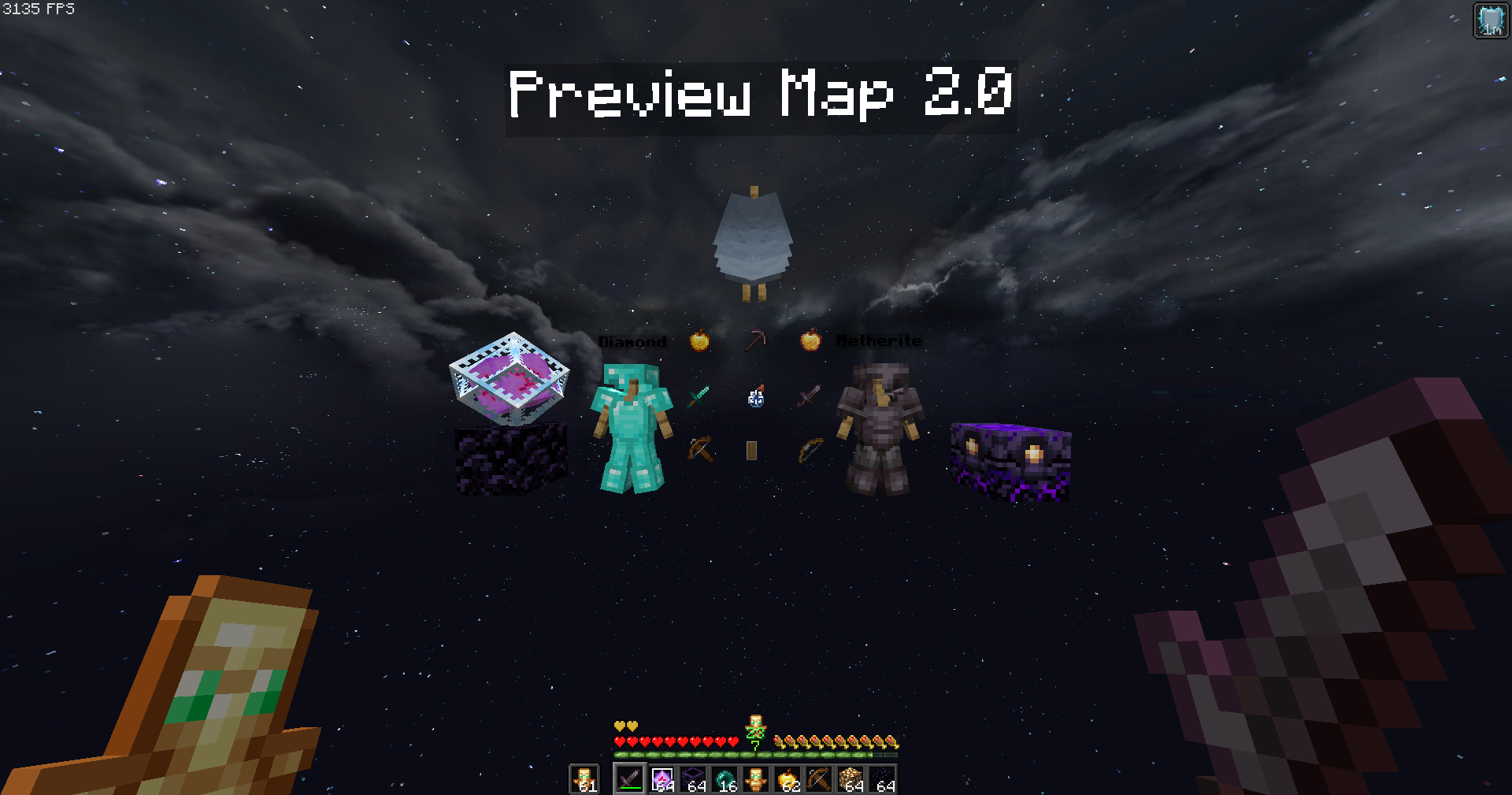
Every texture has been carefully adjusted to give you maximum visibility during fights, without unnecessary details that get in the way. 👀
## Features ✨
– **Short swords** 🗡️ – perfect for better screen visibility in close combat.
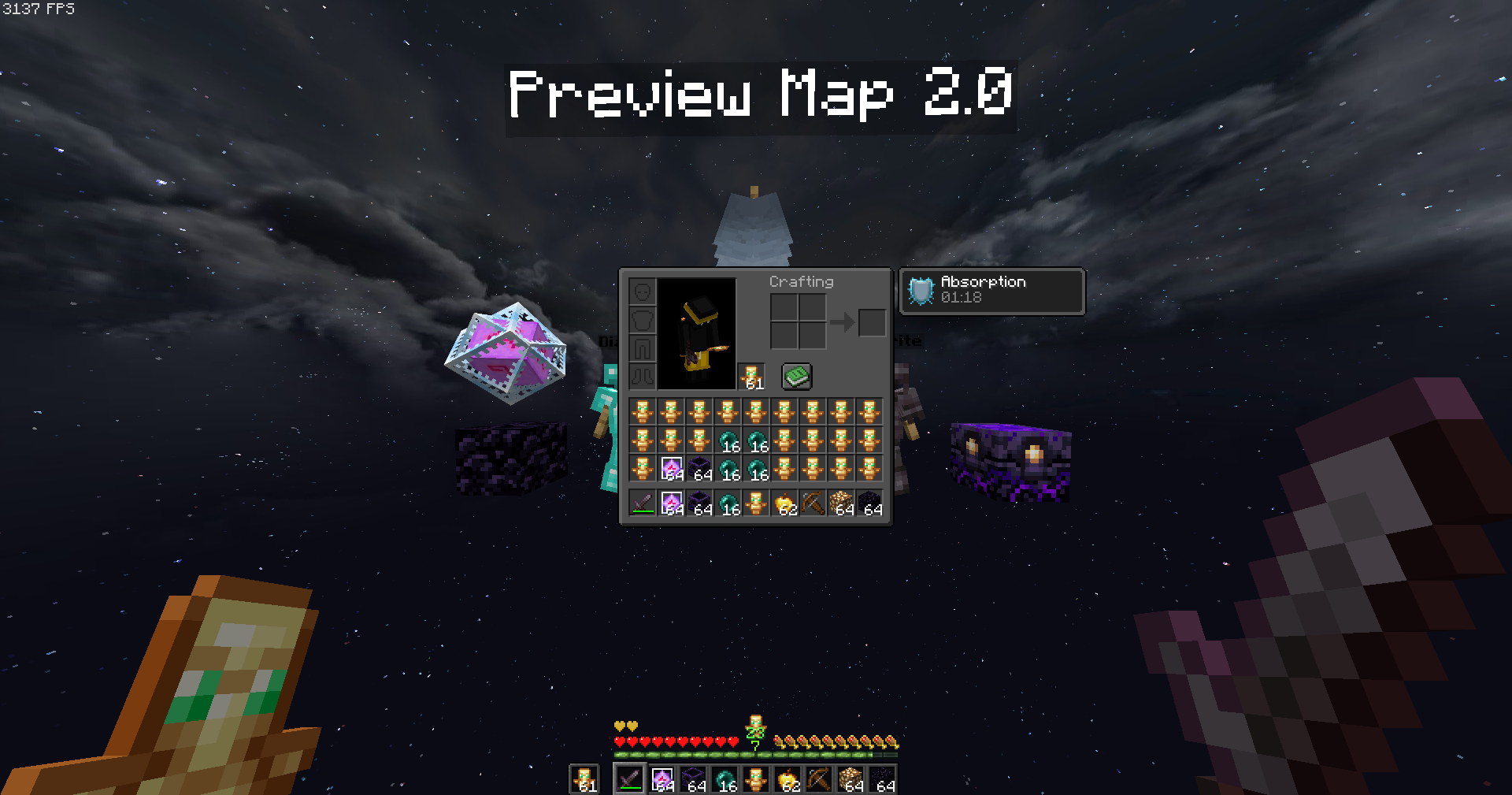
– **Black UI** 🖤 – minimalistic and easy on the eyes.
– **No UI background** ❌🖼️ – nothing blocking your view of the action.
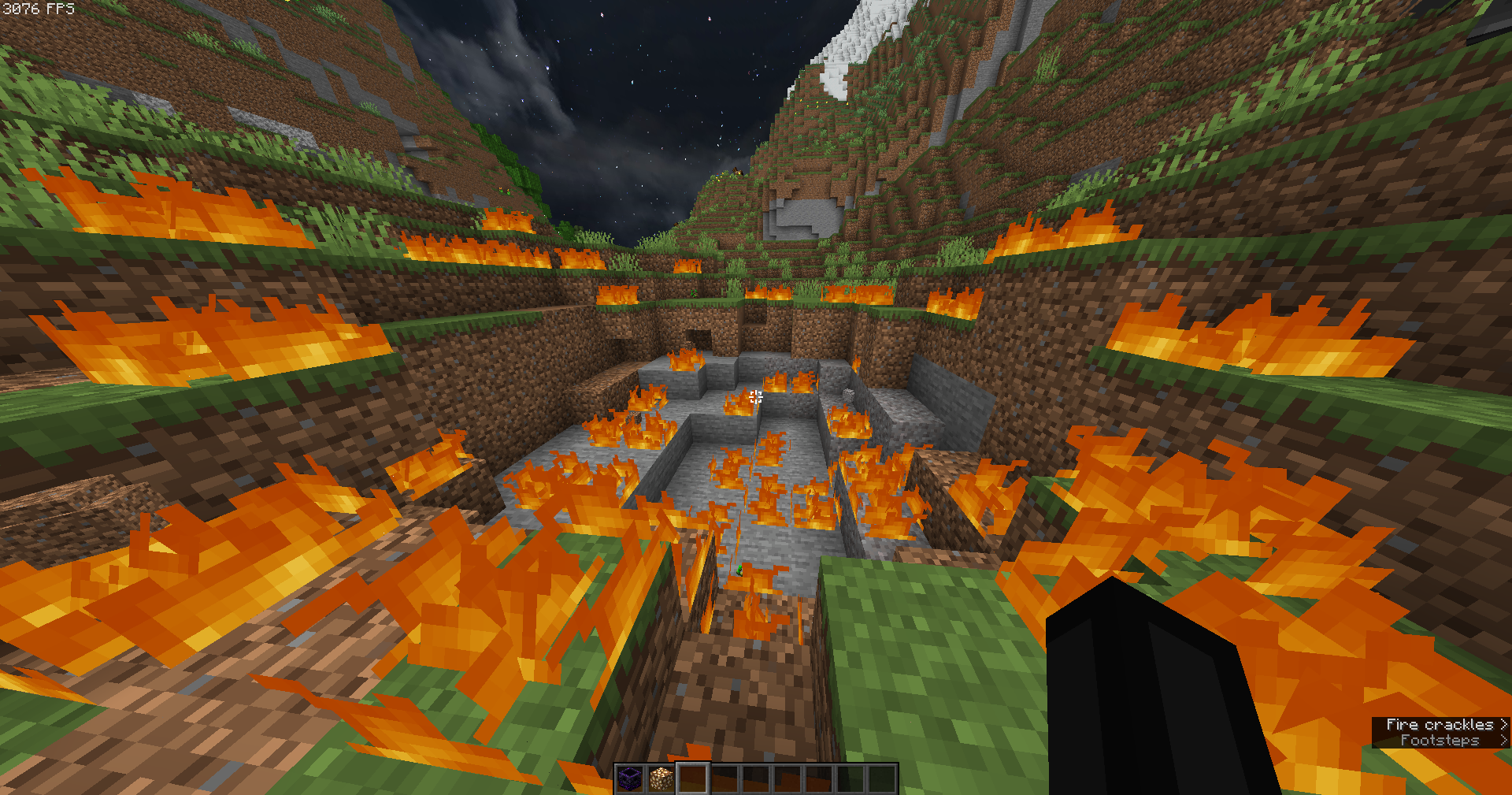
– **Low fire** 🔥 – keeps your screen clear even while burning.
– **No particles** 💨 – nothing will block your view during hits or critical combos.
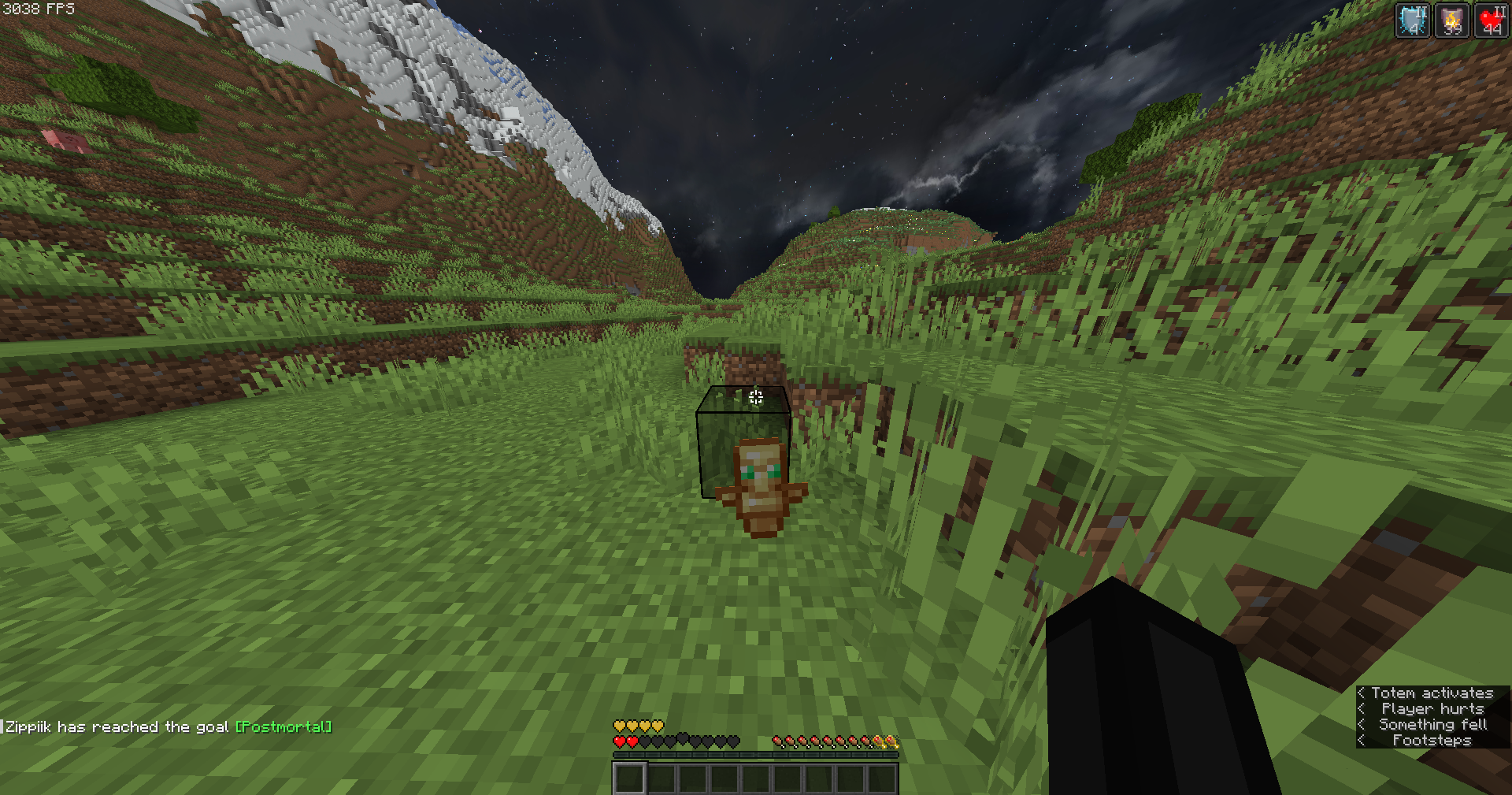
– **Small totem pop-up** 🛡️ – so clutch moments won’t cover your screen.
## Why this pack? 💡
This pack focuses on **clarity, performance, and comfort**.
No flashy effects, no distractions — just a simple style that helps you concentrate on what matters most: winning fights. 🏆
Whether you’re playing duels, UHC, or practice servers, the **Zipp CPVP Pack** keeps your gameplay smooth and sharp. ⚡
—
## Previews 📸
Check out some screenshots to see the pack in action:
—
🔹 *Created with competitive PvP in mind, by Zipp.*
ZInvisItemFrames
# ZInvisItemFrames
Allow players to craft and place invisible item frames. Folia-compatible invisible item frame plugin.
## Features
– Craft invisible item frames
– Customizable crafting recipe. (Can choose ANY ITEM for the recipe)
– Empty invisible frames can have a glowing outline (configurable)
– MiniMessage support for all text formatting
## Compatibility
– Paper 1.20.1 -> 1.21.4
– Folia-compatible
– Java 17+
## Dependencies
– [MCKotlin](https://modrinth.com/plugin/mckotlin)
## Crafting Recipe
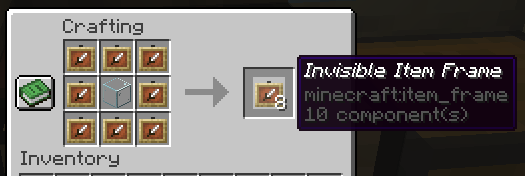
The default crafting recipe is 8 item_frame (or glow_item_frame) in a circle with one custom item in the middle.
You can change the middle-item with `/ziif item`.
You can also configure how many invisible item frames are crafted from the recipe.
## Commands
– `/ziif help` – Show help information
– `/ziif item` – Set the recipe item to the item in your hand
– `/ziif reload` – Reload the configuration
– `/ziif give [–glow]` – Give invisible item frames to a player
## Permissions
– `zinvisitemframes.craft.item_frame` – Allow crafting invisible item frames
– `zinvisitemframes.craft.glow_item_frame` – Allow crafting invisible glow item frames
– `zinvisitemframes.place.item_frame` – Allow placing invisible item frames
– `zinvisitemframes.place.glow_item_frame` – Allow placing invisible glow item frames
– `zinvisitemframes.admin` – Access to all plugin commands
## Installation
1. Download the latest version of ZInvisItemFrames from [Modrinth](https://modrinth.com/plugin/zInvisItemFrames/versions).
2. Download the appropriate version of MCKotlin from [Modrinth](https://modrinth.com/plugin/mckotlin)
3. Place the downloaded `.jar` files into your server’s `plugins/` folder.
4. Restart your server.
5. Configure the plugin to your liking by editing the `.yml` files in the `plugins/ZInvisItemFrames/` folder.
## Configuration
“`yaml
recipe:
item: [] # Set with `/ziif item` command
quantity: 8 # How many frames are crafted per recipe
check-permission: # Whether to check permissions for crafting/placing invis frames
craft: false
place: false
empty-frame:
glow: true # Whether empty frames should glow
visible: true # Whether empty invis frames should be visible
name:
invisible_item_frame: “Invisible Item Frame”
invisible_glow_item_frame: “Invisible Glow Item Frame”
“`
Zilibobka (Зилибобка) Totem of Undying
– EN: **Zilibobka** is a popular Russian meme, which was also stimulated during post-ironic memes in 2017 on the social network VKontakte and Tiktok. Texture pack replaces Totem of Immortality with this meme
– RU: **Zilibobka (Зилибобка)** – популярный российский мем который также был зафоршен во времена постироничных мемов в 2017 году в соц сети ВКонтакте и Тиктоке. Текстурпак заменяет тотем бессмертия на этот мем
[ALL RESOURCEPACKS COLLECTION: MEMES + STREAMERS](https://modrinth.com/collection/sfDcDGAi)
ZickZack V5 Golden Ruby
> #### 💼🌹 You can combine this texture pack with the [Projekt Ori Pack](https://modrinth.com/resourcepack/ori)!
—
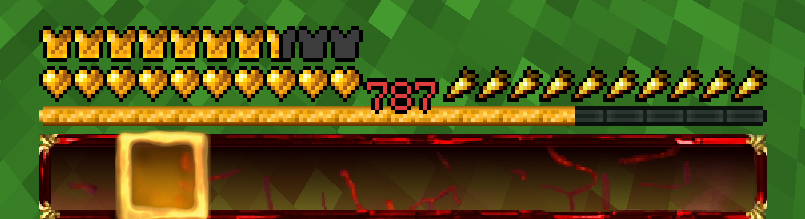
### Ein Texture Pack im Stil von BastiGHG und der 2 Millionen Golden Ruby Edition von ZickZack V5.
Es enthält Hotbar, Custom Sky, Overlay, Totem of Undying, Paintings, angepasste Models und mehr
Hotbar und Sky haben ein dunkleres und besseres Design als im originalen Pack.
Dieses Texture Pack wird ständig angepasst und verbessert. Solltet ihr Fehler finden oder Fragen/anliegen haben, öffnet gerne ein Ticket auf dem verlinkten Discord Server.
Dieses Texture Pack ist nicht von BastiGHG, Badlion oder ZickZack Cosmetics genehmigt oder mit ihnen verbunden. Es handelt sich um eine eigene, abgeänderte Version/Parodie des originalen Packs.
##
English Description
### A texture pack in the style of BastiGHG and the 2 million Golden Ruby Edition of ZickZackV5
It contains Hotbar, Custom Sky, Overlay, Totem of Undying, Paintings, customised models and more.
Hotbar and Sky have a darker and better design than in the original pack.
This texture pack is constantly being adapted and improved. If you find any bugs or have questions/concerns, feel free to open a ticket on the linked Discord server.
The Custom Sky is compatible with OptiFine and Badlion without any problems. Sodium does not support custom skies and requires the installation of [FabricSkyBoxes](https://modrinth.com/mod/fabricskyboxes). Core shader also change the colour of the XP number in the hotbar to red.
This texture pack is not approved by or associated with BastiGHG, Badlion or ZickZack Cosmetics. It is a customised version/parody of the original pack.
Showcase Video