Wynncraft: Cyan flame
# Wynncraft Cyan flame
**NOTICE:** Please install Continuity for the best experience!


> **Features**
– Recolor **regular fire** with **cyan (or soul) fire**.
– Most red colored block got recolored to blue.
– Supported some custom model mobs in Wynncraft.
– Emissive block and weapon in the dark.
– Cyan-flame themed fire weapon.
—————————————
> **Credit**
– Some text in .mcmeta generated by https://gradleuu.github.io/predposledni/
> **Note**
– Make sure to place it on top of the server pack (require Server Pack Unlocker or Serverpack Priority)
– If blocks do not glow (because of **Sodium**), you will need Continuity with **_Emissive ON_**.
– If you are using **sodium** and the _lava fog_ is not recolored then install Sodium Core Shader Support.
– For the **smaller-fire** version, you can use it without the **main** version.
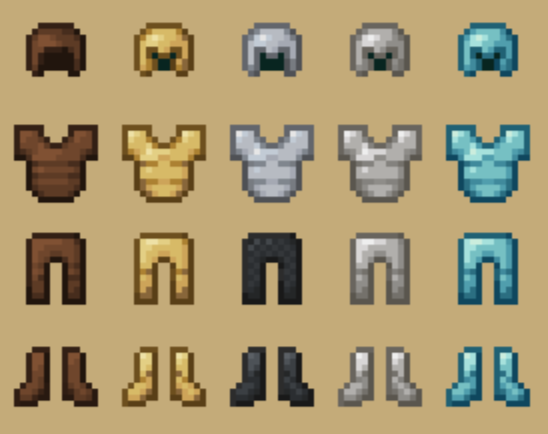
Wynncraft Armor
Adds custom armor textures for Wynncraft
WynnBuild
# WynnBuild
_A simple mod that lets you generate WynnBuilder links directly in-game._
## How to Use
You can quickly create a WynnBuilder link for your build in two ways:
– Press the **BUILD** button at the bottom-right of your character info screen (you can turn this button off in settings if you want).
– Or, more reliably, just run the **/build** command.

### Precision Settings
You can control how detailed your build stats are through the Precision option in **/build config**:
– **OFF** – Items are treated as average (default rolls)
– **ON** – Items use your exact rolls for maximum accuracy.
### Tomes & Aspects
Tomes and aspects are supported. You can choose whether to include them in your builds via the config menu.
## Crafted Items
Crafted items are automatically detected and included in your build. However, since WynnBuilder doesn’t support crafted items with custom rolls, they’ll show up as a **Normal rarity custom item**.
## Standalone Items
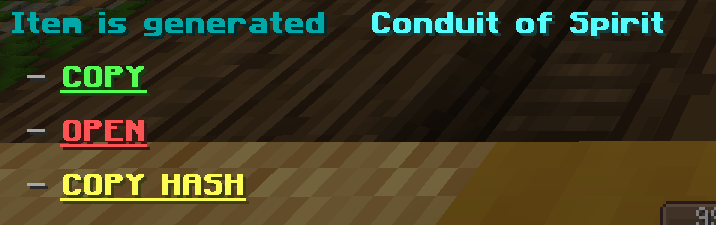
To share just one item with its exact rolls use the /build buildcustomitem command to generate a WynnCustom link.
## Config Options
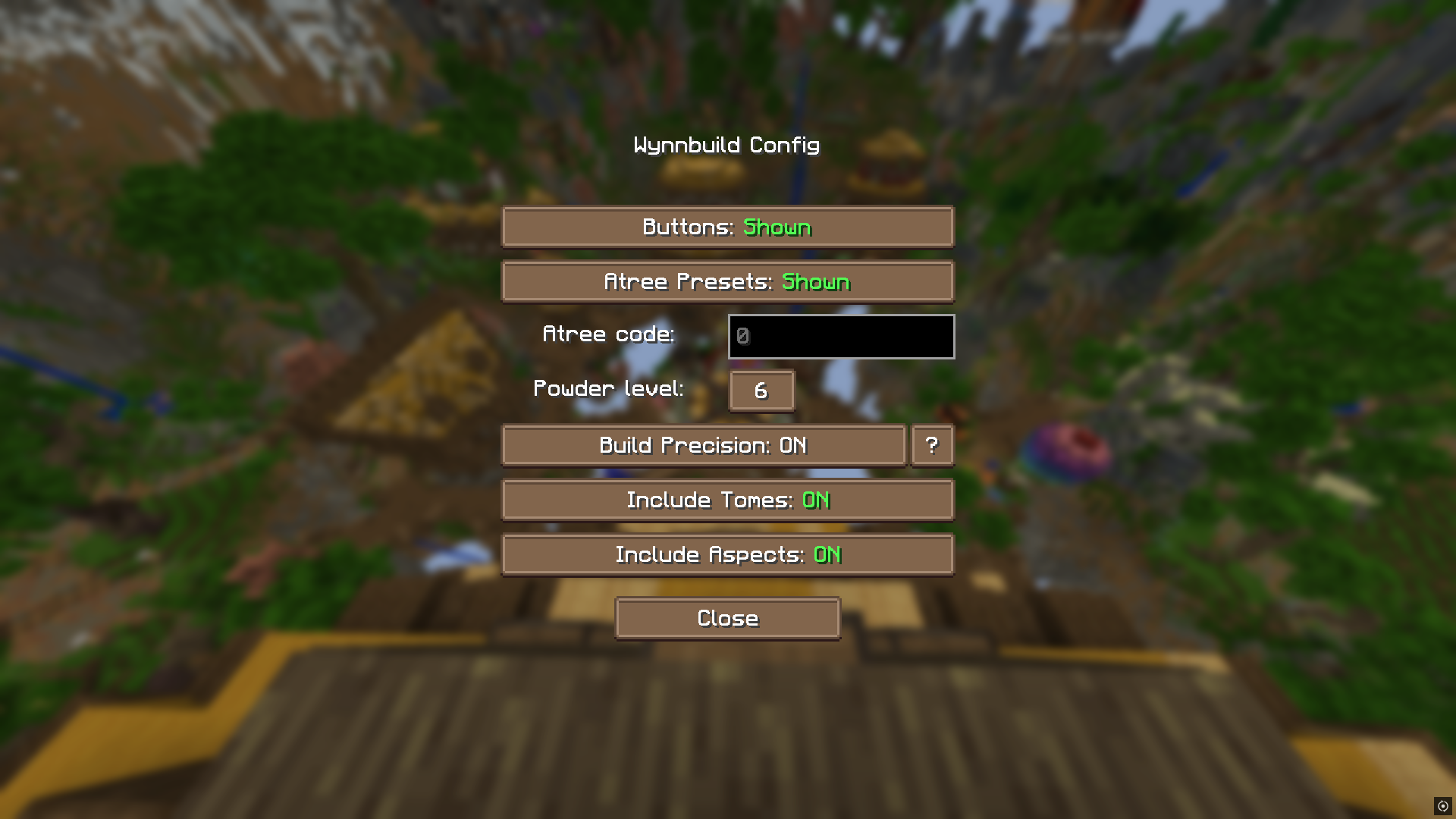
Open the config with /build config. From here, you can:
– Enable/disable buttons
– Access your encoded ability tree value
– Toggle tomes and aspects
– Set default powder level
#### _All item, tome, and aspect encoding logic comes from the wynnbuilder repo_
#### _In-game info gathering is done by Wynntils_
### Join the discord and share your feature suggestions and issues!
Wynn Minimalist Armor
I hate the armor that completely hides the player’s skin, it’s worth putting it on! This resource pack was supposed to be only for my future video at first, but I decided to publish it!
### Warning!!!!
**If mob uses armor in his model, his model may end up with holes!**
Wynnic Fables & Legends -2-
The continuation of Wynncraft: Fables & Legends, now with much higher standards and a push for quality over quantity!
## The most recent version of the pack does not work on the 2.2 Fruma Update. I am working on a fix, which I’ll release soon.
In short, the pack aims to add unique models to a wide selection of the higher-end (in terms of level and rarity) weapons in Wynncraft!
## Dependencies
All versions require the Fabric API mod.
### Versions 2.2 and after
Requires Variants-CIT in order to function at all. CIT Resewn is not needed.
### Versions prior to 2.2
Requires CIT Resewn in order to function at all. It was designed only for MC 1.21 and above. The pack may work with Optifine, but this has not been tested, nor should it be expected to work.
### Heavily Recommended
Wynntils is also heavily advised while using this pack. It will allow weapons to keep their skin even when spells are casted. Just be sure to set the Spell Cast Message Overlay option to Enabled, if it isn’t already.
## Troubleshooting
Possible fixes to the pack not working are (in order of priority):
– Make sure you are using the correct mod (see Dependencies).
– (Wynntils) Set ‘Spell Cast Overlay’ to Enabled so that the model doesn’t vanish when you cast spells
– (Wynntils) Set ‘Auto Apply Resource Pack’to Disabled
– (For version 2.1.1 and older) In the CIT Resewn config file (go to either `.minecraft/config` and look for the `citresewn` file, or potentially use a config mod such as YetAnotherConfigLib or ModMenu) and set `broken_paths` to true.
If you need support, please reach out to me on Discord (`rythew`) and I’ll try to help you troubleshoot it with you.
## FAQ
### Do Glints work with the pack?
No, unfortunately. Due to the way the pack overrides models, it also overrides the resource pack logic Wynn uses to implement skins.
### Are there unique skins for Shiny Mythics?
Not right now, but the pack should still apply the Mythic skins to Shiny Mythics. If it doesn’t, or there are cases when it doesn’t, please reach out to me.
## Policies
As per the ARR (All Rights Reserved) policy, you are not permitted to redistribute the pack in any commercial or public form. Modification of the pack for personal or private and experimental use is permitted though. If you use this pack in a video or livestream, please do give credit in the description, with a link back to this page.
I do, on occasion, give some people my permission to use some of the models in the pack for public/commercial use. If you’d like to use any of my models, reach out to me on Discord (`rythew`), letting me know what models you’d like to use and for what purpose, and I will give you permission to use my models if I think they’re a good fit.
Thank you for your cooperation.
## The Future of the Project
I intend to keep updating the pack for the time being. If you’d like to request a specific weapon be added to the pack, DM me on Discord (`rythew`) and I will push a brand-new model with the next update, or as a hotfix if the next update is taking a while. Any feedback or other concerns are welcome via Discord.
### //Rythew
Wyll’s Armory

💎 Discover a new PRIMORDIAL ORE in the End dimension
⚔️ Forge a new set of weapons, tools and armor with the primordial ore
🛡️ You can also create a new custom shield and bow!
🔨 Create a new tool, the HAMMER, that destroys block in a 3×3 area
📘 Use a new enchantment, the Lightning striker, on your sword and smite your enemies!
✨ Receive the power infused in the new armor when worn
🕺🏻 Compatible with BETTER COMBAT and SHIELD OVERHAUL
This mod is a simple first release, for a new series called Wyll’s suite. It’s a vanilla+ friendly mod, that includes a new tier above netherite, a new enchant and a custom tool.
We recommend using jei for the recipes and better combat for better animation.
**Smithing recipes**
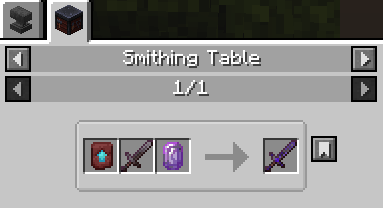
Future updates
As v1.0 will launch in a few weeks, the mod will include
– new custom enchantment for the hammer
– new custom effects for the sword and the bow
– new set of effects for the armor (when fully equipped)
– a new method to create the items, the gem infusion
– a new ore ?
WYG – What’d Ya Got

—




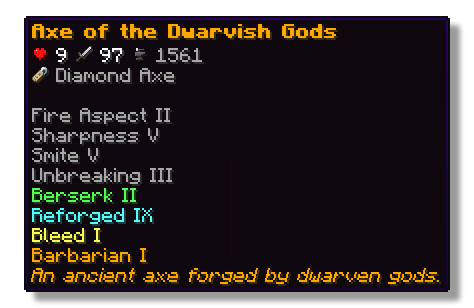
This plugin lets players show off whatever they’re holding right in chat! Just type a simple placeholder in your message, and your item pops up for everyone to see. Others can hover over it to check out its name, enchantments, and all the details just like in your inventory.
## Features
– ✅ Show off main hand, off-hand and armor
– ✅ Use a simple command or placeholders in chat
– ✅ Quickly see what item a player is showing off with icons in the chat
– ✅ See all details of an item when hovering above the name in chat
– ✅ Fully configurable
## Permissions
– **wyg.use** – Allows usage of WYG commands
– **wyg.hand** – Allows showing items in main hand
– **wyg.offhand** – Allows showing items in offhand
– **wyg.helmet** – Allows showing helmet
– **wyg.chestplate** – Allows showing chestplate
– **wyg.leggings** – Allows showing leggings
– **wyg.boots** – Allows showing boots
– **wyg.equipment.others** – Allows showing other players’ equipment
– **wyg.reload** – Allows reloading the WYG configuration (default: op)
## Configuration
You can find the configuration files in the plugins/WYG folder. The main configuration file is config.yml.
config.yml
“`yml
# ═══════════════════════════════════════════════════════════════════════════════
#
# █████ ███ █████ █████ █████ █████████
# ▒▒███ ▒██ ▒▒███ ▒▒███ ▒▒███ ███▒▒▒▒▒███
# ▒███ ▒███ ▒███ ▒▒███ ███ ███ ▒▒▒
# ▒███ ▒███ ▒███ ▒▒█████ ▒███
# ▒▒███ █████ ███ ▒▒███ ▒███ █████
# ▒▒▒█████▒█████▒ ▒███ ▒▒███ ▒▒███
# ▒▒███ ▒▒███ █████ ▒▒█████████
# ▒▒▒ ▒▒▒ ▒▒▒▒▒ ▒▒▒▒▒▒▒▒▒
#
# ═══════════════════════════════════════════════════════════════════════════════
#
# WYG – What’d Ya Got!
# The first item display plugin featuring 1.21+ sprites
#
# • Advanced placeholders
# • Fully translatable
# • Advanced formatting with MiniMessage
#
# Documentation:
# • All Placeholders: https://docs.zetaplugins.com/wyg/config/config
# • Formatting: https://docs.advntr.dev/minimessage/format.html
# • Sprites: https://mcasset.cloud/1.21.10/assets/minecraft/textures
#
# ═══════════════════════════════════════════════════════════════════════════════
# ═══════════════════════════════════════════════════════════════════════════════
# Share Message Settings
# ═══════════════════════════════════════════════════════════════════════════════
# Configure the message displayed when running /wyg
#
# Relevant Placeholders:
# – The player’s name
# – The player’s head sprite
# - – The formatted item (uses item-display config below)
#
# Examples:
# “ shared - ”
# “ shared - ”
# “ shared - ”
# “ → - ”
share-message:
format: “ shared - ”
# ═══════════════════════════════════════════════════════════════════════════════
# Item Display Settings
# ═══════════════════════════════════════════════════════════════════════════════
# Configure how items are displayed in chat
#
# Available Placeholders:
# – The item sprite/icon
# - – The item name
#
# You can also use custom sprites here:
# – A heart icon
# – A checkmark icon
#
# Examples:
# “[ - ]”
# “[ - ]
”
# “
# “ - ”
# “ - ”
item-display:
format: “ - ”
# ═══════════════════════════════════════════════════════════════════════════════
# Hover Tooltip Configuration
# ═══════════════════════════════════════════════════════════════════════════════
# You are entering advanced territory! Everything here is already setup to
# replicate Minecraft’s default tooltips!
hover-text:
enabled: true
# ─────────────────────────────────────────────────────────────────────────────
# Tooltip Layout
# ─────────────────────────────────────────────────────────────────────────────
# Define the order and formatting of tooltip elements
#
# Available Placeholders:
# – Item name (single line)
# – Stack size (skipped if amount is 1)
# – All enchantments (multi-line, skipped if none)
# – All lore lines (multi-line, skipped if none)
# – All attributes with slot headers (multi-line, skipped if none)
# – Attack damage across all slots (skipped if none)
# – Attack speed across all slots (skipped if none)
# – Armor across all slots (skipped if none)
# – Armor toughness across all slots (skipped if none)
# – Knockback resistance across all slots (skipped if none)
# – Durability display (skipped if item has no durability)
# – Base material name (skipped based on render-if-same-as-name setting)
#
# Custom Sprites:
# You can use anywhere in the layout!
# Examples:
# “ ”
# “ Enchanted!”
#
# Notes:
# • Empty lines (“”) create spacing between sections
# • Empty lines are automatically skipped if no content surrounds them
# • Any placeholder can be wrapped in MiniMessage formatting
#
# Examples:
# “”
# “”
# “ ”
layout:
– “”
– “”
– “”
– “”
– “”
– “”
– “”
# ─────────────────────────────────────────────────────────────────────────────
# Item Name Configuration
# ─────────────────────────────────────────────────────────────────────────────
# Configure how the base item name (material name) is displayed
#
# Available Placeholders:
# – The material’s translatable name
#
# Note: This is different from which shows the item’s custom display name
#
# render-if-same-as-name: Whether to show when it’s identical to
# (i.e., when the item hasn’t been renamed)
item-name:
format: “”
render-if-same-as-name: false
# ─────────────────────────────────────────────────────────────────────────────
# Enchantment Format
# ─────────────────────────────────────────────────────────────────────────────
# Format for individual enchantment lines
#
# Available Placeholders:
# – The enchantment name (translatable)
# – The enchantment level (translatable)
#
# You can add sprite icons here too:
# “ ”
enchantment-format: “”
# ─────────────────────────────────────────────────────────────────────────────
# Stack Size Format
# ─────────────────────────────────────────────────────────────────────────────
# Format for stack size display
#
# Available Placeholders:
# – The stack amount
stack-format: “Stack Size: ”
# ─────────────────────────────────────────────────────────────────────────────
# Durability Format
# ─────────────────────────────────────────────────────────────────────────────
# Format for durability display
#
# Available Placeholders:
# – Current durability (max – damage)
# – Maximum durability
durability-format: “Durability: /”
# ─────────────────────────────────────────────────────────────────────────────
# Attribute Display Settings
# ─────────────────────────────────────────────────────────────────────────────
# Configure how item attributes are displayed in tooltips
attributes:
# Slot Header Format
# Format for slot headers (e.g., “When in Main Hand:”)
#
# Available Placeholders:
# – The slot name
#
# Note: Set to empty string (“”) to hide slot headers entirely
slot-header-format: “”
# Individual Attribute Formats
# Configure display for each attribute type
#
# Available Placeholders:
# – The numeric value
# – The attribute name
#
# You can add custom sprites to attributes:
# “ ”
#
# Note: Default colors match vanilla Minecraft
# • dark_green – Offensive stats (damage, attack speed)
# • blue – Defensive stats (armor, toughness, knockback resistance)
formats:
attack_damage: “ ”
attack_speed: “ ”
armor: “+ ”
armor_toughness: “+ ”
knockback_resistance: “+% ”
“`
## Support
If you need help with the setup of the plugin, or found a bug, you can join our discord here.

—

WurstPlus

**Pack Version** (Last)**:** v3.1
**Created by:**
> Me ( @GalacticUniv )
**Available in the following versions:**
> 1.12.2 | 1.16 – 1.20.1 | 1.20.2+
**Tags**:
> Custom, Black, Custom Color, 16x, Client
**Description:**
> Wurst+, another texture pack I originally created for 1.12.2, stands out for being inspired by one of the clients used to enhance the gameplay experience. Inspired by what exactly? Its design, which was genuinely one of the most visually appealing clients of its time. While the 1.12.2 version was somewhat limited, the updated version for 1.20.1 and 1.20.2 introduces plenty of new features! That said, the original 1.12.2 version is still available if you’d like to give it a try. 😉
>
> – Note: I’m not affiliated with this client. I created the texture pack simply because I liked its design. I do not endorse downloading this or any other clients.
>
> Don’t forget that downloading the texture pack from the official sources (In PlanetMinecraft) is a huge way to support us! <3
> If you have any questions or want to report a bug, feel free to do so through our official Discord:
> https://discord.gg/72dHTWJr6R
> You can also follow us on social media! 😀
> https://solo.to/galacticuniv

– You can download Apple Skin here: Download Apple Skin (Modrinth)
– You can download Fabric Sky Boxes here: Download Fabric Sky Boxes (Modrinth)
Wunderreich
Wunderreich brings some niceties and new mechanics to your game. Everything has been designed with configurability in mind. So you get to decide which features to use.
You may also want to install ModMenu and RoughlyEnoughItems. While those are optional, they enhance the experience (for example you do not have to edit Config-Files in order to change the general behaviour of our Mod.
## Features:
– 🤑 Influence trades offered by villagers
– 🧱 Slabs for vanilla blocks like sand, dirt, concrete or glass
– 🛕 Stairs and Walls for Wool, Concrete and Terracotta
– 🎁 Connected chests that have access to the same inventory
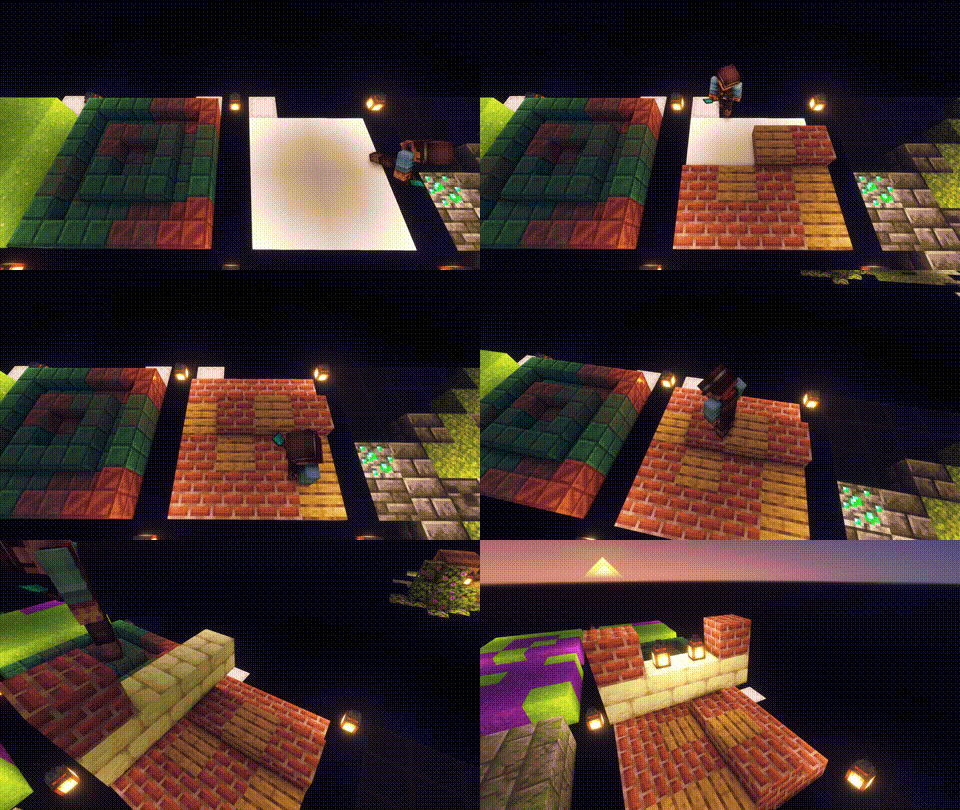
– 🛠️ A tool that places a random block from the hot bar.
Showcase:
 |
|
Trowels:
Use your Trowel to place a random Block/Item from your Hotbar. This is the perfect tool, if you want to use random looking block patterns in your builds. The more Blocks of a type you have in your hot-bar, the more likley it is to be choosen.
|
| |
 |
|
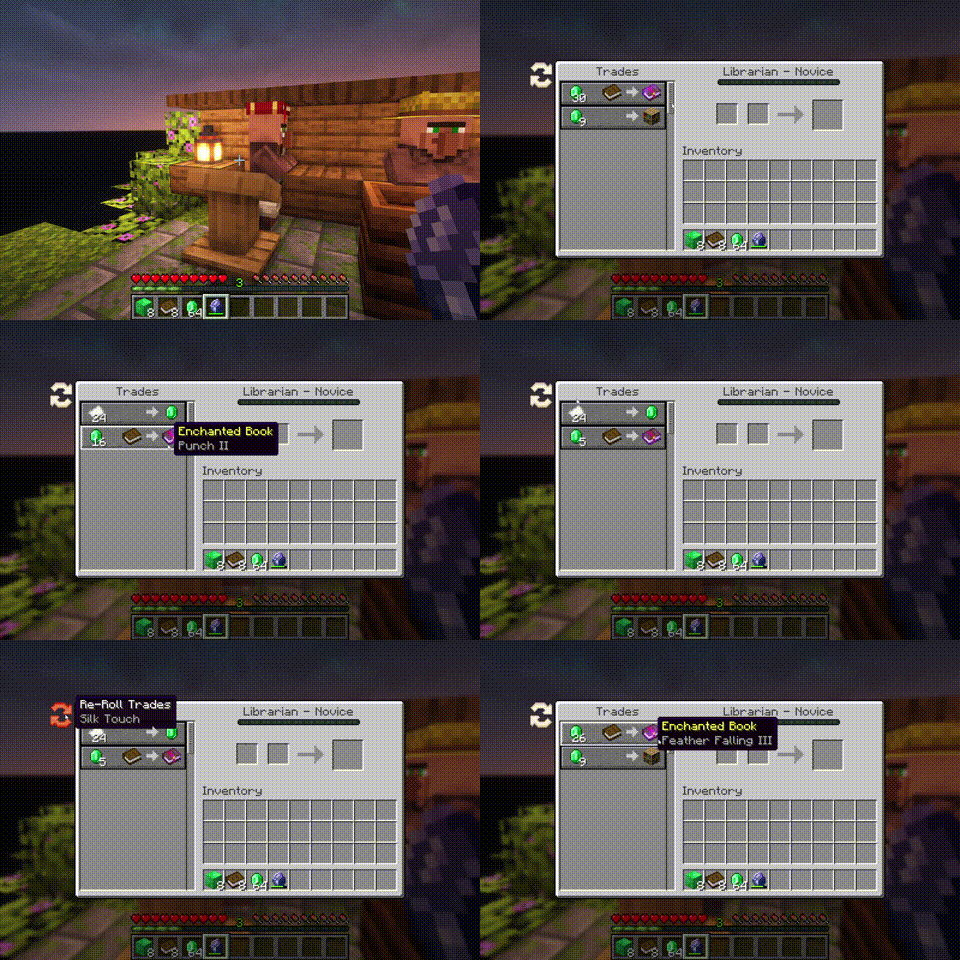
Whispers:
You can Whisper to your Villagers now. If a Villager is untrained, a whisperer of yours will force it to choose another set of initial trades. [more]
|
| |
 |
|
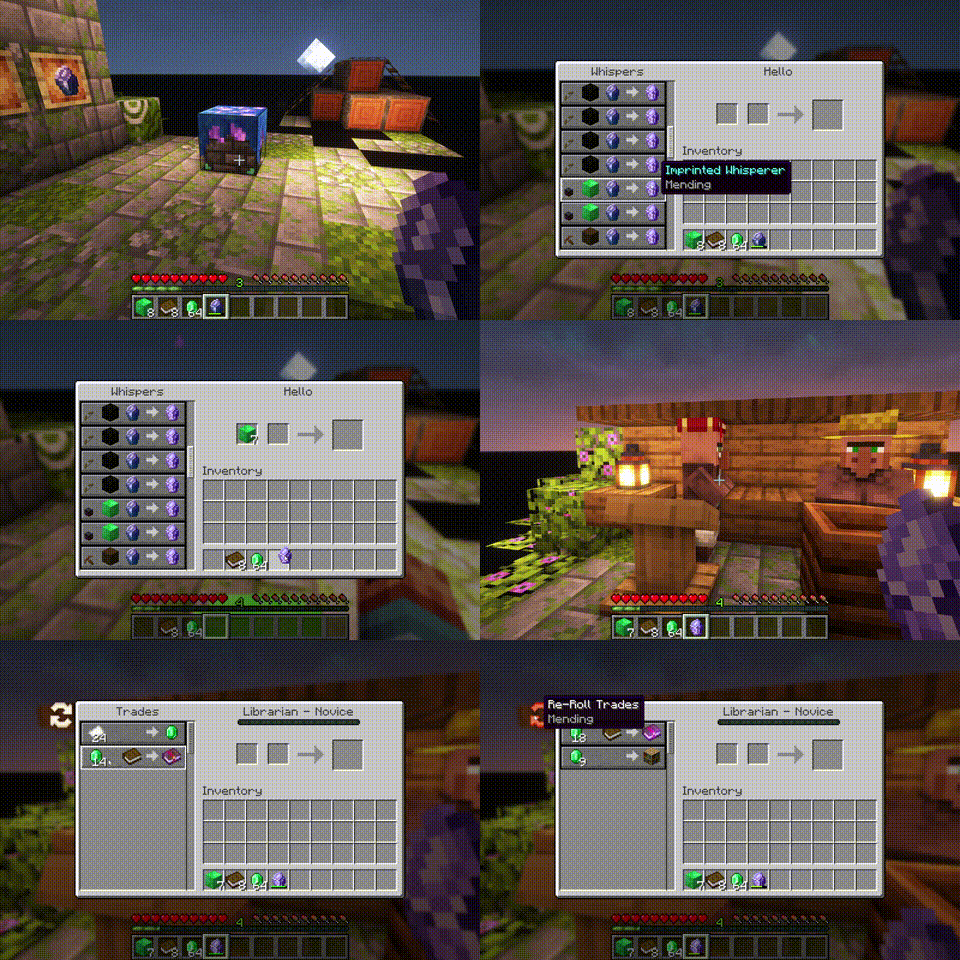
Imprinted Whispers:
If you imprint a Whisper with an enchantment, Librarians will offer only trades that include the imprinted enchanted book. [more]
|
| |
 |
|
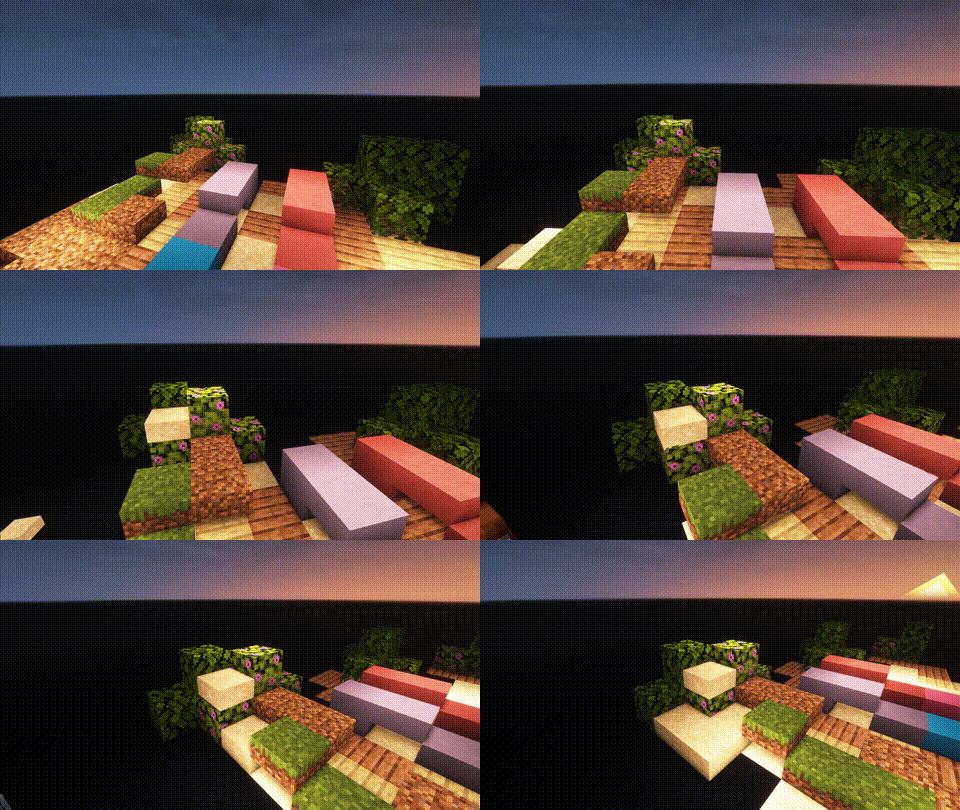
Slabs, Stairs and Walls:
Slabs, Stairs and Walls that are missing from the vanilla game. Our Slabs include Gras, Dirt, Dirt Paths, Coars Dirt, (Red-)Sand, Concrete, Terracotta, Wool and Glas. Sand Slabs will fall and Gras will spread to Dirt-Slabs. Stairs and Walls are currently limited to Concrete, Wool and Terracotta. There are also Walls for vanilla wood types.
|
| |
 |
|
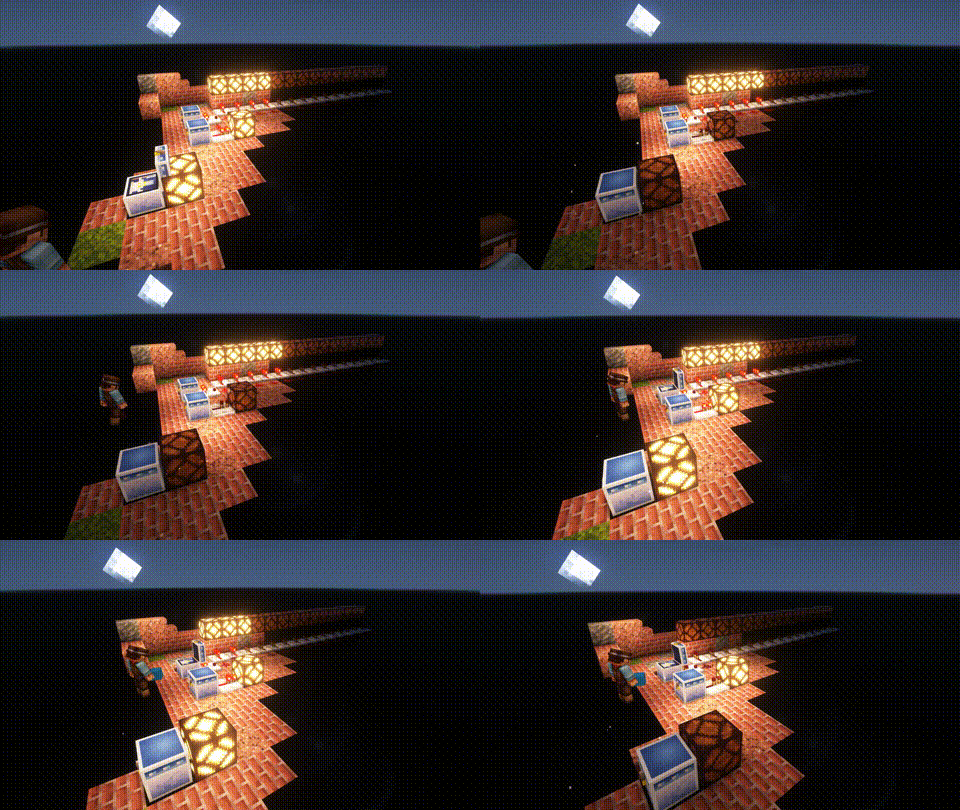
Wunderkiste:
One shared Storrage for everyone in your world. Every Wunderkiste in the world shares the same inevenory across Dimensions. Redstone updates are sent to every single one in real-time. That is why a Wunderkiste doubles as an inter-dimensional chunk loader.
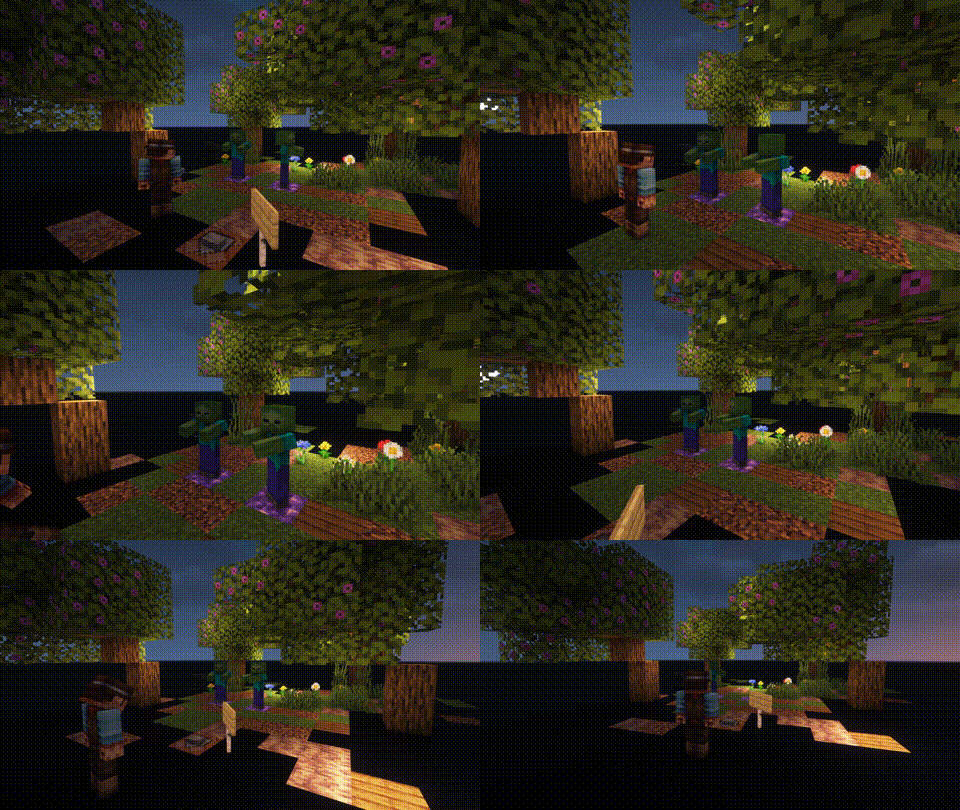
By using dye on a Wunderkiste or naming it on an anvil, you can change the storage network. Wunderkisten of the same color share the same inventory. [more]
|
| |
 |
|
Named Monsters:
If you name a Monster using a Name-Tag, it will not de-spawn when you switch your game to peaceful. This is usefull, if you often need or want to switch back to peacfull and still be able to use mob farms that require hostile mobs (like endermites).
|
Find out more on our official Mod Website.


Wukong Abilities
Wukong Abilities
Unleash the full power of the Monkey King — mythical staff powers, clones, transformations and sky mobility in Minecraft.
For YT Support:
https://youtube.com/@mine_twice?si=67b_mn6T7Nw8Oj4G
—
**⭐ Features**
🌀 Multiple Wukong abilities inspired by mythology
🦊 Clone Summoning & Monkey Army
🪄 Ruyi Jingu Bang Staff with extend, smash & cinematic spin
☁️ Flying Nimbus Cloud you can ride
🔥 Ultimate Transformation Mode
⚡ Fast mobility: dash, trail, cloud burst
📊 Fully configurable cooldowns, damage, animations
🖥️ Built-in GUI for ability editing
🧩 Lightweight & optimized for survival servers
—
**🔐 Permissions**
To use Wukong features, the player must:
• Be an operator, or
• Have proper permissions set via a permissions plugin
All commands and abilities are permission-based and configurable.
—
**WUKONG LEGENDS COMMANDS — Full Control Over Every Monkey King Power**
● ○ ● ○ ● ○ ● ○ ● ○ ● ○ ● ○ ● ○ ● ○ ●
**/wukong**
➤ Gives the legendary Ruyi Jingu Bang
➤ Unlocks all Wukong abilities
➤ Reloads player ability data
➤ Admin-only (configurable)
—
**/wukong help**
➤ Shows full command list
➤ Explains every ability
➤ Clean info menu with icons
—
**/wukong info**
Displays player stats:
• Unlocked abilities
• Cooldowns
• Active animations
• Current mode (Normal / Golden / Ultimate)
—
**/wukong abilities**
➤ Opens the Wukong GUI
➤ Enable/disable abilities
➤ Balanced for servers
—
**/wukong staff**
➤ Gives a new staff
➤ Choose mode: Normal, Giant, Mini
—
**/wukong forms**
Switch between Monkey King forms:
• Normal Mode
• Golden Armor Mode
• Ultimate Transform Mode
➤ Includes cinematic animations
—
**/wukong summon **
Summon Wukong mobs:
• clone
• monkey
• monkey_army
• training_dummy
—
**/wukong nimbus**
➤ Summon or dismiss the Flying Nimbus
➤ Instantly mount the cloud
—
**/wukong config reload**
➤ Reload configs live
➤ Updates cooldowns, effects, animations
—
**/wukong reset **
➤ Reset player progress
➤ Clear cooldowns
➤ Remove transformations
—
**/wukong setmode **
Force-set a player mode:
• normal
• golden
• ultimate
—
**/wukong animate **
Play any animation manually:
• staff_spin
• sunbeam_charge
• ultimate_transform
• dash_trail
• cloud_shield
—
Full Control, Full Power
Admins, creators, and players get complete access to the full Monkey King experience with immersive animations, configurable abilities, and cinematic transformations.