WebShopX
We also support English—please scroll down.
## WebShopX:Web 驱动的 Minecraft 商城与交易系统





> 这不是网页模板,而是一套可运行的交易系统。
> 官方商城(B2C)+ 玩家市场(C2C)+ 拍卖行 + 订单履约 + 管理后台,一体化落地。
### 快捷导航 (可点击)
[](https://www.bilibili.com/video/BV16zdZBTEbV/)
[](https://www.bilibili.com/video/BV18eoSBaEPY/)
[](https://docs.akihito.dpdns.org/category/webshopx)
[](https://github.com/Cc-Cece/WebShopX-Issues/issues)
[](https://qun.qq.com/universal-share/share?ac=1&authKey=EMHvFOsEqOBnEQi%2FJZtN%2BFwamTisdy0A02IwhRsxJG8t9GWK4uKs2G4CgZpT3yHW&busi_data=eyJncm91cENvZGUiOiI2MzY4MDMzNzIiLCJ0b2tlbiI6ImlpV3lHR3BFT3NvdWxUYysrSnFBN3lSWGRGU1BlTmF4a3FJSnNXeFBNZkI0emZRVDUxdCszbzdEc1NzUlNDTS8iLCJ1aW4iOiI5NTg2MzAxNDYifQ%3D%3D&data=8nepSQv0_dZIm_ZCWW-lPMXP8xlcFXyNWUolkq1DvckJaLbB0JYLVwmuOfmH0Z7mKXGgRx6yhwpi9bjWCvi66Q&svctype=4&tempid=h5_group_info)
### 环境要求
– Java 17+
– Paper 1.18.2+ 或 Folia 1.19.4+
– SQLite(无需额外配置) 或 MariaDB / MySQL
– Vault(可选)
– 支持群组服
– Language:zh-CN / en-US
### 核心闭环
– 玩家网页登录与会话
– 钱包、流水、双币兑换
– 官方商品下单、发货、退款
– 玩家市场上架、购买、竞拍、结算
– 发货失败兜底(待领取命令 + 邮箱补偿)
– 后台运营与审计治理
—
## 你能得到什么
| 模块 | 已实现能力 |
|—|—|
| 官方商城 | 出售物品、回收商品、命令、药水效果、兑换码五大类型商品 |
| 动态定价 | 官方商品支持动态定价与需求热度衰减(多算法) |
| 玩家市场 | 普通上架、供货箱上架、自动补货、改价、备注、暂停/恢复/下架 |
| 拍卖模式 | 英式、荷兰式、维克里、烛台拍卖;支持竞价、反狙击延时、到期结算 |
| 履约兜底 | 自动发货失败后可 /ws claim,且支持 mailbox 补偿领取 |
| 通知体系 | 站内通知列表、未读计数、已读标记、后台全服公告 |
| 管理后台 | 商品/订单/兑换码/市场/经济参数/用户支持/管理员管理/审计日志 |
—
## 玩家端能力
– Minecraft 用户名 + 网页密码登录
– 查看钱包余额与账变流水
– 兑换码入账
– ShopCoin / GameCoin 双向兑换
– 浏览官方商城并下单
– 浏览市场与店铺,支持搜索、筛选、排序
– 市场购买与拍卖出价(按商品交易模式)
– 查看订单并在规则内申请退款
– 领取待发货内容
—
## 玩家市场与拍卖
### 交易模式
| **模式** | **核心说明** | **适用场景** |
| ———————- | ———————————————————— | ——————————– |
| **直接购买 (DIRECT)** | 卖家设定固定价格,买家支付后立即成交。支持库存自动补货。 | 常规材料、消耗品、量产装备。 |
| **拍卖模式 (AUCTION)** | 卖家设定起拍价,在规定时间内由买家竞价,最终根据算法决定归属。 | 极品武器、稀有收藏品、地皮转让。 |
### 拍卖算法
| **算法标识** | **简称** | **逻辑简述** | **特点** |
| ———— | ————– | ———————————————————— | ——————————– |
| `ENGLISH` | **英式拍卖** | 价格由低往高喊,出价最高者获胜。支持反狙击延时(有人最后出价则自动延长)。 | 最符合直觉,互动性最强。 |
| `DUTCH` | **荷兰式拍卖** | 价格由高往低随时间自动下降,第一个确认购买的买家即成交。 | 速度快,适合想快速出手的卖家。 |
| `VICKREY` | **维克里拍卖** | 密封投标(互相看不到出价),最高出价者获胜,但支付的是**第二高**的价格。 | 鼓励买家出示心中真实的最高价。 |
| `CANDLE` | **蜡烛拍卖** | 英式拍卖的变种,拍卖结束时间在最后阶段随机。 | 防止玩家在最后一秒恶意压秒出价。 |
### 市场特性
– 供货箱库存自动补货
– 市场广播
– 周期性市场结算任务
– 卖家成交日志查询
—
## 官方商城能力
– 商品类型:
| **类型标识** | **中文名称** | **功能描述** |
| ———————– | ————— | —————————————— |
| **`COMMAND`** | **指令执行** | 购买后由控制台或以玩家身份执行预设指令。 |
| **`GIVE_ITEM`** | **物品发放** | 系统直接生成物理道具并放入玩家背包。 |
| **`POTION_EFFECT`** | **药水效果** | 购买后为玩家施加特定的 药水效果。 |
| **`RECYCLE_ITEM`** | **回收/兑换** | 系统以特定价格回收玩家特定物品。 |
| **`GROUP_BUY_VOUCHER`** | **团购/兑换码** | 交付特定的序列号或兑换凭证,支持群体核销。 |
– 商品支持发布/下架时间窗
– 可配置库存、个人限购
– 回收与实物商品可启用动态定价
—
## 履约、退款与兜底
– 订单状态覆盖 **订单挂起**、**待领**、**完成**到**退款** 等流程
– 支持订单**冷静期**与**退款**策略配置
– 可选开启未发放前可退款
– 团购券支持核销状态管理与退款联动
– 自动发货失败时可通过命令领取或邮箱补偿
—
## 管理后台
– 管理员鉴权与会话
– 商品管理、上下架、限购重置
– 兑换码创建与列表
– 团购券核销
– 订单查询
– 经济参数管理(汇率、市场税费/手续费)
– 市场管理与强制下架
– 用户支持:查用户、重置密码、解绑、强制下线、钱包调整
– 全服系统公告
– 管理员账号与权限模板管理
– 审计日志查询
### 内置角色模板
| **角色标识** | **中文名称** | **核心职能定位** |
| —————— | ————– | ———————————————————— |
| `SUPER_ADMIN` | **超级管理员** | 拥有系统最高权限,可管理所有后台模块、配置参数及管理员账号。 |
| `SHOP_ADMIN` | **商城管理员** | 负责官方商城(B2C)的运营,包括商品上下架、限购设置、兑换码生成等。 |
| `MARKET_MODERATOR` | **市场监管员** | 负责玩家市场(C2C)的治理,有权强制下架违规商品或监控拍卖行为。 |
| `SUPPORT_ADMIN` | **客服管理员** | 负责用户支持工作,如查询玩家信息、重置密码、手动调整钱包余额等。 |
| `AUDITOR` | **审计员** | 仅拥有查看和导出权限,负责审计全局日志、交易流水及管理员操作记录。 |
—
## 命令(游戏内)
| 命令 | 说明 |
|—|—|
| /webshopx help | 帮助 |
| /webshopx password <新密码> | 设置/重置网页登录密码 |
| /webshopx market [gui] | 打开市场 GUI |
| /webshopx market sell [amount] [currency] | 兼容式快速上架 |
| /webshopx market logs [count] | 查看卖家近期成交日志 |
| /webshopx claim [all|ODR-…|MKT-…|CLM-…|MCL-…] | 领取待发货内容 |
| /webshopx mailbox claim | 领取邮箱待补偿物品 |
| /webshopx redeem create [max] [perUserMax] [minutes] [code] | 创建兑换码(管理员) |
| /webshopx reload | 重载配置与网页资源(管理员) |
别名:/ws
—
## 快速开始
请前往 [Wiki](https://docs.akihito.dpdns.org/category/webshopx) 查看文字教程,或点击查看 [视频教程](https://www.bilibili.com/video/BV18eoSBaEPY/) 。
—
## 反馈与支持
– 视频介绍:https://www.bilibili.com/video/BV16zdZBTEbV/
– 配置教程:https://www.bilibili.com/video/BV18eoSBaEPY/
– Wiki:https://github.com/Cc-Cece/WebShopX-Issues/wiki
– Issues:https://github.com/Cc-Cece/WebShopX-Issues/issues
– 公测交流群(QQ):[636803372](https://qun.qq.com/universal-share/share?ac=1&authKey=EMHvFOsEqOBnEQi%2FJZtN%2BFwamTisdy0A02IwhRsxJG8t9GWK4uKs2G4CgZpT3yHW&busi_data=eyJncm91cENvZGUiOiI2MzY4MDMzNzIiLCJ0b2tlbiI6ImlpV3lHR3BFT3NvdWxUYysrSnFBN3lSWGRGU1BlTmF4a3FJSnNXeFBNZkI0emZRVDUxdCszbzdEc1NzUlNDTS8iLCJ1aW4iOiI5NTg2MzAxNDYifQ%3D%3D&data=8nepSQv0_dZIm_ZCWW-lPMXP8xlcFXyNWUolkq1DvckJaLbB0JYLVwmuOfmH0Z7mKXGgRx6yhwpi9bjWCvi66Q&svctype=4&tempid=h5_group_info)
WebShopX 正在持续迭代,欢迎提出功能建议与真实运营场景反馈。
—
## WebShopX: Web-Driven Minecraft Store & Trading System





> This is not a web template, but a fully functional trading system.
> Official Store (B2C) + Player Market (C2C) + Auction House + Order Fulfillment + Admin Dashboard, all in one.
### Quick Navigation (Clickable)
[](https://www.bilibili.com/video/BV16zdZBTEbV/)
[](https://www.bilibili.com/video/BV18eoSBaEPY/)
[](https://docs.akihito.dpdns.org/category/webshopx)
[](https://github.com/Cc-Cece/WebShopX-Issues/issues)
[](https://qun.qq.com/universal-share/share?ac=1&authKey=EMHvFOsEqOBnEQi%2FJZtN%2BFwamTisdy0A02IwhRsxJG8t9GWK4uKs2G4CgZpT3yHW&busi_data=eyJncm91cENvZGUiOiI2MzY4MDMzNzIiLCJ0b2tlbiI6ImlpV3lHR3BFT3NvdWxUYysrSnFBN3lSWGRGU1BlTmF4a3FJSnNXeFBNZkI0emZRVDUxdCszbzdEc1NzUlNDTS8iLCJ1aW4iOiI5NTg2MzAxNDYifQ%3D%3D&data=8nepSQv0_dZIm_ZCWW-lPMXP8xlcFXyNWUolkq1DvckJaLbB0JYLVwmuOfmH0Z7mKXGgRx6yhwpi9bjWCvi66Q&svctype=4&tempid=h5_group_info)
### Requirements
– Java 21
– Paper 1.20.6+ (Spigot compatible)
– MariaDB / MySQL
– Vault (Optional)
– BungeeCord/Velocity proxy support
– Built-in languages: zh-CN / en-US
### Core Loop
– Player web login & session management
– Wallet, transaction history, dual-currency exchange
– Official store ordering, delivery, and refunds
– Player market listing, purchasing, bidding, and settlement
– Delivery failure fallback (claim command + mailbox compensation)
– Backend operations and audit governance
—
## What You Get
| Module | Implemented Capabilities |
|—|—|
| Official Store | 5 commodity types: Sell items, Recycle items, Commands, Potion effects, Redeem codes |
| Dynamic Pricing | Official products support dynamic pricing and demand decay (multiple algorithms) |
| Player Market | Standard listing, Shulker box listing, Auto-restock, Price editing, Notes, Pause/Resume/Unlist |
| Auction Mode | English, Dutch, Vickrey, Candle auctions; supports bidding, anti-sniper delay, expiry settlement |
| Fulfillment Fallback | Auto-delivery failure allows `/ws claim`, and supports mailbox compensation claim |
| Notification System | In-site notification list, Unread count, Mark as read, Global backend announcements |
| Admin Dashboard | Products / Orders / Redeem codes / Market / Economy params / User support / Admin management / Audit logs |
—
## Player Features
– Minecraft Username + Web Password login
– View wallet balance and transaction history
– Redeem codes
– ShopCoin / GameCoin bidirectional exchange
– Browse official store and place orders
– Browse market and shops, supports searching, filtering, and sorting
– Market purchasing and auction bidding (based on trading mode)
– View orders and apply for refunds within rules
– Claim pending deliveries
—
## Player Market & Auctions
### Trading Modes
| **Mode** | **Core Description** | **Use Case** |
| ———————- | ———————————————————— | ——————————– |
| **Direct Purchase (DIRECT)** | Seller sets a fixed price, buyer pays and receives it instantly. Supports auto-restock. | Common materials, consumables, mass-produced gear. |
| **Auction Mode (AUCTION)** | Seller sets a starting price, buyers bid within a time limit, algorithm decides winner. | Top-tier weapons, rare collectibles, plot transfers. |
### Auction Algorithms
| **Algorithm ID** | **Abbreviation** | **Logic Overview** | **Characteristics** |
| ———— | ————– | ———————————————————— | ——————————– |
| `ENGLISH` | **English Auction** | Price goes up, highest bidder wins. Supports anti-sniper delay. | Most intuitive, highly interactive. |
| `DUTCH` | **Dutch Auction** | Price drops automatically over time, first buyer to confirm wins. | Fast-paced, suitable for quick sales. |
| `VICKREY` | **Vickrey Auction** | Sealed-bid (blind), highest bidder wins but pays the **second-highest** price. | Encourages buyers to bid their true maximum value. |
| `CANDLE` | **Candle Auction** | Variation of English auction, end time is randomized in the final stage. | Prevents malicious last-second sniping. |
### Market Features
– Shulker box inventory auto-restock
– Market broadcasts
– Periodic market settlement tasks
– Seller transaction log queries
—
## Official Store Features
– Product Types:
| **Type ID** | **Name** | **Functional Description** |
| ———————– | ————— | —————————————— |
| **`COMMAND`** | **Command Execution** | Executes a preset command via console or player after purchase. |
| **`GIVE_ITEM`** | **Item Delivery** | System generates physical items and puts them in player’s inventory. |
| **`POTION_EFFECT`** | **Potion Effect** | Applies specific potion effects to the player after purchase. |
| **`RECYCLE_ITEM`** | **Recycle/Exchange** | System recycles specific player items at a set price. |
| **`GROUP_BUY_VOUCHER`** | **Group Buy/Voucher**| Delivers specific serials or vouchers, supports group verification. |
– Products support publish/unlist time windows
– Configurable stock and personal purchase limits
– Recycle and physical items can enable dynamic pricing
—
## Fulfillment, Refunds & Fallbacks
– Order status covers **Pending**, **To Claim**, **Completed**, and **Refunded**
– Supports order **Cool-down Period** and **Refund** policy configuration
– Optional toggle for refunds before delivery
– Group buy vouchers support verification status management linked with refunds
– Auto-delivery failure can be claimed via command or mailbox compensation
—
## Admin Dashboard
– Admin authentication & session management
– Product management, listing/unlisting, limit resets
– Redeem code creation and list
– Group buy voucher verification
– Order queries
– Economy parameter management (Exchange rates, Market taxes/fees)
– Market management and forced unlisting
– User support: Query users, reset passwords, unbind, kick offline, adjust wallets
– Global system announcements
– Admin accounts & permission template management
– Audit log queries
### Built-in Role Templates
| **Role ID** | **Name** | **Core Functionality** |
| —————— | ————– | ———————————————————— |
| `SUPER_ADMIN` | **Super Admin** | Highest system authority, manages all modules, configs, and admin accounts. |
| `SHOP_ADMIN` | **Store Admin** | Manages official store (B2C) operations, including products, limits, and codes. |
| `MARKET_MODERATOR` | **Market Mod** | Manages player market (C2C), can force-unlist items or monitor auctions. |
| `SUPPORT_ADMIN` | **Support Admin** | Handles user support, user queries, password resets, and manual wallet adjustments. |
| `AUDITOR` | **Auditor** | View and export permissions only, audits global logs, transactions, and admin actions. |
—
## Commands (In-Game)
| Command | Description |
|—|—|
| /webshopx help | Help menu |
| /webshopx password | Set/Reset web login password |
| /webshopx market [gui] | Open market GUI |
| /webshopx market sell [amount] [currency] | Compatible quick listing |
| /webshopx market logs [count] | View seller’s recent transaction logs |
| /webshopx claim [all|ODR-…|MKT-…|CLM-…|MCL-…] | Claim pending deliveries |
| /webshopx mailbox claim | Claim mailbox compensation items |
| /webshopx redeem create [max] [perUserMax] [minutes] [code] | Create redeem code (Admin) |
| /webshopx reload | Reload config and web resources (Admin) |
Alias: /ws
—
## Quick Start
Please check the [Wiki](https://docs.akihito.dpdns.org/category/webshopx) for written tutorials, or click to watch the [Video Tutorial](https://www.bilibili.com/video/BV18eoSBaEPY/).
—
## Feedback & Support
– Video Intro: https://www.bilibili.com/video/BV16zdZBTEbV/
– Setup Tutorial: https://www.bilibili.com/video/BV18eoSBaEPY/
– Wiki: https://docs.akihito.dpdns.org/
– Issues: https://github.com/Cc-Cece/WebShopX-Issues/issues
– Open Beta Group (QQ): [636803372](https://qun.qq.com/universal-share/share?ac=1&authKey=EMHvFOsEqOBnEQi%2FJZtN%2BFwamTisdy0A02IwhRsxJG8t9GWK4uKs2G4CgZpT3yHW&busi_data=eyJncm91cENvZGUiOiI2MzY4MDMzNzIiLCJ0b2tlbiI6ImlpV3lHR3BFT3NvdWxUYysrSnFBN3lSWGRGU1BlTmF4a3FJSnNXeFBNZkI0emZRVDUxdCszbzdEc1NzUlNDTS8iLCJ1aW4iOiI5NTg2MzAxNDYifQ%3D%3D&data=8nepSQv0_dZIm_ZCWW-lPMXP8xlcFXyNWUolkq1DvckJaLbB0JYLVwmuOfmH0Z7mKXGgRx6yhwpi9bjWCvi66Q&svctype=4&tempid=h5_group_info)
WebShopX is continuously iterating. Feature suggestions and real-world operational feedback are welcome.
Webmarket
# WebMarket Free
[Demo video](https://www.youtube.com/watch?v=tvTJZuOYvno) /
[Demo site](https://sd.kurt6.cn)
Supports Paper / Folia / Spigot / Bukkit / Purpur on `1.20+`. The web UI works on both desktop and mobile browsers.
The free edition focuses on the core web player market, inventory viewing, pending claims, trade logs, account flows, and economy features.
—
## Included Features
– Core player market
Players can list, buy, and delist items. The free edition is hard-limited to `100` concurrent player-market listings at runtime.
– Offline operations
Players can still view inventory / ender chest data and handle pending claims through the web UI while offline.
– Full item detail rendering
Durability, enchants, lore, custom names, potion effects, shulker-box contents, bundle contents, and other NBT data are preserved and displayed.
– Trade logs
Supports player trade log queries and material-based trade log queries.
– Account system
Supports web registration, in-game registration, account binding, password change, and API-key-based login.
– Built-in economy and Vault economy
Supports money trading, transfers, balance lookup, wealth leaderboard, and transaction history.
– Icon and asset fallback
Supports vanilla assets, partial custom-item resources, and generated web icon caching.
—
## Not Included in Free
– In-game GUI
– Buy request system
– Auction house
– Official shop sell / buyback
– Buff shop
– Special item / perk area
– Cross-server features
– Remote inventory operations
– Points currency trading
– Per-player permission-group overrides
—
## Installation
1. Put the free-edition jar into the server `plugins` directory.
2. Start the server once to generate the config files.
3. Edit `config.yml` or `config.en_us.yml` as needed.
4. Restart the server.
—
## Main Commands
All commands support the `/wm` prefix. Some also have short aliases.
| Command | Description |
|—|—|
| `/wm help` | Show available help |
| `/wm bind ` | Bind the web account to the Minecraft account |
| `/wm register [username]` | Register a web account in game |
| `/wm claim` | Claim pending items |
| `/wm sj ` | Quick-list the held item to the player market |
| `/wm marketlogs me` | Query your own trade logs |
| `/wm marketlogs [page] [filters]` | Admin query for a player's trade logs |
| `/wm marketlogs-material [page] [filters]` | Query logs for a material |
| `/wm restrict` | Manage basic player-market listing restrictions |
| `/wm blockitem` | Manage blocked NBT items |
| `/wm money` | Check balance |
| `/wm money pay [reason]` | Transfer money |
| `/wm money top [page]` | Wealth leaderboard |
| `/wm money history [player] [page]` | Query transaction history |
| `/wm economy [process]` | View or process economy status |
| `/wm resetpassword ` | Admin reset for web password |
---
## Permission Nodes
| Node | Purpose |
|---|---|
| `webmarket.use` | Base command access |
| `webmarket.resetpassword` | Reset web password |
| `webmarket.economy.view` | View economy status |
| `webmarket.economy.process` | Process offline economy records |
| `webmarket.restrict` | Manage market restrictions |
| `webmarket.marketlogs` | Query player/material trade logs |
| `webmarket.marketlogs.self` | Query your own trade logs |
| `webmarket.iconcache` | Manage web icon cache |
| `webmarket.blockitem` | Manage blocked listing items |
| `webmarket.money.balance` | View own balance |
| `webmarket.money.others` | View other players' balances |
| `webmarket.money.pay` | Transfer money |
| `webmarket.money.top` | View wealth leaderboard |
| `webmarket.money.history` | View own transaction history |
| `webmarket.money.history.others` | View other players' transaction history |
| `webmarket.money.admin` | Admin economy commands |
---
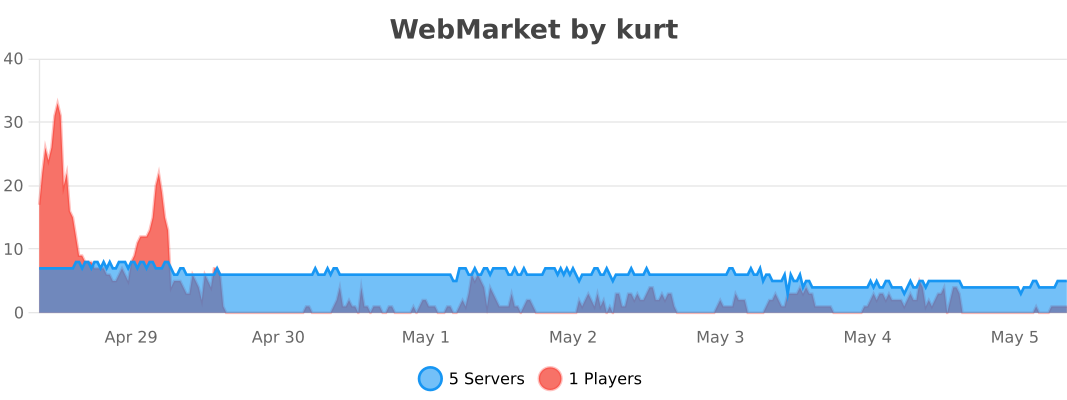
## bStats
---
Weaponsmith Trades Maces!
This mod is pretty simple. It adds the ability for weaponsmiths at master level to be able to trade the Mace for 27 Emeralds and 1 Breeze Rod. Please report any issues to my discord server.
**Made with MCreator**
##
**Join the discord for support for mods!**
[](https://discord.gg/xnqvcNDpRV)
WeaponEffect
# WeaponEffect
Required Plugin: https://modrinth.com/plugin/kotlinplugins
Provides customizable weapons that provide effects while held in main hand.
Weapons include all vanilla weapons: swords, bow, trident, crossbow.
– Usage: “`/weaponeffect [LevelOfTheEffect]“`
– Required permission to use the command: “`weaponeffect.give“`
– Players with op (/op nickname) have this required permission by default.
Make your fights legendary! Turn useless weapons into real deal.
– Check out other plugins: https://modrinth.com/user/Winlyps
Worldborder Shop
# Worldborder Shop
Fight the world border for every block! Donate items to expand the world border. Work together to unlock new biomes, find ways around scare resources, and compete for the top of the leaderboards!
## Commands
| Command | Effect | Permission level |
| —- | —- | —- |
| `/wbshop` | Open the main gui. See how many points you and others have, the size of the worldborder, and the total number of points in the economy. | None |
| `/bal` | Get the number of points you have. | None |
| `/withdraw` | Withdraw your balance into a point voucher. Donate the point voucher to redeem your balance. | None |
| `/withdraw all` | Withdraw all of your balance. | None |
| `/wbshop econ` | Manage the economy | `wbshop.econ` or OP level 4 |
| `/wbshop econ borderfunction` | Set the function used to calculate the border size. Functions are parsed using [exp4j](https://github.com/fasseg/exp4j) and the variable “points.” Make sure to use quotes around the function (ex: `/wbshop econ borderfunction “0.1points”` for 10 points per block wide) | `wbshop.econ` or OP level 4 |
| `/wbshop econ get` | Get the number of points that (a) player(s) has. | `wbshop.econ` or OP level 4 |
| `/wbshop econ add` | Add points to player(s). | `wbshop.econ` or OP level 4 |
| `/wbshop econ remove` | Remove points from player(s). | `wbshop.econ` or OP level 4 |
| `/wbshop econ total` | Get the total number of points in the economy. | `wbshop.econ` or OP level 4 |
### Probably important legal info
wbshop is licensed under the MIT license.
exp4j is embedded, which is licensed under Apache License 2.0. No modifications were made.
### Bug Reports and Feature Requests
Please submit bug reports and feature requests to my [GitHub](https://github.com/skycatminepokie/wbshop/issues) repository. I will consider porting versions, but not loaders.
Wasteland Wanderer | Fallout
(Formally known as RyDaCol’s Fallout Mod)
It is recommended to play with the Wastelandstart gamerule set to true, to be able to experience the mod in the intended way! (Versions past 1.3.0 will have this gamerule on by default)
This mod aims to basically turn Minecraft into a Fallout Game all in one mod, while keeping the Minecraft-vibe!
It is recommened to use the Fallout Radio texturepack for the optimal Pipboy experience: [https://www.curseforge.com/minecraft/texture-packs/fallout-radio](https://www.curseforge.com/minecraft/texture-packs/fallout-radio)
**Why Should You Get This❓**
The mod is mainly made for fellow Fallout fans, who want to experience the fallout world in Minecraft.
The mod aims to accomplish this by adding a bunch of items, armor, mobs, structures, biomes, etc from the Fallout Games.
The mod tries to completely overhaul Minecraft and turn it into a mish mash of both Vanilla and Fallout.
The mod has its own unique story and characters, but does take / recycles some elements from existing Fallout lore.
**Contacting about any Bugs / Suggestions🔧**
Please contact me at [https://discord.gg/E5G2QMrBvk](https://discord.gg/E5G2QMrBvk) about any suggestions or bugs that need fixing in the mod!
The mod will not get ported by me, but maybe I’ll allow somebody else to do it. Fallout doesn’t belong to me afterall.
Please keep in mind, that I am an Indie Dev and don’t have a team developing this mod.
**Use in Video Content / Modpacks🎥**
Permitted.
Yes you can use this mod in modpacks and videos but, if you use it in videos on Youtube, please credit me. Thanks!
**Make sure to include @RyDaCol in your discription, I might add you to the mod! ;)**
**Consequences of Download / Potential Risk⚠️**
Some changes this adds can be irreversable and it is **NOT RECOMMENED TO USE THIS ON EXISTING WORLDS!**
Other risks can be the destructive actions that some mobs can execute (these will be disabled by the MobGriefing gamerule though)
Version 1.2.5 is very unoptimised. Please be careful if you have a lower end device!
DO NOT PLAY ON HARD MODE ON VERSIONS PAST 1.3.5, UNLESS YOU’RE ON HARDCORE (this was the only way to make hardcore compatible, I’m sorry)
**What It Adds🧪**
Features
– VATs (Gamerule)
– Full Harsh Wasteland Survival (Gamerule to turn off in versions past 1.3.0)
– Some Player ghouls (both feral and non feral)
– T-51 Power Armor (with fusion core and abilities)
– Working Pip-boy (Inventory and Minimap not working)
– Deathclaws (2 versions)
– Brahmin
– 10mm Pistol and Ammo
– NukaCola, Stimpaks, Radaway, Syringes, Pincers
– Tranq Gun from Show + Yellow Belly Syringe
– A few Creative tabs
– Some Junk items from the Games
– A lot of Structures
– Option to pick either Vault Dweller or Wastelander when joining (with WastelandStart Gamerule on (default in versions past 1.3.0))
– Bottle Caps
– NukaCola containers + Crowbar
– One underground Vault Structure
– Companions
– Minigun + 10mm pistol (both with Recoil and reloading system)
– Yao Guais
– Raiders
– Mister Handy
– Brotherhood of Steel Squires and T-51+T-60 Knights (with BOS Paints)
– Some custom blocks
– Trap / security blocks / items
– 3 Biomes (in Wasteland dimension)
– Radroaches
– Bloatfly
– Liberty Prime
**A lot of stuff are still going to be added in the future!**
**Pixilart Album🖼️**
[https://www.pixilart.com/rydacolyt/albums/fallout-mod-376487](https://www.pixilart.com/rydacolyt/albums/fallout-mod-376487)
Have Fun! 🙂
Credit:
Banners
NCR Banner: [https://www.planetminecraft.com/banner/california-ncr-flag/](https://www.planetminecraft.com/banner/california-ncr-flag/)
BoS Banner: [https://www.planetminecraft.com/banner/brotherhood-of-steel-88051/](https://www.planetminecraft.com/banner/brotherhood-of-steel-88051/)
warrior sword
## Warrior’s Blade
##
A legendary, self-sharpening greatsword forged for the frontlines of Moderith.

The Warrior’s Blade is a top-tier legendary weapon designed for players who thrive in high-momentum combat. While it possesses the base strength and durability of a standard Netherite sword, its true potential is unlocked through consecutive victories. This blade is not just a tool of destruction; it is a sentient steel that feeds on the heat of battle, physically refining its edge with every kill you secure.
Features
– Sharpness Scaling: Every player defeated with this weapon increases its sharpness level by +1.0 damage.
– Netherite Strength: Out of the box, the blade matches the 8.0 Attack Damage and 2031 Durability of Netherite equipment.
– Legendary Status: As a legendary item, it features unique visual hums and resonance effects that intensify as its power grows.
– Balanced Decay: To keep the gameplay fair, the bonus sharpness stacks will reset if the player dies or leaves combat for an extended period.
### Statistics

The blade starts with an Attack Damage of 8 and an Attack Speed of 1.6. Through its unique ability, players can reach a maximum of 10 stacks, granting a total bonus of +5.0 damage. This makes a fully powered Warrior’s Blade one of the most fearsome weapons in the game, rewarding those who stay aggressive and precise.
Idea taken from ItsClipss
Wares

### Get contracts. Deliver goods. Count profits.
#### Wares allows you to buy and sell items in bulk.
The mod is made primarily for modpacks. To create Delivery Agreements you’ll need to edit the nbt of an item.
Although it includes some of the content out of the box: Agreements will spawn in village Warehouses.


Description in text form
Description
– Wide range of possibilities for modpacks:
– Immersive item buying/selling
– Can be used to expand lore by adding text and other info to the agreements
– Cute “loot-boxes” by the means of Packages
Delivery
– All deliveries are made through a Delivery Table
– Delivery Table is a workstation for a new villager profession: Packager
– Packagers will automatically package and deliver your goods, but they also need some work/life balance and will not work all day
– Packagers earn experience as they deliver packages – every level increases number of packages delivered at a time
– Players can deliver packages manually themselves, but it will take longer and only one at a time
[ ](https://github.com/mortuusars/Wares/wiki)
[ ](https://discord.gg/FzHKGDW2et)
#### Enjoying the mod? Your support would allow me to continue working on it and on other mods!
[ ](https://patreon.com/mortuusars?utm_medium=unknown&utm_source=join_link&utm_campaign=creatorshare_creator&utm_content=copyLink) [
 ](https://www.paypal.com/donate/?hosted_button_id=4VPMCBCLZVUEA)
Wards

# MachinaWards
**Protect your builds with configurable land claim wards — no grief, no drama.**
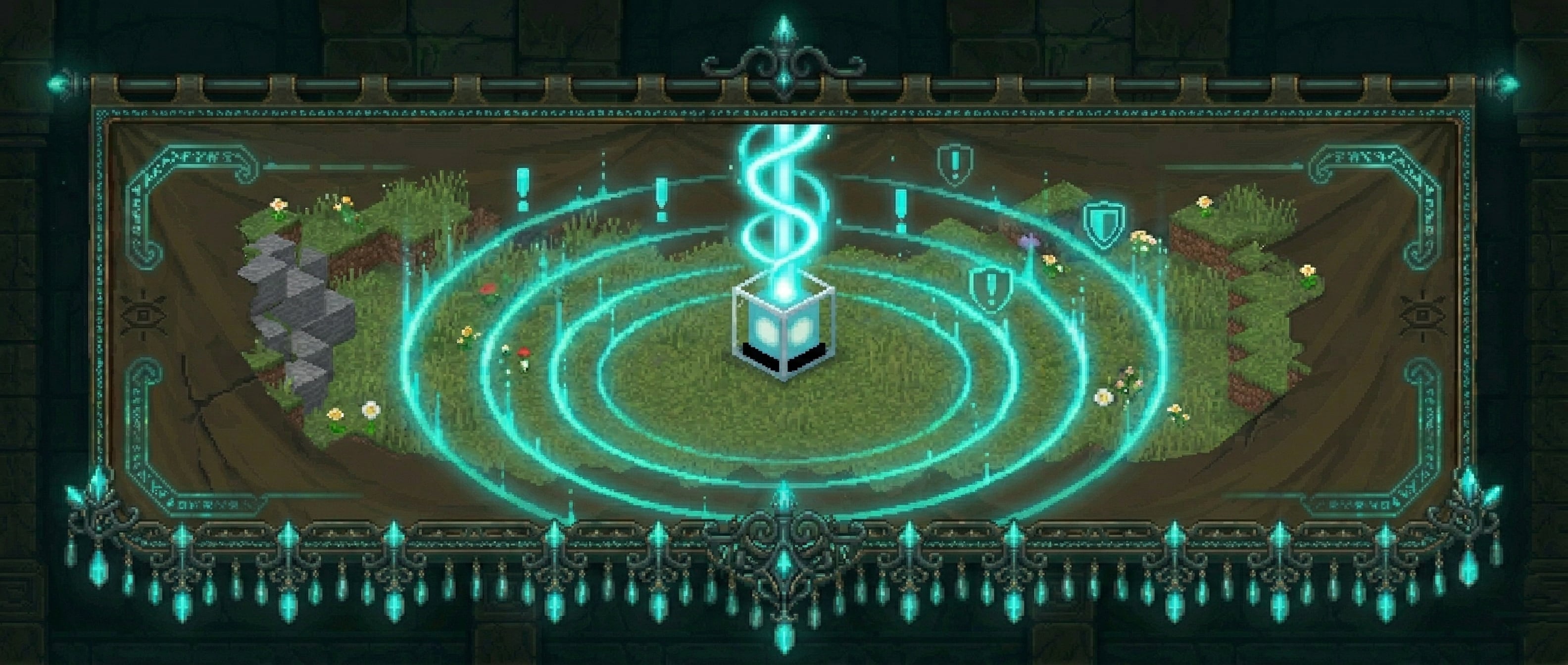
MachinaWards lets players place physical ward blocks to claim and protect an area. Members can be added by the owner, events are logged, and outsiders are stopped cold. Three tiers of wards scale from starter bases to high-value infrastructure.
—
## How It Works
Craft a ward item and place it like any block. The block marks the center of your protected zone. Break or sneak+right-click to pick it back up — the ward stays in your inventory so you can relocate it any time.
Right-click the ward block to open the management menu.
—
## Ward Tiers
| Tier | Block | Default Radius | Member Limit | Ward Intelligence |
| ———— | ————— | ————– | ———— | —————– |
| **Basic** | Lantern | 12 blocks | 5 | — |
| **Advanced** | Beacon | 20 blocks | 10 | — |
| **Super** | Crying Obsidian | 30 blocks | Unlimited | Yes |
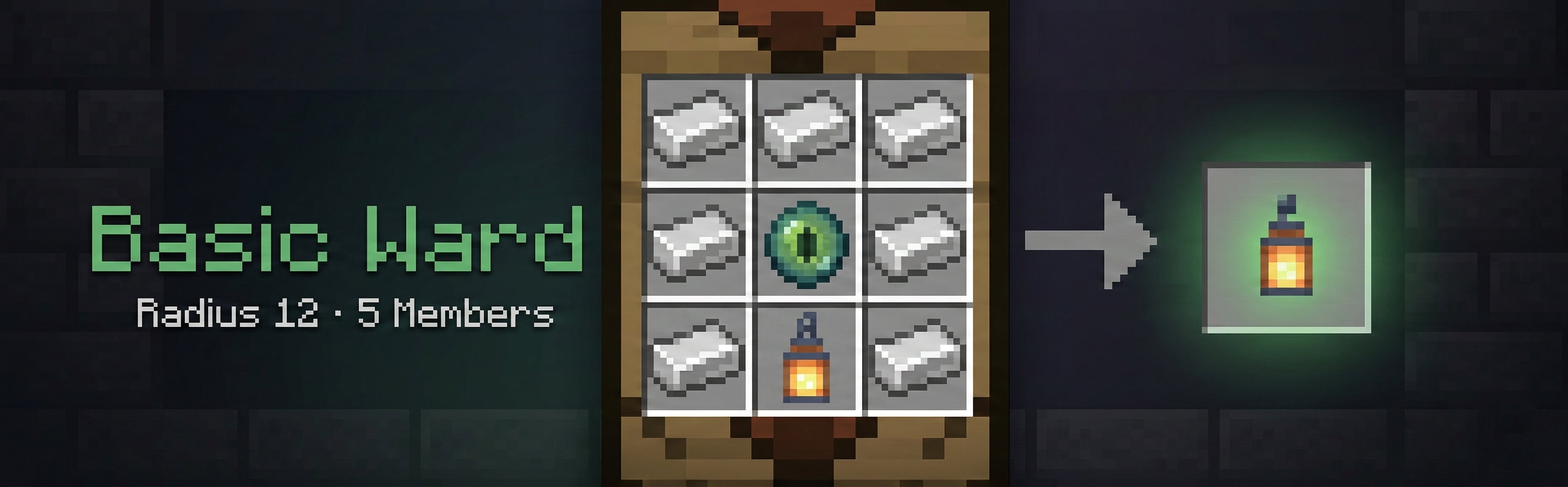


All tiers, recipes, radii, prices, and member limits are fully configurable in `config.yml`. Server operators can add or rename tiers freely.
—
## Protection
Inside a ward, the following are blocked for non-members (all toggleable per category in `config.yml`):
– Block placing and breaking
– Block interaction (buttons, chests, doors, etc.)
– Explosions (creeper, TNT, etc.)
– Fire spread
– **Piston pushing/pulling** blocks across ward boundaries
– **Entity grief** — Endermen, silverfish, Wither, Ravagers, and other griefing mobs can’t alter blocks inside a ward
– **Fluid flow** — lava and water can’t flow into a ward from outside
– **Hanging entities** — non-members can’t break item frames or paintings
– **PVP** — outsiders can’t attack players inside a ward *(per-ward override: Allow PVP flag)*
– **Entity damage** — outsiders can’t damage animals or mobs inside a ward *(per-ward override: Allow Mob Damage flag)*
– **Crop trampling** — non-members can’t trample farmland inside a ward
The ward owner and any added members bypass all restrictions. Players with `wards.admin` bypass everything.
Wards cannot overlap — placement is blocked if the new ward’s radius intersects an existing one, keeping protection zones unambiguous.
—
## Ward Menu
Right-clicking the ward block opens a GUI with:
– **Rename** — give your ward a custom name, shown in menus and `/ward list`
– **Entry Message** — set a custom message visitors see on entry. Supports `&` color codes and `&#RRGGBB` hex colors. Placeholders: `%ward%`, `%owner%`, `%tier%`, `%radius%`. Type `clear` to remove
– **Toggle Alerts** — turn entry notifications on/off for this ward
– **Members** — view all current members
– **Add Member** — type a player name in chat to add them (enforces tier member limit)
– **Remove Member** — click a player skull to remove them
– **History** — view the last 20 entry log entries
– **Show Radius** — draws a purple particle boundary for 10 seconds so you can visualize your claim
– **Allow PVP** — per-ward toggle to allow outsiders to PVP inside this specific ward
– **Allow Mob Damage** — per-ward toggle to allow outsiders to damage animals/mobs inside this specific ward
– **Ward Intelligence** *(Super Ward only)* — access the feature tracking system
—
## Super Ward — Ward Intelligence
Super wards include a **Ward Intelligence** menu with five toggleable tracking features:
| Feature | What It Tracks |
| ——————– | ———————————————————- |
| **Creeper Alert** | Notifies the owner when a creeper explodes inside the ward |
| **Mob Kills Player** | Logs and alerts when a mob kills a player inside the ward |
| **Mob Kills Entity** | Logs when a mob kills any entity inside the ward |
| **Player Death** | Logs every player death inside the ward |
| **Explosion Log** | Logs all explosions inside the ward |
Each feature has its own sub-menu where you can toggle it on/off, view recent logs, or clear the log history. All data is persisted to the database and wiped automatically when the ward is destroyed.
—
## Economy Shop
If **Vault** is installed with an economy provider (e.g. EssentialsX), players can purchase ward items directly using `/ward shop`. Prices are set per tier in `config.yml`.
—
## Commands
| Command | Description |
| —————————— | ————————————————————————– |
| `/ward` | Show help |
| `/ward shop` | Open the ward shop (requires Vault) |
| `/ward list` | List your wards with names, tiers, worlds, and coords |
| `/ward tp ` | Teleport to one of your wards by ID or name |
| `/ward compass [id|name]` | Point your compass at a ward (nearest, or by ID/name) |
| `/ward transfer ` | Transfer your nearby ward to another player |
| `/ward transfer ` | Transfer a specific ward to another player |
| `/ward addmember ` | Add a member to your nearby ward |
| `/ward removemember ` | Remove a member from your nearby ward |
| `/ward info [id|name]` | Show tier, radius, owner, and member info for a ward |
| `/ward nearby [radius]` | List wards within radius blocks (default 100, max 500), sorted by distance |
| `/ward admin list [player]` | *(admin)* List all wards, optionally filter by player |
| `/ward admin delete ` | *(admin)* Delete any ward by ID or name |
| `/ward admin tp ` | *(admin)* Teleport to any ward |
| `/ward admin stats` | *(admin)* Show total wards, per-world breakdown, members, and owner count |
| `/ward admin migrate mysql` | *(admin)* Copy all ward data from SQLite to MySQL |
| `/ward reload` | *(admin)* Reload config and re-register recipes |
—
## Permissions
| Node | Description |
| —————— | —————————————————————- |
| `wards.admin` | Full administrative access — bypass protection, delete any ward |
| `wards.place` | Allows placing ward blocks (default: true for all players) |
| `wards.player.` | Cap how many wards a player can own (e.g.`wards.player.3`) |
—
## Visual & Sound Effects
**Particles**
– **Ambient particles** — a subtle END_ROD effect floats above each ward block so you always know where your wards are (configurable interval)
– **Placement burst** — particle effect confirms a new ward was created
– **Deletion burst** — particle effect fires when a ward is broken or picked up
– **Radius preview** — purple particle ring shows your claim boundary for 10 seconds via the Show Radius button
**Sounds** *(all configurable in `config.yml → sounds:`)*
– `ward_place` — plays when a ward block is placed
– `ward_break` — plays when a ward is broken/removed
– `ward_pickup` — plays when a ward is picked up via sneak+right-click
– `entry_alert` — plays for the visitor when they enter a ward
Set any sound to `””` to disable it individually.
—
## Entry Warnings
When a non-member enters a ward they see an action bar notification showing the ward name and owner. This is configurable per ward — owners can set a fully custom entry message with color codes and hex colors directly from the ward menu. The message supports placeholders: `%ward%`, `%owner%`, `%tier%`, and `%radius%`. The visitor warning can be toggled globally in `config.yml`.
—
## Ward Compass
`/ward compass` sets your compass to point at your nearest ward in the current world. Specify an ID or name to target a specific ward. No special item is needed — any compass in your inventory will work.
—
## Ownership Transfer
`/ward transfer ` while standing in a ward transfers ownership to another player. Use `/ward transfer ` to transfer from anywhere. The new owner is notified immediately if they are online.
—
## Nearby Wards
`/ward nearby [radius]` lists all wards within the given radius (default 100 blocks, max 500), sorted by distance. Shows each ward’s name, tier, owner, and distance. Useful for scouts, admins, and players exploring unfamiliar territory.
—
## Anti-Abuse
– Ward items cannot be used as crafting ingredients
– Ward items cannot be inserted into beacon payment slots
– Wards cannot be placed overlapping an existing ward
– Picking up a ward block requires a second sneak+right-click confirmation within a configurable window (default 5 seconds) to prevent accidents
—
## Database
MachinaWards stores all ward data in a database. Two backends are supported:
**SQLite** *(default — no setup required)*
“`yaml
database:
type: sqlite
“`
Data is stored in `plugins/MachinaWards/MachinaWards.db`.
**MySQL / MariaDB**
“`yaml
database:
type: mysql
mysql:
host: localhost
port: 3306
database: machinawards
username: root
password: “”
“`
The MySQL driver is downloaded automatically — no manual installation needed. Use `/ward admin migrate mysql` to copy existing SQLite data to MySQL before switching.
—
## Configuration
Everything is configurable in `config.yml`:
– **Database:** SQLite (default) or MySQL/MariaDB
– **Shape:** `column` (vertical cylinder, unlimited height) or `sphere` (3D radius)
– **World whitelist** — restrict wards to specific worlds
– **Height limits** — `min_y` / `max_y`
– **Alert cooldown** — default 90 seconds between entry notifications
– **Protection toggles** — individually enable/disable each protection category
– **Per-tier:** display name, placed block material, crafting recipe, radius, price, member limit (`max_members`), features list
– **Particle type and interval**
– **Sound effects** — one config key per event, set to `””` to disable
– **Entry warning:** `entry.show_warning_to_visitor`, `entry.warning_format` with `%ward%`, `%owner%`, `%tier%`, `%radius%` placeholders
– **Pickup confirmation window:** `pickup.confirm_ms` (default 5000ms)
– **Color support:** all text fields support `&` color codes and `&#RRGGBB` hex colors
—
## Dependencies
– **Spigot / Paper / Purpur** 1.21+
– **Vault** *(optional)* — required only for the economy shop
– **MySQL/MariaDB** *(optional)* — only if you choose the MySQL database backend
Wanted Players

WantedPlayers is a Paper plugin that adds a **Wanted Level system** based on player killstreaks.
It rewards bounty hunters with **money via Vault** and displays Wanted stars using PlaceholderAPI.
—
## 🔌 Dependencies
– [Vault](https://www.spigotmc.org/resources/vault.34315/) – economy handling
– [PlaceholderAPI](https://www.spigotmc.org/resources/placeholderapi.6245/) – placeholders
– [LuckPerms](https://luckperms.net/) – groups and permissions (optionnal)
– [PvPStats Plugin](https://www.spigotmc.org/resources/pvpstats-plugin.69984/) – or other killstreak tracking plugin for plugin version 1.2+
– [MythicMobs](https://modrinth.com/plugin/mythicmobs) – for MythicMobs reward sources (optional)
—
## ⚙️ Configuration (`config.yml`)
“`yaml
# ============================
# WantedPlayers Configuration
# ============================
# Killstreak placeholder used to get player killstreak.
# Change it with a valid killstreak placeholder from any plugin or expansion.
killstreak-placeholder: “%pvpstats_killstreak%”
# Killstreak thresholds for each Wanted level.
# Example: level 1 requires 1 killstreak, level 2 requires 3, etc.
wanted-levels:
1: 1
2: 3
3: 5
4: 10
5: 20
# Symbols used to display stars in placeholders or messages.
stars:
full: “★” # Full star for achieved level
empty: “☆” # Empty star for levels not reached
rewards:
# Base reward ranges for each Wanted level.
# A random value between min and max will be chosen.
ranges:
1:
min: 5
max: 10
2:
min: 10
max: 20
3:
min: 20
max: 40
4:
min: 40
max: 80
5:
min: 80
max: 150
# Reward sources for entities.
# Add a mob here to make it give a reward.
# Example: killing a player multiplies reward by 3.
# Multiplier is optional, defaults is 1.
reward-sources:
player: 3
zombie: 1
iron_golem: 2
# fire_dragon: 5 #Example MythicMobs entity reward source
# Multipliers applied based on Wanted level.
# Example: level 3 multiplies the base reward by 2.0.
level-multipliers:
1: 1.0
2: 1.5
3: 2.0
4: 2.5
5: 3.0
# Multipliers applied based on LuckPerms primary group.
# Example: vip group multiplies the reward by 2.5.
group-multipliers:
default: 1.0
vip: 2.5
vip_plus: 3
#Reward commands
#Available placeholders are: %player% -> return player username, %amount% -> return reward amount in decimal.
#Add as many as you want !
reward-command:
– ‘eco give %player% %amount%’
messages:
# Message sent to the killer when they receive coins.
# Placeholders:
# %amount% = final reward amount
# %stars% = star display for Wanted level
# %group% = LuckPerms group name
kill-reward: “&aYou earned %amount% coins thanks to your Wanted level (%stars%) and your group (%group%)!”
# Message sent when the config is reloaded with /wantedreload.
reload: “&aConfig reloaded successfully.”
“`
—
## 📜 Commands
– `/wantedreload` → reloads the configuration (`config.yml`)
– Permission: `wanted.reload`
—
## 🪧 Placeholders (via PlaceholderAPI)
### 1.0 and 1.1
– `%wanted_level%` → current Wanted level (1–5)
– `%wanted_stars%` → star display (★/☆)
– `%wanted_multiplier%` → total multiplier (Wanted × group)
### 1.1.1+
– `%wantedplayers_level%` → current Wanted level (1–5)
– `%wantedplayers_stars%` → star display (★/☆)
– `%wantedplayers_multiplier%` → total multiplier (Wanted × group)
—
## 🎮 How it works
1. Each kill increases your **killstreak** (via PvPStats Plugin).
2. Your **Wanted level** is calculated based on thresholds.
3. On each kill, you receive a random reward (min–max) × Wanted multiplier × group multiplier.
4. Coins are added directly to your balance via Vault.
5. A custom message is sent with the amount, stars, and group.