Wynnventory
**Wynnventory – Your Ultimate Wynncraft Loot Companion**
Dive deeper into Wynncraft’s raids and lootruns with real-time data and powerful new in-game tools!
—
### Key Features
– **Price Tooltips**
Hover over any item—or even boxed items—to display price information from historic trademarket listings of the last 7 days. Crowdsourced data ensures you always know an item’s true value without leaving your inventory.
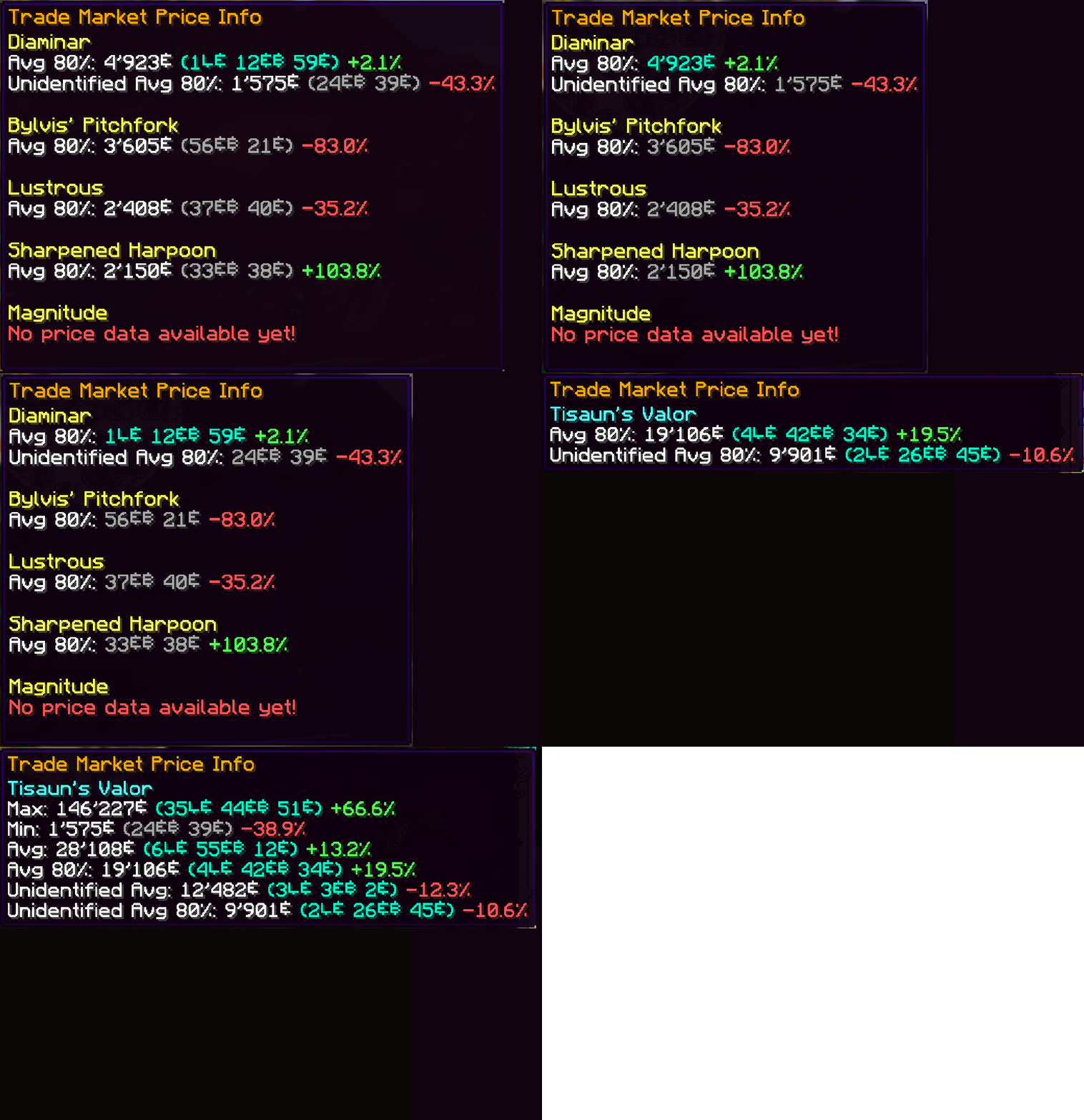
– **In-Game Raid & Lootrun Screen**
Press your the hotkey “N” to open our brand-new in-game screen from anywhere in the world. Quickly browse the current rewards available from raids and lootruns without tabbing out!
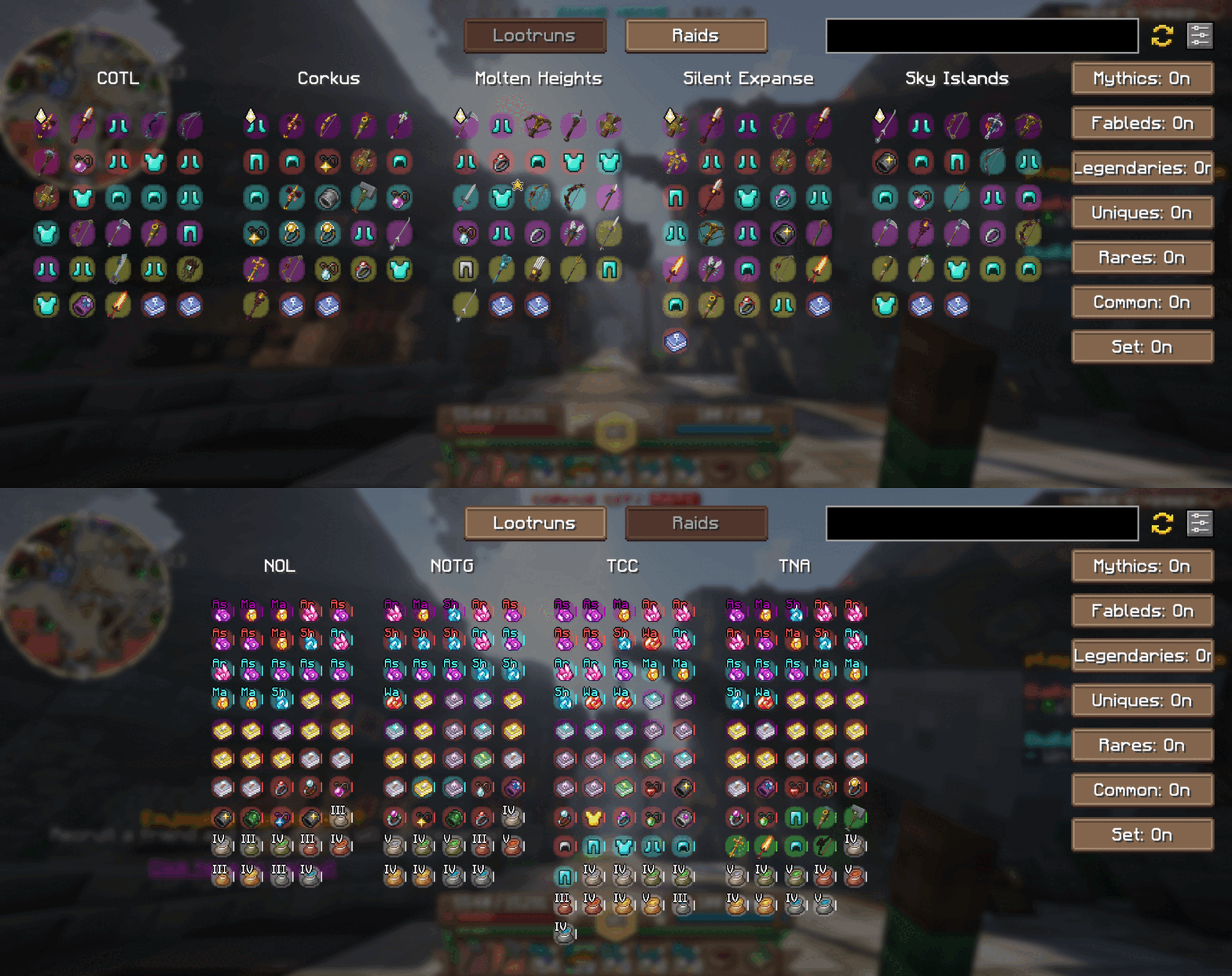
– **Favorite Notifier**
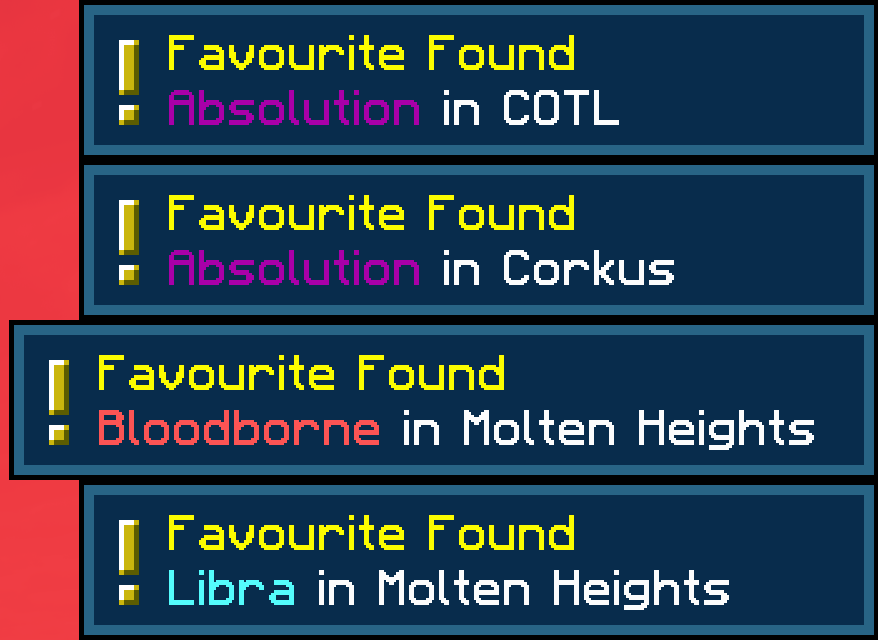
Get alerts for any of your Wynntils “favorited” items and you’ll receive an instant alert whenever it appears in the active raid or lootrun reward pools. Never miss out on that perfect drop!
– **Material & Ingredient Tooltips**
We now support all material and ingredient items used in crafting and brewing. Hover over any ingredient to see recent price trends and demand insights at a glance.
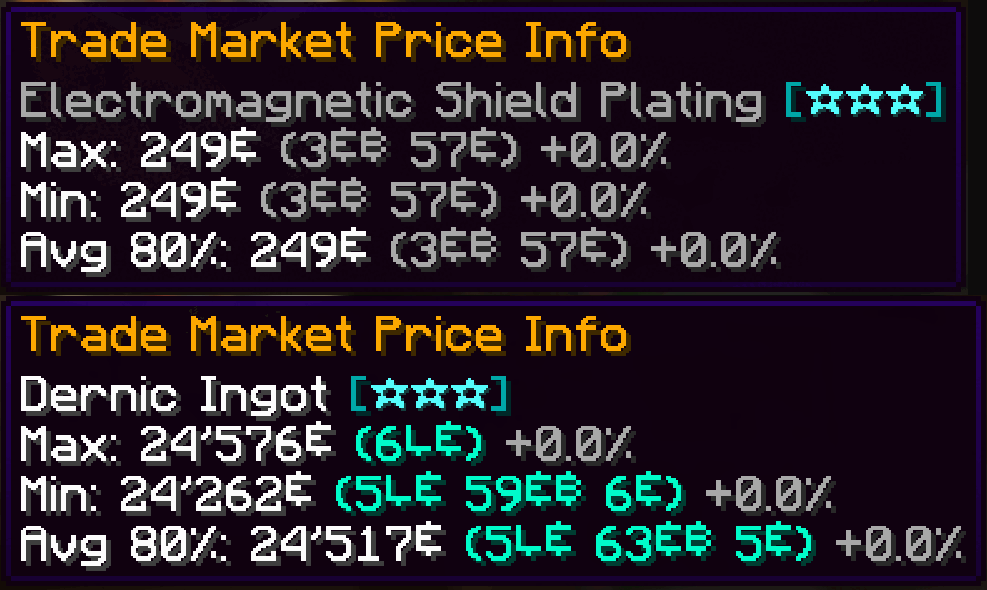
– **Aspect Tooltips**
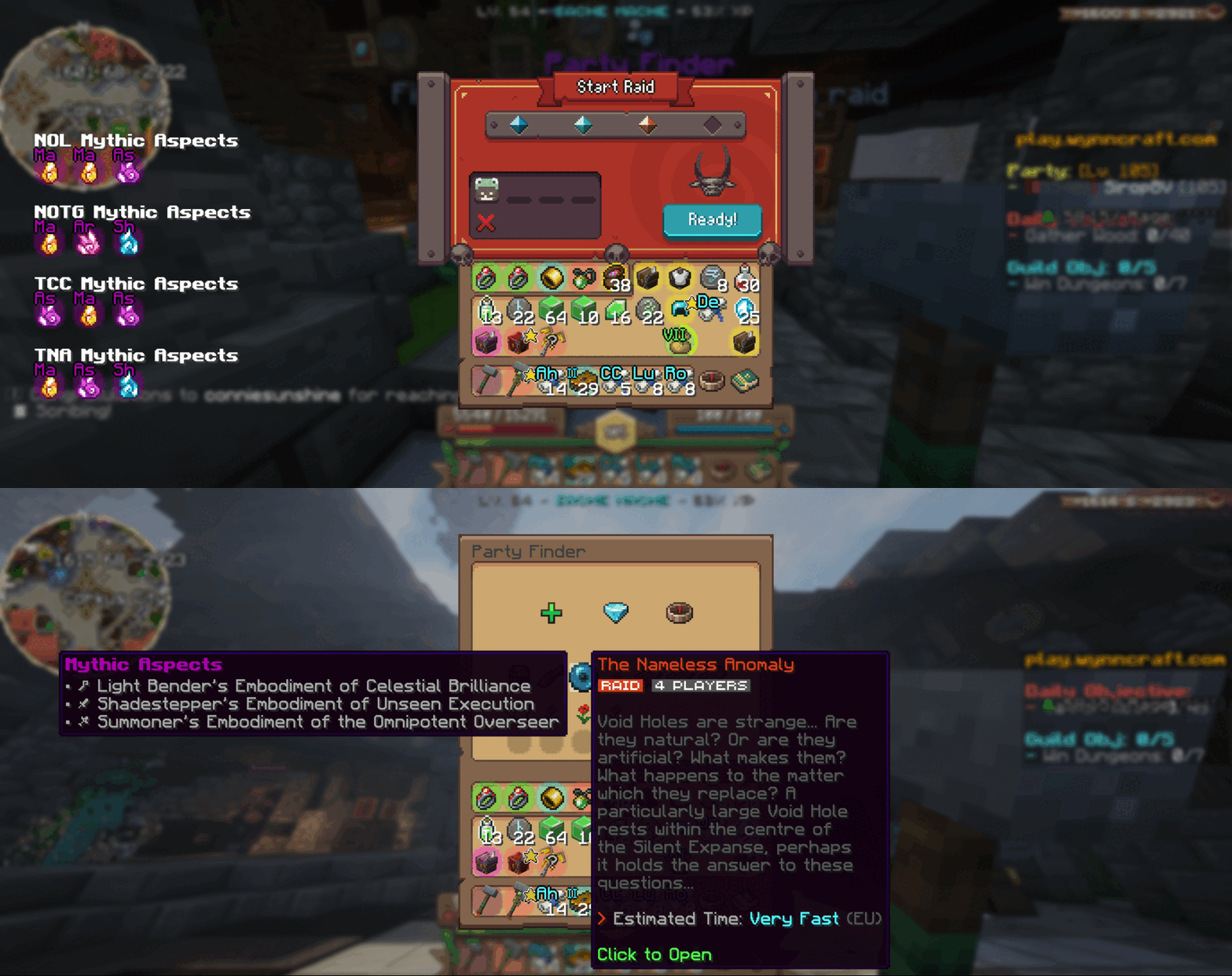
Planning your next raid? Hover over any raid in the party finder to view its mythic aspects right there in the tooltip. While queueing, browse the full list of available mythic aspects to pick the perfect challenge.
—
### How It Works
– **Data Collection**
Every time you view the trademarket or inspect raid/lootrun reward chests, your client sends anonymized price and reward‐pool data to our backend. This crowdsourced approach powers both in-game tooltips and our website analytics.
– **Customization**
Tailor Wynnventory to your playstyle. Open the configuration menu (hotkey or Esc → Mods → Wynnventory) and choose exactly which stats, tooltips, and notifications you want to see.
—
### Get Even More on wynnventory.com
For deep dives into price histories, trend charts, and community-driven analytics, visit our website at [wynnventory.com](https://wynnventory.com).
—
Elevate your trading and raiding experience—install the new Wynnventory update today!
Wunderreich

Wunderreich brings some niceties and new mechanics to your game. Everything has been designed with configurability in mind. So you get to decide which features to use.
You may also want to install ModMenu and RoughlyEnoughItems. While those are optional, they enhance the experience (for example you do not have to edit Config-Files in order to change the general behaviour of our Mod.
## Features:
– 🤑 Influence trades offered by villagers
– 🧱 Slabs for vanilla blocks like sand, dirt, concrete or glass
– 🛕 Stairs and Walls for Wool, Concrete and Terracotta
– 🎁 Connected chests that have access to the same inventory
– 🛠️ A tool that places a random block from the hot bar.
Showcase:
 |
|
Trowels:
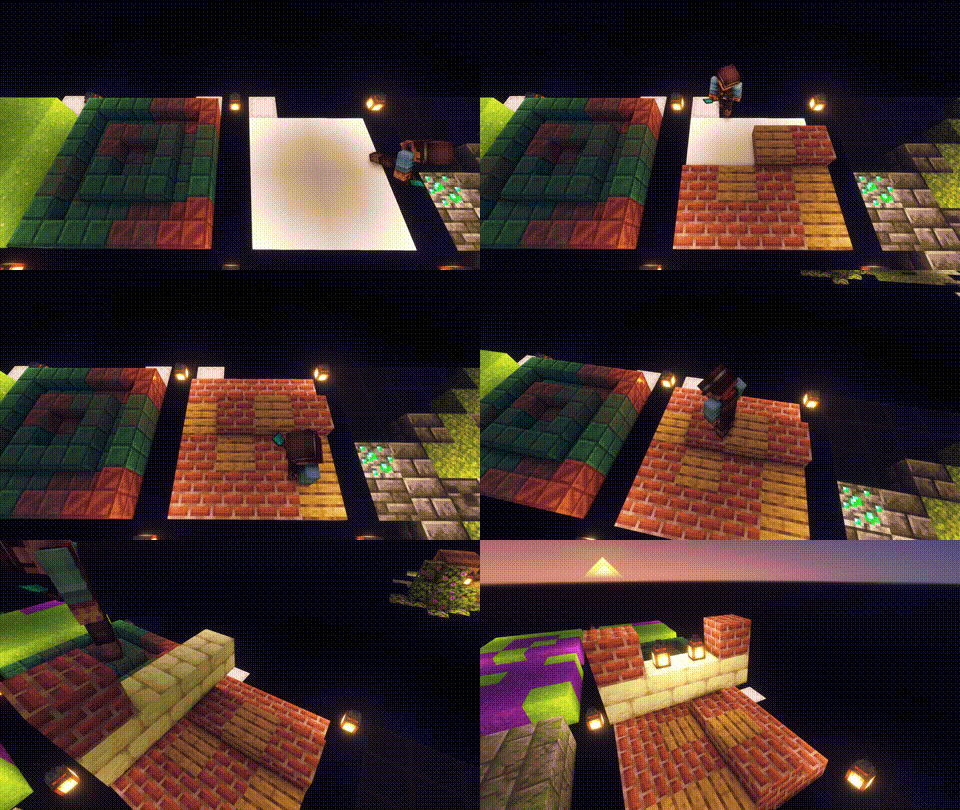
Use your Trowel to place a random Block/Item from your Hotbar. This is the perfect tool, if you want to use random looking block patterns in your builds. The more Blocks of a type you have in your hot-bar, the more likley it is to be choosen.
|
| |
 |
|
Whispers:
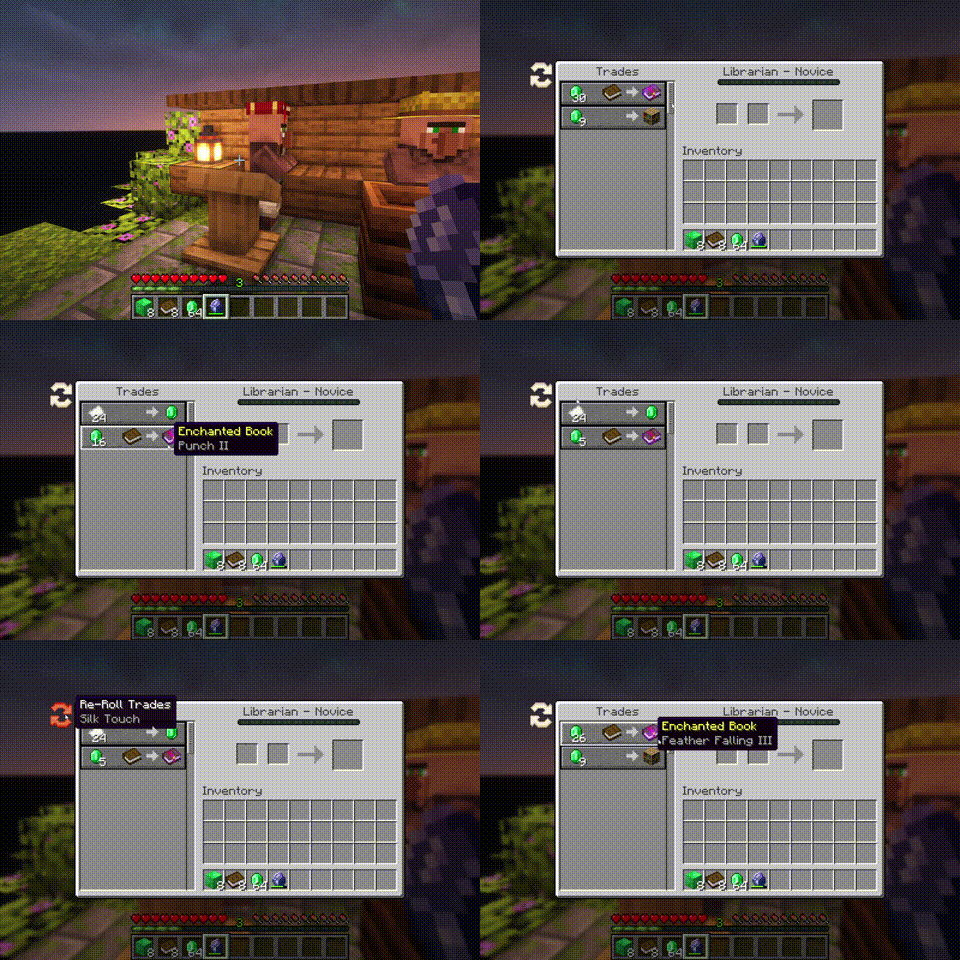
You can Whisper to your Villagers now. If a Villager is untrained, a whisperer of yours will force it to choose another set of initial trades. [more]
|
| |
 |
|
Imprinted Whispers:
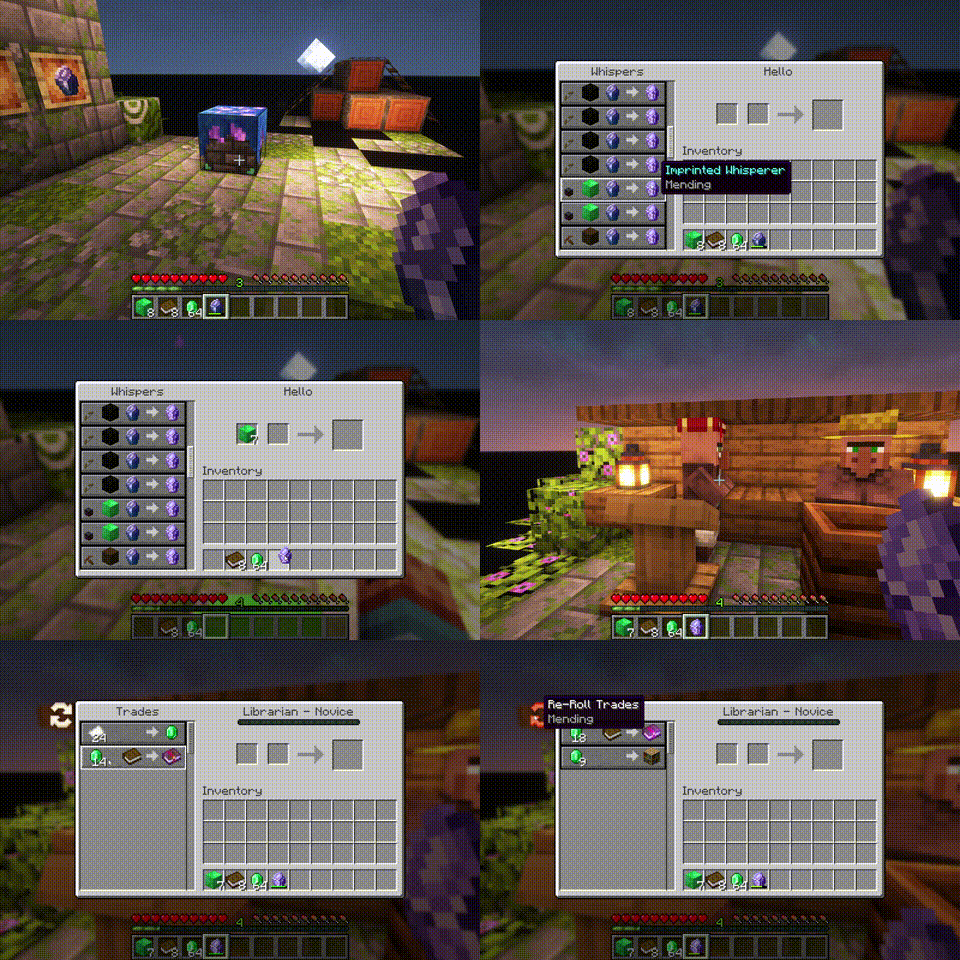
If you imprint a Whisper with an enchantment, Librarians will offer only trades that include the imprinted enchanted book. [more]
|
| |
 |
|
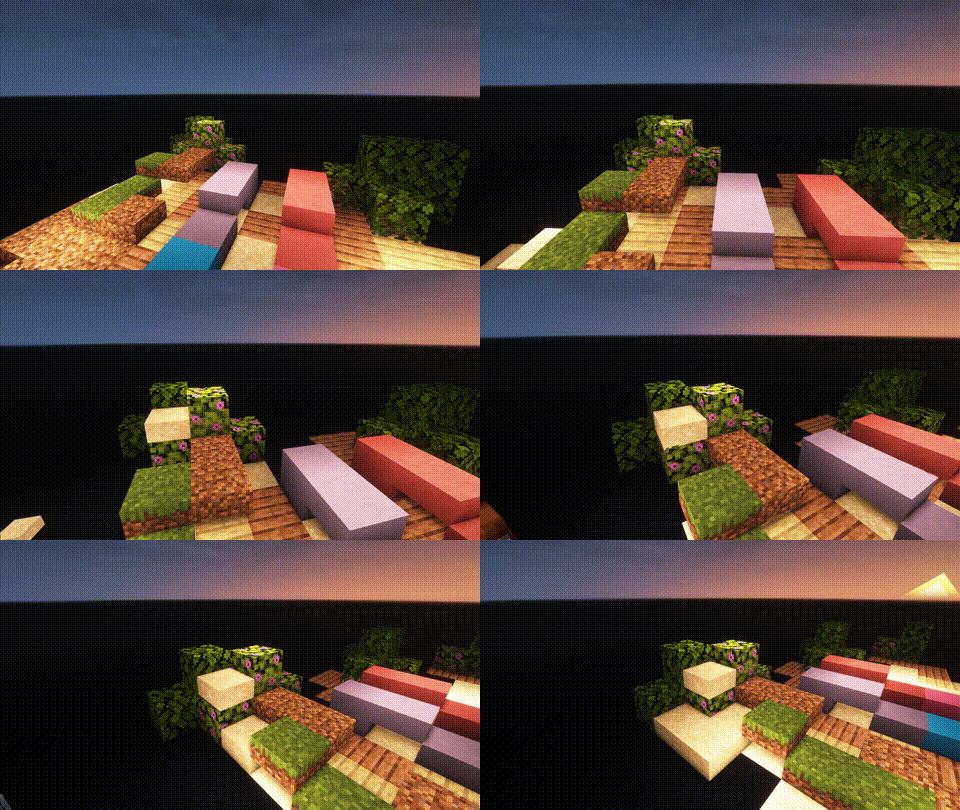
Slabs, Stairs and Walls:
Slabs, Stairs and Walls that are missing from the vanilla game. Our Slabs include Gras, Dirt, Dirt Paths, Coars Dirt, (Red-)Sand, Concrete, Terracotta, Wool and Glas. Sand Slabs will fall and Gras will spread to Dirt-Slabs. Stairs and Walls are currently limited to Concrete, Wool and Terracotta. There are also Walls for vanilla wood types.
|
| |
 |
|
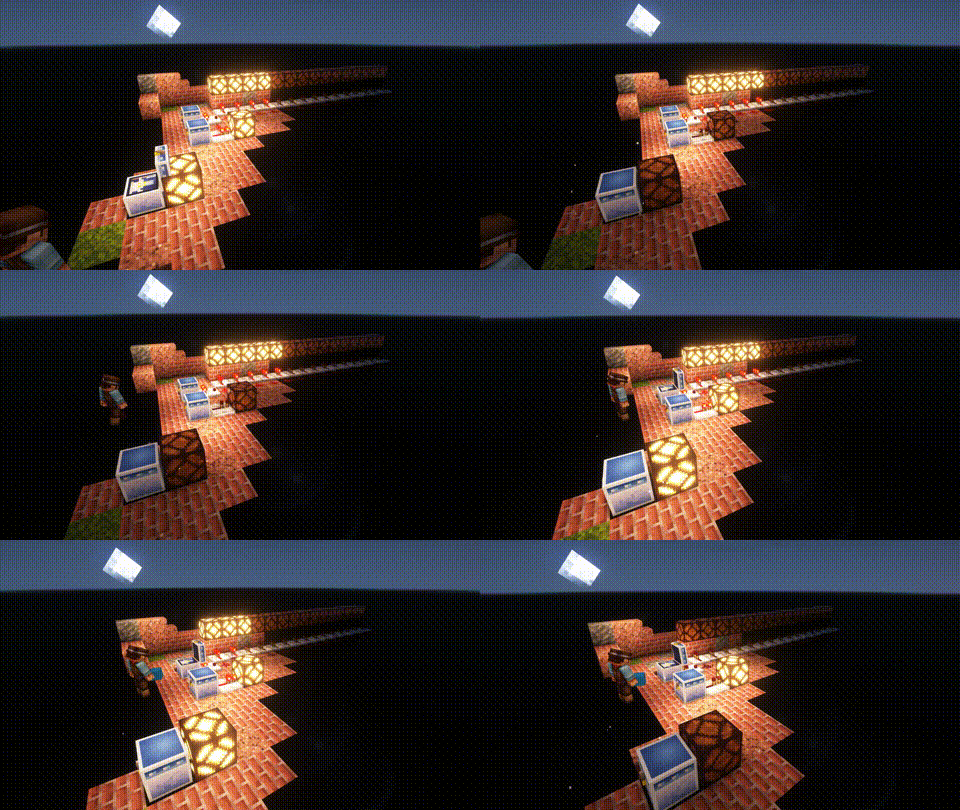
Wunderkiste:
One shared Storrage for everyone in your world. Every Wunderkiste in the world shares the same inevenory across Dimensions. Redstone updates are sent to every single one in real-time. That is why a Wunderkiste doubles as an inter-dimensional chunk loader.
By using dye on a Wunderkiste or naming it on an anvil, you can change the storage network. Wunderkisten of the same color share the same inventory. [more]
|
| |
 |
|
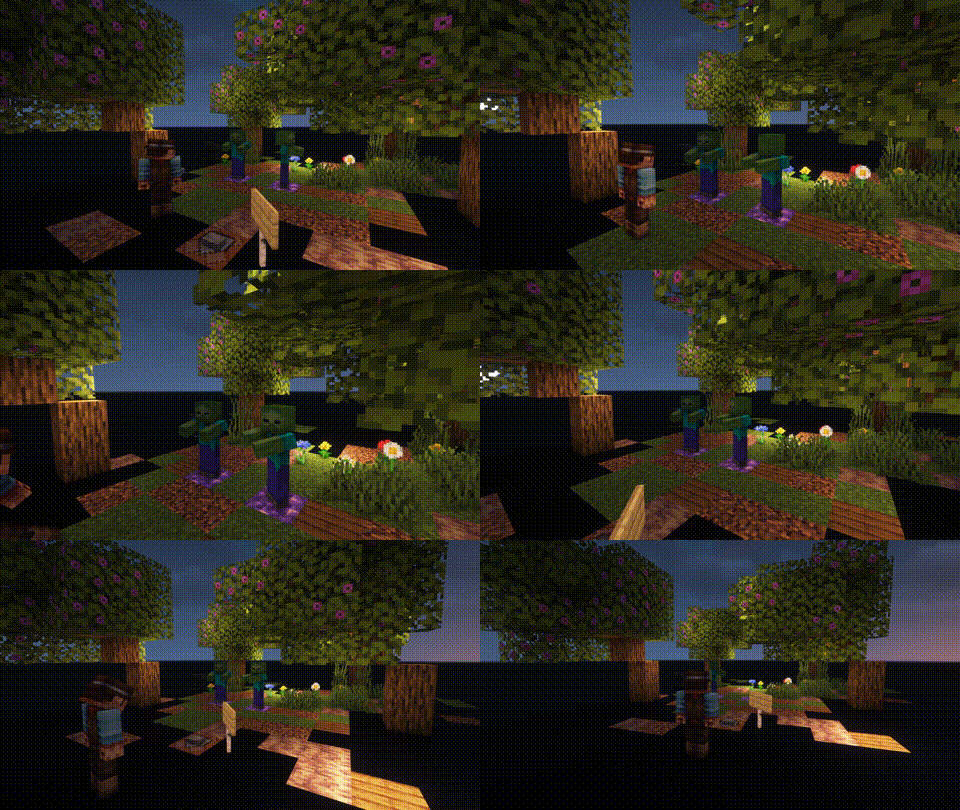
Named Monsters:
If you name a Monster using a Name-Tag, it will not de-spawn when you switch your game to peaceful. This is usefull, if you often need or want to switch back to peacfull and still be able to use mob farms that require hostile mobs (like endermites).
|


Horrible Villager Trades
*Worse Villagers* makes villager trades terrible, turning them into horrible deals.
### Features:
– **Better prices**: All trades now cost a full stack (64) of items, making them way too expensive.
– **Diamonds equipment to leather**: Trades that used to give diamonds now give leather instead.
– **No durability**: All traded items have only 1 durability.
If you hate your live, or want even more reasons to kill the villagers, this mod is perfect for you.
The *Auto Trader* from *Easy Villagers* skips the changes. Use this feature (not a bug) while you can.
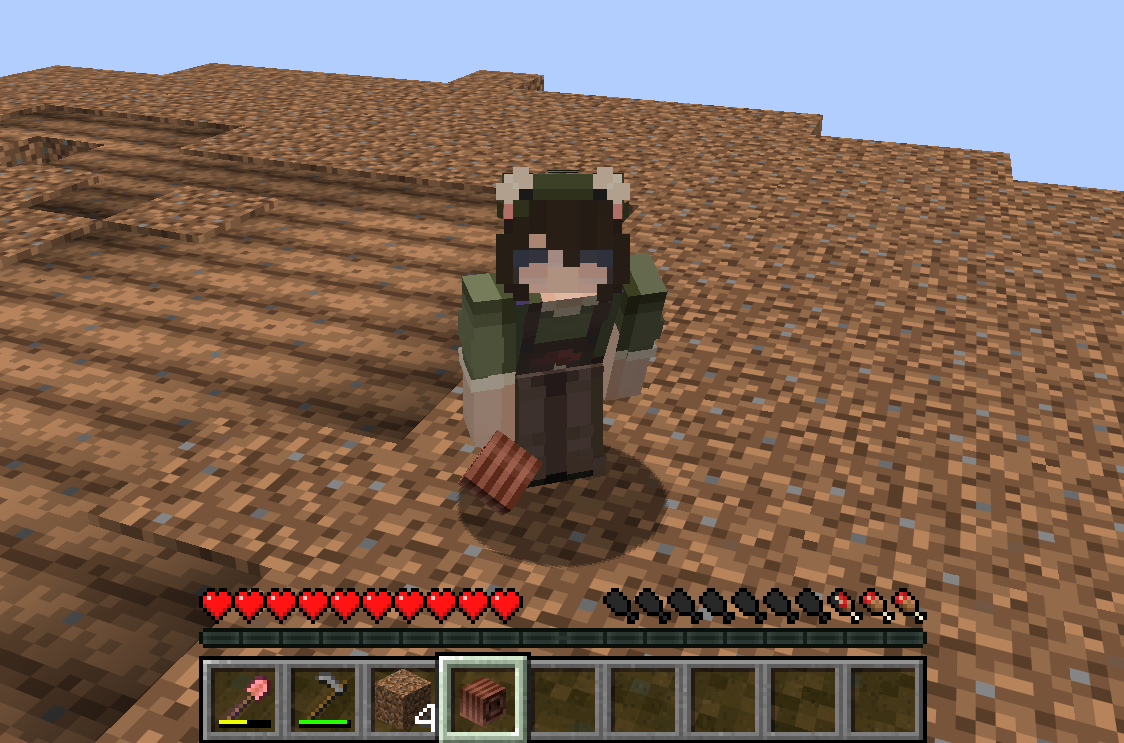
Worm Rate
Wormrate enables you to have worms be given upon dirt breaking!
useful for adding whimsyness to your minecraft server! good for bentonquest, achievements, etc.
Commands:
“`
/wormrate list
/wormrate get
/wormrate set
/wormrate reset
/wormrate addblock
/wormrate removeblock
/wormrate tilling
“`
Config
“`
– DIRT
– PODZOL
– COARSE_DIRT
– GRASS_BLOCK
– MYCELIUM
– FARMLAND
– ROOTED_DIRT
sources:
dirt-tilling-enabled: true
drop-rates:
PODZOL: 0.002
COARSE_DIRT: 0.002
GRASS_BLOCK: 0.01
MYCELIUM: 0.002
FARMLAND: 0.002
ROOTED_DIRT: 0.002
DIRT: 0.002
“`
WorldTag
# Detailed Introduction to Minecraft WorldTag Plugin

WorldTag is a lightweight identification plugin specially developed for Minecraft servers. Its core positioning is to realize the associated visualization of players’ names and their current worlds, while balancing practicality, convenience and server performance optimization. It does not rely on any redundant dependency plugins, supports the deployment of Minecraft servers of all scales, provides server administrators with an efficient and flexible world identification management solution, and enhances the interactive experience between players.
## Where can I use WorldTag?


## Detailed Explanation of Core Features
As a dedicated plugin focusing on world identification display, WorldTag abandons redundant functions and focuses on the accurate implementation of core needs. Every function is optimized and designed to balance ease of use and stability.
### 1. Automatic Mounting of Player Name World Tags
The core function of the plugin is to automatically add an identification tag corresponding to the current world before players’ names, realizing intuitive visualization of players’ locations. Whenever players switch between different worlds on the server, the tags will be updated in real time without manual operation by administrators. This allows all online players to quickly identify the current world location of target players, facilitating cross-world interaction guidance between players, helping administrators quickly locate players’ scenarios, and improving server management efficiency.
### 2. Customizable Adaptation of Tag Text and Color
The plugin supports highly flexible tag customization. Server administrators can freely configure the display text and color parameters of each world tag according to their server’s operation style and world themes (such as Survival World, Creative World, Dungeon World, etc.). Through simple configuration operations, the tag text can be accurately matched with the server’s world names. Meanwhile, color parameters can be used to distinguish different world types, enhancing the recognition of tags, making world tags not only practical but also consistent with the overall visual style of the server.
### 3. Comprehensive Fault-Tolerance Adaptation Mechanism
To ensure the stable operation of the plugin, WorldTag has built-in intelligent fault-tolerance logic with special optimization for abnormal configuration file scenarios. When the plugin reads the configuration file, if it cannot recognize the target world folder on the server (such as abnormal folder naming, path changes, missing world files, etc.), it will automatically trigger the fault-tolerance mechanism and display the corresponding world tag as [Unknown]. This design can effectively avoid plugin errors, crashes or display disorders caused by configuration abnormalities, ensuring the plugin runs normally in various complex configuration environments.
## Core Advantages of the Plugin
### Lightweight Design with Low Resource Consumption
The plugin adopts a streamlined development logic, eliminating all non-core redundant code for an extremely compact size. It occupies minimal server resources during operation and does not impose any additional burden on server performance indicators such as TPS. It supports various deployment scenarios including small private servers and large public servers, and runs smoothly even on servers with limited resource configurations.
### Zero Dependencies for Easy Deployment
WorldTag does not require the installation of any extra dependency plugins or libraries. After downloading the plugin file, you can directly put it into the server plugin directory to complete deployment, without complex configuration and debugging. This greatly reduces the deployment cost and operation difficulty for server administrators. Both novice administrators and senior operation and maintenance personnel can quickly install and enable the plugin to implement world tag functions rapidly.
## Applicable Scenarios and Summary
WorldTag is suitable for all Minecraft servers with a multi-world architecture, whether it is a comprehensive server with coexisting modes such as Survival, Creative and Adventure, or a dedicated server focusing on specific gameplay. The plugin can realize standardized display of world identifications. Its features of lightweight, zero dependencies and high fault tolerance perfectly solve the pain points of inconvenient player world positioning and unclear identification in multi-world servers, while balancing server performance and management convenience.
In conclusion, WorldTag is a “small yet sophisticated” dedicated identification plugin. Guided by core functions and based on stability, it can add practical world identification functions to the server without complex operations. It not only improves the interactive experience of players but also helps administrators optimize server management efficiency, making it an ideal auxiliary plugin for multi-world Minecraft servers.
## Where can we get WorldTag?
[](https://github.com/Hi-PolarBear/WorldTag)[](https://modrinth.com/plugin/worldtag)[](https://hangar.papermc.io/Hi-PolarBear/WorldTag)
WorldListTrashCan
## Allows players to customize their home world’s trash bin.
This cleaning plugin operates within a specific world (the player’s home) and, when cleaning items, gathers them into a trash bin that the player has personally set up in their home. It combines various features, supports Folia, boasts highly configurable settings, and is compatible with multiple languages.
(This plugin is more suitable for pairing a world with a team’s server, such as the Home server (using the PlayerWorldsPro plugin or other Home plugin servers). If you close the World Garbage can, its functions can also completely replace other cleaning plugins)
**Now, here’s a hellish joke for you:**
**Player** : Hey, my quantum solar panels got swept away by the cleaning plugin. Can you compensate me?
**OP** : No way, you can’t prove it, and my cleaning plugin doesn’t keep records.
**Player** : I just bought them!
**OP** : What if you hid them, and I compensate you, essentially doubling them?
**Player** : ***
**OP** : Even if there were public trash bins on the server, someone would snatch up those solar panels.
**OP** : What should I do?
And there you have it, this plugin was born.
When Foila supports multiple worlds, this cleaning plugin will benefit everyone
### Features:
—
– **Fully customizable tip**
Support multiple prompt messages
You can achieve fully customized prompts
For example, when there are three seconds left, let “bossbar”, “actionbar”, “chat”,and “title” prompt together,
Alternatively, you can have the bossbar change its style every second (solid, non solid, including its color, can be different every second)
After version 5.7.0, it supports switching between different prompt sounds per second, as well as setting different volumes and tones per second
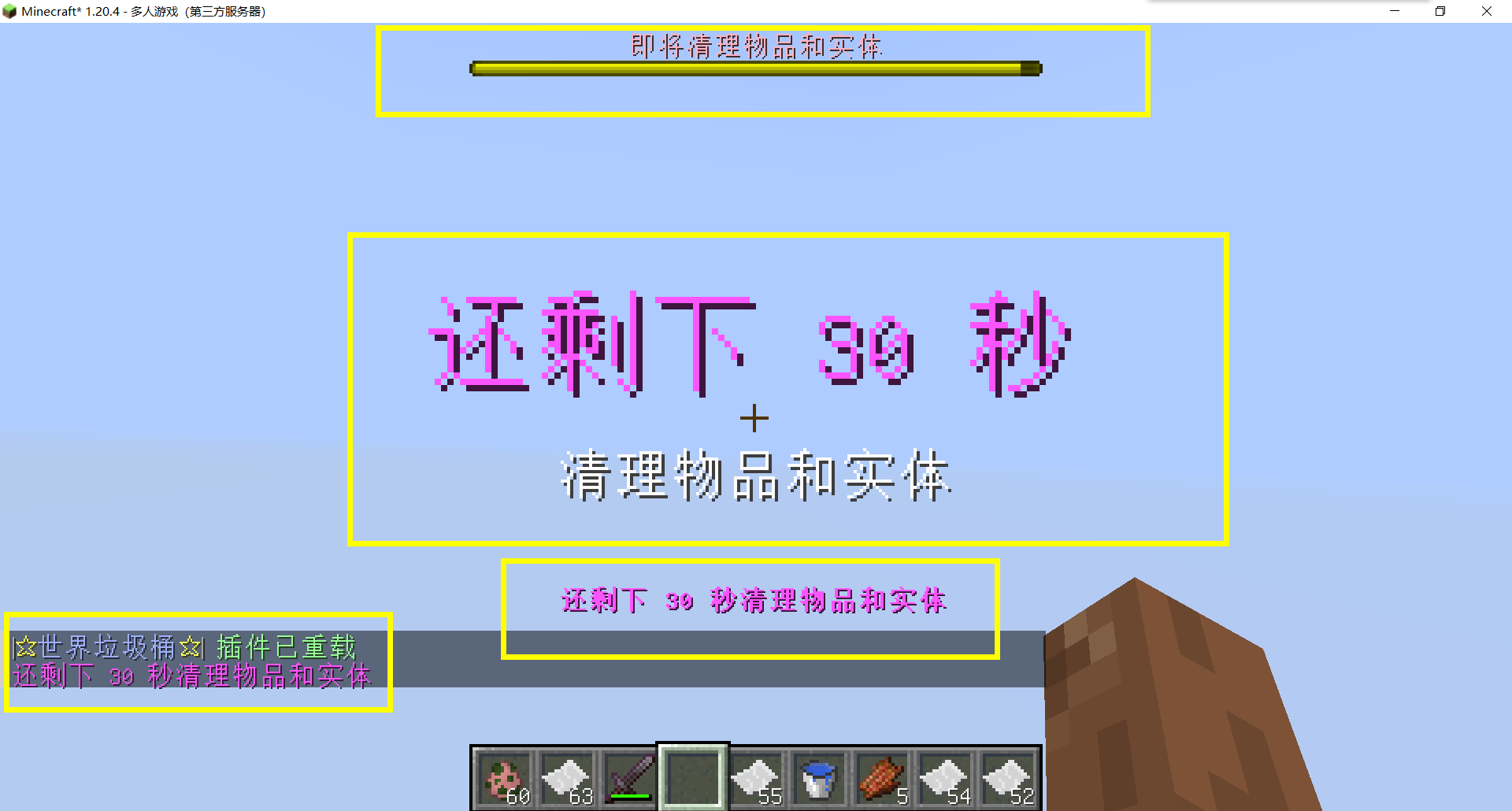
– Thank you to QQ 1664907770 (“笑脸猫”) for providing the material package for the “itemsadder” plugin (applicable to public trash cans) [Click here to download](https://www.hostize.com/zh/v/3TE06XKXx8) (IteamsAdder/WorldTrashCan config and resource)
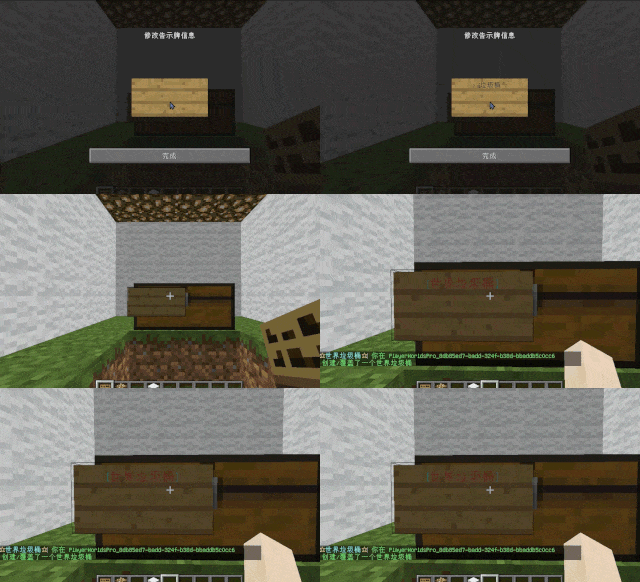
– **Player-Created World Trash Bin:**
Players have the ability to create a trash bin in their world.
Similar to the mechanics of previous sign-locked chests, the font on the sign will undergo a
transformation after creation.
When the cleaning process is initiated, items will be automatically added to the home trash bin.
Configurable settings allow players to specify detection names and transformed names after cleaning.
“To meet the demands of a small number of people, here is a reminder”
How to create a world trash can:
Place the chest on the ground, hold the signboard and right-click on the chest. Enter [世界垃圾桶] in the configuration file (configured in Set. SighCheckName), and once the font is converted, it is created. Every time the garbage is cleaned, it will be placed in the marked chest
In the default configuration file, the names of the three worlds “world, dim-1, dim1” are disabled, creating a “world trash can” (excluding op)
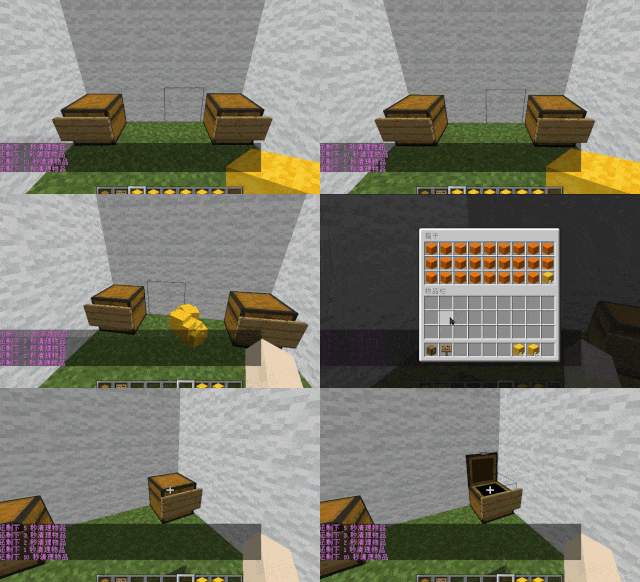
– **Support for Multiple Home Trash Bins:**
Players can use commands to grant special players the ability to place additional home trash bins.
Default quantities for home trash bins are configurable.
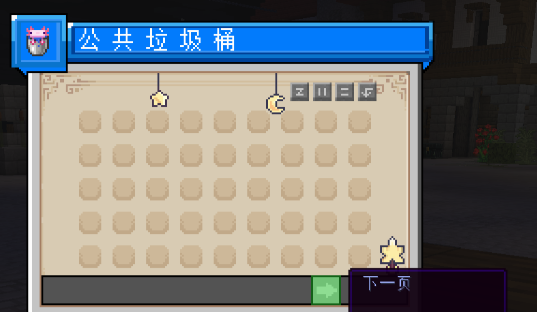
– **Home Trash Bin Overflow to Public Trash Bin:**
Items from home trash bins overflow into the public trash bin.
Public trash bins can have a configurable maximum page count and a blacklist.
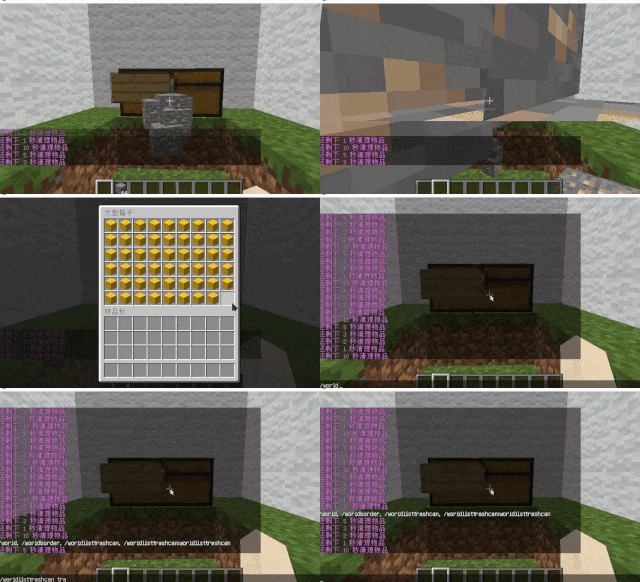
– **Item Exclusion and Public Trash Bin Handling:**
Players can add items to the home trash bin blacklist to prevent their recycling.
Excluded items go directly to the public trash bin.
Configuration includes support for excluding items with special lore (e.g., items from the QS shop with
showLocation).
Public trash bins can either clear new items during each sweep or accumulate all trash without clearing.
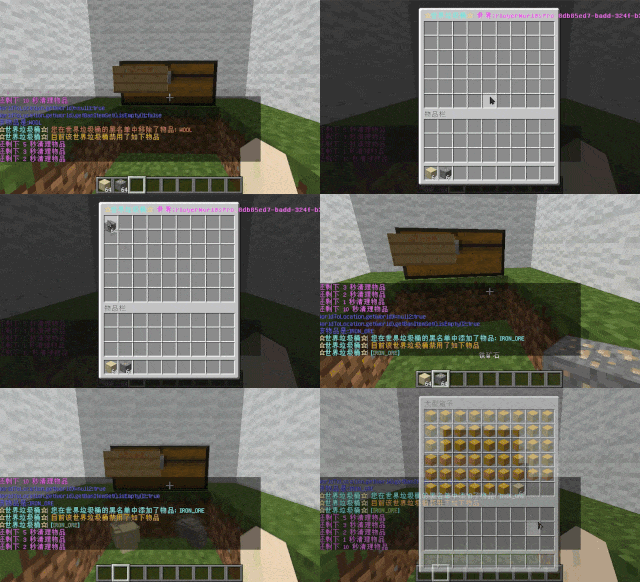
– **The public trash can can enable logging:**
Record what items the player took away

– **Entity Cleanup:**
Optional cleanup of all animals/monsters.
Command (/WorldListTrashCan Look) to view entity types and configure entity blacklists/whitelists.
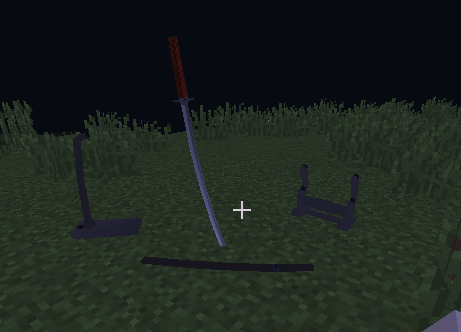
Support for cleaning special entities from mod.
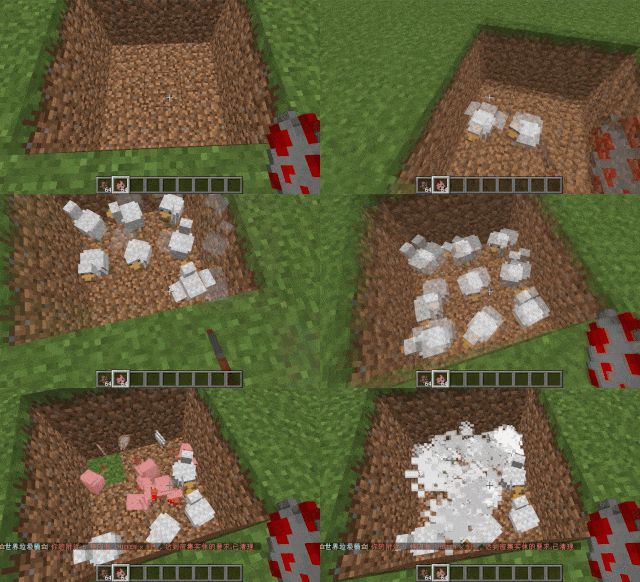
– **Dense Entity Cleanup:**
Configurable radius, target quantity, kill or remove options, and player notifications for dense entity
cleanup.
– **Spam/Command Limitations:**
Configurable chat/command intervals, whitelist commands, and informative messages.
Defense against item dropping.
Players can manually enable or disable the item-drop defense mode.
– **Performance Optimization:**
All optimizations have configurable options in the settings.
1. Quick removal of uncollectible arrows (e.g., arrows from skeletons or bows with infinite
enchantments).
2. Prohibit players from trampling on farmland
### How to Install
—
– **Throw it into the Plugins folder**
### Commands:
—
– **/wtc reload**
Reloads the plugin.
– **/wtc GlobalTrash**
Opens the public trash bin.
– **/wtc help**
Displays help information.
– **/wtc ban**
Opens the local world trash blacklist GUI.
– **/wtc Look**
Right-click to get entity type (useful for adding to the configuration blacklist/whitelist).
– **/wtc GlobalBan**
Opens the global world trash blacklist GUI.
– **/wtc add [WorldName] [Quantity]**
Sets the maximum quantity for the trash bin in the specified world (defaults to the world at your feet if not specified).
– **/wtc DropMode**
Opens or closes drop mode.
### Placeholders
—
– **%WTC_ClearTime%**:
Time until the next cleaning.
### Permission
—
– **WorldListTrashCan.BanGui**:
Permission to open the GUI for adding items to the player’s home trash bin blacklist.
– **WorldListTrashCan.GlobalTrashOpen**:
Permission to open the global trash bin.
– **WorldListTrashCan.help**:
Permission to access command help.
– **WorldListTrashCan.DropMode**:
Permission to open or close drop mode.
***(The above is available by default)***
– **WorldListTrashCan.GlobalBan**:
Permission to open the global trash bin blacklist GUI.
– **WorldListTrashCan.Look**:
Permission to right-click and query the entity type.
***(The above is not available by default)***
WorldDynamics Engine

[](https://app.travis-ci.com/thatguycy/WorldDynamics-Engine) [](https://www.gnu.org/licenses/gpl-3.0) 

## Description
More than just a Towny Addon, it’s a **Towny Essential Upgrade**!
WorldDynamics Engine is a sophisticated roleplay plugin designed for geopolitical servers. It allows players to immerse themselves in dynamic political landscapes, manage resources, engage in diplomacy, and shape the world with their decisions.
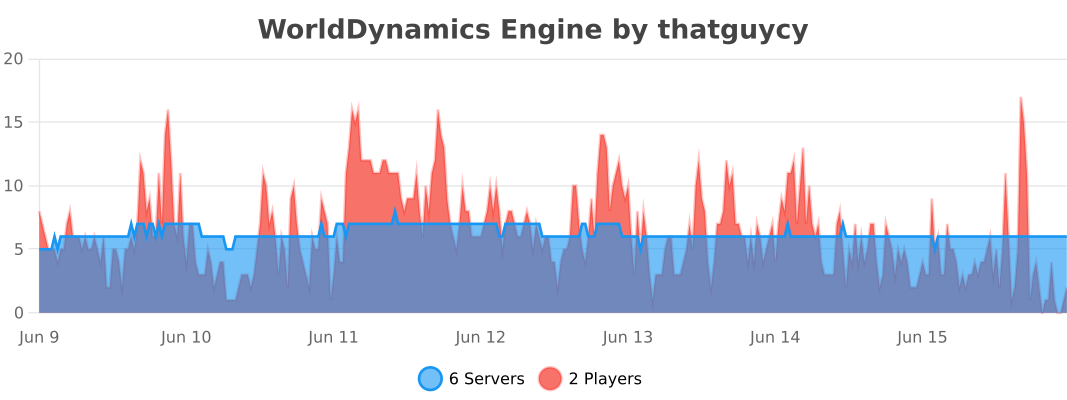
## Usage Statistics
## Current Features
– **Custom Government Structures**: Choose from a variety of government forms to shape the political structure of your nations.
– **Dynamic Organization Management**: Create, manage, and dissolve various types of organizations, including both business entities and governmental bodies.
– **Financial Management for Organizations**: Execute financial transactions within organizations, facilitating deposits and withdrawals to manage funds effectively.
– **Robust Member Management**: Empower organization leaders with the ability to add or remove members, offering significant control over their internal structure.
– **Detailed Information Display**: Access comprehensive information about nations and organizations, enhancing transparency and strategic planning.
– **Flexible Command System**: Engage with an intuitive and adaptable command system, tailored to facilitate user interaction with the plugin’s diverse functionalities.
– **International Organizations**: Participate in global alliances and international bodies, extending influence beyond national borders.
## Future Features
– **Dynamic Political Borders**: Strategically create and adjust nation borders, reflecting the evolving geopolitical landscape.
– **Advanced Resource Management**: Control and trade unique resources, introducing an element of economic strategy and resource conservation.
– **Diplomatic Engagement Systems**: Engage in complex treaties, form alliances, and conduct high-stakes negotiations to influence international relations.
– **Sophisticated Economic System**: Develop and manage a multi-faceted economy, encompassing trade networks, market dynamics, and financial policies.
– **Military Strategy and Defense**: Build formidable armies, strategize defensive tactics, and engage in warfare to protect and expand your nation.
– **Cultural Expansion and Influence**: Spread your nation’s cultural influence, shaping global cultural trends and interactions.
– **Environmental and Technological Dynamics**: Address challenges posed by climate change and technological advancements, adding a layer of environmental strategy.
– **Espionage Mechanics**: Implement espionage and counterintelligence operations, introducing a stealthy aspect of information warfare and intrigue.
– **Global Impact of International Organizations**: Influence world affairs by participating in or establishing international organizations, shaping global policy and diplomacy.
## Installation
Instructions on how to install the WorldDynamics Engine plugin.
– **1)** Place WorldDynamicsEngine-X.X.jar in the “plugins” folder.
– **2)** Install [TownyAdvanced](https://www.spigotmc.org/resources/towny-advanced.72694/) and [Vault](https://www.spigotmc.org/resources/vault.34315/), these are both **essential**.
## License
This project is licensed under the [](https://www.gnu.org/licenses/gpl-3.0) – see the [LICENSE](https://github.com/thatguycy/WorldDynamics-Engine/blob/main/LICENSE) file for details.
World of money
The “World of money” mod adds realistic money and coins to Minecraft, inspired by the currencies of various countries, including Ukraine, Russia, Belarus, Europe (euro), the United States (dollars), and historical coins from the Soviet Union. This mod works seamlessly with Custom NPCs, allowing you to create trading systems, role-playing scenarios, and economic interactions for your in-game “countries.” It enhances the gameplay by adding realistic economic elements suitable for both single-player and multiplayer servers with role-playing elements.
World Levels

Work together to level up your multiplayer Minecraft server to unlock features and rewards!
## Features
– Level up your multiplayer server by gaining XP through normal gameplay
– **Reward your players** for leveling up the world with:
– Items
– Increasing the world border
– Permissions, groups, and currency (requires [Vault][vault])
– **Control what players can access** based on World Level:
– Building Nether or The End portals
– Mining blocks
– Placing blocks
– Crafting items
– **Trigger any command** upon world level up
– Highly [**customizable**][config] with a full config [schema][schema]
– Add custom XP sources globally or at a per-level basis
– Scale leveling exactly to your liking
– Specify groups of levels per-world or groups of worlds
– Exclude certain worlds from the plugin
– Support for infinite level scaling and rewards
– Optionally reward offline or new players for level gains
– **Customizable messages**, with [MiniMessage][minimessage]
formatting support
– Optionally add [Vault]() for **full
integration with your permission and economy plugin** of
choice

*GIF showing leveling up, Nether access, and world border increases*
### Customizable Server XP Bar

### Level Up Alerts

## Configuration
**This plugin likely requires configuration before it can be useful to you.**
The default configuration file will be created for you, but it can also be found
[here][config]. If your text editor
supports [JSON/YAML schemas](https://json-schema.org/understanding-json-schema/about),
you will also get configuration autocomplete suggestions and linting.
You can find a more detailed example
config [here](https://gitlab.com/ASTRELION/worldlevels/-/blob/main/src/main/resources/example.config.yml).
### Config Examples
*These are partial configurations for the `levels` section specifically.*
How level ranges and XP requirements work
“`yaml
levels:
‘1’:
# level 1 should always require 0 XP
xp: 0.0
‘2’:
# level 2 requires 100 XP to get to
xp: 100.0
‘3’:
xpStep:
# level 3 adds 50 to the previous requirement, making it 150 XP to get to
add: 50.0
‘4’:
xpStep:
# level 4 multiplies the previous requirement by 2, making it 300 XP to get to
mult: 2.0
‘5-10’:
xpStep:
# levels 5-10 adds 50 to the previous requirement, making the following for each:
# level 5 requires 350
# level 6 requires 400
# level 7 requires 450
# level 8 requires 500
# level 9 requires 550
# level 10 requires 600
add: 50.0
’11-‘:
# Level 11 and beyond (scales infinitely) requires 1000 XP to get to
xp: 1000.0
“`
Lock the Nether and The End at the start, and unlock them when the
server reaches level 2 and 3, respectively
“`yaml
levels:
‘1’:
xp: 0.0
# Prevent Nether and End portals from being used initially
allowEnd: false
allowNether: false
‘2’:
xp: 2000.0
# Unlock Nether portals at level 2
allowNether: true
titles:
– title: Nether unlocked!
‘3’:
xp: 4000.0
# Unlock End portals at level 3
allowEnd: true
titles:
– title: The End unlocked!
‘4-‘:
xp: 8000.0
“`
Award players with different items, and unlock crafting and mining
“`yaml
levels:
‘1’:
xp: 0.0
items:
IRON_INGOT: 1
levels:
crafting:
DIAMOND_HELMET: false
DIAMOND_CHESTPLATE: false
DIAMOND_LEGGINGS: false
DIAMOND_BOOTS: false
mining:
DIAMOND_ORE: false
placing:
DIAMOND_ORE: false
‘2’:
xp: 2000.0
items:
COPPER_INGOT: 1
# crafting: is omitted here because by default all crafting is allowed
# so, at level 2, players can craft diamond armor
# mining: and placing: are omitted for the same reason
‘3-4’:
xp: 4000.0
items:
# Since ‘3-4’ is a range, this awards a diamond for both levels 3 and 4
DIAMOND: 1
‘5-‘:
xp: 8000.0
items:
# Since ‘5-‘ scales infinitely, this awards a netherite ingot every single
# level from 5 onwards
NETHERITE_INGOT: 1
“`
How you can manipulate the world border for each level.
“`yaml
levels:
‘1’:
xp: 0.0
# Sets the initial world border to have a radius of 128, centered at 0,0
worldBorder:
radius: 128
center:
x: 0
z: 0
‘2’:
xp: 2000.0
# Sets the radius of the world border for achieving level 2 at 256
worldBorder:
radius: 256
‘3’:
xp: 4000.0
# Adds the radius of the world border for achieving level 3 to the previous
# radius, making it 512
worldBorder:
radiusStep:
add: 256
‘4-‘:
xp: 8000.0
# Multiplies the radius of the world border for achieving level 4 and onward
# to the previous radius, making it 768, 1152, 1728, and so on
worldBorder:
radiusStep:
mult: 1.5
“`
Award permissions, groups, and currency for certain levels (requires Vault)
“`yaml
levels:
‘1’:
xp: 0.0
‘2’:
xp: 2000.0
# Assigns ‘mypermission.one’ to all players
permissions:
– “mypermission.one”
# Gives all players 50.0 currency
currency:
add: 50.0
‘3’:
xp: 4000.0
# Assigns ‘mypermission.two’ to all players
permissions:
– “mypermission.two”
# Multiply all player’s current currency by 2
currency:
mult: 2.0
‘4’:
xp: 8000.0
# Adds all players to the ‘mygroup’ group
groups:
– “mygroup”
“`
Run commands on level up
“`yaml
levels:
‘1’:
xp: 0.0
‘2’:
xp: 2000.0
# Runs the ‘time set day’ command via the server console
commands:
– “time set day”
‘3’:
xp: 4000.0
# Runs the ‘say You leveled up!’ command via the server console
commands:
– “say You leveled up!”
“`
Require the server’s players to collectively mine a certain amount of
different tiers of ore to get to the next level.
“`yaml
levels:
‘1’:
xp: 0.0
xpWeights:
# This makes it so no vanilla XP sources contribute world level XP
DEFAULT: 0.0
customXPSources:
mineIgnoresSilkTouch: true # set this to prevent XP gains for mining with silk touch
playerMine:
COAL_ORE: 1 # Awards 1 XP for each coal ore mined
‘2’:
xp: 100.0 # requires 100 coal ore mined (defined in level 1) to get this level
xpWeights:
DEFAULT: 0.0
customXPSources:
mineIgnoresSilkTouch: true
playerMine:
COPPER_ORE: 1
‘3’:
xp: 200.0 # requires 200 copper ore mined (defined in level 2) to get this level
xpWeights:
DEFAULT: 0.0
customXPSources:
mineIgnoresSilkTouch: true
playerMine:
IRON_ORE: 1
‘4’:
xp: 300.0 # requires 300 iron ore mined (defined in level 3) to get this level
xpWeights:
DEFAULT: 0.0
customXPSources:
mineIgnoresSilkTouch: true
playerMine:
DIAMOND_ORE: 1
‘5’:
xp: 400.0 # requires 400 diamond ore mined (defined in level 4) to get this level
“`
Specify levels based on world and share rewards
“`yaml
groups:
WorldGroup:
name: The Overworld
# This group only applies to the world named “world”
worlds:
– world
# When this group levels up, it will share items and permission rewards to players in
# the groups listed
rewardOtherGroups:
– NetherGroup
– EndGroup
# Rewards players past rewards when they join the group for the first time
rewardNewPlayers: true
# Rewards players past rewards when they join the group after being offline
rewardOffline: true
levels:
“1-“:
xp: 0.0
xpStep:
add: 100.0
# Every level, this will reward every player in any of the groups a
# gold ingot, due to rewardOtherGroups
items:
GOLD_INGOT: 1
NetherGroup:
name: The Nether
worlds:
– world_nether
rewardOtherGroups:
– WorldGroup
– EndGroup
levels:
“1-“:
xp: 0.0
xpStep:
add: 100.0
EndGroup:
name: The End
worlds:
– world_the_end
rewardOtherGroups:
– NetherGroup
– WorldGroup
levels:
“1-“:
xp: 0.0
xpStep:
add: 100.0
“`
## Messages
The default messages file will be created for you, but it can also be found
[here][messages]. If your text editor
supports [JSON/YAML schemas](https://json-schema.org/understanding-json-schema/about),
you will also get configuration autocomplete suggestions and linting.
Messages support [MiniMessage][minimessage], and have the following custom replacements
available:
| Replacement | Description |
|————————————-|—————————————————————–|
| `` | Current world level |
| `` | Amount of current XP relative to the current level requirements |
| `` | XP requirement to reach the next level |
| `` | Absolute total current XP |
| `` | Name of the level group |
| `` | Plugin version |
| `` | Plugin Modrinth URL |
| `` | Makes inner text clickable for the Modrinth URL |
## Permissions
| Permission | Description |
|—————————–|————————————————————————————|
| `worldlevels.earn.exempt` | Prohibit the player from gaining World Levels XP (by default, all players earn XP) |
| `worldlevels.help` | Access to the `worldlevels help` command |
| `worldlevels.reload` | Access to the `worldlevels reload` command |
| `worldlevels.reset.all` | Access to the `worldlevels reset all` command |
| `worldlevels.reset.rewards` | Access to the `worldlevels reset rewards` command |
| `worldlevels.update` | Access to the `worldlevels update` command |
| `worldlevels.version` | Access to the `worldlevels version` command |
| `worldlevels.xp.add` | Access to the `worldlevels xp add` command |
| `worldlevels.xp.get` | Access to the `worldlevels xp` command |
| `worldlevels.xp.set` | Access to the `worldlevels xp set` command |
## Commands
All the following are prefixed with `worldlevels`. For example, `worldlevels help`.
*Arguments in `<>` are required, arguments in `[]` are optional.*
| Command | Description |
|————————–|——————————————————————————————————-|
| `help` | Shows a list of commands |
| `reload` | Reload the plugin configuration and save from file |
| `xp` | Gets the current XP total and level |
| `xp add ` | Add the given amount of XP to the total, supports negatives |
| `xp set ` | Sets the total XP to the given amount |
| `update` | Checks for plugin updates |
| `version` | Prints the plugin version |
| `reset all` | Resets total XP back to 0 and allows all players to regain rewards |
| `reset rewards [player]` | Resets rewards for the given player (or all players), allowing them to regain rewards for past levels |
## Metrics
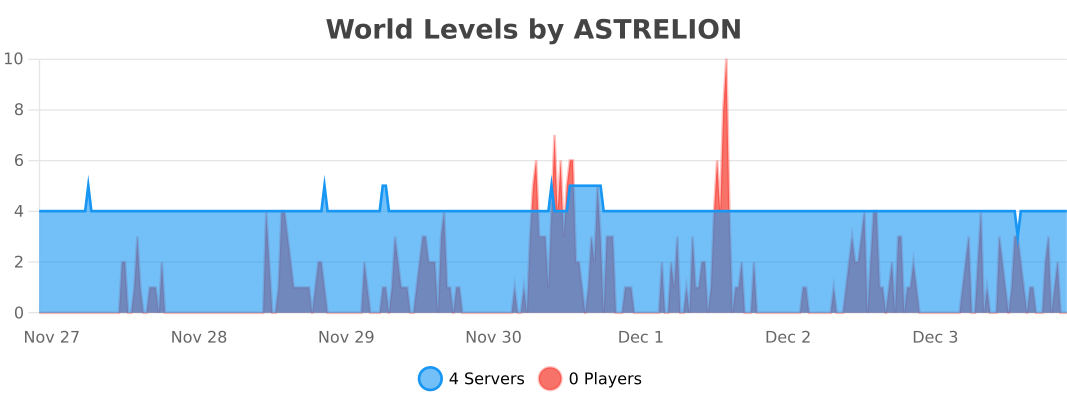
This plugin collects anonymized usage statistics via [bStats][bstats]. bStats is
used by many plugins and provides useful statistics for development, but it can
be disabled in the bStats `config.yml` for your server.
In addition to the default stats collected, World Levels also counts a few
stats to better gauge how the plugin is used. These are:
– The number of level groups your server uses
– The average number of worlds in each level group
– The average number of levels in each level group
[config]: https://gitlab.com/ASTRELION/worldlevels/-/blob/main/src/main/resources/config.yml
[messages]: https://gitlab.com/ASTRELION/worldlevels/-/blob/main/src/main/resources/messages.yml
[minimessage]: https://docs.papermc.io/adventure/minimessage/
[schema]: https://gitlab.com/ASTRELION/worldlevels/-/raw/main/src/main/resources/config-schema.json
[vault]: https://github.com/milkbowl/Vault
[bstats]: https://bstats.org/
WooStoreLink
# WooStoreLink

_WooStoreLink is a powerful plugin that bridges your Minecraft server with your WooCommerce store. It automatically delivers in-game items, ranks, or commands to players after a purchase is completed—fully synced via a secure REST API._
Whether you’re selling VIP ranks, crate keys, or cosmetic items, WooStoreLink makes the process seamless, secure, and automatic.
**✔ Compatible with Minecraft 1.20.1+**
> ### **⚠ THIS IS A BETA RELEASE. BUGS MAY OCCUR.**

[Download StoreLinkforMC WordPress Plugin HERE](https://wordpress.org/plugins/storelinkformc/)

https://discord.gg/ddyfucfZpy
“`
WooStoreLink lets you link your WooCommerce store to your Minecraft server.
Automatically deliver in-game items, run commands, or grant ranks as soon as a player completes a purchase.
“`
## **✨ Features**
Seamless integration between WordPress (WooCommerce) and Minecraft.
Automatically delivers items, runs commands, or assigns ranks after purchase.
Secure REST API with token-based authentication.
✅ Compatible with Spigot, Paper, Purpur, and forks.
Admin interface in WordPress to manage deliveries.
⏳ Periodic auto-check for online players (/wsl check).
Duplicate prevention, cleanup, and logging.
Flexible delivery rules (items + commands).
Multi-language support (EN, ES included).
## **⚙ How It Works**
Install the WooStoreLink WordPress Plugin from: [https://mrdino.es/woostorelink-plugin](https://mrdino.es/woostorelink-plugin)
Configure your products to deliver Minecraft items or run commands.
Install this Spigot plugin and set the API token + domain in config.yml.
You’re done! Players will receive purchases automatically.
## **Commands**
“`
/wsl check — Manually check your pending purchases.
/wsl reload — Reload plugin config and language.
/wsl checkplayer — Admin-only manual check for another player.
/wsl status — Show API configuration and connection status.
/wsl wp-link — link Minecraft account to a WordPress email.
/wsl wp-verify — verify a linking code sent via email.
```
## **Permissions**
```
DEFAULT
woostorelink.check
woostorelink.status
woostorelink.help
woostorelink.wp-link
woostorelink.wp-verify
OP
woostorelink.admin
woostorelink.reload
woostorelink.check.others
```
## **config.yml Example**
```
products:
test:
items:
- "minecraft:stick 1"
commands:
- "say Thanks {player} for your order!"
- "title {player} title {"text":"Thank you!","color":"green"}"
vip_rank:
commands:
- "lp user {player} parent add vip"
- "say {player} is now VIP!"
```
## **Documentation & Help**
Full documentation and setup guides:
[https://mrdino.es/woostorelink-plugin](https://mrdino.es/woostorelink-plugin)
## **Requirements**
✅ WordPress with WooCommerce
✅ WooStoreLink WordPress Plugin (required)
✅ Minecraft server with Spigot, Paper, or fork
✅ PHP 7.4+ and WordPress 5.8+
## **Support & Feedback**
For support, feature requests, or help:
[https://discord.gg/ddyfucfZpy](https://discord.gg/ddyfucfZpy)
_The documentation site is still in development. Please be patient while we prepare a complete, stable release and tools._