zmsg
What are the capabilities of this plugin? :
This plugin is designed to differentiate itself from other chat plugins that don’t require a dependency generator; this plugin allows you to…
1. /chattoggel
2. /msgtoggel
3. /w
4. /msg
5. admincommands
6. /zmsg reload
7. /msgalerts
**What does Chattogel do?**
You are able to deactivate the chat; for example, a player writes something in the chat, but you can’t see it. However, if you have ChatTogel enabled, you can still send messages.
**What does /msgtoggel do?**
/msgtoggel lets you toggle whether you want to receive private messages from players. I also have /msgblock in mind, but that will come later.
**What does msg or w do?**
/msg or /w is simply like the original Minecraft message. Msg is like typing in chat, but only to one person.
**What does /zmsg reload do?**
It simply reloads the configuration without having to stop the server.
**What does /msgalerts do?**
It allows you to see what players write in the message.
Has the Plugins Permission ?
Yes, of couse the permission is:
– zmsg.chat.color
– zmsg.chat.toggle
– zmsg.cooldown.bypass
– zmsg.msg.bypass
– zmsg.msg.toggle
– zmsg.msgalerts
– zmsg.reload
– zmsg.repeat.bypass
_**If you have any questions about the plugin, you can reach me at disord my username:**_
mrzitrroneog
zEssentials
[](https://minestrator.com/a/GROUPEZ)
**Attention, this is a free version of zEssentials, you can use it but you must buy the paid version to get help!**
[](https://zessentials.groupez.dev/)
[](https://github.com/Maxlego08/zEssentials/)
[](https://bstats.org/plugin/bukkit/zEssential/21703)
[](https://discord.groupez.dev/)
[](https://zessentials.groupez.dev/)
## **Plugin Required:**
– **zMenu**: [zMenu Ultra Complete Menu Plugin](https://www.spigotmc.org/resources/zmenu-ultra-complete-menu-plugin.110402/)
– **PlaceholdersAPI**: [PlaceholderAPI](https://www.spigotmc.org/resources/placeholderapi.6245/)
You can also install **Vault**, the plugin is intended to work with.
If you are on Folia, you must be careful to take the right version of the plugins. zMenu automatically supports Folia. For PlaceholderAPI, use [this version](https://github.com/Anon8281/PlaceholderAPI/releases/tag/1.1). For Vault, use [This version](https://github.com/Geolykt/Vault/releases).
Download the latest zMenu DEV version on my Discord: [Discord Link](https://discord.gg/ZaHrgZCfh4)
## **Convert from other plugins:**
– [CMI](https://zessentials.groupez.dev/getting-started/convert#cmi) **/zess convert CMI**
## [**Features:**](https://zessentials.groupez.dev/)
### ✅ **Economies**
### ✅ **Teleportation**
### ✅ **Confirmation Inventories** (for /pay and /tpa)
### ✅ **Join** and **Quit** messages
### ✅ **JSON** and **MYSQL** storage
### ✅ **Open Source**
### ✅ Support for multiple languages: **French**, **English**, and **Italian**
### ✅ All messages are configurable
### ✅ **Folia** Support
### ✅ **MiniMessage** Support
### ✅ **Module** system
### ✅ **Warp** (with GUI)
### ✅ **Spawn**
### ✅ Ability to **disable each command**
### ✅ **Random Tp**
### ✅ **Home** (4 display types)
### ✅ **Sanction** (ban, mute, kick, kickall)
### ✅ More than **130 commands**
### ✅ **Redis**
### ✅ **Chat Format**
### ✅ **Chat Histories**
### ✅ **Kits**
### ✅ **Holograms**
### ✅ **Scoreboard**
### ✅ **Mailbox** for items
### ✅ **Rules**
### ✅ More than **35 placeholders**
### ✅ **Alignment placeholder** (like MCC Island)
### ✅ **Replace placeholder** (replaces the result of a placeholder with another thanks to various conditions)
### ✅ Ultra complete **documentation** and **default configuration**, everything is explained correctly!
### ✅ **Baltop**
### ✅ **Developer API**
### ✅ **Offline EnderSee and InvSee**
### ✅ Create **custom items**
### ✅ **Multiple message types**: ACTION, CHAT, TITLE, CENTER, NONE, CHAT_AND_ACTION, WITHOUT_PREFIX
## [**Chat Module**](https://zessentials.groupez.dev/modules/chat)
### ✅ Different rules of chat protection (alphanumeric, links, ItemsAdder font, same message, etc.)
### ✅ Dynamic cooldown: The faster the player writes, the longer the cooldown
### ✅ Clear and Toggle chat commands
### ✅ Chat format by permission
### ✅ Permission for mini message or color in chat
### ✅ Moderator actions on messages
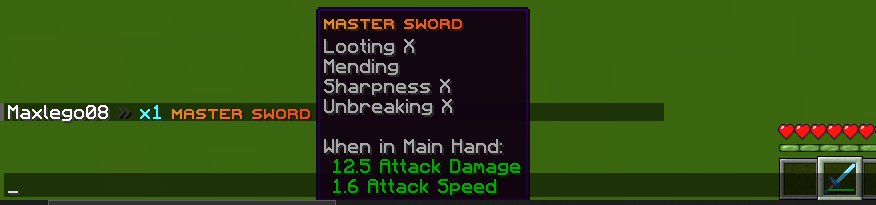
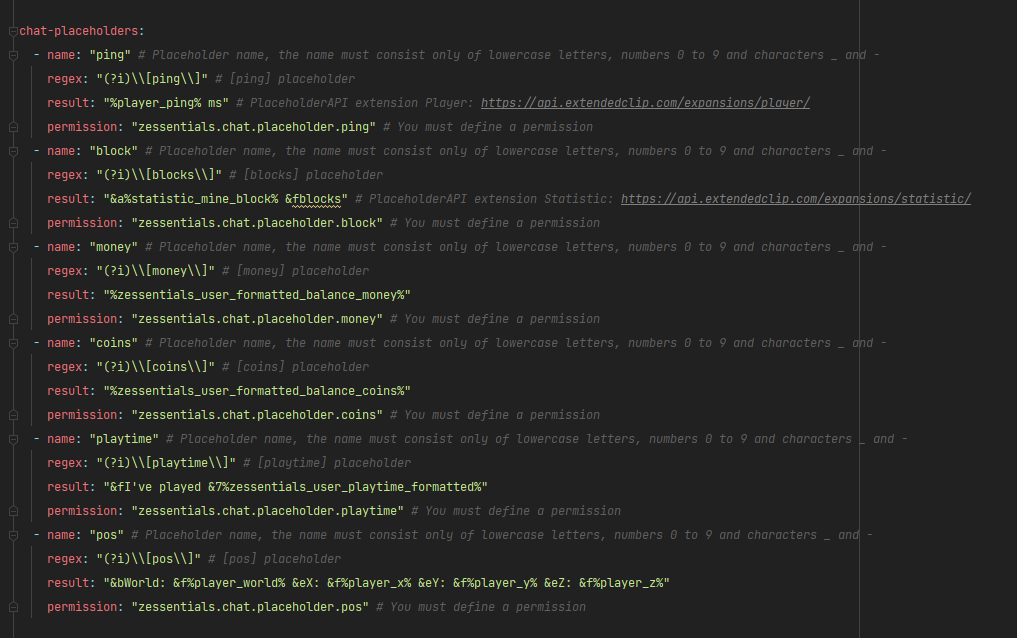
### ✅ Chat placeholders: [pos], [item], [playtime], and custom placeholders!
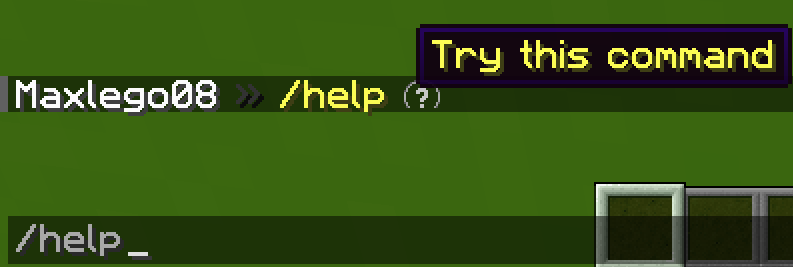
### ✅ Command placeholders: Replace **./** with a clickable command!
Images





## [**Discord Module**](https://zessentials.groupez.dev/modules/discord)
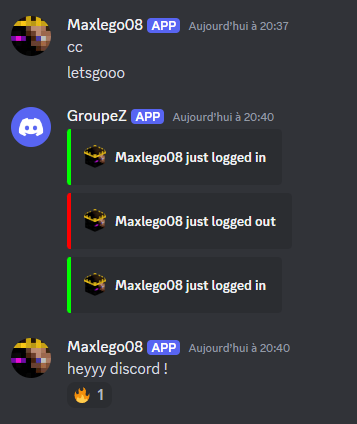
### ✅ **Chat Message**
### ✅ **Join Message**
### ✅ **Quit Message**
### ✅ **First Join Message**
Images
## [**Economy Module**](https://zessentials.groupez.dev/modules/economy)
### ✅ Create multiple virtual **economies**
### ✅ **Vault** support
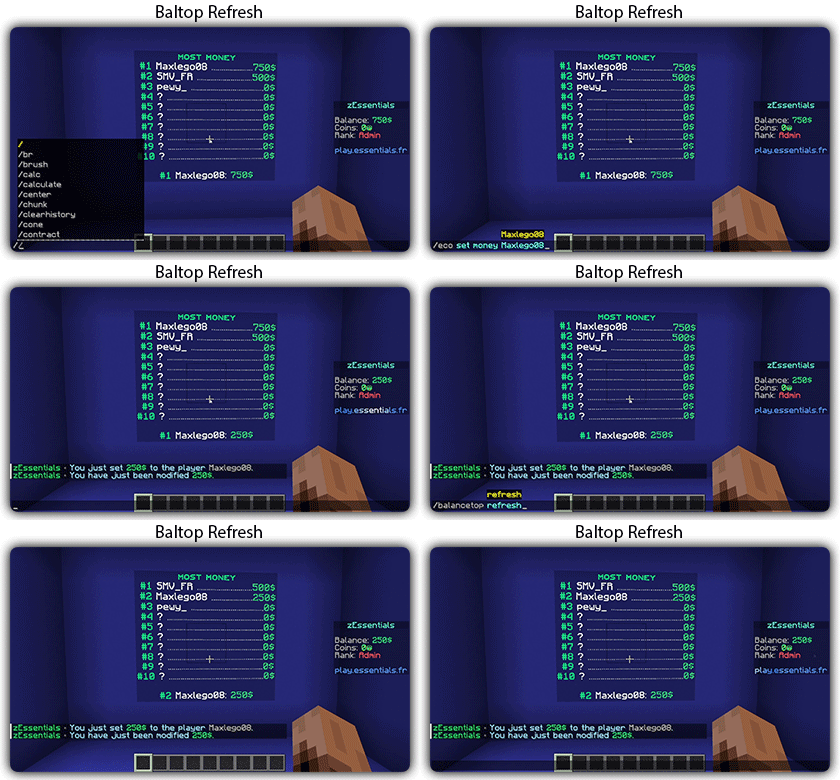
### ✅ **Baltop** (inventory and message)
### ✅ Several ways to **display numbers**
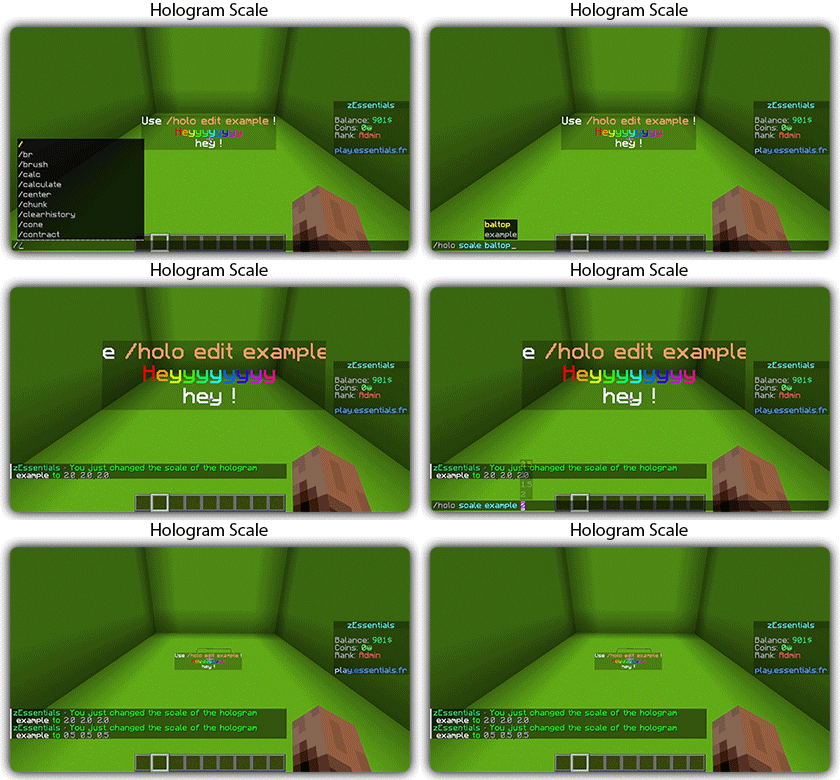
## [**Hologram Module**](https://zessentials.groupez.dev/modules/hologram)
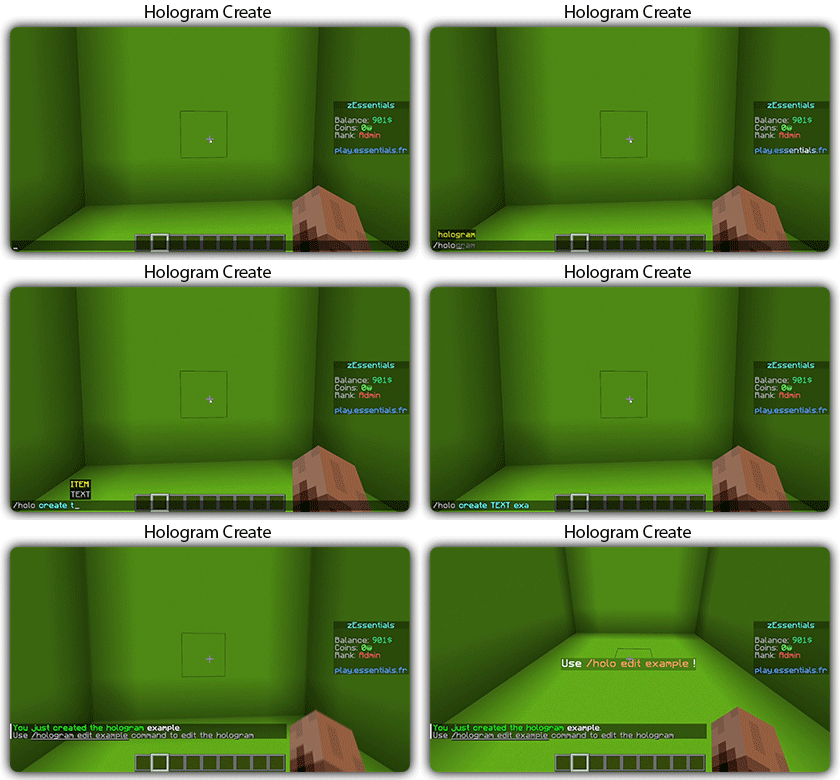
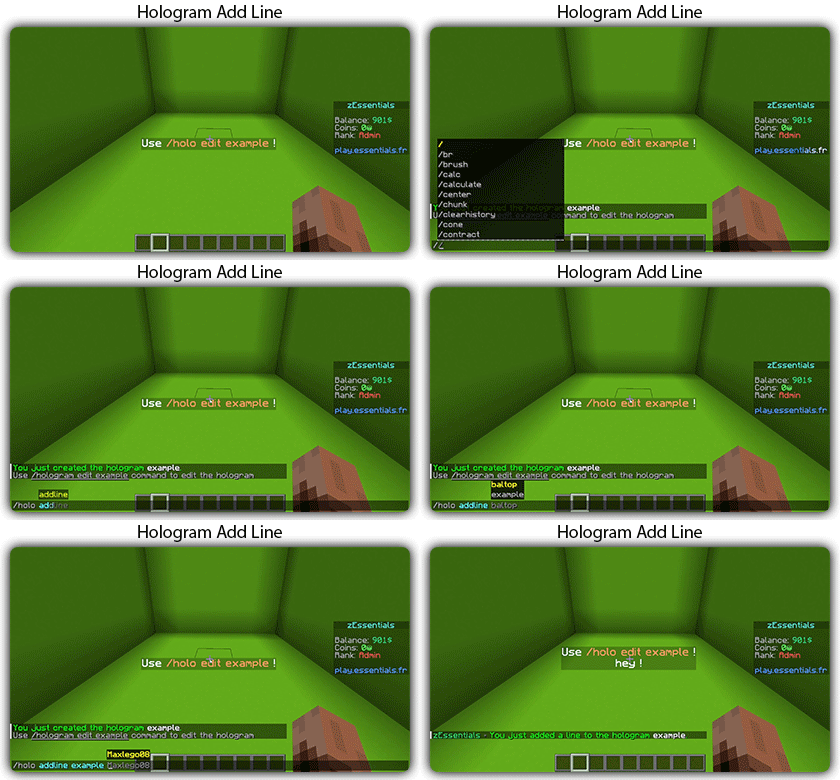
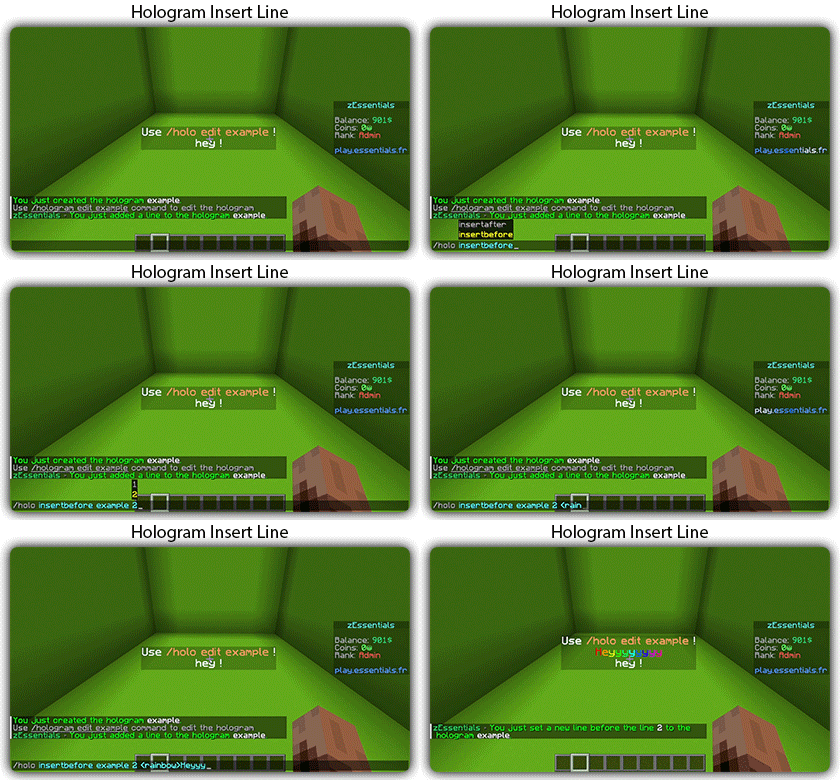
### ✅ **Display Entities**, Text, Item, and Block
### ✅ **Packet-Based**: All holograms are client-side (zEssentials takes care of everything, no other plugins needed)
### ✅ **In-game editor**: +20 commands to modify each element of your holograms
### ✅ [**Event System**](https://zessentials.groupez.dev/modules/hologram#events): Updates your holograms with events, no more lagging tasks
### ✅ PlaceholderAPI Support
### ✅ **Damage Indicator**
## [**Homes Module**](https://zessentials.groupez.dev/modules/home)
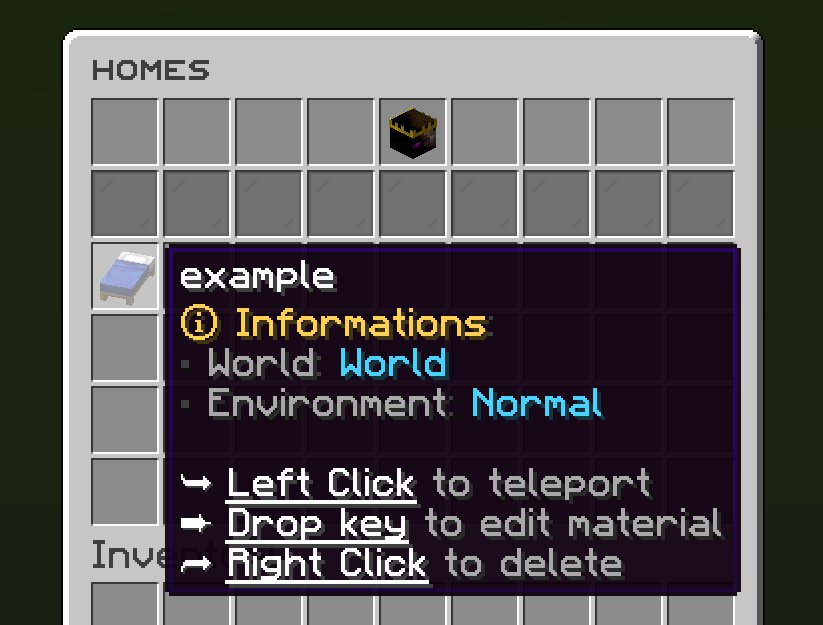
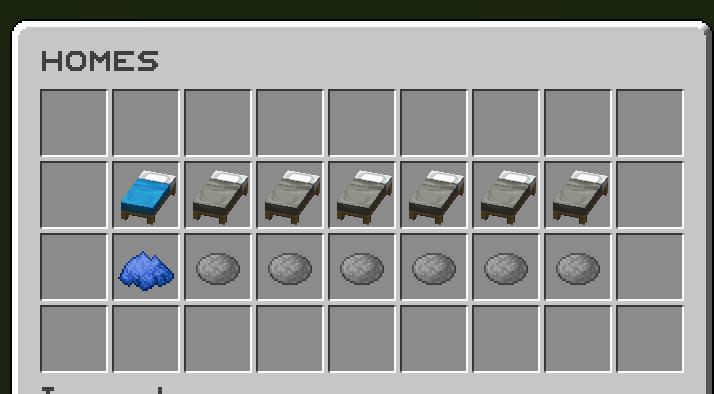
### ✅ 4 ways to display homes: inventory, like donutsmp inventory, inline message, multiline message
### ✅ Offline Support
### ✅ Homes Per Rank: Set the number of homes by permission
Images



## [**Items Module**](https://zessentials.groupez.dev/modules/items)
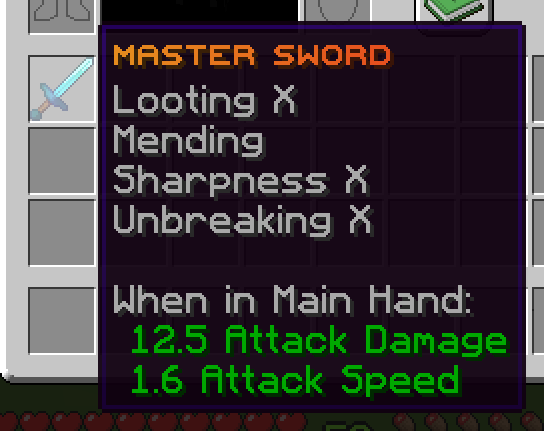
### ✅ Create custom items: Use the /give or /giveall command for accessions
Images

## [**Kit Module**](https://zessentials.groupez.dev/modules/kits)
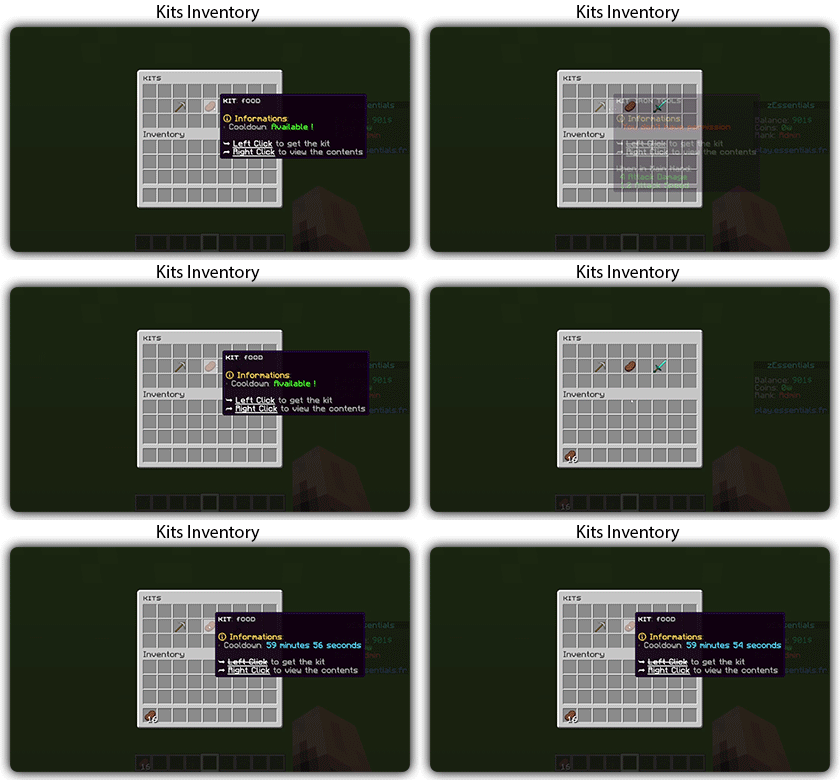
### ✅ **Cooldowns**: Set a time between each kit recovery
### ✅ [**Execute actions**](https://docs.zmenu.dev/configurations/buttons/actions): Perform actions when a player gets the kit (commands, message, sound, etc.)
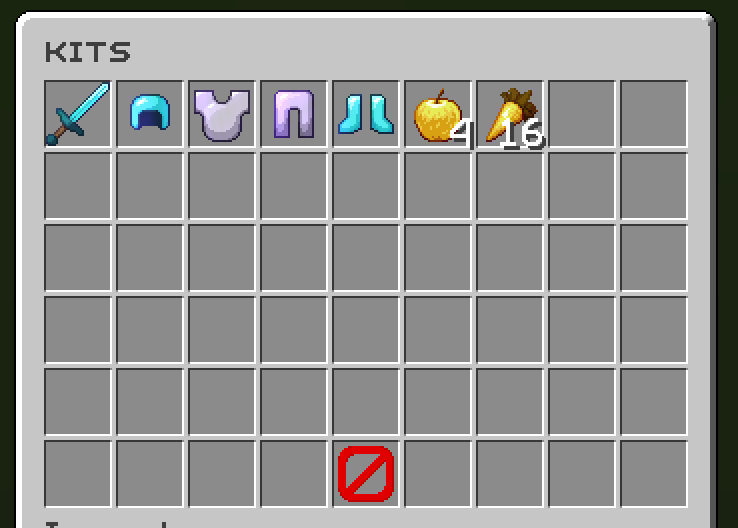
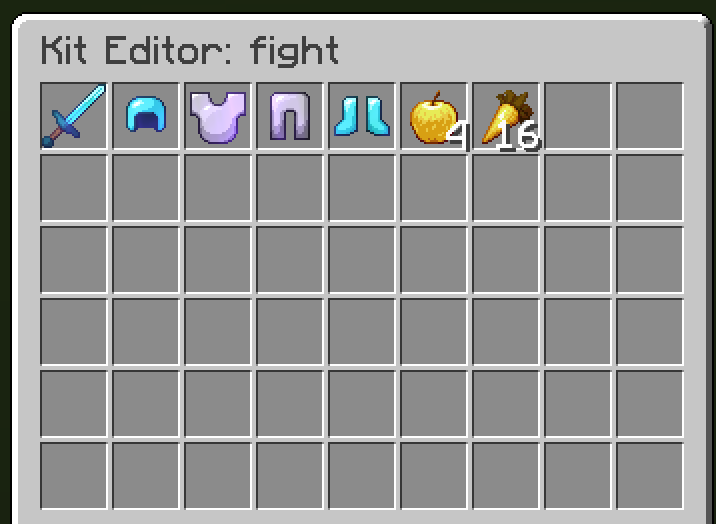
### ✅ **GUI Driven**: Edit, preview, and obtain kits via customizable inventories
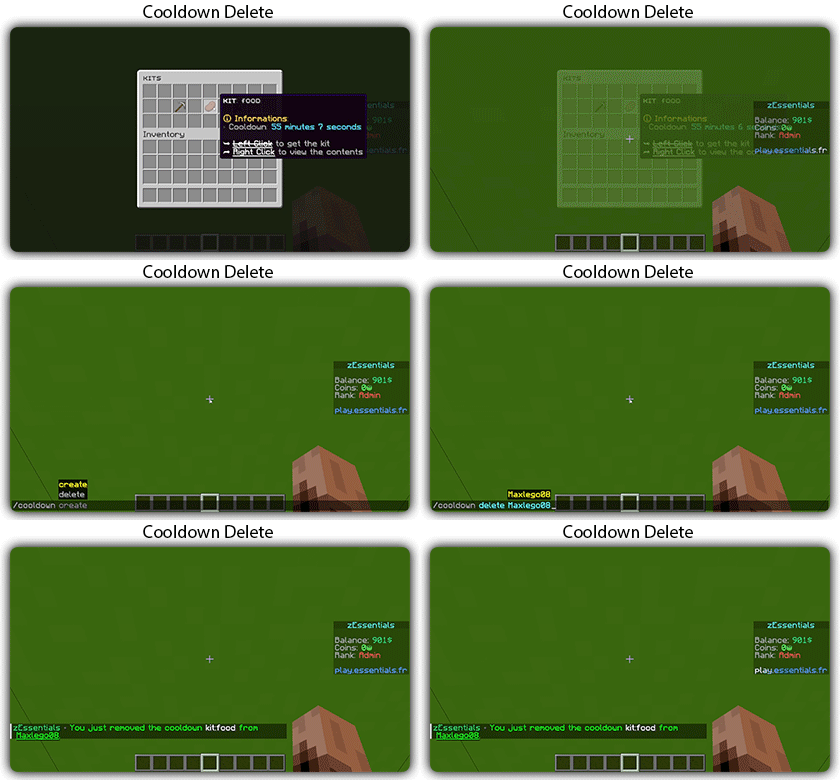
### ✅ **Cooldown management**: Use commands to manually add or remove cooldowns (not just for kits)
Images
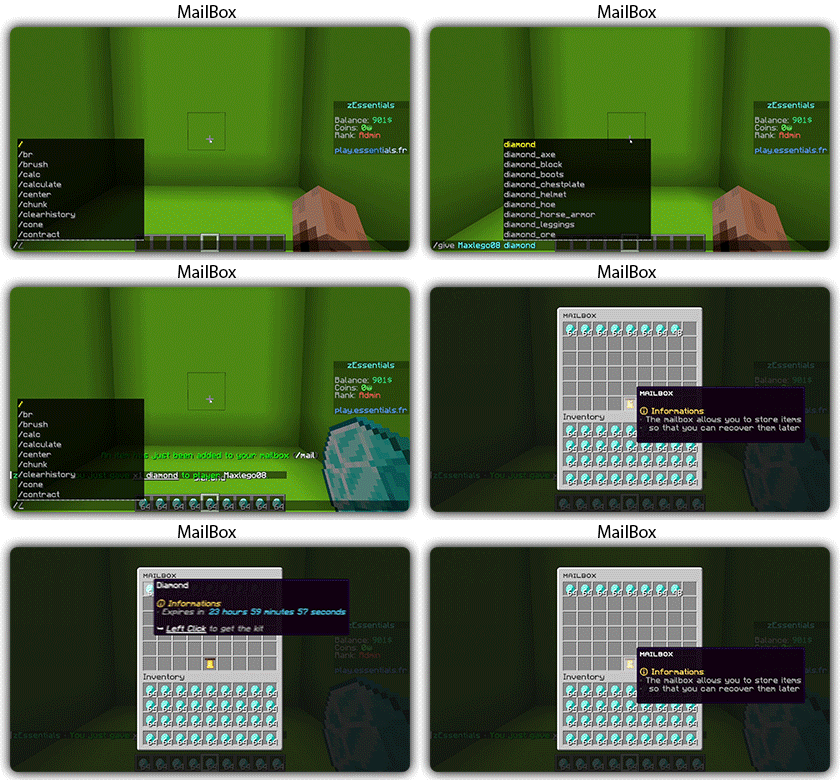
## [**Mailbox Module**](https://zessentials.groupez.dev/modules/mailbox)
### ✅ Allows to **store items**; the player cannot add items to it, they can only remove them
### ✅ If the player’s inventory is **full**, the items will end up in the mailbox
### ✅ A complete **API** for anyone to add items to the mailbox
## [**Messages**](https://zessentials.groupez.dev/messages)
### ✅ **7 message types**: chat, action, without_prefix, none, center, bossbar, title
### ✅ **Translated into multiple languages**: English, French, Italian, German
### ✅ Send [**multiple messages**](https://zessentials.groupez.dev/messages#multi-messages) at the same time
### ✅ **MiniMessage** support
### ✅ **Custom placeholders**: Define a placeholder list for your messages, such as `` and ``
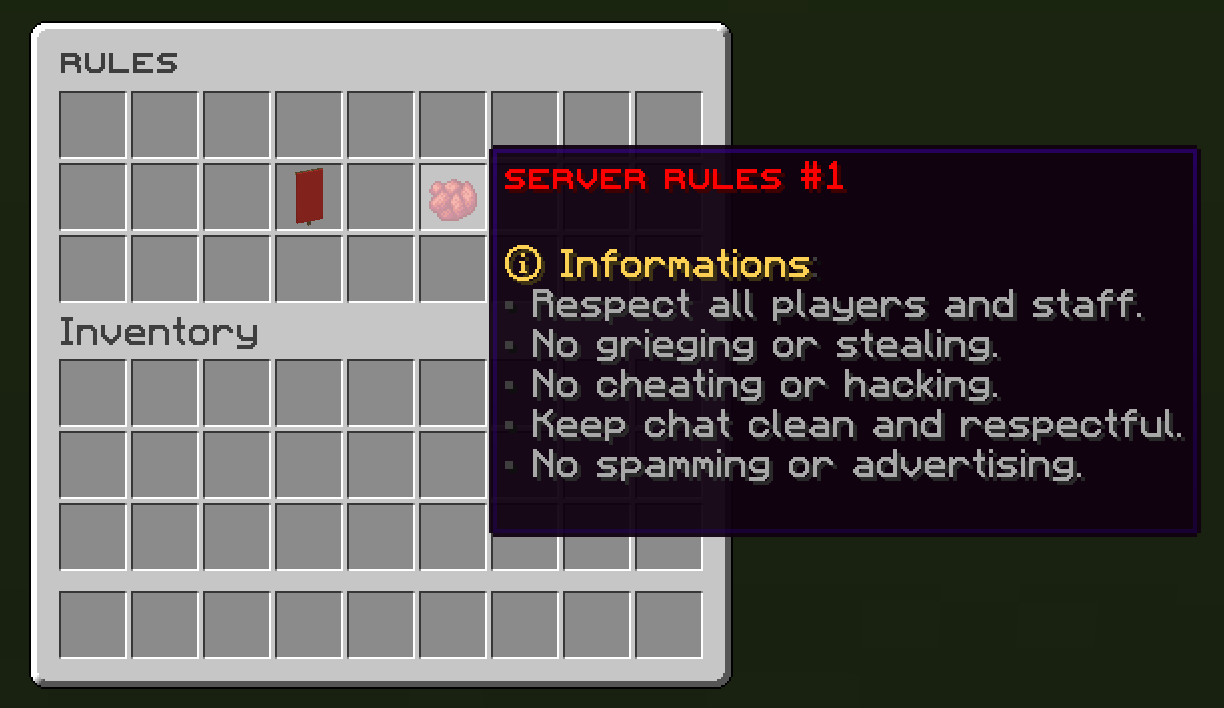
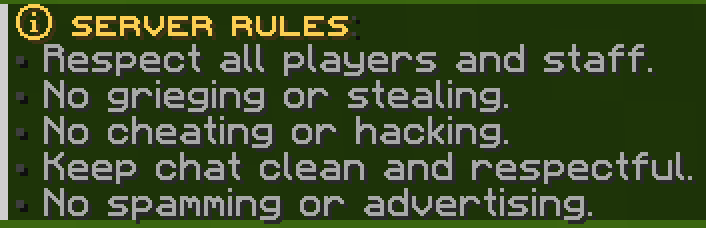
## [**Rules Module**](https://zessentials.groupez.dev/modules/rules)
### ✅ Displays server rules either by message or in an inventory
Images
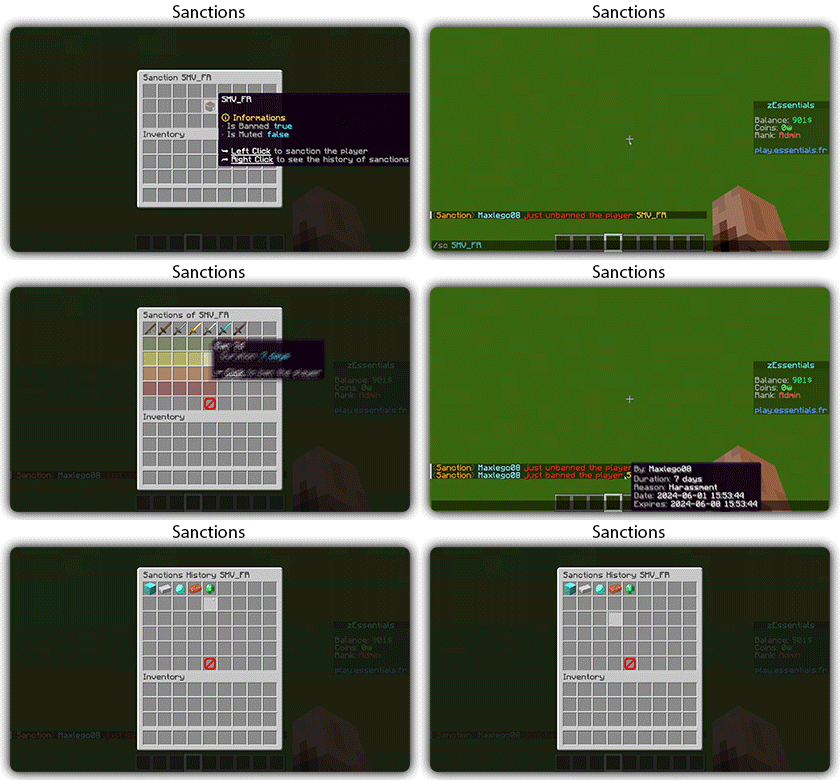
## [**Sanction Module**](https://zessentials.groupez.dev/modules/sanction)
### ✅ 3 Punishment Types: Ban, Mute, and Kick
### ✅ **Immune**: A list of players immune to sanctions!
### ✅ **Sanctions history**
### ✅ **Inventories**: An inventory to display the player’s profile with active sanctions, an inventory to display the player’s sanctions history, and an inventory to apply a predefined sanction to the player
Images

## [**Scoreboard Module**](https://zessentials.groupez.dev/modules/scoreboard)
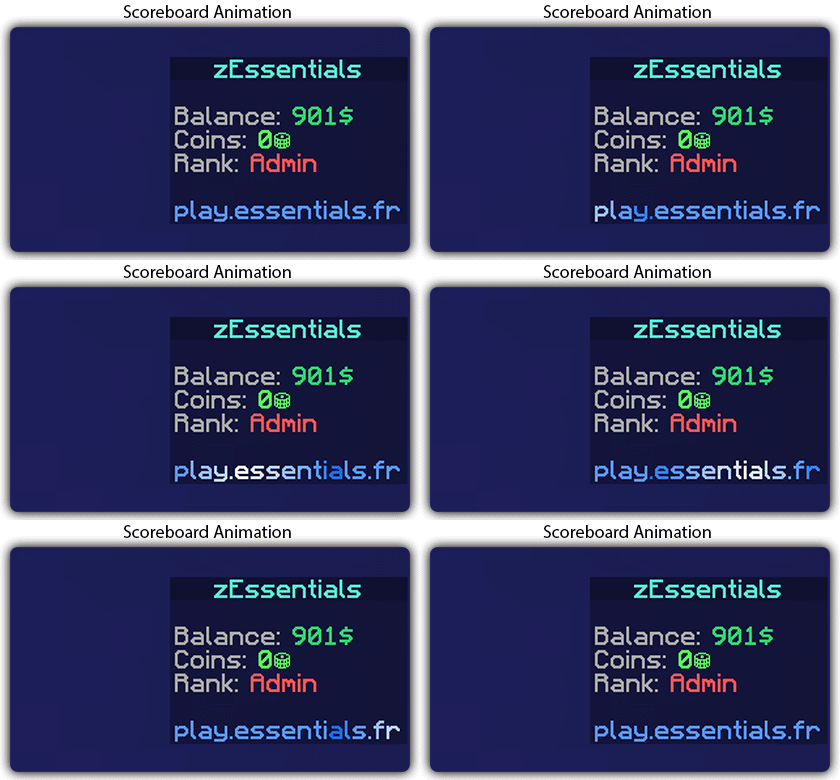
### ✅ **Packet-Based**: All scoreboards are client-side (no other plugins required, zEssentials handles everything)
### ✅ [**Event System**](https://zessentials.groupez.dev/modules/scoreboard#events): Updates your scoreboard with events, no more lagging tasks
### ✅ **Animation**: Create animations for your scoreboard
### ✅ **Unlimited Length**: Use as many characters per line as you want
### ✅ [**MiniMessage Support**](https://docs.advntr.dev/minimessage/index.html): Works perfectly with mini message formats
### ✅ **Scoreboard Commands**: Player command to toggle scoreboard display
### ✅ **Custom board**: Create unlimited scoreboards using [zMenu requirements](https://docs.zmenu.dev/configurations/buttons/requirements#requirements-type) (permission, placeholder, regex, LuckPerms, etc.)
### ✅ PlaceholderAPI Support
## [**Player Vault Module**](https://zessentials.groupez.dev/modules/vault)
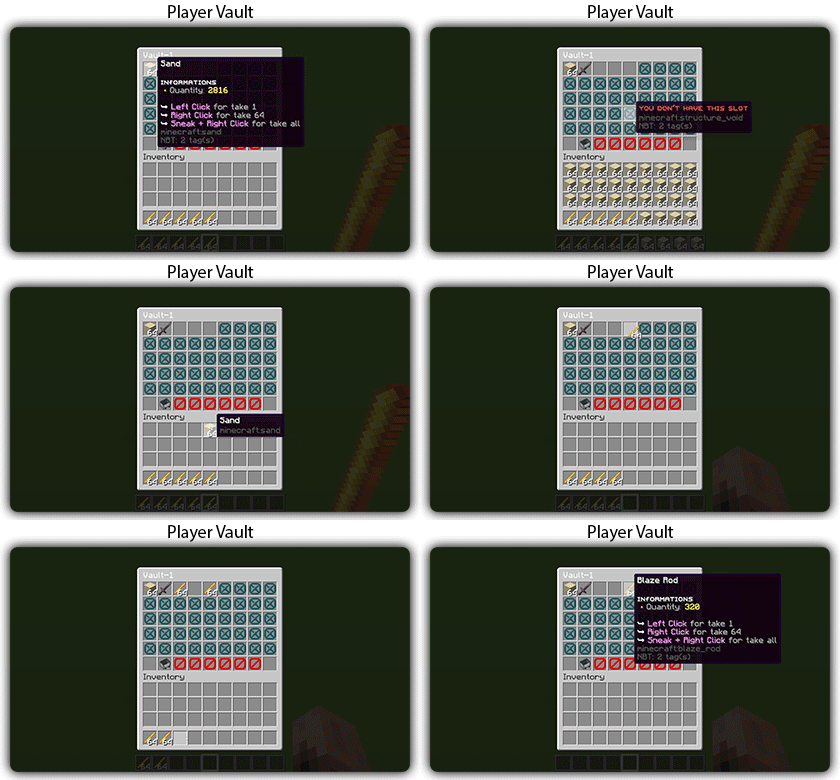
### ✅ **Unlimited** player vaults
### ✅ Set the number of **slots** for each player
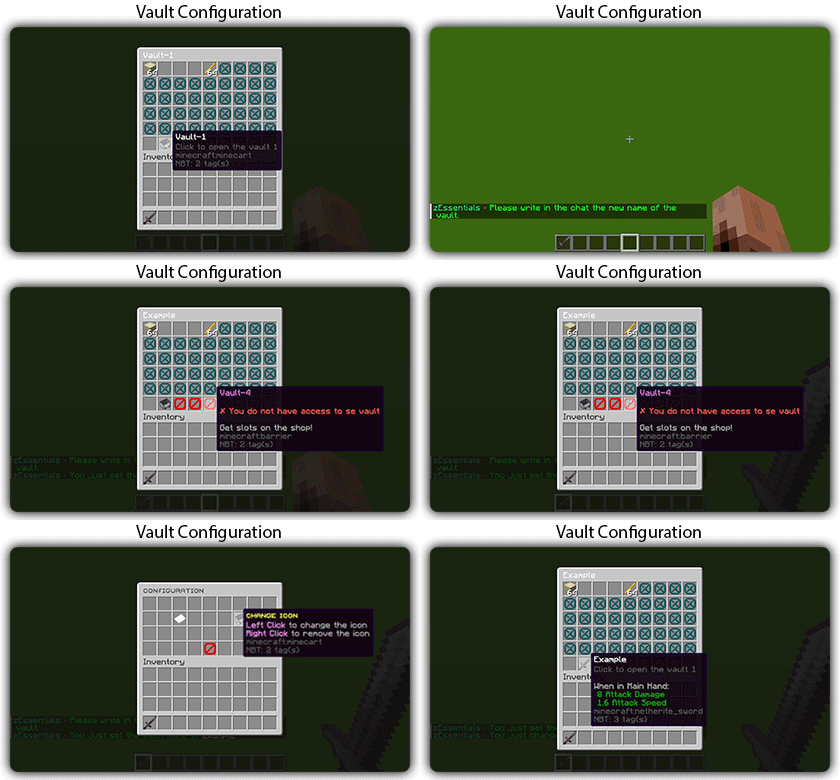
### ✅ **Rename** and custom **icon**
## [**Vote Module**](https://zessentials.groupez.dev/modules/vote)
### ✅ (I’m too lazy for the vote description now, sorry, but it’s a very good module, I swear!)
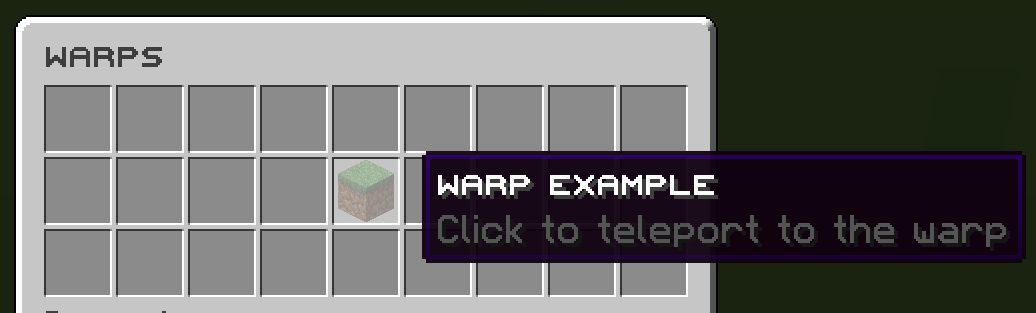
## [**Warp Module**](https://zessentials.groupez.dev/modules/warp)
### ✅ Displays warps in an inventory or message
### ✅ **Permission per warps**
Images

**Documentation**: [https://zessentials.groupez.dev/](https://zessentials.groupez.dev/)
Silk Spawner
# RU
Данный плагин позволяет добывать спавнера любыми кирками с шелковым касанием, сохраняя моба внутри. Вы так же можете менять текст спавнера в конфиге
# EN
This plugin allows you to mine the spawner with any silk touch pickaxe while keeping the mob inside. You can also change the spawner text in the config
din’s REMOVE DIAMOND
A Minecraft datapack that completely removes diamond ore generation from world generation, creating an extreme challenge where diamond ore can only be found in loot chests and diamond tools/armor can only be obtained through villager trades in Minecraft Java Edition.
## 📋 Description
This datapack completely removes diamond ore generation from the world. By overriding vanilla diamond ore features, no diamond ore will spawn in newly generated chunks. This creates an extreme challenge where:
– **Diamond ore** can only be obtained from loot chests
– **Diamond tools and armor** can only be obtained through villager trades
Players cannot craft diamond tools or armor, making villager trading essential for obtaining these items.
## ✨ Features
– **Zero Diamond Generation**: Diamond ore is completely removed from world generation
– **Complete Override**: All diamond ore variants (small, medium, large, buried) are disabled
– **Deepslate Compatible**: Removes both regular stone and deepslate diamond ore generation
– **World Generation Override**: Seamlessly replaces vanilla diamond generation without conflicts
– **Restricted Diamond Sources**: Diamond ore can only be found in loot chests
– **Villager Trading Required**: Diamond tools and armor can only be obtained through villager trades (cannot be crafted)
## 🎮 Compatibility
– **Minecraft Version**: 1.21.x
– **Pack Format**: 18
– **Supported Formats**: 18-88
– **Edition**: Java Edition only
– **Multiplayer**: Compatible with servers
## 📦 Installation
### For Single Player Worlds
1. Download the datapack
2. Open your Minecraft world folder
3. Navigate to the `datapacks` folder (create it if it doesn’t exist)
4. Place the entire datapack folder into the `datapacks` directory
5. In-game, run: `/reload` or restart your world
6. Verify installation with: `/datapack list`
### For Servers
1. Stop your Minecraft server
2. Navigate to your world folder (usually `world` or `world_name`)
3. Place the datapack folder into the `datapacks` directory
4. Start your server
5. Run `/reload` or restart the server
6. The datapack will be active for all players
### Verification
After installation, you can verify the datapack is loaded by running:
“`
/datapack list
“`
You should see “din’s zero diamonds datapack [1.21.x]” in the enabled datapacks list.
## ⚠️ Important Notes
– **Existing Worlds**: This datapack only affects newly generated chunks. Already explored chunks will retain their original diamond ore. You’ll need to explore new terrain to see the effect
– **Diamond Ore Sources**: Diamond ore can **only** be obtained from loot chests (dungeons, mineshafts, strongholds, etc.)
– **Diamond Tools & Armor**: Diamond tools and armor can **only** be obtained through villager trades. They cannot be crafted, even if you have diamond ore/gems
– **Villager Trading**: You’ll need to set up villager trading halls to obtain diamond equipment
– **World Backup**: Always backup your world before installing datapacks
– **Resource Packs**: This datapack does not include any textures or models – it only modifies world generation
## 🔧 How It Works
This datapack overrides Minecraft’s vanilla diamond ore generation by replacing the configured features and placed features in the `minecraft` namespace. It disables:
– **Configured Features**: All diamond ore vein configurations are overridden
– **Placed Features**: All diamond ore placement rules are disabled, preventing any diamond ore from spawning
The datapack overrides all diamond ore variants:
– `ore_diamond_small.json` – Small diamond veins (disabled)
– `ore_diamond_medium.json` – Medium diamond veins (disabled)
– `ore_diamond_large.json` – Large diamond veins (disabled)
– `ore_diamond_buried.json` – Buried diamond deposits (disabled)
## 📝 Changelog
### Version 1.0.0
– Initial release
– Completely removed diamond ore generation from world generation
– Support for Minecraft 1.21.x
## 🐛 Troubleshooting
**Datapack not loading?**
– Ensure the folder structure is correct: `datapacks/RareDiamons/`
– Check that `pack.mcmeta` is in the root of the datapack folder
– Verify Minecraft version compatibility (1.21.x)
**Diamonds still appearing in new chunks?**
– Make sure you’re exploring completely new chunks (the datapack only affects newly generated terrain)
– Run `/reload` to ensure the datapack is active
– Check `/datapack list` to confirm the datapack is enabled
– Remember: diamond ore can still be found in loot chests, but will not generate in stone/deepslate
**How to get diamonds?**
– **Diamond Ore**: Search loot chests in dungeons, mineshafts, strongholds, bastions, end cities, and other structures
– **Diamond Tools & Armor**: Trade with villagers (toolsmiths, weaponsmiths, armorsmiths)
– You cannot craft diamond tools or armor, even if you have diamond ore/gems
## 📄 License
This datapack is provided as-is. Feel free to modify and use it in your worlds.
## 🙏 Credits
Created for the Minecraft community to add extreme challenge by removing diamond ore generation entirely.
—
**Good luck finding diamond ore in chests and trading for diamond equipment!** 💎
Zed AFK
The **Zed AFK Plugin** for Minecraft can automatically detect when a player has been idle for a certain amount of **time** (e.g., 20 to 30 seconds) and then marks them as **AFK** (Away From Keyboard).
zDonutBaltop

—
# **DonutBaltop**
### **Fast, Free, and Lightweight**
**The plugin you’ve been waiting for.**
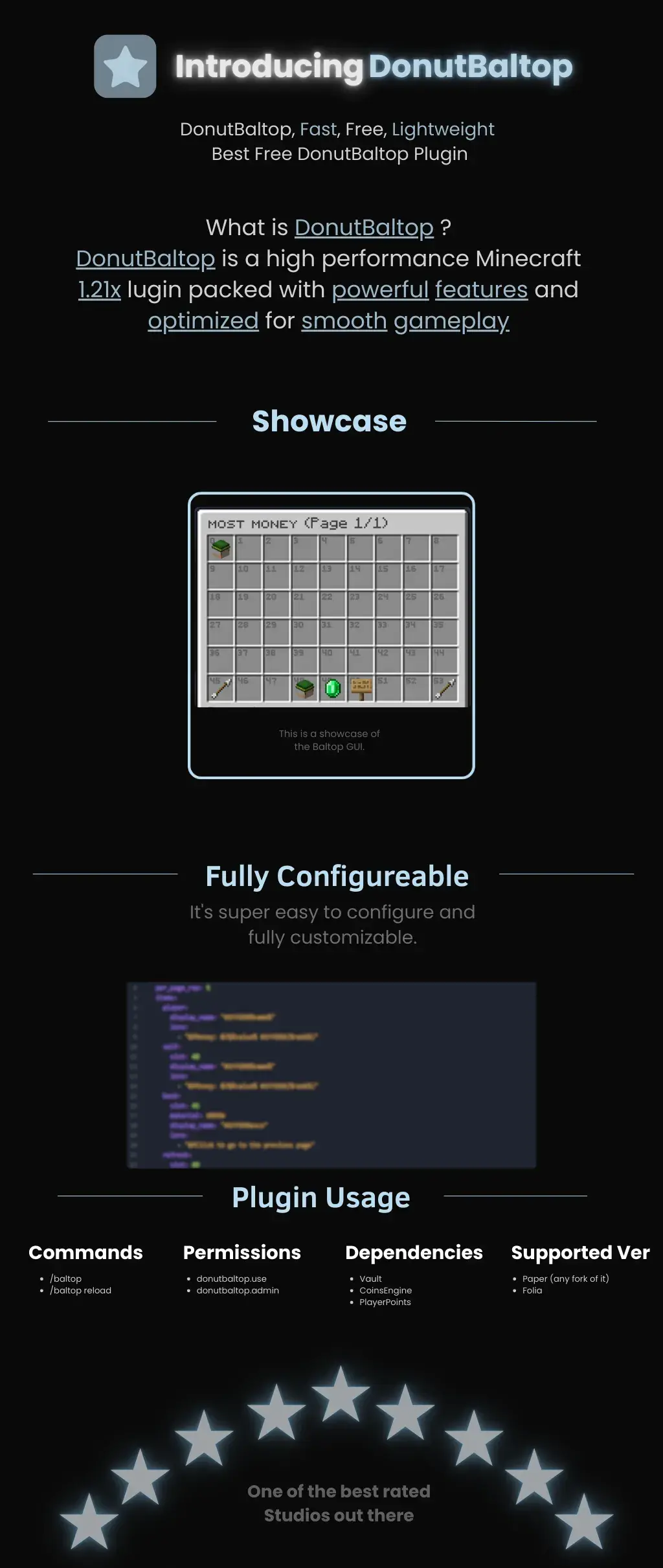
DonutBaltop is a high-performance Minecraft **1.21x** plugin packed with powerful features and optimized for smooth gameplay. It is designed to provide a high-end experience for viewing player balances without bloating your server.
—
## **Showcase**
The plugin features a custom **Baltop GUI** titled “MOST MONEY.”
* **Visual Interface:** Players can see a grid of heads representing the top earners on the server.
* **Navigation:** Includes easy-to-use “Previous” and “Next” page arrows.
* **Information:** Displays specific economy data via interactive icons like emeralds and signs.
## **Fully Configurable**
DonutBaltop is super easy to configure and fully customizable. The configuration file allows you to edit:
* **Item Display Names:** Customize how text appears in the GUI.
* **Lore/Descriptions:** Add custom flavor text or change how currency is displayed.
* **Slot Placement:** Choose exactly where items appear in the menu.
—
## **Plugin Usage**
### **Commands**
* **/baltop** — Opens the balance top GUI.
* **/baltop reload** — Reloads the plugin configuration.
### **Permissions**
* **donutbaltop.use** — Grants access to the /baltop command.
* **donutbaltop.admin** — Access to admin functions and reloading.
### **Dependencies**
To function correctly, this plugin requires:
* **Vault**
* **CoinsEngine**
* **PlayerPoints**
### **Supported Versions**
* **Paper** (and any forks of Paper)
* **Folia**
—
*Spooker Services — One of the best rated services out there.*
zCookieClicker
[](https://minestrator.com/a/GROUPEZ)
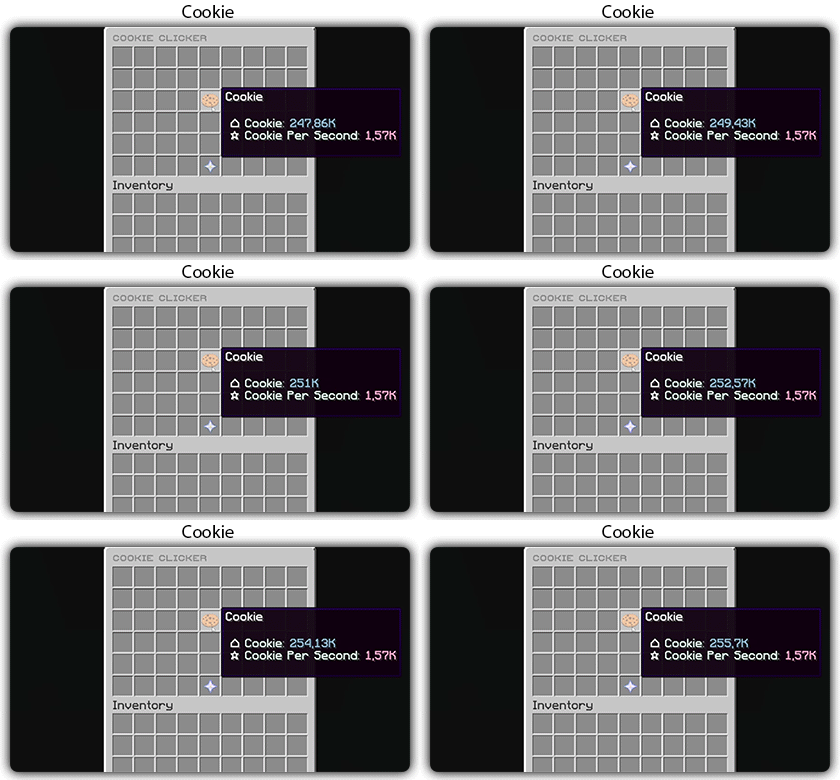
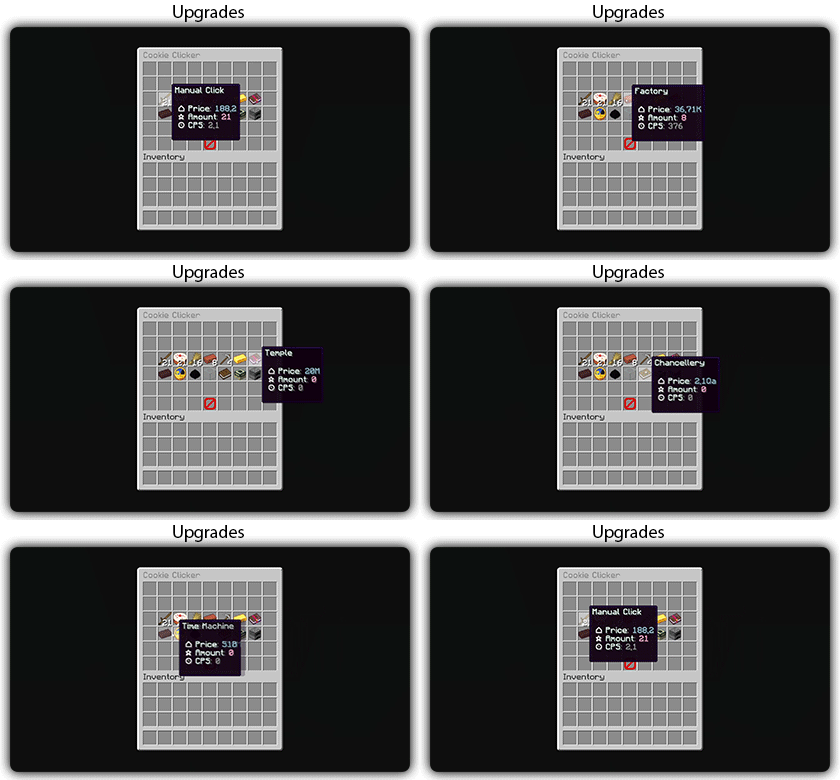
zCookieCliker allows you to click frantically on a cookie in order to obtain an infinity! Inspired by the famous cookie clicker game!
You need to install zMenu
## Commands:
– /cookie
– /cookie reload
## Placeholders:
– %zcookieclicker_cookie%
– %zcookieclicker_cps%
– %zcookieclicker_upgrade_%
## Features:
– Customizable inventories
– Storage in SQLITE, MYSL or with HIKARICP
– Customizable upgrades
– Customizable number format
ZavShop
## Features
– 🛒 **GUI Shop System** – Beautiful categorized shop with 5 categories (Nether, Gear, Food, End, Misc)
– 🏷️ **Auction House** – Player-driven marketplace with search, filter, and sort options
– 💰 **Sell System** – Quick sell items for configured prices
– 📋 **Tab Completion** – Full auto-completion for all admin commands
– 🔐 **Permission System** – Control access to admin features
– 💾 **YAML Configuration** – Easy editing of items and prices via config files
– 🚫 **Block/Item Blocker** – Prevent placement or usage of specific materials
– ⚡ **Hot Reload** – Reload configurations without server restart
## Installation
1. Download the `zavshop-1.0.jar` file
2. Place it in your `plugins/` folder
3. Make sure you have **Vault** and an economy plugin installed (e.g., EssentialsX)
4. Restart the server
5. The plugin creates `plugins/ZavShop/` with config files
## Commands
### Player Commands
| Command | Description |
|———|————-|
| `/shop` | Opens the main shop GUI |
| `/sell` | Sells the item in hand for configured price |
| `/ah` | Opens the Auction House |
| `/ah sell ` | Lists held item for auction |
### Admin Commands (requires `zavshop.admin`)
| Command | Description |
|———|————-|
| `/shopadd - ` | Add an item to shop |
| `/shopremove - ` | Remove an item from shop |
| `/shopprice - ` | Update item price |
| `/shopreload` | Reload all configuration files |
| `/blocker ban block ` | Ban a block from being placed |
| `/blocker ban item ` | Ban an item from being used |
| `/blocker unban ` | Remove a ban |
| `/blocker list` | Show all banned items |
## Shop Categories
– **Nether Shop** – Blaze Rods, Nether Wart, Glowstone, Magma Cream, etc.
– **Gear Shop** – Obsidian, Totem of Undying, Ender Pearls, Golden Apples
– **Food Shop** – All food items with configurable prices
– **End Shop** – End-related items like Shulker Shells, Dragon Breath
– **Misc Shop** – Custom items added by admins
## Auction House Features
– 🔍 **Search** – Find items by name
– 🎯 **Filter** – Filter by category (Blocks, Tools, Food, Combat, Potions, Books, Ingredients, Utilities)
– 📊 **Sort** – Sort by Newest, Oldest, Price (Low to High), Price (High to Low)
– 👤 **Your Items** – View only your listings
– ✏️ **Manage** – Right-click your listings to remove them
## Permissions
| Permission | Description |
|————|————-|
| `zavshop.admin` | Access to all admin commands
Tutorial:
zAuctionHouse
### **This is a free demo version of zAuctionHouse. It is similar to the paid or open-source version, but you cannot receive support with this version.**
The free version will always be one version behind the paid versions. To get support and the latest version, you can purchase the plugin on the other sales platforms.


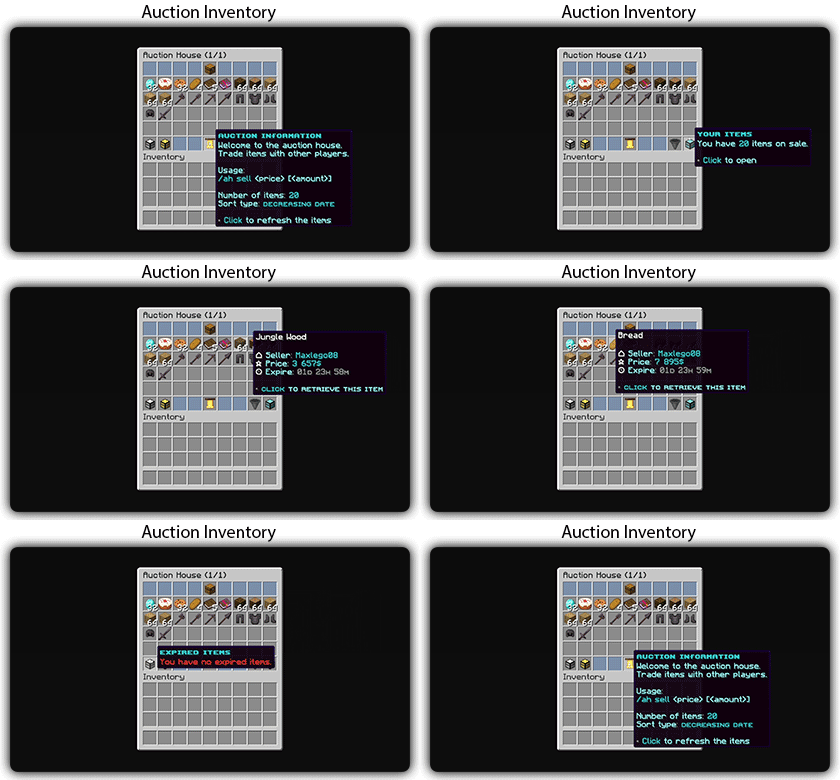
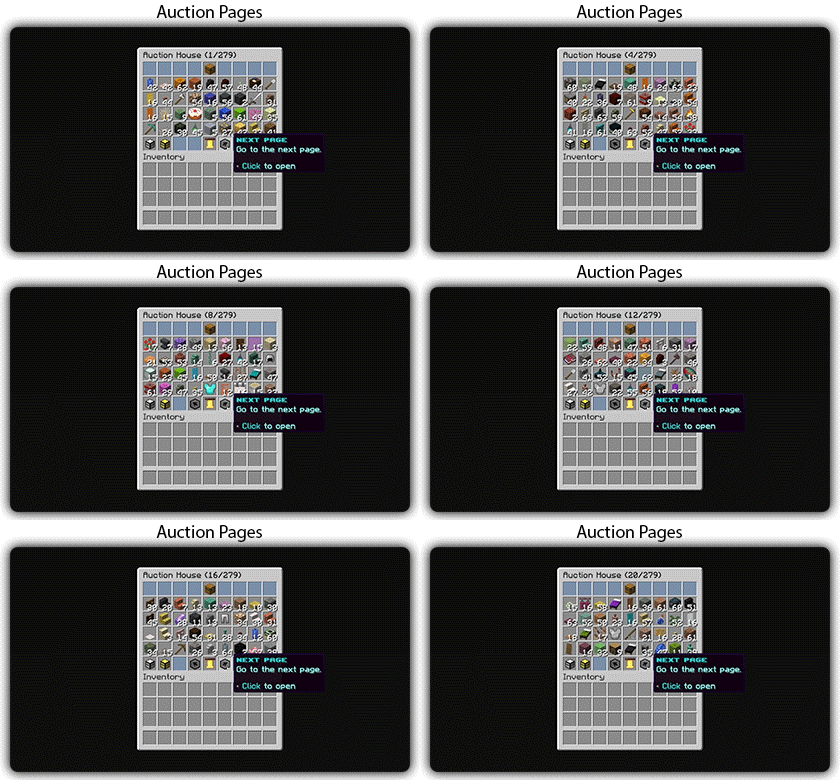
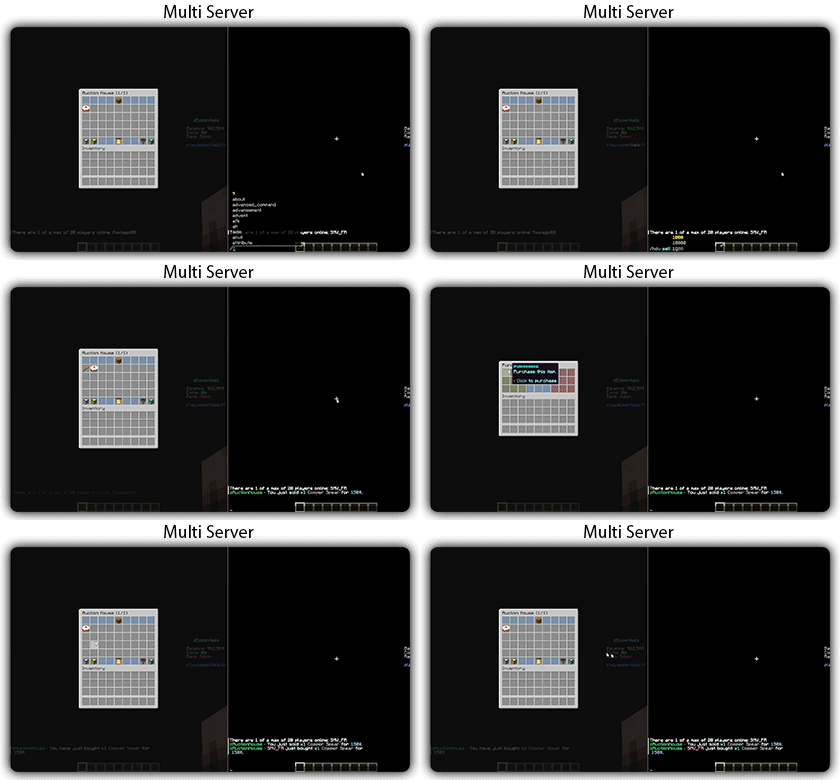
## Gifs
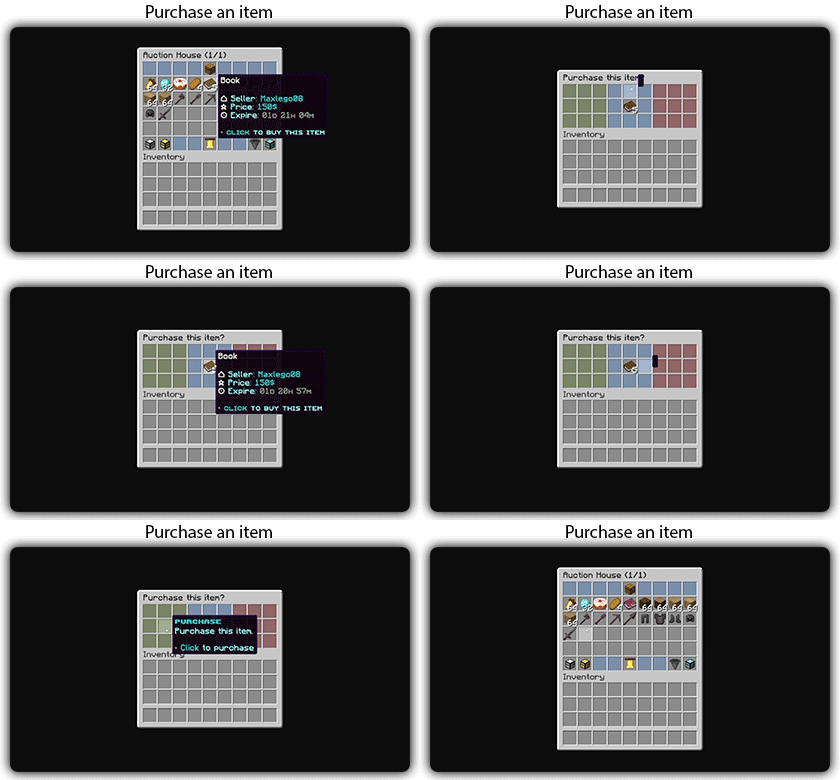
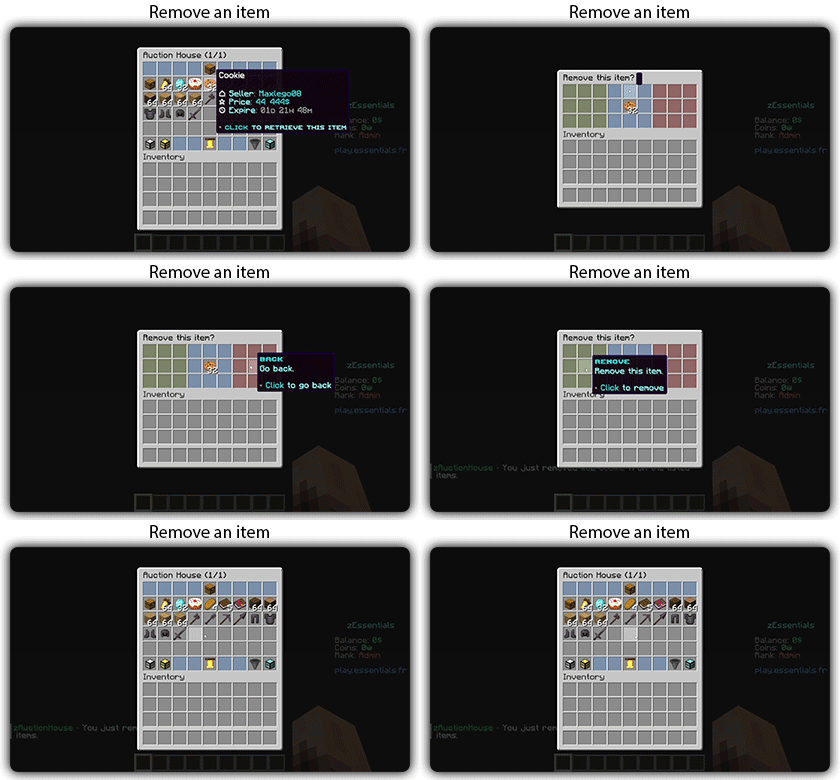
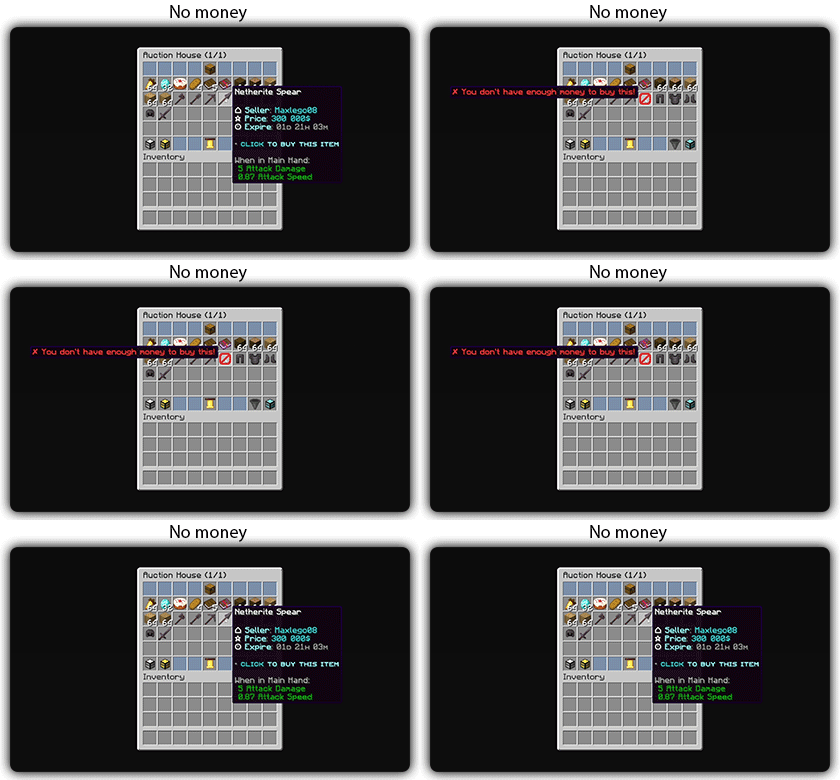
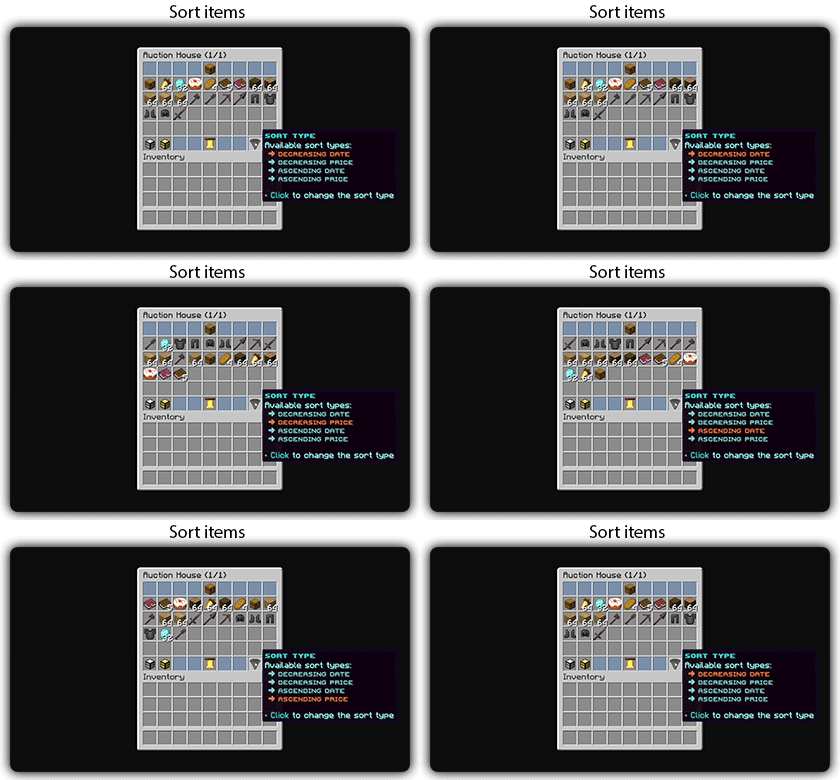
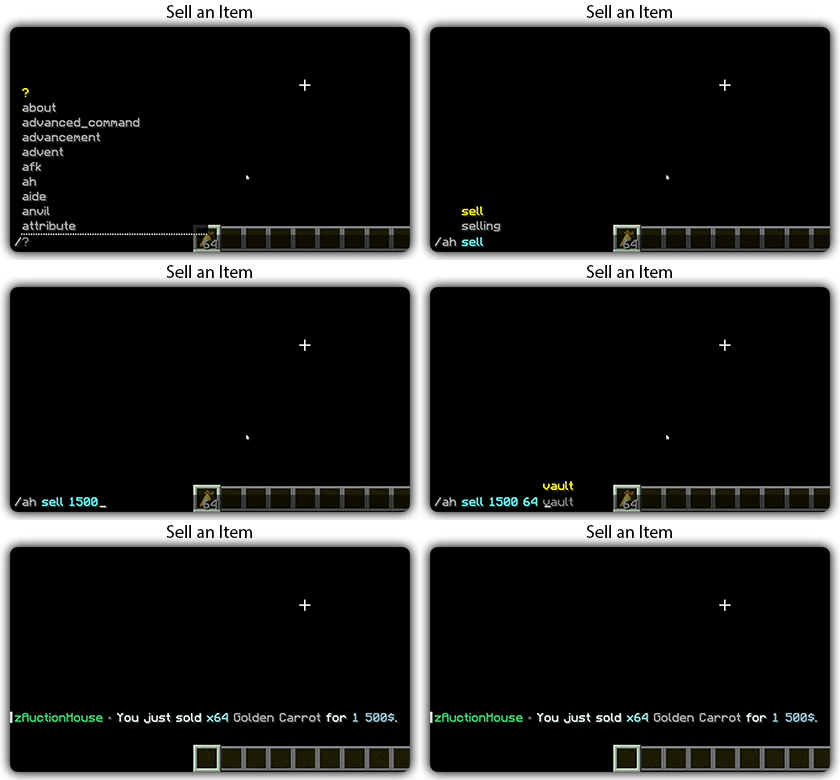
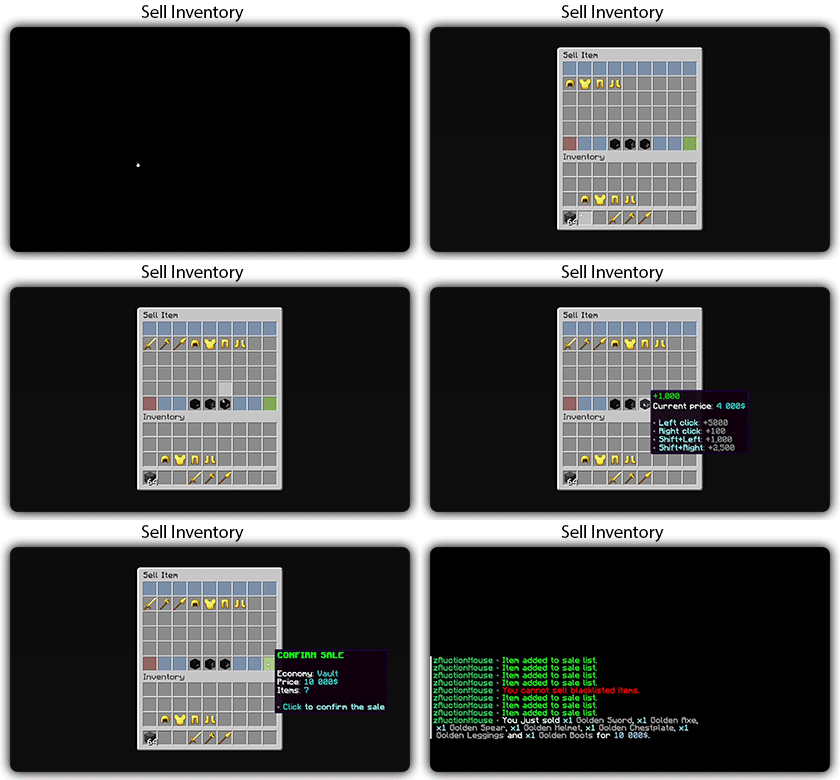
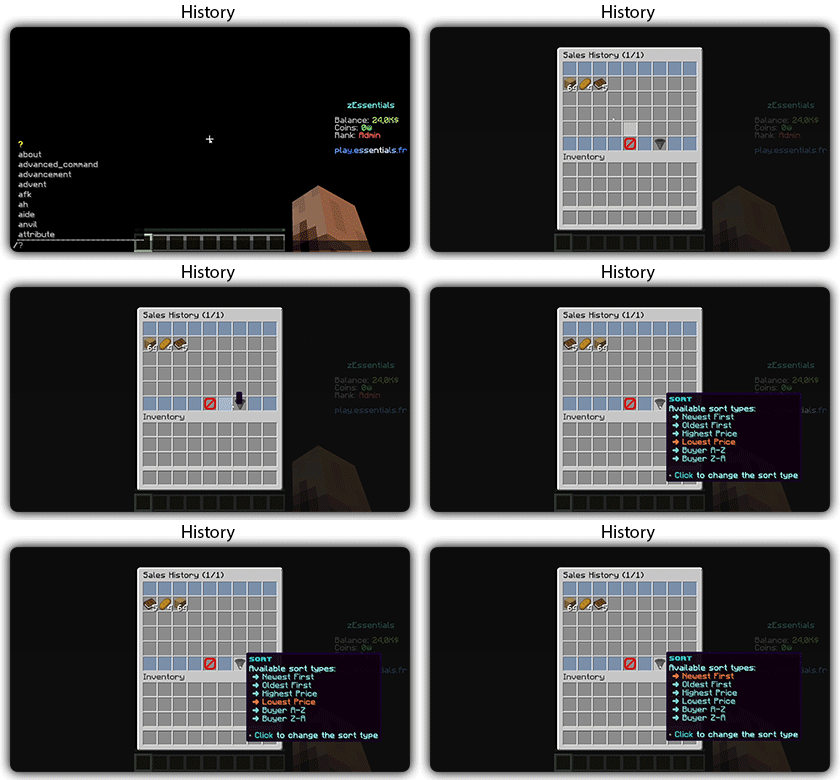
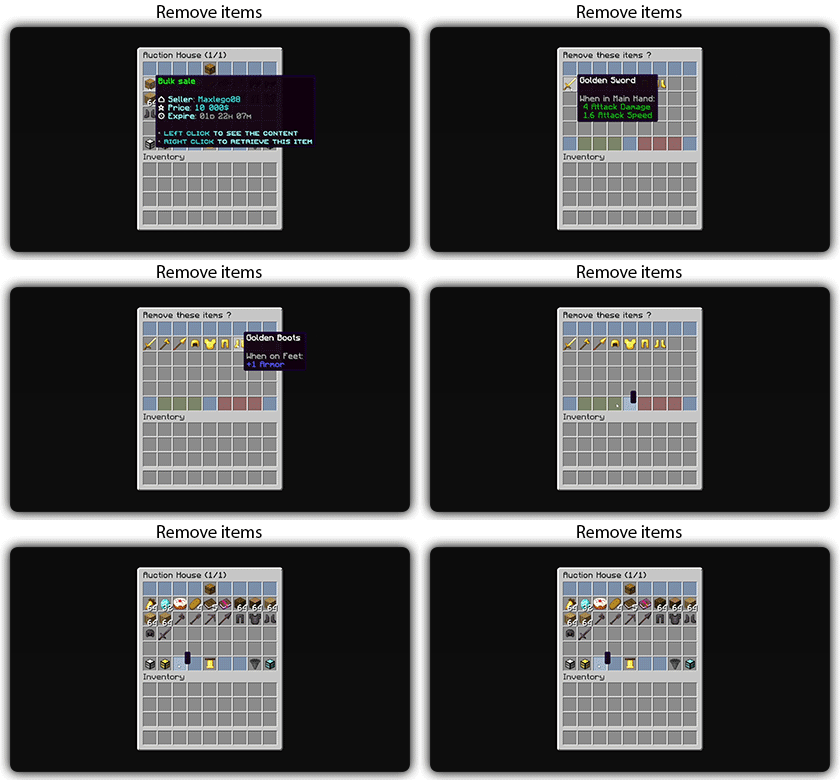
Text version
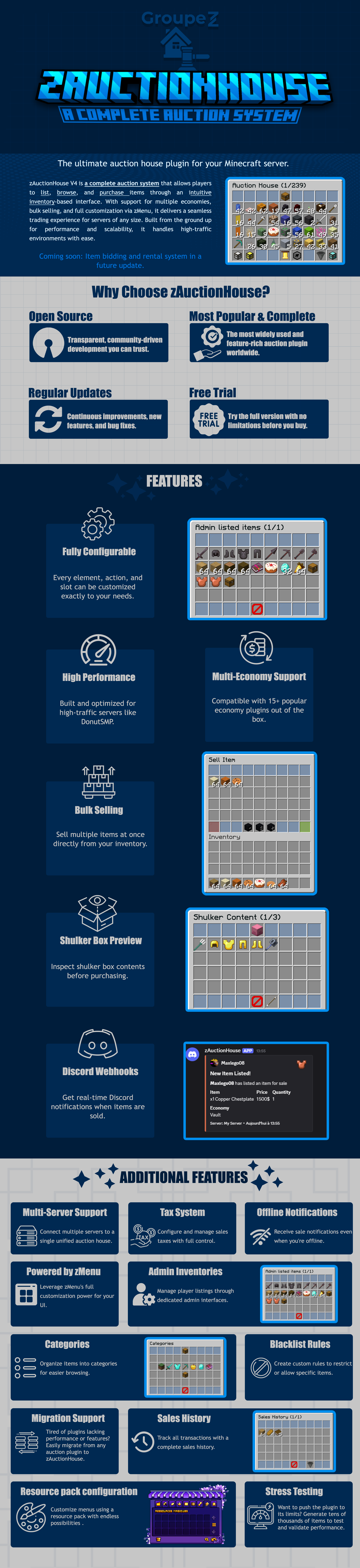
zAuctionHouse V4 is a complete auction system that allows players to list, browse, and purchase items through an intuitive inventory-based interface. With support for multiple economies, bulk selling, and full customization via zMenu, it delivers a seamless trading experience for every server type. Built from the ground up for performance and scalability, it handles high-traffic environments with ease.
# Why Choose zAuctionHouse?
## Open Source
Transparent, community-driven development you can trust.
## Most Popular & Complete
The most widely used and feature-rich auction plugin worldwide.
## Regular Updates
Continuous improvements, new features, and bug fixes.
## Free Trial
Try the full version with no limitations before you buy.
# Additional Features
## Multi-Server Support
Connect multiple servers to a single unified auction house.
## Tax System
Configure and manage sales taxes with full control.
## Offline Notifications
Receive seller notifications when you’re offline.
## Powered by zMenu
Leverage **zMenu’s full customization power** for your UI.
## Admin Inventories
Manage player listings through dedicated admin interfaces.
## Categories
Organize items into categories for easier browsing.
## Blacklist Rules
Create custom rules to restrict or allow specific items.
## Migration Support
Tired of plugin locking or performance issues?
Easily migrate from any auction plugin to zAuctionHouse.
## Sales History
Track all transactions with a complete sales history.
## Resource Pack Configuration
Customize menus using a resource pack with endless possibilities.
## Stress Testing
Want to push the plugin to its limits?
Generate tens of thousands of items to test and validate performance.
# **Features**
– **## Selling & Buying**
– **Instant buy listings** List items for a fixed price
– **Bulk selling** Sell multiple items at once
– **Purchase confirmation** Confirm before buying
– **Sell confirmation** Confirm before listing
– **Price limits** Set min/max prices per item or globally
– **Item quantity selection** Choose how many items to sell
– **Expired items recovery** Retrieve unsold items
– **## User Interface**
– **Inventory-based UI** No commands needed
– **Shulker box preview** View contents before purchase
– **Categories** Browse items by type
– **Sorting options** Sort by price, date, name
– **Search system** Find items by name or type
– **Player listings** View your own items
– **Purchase history** Track your purchases
– **## Economy & Taxes**
– **15+ economy plugins** Vault, PlayerPoints, and more
– **Tax on sales** Configurable seller tax
– **Tax on purchases** Configurable buyer tax
– **Permission-based taxes** Different rates per group
– **## Administration**
– **Admin inventories** Manage all player listings
– **Blacklist system** Block specific items
– **Whitelist system** Allow only specific items
– **Item rules** Advanced filtering (lore, name, NBT)
– **Player limits** Max listings per player
– **Expiration system** Auto-expire old listings
– **Log system** Track all transactions
– **## Performance & Storage**
– **Async operations** Non-blocking database queries
– **SQLite support** Zero-config local storage
– **MySQL/MariaDB support** Scalable database
– **Redis support** Multi-server synchronization
– **Folia compatible** Works with Folia servers
– **Caching system** Optimized data access
– **## Customization**
– **zMenu integration** Full UI customization
– **Custom messages** Edit every message
– **Custom sounds** Configure all sounds
– **PlaceholderAPI** Use placeholders anywhere
– **Command aliases** Customize command names
– **Configurable slots** Place buttons anywhere
– **## Notifications**
– **Discord webhooks** Post sales to Discord
– **Offline notifications** Notify on next login
– **Title messages** Display on screen
– **ActionBar messages** Subtle notifications
– **Chat messages** Traditional notifications
– **## Migration & Testing**
– **Plugin migration** Convert from other plugins
– **Test data generator** Stress test with fake items
– **Debug mode** Troubleshoot issues
– **## Security**
– **Anti-dupe protection** Prevent item duplication
– **Permission system** Control access to features
– **Confirm dialogs** Prevent misclicks
– **Price validation** Block invalid prices
Z0nexx Tpa
Z0nexx TPA is a lightweight and efficient teleport request plugin for Minecraft servers, designed for smooth player interaction and easy usability. It provides a clean system for sending, accepting, and managing teleport requests without unnecessary complexity.
✨ Features
/tpa – Request to teleport to another player
/tpahere – Request a player to teleport to you
/tpaccept – Accept incoming teleport requests
/tpdeny – Deny teleport requests
/tpask – Toggle whether you receive teleport requests
⚙️ Simple & Reliable
Z0nexx TPA is built to be straightforward and dependable, making it perfect for survival, SMP, and community servers.
🚀 Performance Friendly
Optimized for modern versions (1.21.1 → 1.21.11), ensuring smooth performance with no unnecessary overhead.