Ymrihr SMP Resource Pack
Resource pack for the Ymrihr SMP !
Adds a custom gui and custom item textures
No dependencies.
Resource pack for the Ymrihr SMP !
Adds a custom gui and custom item textures
No dependencies.
# YJ’s Casino and Economy
A Minecraft casino datapack for 1.21.10, offering functioning table games such as blackjack and baccarat as well as an economy system using diamonds.
This datapack is in BETA. Bugs are expected and players are responsible for their own worlds and servers when they decide to use this datapack. Please report any bugs to the Discord server or to the Issues page on Github. Specifically, bugs that might occur on multiplayer have not been tested. Report any bugs you experience on a multiplayer server.
## Creating Dealers and Table Games
Dealers can only be created by Opped players by using `/function yjcasino:create_dealer`. Right-clicking on your dealer will allow you to modify your dealer and set up the game they will deal. You will also be able to set your responsibility, which is the percentage of profit/loss from that table you will be responsible for. As an example, if your responsibility is 1% and a player wins a $100 bet, you will be responsible for paying for $1. If they lose the bet, you will get $1.
Any player, opped or not opped, can bet on a table by right-clicking on one of the iron pressure plates on the table. When players have submitted their bets, the game will begin to be dealt.
While acting, players will often indirectly use the `/trigger` command, which can flood the chat. To prevent this, I recommend that you use `/gamerule sendCommandFeedback false` to prevent command messages from appearing in the chat.
Rules for the games can be found on the [wiki](https://github.com/lemoncodes237/casino/wiki).
## Economy
The main currency of this datapack is diamonds. Each diamond is equal to $10 in-game. To deposit or withdraw your diamonds, you can use `/trigger bank`.
Each player has a unique ID, which can be seen using the Tab menu and looking at the number next to each player. If you want to get your own ID, you can also use `/trigger get_id`.
To pay players using the datapack currency, they can use `/trigger pay set [id]`, where `[id]` is the ID of the player they wish to pay. To make sure you are paying the right player, running this command will tell you the username of the player you are about to pay. You will then be allowed to input the amount of money you would like to pay that person. Cents are not supported in this payment, so only pay using whole dollars.
## Debugging
Problems can arise when unexpected events occur, such as a player logging out in the middle of the game on a multiplayer server. In these scenarios, you can use `/function yjcasino:debug` to cancel all active games and return bets to players. Only use this in extreme circumstances where an unsolvable bug occurred. To prevent abuse by players, this command can only be run once per hour.
## Disclaimer
This datapack in no way endorses gambling behavior that involves real money. As players play these games, they may realize that tend to lose money rather than win money. This is expected and the games are mathematically designed to behave that way. Do not actually gamble at casinos; doing so will always result in massive losses in the long run.
The purpose of this datapack is to provide a Minecraft environment where players can have fun with each other without putting any real-life money at risk as well to give players a way to create functioning casinos for city builds. Once again, this datapack in no way endorses or condones gambling that involves materials or currencies in real life.
## Installing
Install the datapack and the required resource pack. Put the resource pack in the `resourcepack` folder in your `.minecraft` folder and put the datapack in the `datapack` folder of your world or server. After installing, run the command `/reload` in your world to load the datapack.
## Discord
Join the YJ Datapacks Discord using this [link](https://discord.gg/Uhxd2wtg).
## Credits
Datapack and Resourcepack created by YJMinecraft
# Yippee!
Yippee is a not too serious minecraft mod that plans on adding many meme related features in a believable way.
This mod is available for both fabric and forge, no backports are planned.
## To check out all the fun stuff this mod offers, go look at the wiki! Or, for a brief overview, look at the image section!
Hallo!
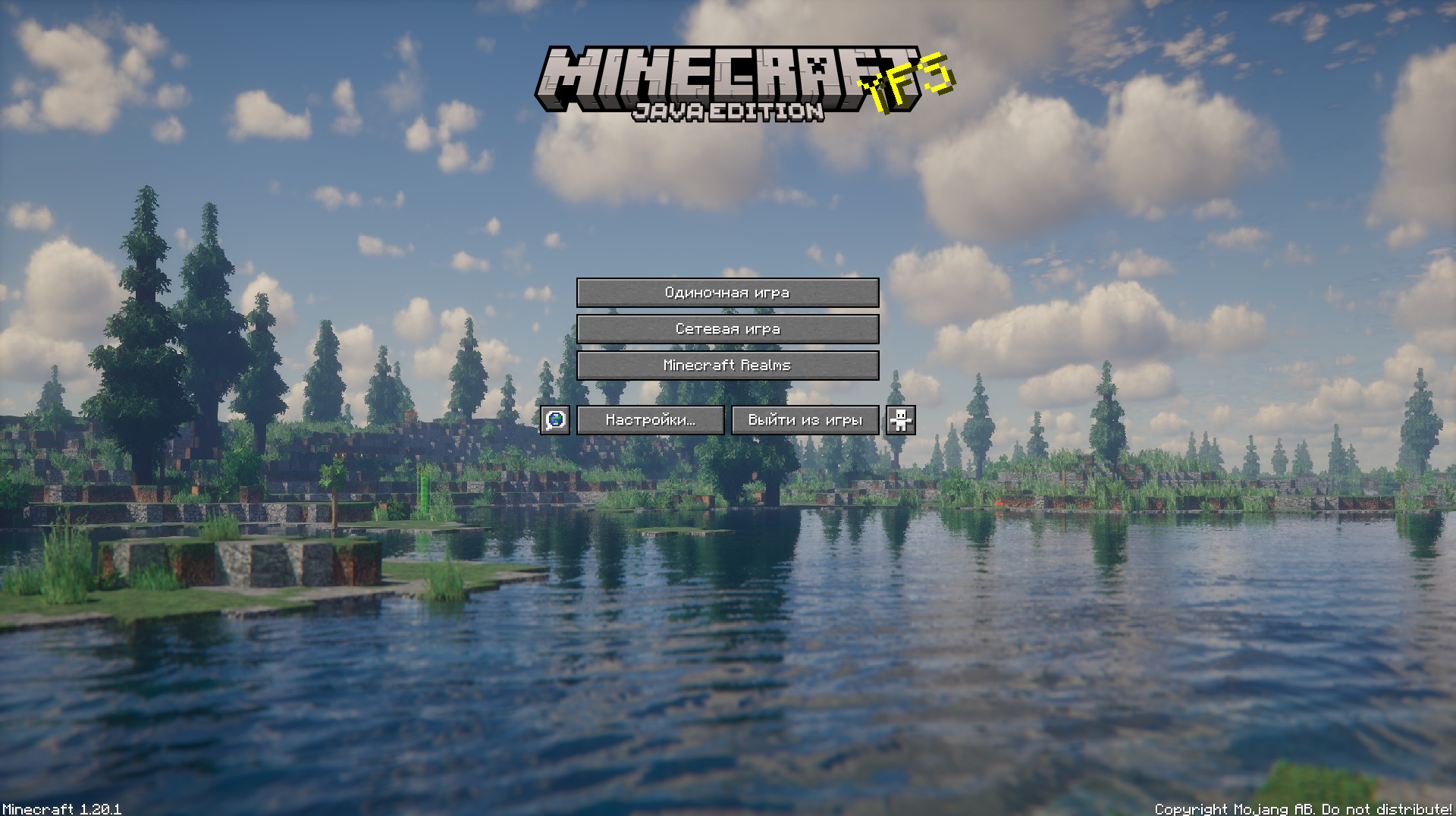
This texture pack improves your Minecraft by changing the background
This mod adds item-block version of technical blocks, which in vanilla are only available through the /setblock commands, which is not always convenient. This should help and speed up your map building process.
[](https://discord.gg/maQ6tE6Nsd)
[](https://www.curseforge.com/minecraft/mc-mods/yet-another-furniture)
[](https://modrinth.com/mod/yet-another-furniture)
[](https://www.curseforge.com/minecraft/mc-mods/yet-another-furniture/files)
### ⚠️ NOTICE :
This mod is being ***BRUTALLY DECIMATED*** and merged into the revamp of Building But Better. After the merge, this mod will no longer be maintained, but I will implement things to BBB to make the transition smooth so blocks do not disappear. Thank you!
—
### 📋 About
**Yet Another Furniture** is a furniture mod designed to be a replacement for Another Furniture which has had its entire concept and branding completely solidified. It is a re-imagination of our original mod bringing new features and blocks in a new art style.
It contains furniture types such as Drawers, Sofas, Lamps, Cabinets, and more!
—
### 🔧 Information
✅ Supported ▪ ⚠️ Maintenance ▪ ❌ Deprecated
| Feature | Details |
|—|—|
| **Mod Loaders** | Fabric Forge |
| **MC Versions** | ⚠️1.20.1 |
## This mod requires Geckolib to play!
HEY!! YOU HAVE FULL PERMISSION TO MAKE VIDEOS/SERIES WITH THIS MOD, ACTUALLY, I ENCOURAGE YOU!! And if you make one, comment the link so I can watch it!

Yet Another FNAF Mod adds brand new blocks, structures and mobs from Five Nights at Freddy’s (1-6 + others at the moment.) This mod requires Geckolib to play and will not work without it.
This mod adds several function blocks, including:
Generator
– This block emits redstone and can be connected to certain devices, however it starts to run out of energy during the night time (The max energy can be modified in a gamerule.)
Security Door
– This door can be connected to a generator to close it, however it drains energy.
Flashbeacon
– When this block is right-clicked it starts emitting light that makes certain critters be warded off!
Music Box
– During the night, this prop starts playing music and The Puppet is lured to it, make sure to wind it up though!
Audio Lure
– When this block is activated by redstone it plays a sound which lures in Springtrap, however, it breaks under certain conditions!
Clocks
– When you right click a clock, it tells you the time, however certain clocks with play a melody when it hits midnight (Plays a bit before tick 18000) and when it hits 6 AM (Plays a bit before tick 0)!
Fusebox
– This is a block that emits redstone, but can be deactivated by certain animatronics
Linked Lamp, Shock Infuser and Control Panel.
– The control panel can be linked to the Linked Lamp and the Shock Infuser using the Faz-Wrench, and both the Linked Lamp and Shock Infuser require redstone power to function.
Scooper
– Can damage entities in front of it using redstone.
– If you scoop the main 4 funtimes you get a surprise 🙂
Work Monitor (Work In Progress function)
– Can be turned on and linked to Audio Lures
– Ocasionally plays ads, which you turn off using the TV remote.
– Certain beavers may force ads on it.

**Q1**. Is this coming to bedrock/fabric?
A1. No plans for Bedrock or Fabric are set for now.
**Q2**. Can you port to X version?
A2. Currently, plans are to stay in 1.20.1, however with certain conditions, this will change.
**Q3**. Can I use this mod in a video/build?
A3. YES!! And please show us! We would love to see those.
**Q4**. When is the next update?
A4. When it’s ready 🙂
**Q5**. When are you adding things from X game?
A5. We have a roadmap which we plan to share soon in the discord server, however Security Breach, Ruin and Tales of the Pizzaplex are all planned for its own update.
**Q6**. How do I use the neon letters?
A6. Change the FAT into the red mode, right click the air, choose a letter, then right click one of the neon letter blocks.
## CREDITS
DT – Some block textures and mob textures
Meph – Some models, also general support
Stephan – fox bug tester
Ponderkitten – Secondary programmer
ThunderingStatic – inspiration for a few props
cherrytonic – Artist behind these cool page graphics!
someonecalledragnarok – Animations for Pitbonnie, and the Graveyard Shift animatronics!
The Yes Steve Model mod is a Minecraft Forge/Fabric/NeoForge mod that modifies the vanilla player model, using geckolib at its core, using Minecraft Bedrock Edition models and animation files. This allows players to customize player models and animations as they wish.
– **Custom Model Wiki:
– **Discord:
– **This github repository is maintained by community player @Elaina and stores many YSM models shared by art authors: [https://github.com/Elaina69/Yes-Steve-Model-Repo](https://github.com/Elaina69/Yes-Steve-Model-Repo)**
# Platform Support
Versions 1.1.5 and earlier were written in pure Java and support the three major mainstream platforms and mobile platforms.
Since the encryption algorithm of the old versions written in Java was quickly cracked, starting from version 1.2.0, the core encryption and rendering parts are all written in C++. This greatly improves the rendering performance and security, but the multi-platform support is poor.
The system support situation is as follows:
| System | Client | Server |
| :——————-: | :—-: | :—-: |
| Windows AMD64 | ✅ | ✅ |
| Linux AMD64 | ✅ | ✅ |
| Android AArch64 | ✅ | ❌ |
| macOS (Intel) | ❌ | ❌ |
| macOS (Apple Silicon) | ❌ | ❌ |
# Introductory Videos
# Text introduction
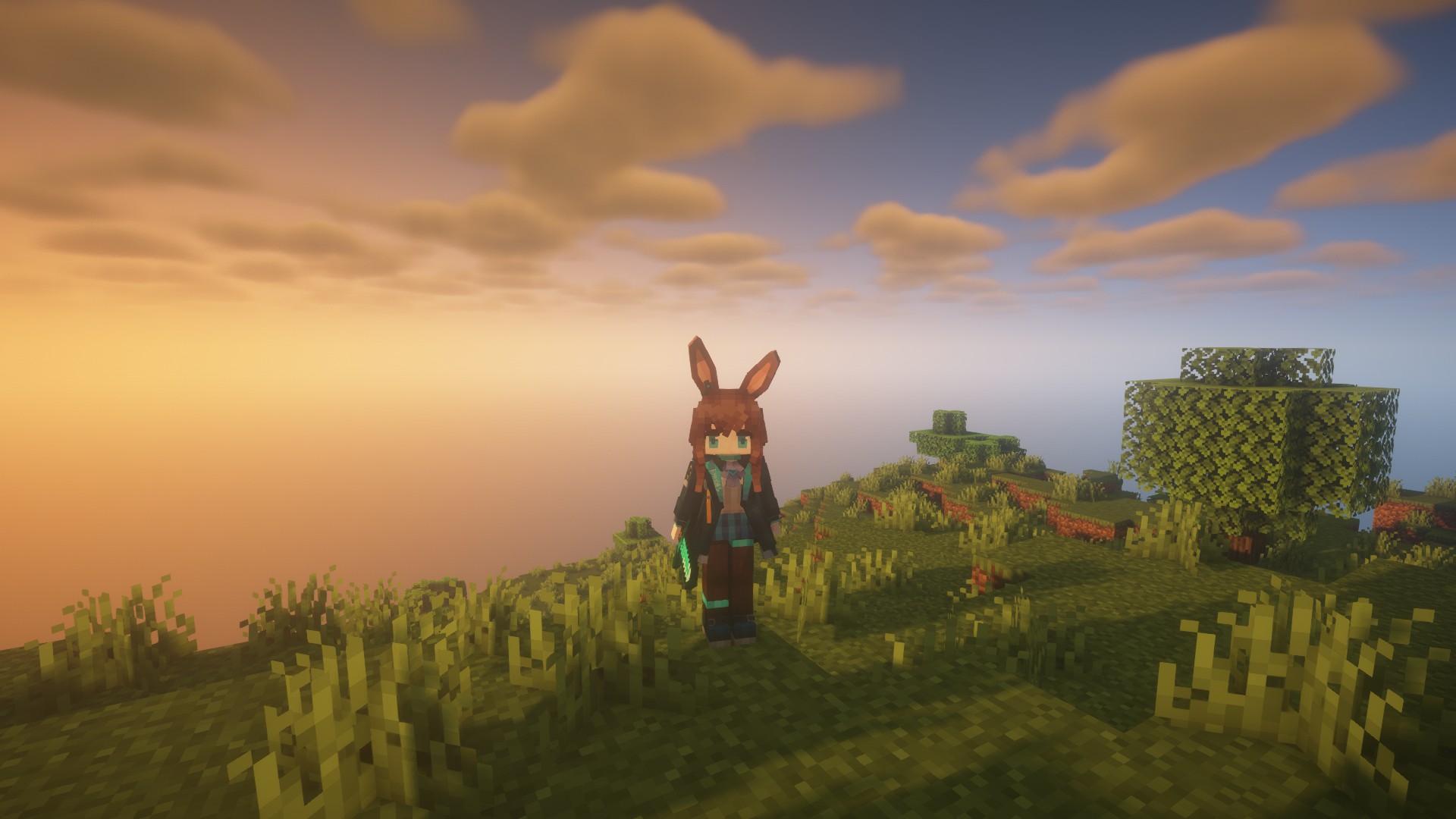
The Yes Steve Model mod takes into account the mod needs of the server community, and adopts many designs suitable for the server environment, including but not limited to:
1. Automatic synchronization of client models: When players enter the server, the server will automatically synchronize the models to the player’s computer.
2. Encrypted model files: All the models sent to the player client are encrypted binary files, effectively avoiding the problem of model theft!
3. Model auth function: Models can be authorized separately, and only after the OP input command is authorized, a specific model can be used.
4. Vanilla player model modification: Added default Steve and Alex models, both of which can automatically call the player skin display.
Simple customization function: The model customization function is extremely simple. You only need to place the model, textures and animation files in a specific folder, and input the reload command in the game to automatically load and synchronize. No need to write any configuration files!
—
For client players, it is also extremely simple to use. After the player enters the server for the first time and waits for more than ten seconds (time-consuming for model synchronization), he can use the shortcut key Alt + Y to open the following GUI:
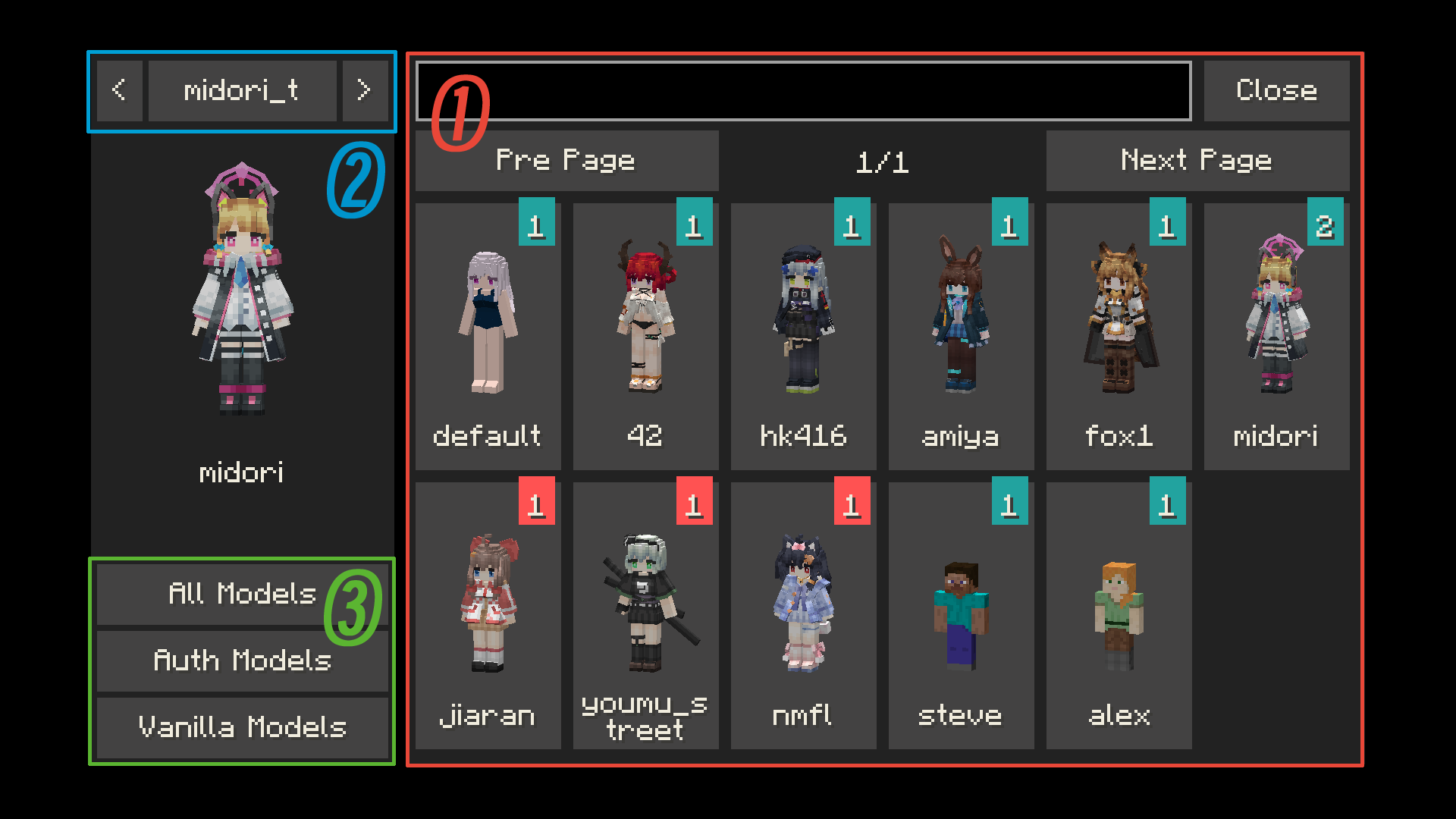
– ① Model switching button: Click to switch to the corresponding model. If the icon in the upper right corner of the button is red, it means the model is not authorized. The number in the icon represents the number of materials that the model can switch.
– ② Texture switching button: For models with multiple textures, click the left and right buttons to switch the model texture.
– ③ Model category switching button: You can switch between all models, auth models and vanilla models (currently only Steve and Alex models
—
There are many authors who have published works on planetminecraft. You can follow them:
– **NekuroMC**:
– **Omegaff0048**:
– **rWby9**:
– **WelfarexWaifu**:
# Additional Warning:
### Please do not create any models that violate laws and regulations. This production team is also opposed to any form of R18/NSFW content creation! We have never participated in any related content creation!
### 请不要制作任何违反法律法规的模型,本制作组也反对任何形式的 R18 内容创作!也从未参与过任何相关内容创作!
Version 2.2.2+ uses C++ and VMP.
Although we have used digital signatures to avoid this as much as possible, there may still be false positives from some antivirus software.
This pack adds yellow-colored flowers randomly to vines!
It is a stand-alone pack from my [Multi-Color Flowering Vines](https://modrinth.com/resourcepack/multi-color-flowering-vines) pack that adds seven colors of flowers to vines 🙂
The other stand-alone versions for each color can be found on my profile page, or in my [Flowering Vines Collection](https://modrinth.com/collection/XT8u8F1c)
[](https://www.planetminecraft.com/member/hippopotamoss/) [](mailto:[email protected]) [](https://www.paypal.com/paypalme/hippopotamoss)
🟨Yellow Enchant Glint
–
Mostly suitable for 1.15~latest version, though can be used in earlier version with less effect, which could not fixed in resource pack way.
[Click this to view alternatives.](https://modrinth.com/collection/lR5x3kC0)
ℹStatement
–
This work is authorized for non-commercial purposes only.
Proper attribution to the original author and a clear link to the source must be provided.
Unauthorized reuploading, redistribution and commercial utilization are strictly prohibited.
Distortion, defamation or any act that damages reputation shall not be permitted.
Any disputes arising from improper use shall be solely borne by the user, and the original author shall bear no responsibility therefor.
All Rights Reserved.
– _In the event of discrepancies statements contained in older versions, the above statements shall prevail._
Check my profile if you want to view more Resource Pack Projects.<3