Windows Sky Overlay
A fabricskybox sky overlay of the Microsoft Windows logo. A black sky all around and a white version of the Windows logo front and center.
**This resource pack requires the mod FabricSkyBoxes. Without it, you will be unable to see it.**

Windows PIDS
A custom Minecraft resource pack for the Joban client mod, PIDS. It features iconic Windows screens like the BSOD, bringing a tech-inspired aesthetic to Minecraft.
**NOTE:** In order to insert the images to a PIDS, right click it with a brush and then type in the ID of the desired image to apply it on a PIDS
PIDS PRESET CODE:

Windows 8-11 aero busy crosshair
### This resourse pack was ONLY made for
– changing your crosshair
### Features
– Animated
– Customizable (Read file in assets folders)
### Preview of crosshairs (Use dark mode)


Both of those images can be made to be active to be in the pack
if you ever want change your crosshair then un-zip the zip file then go into the last of the assets folders.
Also make sure you didn’t forget to read the file.
(IMPORTANT!)
### IMPORTANT NOTICE :
We will not make versions for this pack before 1.20.2 (Support might be added for 1.20 and 1.20.1)
WindowPlayerHead
### WindowPlayerhead
A client-side Fabric mod that changes your Minecraft window icon to your player’s head.
### How It Works
When you join a server or singleplayer world, the mod:
1. Fetches your player head from Minotar
2. Caches it locally in `.minecraft/cache/windowplayerhead/`
3. Sets it as the Minecraft window icon via GLFW
The download happens asynchronously, so it won’t affect your loading times.
Windowlogging
A port of Creates glasslogging feature from 1.14.4
This mod adds the option to add glass panes to slabs and stairs (and depending on config other blocks too). It can be used to create some amazing looking intricate structures.
Which blocks can accept glass panes is configureable in a block tag.
Have fun building with this mod, and feel free to put it in packs as you want.
Special thanks to Simibubi and the Create team. Simi gave me an introduction to modding in the first place, and helped me out with this mod when i had questions about rendering.
WINDOW DOOR

This is a very small resource pack; future versions will continue to resource other editions.
**_The new version might be marked as incompatible, but it can actually display correctly._**
Feedback:https://forms.gle/vfNMyg4HZgxZsgFe9
##
在原本中空的門中央加入一些美觀的窗戶造型。(意味著實心的門將不會有任何改變:杉木門…)
這是一個很小的資源包,未來將繼續支援其他版本
**_新版本可能標示不相容,但實際上可以正常顯示。_**
反饋:https://forms.gle/vfNMyg4HZgxZsgFe9
Windchimes
This is a lightweight mod that adds wind chimes to the game!
They sway in the wind, and aren’t just static blocks, they are chimes and they do chime – and even more if it’s raining.


So far, there’s only iron pipe chimes, copper pipe chimes, and bamboo chimes. More are to come, maybe also perhaps a dreamcatcher? Here are the crafting recipses:
  
**Windchimes requires Fabric API to run!!**
This mod is available under the Unlicense license. Feel free to learn from it and incorporate it in your own projects.
Discord: https://discord.gg/Zef3c27dN2
WindChime Unofficial Continued
## About
**A continuation of the popular fabric mod** WindChimes.
This mod aims to port it to newer 1.21.1 , 1.21.4 – 1.21.10 versions, as well as adding more deco features.
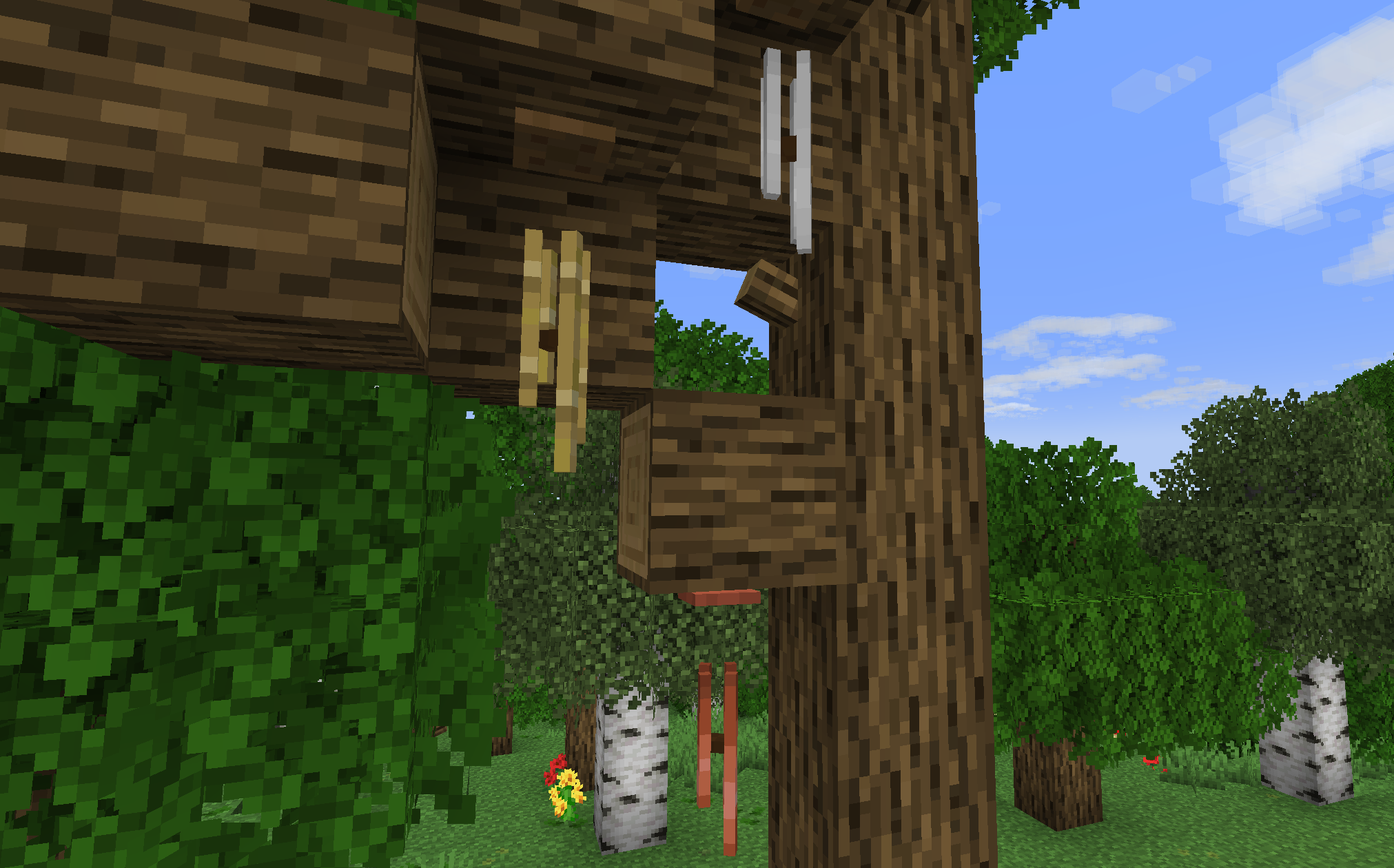
– Bamboo chime can be placed either on celing or on walls.
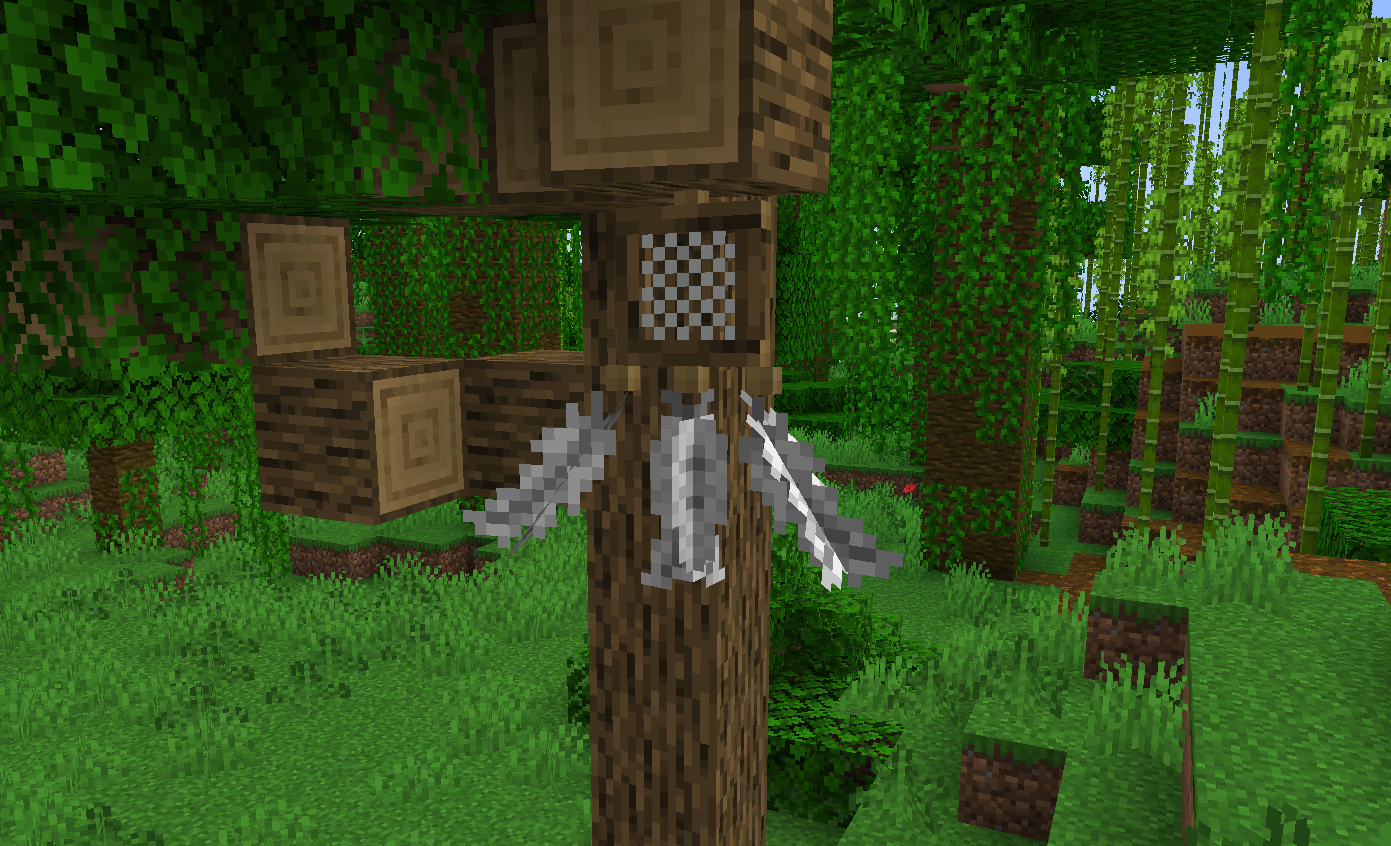
– The new version introduces the dreamcatcher
(The original mod author once mentioned adding this into the game, so I did this.)
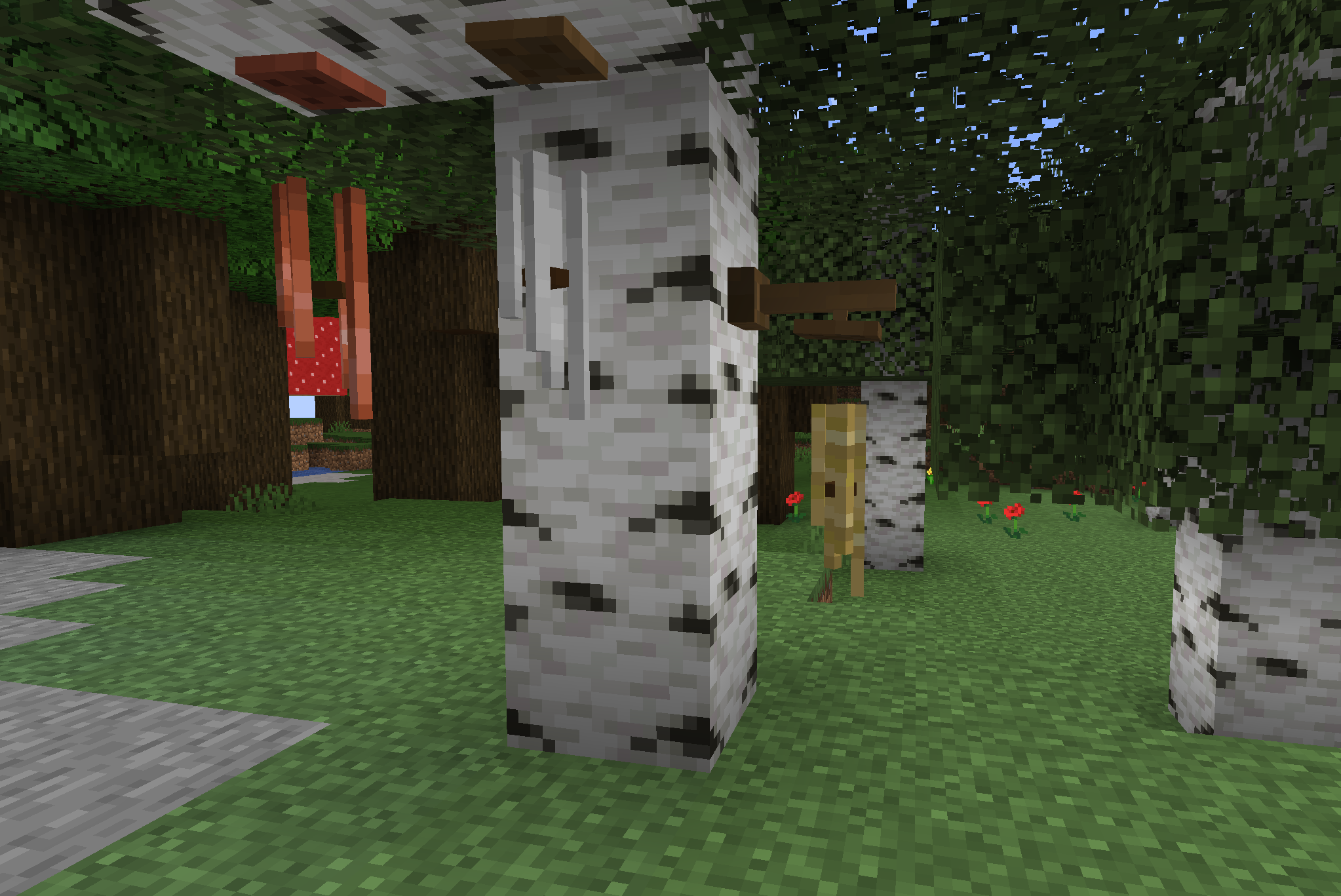
– There’re 6 types in game: oak(default), spruce, birch, dark oak, acacia, jungle
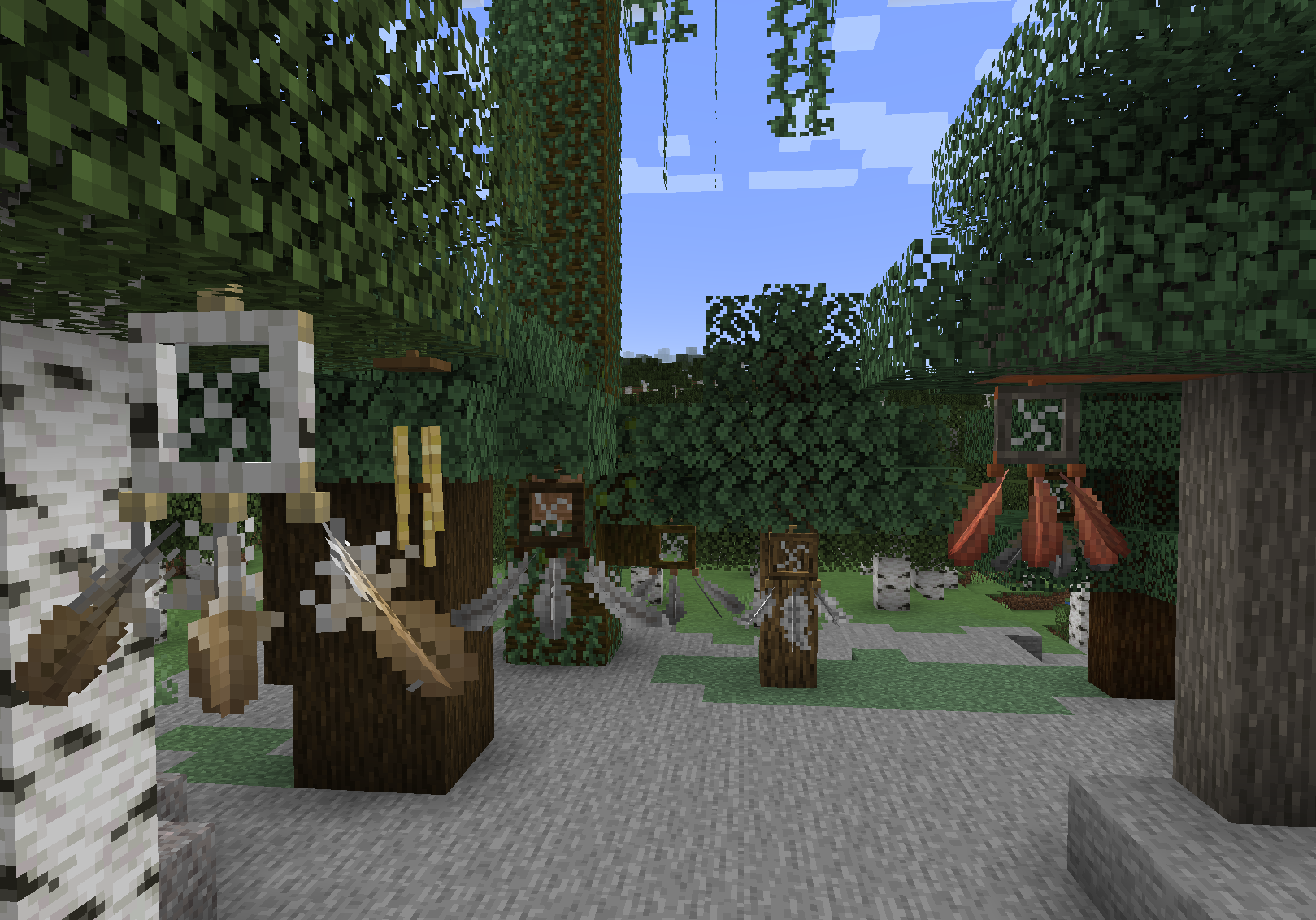
– The combination can create many fascinating visual decoration effects!
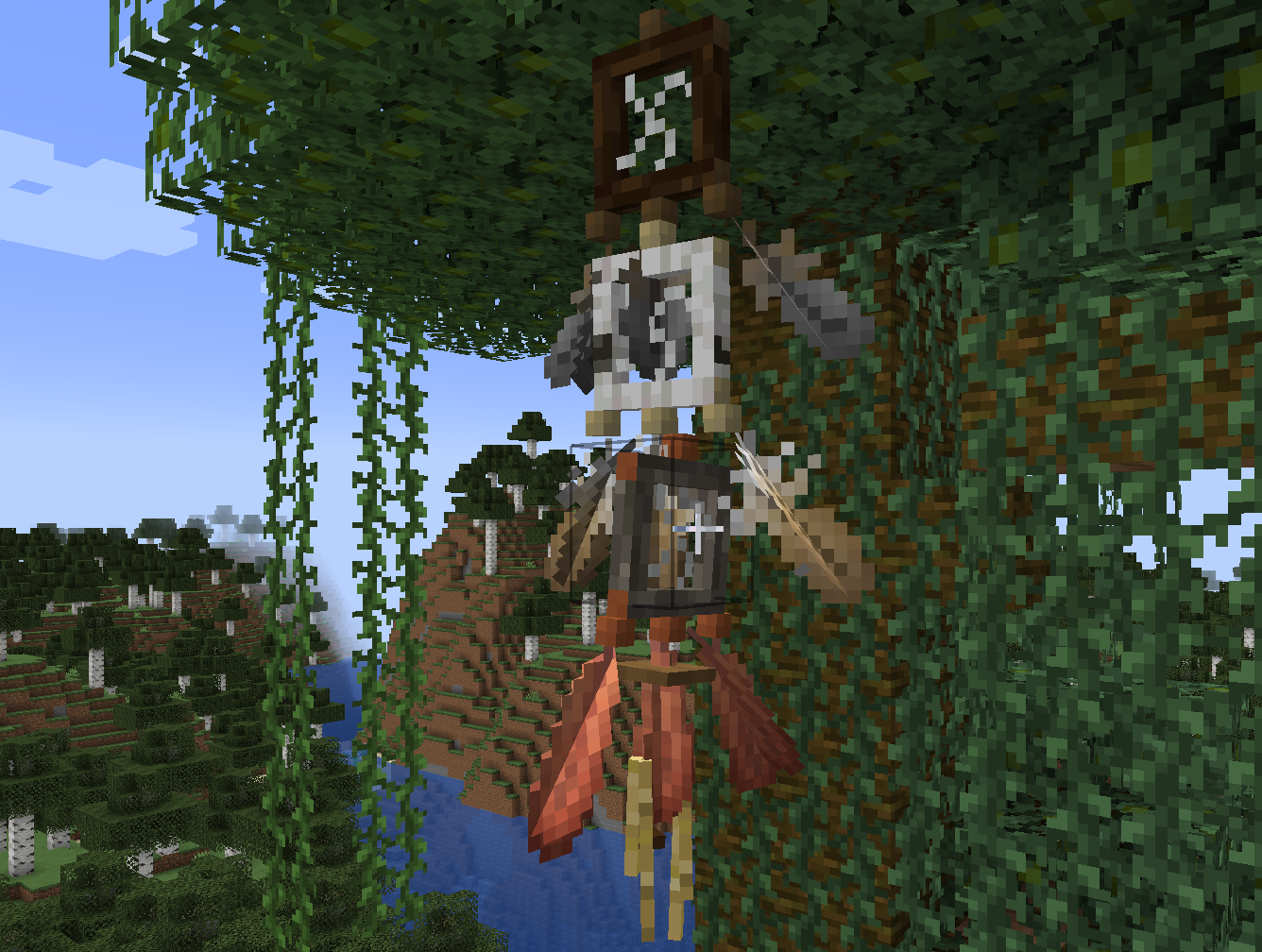
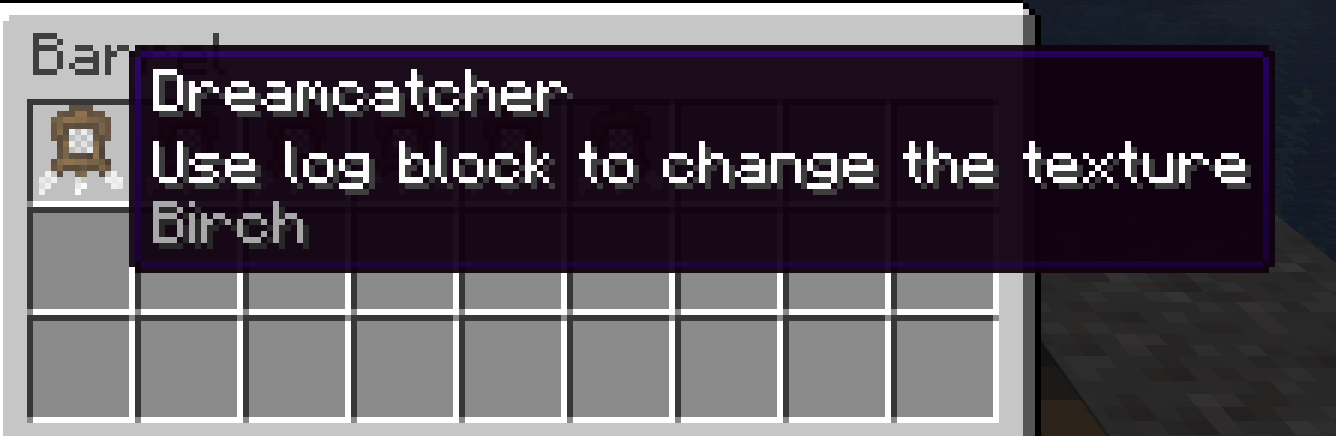
– Transform their texture by using the corresponding log blocks.
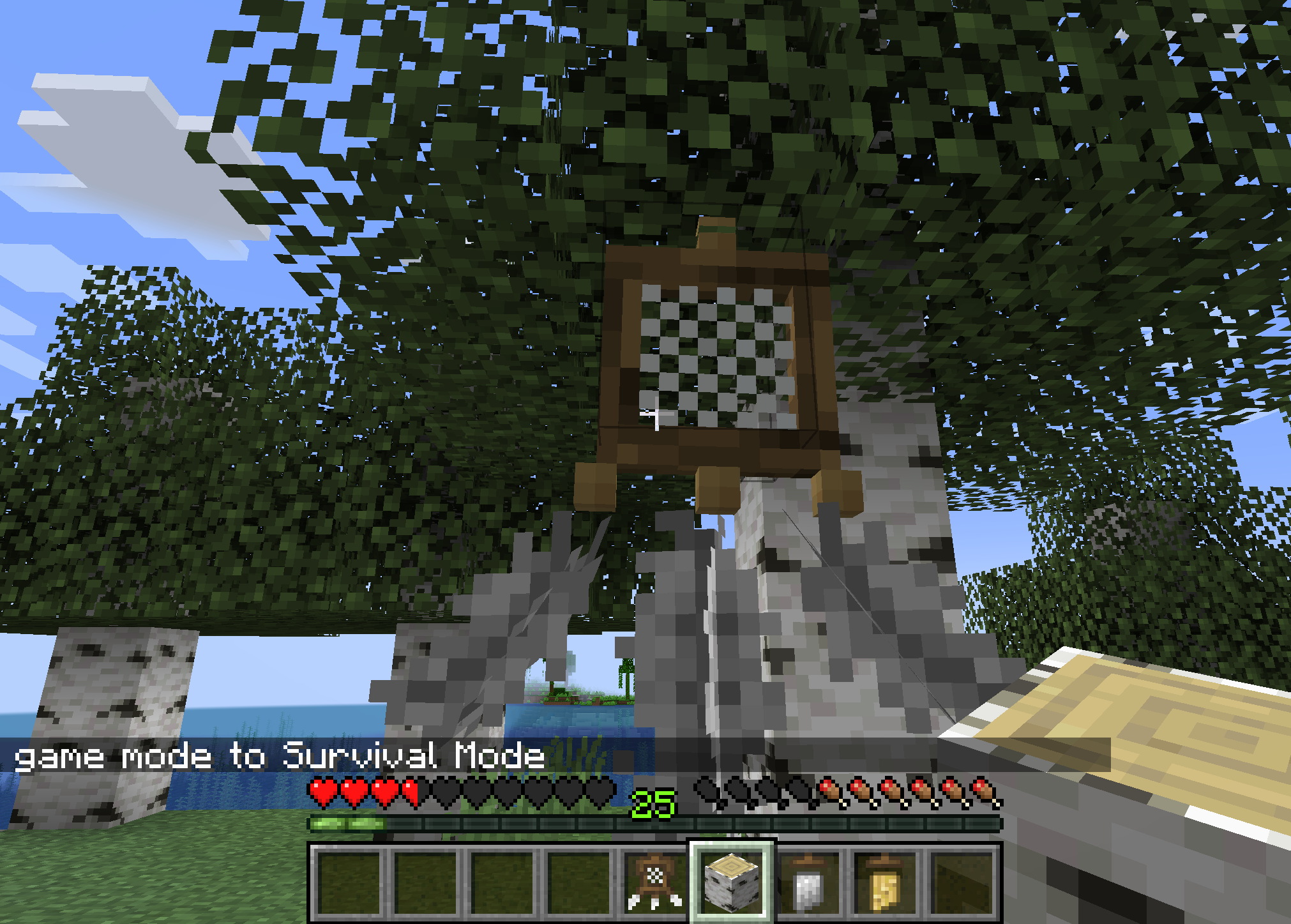
– The transformed dreamcatcher will save its data when broken.
– **The dreamcatcher has some unique features. Try to place a dreamcatcher beside your bed (Effective in 3-4 blocks).Trust me, sweet dreams will come to your mind while sleeping. By doing this, your health bar will recover to full state with a good rest.(Test)Moreover, if you hold a totem of undying in your main hand, a total of 650 exp will be earned, in exchange for your totem.**
– For survival crafting, the recipe format is as follows
(Take iron chime as an example)
(In 1.3.0 the button needs to be replaced with oak planks):
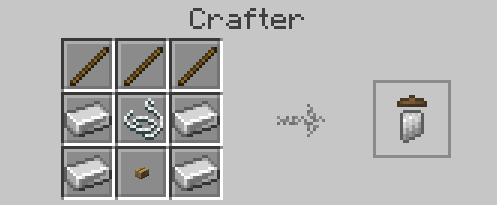
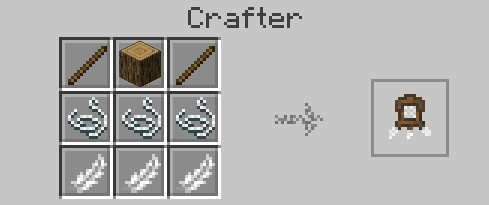
– The recipe for dreamcatcher:
Wind Boost Enchantment
Allows one to enchant the harness with Wind Boost (I – IV).
### How to Install/Use:
– Server:
> Download the Datapack or the Mod. Depending on the server software you use, if it’s Paper or Spigot, use the Datapack and put the .zip in the Datapacks folder. If it’s Fabric or NeoForge, use the Mod and put it in the Mods folder.
– Singleplayer
> Download the Datapack or the Mod, depending on what you want! If you choose the Datapack, you will need to select the Datapack manually when creating a new world, or place it inside the Datapacks folder of an existing world. If you choose the Mod, you can simply put it inside your client’s Mod folder, and the Datapack should be active in every single-player world you join.
In both situations (singleplayer/server), it’s important to restart the world/server after adding the datapack/mod! Data-driven enchantments are an experimental feature and **cannot** simply be reloaded by `/reload`.
To check if the Datapack/Mod is installed correctly, either craft a new harness or recolor an old one. After that, the item should have “Enchantable” inside its lore. If it does, you can simply put the harness inside an enchanting table and enchant it with Wind Boost I-IV! If it doesnt you did something wrong ¯_(ツ)_/¯
—
#### Feedback, Suggestions and Bug Reports:

Wind Waker Edition Data Pack
This Data Pack is intended for use with my Wind Waker Edition Resource Pack. It does the following:
-Unlocks compatibility with the extra paintings in that pack
-Changes trim modes to “decal mode”
-Adds some extra recipes for buckets, chainmail armor set, and town bell
-Adds trim material for all wool colours as well as sculk.
You can download the Resource Pack itself here:
https://modrinth.com/resourcepack/wind-waker-edition