Wynncraft: Open canvas

[](https://modrinth.com/resourcepack/wynncraft-open-canvas)
[](https://gitlab.com/met4l.mix/wynncraft-altered/-/blob/main/LICENSE.md)
[](https://discord.gg/aDX9f6euwX)
[](https://ko-fi.com/K3K51RMPIV)
> **Features**
| Todo | Status |
|:—|—:|
| Alternative font for hud, tooltip and dialogue. | ✅ |
| Refined armor based on `pre-2.1.3`. | ✅ |
| Two version to select (AIO & SPR) | ✅ |
| Reimplement selected legacy assets | 🔄 |
| More _(coming soon)_ | … |
—————————————
> **Note**
– Make sure to place it on top of the server pack (require [Server Pack Unlocker](https://modrinth.com/mod/server-pack-unlocker) or [Serverpack Priority](https://modrinth.com/mod/serverpack-priority))
– In the future this project will have **AIO** (All in one) version and **SPR** (Seperate) version which break it down to smaller packs.
– If you want to use contents from my pack then DM innert6142 on discord for permission.
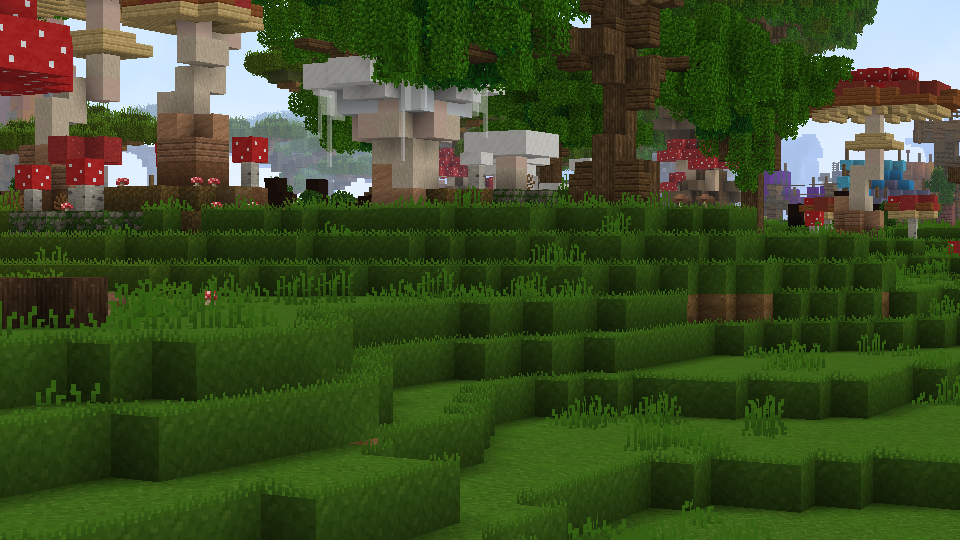
Wynncraft Fast Grass
Makes so the side of Wynncraft’s grass blocks are green, just like the Optifine Fast Grass option
Wynncraft: Cyan flame
# Wynncraft Cyan flame
**NOTICE:** Please install [Continuity](https://modrinth.com/project/1IjD5062) for the best experience!

[](https://modrinth.com/resourcepack/wynncraft-cyan-flame)
[](https://gitlab.com/met4l.mix/wynncraft-cyan-flame/-/blob/main/LICENSE.md)
[](https://discord.gg/aDX9f6euwX)
[](https://ko-fi.com/K3K51RMPIV)
> **Features**
– Recolor **regular fire** with **cyan (or soul) fire**.
– Most red colored block got recolored to blue.
– Supported some custom model mobs in Wynncraft.
– Emissive block and weapon in the dark.
– Cyan-flame themed fire weapon.
—————————————
> **Credit**
– Some text in .mcmeta generated by https://gradleuu.github.io/predposledni/
> **Note**
– Make sure to place it on top of the server pack (require [Server Pack Unlocker](https://modrinth.com/mod/server-pack-unlocker) or [Serverpack Priority](https://modrinth.com/mod/serverpack-priority))
– If blocks do not glow (because of **Sodium**), you will need [Continuity](https://modrinth.com/mod/continuity) with **_Emissive ON_**.
– If you are using **sodium** and the _lava fog_ is not recolored then install [Sodium Core Shader Support](https://modrinth.com/mod/sodium-core-shader-support).
– For the **smaller-fire** version, you can use it without the **main** version.
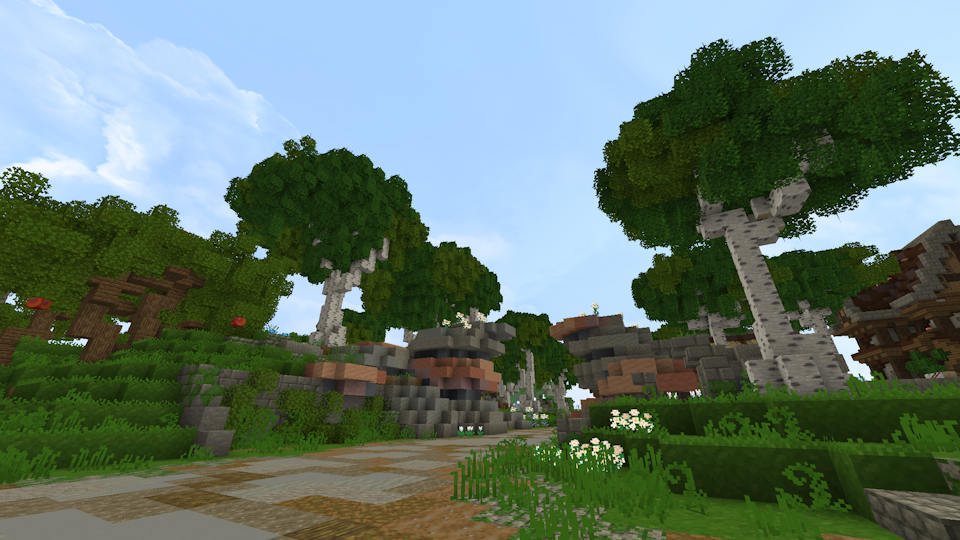
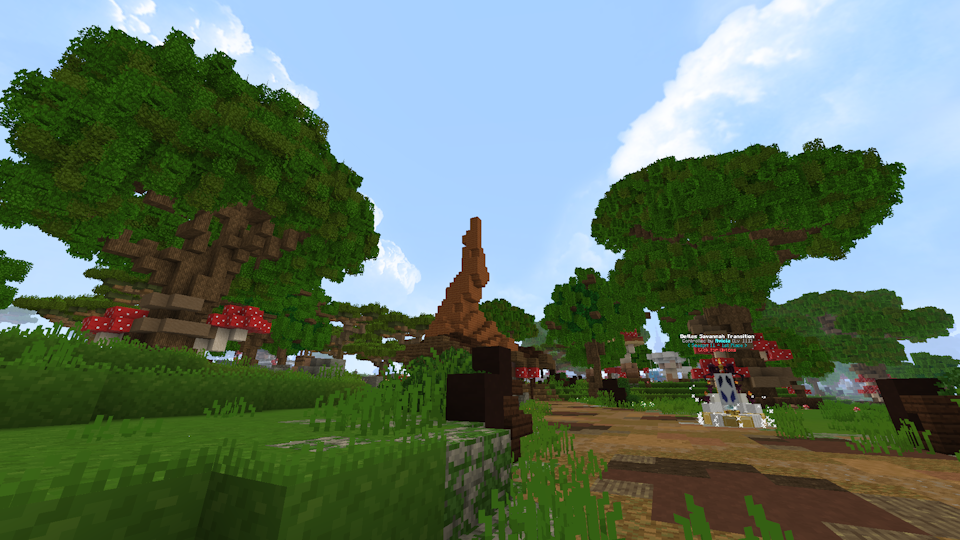
Wynncraft Bushy Leaves
Have you ever wished Wynncraft had bushy leaves to make its foliage prettier?
**No?**
Well, here it is anyways
Examples:
Wynn Dark Pack (Wynncraft)
Note at the very top – PLEASE tell me if this thing breaks. Also please tell me if you’re using my resource pack for something or modifying it, it’s not required or anything but it’s cool to know. my discord is `endernon`.
# About
This is a resource pack that
– Makes the game’s GUIs dark purple themed
– Changes some GUI layouts to be more functional
– And also supports some wynntils menus (WIP)
The aim of this pack was to add a missing dark theme to Wynncraft after Rekindled dropped since I hadn’t seen anyone else make one, but now it also includes what I consider to be extremely useful GUI changes, like a better hotbar, and also guis with less clutter and more simplicity.
**NOTE – if some stuff is missing or is in the wrong place (e.g. the coordinates in top right are gone and the class select menu is wonky), press F3+T once to reload all textures. This is due to a bug from ImmediatelyFast.**
**ANOTHER NOTE – You will need to figure out some way of loading this resource pack above the Wynncraft resource pack.**
# Special thanks to
– Brilliantknight (this pack was originally a port of their Stone Tablet pack but has since detached from that)
– zatzou (for helping me with the resource pack crc metadata uncorrupter)
– People on the Wynncraft discord for being top 10 haters in my dms
Wood you Dye
Wood you Dye is a mod that adds dyable wooden planks into Minecraft. Think of it as wool but its planks.
Credits:
Programmer Art and Russian Translation by Klayzer
Older version’s Arch-Ex support by Woodier Texas
Winter Wonderland
I made this to change Terralith to have only cold biomes, but I realised it works with any biome datapacks/mods! (Some mods don’t works as well). It essentially changes the temperature and placement of biomes so only cold ones are placed!
I also plan to also add/change some existing biomes.
All screenshots were taken with photon and terralith!
World War I Texture Pack

##
📘 **Check the guide to discover all additional items [here](https://zachopixel.com/texture-packs/ww1/guide)**
⚠️ **This texture pack requires OptiFine or CIT Resewn mod to work properly.**
##
### 🌍 Discover World War I
Transform your Minecraft world into a true **World War I battlefield!** Equip weapons, uniforms, themed items, and blocks to recreate intense trench warfare and war-torn landscapes.
##
### 🎨 Theme & Textures
The textures are designed to immerse you in a harsh and realistic war setting, **with a somber aesthetic and desaturated tones** that reflect human suffering, and the wear of the front lines. With a wide variety of blocks and items, you can build trenches, fortifications, and more to faithfully recreate the atmosphere of the conflict.
##
### 🔪 Enhanced Combat
Beyond war-themed textures, World War I **includes a wide variety of guns and items**: uniforms, rifles, pistols, machine guns, melee weapons, grenades, and more. All of this is enhanced by immersive sounds—realistic gunfire, explosions, bullet impacts, and screams—that put you in the heart of total war.
##
### 🧰 Custom Weapons & Uniforms
To fully enjoy this resource pack, **you’ll need OptiFine or CIT Resewn installed**.
How does it work? By renaming certain items using an anvil, you’ll change their appearance and unlock unique visual variants.
📜 See the full list of available items here: https://zachopixel.com/texture-packs/ww1/guide
Wumpus Plushie
**How to get?**
– Rename a **Stick** on Anvil to: **Wumpus Plushie**
**Where’s the Wampus Leaf?**
– The leaf flew away with a gust of wind.
Wukong Abilities
Wukong Abilities
Unleash the full power of the Monkey King — mythical staff powers, clones, transformations and sky mobility in Minecraft.
For YT Support:
https://youtube.com/@mine_twice?si=67b_mn6T7Nw8Oj4G
—
**⭐ Features**
🌀 Multiple Wukong abilities inspired by mythology
🦊 Clone Summoning & Monkey Army
🪄 Ruyi Jingu Bang Staff with extend, smash & cinematic spin
☁️ Flying Nimbus Cloud you can ride
🔥 Ultimate Transformation Mode
⚡ Fast mobility: dash, trail, cloud burst
📊 Fully configurable cooldowns, damage, animations
🖥️ Built-in GUI for ability editing
🧩 Lightweight & optimized for survival servers
—
**🔐 Permissions**
To use Wukong features, the player must:
• Be an operator, or
• Have proper permissions set via a permissions plugin
All commands and abilities are permission-based and configurable.
—
**WUKONG LEGENDS COMMANDS — Full Control Over Every Monkey King Power**
● ○ ● ○ ● ○ ● ○ ● ○ ● ○ ● ○ ● ○ ● ○ ●
**/wukong**
➤ Gives the legendary Ruyi Jingu Bang
➤ Unlocks all Wukong abilities
➤ Reloads player ability data
➤ Admin-only (configurable)
—
**/wukong help**
➤ Shows full command list
➤ Explains every ability
➤ Clean info menu with icons
—
**/wukong info**
Displays player stats:
• Unlocked abilities
• Cooldowns
• Active animations
• Current mode (Normal / Golden / Ultimate)
—
**/wukong abilities**
➤ Opens the Wukong GUI
➤ Enable/disable abilities
➤ Balanced for servers
—
**/wukong staff**
➤ Gives a new staff
➤ Choose mode: Normal, Giant, Mini
—
**/wukong forms**
Switch between Monkey King forms:
• Normal Mode
• Golden Armor Mode
• Ultimate Transform Mode
➤ Includes cinematic animations
—
**/wukong summon **
Summon Wukong mobs:
• clone
• monkey
• monkey_army
• training_dummy
—
**/wukong nimbus**
➤ Summon or dismiss the Flying Nimbus
➤ Instantly mount the cloud
—
**/wukong config reload**
➤ Reload configs live
➤ Updates cooldowns, effects, animations
—
**/wukong reset **
➤ Reset player progress
➤ Clear cooldowns
➤ Remove transformations
—
**/wukong setmode **
Force-set a player mode:
• normal
• golden
• ultimate
—
**/wukong animate **
Play any animation manually:
• staff_spin
• sunbeam_charge
• ultimate_transform
• dash_trail
• cloud_shield
—
Full Control, Full Power
Admins, creators, and players get complete access to the full Monkey King experience with immersive animations, configurable abilities, and cinematic transformations.