Zyvera WelcomeMessage
# ZyveraWelcomeMessage
**Greet your players with stunning gradient messages, fireworks, and sounds—all fully controllable via a single config.**

*↑ Gradient welcome message in chat*
—
## ✨ Features
– 🎨 **Color gradients** — Supports all MiniMessage gradients (``)
– 🌍 **Global message** for all players upon joining
– 👤 **Individual messages** per player (name or UUID)
– 🥇 **First-Join Message** — automatically detects new players
– 🎆 **Fireworks Effects** — type, colors, number, and delay configurable
– 🔊 **Sound Effects** — for the player themselves or everyone online
– ⚡ **Folia-compatible**
– 🔄 `/zwm reload` — no server restart required
—
## 🚀 Installation
1. Copy the JAR file to the `/plugins/` folder
2. Start the server
3. Customize `plugins/ZyveraWelcomeMessage/config.yml`
4. Run `/zwm reload` in-game
—
## ⚙️ Configuration (Example)
“`yaml
global:
join-message:
text: “✦ Welcome, {player}! ✦”
fireworks:
enabled: true
type: BALL_LARGE
colors: [“#a855f7”, “#6366f1”]
sound:
enabled: true
sound: “ENTITY_PLAYER_LEVELUP”
“`
Placeholders: `{player}` · `{displayname}` · `{world}` · `{uuid}`
All colors in hex format (`#rrggbb`). MiniMessage reference: [docs.advntr.dev](https://docs.advntr.dev/minimessage/format.html)
—
## 🔧 Commands & Permissions
| Command | Description |
|——–|————-|
| `/zwm reload` | Reload config |
| `/zwm preview [global|first-join|playername]` | Preview message |
| `/zwm version` | Plugin info |
| Permission | Default |
|———- -|———|
| `zyvera.welcomemessage.admin` | OP |
| `zyvera.welcomemessage.bypass` | false |
—
## 🖥️ Compatibility
| Platform | Status |
|———|——–|
| Paper 1.16+ | ✅ |
| Folia | ✅ |
| Purpur | ✅ |
| Spigot 1.16+ | ⚠️ Limited |
—
*Made by Thomas & Zyvera-Systems · [zyvera-systems.dev](https://zyvera-systems.dev)*
Translated with DeepL.com (free version)
Zyvera TicTacToe
# ⚔ Zyvera-TicTacToe
### Classic TicTacToe as a fully GUI-based Lobby Minigame.





**by Thomas U. & Zyvera-Systems**
—
## Overview
Zyvera-TicTacToe adds a complete TicTacToe minigame to your Minecraft server — fully inventory-based, with automatic matchmaking, direct challenges, persistent ranked stats, and crafting table binding. No dependencies, no setup hassle. Just drop and play.
—
## Features
### 🎮 Game Modes
– **Queue (Ranked)** — Join the matchmaking queue and get paired automatically. Wins, losses, draws, streaks — everything is tracked.
– **Challenge (Unranked)** — Challenge any online player directly. No stats, just fun.
– **Workbench Binding** — Bind TicTacToe to crafting tables in your world. Right-click toggles the queue (1s cooldown).
### 🖥️ GUI System
– **Compact 3×3 Board** — Clean layout in a 36-slot inventory
– **Real Player Heads** — Actual Minecraft skins displayed via SkullMeta
– **Win Highlight** — Winning line turns green at the end
– **Main Menu** — Queue, stats, and leaderboard in one place
– **Stats GUI** — Wins, losses, draws, winrate, total moves, streaks
– **Top 10 Leaderboard** — Gold, silver, bronze for the best players
### ⏱️ Timeout System
– **No moves placed + 120s idle** → Game gets cancelled (no stats affected)
– **Ranked + moves placed + 120s idle** → Inactive player loses automatically
– **Challenge (Unranked)** → Timeout has no effect
### 🔮 Holograms
Bound crafting tables display a floating hologram above them:
> **TicTacToe**
> [Click Me]
—
## Commands
| Command | Description | Permission |
|———|————-|————|
| `/ttt` | Open main menu | `zyvera.ttt.use` |
| `/ttt play` | Join the queue | `zyvera.ttt.use` |
| `/ttt leave` | Leave the queue | `zyvera.ttt.use` |
| `/ttt challenge ` | Challenge a player | `zyvera.ttt.use` |
| `/ttt accept` | Accept a challenge | `zyvera.ttt.use` |
| `/ttt deny` | Deny a challenge | `zyvera.ttt.use` |
| `/ttt stats [name]` | View stats (GUI) | `zyvera.ttt.use` |
| `/ttt top` | Top players (GUI) | `zyvera.ttt.use` |
| `/ttt quit` | Leave active game | `zyvera.ttt.use` |
| `/ttt bind` | Bind a crafting table | `zyvera.ttt.bind` |
| `/ttt unbind` | Unbind a crafting table | `zyvera.ttt.bind` |
| `/ttt reload` | Reload config | `zyvera.ttt.admin` |
**Alias:** `/tictactoe`
—
## Permissions
| Permission | Description | Default |
|———–|————-|———|
| `zyvera.ttt.use` | Basic TicTacToe access | everyone |
| `zyvera.ttt.bind` | Bind/unbind workbenches | OP |
| `zyvera.ttt.stats.others` | View other players’ stats | everyone |
| `zyvera.ttt.admin` | Admin commands (reload) | OP |
—
## Compatibility
| Platform | Supported |
|———-|———–|
| Bukkit | ✅ 1.13+ |
| Spigot | ✅ 1.13+ |
| Paper | ✅ 1.13+ |
| Purpur | ✅ 1.13+ |
| Folia | ✅ Regionized Scheduler |
– **Java:** 8+
– **Dependencies:** None
– Material fallbacks ensure compatibility across all versions (e.g. `RED_CONCRETE` → `STAINED_CLAY` on legacy)
– Folia support is fully reflection-based — no compile-time dependency
—
## Configuration
Everything is customizable — messages, colors, materials, timeouts, and hologram text.
“`yaml
prefix: “&8[&6&lTTT&8] ”
game:
turn-timeout: 120
challenge-timeout: 60
workbench-cooldown: 1000
gui:
symbol-x-material: RED_CONCRETE
symbol-o-material: BLUE_CONCRETE
hologram:
line1: “&6&lTicTacToe”
line2: “&8[&aKlick Mich&8]”
offset-y: 1.5
“`
—
## Installation
1. Drop the JAR into your `plugins/` folder
2. Start or restart the server
3. Config generates automatically
4. Done — `/ttt` and play!
—
**Made with ❤️ by Thomas U. & Zyvera-Systems**
⭐ *Enjoying TicTacToe? Leave a review!*
ZXRP
[](https://discord.gg/VQP9zM7EwU) [](https://t.me/trzteam) [](https://www.donationalerts.com/r/zcript_)
# 💬 Description
A resource pack that adds a lot of RP items to the game. Created specifically for the RP servers.
There is currently no English localization
# 📄 Other
List of items: https://3sqd.ru
Thanks to TweaksWr, dscss2 and Krisytov for their help!
Zero Point Systems

Zero Point Systems is a mod that adds many unique logistical blocks and items that can be used for creating redstone contraptions, controlling Valkyrien Skies ships, transmitting data, and more!
The primary feature is a unique cable system that allows for four independent signals to be sent through a single block: the Dense Cable. These signals can be either redstone signals or Forge Energy signals, and you can combine them within a single dense cable. Just make sure they’re all on separate channels, or there might be explosive consequences! You can combine single cables into dense cables and vice versa with the use of the Dense Cable Separator block, which transfers the signals between the dense cables and 4 individual ones which are distinguished by colored faces.
To go along with these dense cables, there are several blocks which connect directly to them without the use of the usual separator block:
– The Octo and Dodeca Controllers. These controllers map keys on your keyboard directly to the colored channels of a dense cable when you sit at them. Their primary intended use case is as a control interface for VS ships, but you can also use them to control anything you like.
– The Switch Panel. This panel connects a tiny lever directly to each channel of a dense cable.
– The Graduated Lever. This lever connects to a single cable and allows precise control of the redstone signal strength passing through it.
The Octo and Dodeca Controllers. These controllers map keys on your keyboard directly to the colored channels of a dense cable when you sit at them. Their primary intended use case is as a control interface for VS ships, but you can also use them to control anything you like.
The Switch Panel. This panel connects a tiny lever directly to each channel of a dense cable.
The Graduated Lever. This lever connects to a single cable and allows precise control of the redstone signal strength passing through it.
There is also a Data Cable system that can send strings of letters over long distances. This can be used to send and receive radio signals, display text on panels, compare text, and automatically record incoming messages into books! You can even play the messages out loud using the text-to-speech Loudspeaker block!
Credits:
– French + German translations courtessy of ruralpainter857
Zorro Luciérnaga
## Mod Loaders


## Content
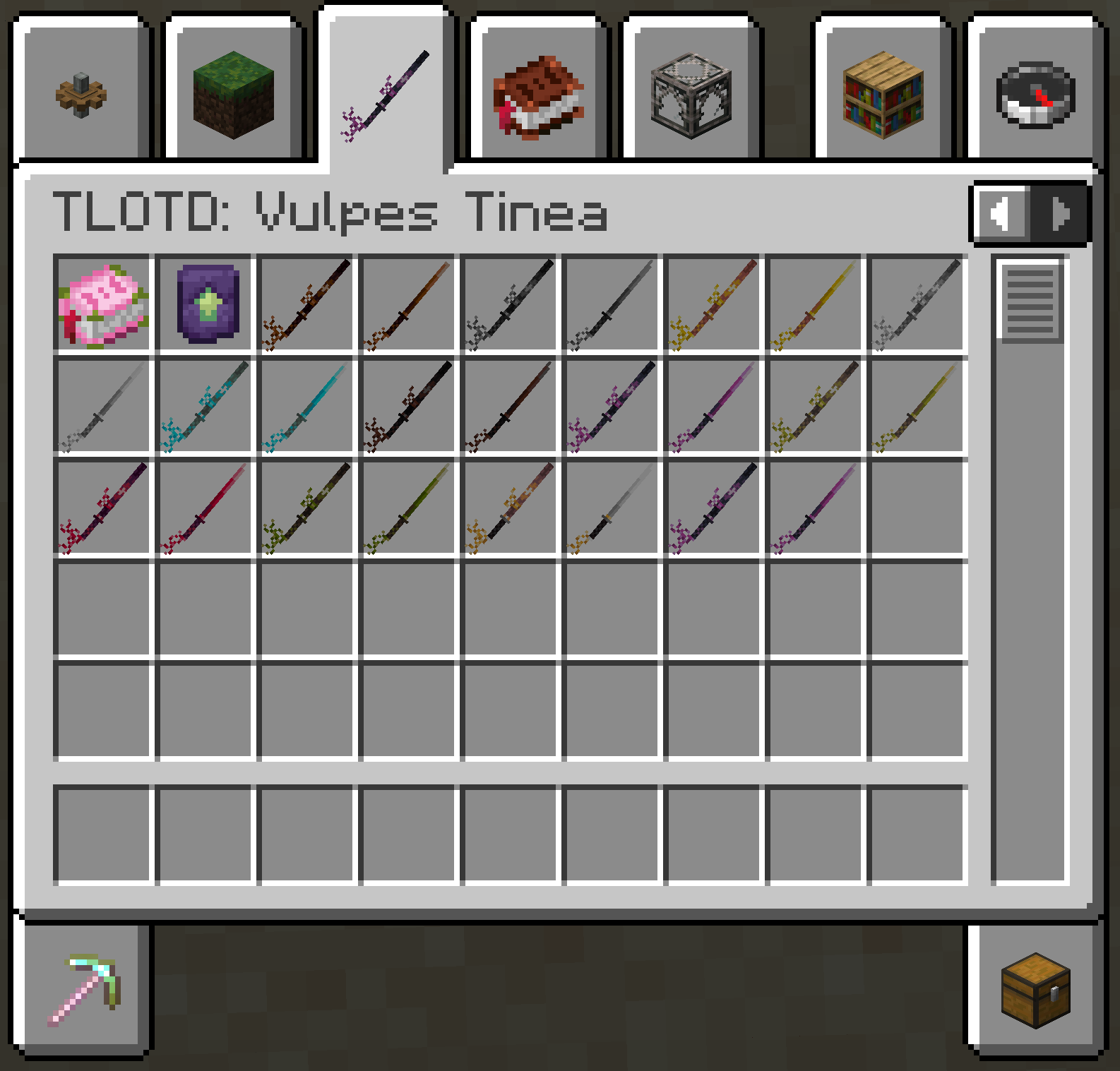
EN: As of right now, the mod adds a new melee weapon in the form of the katana. This new weapon is available in all Vanilla tool tiers, aswell as the ones added by [TLOTD](https://modrinth.com/mod/tlotd).
ES: A partir de ahora, el mod añade una nueva arma cuerpo a cuerpo en forma de katana. Esta nueva arma está disponible en todos los niveles de herramientas de Vanilla, así como en los añadidos por [TLOTD](https://modrinth.com/mod/tlotd).
## Creative Menu
ZomBilliard Balls
Remember how creepers drop music discs when killed by skeletons? Have you ever thought “Wouldn’t it be cool if there was more collectibles you could get by making mobs kill each other?” No? Me neither. This datapack came to me in an incredibly strange dream, so I decided, why not make it a reality?
In this datapack, you can get all 15 billiard balls, along with a cue ball, by forcing a skeleton to kill a zombie. They come in slightly varying rarities, with 1-7 and 9-15 being of Rare rarity (Aqua color, higher chance of dropping), and the 8 and cue balls being of Epic rarity (Magenta/Light Purple color, lower chance of dropping).
Zombie Girls
This tpack changes the sex of the zombies and the model, in its 3 versions.
Zombie Variants
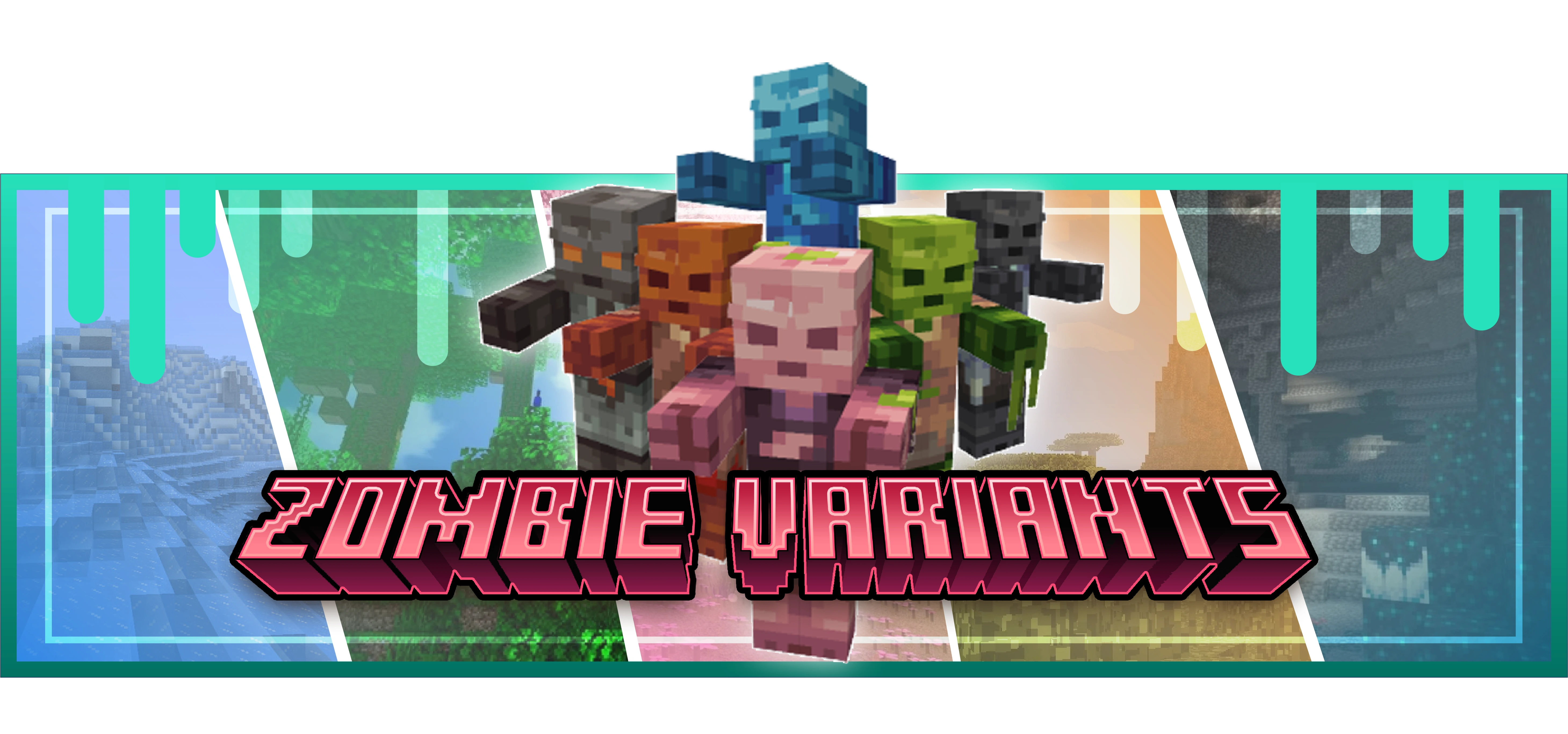
Tired of seeing the same old zombie over and over again? Since the early days of Minecraft, the zombie’s appearance hasn’t changed much — and while that’s fine, why not add a little more variety?
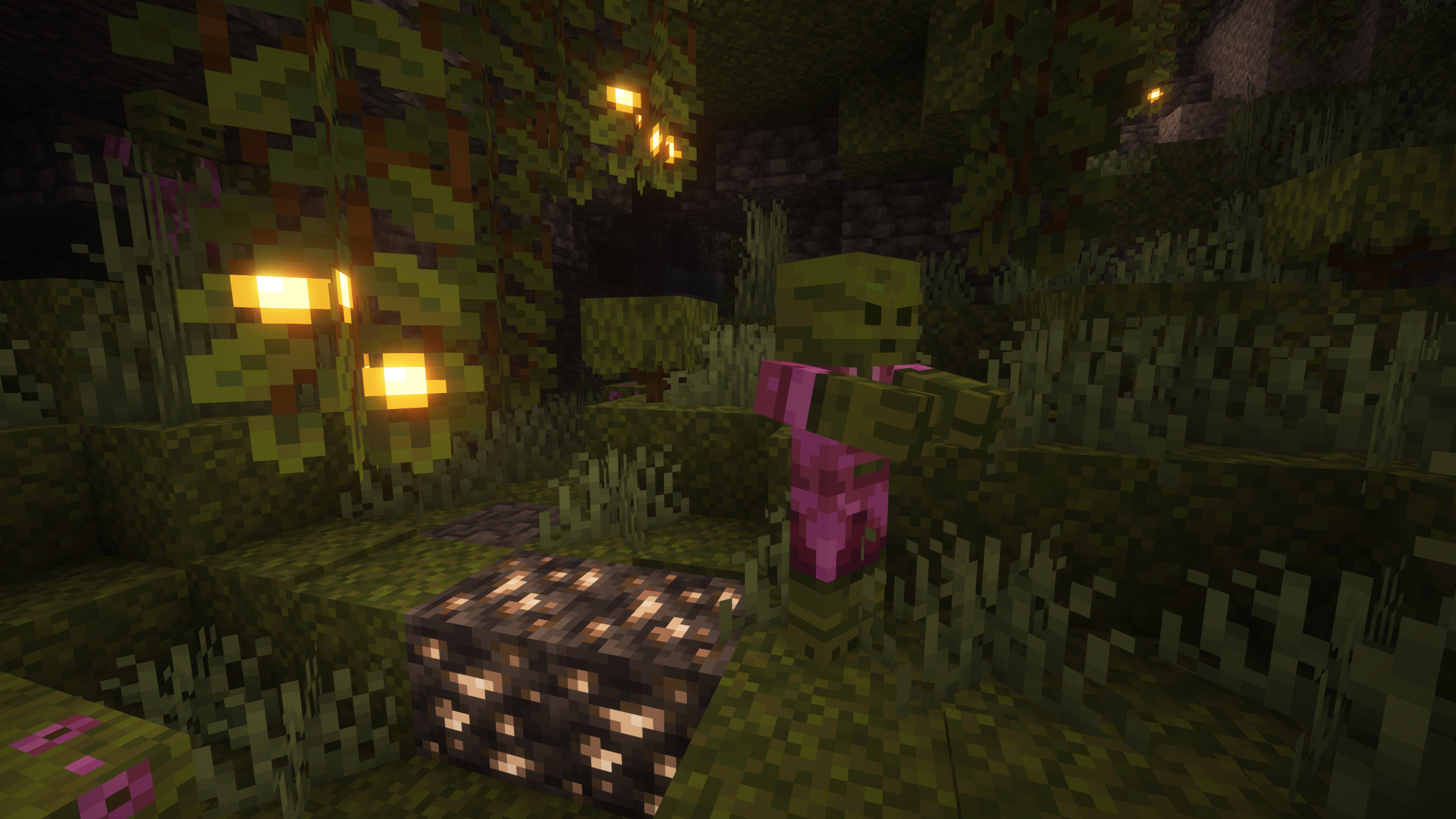
This mod introduces 15 new zombie variants, each designed to spawn in specific biomes, bringing more life (or un-life) to your world! Don’t worry — the classic zombie will still appear in most common biomes like plains. But now, depending on where you are, you’ll encounter new types of zombies that match their surroundings.
For example:
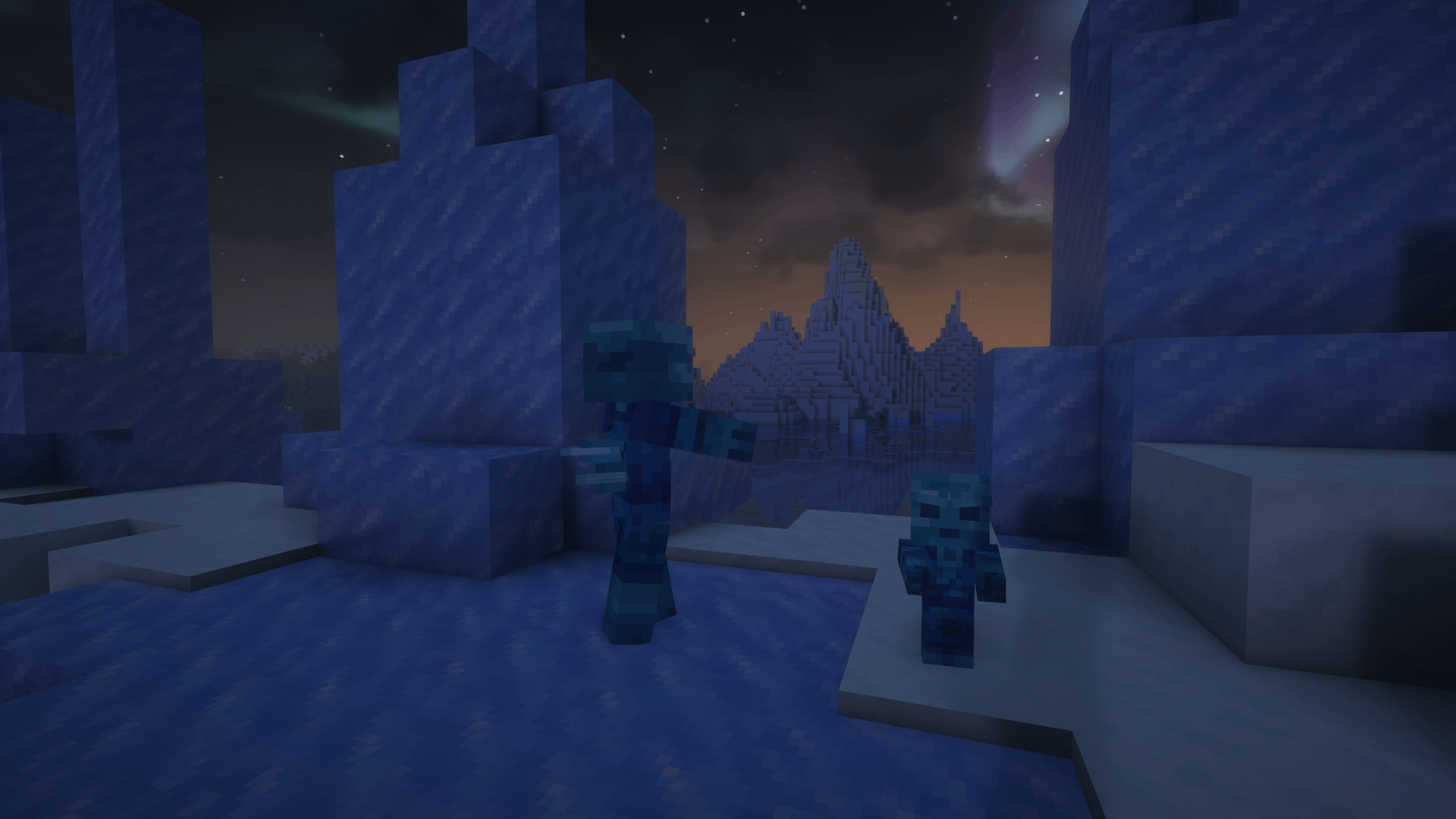
– In snowy or frozen areas, you’ll meet the Frozen Zombie.
Below, you’ll find a detailed list of each zombie variant and the biome it spawns in.
### Do you need a server to play with your friends?

For exceptional server hosting services, look no further than **[BisectHosting](https://bisecthosting.com/lupin)**. Of course, you can install all the mods or modpacks you want, and their support team is always available to help you.
**[With the code “Lupin” you will get a 25% discount! Click here!](https://bisecthosting.com/lupin)**

Each zombie type is designed to fit the environment it spawns in, offering new challenges and a fresh look as you explore different parts of the world. Whether you’re wandering snowy mountains or deep caves, there’s always a new undead threat lurking nearby.
Zombie Variants by Biome:
– Frozen Zombie – Spawns in: Jagged Peaks, Frozen Peaks, Grove, Snowy Slopes, Snowy Taiga, Snowy Beach, Snowy Plains and Ice Spikes.
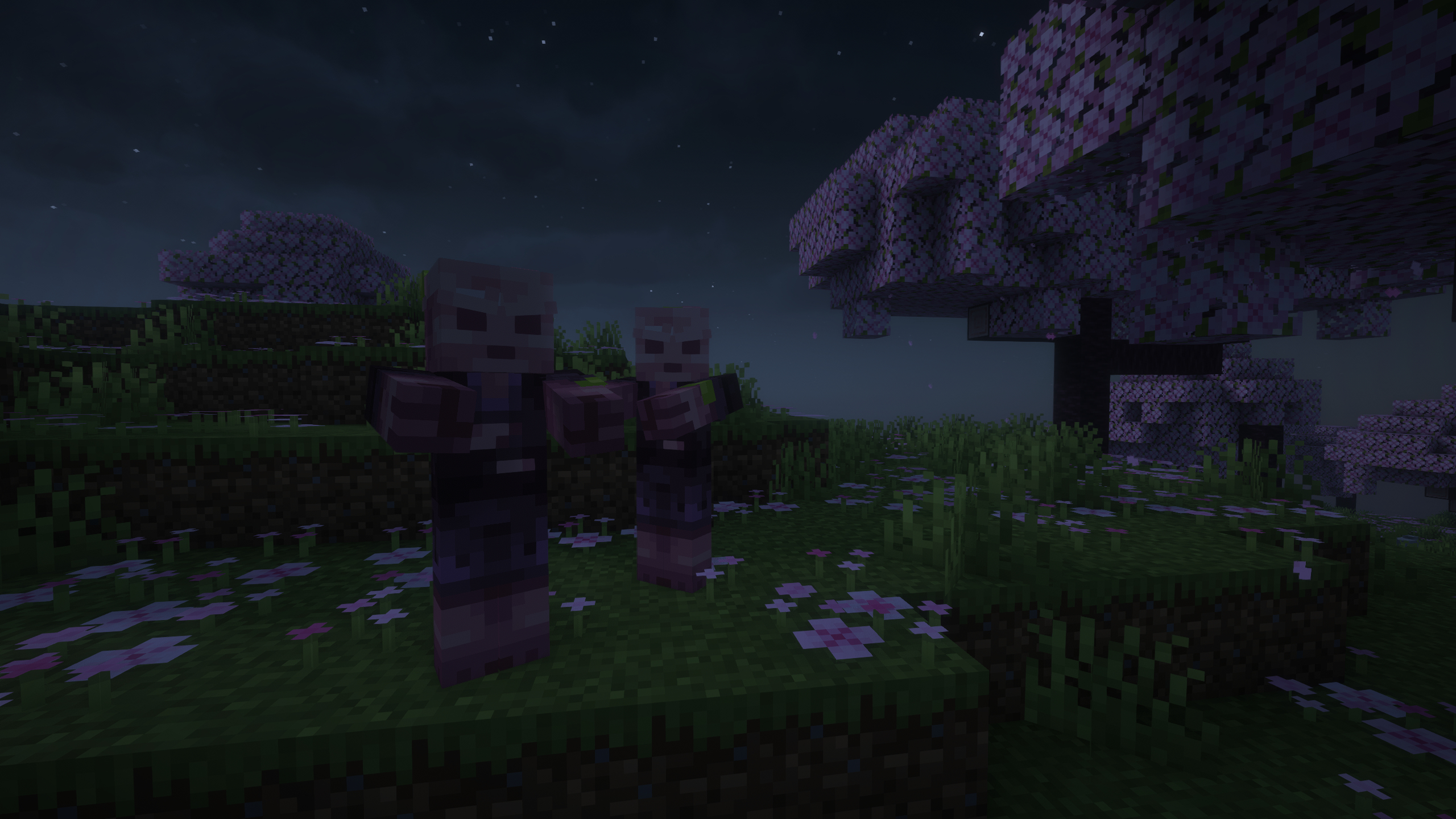
– Cherry Zombie – Spawns in: Cherry Grove.
– Pale Zombie – Spawns in: Pale Garden.
– Jungle Zombie – Spawns in: Jungle, Sparse Jungle.
– Bamboo Zombie – Spawns in: Bamboo Jungle.
– Swamp Zombie – Spawns in: Swamp.
– Mangrove Zombie – Spawns in: Mangrove Swamp.
– Desert Zombie – Spawns in: It will only appear in the pyramids. In the rest of the desert the Husk will continue to appear..
– Badlands Zombie – Spawns in: Badlands, Eroded Badlands.
– Dark Zombie – Spawns in: Deep Dark.
– Lush Zombie – Spawns in: Lush Caves.
– Dripstone Zombie – Spawns in: Dripstone Caves.
– Mushroom Zombie – Spawns in: Mushroom Fields.
– Savanna Zombie – Spawns in: Savanna, Savanna Plateau.
– Cave Zombie – Spawns in: Caves (general underground areas).

### Does it work on servers?
###
Sure! Remember that the best way to play with mods and friends is with BisectHosting, and by **[clicking on this link you can get a 25% discount](https://bisecthosting.com/lupin).**
### Can this mod be used in modpacks?
###
Of course! As long as it is published only on Modrinth or CurseForge. Uploading it to any other platform would be violating our rights and is not allowed at all.
However, we are really grateful if you consider adding it to your Modrinth or CurseForge modpack. If you need any small changes or have any questions, contact us!

[](https://discord.gg/X8VY5WMbe4)
.
Zombie To Player Head
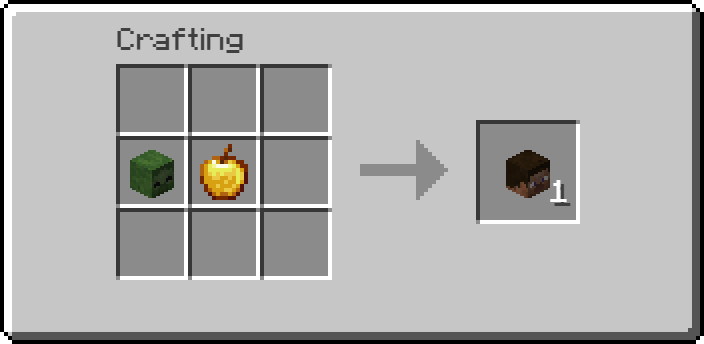
This datapack introduces a custom crafting recipe that lets players **obtain a player head** by combining **one golden apple** with **one zombie head**. Simply place both items in a crafting table to craft a player head, offering a unique and **creative way** to access **decorative heads** in **survival gameplay**.
## Recipe:
Zombie Plague III
——————————————————————-
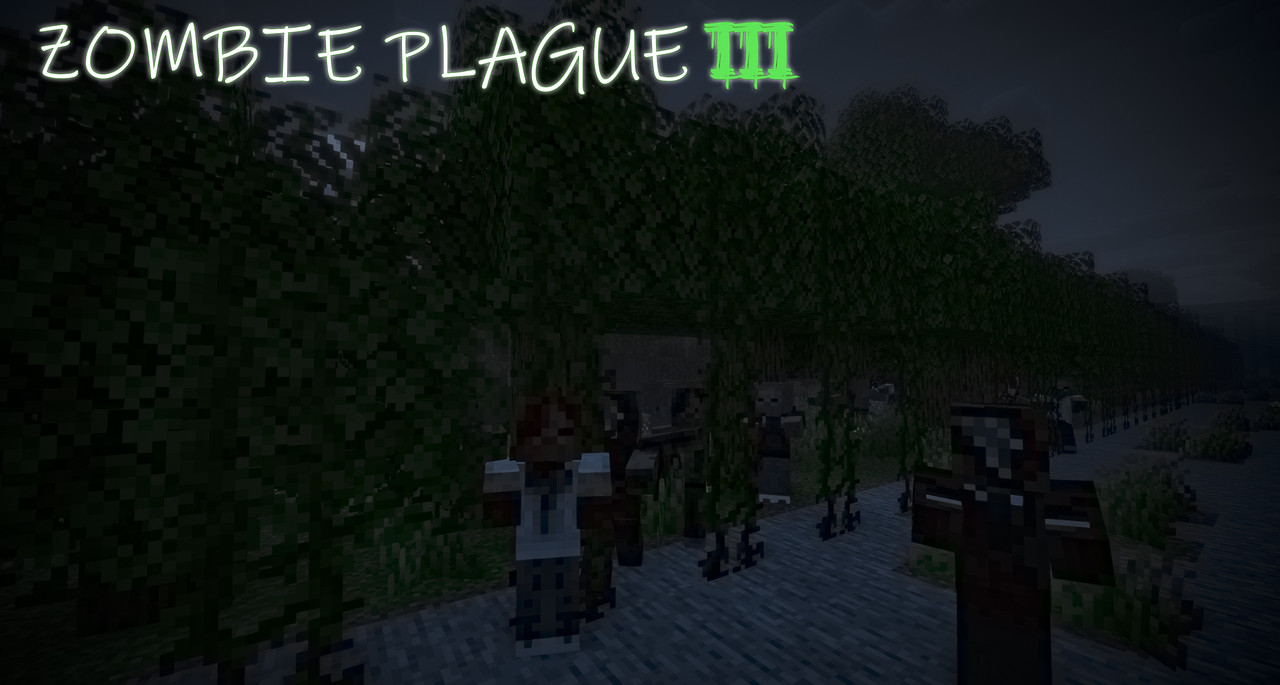
**Relentless zombies become your main enemy, constantly hunting the player and interacting with the world by digging blocks and throwing debris. Survival now revolves around food, water, and medicine, while new mechanics significantly transform the core gameplay.**
——————————————————————-
# WHAT IS ZP3 ?
**Zombie Plague 3 (ZP3) is a complete ground-up rework and reimagining of [Zombie Plague 2](https://modrinth.com/mod/zombie-plague-2-hardcore-zombie-apocalypse), a long-running mod originally developed for Minecraft 1.7.10 that accumulated tons of mechanics and a small but dedicated community over the years.**
**ZP3 is not a port. It is a full rewrite built with modern Minecraft versions in mind, featuring redesigned systems, improved performance, and new mechanics while preserving the core idea of a hardcore zombie apocalypse survival experience.**
——————————————————————-
# EARLY ACCESS (ALPHA)
**ZP3 is not a finished version of the mod yet, it is released as an Early Access Alpha. Planned mechanics will continue to be developed and refined in future updates. However, the mod already has something to show:**
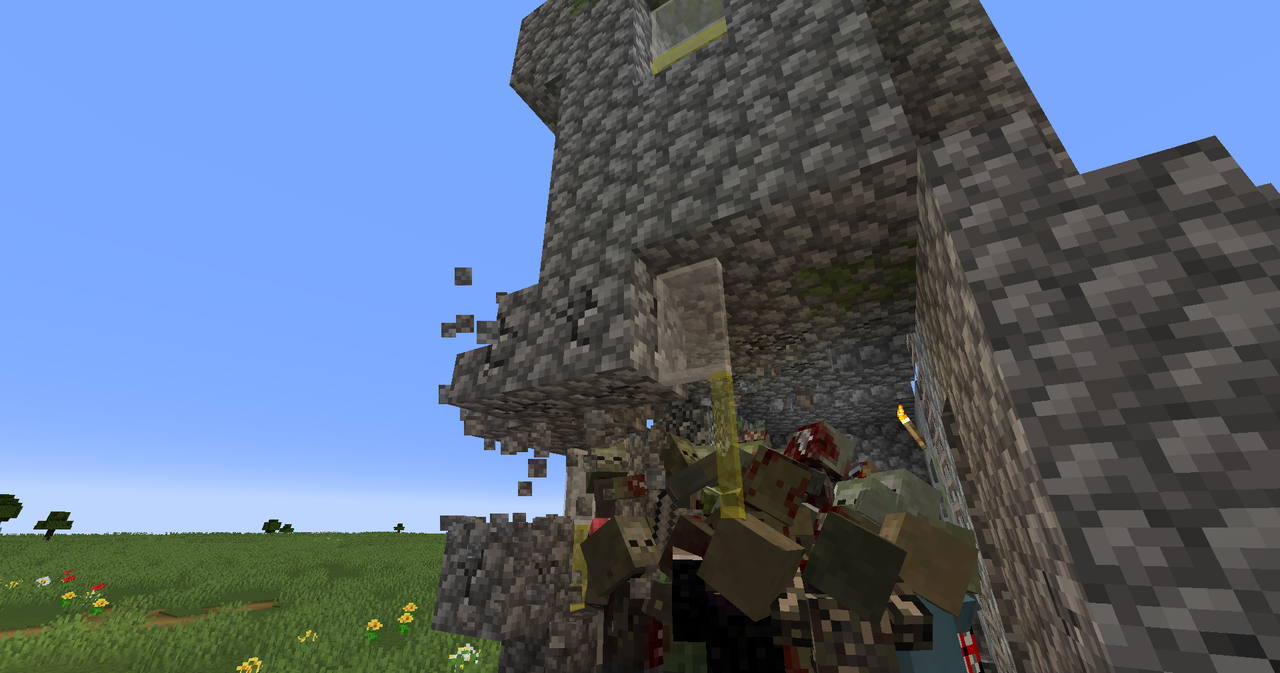
_Zombies will use every possible method to reach their target. Hiding from them is a challenge—they can dig through blocks, throw debris, and much more._
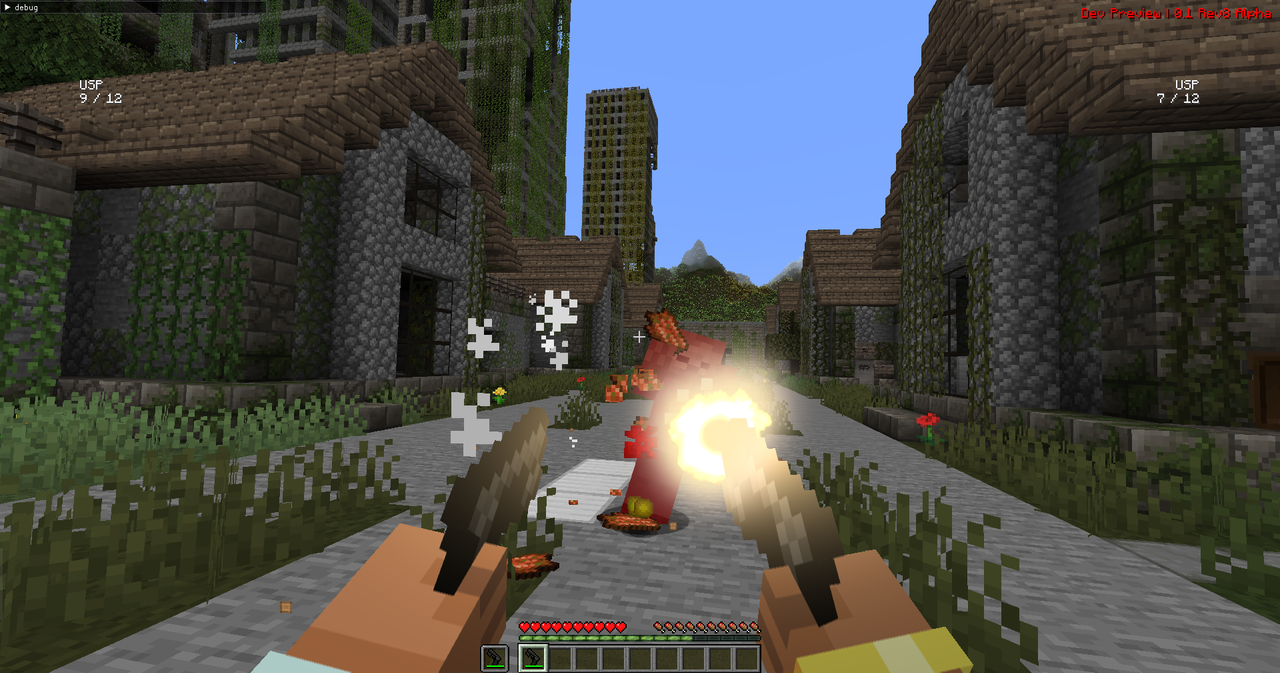
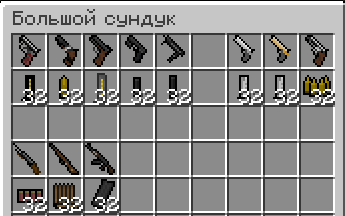
_Classically styled 2.5D firearms with a distinctive visual identity._
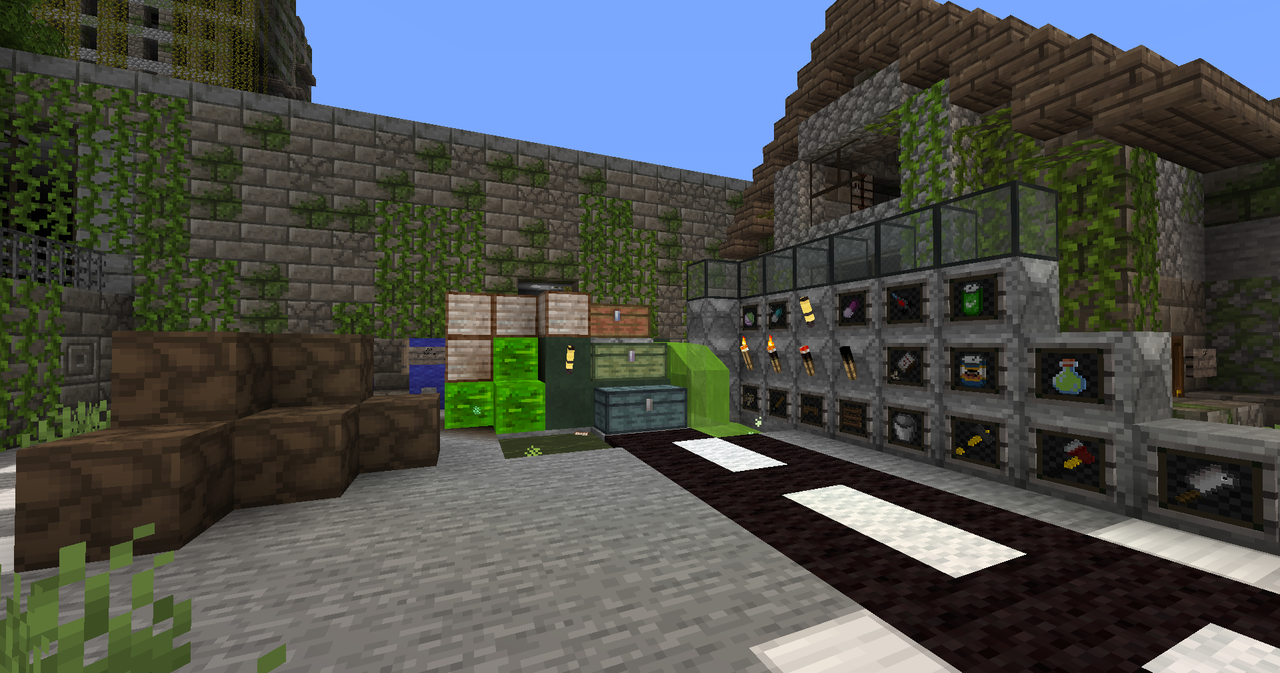
_Blocks, items, medicine, food…_
—————————————————————
# NOTES
* The mod uses zombie textures by Tissou.
* Configuration files are stored in .minecraft/zpm3_files.
* For suggestions, questions, or bug reports, join the official mod Discord.
* For a comfortable experience, prepare a survival map in advance! This is an Early Access limitation. Future updates will gradually add procedural structures, cities, and more.
# [JOIN OUR DISCORD!](https://discord.gg/bb6AaU6Taw)