Walkers

The Walkers mod adds a variety of new features into Minecraft that aim to **_change the direction of the Mob System and Night stage throughout the game._**
**Features + Images:**
Spoiler
**Infection system**

 – 2 stages
**More ‘Zombie’ / Walker variants**
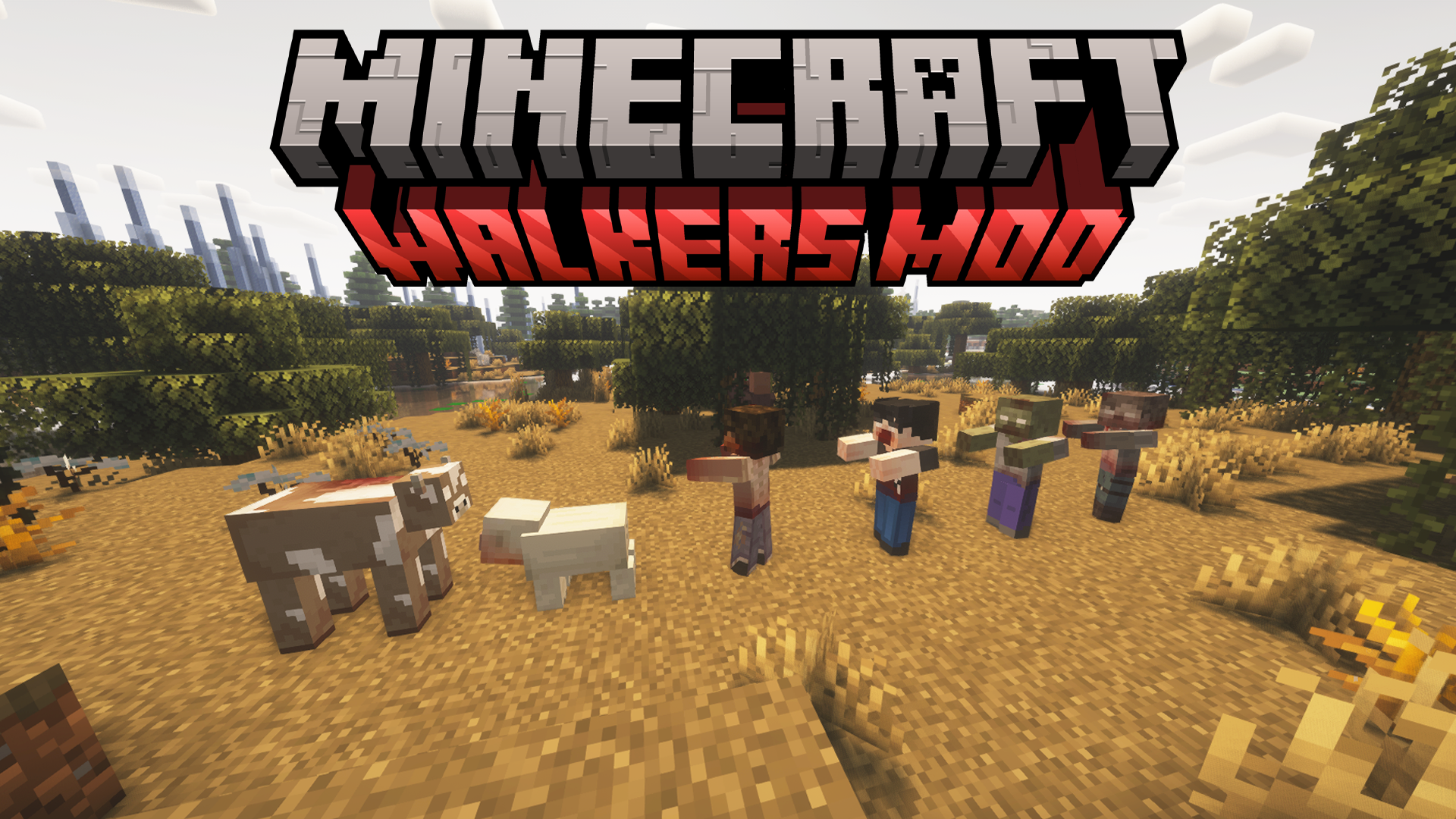
– Includes: Rotters, Walkers, Biters, Variant Walkers, Zombie Pigs &
Zombie Cows
**Random Walker strengths and speed**
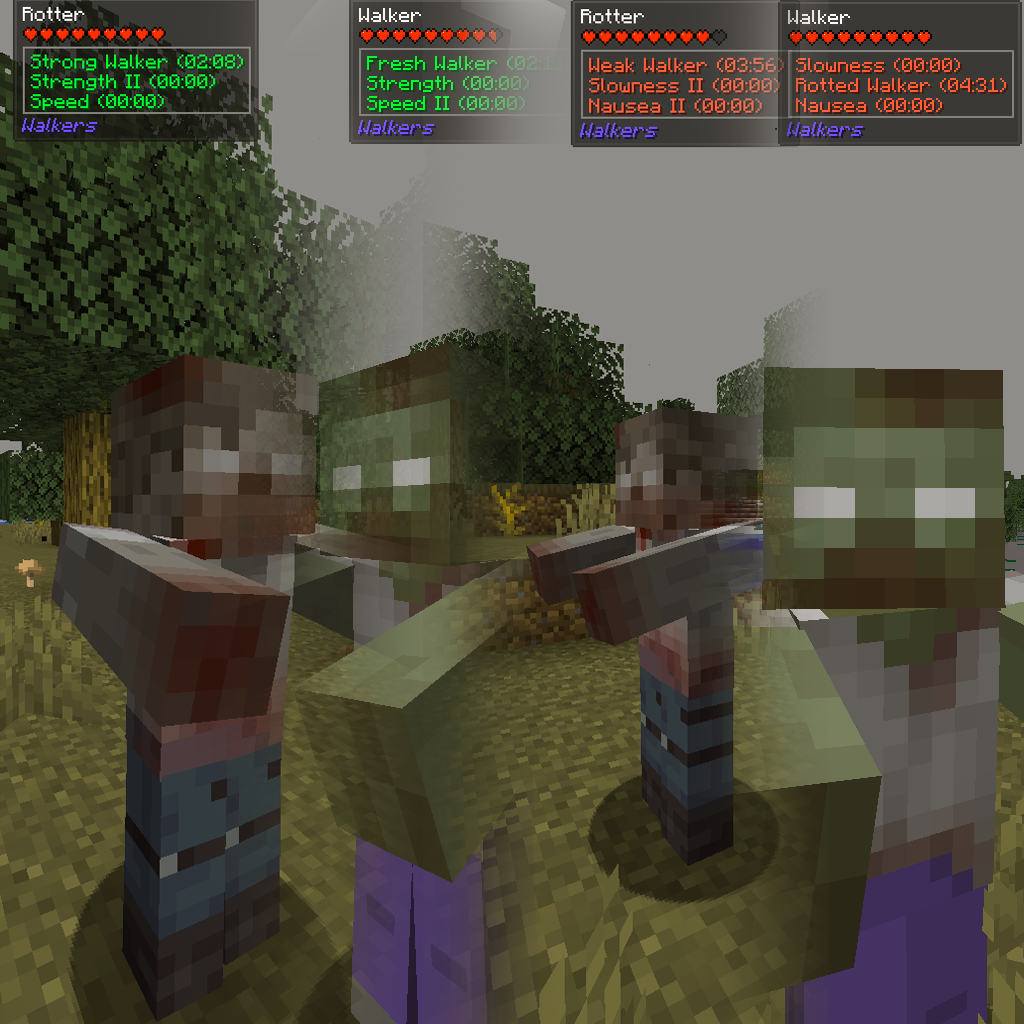
– Variables include: Fresh Walker, Weak Walker, Strong Walker & Rotted Walker.
**Reanimation on death when infected**
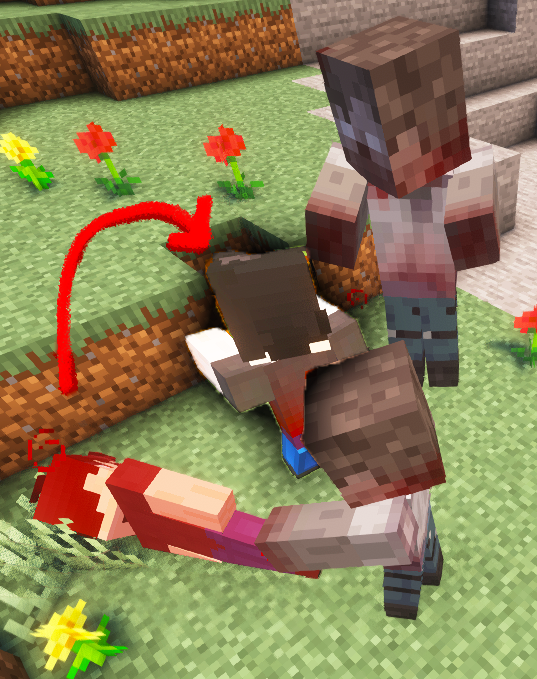
– All entities, not just the player
**’Wasted’ Biome**
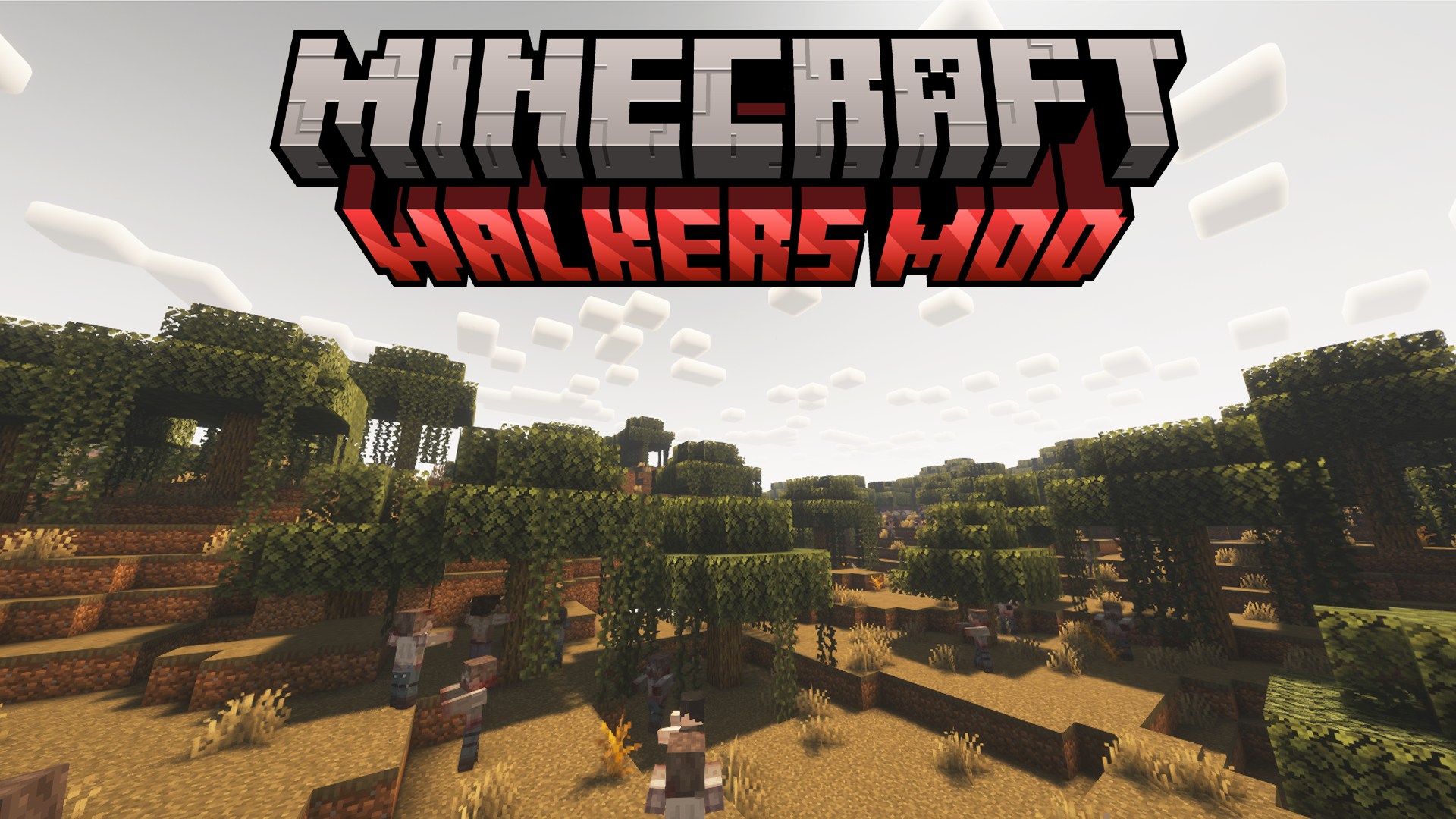
– Full of the undead and littered
with a decaying environment
**Walkers & Zombies don’t burn in daylight**
– If you have zombies enabled. (not by
default with this mod)
**Survivors**
– A passive mob that will group up with
others and just generally live, they are
useful in villages and the wild for attacking
the undead
**Custom Walker Animations**
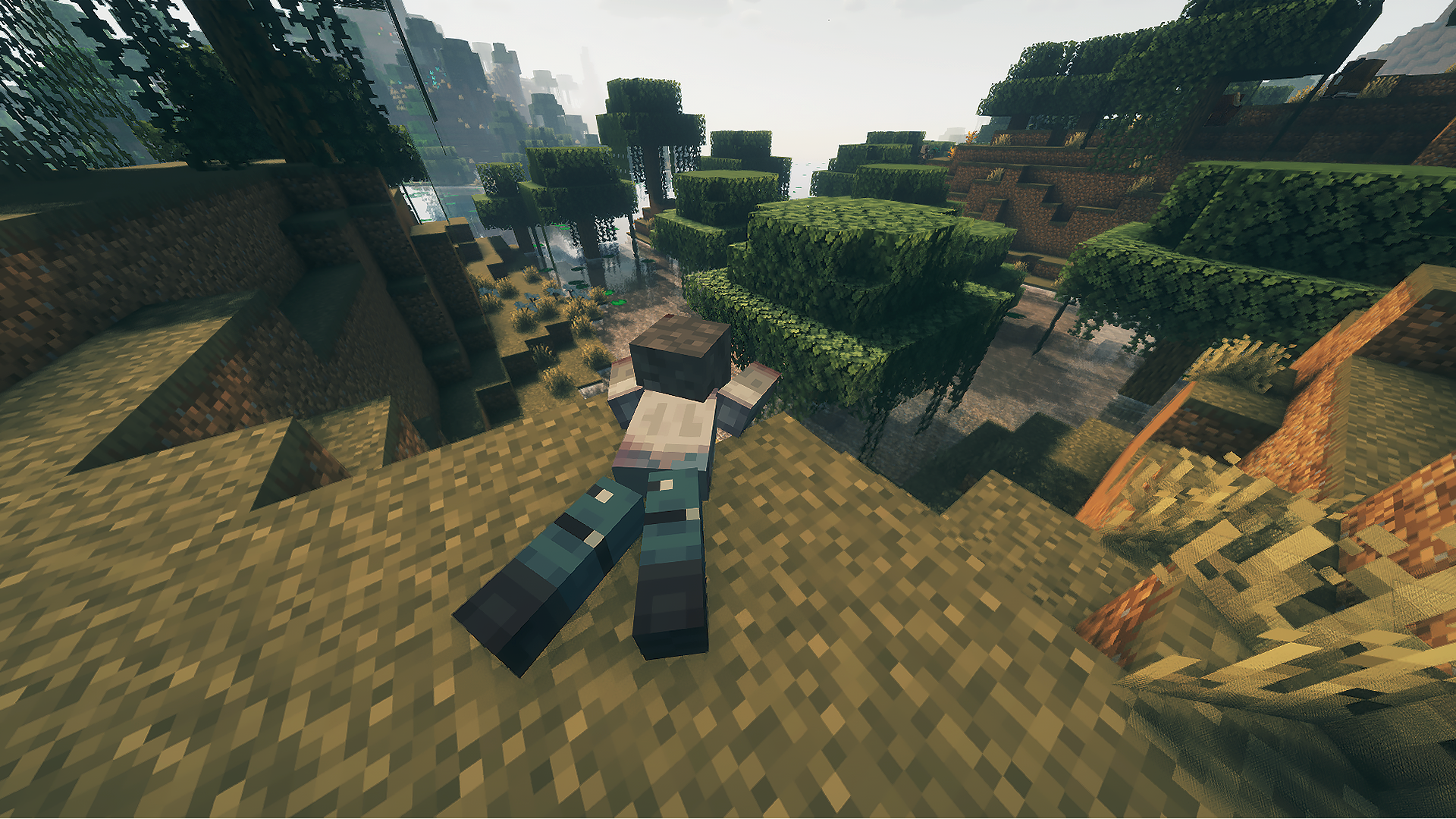
– Includes: new walk animation, new sprint
animation, new attack animation, new die
animation
**7 Advancements**
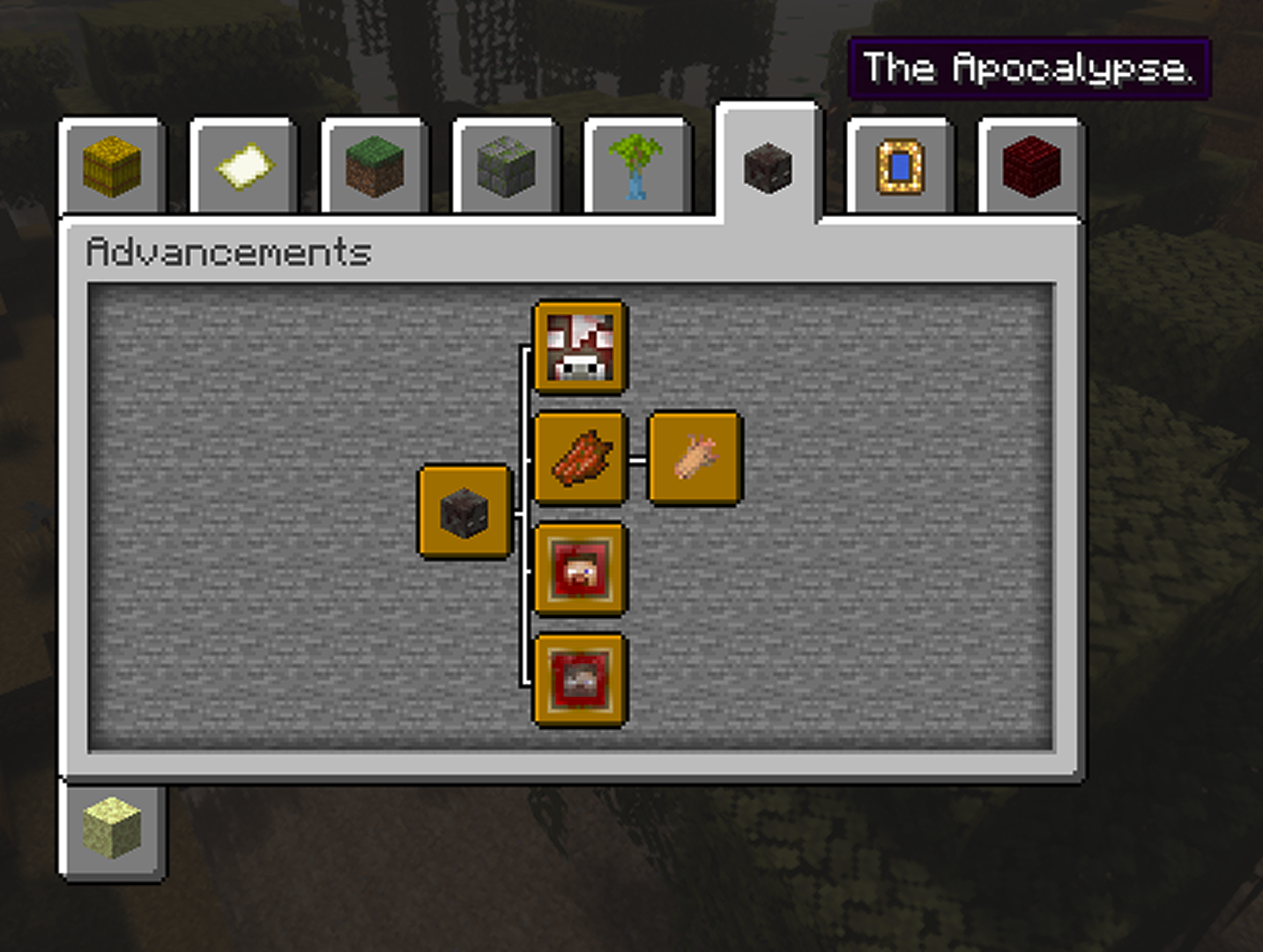
– Yes, in a way this mod can be completed even in Hardcore]
**Infected skin & infected flesh**
– On eaten will infect the player. Used to craft Walker Flesh Clothing
**Walker Flesh Clothing**
– Blend in with the horse
**Removed Zombies & Zombie Villagers**
– They got replaced by the new undead types
**How it works:**
Spoiler
* Getting infected is a 70% chance on hit from any ‘undead’ mob that isn’t a Skeleton or anything else, ect..
* 30% chance of getting Adrenaline on getting infected
* All infected entities (except cows and pigs) will turn into a random undead walker once the infection has either played out or they have died whilst infected prematurely. Pig & Cows do the same – except with their own undead variants.
* Walkers will attack: Villagers, Survivors, Players, Pigs, Cows & Horse.
* Zombie Cows & Pigs will also attack Chickens.
**INFORMATION**
– Using this mod in a mod pack is fine, with credit of course.
– Using this mod in a YouTube playthrough is fine, with credit of course.
– Making a ‘Fork’ of this mod is okay with me, with credit of course.
⚠️ **_THIS MOD IS CURRENTLY ONLY AVAILABLE FOR FORGE 1.20.1 – IF I GET ANY REQUESTS I WILL ATTEMPT TO SUPPORT OTHER VERSIONS & LOADERS!_** ⚠️
Wailorge (Cobblemon)
Have you ever feel like Wailord in Cobblemon are too small and stuff and they don’t even fly? With this Addon, you can make your Wailord proportionally larger and fly!
**SO YOUR WAILORD CAN BE THE BEHEMOTH THEY ARE ALWAYS MEANT TO BE**.
To install Data pack, go into your _.Minecraft_ folder.
Click into the world you want this Data pack on, find the folder name _Datapacks_, put the .zip file into that folder and extract it.
You are now good to go!
Waifu Villagers
# 100+ New Waifu
This resources pack changes the villagers, and also adds more than **100+** waifu, renaming the plains villagers using name tags!
## This texture pack requires:
– OptiFine mod for _forge_
– ETF and EMF mods for _fabric_
## World for testing
Google Drive -> World
Names
“`
Ai
Aiohto
Akame
Albedo
Alya
Amber
Aqua
Arlecchino
Asuna
Asuna Elf
Asuna Housewife
Ayaka
Barbara
Beidou
Candace
Chiaki
Chika
Collei
Daki
Dehya
Destiny
Diona
Elaina
Emilia
Eru
Esdeath
Eula
Faruzan
Fischl
Furina
Ganyu
Ganyu Maid
Ganyu School
Himiko
Hinata
Hitori Goto
Hitori Goto Maid
Hu Tao
Hu Tao Top
Jean
Kaguya
Kanao
Kaori
Keqing
Klee
Kokomi
Kuki
Kurisu
Kyouko
La Signora
Lalatina
Layla
Lisa
Lumine
Lynette
Mai
Mai Fishnets
Makima
Marin Kitagawa
Marin Kitagawa Sucubo
Megumin
Megumin Pajamas
Mikasa
Mitsuha
Miyako
Mona
Nagatoro
Nahida
Nazuna
Nilou
Ningguang
Paimon
Power
Qiqi
Raiden
Ram
Rem
Rika
Rikka
Rimuru
Rosaria
Roxy
Sara
Sayu
Shenhe
Shinoa
Shinobu
Shiro
Shouko
Sinon
Sucrose
Sumi
Sylphiette
Taiga
Tohru
Venti
Violet
Xiangling
Xinyan
Yae Miko
Yamato
Yanfei
Yelan
Yoimiya
Yor
Yun Jin
Yuno
Zero Two
Zero Two Fishnets
“`

Bing Bing Wahoo
# Bing Bing Wahoo
Bringing the physics of Super Mario 64 to Minecraft, one wahoo at a time.
Made for ModFest 1.17.
# Features
Bing Bing Wahoo has a variety of features designed to fill your wahooing needs. To get started, craft yourself a Mysterious Cap with 5 wool in the helmet formation.
The Mysterious Cap can also be worn in the hat slot when using Trinkets.
– Double / Triple Jump
– After jumping, jump again shortly after you land to jump higher!
– The 3rd jump in a row (Triple Jump) will make you do a flip!
– Higher jumps will not activate when holding the jump button, it
must be tapped each time.
– Long Jump
– Activated by quickly holding crouch and jumping while moving.
– Backwards long jump included!
– Dive
– Triggered by clicking the attack button while sprinting. Works midair and on
the ground, however ground activation may be annoying, so it is configurable
through Mod Menu.
– Once you land, you begin sliding on your stomach.
– Sliding
– By diving or sneaking on a slope, you will begin to slide.
– Both stairs and slopes from Automobility count as slopes.
– Once you’re sliding on flat ground, you can control your movement by looking around.
– If the floor you’re sliding on is in the `#bingbingwahoo:slides` tag, sliding mechanics are changed slightly, such as being able to go a longer distance.
– Bonking
– Hitting a wall too hard will knock you over for a bit!
– Disabled in creative mode.
– Wall Jump
– Once you jump into a wall, you have a short time to jump again, and
you will be sent in the opposite direction.
– Does not activate for regular jumps by default, too annoying. However,
can be enabled through Mod Menu.
– Ground Pound
– Crouching midair will make you do a flip and send you flying downwards!
– Soft blocks will crumble beneath you as you plummet!
– Gain enough velocity by falling for long enough, and the impact will
cause an explosion!
– Fall damage from a Ground Pound will never be lethal.
– Ledge Grab
– If you jump up to the edge of a flat block, you’ll grab onto it!
– Disables looking left and right.
– Pressing forwards or jump will boost you up!
– Pressing back or sneak will drop you down.
– You can move slowly left and right across ledges.
– Backflip
– If you jump while sneaking and standing still, you will do a backflip
and be sent backwards!
– Could be annoying, so it can be disabled through Mod Menu.
– Slider music disc
– A music disc which plays a version of Slider. This version has been modified to be in the Minecraft soundfont.
# Moderation
Some of Bing Bing Wahoo’s features are controllable from the server side by Gamerules. These include:
– Destructive ground pounds – `destructiveGroundPounds`
– Backwards long jumps – `backwardsLongJumps`
– Rapid Fire long jumps – `rapidFireLongJumps`
– Maximum long jump speed – `longJumpMaxSpeed`
– Long jump speed multiplier – `longJumpSpeedMultiplier`
– Mysterious Cap needed for abilities – `mysteriousCapRequired`
On top of this, destructiveGroundPounds can be overridden on a per-player basis using the command `/bingbingwahoo:setDestructionPerms`. However, this is not persistent and will be lost on world reload.
# Photosensitivity warning
The flips caused by some moves may be too much for some people. If
this is the case for you, you can lower the Flip Speed Multiplier in the
mod’s config menu, accessed through Mod Menu. Setting it to 0 will
disable flips completely.
Waguri Totem V2 (Fragrant Flower Blooms with dignity)
🌸 Kaoruko Waguri Totem Resourcepack — *Fragrant Flower Edition*
Carry quiet dignity—replace your Totem of Undying with Kaoruko Waguri from *Kaoru Hana wa Rin to Saku*!
This resourcepack transforms the vanilla totem into a custom Kaoruko model, perfect for fans of her graceful demeanor, petite charm, and emotionally rich romance arc.
✨ Features
✅ Replaces the Totem of Undying with Kaoruko Waguri
🧩 Compatible with vanilla gameplay and datapacks
🔁 Modular asset structure for easy editing and anime swaps
🛠️ Works with Minecraft 1.16+
Waguri Totem (Fragant Flowers of Dignity)
### Note: it still works even if it says that its incompatible
🌸 Waguri Totem Resourcepack
Channel elegance and resilience—replace your Totem of Undying with Waguri’s graceful form!
This resourcepack transforms the vanilla totem into a custom Waguri-themed model, perfect for anime fans and stylized survival play.
✨ Features
✅ Waguri replacing the totem texture in game
🧩 Compatible with vanilla gameplay and datapacks
🔁 Modular asset structure for easy editing and skin swaps
🛠️ Works with Minecraft 1.16+
Waffle Debris
This pack simply changes Ancient Debris and Netherite Scraps to look like Waffles 😀
(also renames them as long as your language is set to English US)
Thanks to @Waffle_Sauce on YouTube for unknowingly giving me the idea to make this pack 🙂
Links:
This pack on Planet Minecraft
Bedrock version (Planet Minecraft)
Sap’s Wacky Pearls
This mod adds 4 new types of pearls:
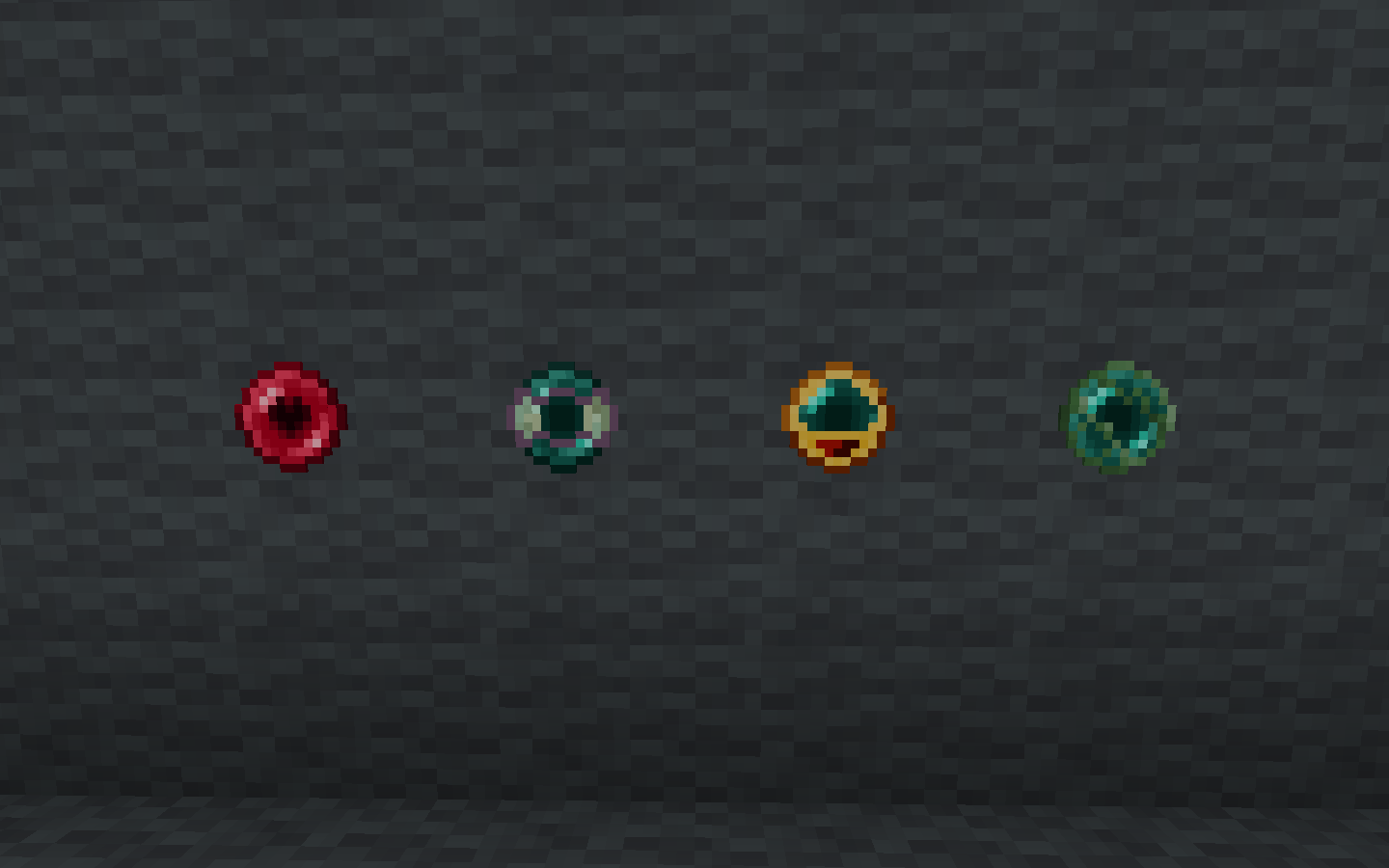
### The Lover’s pearl:
Teleports the person bound to it, there is no max distance
### The phantom pearl:
Goes through blocks according to the number of sacrificed phantom membrane, it phases through a maximum of 8 blocks
### The redstone pearl:
It sticks on any surface including entities. It converts 1 restone used to 1 second stuck. the maximum of time a restone pearl can stick to something is an hour.
### The Slime pearl:
It bounces off walls/floors/ceilings, bounces differ by the amount of slimeballs used. It can bounce a maximum of 8 times.
### Usage
For the last 3 pearls, you can craft them by combining a pearl and it’s respective ingredient in a crafting table. The lover’s pearl differs as it needs 2 ender pearls and 1 lapis to be crafted.
To boost a pearl, you must hold the ingredient in your offhand, sneak and then right click. The amount of ingredient in your offhand, is what is added. Each pearl has it’s own limit defined in their sections on here.
If you have difficulties with the mod you can contact me on discord (saperate) or simply open an issue on github detailing the problem.
### Version: 1.19.2
The pearls available to this version are the slime, phantom and redstone pearls. To boost their respective abilities, add more of the pearl’s ingredient in the crafting table
Wabbajack Origin
# Wabbajack (Impact 3)
The gambler’s dream, only to be used by the insane.
Mixed
– Gambler’s Body: You will have random properties applied to you every 5 minutes
Abilities
– [Primary] – Roulette: Give yourself and an opponent you’re looking at a random potion effect, good or bad
VupsClick
**US** English
VupsClick Mod — is a powerful and flexible tool designed to automate clicking in Minecraft with full control through chat commands.
It removes the need for constant manual clicking by performing actions automatically. This is especially useful in PvE scenarios: mob farming, base defense, resource gathering, and long battles become much easier and more comfortable.
⚙️ Commands:
/click off — instantly disables the autoclicker
/click attack (time) — auto attack with adjustable speed
/click use (time) — automatic item usage
/click custom (action) (time) — executes any keybind-based action
🔥 Features:
Full automation of combat and gameplay actions
Adjustable click intervals
Support for custom actions and keybinds
No GUI — everything controlled via chat
Improved efficiency in PvE and farming
🔧 Compatibility: fully compatible with OpenJDK and Vulkan (VulkanMod)
💬 Note: Sorry, my English is not very good
**RU** Русский
VupsClick Mod — мощный и удобный автокликер для Minecraft, полностью управляемый через чат.
Мод автоматизирует действия игрока: атаки, использование предметов и кастомные бинды. Особенно полезен для PvE — фарм мобов, ресурсов и длительные бои становятся проще и комфортнее.
⚙️ Команды:
/click off — отключить автокликер
/click attack (время) — автоатака
/click use (время) — использование предмета
/click custom (действие) (время) — кастомное действие
💡 Важно:
Параметр (время) указывается в тиках (ticks) Minecraft
(20 тиков = 1 секунда)
🔥 Возможности:
Автоматизация повторяющихся действий
Настройка скорости кликов через тики
Поддержка кастомных биндов
Удобное управление через чат
Отлично подходит для PvE и фарма
🔧 Совместимость: мод корректно работает с OpenJDK и Vulkan (VulkanMod)