Wheel of Wacky
# Wheel of Wacky
[](https://modfest.net/carnival)
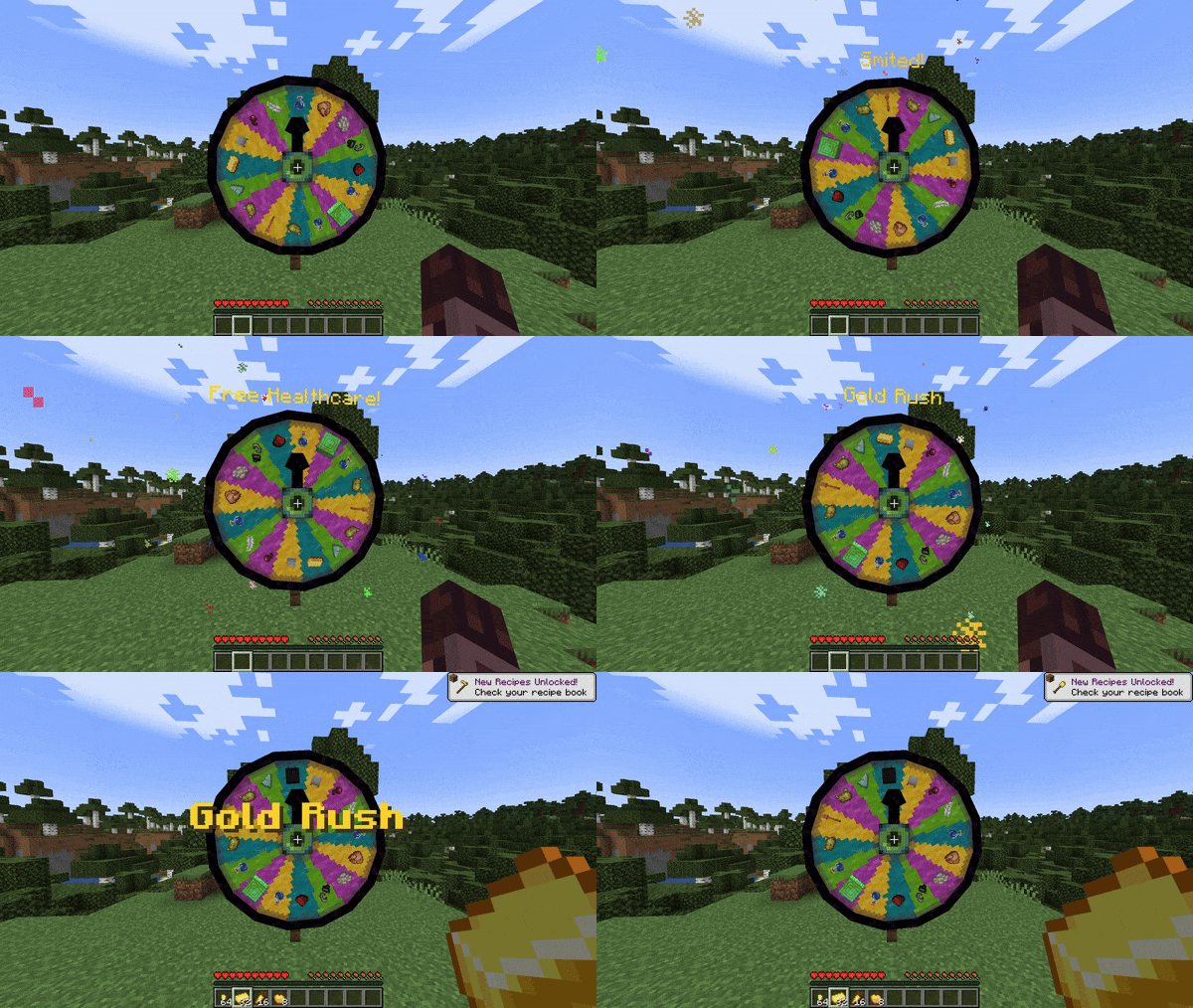
A mod that adds a carnival prize wheel that – when spun – has the chance to either fabulously reward or horrifically punish the player that spun the wheel in a hilarious fashion!
**You do not need Sinytra Connector and Forgified Fabric API if you are playing on Fabric.**
## Obtaining a Wheel of Wacky
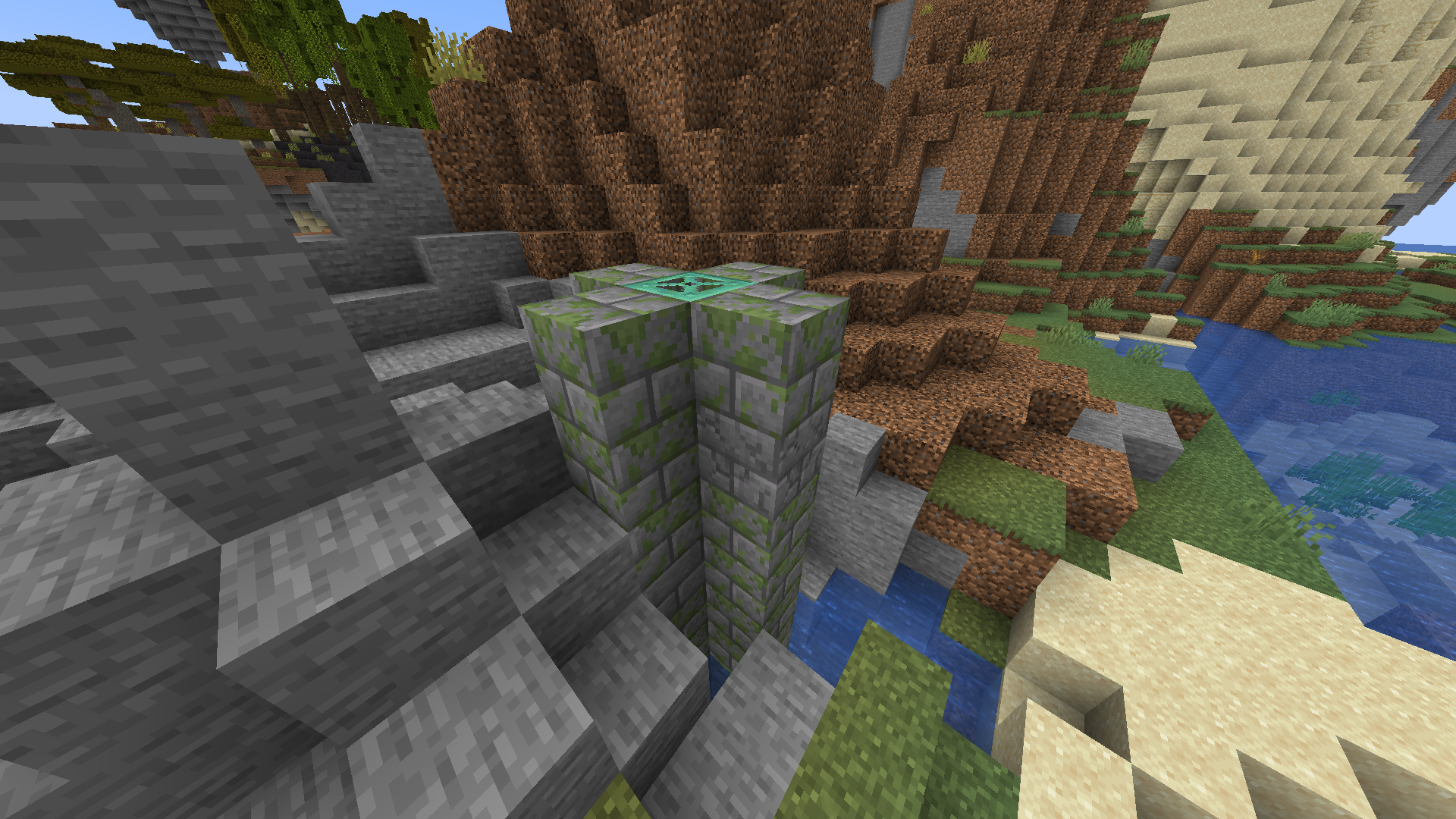
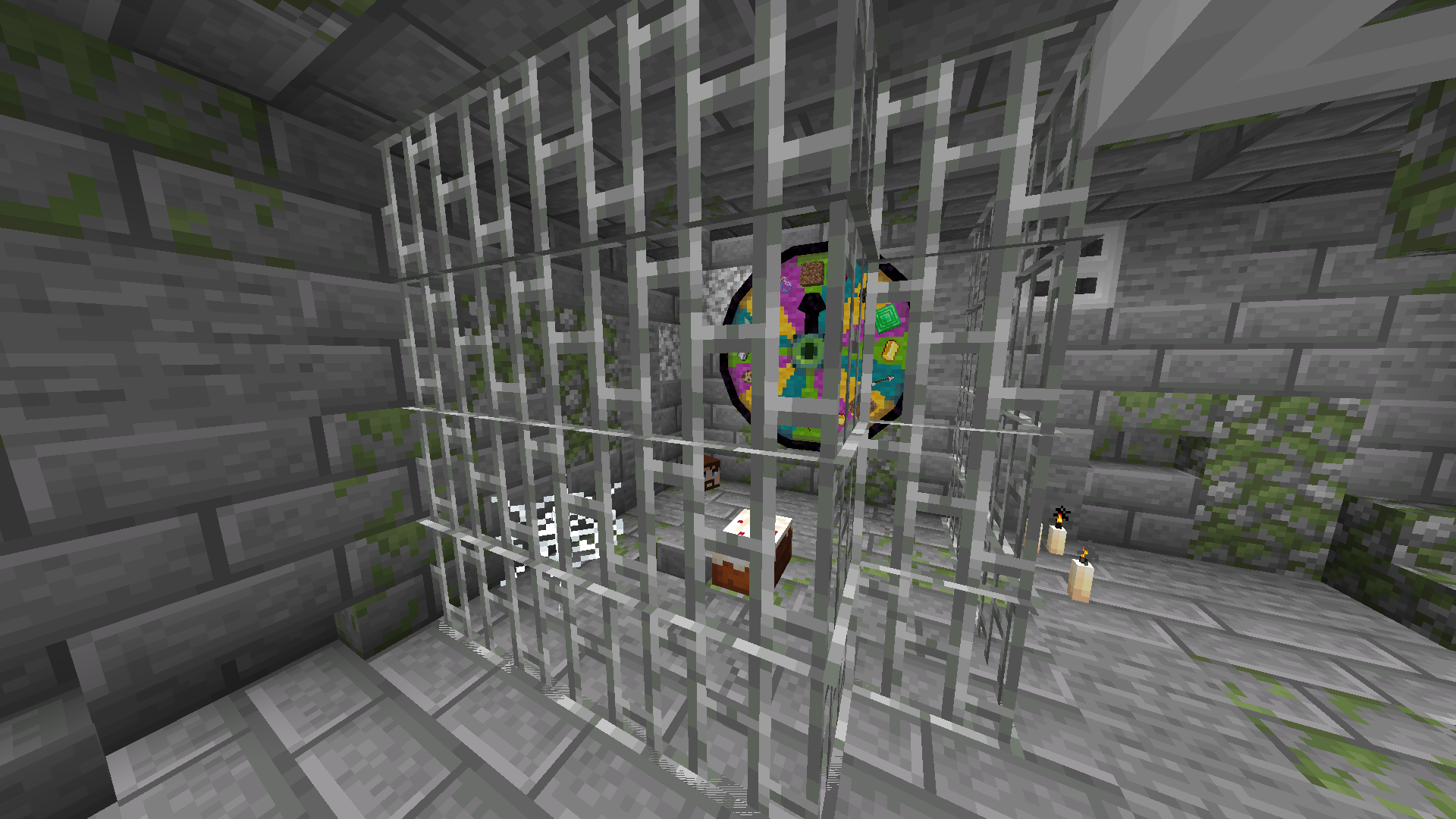
In order to get a Wheel of Wacky for yourself, you’ll have to find a “basement” structure in your world. Inside Wheel Boy’s dungeon prison the basement you’ll find a Wheel of Wacky that you can break and collect using a diamond or better pickaxe.
## Creating spells
To start creating your own custom spells, you’ll first have to create a data pack folder. If you don’t know how to make a data pack, here is a link to a tutorial to help you get started: [Creating a data pack](https://minecraft.wiki/w/Tutorials/Creating_a_data_pack).
If you haven’t already, you’ll want to create a `data` folder in your data pack folder. Then you’ll want to a create a folder named `wacky_wheel` within your `data` folder. After which you will have to create a folder called `spell_type` in the `wacky_wheel` folder.
Your file path should look like this: `/data/wacky_wheel/spell_type`.
Now you’ll want to create a JSON file in `/data/wacky_wheel/spell_type`. For the purpose of this example, we’ll call it `free_diamond.json`.
The first thing we’ll want to do is give a spell a name that will be displayed to the player when they roll that spell on the wheel.
“`
{
“name”: “Free Diamond!”,
}
“`
We can also optionally set a specific color for the name text and add some flavor text to be displayed underneath it:
“`
{
“name”: “Free Diamond!”,
“titleColor”: “#ADD8E6”,
“flavorText”: “Enjoy your free diamond :)”,
}
“`
Next, we have to provide our spell with an item id that corresponds to an in-game item. This item will be used to represent the spell on wheel slices.
“`
{
“name”: “Free Diamond!”,
“titleColor”: “#ADD8E6”,
“flavorText”: “Enjoy your free diamond :)”,
“itemID”: “minecraft:diamond”,
}
“`
The next field we have to define is `castingTime`, which represents the amount of time (in ticks) that it will take to cast the spell after the wheel lands on it:
“`
{
“name”: “Free Diamond!”,
“titleColor”: “#ADD8E6”,
“flavorText”: “Enjoy your free diamond :)”,
“itemID”: “minecraft:diamond”,
“castingTime”: 60,
}
“`
The last step is the provide the name of .mcfunction file that will be used to provide the actual spell effect.
“`
{
“name”: “Free Diamond!”,
“titleColor”: “#ADD8E6”,
“flavorText”: “Enjoy your free diamond :)”,
“itemID”: “minecraft:diamond”,
“castingTime”: 60,
“onCastFunction”: “give_diamond”
}
“`
Of course, we’ll actually have a create a .mcfunction file named `give_diamond.mcfunction` in `/data/wacky_wheel/functions`.
“`
give @s diamond
“`
Keep in mind that the `onCastFunction` by default will target the player who initially spun the wheel.
To test our new command, enter the /wheel free_diamond command into chat and receive your free diamond.
### Spell JSON Properties
`name`: The name of the spell.
`titleColor` (Optional) : Color of the name text/title.
`flavorText` (Optional): Additional information that appears underneath the spell’s name.
`flavorTextColor` (Optional): Color of the flavor text subtitle.
`itemID`: ID of the item used to represent the spell on the wacky wheel.
`castingTime`: Time in ticks that it takes to cast the spell.
`onCastFunction`: Name of the .mcfunction file that executes to create the spell effect.
`executeOnCastFunctionAtPlayer` (Optional): Set to true to execute onCastFunction AT player instead of AS player.
`duration` (Optional): Time in ticks that the spell lasts.
`onTickFunction` (Optional): Name of the .mcfunction that executes every tick that the spell lasts.
`executeOnTickFunctionAtPlayer` (Optional): Set to true to execute onTickFunction AT player instead of as player.
`onEndFunction` (Optional) : Name of the .mcfunction file that executes when the spell ends.
`executeOnEndFunctionAtPlayer` (Optional): Set to true to execute onEndFunction AT player instead of AS player.
## Credits
[https://github.com/HyperPigeon](https://github.com/HyperPigeon)
[https://github.com/lumiscosity](https://github.com/lumiscosity)
[https://lumiscosity.neocities.org/](https://lumiscosity.neocities.org/)
WHAT THE GECK’O!?
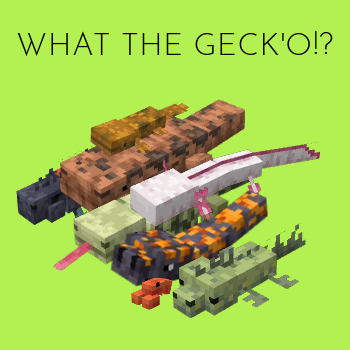
WHAT THE GECK’O BRO GECKOS IN MINECRAFT!? Yes that’s what you heard, here you can found geckos,reptiles, lizards,Tuataras and amphibians. You can expands Minecraft Fauna,enjoy the adventures to find them and turn to them to pets =3.

——————————————————————————————————
——————————————————————————————————
==Have cute ones, the rare ones and other!==
🦖🐢🐍🦎🐸🐊🐲🐉
Reptiles:
-Tuatara
-Bearded Dragon
-Tegu
-Gila Monster
-Marine Iguana
Amphibians:
-HellBender
-Olm
-Chinese Giant Salamender

——————————————————————————————————
==Join In our Discord Server to more updates, mods, beta testers and report bugs==
https://discord.gg/yAdCkxqbav
What the blocks!?
# What the blocks!?
What did happen to all blocks? Not looking like Fortnite chapter 2 but also not looking like April 1st! Go on an epic adventure with buggy textures and buggy models!
Message from your tourist guide: “Just be careful not to fall in a cave! The world is your enemy!”
# READ THIS
By using this pack you agree that you have informed yourself about what your favorite Minecraft server allows and doesn’t allow! Some servers may count this as x-ray but it doesn’t give you a big advantage! This is NOT a x-ray resourcepack!
What lies…
what lies in your world, is it an entity, who’s in your world? what or who is building these things, they seem creepingly randomly built, wanna find out?
Youtube video:
ATTENTION! the project is still in beta and things could change, the structures in the video are now really different from what you can see there, i have overhauled and changed them, leave suggestions!
What If Mobs Wore Pants?
## **What If Mobs Wore Pants?**
**What If Mobs Wore Pants?** is a **work-in-progress** resource pack that retextures all mobs to wear pants, inspired by a Twitter(X) post by the official Minecraft account [https://x.com/Minecraft/status/1859284939809657154](https://x.com/Minecraft/status/1859284939809657154).
## **Progress**
Spoiler
V1.0.0
– Zombie
– Skeleton
– Creeper
– Enderman
Whale Lucky Block
This lucky block mod doesn’t require you to install lucky block mod and is a standalone mod and can be installed by simply placing it in mods folder.
If you are lucky this mod will reward you with epic items or simply flood your world with water or even blew everything up.
The Whale Lucky Block mod can spawn mobs like kraken, squidzilla and even more. Block structures, giant oceans, lava pools, mini bosses and even more!
Prismarine. Doesn’t have any use well in vanilla minecraft. There literally nothing to do.
Do you wish to have more uses to it? Well now you will be able to create this amazing block!
There aren’t any luck levels or any other integers that this lucky block will depends.
So that means it’s purely depends on your luck, even first block may instantly kill you.
Or maybe after 20 blocks you will still get hundreads or even thousands of diamonds..
Mod Copyright for mod packs/distribution: [https://www.rolikdevelopment.com/mod-copyright/]
Caution!: Backup your world before using this mod as it may litterally destroy your whole world in 1 second…
And just incase be careful place this block outside of your base at least a 1000 blocks..
Whale Luckyblock Mod is made by Soulas.
Thanks PlayerInDistress for making the original lucky block mod!
Wooden furnace,stone chest and stone crafting table
First of all, I’m from China, so my English is not very good, please forgive me if there are mistakes 🙂
I replaced the wooden crafting table and chest with stone, and replaced the stone furnace with wood.
This data pack will bring interesting challenges to Minecraft survival, not only in terms of material changes, but also in the alteration of crafting recipes for these items.
You will not be able to obtain a Crafting Table at the start unless there is a village nearby.
**Please note:** I have not added any new blocks, but instead replaced the original ones.
Wet Socks DataPack
This datapack adds only socks, that don’t do anything.
You can craft them like normal boots, but with wool.
**UNLESS** you make them wet by getting into some water while wearing them. This will make them into _Wet Socks_ that make few things:
-First of all, they make you immune to fall damage (because water)
-Secondly, you are slower while wearing them
-And last, but not least, you are immune to fire AND turn lava beneath you into basalt.
These socks won’t be wet forever tho. They will dry out after 2400 game ticks (2 minutes) and you can restart the timer by going into water in these (obsiously). When you’re in _’The Nether’_ your socks dry out 5 time faster (480 ticks = 24 seconds) and 10 times (240 ticks = 12 seconds) faster when you are on fire (and in lava, since you start burning when in lava).
**YES, THESE DO STACK SO DON’T SWIM IN LAVA WHILE IN _THE NETHER_, IT WILL END BADLY FOR YOU**
I didn’t properly playtest this, so there could be some bugs (altough it’s a really simple datapack, so I doubt it, but dm me if you find any, dc: janolo7250).
Wet Fart
## Plays Wet Fart Meme Sound Whenever a Player Dies
_This ResourcePack is the replacement of [Wet Fart Sound](https://modrinth.com/mod/wet-fart-sound) mod._
_So use this ResourcePack instead of the mod._
—
## Support
❤️ I will appreciate any amount of donation support to keep my modding work ongoing! ❤️


Wet
# Wet
**Water** and **rain** now matter! Entities that touch water or get caught in rain become **Wet** — gaining **fire resistance** for 5 seconds.
A simple, immersive mechanic that makes survival feel more **realistic**.
—
## 🎯 Core Features
– **Wet Status** – entities in water or rain gain 5 seconds of fire resistance
– **Rain Detection** – standing in rain under open sky triggers the effect
– **Water & Bubble Columns** – any water block or bubble column counts
– **All Living Entities** – players and mobs alike can become Wet
– **Subtle Drip Particles** – a gentle falling water effect on wet entities
– **Performance Optimized** – throttled particles, no tick lag, low-spec friendly
– **No Resource Pack** – pure datapack, works out of the box
– **SMP Ready** – fully multiplayer compatible
—
## 🎮 How It Works
1. **Step into water** or **stand in rain** under open sky
2. You gain **fire resistance** for **5 seconds**
3. Subtle **water droplets** appear on your character
4. Walk through fire or lava — you won’t burn!
5. After leaving water/rain, the effect **fades after 5 seconds**
> No items needed, no activation required — it just works!
—
## 📦 Installation
Follow these steps to install the datapack:
1. Download the datapack `.zip` file
2. Navigate to your Minecraft world folder
3. Place the `.zip` file in the `datapacks` folder
4. Reload the world or use `/reload` command in-game
5. Jump into water and enjoy!
### World Folder Location
– **Windows:** `%appdata%.minecraftsaves[WorldName]datapacks`
– **macOS:** `~/Library/Application Support/minecraft/saves/[WorldName]/datapacks`
– **Linux:** `~/.minecraft/saves/[WorldName]/datapacks`
—
## ⚙️ Requirements
| Component | Details |
|———–|———|
| **Minecraft Version** | 1.21.11 (Java Edition) |
| **Pack Format** | 94 |
| **Dependencies** | None |
| **Resource Pack** | Not required |
—
## 💧 Wet Triggers
### **Water Sources**
> Water blocks, flowing water, bubble columns
### **Weather**
> Rain — only when the entity can see the sky (not under roofs or overhangs)
### **What It Does**
> Grants **Fire Resistance** for 5 seconds — continuously refreshed while in contact with water or rain. Entities won’t catch fire and any existing fire is extinguished.
—
## 🤝 Compatibility
– ✅ Works in both **Survival** and **Creative** mode
– ✅ Compatible with most other datapacks
– ✅ **Multiplayer friendly**
– ✅ Affects both players and mobs
– ✅ Works alongside other effect-based datapacks
—
## 🔧 Technical Details
### How it Works
The datapack uses:
– **Advancement trigger** (`minecraft:tick`) for reliable per-tick execution
– **Block detection** for water and bubble column contact
– **Predicates** for weather and sky exposure checks
– **Random chance throttling** for performance-friendly particle effects
### File Structure
“`
wet_status/
├── pack.mcmeta
└── data/
└── wet/
├── advancement/
│ └── tick.json
├── function/
│ └── player_tick.mcfunction
└── predicate/
├── raining.json
└── particle_chance.json
“`
### Performance Notes
– Particles are **throttled to ~2 bursts per second** via random chance predicate
– Only **1–2 particles** per burst — no particle spam
– Entity checks limited to **128 block radius** around each player
– Fire resistance effect uses **hidden particles** to reduce visual clutter
—
## 🎬 Preview
### What Happens When You Get Wet
When you enter water or rain:
– 💧 **Subtle water droplets** fall from your character
– 🛡️ **Fire Resistance** is applied for 5 seconds
– 🔥 **Fire is extinguished** immediately
– ✨ After leaving water, the protection **fades after 5 seconds**
—
## ⚠️ Known Limitations
– **Fire Resistance icon** appears in the HUD (slightly translucent) — this is a vanilla limitation as custom effects cannot be created via datapacks
– **Waterlogged blocks** (slabs, stairs, etc.) do not trigger the Wet status — only full water blocks
– Effect refreshes while in contact, so the 5-second timer only begins **after leaving** water/rain
—
## 📄 License
This datapack is **free to use, modify, and distribute**. Credit is appreciated but not required!
—
## 💖 Support
### Bug Reports & Suggestions
Found a bug or have a suggestion? Feel free to message me on **Discord**!
### Show Your Support
If you enjoy this datapack, consider:
– 📢 **Sharing it** with friends
– 💬 **Leaving a review** on Modrinth
– 🎥 **Making a video** showcasing the datapack
—
> *Stay wet, stay safe — never burn again!* 🌧️