Worse Apples

Have you ever looked for a Bad Apple animated item pack, not found one, and wondered why? Have you ever wanted to cut down a tree, remove the leaves, and have anime silhouettes fall on you? Have you ever felt the urge to turn a full music video into a 16*105,152 image and put it in a video game, just for the memes? No? Well, tough beans, pal, I made this real anyway.
Replaces apples and golden apples with Bad Apple.
Wormy Dirt
This resource pack adds worms to dirt, for just a little more personality in your world. There is not yet any worms on the side of grass, I plan to add that in the future. To install, open the resourcepacks folder in your Minecraft installation and drop the .zip in there.
Wormhole Items
This datapack adds all of the advanced/custom items from the Wormhole directly as an easy-to-use pack!
For context, the Wormhole is a Minecraft glitch performed by Spoke which allowed him to gain _unfathomable power_! With this, he created many OP items like a literal gun.
The vanilla items are NOT included in this pack and they can be found at on Spoke’s Discord at [discord.gg/spokeishere](https://discord.gg/spokeishere) (or click this [direct link](https://tinyurl.com/wormhole-items)).
Source (World File)
[https://cdn.discordapp.com/attachments/1158193866361548851/1158199428990111744/Wormhole_Items.zip?ex=68cb52c6&is=68ca0146&hm=9a61ccadf6823687967375c927b3147b30e3e4b7e2b2a7cd861c15bdff8f6b47&](https://cdn.discordapp.com/attachments/1158193866361548851/1158199428990111744/Wormhole_Items.zip?ex=68cb52c6&is=68ca0146&hm=9a61ccadf6823687967375c927b3147b30e3e4b7e2b2a7cd861c15bdff8f6b47&)
The only other custom item not included is the **Crown of Premium Subscriptions** which uses a command called “demo” that doesn’t actually exist, I assume it’s from a plugin or mod. (Yes, I tested it on a multiplayer server.)
List of All Items & How To Get Them (Spoilers)
– Name any item `”Stasis Marker”` and drop it to mark where you want to set the stasis. _(Note only one stasis can exist at a time.)_
– Name any item `”Stasis Remove”` and drop it to remove the stasis.
– Name an **Eye of Ender** as `”Stasis Return”` and put it in your off-hand to instantly teleport back to your stasis. _(Your Stasis Return will not be used up, and you can keep it anywhere in your inventory. Your off-hand is its activation slot.)_
– Name a pair of **diamond boots** as `”Frost Stompers”` and wear them. This will replace air & water under you to ice that will eventually melt. Use with caution next to redstone!
– Name a pair of **diamond boots** as `”Greaves of Tomfoolery”` and wear them. It will replace nearby (a really large range actually) water to blue stained glass, logs to magma blocks, and leaves to basalt. It will also make nearby villagers trade you coal instead. Originally 3 wheat for an emerald? Now 3 wheat for COAL.
– Name a **poisonous potato** to `”Gravity Wand”`. When holding right click, it will basically force the nearest entity to wherever you’re looking. You can even clip them through walls, suffocate them, or throw them in the void! If you hold right click while it is in your offhand, it will teleport you forward in the direction you’re looking instead. Be careful, as you can still die to suffocation, drowning, … basically anything other than fall damage (it will protect you from fall damage). `Note: In pre-v3.1, use an end rod instead of a poisonous potato, offhand is not supported, and you do not have to hold right click.`
– Name any item that can be equipped on your **head** to `”Crown of Zeus”`. When equipped, it will smite nearby (all) entities! `Note: In 1.19.3, Zeus’s Blessing enchantment doesn’t exist. So even though the lightning won’t strike you, if you are close enough, you will still get damaged.`
– Name any item that can be equipped on your **head** to `”Crown of Control”`. When equipped, it will give nearby entities Weakness 4 and Slowness 4, and remove nearby potions, tridents, and arrows.
– Name any item that can be equipped on your **chest** to `”Cloak of Ruin”`. When equipped, it will literally just instantly kill nearby entities.
– Name **armor stands** to `”C4″`. When dropped (it is important that it is **dropped** and **not placed**), it will summon a C4 (explosion power the same as a TNT).
– Name a **tripwire hook** to `”C4 Detonator”`. When held in your off-hand, it will detonate *all* existing C4s.
– Name any item `”Forcefield Marker”`. When dropped on the ground, it will form a circle of size 10 (a red border will be shown for clarity). Players must have a **written book** named “AuthPass” to enter, or else they will be teleported 55 blocks in the sky! Supports **multiple** forcefields at once!
– Name any item `”Forcefield Remove”`. When dropped on the ground, it will remove **all** forcefields.
– Name **iron horse armor** to `”Gun”`. When held, it will shoot out a line of flames in the direction you’re looking at. Any mob that touches the line will be shot and damaged! It will also set the mobs on fire, but not the blocks. (Not as OP as it won’t one-shot mobs.) `Note: In 1.19.3, rename to “Flame Gun” instead.` **Range: 50 blocks**
– Name **iron horse armor** to `”Flame Gun”`. When holding right click, it will shoot out a line of flames in the direction you’re looking at. Any surface that it touches will set on fire! If you hold right click while it is in your offhand, it will “suck the soul” of any mob you’re aiming at. (Deals more damage than normal mode, and will set soul sand/soul soil on fire) `Note: In 1.19.3, this item doesn’t exist. In pre-v3.1 & 1.19.3, it will activate automatically when held and does not have offhand support.` **Range: 15 blocks**
– Name **poisonous potato** to `”Rail Cannon”`. When held, if it is not on cooldown, it will show a red dot in front of you. When right clicked, it will explode everything in a 150 block line, starting from the red dot. Then it will go on cooldown for 7.5 seconds. (Cool down is to prevent crashing potato pcs, or those with huge amounts of mods) **This is an original custom item by me, not from the wormhole.** `Note: In 1.19.3 & pre-v3.1, this item doesn’t exist.`
List of All Enchantments (1.21.8+ Only) (Spoilers)
– **Zeus’s Blessing**: Makes player immune to **lightning** damage. `Applicable on HELMETS.`
– **Pryotection**: Makes player immune to **fire** damage. `Applicable on ALL ARMOR.`
– **Explosion Protection**: Makes player immune to only **TNT**s, so that wind charges, etc. will still work. `Applicable on ALL ARMOR.`
List of All Tags (1.21.8+ Only) (Spoilers)
– **non-flammable** (block tag): A list of non-flammable blocks, like air, water, etc. so that the _Flame Gun_ won’t set everything on fire (without this tag everywhere you look would be fire, including the air!)
– **armor** (item tag): A full list of every armor piece in the game. Used to define what items can be applied with _explosion protection_ or _pyrotection_ (Minecraft doesn’t have a full tag for this, only separate ones.)
WorldRemover
# Word Remover
## Description
This Datapack will help you to remove terrain from your world, while you are moving, leaving the Ores
This is perfect if you are developing a mod or datapack that generates new Ores and you want to visually see the generation of Ores in the world.
## Usage
– Activate
“`mcfunction
/trigger worldremover set 1
“`
– Deactivate
“`mcfunction
/trigger worldremover set 0
“`
worldlocked
This datapack **makes** your ***worldborder*** a lot **smaller** – but **you** can **expand** it **with** ***emeralds***
You start at 100×100 size of your world
Cost increases with each purchase, infinitely
At start you get **two** villagers
**———————————————————————————————————-**
**Commands:**
`/trigger expand` expands the worldborder by 25/20/15/10/5 (based on difficulty) blocks on each side
`/trigger help` displays ingame help via chat
`/trigger villagers_reset` kills all villagers and spawns two new ones at the world center (only easy – hard)
**———————————————————————————————————-**
**Difficulties:**
*Easy* Cost = 5 + 5 per expansion | expansion size (on each side) = 25
*Normal* Cost = 10 + 5 per expansion | expansion size (on each side) = 20
*Hard* Cost = 15 + 5 per expansion | expansion size (on each side) = 15
*Extreme* Cost = 20 + 10 per expansion | expansion size (on each side) = 10 | can’t respawn villagers
*Insane* Cost = 25 + 10 per expansion | expansion size (on each side) = 5 | can’t respawn villagers
**———————————————————————————————————-**
**Instalation: **
Just put the datapack zip into your world on world creation, it will activate itself
Also don’t use more than one difficulty at a time, it will break
World In a Jar
# Warning (Read This!)
**Do not use versions marked as “BlanketCon”!** These **will not** work in your world.
1.20.1 is also not supported and does not resemble the mod in its current state. That is, do not use the 1.20.1 version.
# World In a Jar
This mod squeezes entire worlds into jars for your enjoyment. Play god or go home.
You can put blocks in a jar block with a lot of room! All of your storage issues are solved!
Make little snow globes, make a cool redstone contraption; The possibilities are endless.
[](https://modfest.net/bc25)
[](https://modfest.net/bc23)
[](https://modfest.net/singularity)
## How To Use
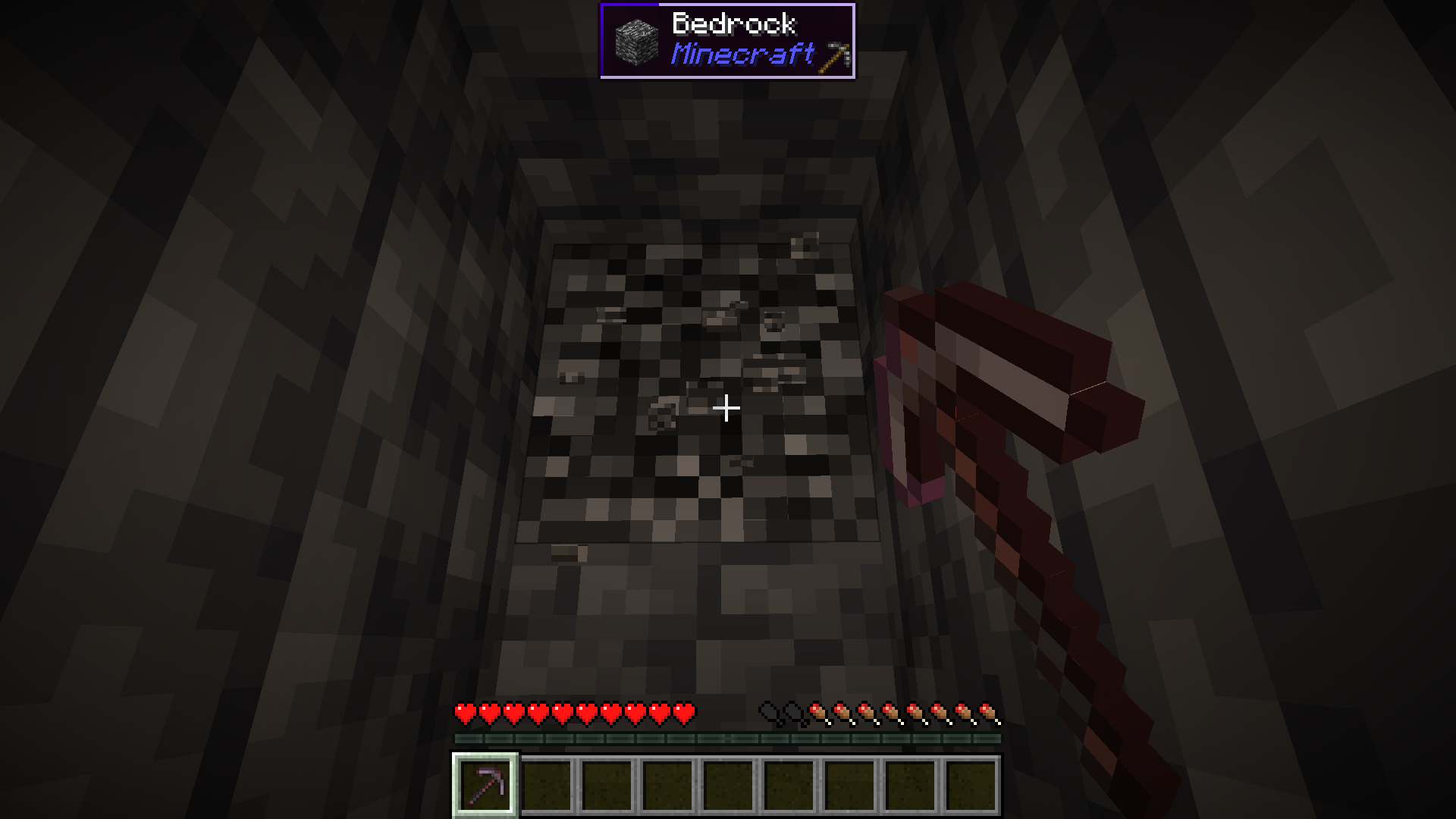
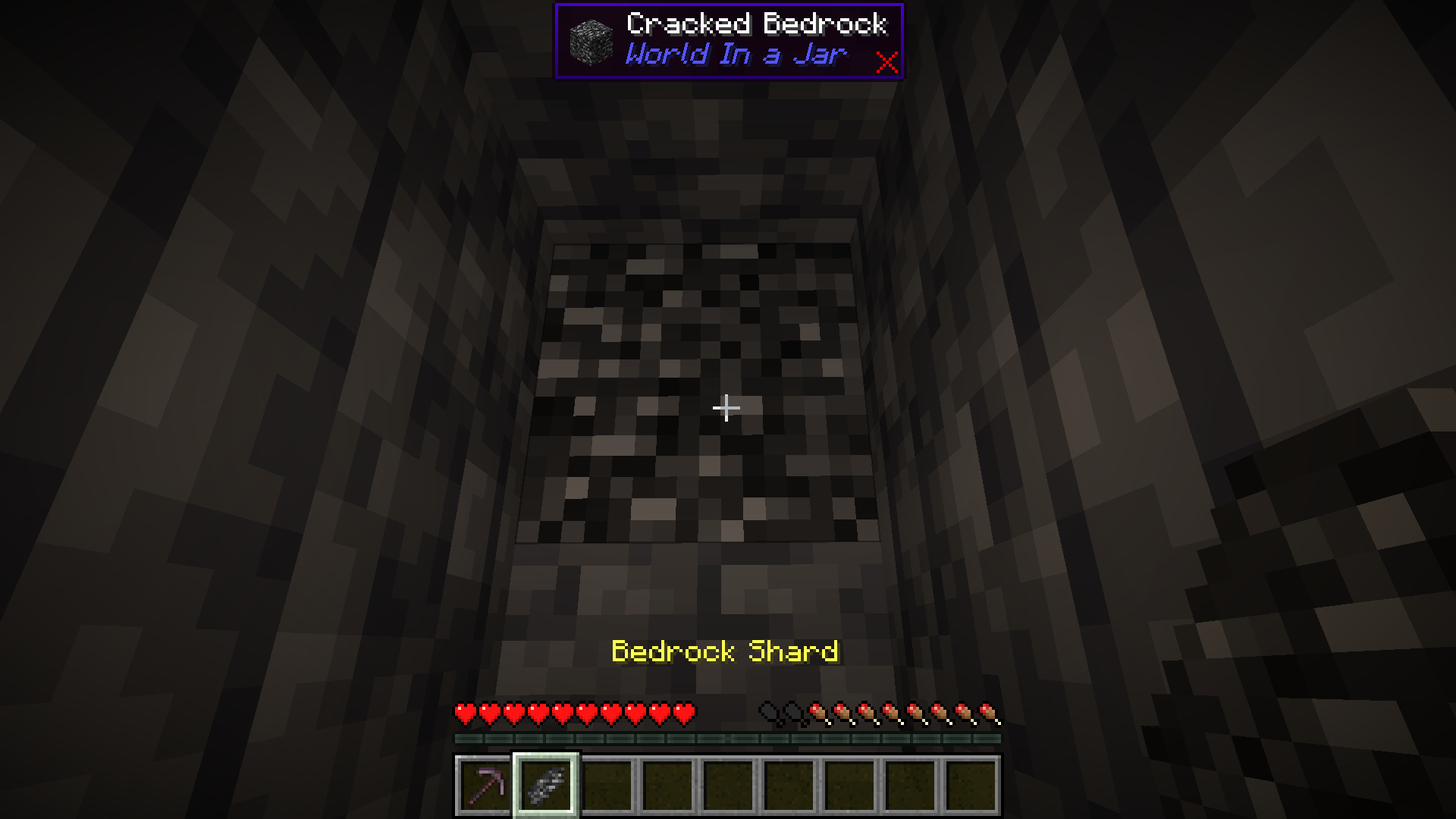
### Mine Bedrock
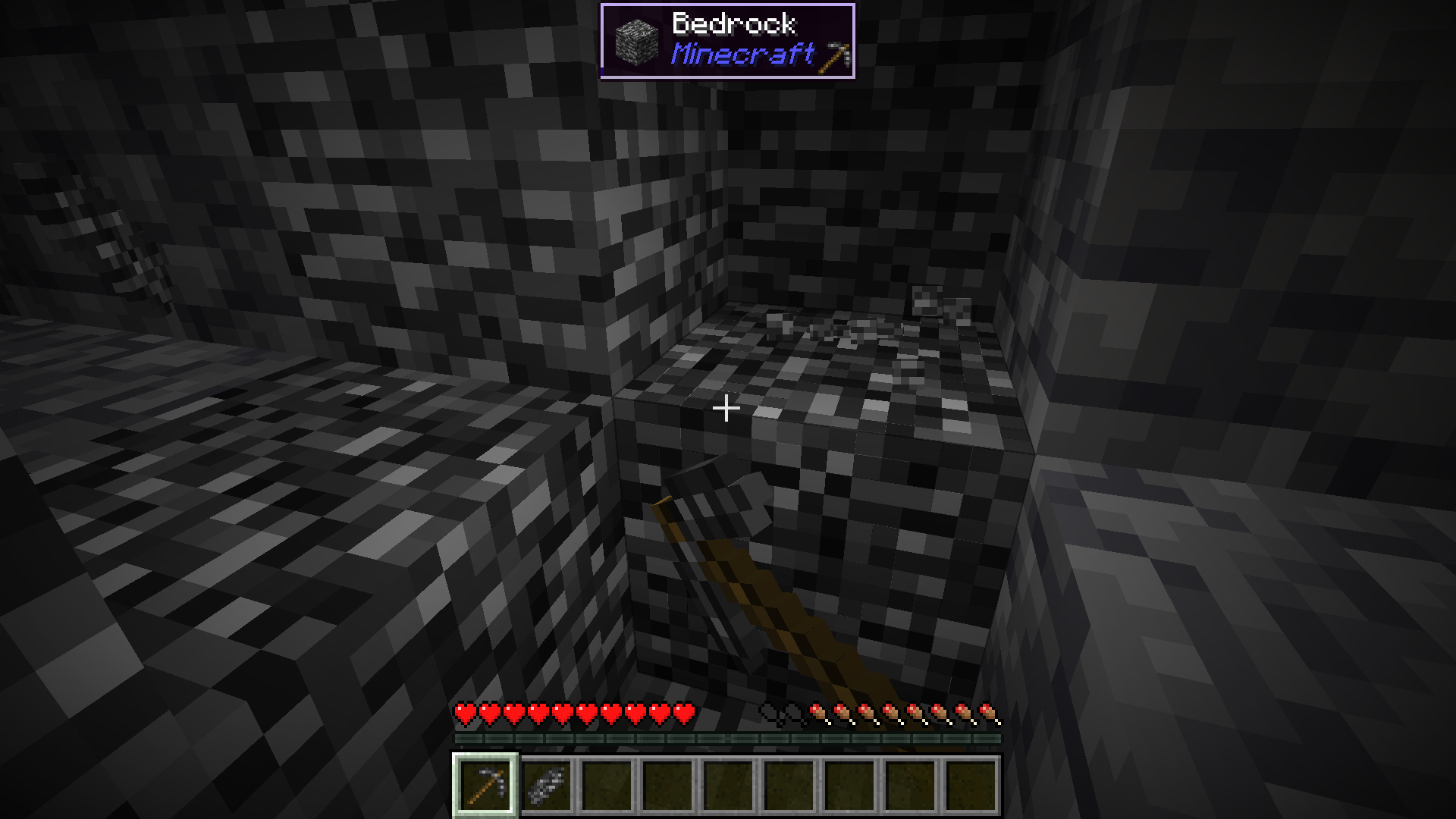
Start by mining bedrock using a Netherite Pickaxe. This may take a few tries before a shard drops.
### Upgrade To a Bedrock Pickaxe
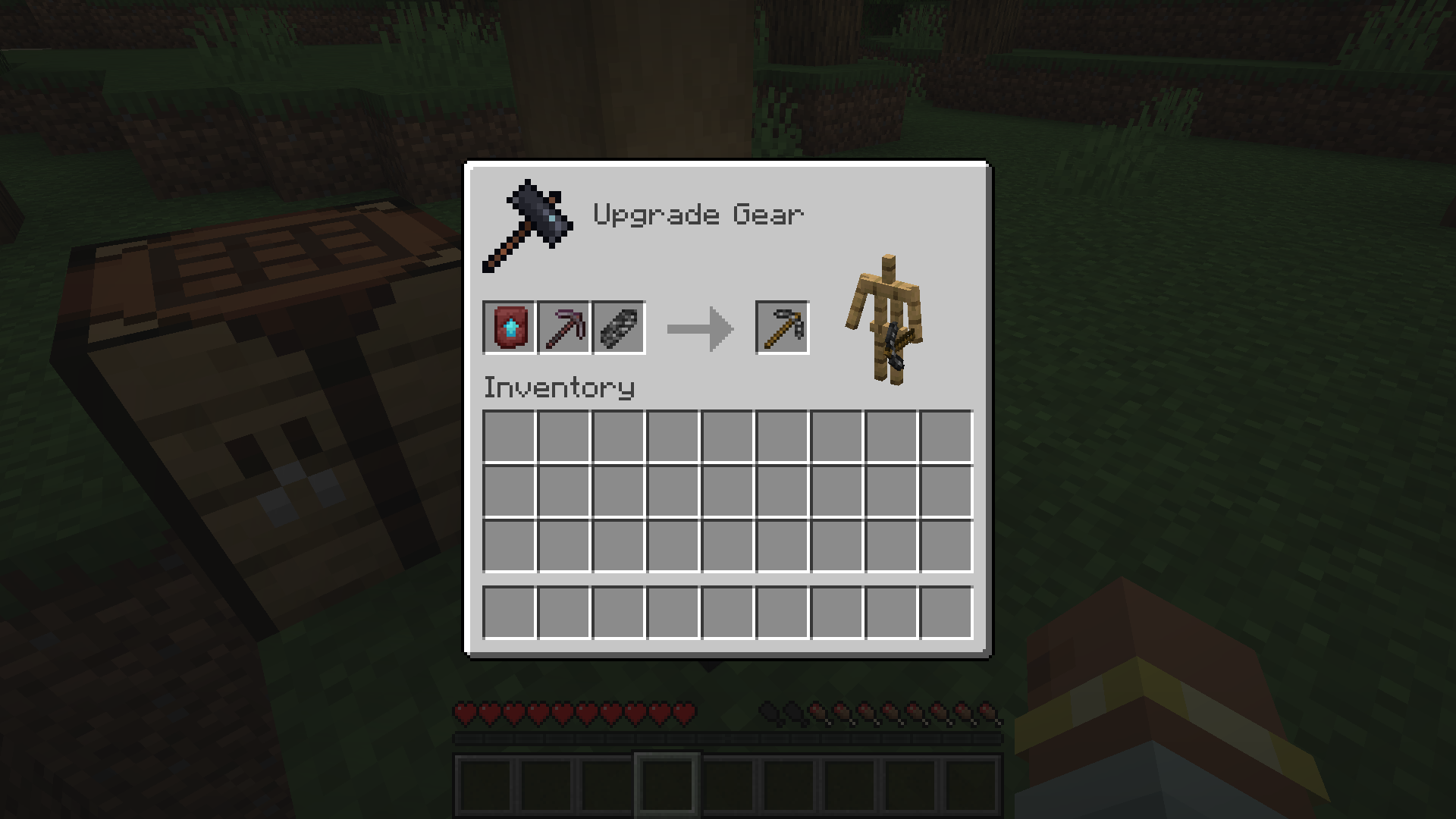
Upgrade your Netherite Pickaxe to a Bedrock Pickaxe using a Smithing Table.
### Mine More Bedrock
Mine more Bedrock with your Bedrock Pickaxe. You will need 28 Bedrock Shards.
### Obtain Ingredients And Craft Reinforced Echnoplast
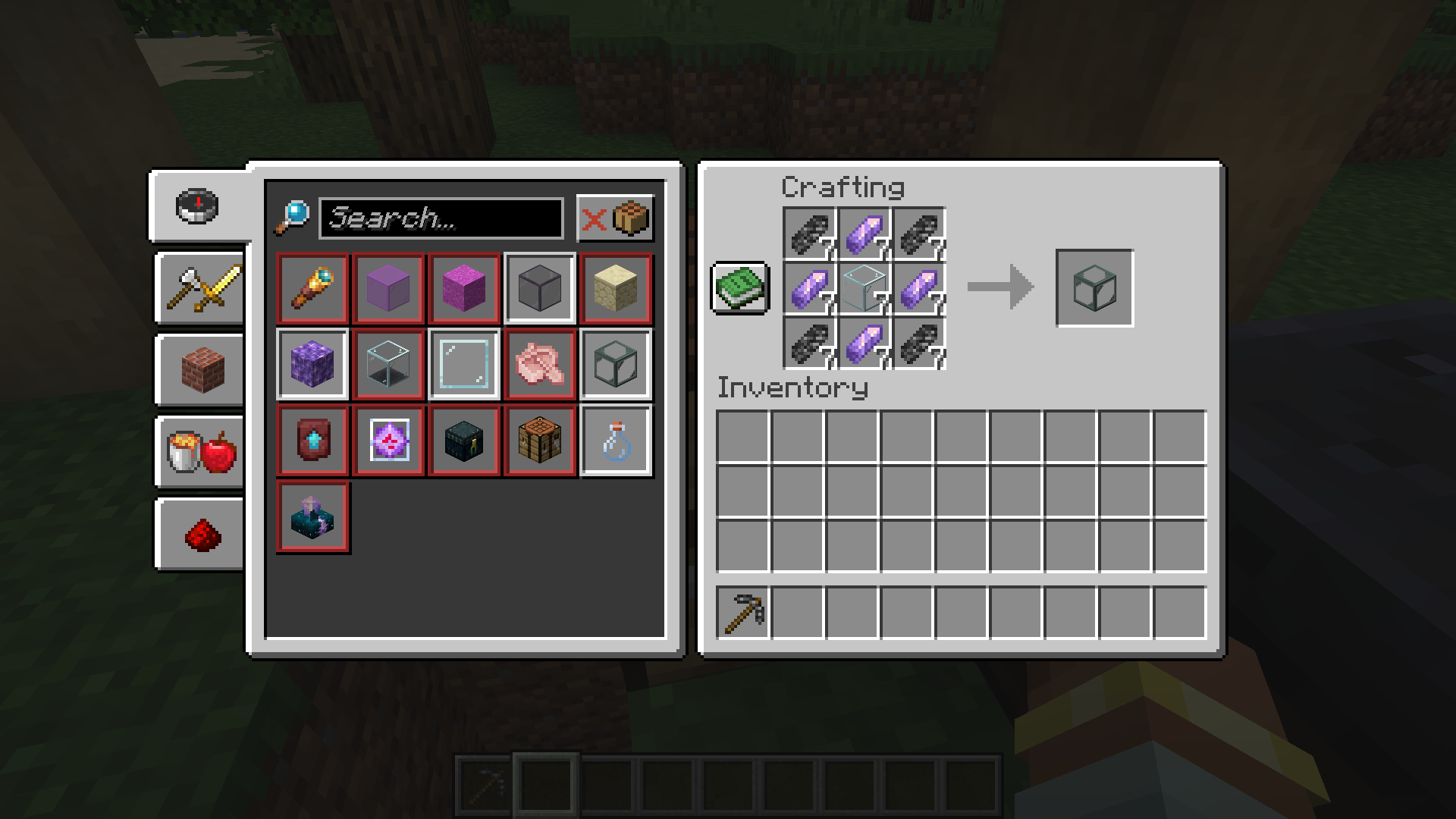
Obtain 7 Glass and 28 Amethyst Shards to craft 7 Reinforced Echnoplast.
### Strip Logs To Obtain Bark
Strip logs to obtain their bark. You will need 9 bark of any type.
### Craft a World Jar
Craft a World Jar using a Cork Block, Eye of Ender, and 7 Reinforced Echnoplast.
### Enter the World Jar
Place the World Jar and interact with (right-click) the jar to enter it. You can interact with the jar again to exit.
## Video Demonstration
## Permissions (Not Working)
**This does not currently work.**
The number stated after the permission ID is the minimum OP level that users will need to have the permission. This mod can also use permissions with mods compatible with Fabric Permissions API (such as LuckPerms). The permission ID and OP level are written respectively (in that order).
– `worldinajar.lock_jar` `2`
– Allows a user to lock/unlock a jar. A locked jar cannot be edited. When right-clicked, a locked jar simply teleports the player if they do not have this permission.
## FAQ
– ### Port to NeoForge? Quilt? ?
– no
– ### Port to 1.12.2? ? Update to version *X*?
– no
– ### There is a bug and I need to report it!
– Please go to [the issue tracker](https://github.com/CursedMC/world-in-a-jar/issues/new) and create a bug report.
– ### Please add *X* feature.
– yesn’t (feel free to [open an issue](https://github.com/CursedMC/world-in-a-jar/issues/new))
– ### Can I port this mod to *X*?
– Please ask for permission before doing so. I also ask that you credit the original mod and state that it is an unofficial fork, however. Forks claiming to be official will be taken down.
## Redistribution 🖍️
VulpixelMC does not sanction any redistributions not hosted on its website, GitHub, or Modrinth. Do not upload this software to any other services without due credit and links to the original file from which the redistributed software was downloaded.
You may use this software in Modpacks, given due credit and a link to download the original software.
## License
World In a Jar is licensed under `LGPL-3.0-only`. See `COPYING` and `COPYING.LESSER` for details.
WorldFall
## v0.2-paper-dev & v0.2-spigot-dev out now!

[](RELEASE)
[](LICENSE)
# WorldFall plugin
Every time a player in survival mode moves to another block, the previous column disappears.
## Authors
– [@Bartolumiu](https://www.github.com/Bartolumiu)
## Acknowledgements
This plugin is based on the custom datapack from the following video:
– [“Minecraft, But The World FALLS Behind Me”](https://www.youtube.com/watch?v=wlpbpwA5-nA)
## Documentation
For command, placeholder and permission info, head to the [project wiki](https://github.com/Bartolumiu/WorldFall/wiki).
## Support
For technical support, go to the [issues page](https://github.com/Bartolumiu/WorldFall/issues) on GitHub.
WorldCleaner
# WorldCleaner
Required Plugin: https://modrinth.com/plugin/kotlinplugins
– Cleans up worlds from items every 10 minutes.
– You can access the removed items by command: “`/dustman “`
– Lightweight and efficient solution for cleaning all the worlds.
Required permission to execute the command: “` worldcleaner.dustman “`
– Players who have op ( ./op ) have access to it by default.
– Check out other plugins: https://modrinth.com/user/Winlyps
WorldBuoyancy
WorldBuoyancy is a mod which adds liquid-related functionality.
– The “inventoryBuoyancy” feature makes wooden item stacks float up the slots of the inventory GUI while you’re submerged in water. For instance, if you have a wooden plank in your hotbar and jump into water, the plank will be moved to the upper areas of your inventory. Non-wooden item stacks can block the wooden item stacks from moving up. If Better With Mods is installed, it will float the items BWM considers as “floating” instead. That’s literally what it does, no less, no more.
– The “cannotDisplaceLiquids” feature makes it only possible to remove fluid via a bucket or other container; displacing it with a block will simply make it respawn nearby.
I mean, [why not](https://twitter.com/neptunepunk/status/910961263865245696)? (It’s not meant to be entirely serious.)
World Randomizer
# World Randomizer
## Description:
This server plugin randomizes the blocks of new chunks when they are generated.

## Replacement Rules
– each block type is always replaced with the same random block type for the same seed.
– no unsupported blocks (like floating torches)
– air is not replaced
– solid blocks are only replaced with solid blocks
– non-occluding blocks are only replaced with non-occluding blocks
– gravity blocks are only replaced by gravity blocks
– fluids are only replaced by fluids
Excluded Blocks
Change: The block is replaced by a other random block
Place: The block is used to replace other blocks
|Block Type |change|place| Reason |
|—————————-|:-:|:-:|——————–|
| Air | x |✓| Gameplay |
| Banners | x | x |Lag |
| (Calibrated-) Sculk Sensor | x | x |Lag |
| End Portal Frame | x |✓| Gameplay |
| Heads & Skulls | x | x |Lag |
| Interactable Blocks | x | x |Lag, Loot Chest |
| Nether Portal | x | x |Lag, Gameplay |
| Observer | x | x |Lag |
| (Trial-) Spawner | x | x |Lag, Nether Fortress|
## Goal
The goal of this challenge is to kill the Ender Dragon, but players are not limited to this.
## Mapping Command
### Description: Displays how a block is shuffled
Usage: “`/mapping []“` / “`/map []“`
### Parameter:
– “`“` – Enter block type you want to check
– None – Uses the item held by executor
### Example:
“` /mapping minecraft:diamond_ore “` =>
“`
Mapping for diamond ore:
diamond ore is replaced with end stone
dirt is replaced with diamond ore
“`
## FAQ:
**Q:** My client / server is lagging
**A:** This plugin significantly slows down the world generation progress.
Additionaly some unfortunate shuffles can cause a lot of lag.
## Credits:
I wasn’t inspired by any particular source, but this has been done multiple times before