Steampunk Texture Pack
Steampunk Texture Pack
—


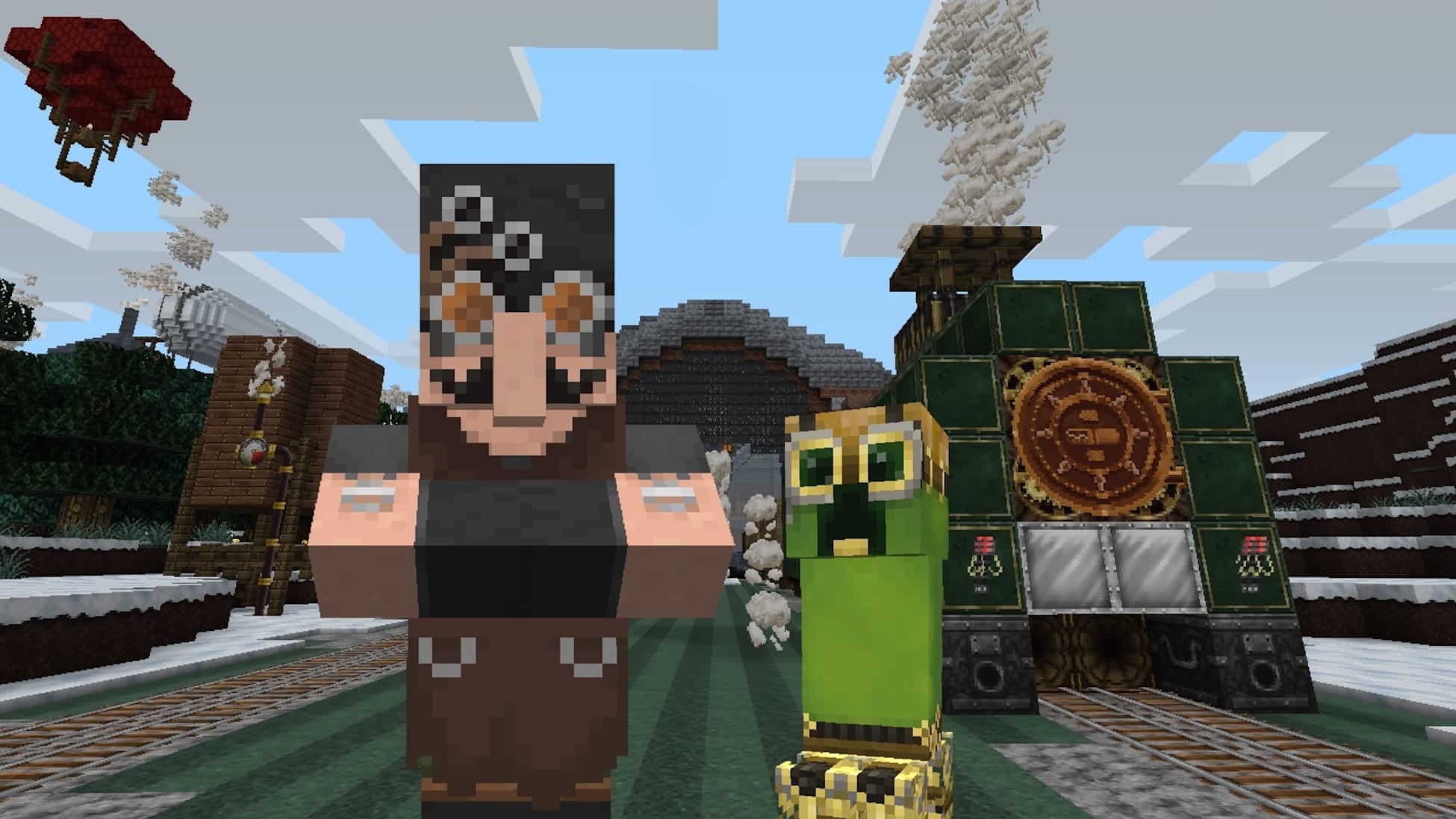
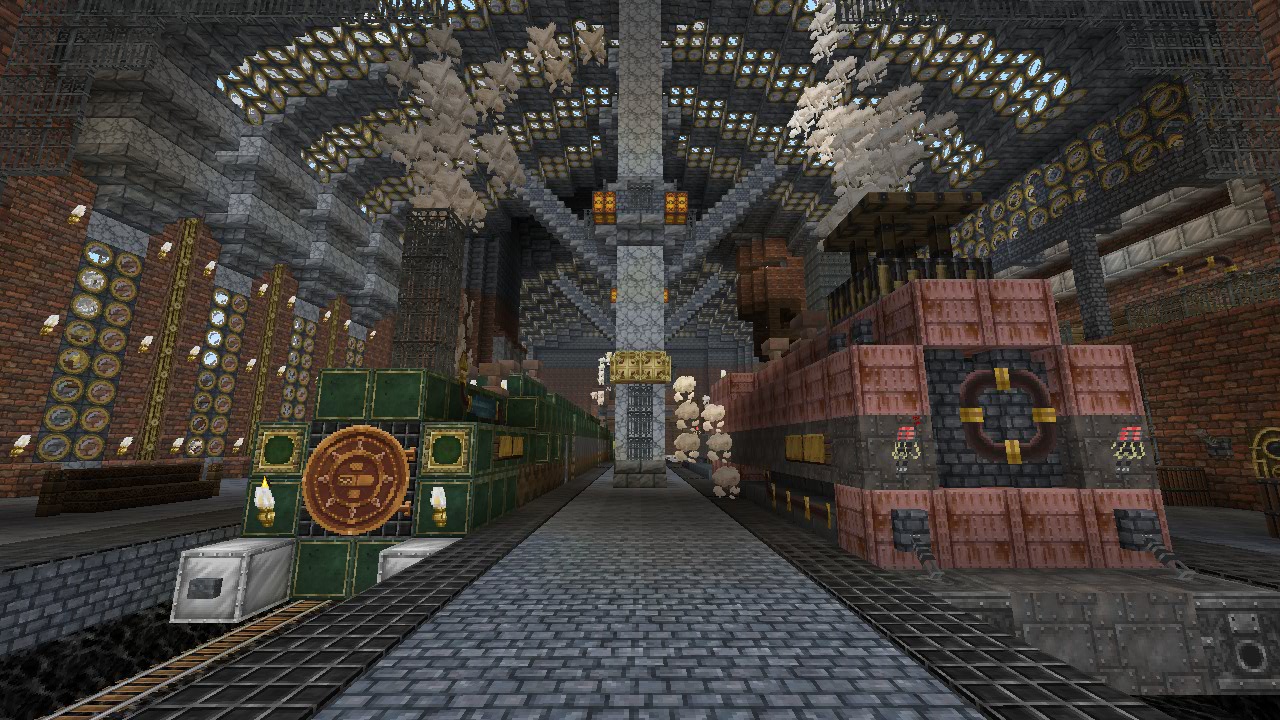
Create your own Industrial Revolution with this Victorian inspired Steampunk texture pack!
This pack adds steampunk-themed textures for blocks, items, entities, and UI.
More Resource Packs
—
This resource pack is a port of the Steampunk Texture Pack from Legacy Console Edition with updated textures from Bedrock Edition. Original textures by 4J Studios.
Spyglass But Bigger
Texture Pack make spyglass bigger
Spryzeen’s Spectral Pumpkin Tools
# Spryzeen’s Spectral Pumpkin Tools
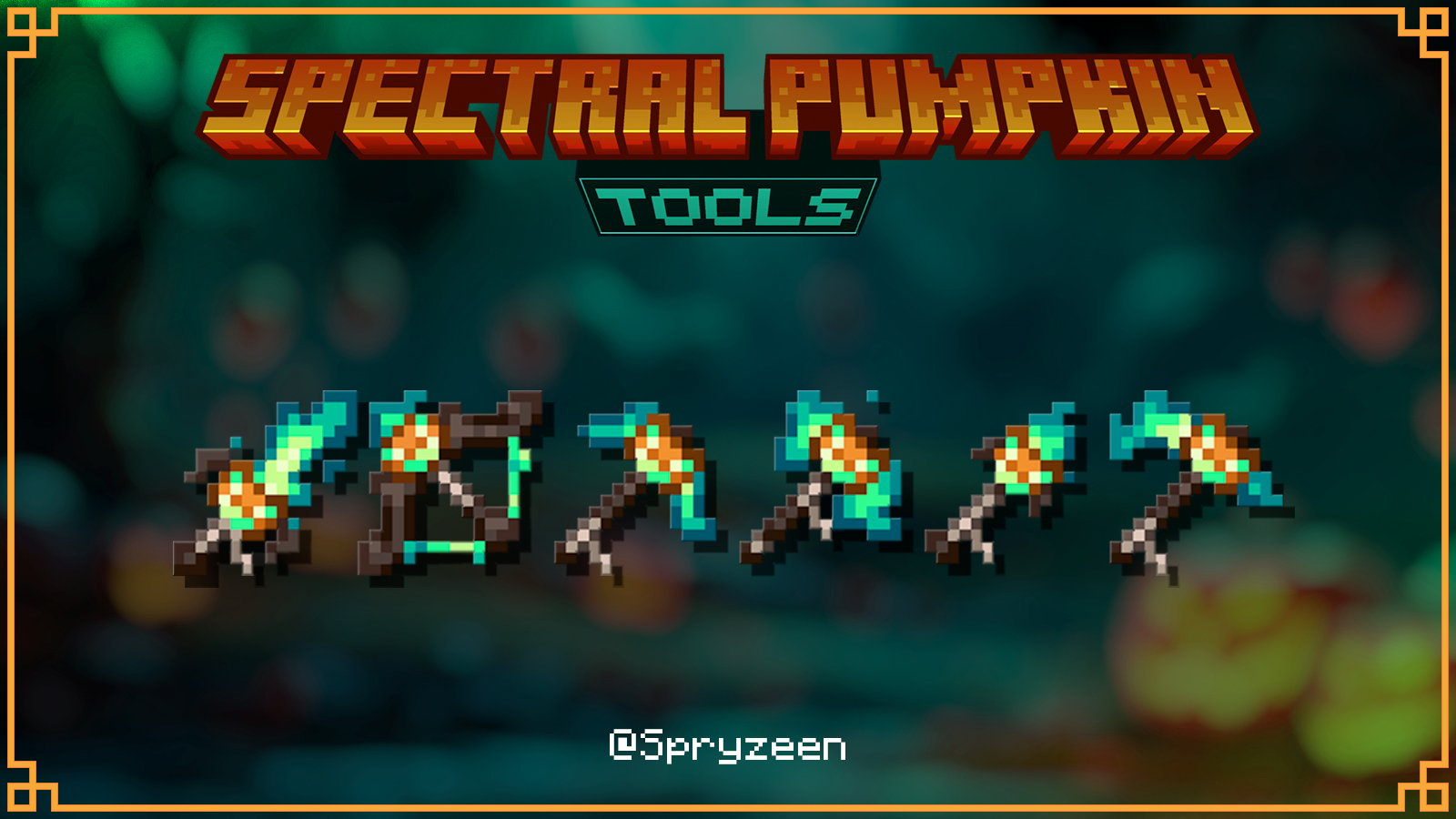
Embark on supernatural journeys with our Spectral Pumpkin Tools Texture Pack!
Watch as your tools transform into spectral creations
Each imbued with the mysterious and dark essence of ghostly pumpkins
Features
– Full vanilla texture pack, you don’t need any mod or something
– All of them have animated textures
– the pack uses core shaders to make some parts of tools emissive, you don’t need optifine to see it glow!
Requirements
– None!
Known Issues
– Emissive textures don’t works with shaders like complementary or BSL
Spryzeen’s Ore Glint
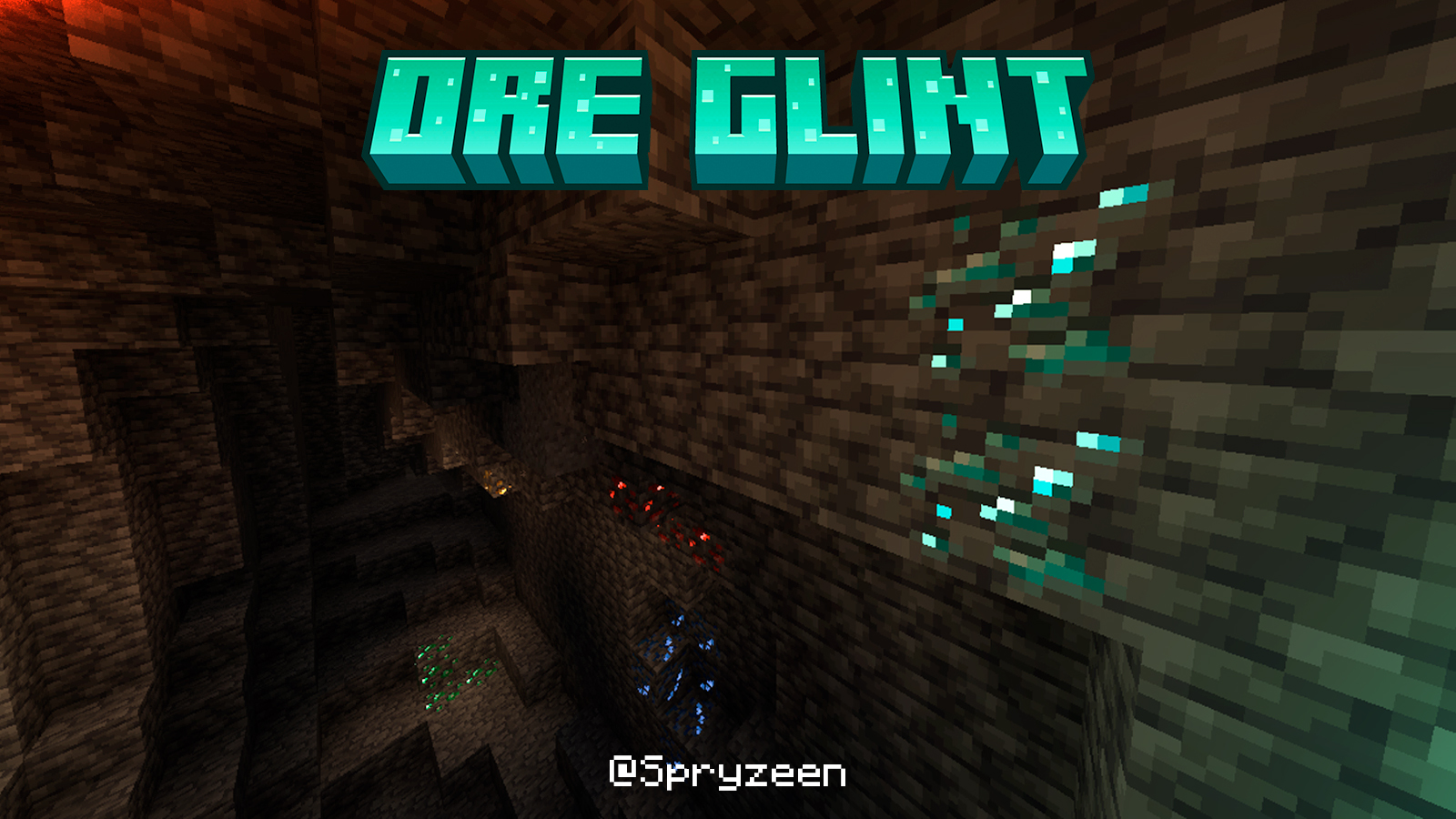
#### Spryzeen’s Ore Glint was made to be the unobtrusive alternative among emissive ore texture packs, All ores have a subtle glimmer that becomes more noticeable over time
Features
– Full vanilla texture pack, you don’t need any mod or something
– The pack uses core shaders, you don’t need optifine to see it glow!
– Support all vanilla ores (Coal [addon], Copper, Iron, Gold, Emerald, Diamond, Lapis, Redstone, Nether Gold, Nether Quartz and Ancient Debris)
Addons
The pack has an addon for coal, if you want it… open the pack zip and extract the addon from the ADDONS carpet
Requirements
– None!
Known Issues
– None!
Spryzeen’s Healthbars
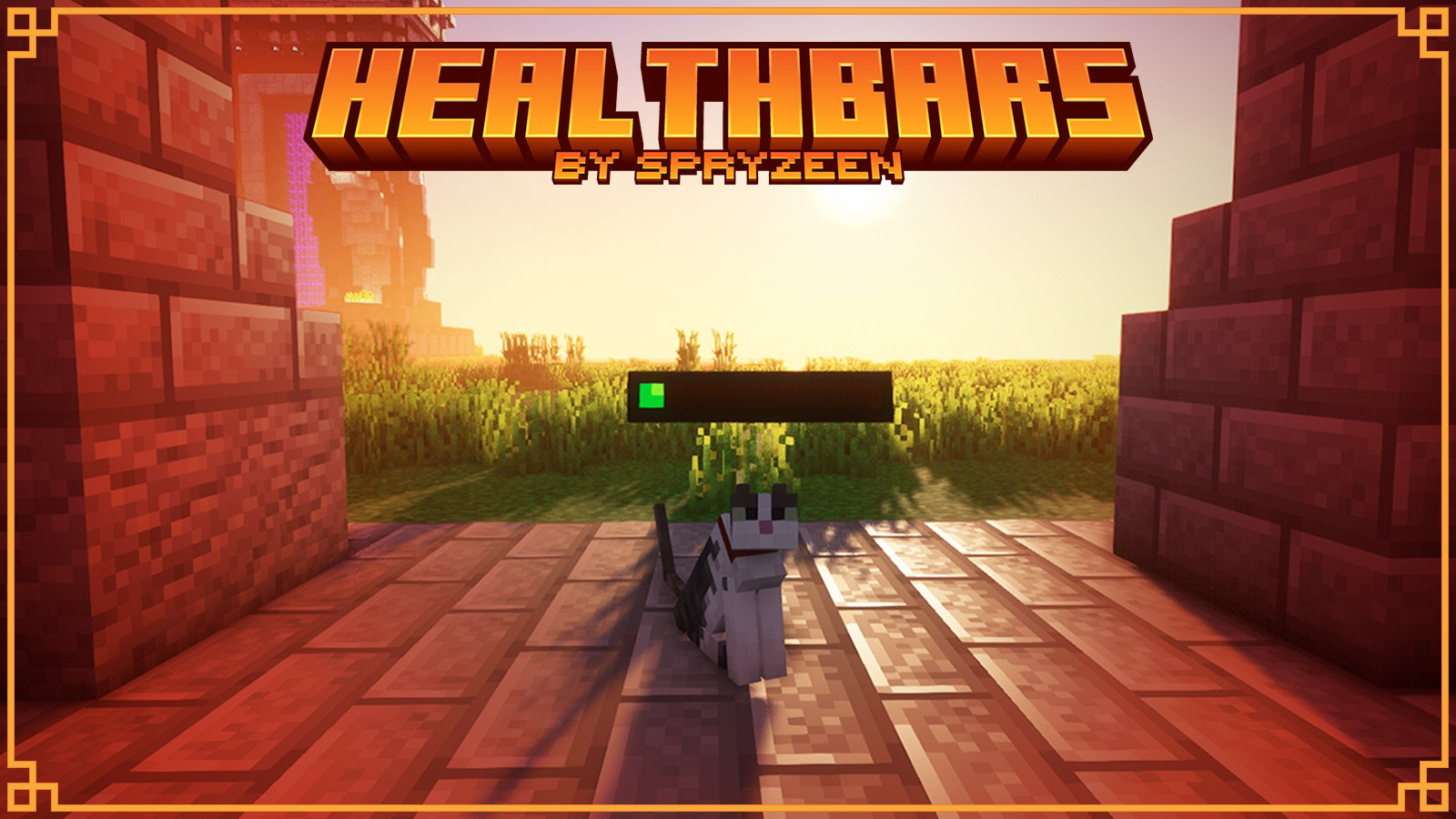
#### Spryzeen’s Healthbars allow you to show how much health do mobs have, Never killed accidentaly a villager or pet because you didn’t know they have low health It’s also very useful to know how much health the mobs with which you are fighting have
Features
– Healthbars are emissive, mean you can see it glow in the dark
– This resourcepack uses vanilla core-shaders to improve some features and fix some other bugs
– Healthbars have an animation that gives a 2D apparence
– Supports minimal changes for mobs that has a lot of life, You can see a change in the health bar just
attacking an iron golem with your hand
Requirements
You need EMF or Optifine for this resource pack but i highly recommend to use EMF instead of optifine because you can use it with sodium to get a better perfomance and optifine takes so long to release a new versión and patch bugs
– EMF (Requires fabric and ETF) –> https://modrinth.com/mod/entity-model-features
– Optifine, you can download it here –> https://optifine.net/downloads
#### if you use optifine open game menu, go to “Options” > “Video Setting” > “Quality..” and turn ON these settings:
– Custom Entity Models
– Emissive Textures
– Random Entities
Vanilla Core-Shaders dependency
**Shaders are being used to patch some bugs like:**
– Healthbars turns red when you hit a mob
– Tropical fish colors overlay healthbar colors too
**If you use this pack with shaders like BSL, Complementary, Chocapic ETC, because you will lose those features but if you want… you can, health bars will still work**
Known Issues
– Healthbar animation for squid don’t works, it looks very bad without that and i decided just don’t support
squid/glow squid
– Some mobs don’t have an accurate 2D animation mean… healthbar can rotate slightly wrongly
– This resourcepack don’t works on OPTIFINE HD_U_I6_pre1 so please use version HD_U_I5
Spook
**I am currently inactive on this project at the moment, and new updates may be extremely delayed**
### **Important info:**
This RP **does not** contain any creepy/scary content or jumpscares. It only contains shader effects and only intends to just make the atmosphere more spooky feeling.
This RP **does not** work with optifine or sodium.
### About the pack
Spook is a resource pack making use of core shaders to add a spooky vibe to the game, without having to use optifine/iris.
### What this RP adds:
– Desaturated colour with red tint
– A red UI
– A dark, close fog around the player
– Slight effects to mobs with emissive eye rendering
### Known issues:
– Items held are completely black on inventory preview
– Fog does not apply to sign text
– Objects may ignore fog at large distances from player
Spice
## Why?
The vanilla enchantment glint has two primary issues.
1. The glint renders at full strength regardless of lighting, this makes the glint extremely visible in the dark while the item that the glint is on is not visible.
2. The glint adds its own color to the color of the item beneath it. This causes items to appear washed out.
## How does Spice address this?
Spice modifies the blend settings used by the enchantment glint shaders. In particular, it sets the blend factor of the glint to the color of the thing it is being applied to. The end result is that bright items receive strong glints and dark items receive weak glints. This has a contrast-increasing effect on the item and takes light levels into consideration. The glint looks much nicer in low-light environments and items no longer appear washed out.
## Spice quirks
Since reducing the glint alpha would cause it to look terrible due to the way blending is applied, the glint alpha setting has been replaced by a **hue rotation.** This means that you can change the color of the glint without needing to swap out your resource pack.
A glint alpha of 0% corresponds to a hue rotation of 0 degrees and a glint alpha of 100% corresponds to a hue rotation of 360 degrees. The following values roughly correspond to the following colors:
0% -> purple
16% -> red
33% -> yellow
50% -> green
66% -> cyan
83% -> blue
100% -> purple (same as 0%)
Spice also fixes an unrelated issue with fog being incorrectly applied to armor.
Click [here](https://youtube.com/watch?v=R5t09pEk5Fg) to see a short demonstration.
Solid Name Boxes


Solid Name Boxes is a resource pack that makes the player’s name box completely solid and opaque, making it easier to read.
It can be useful in some scenarios, for example in very bright places or something similar.
> If you want to change the opacity of the box to any desired percentage, just download and read the resource pack description below!
– [Custom transparence name boxes](https://modrinth.com/project/AJsGsLFj)

### *If you find any type of bug or error, report it on my [discord server!](https://discord.gg/CdHqyDxMrz)*
Solid Block Transparency Support
## Add transparency to solid blocks!
[View the pack on my website!](https://ewanhowell.com/resourcepacks/solid-block-transparency-support)
This pack changes how solid blocks render so that they can use transparent textures.
Either use this pack alongside your pack, or merge it into your pack.
WARNING: THIS WILL NOT FIX XRAY! ADDING TRANSPARENCY TO SOLID BLOCKS CAN CAUSE XRAY DEPENDING ON HOW YOU USE IT!
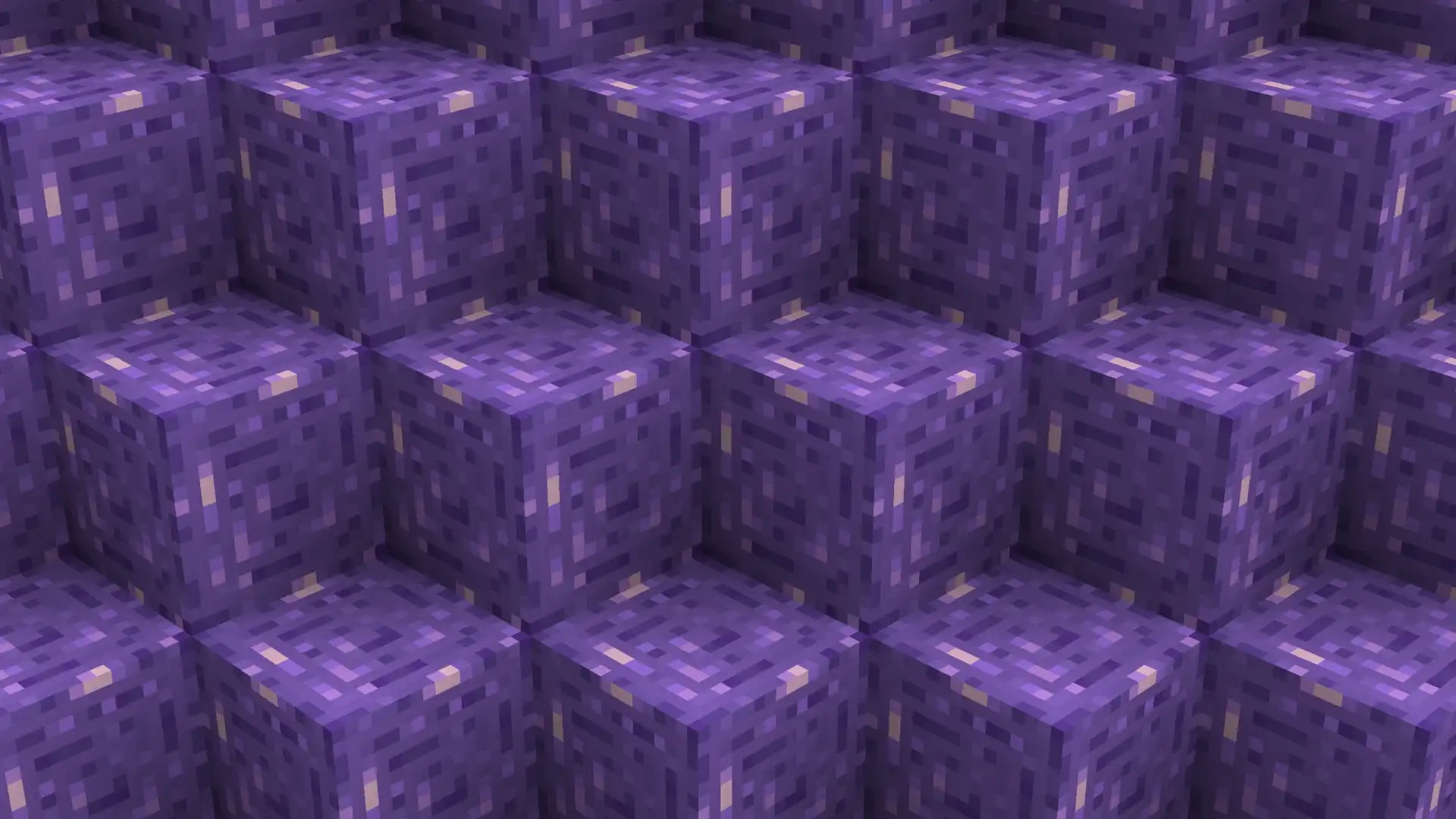
By default, solid blocks do not support transparent textures, resulting in them rendering like the first image.
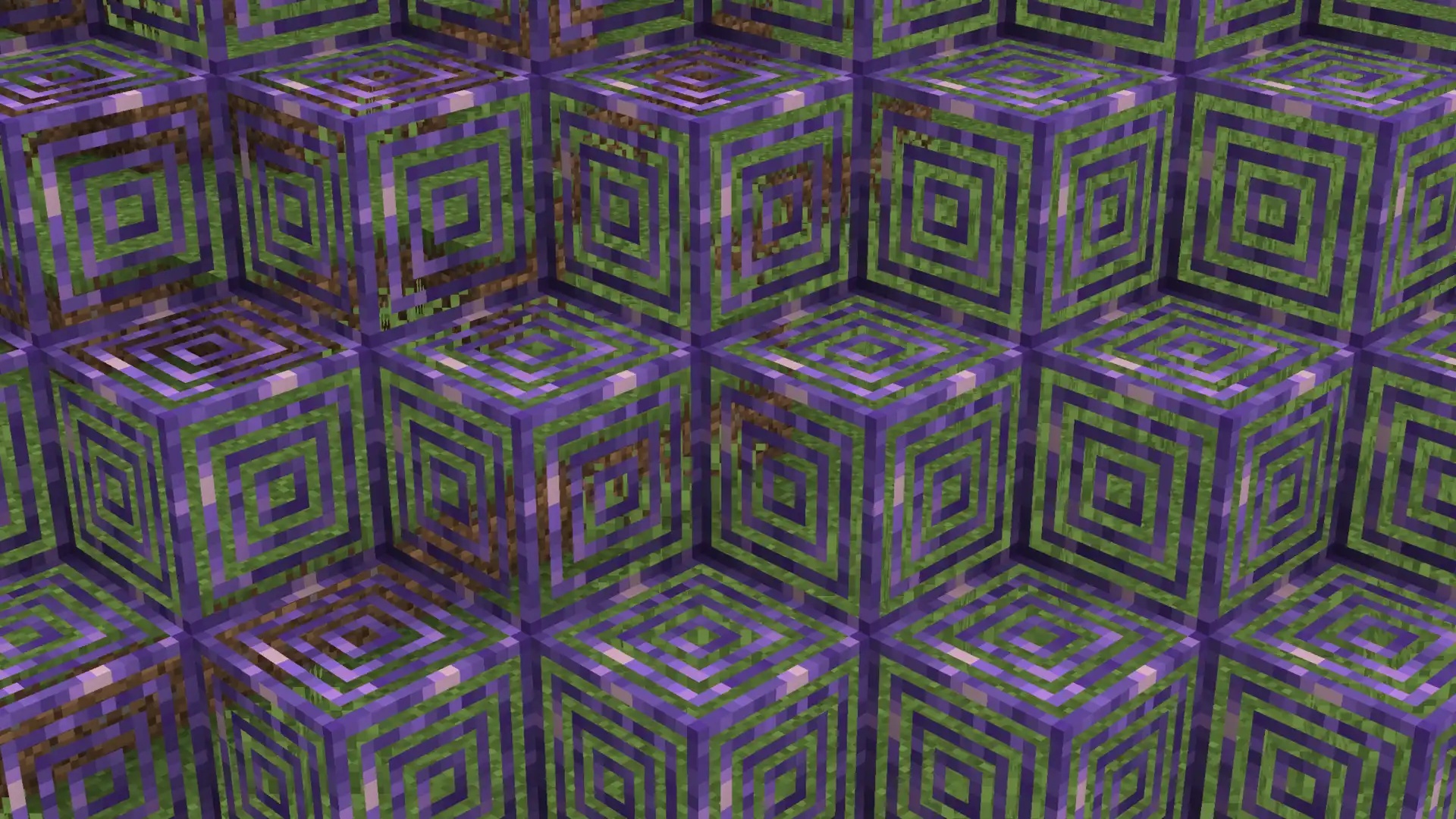
This pack makes it so that you can use transparent textures with them, meaning they instead can render like the second image.
⎯⎯⎯⎯⎯⎯⎯⎯⎯⎯⎯⎯⎯⎯⎯⎯⎯⎯⎯⎯⎯⎯⎯⎯⎯⎯⎯⎯⎯⎯⎯⎯⎯⎯⎯⎯⎯⎯⎯⎯⎯⎯⎯⎯⎯⎯⎯⎯⎯⎯
[
Join my Discord Server!]( https://discord.ewanhowell.com/)
[
Join the Resource Pack Development Discord Server!]( https://resourcepacks.ewanhowell.com/)
[
Subscribe on YouTube!]( https://www.youtube.com/@EwanHowell)
[
Follow me on Twitter!]( https://twitter.com/ewanhowell5195)
[
Support me on Ko-fi!]( https://ko-fi.com/ewanhowell)
Sodium Classic Fog
# Sodium Classic Fog
This pack is a port of [Vanilla Tweak’s](https://vanillatweaks.net/picker/resource-packs/) Classic Fog that works with Sodium, yeah that’s about it idk what else to write here. It can also be used in vanilla if you wish to do so
If it shows a warning when enabling the pack, its likely because sodium got an update. You should be able to ignore this, but if it causes a crash let me know!
## ! Required Mods !
This pack requires [Sodium Shader Support](https://modrinth.com/mod/sodium-core-shader-support) to function, it will not work without this mod!

































