Visible Invisibility
## Showcase
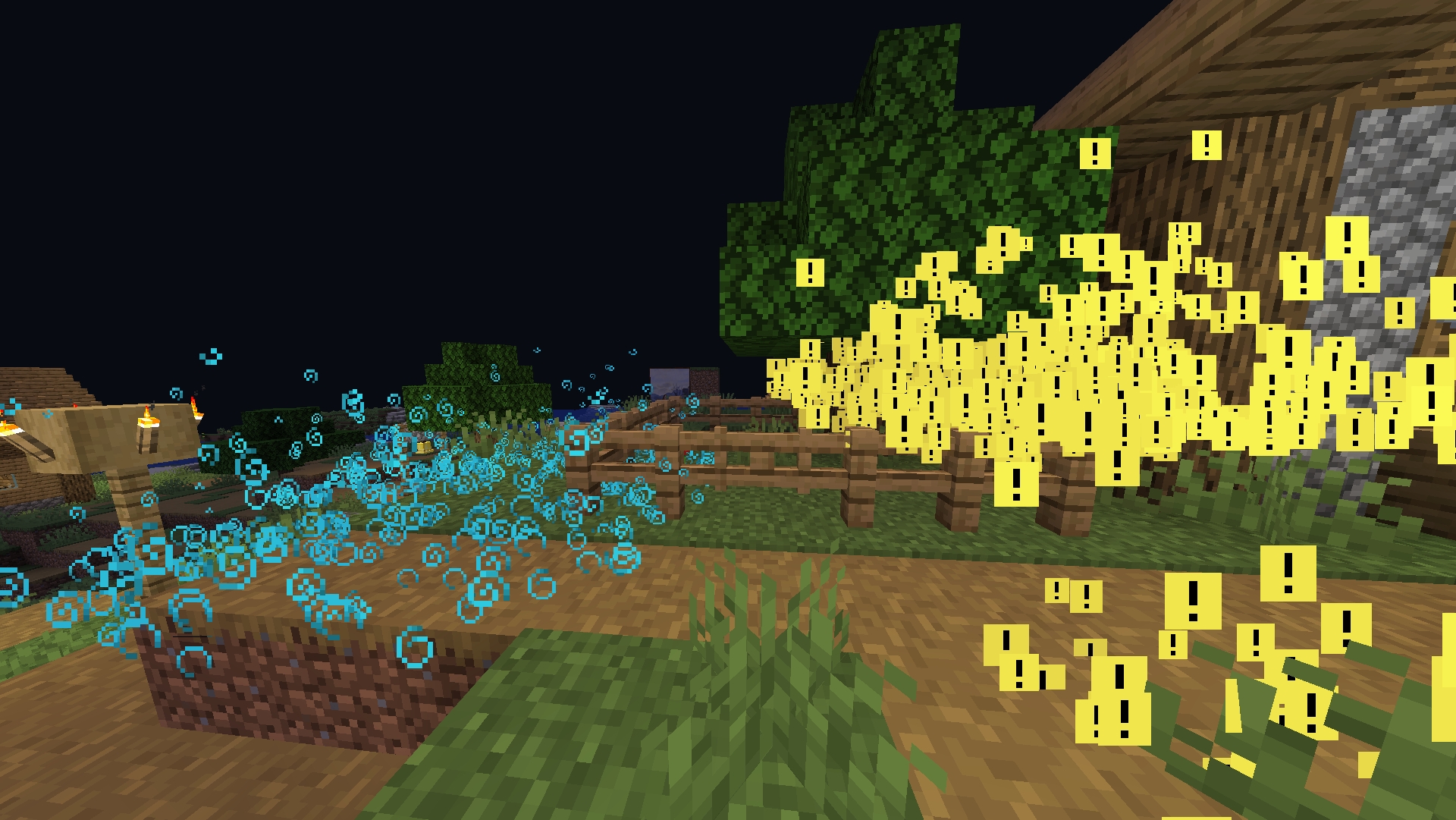
The image above shows many speed particles on the left and many invisibility particles on the right. As you can see, only invisibility particles are affected by the pack. For more example images, head to the gallery
## Description
This pack uses vanilla’s core shaders in order to change the texture of invisibility particles. No other particle is changed, making it the perfect pack if you just want to make people who are invisible stand out to you.
Until now, no pack has been able to only change the invisibility particles. This is the only pack as of the time of creation that makes use of this technique. If you install another similar pack, it would be changing particles for speed, strength, etc. Additionally, it would have a weird tint for every particle. However, this pack removed the tint leaving the bright yellow color to stand out to you.
If you want to know more about how this works, or have questions about other vanilla shader related things, you can join my discord and ask in there 🙂
## For Pack Creators
If you would like to upload your own custom texture for the invisibility particle or normal particles, then follow these directions. Keep in mind this only works on versions 2.0.0 and higher.
1. Create the textures as normal. The invisibility particle should be the lower half of the texture, and all other particles will use the top texture.
2. Make the transparency of *all* the colored pixels equal to 0.75, as in 75/100 transparency or around 191.25/255 (if your transparency value is out of 255, then just use 191)
3. Make *all* the background pixels black, and make their transparency equal to 0.25, as in 25/100 transparency or around 63.75/255 (if your transparency value is out of 255, then just use 64)
4. If you have any trouble while creating the pack, refer to the support section at the bottom of the page.
After completing your texture, it should look something like this (this is the default effect_3 for the pack):
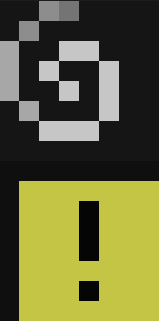
For reference, each of the colored pixels you see in the image above (the [!] and @ texture) both have transparency values of 191/255, while all the background colors have a transparency of 64/255
Here are some things to keep in mind when creating textures for this pack:
1. If you would like to post a different version of this pack, you must credit me and link back to this page. If instead you want to make a texture for this pack specifically, you can join my discord or dm me and I can add it to the project and then add you to the project.
2. All your textures will become 100% opaque after the shader is done doing its stuff. This is because otherwise everything would be slightly transparent, as you know from the steps above.
3. You most likely cannot make them HD textures.
4. With this pack, the only texture you can change individually is the invisibility particle. If you would like the ability to change the texture of all particles, then please check out the Unique Particle Effects texture pack.
## Support
**Join My Discord**
– Report bugs
– Create suggestions
– Vote on future packs
– Interact with the community
– Ask for help with texture packs
– This is the place to ask if you can use this pack in your own pack
**Check out The Repository**
– Report bugs
– Create suggestions
– Contribute by creating a pull request
https://www.alphaleo.li/resourcepacks
Impact frames resource pack template



# Overview
– This is a template resource pack for the mod “Impact Frames”
– Two resource packs you can modify to customize your impact frames
– `Base.zip` is everything in the mod’s assets, including shader files.
– `Template.zip` just has the textures and sound. This is recommended for most users. You can paint over the textures or import new ones, just make sure to keep the name and resolution intact.
– You can join the discord server to post your packs, and check out content made by other people.
# Final notes
* Join the discord server to be notified of updates, report bugs, or suggest new features.
I am not steve
### Info
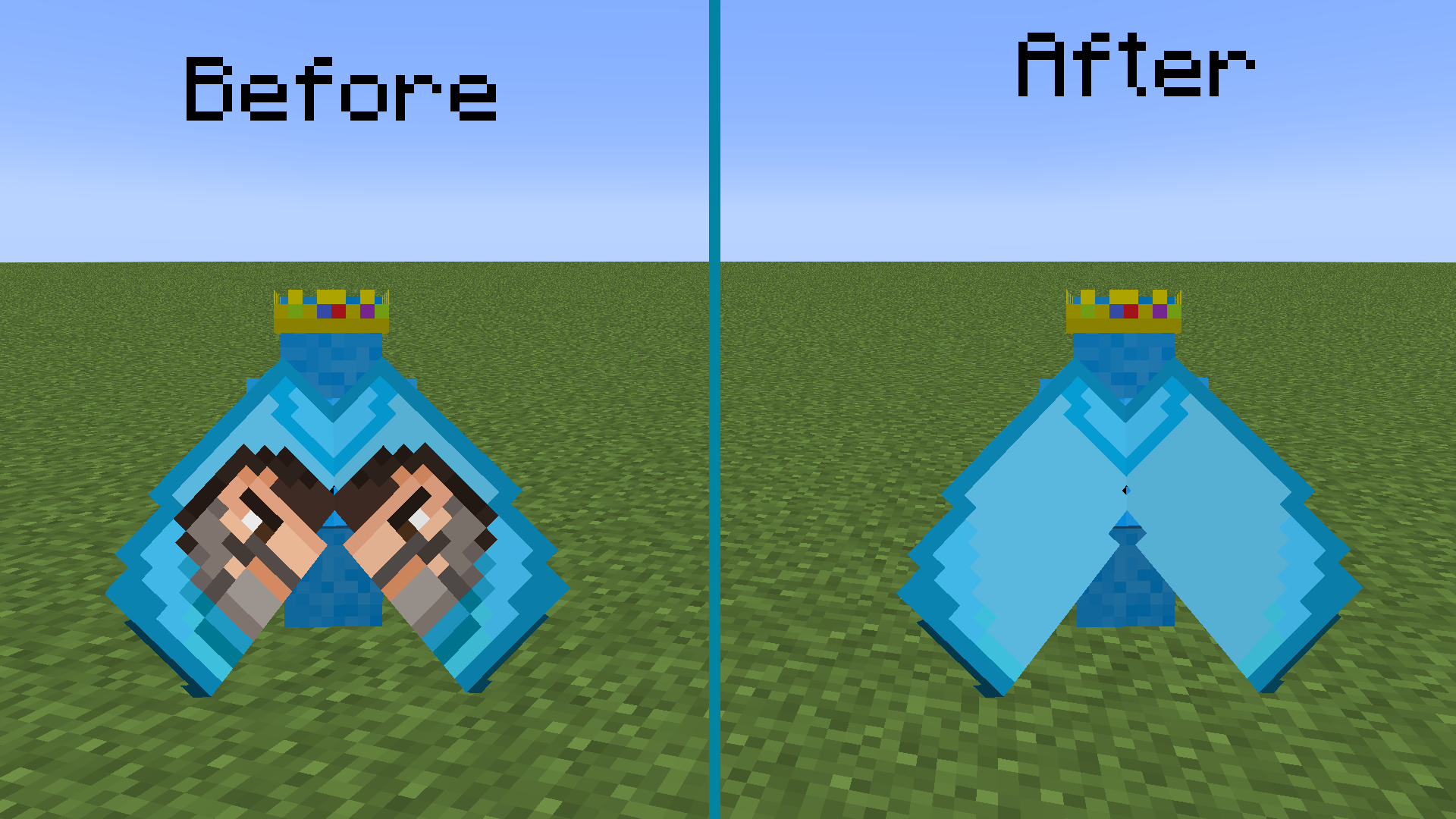
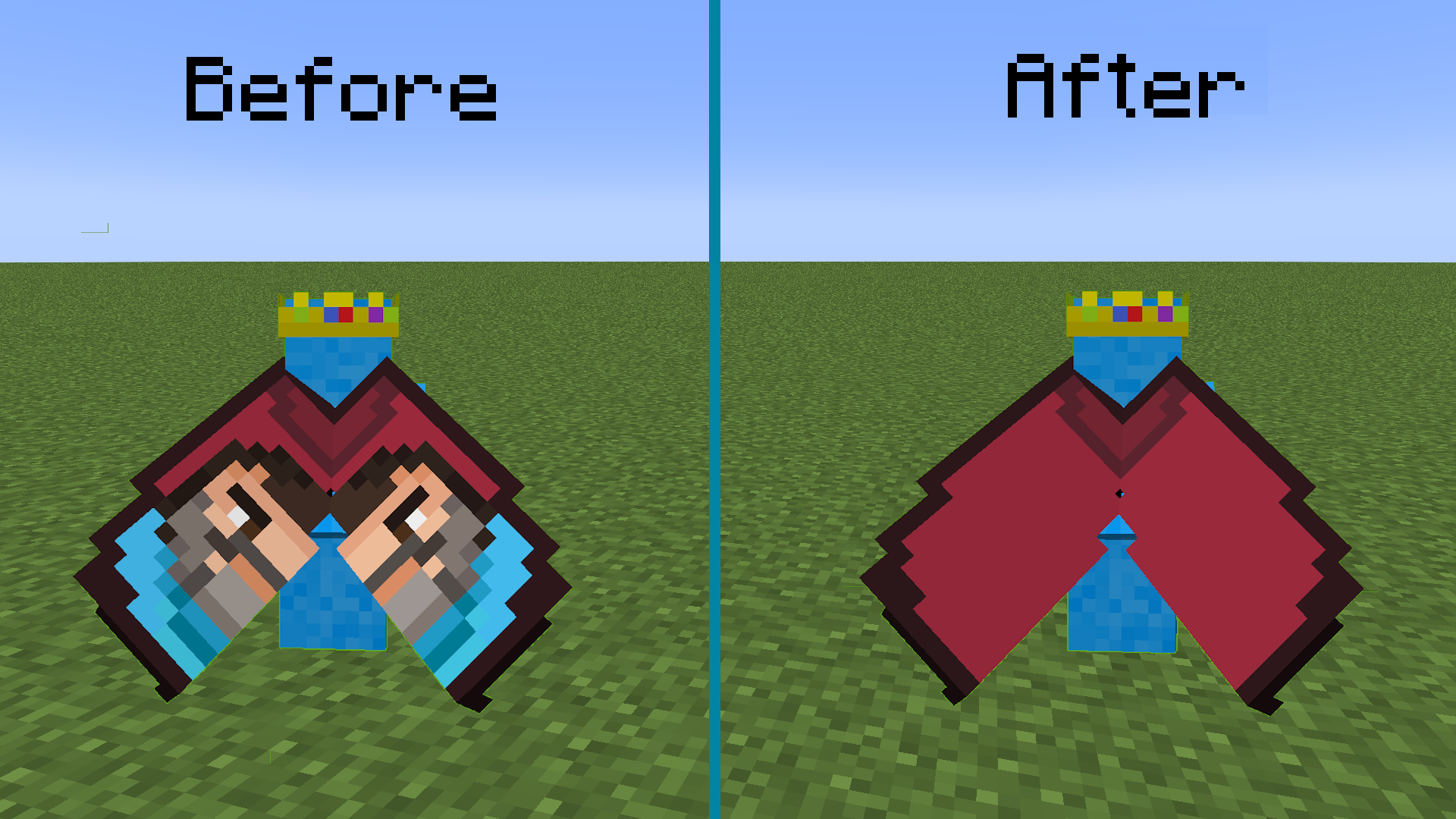
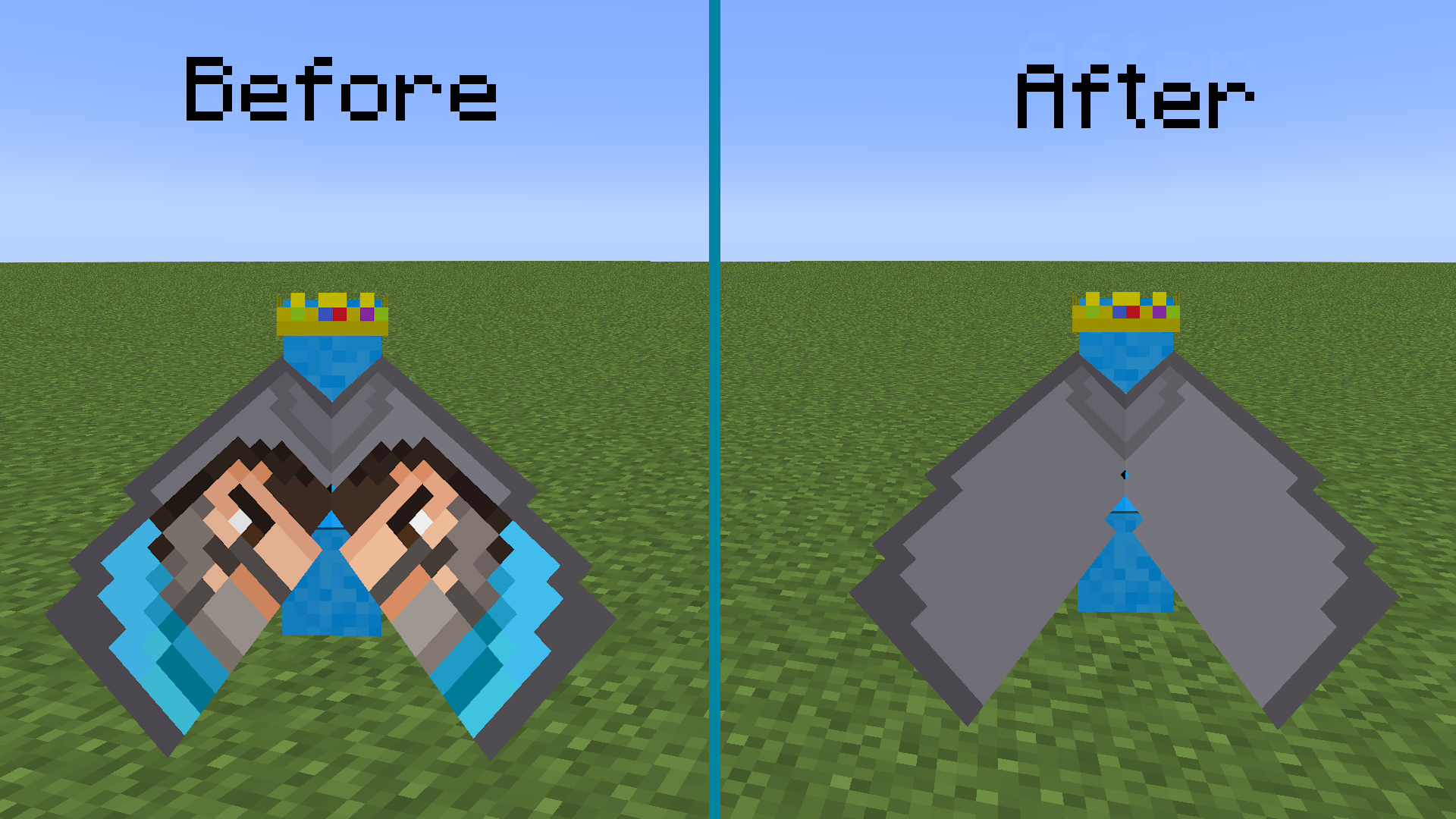
Removes the steve figure from the new minecraft capes, Home and Menace. I personally do not like it so thats why I made this. This is an extremely inefficent way to do this but who cares, it works. It works in completely vanilla minecraft, no mods required!
### Showcase
# Other
### Want to use this with my other packs?

The above pack combines all of the following:



hytale visuals and textures
this texture pack adds the grass texture and stone texture from hytale and all of the contents of the cracked ores mod (by me) this mod also adds shaders without dropping fps,please tell me if you have any questions at [email protected] i will implement them if i want to
High Contrast Extended
This resource pack is an extension of the high contrast pack that mojang has started to include in snapshots This pack extends the high contrast to all GUIs as of 1.19.4-pre-2
Note: Dark blocks may be hard to see, I tried to mitigate this by making the actual inventory slots slightly lighter than the surrounding area, but if anyone else has a better way to handle this, feel free to PR it lol
Thank you to the Minecraft Commands Discord for helping me with the text stuff lol
### A bedrock edition port has been made by NSPG911 and can be found Here
Credits:
– `the der discohund#8028` on the Minecraft Commands Discord, for the shaders because I would not have been able to figure that out
3d Rotating Crystals
# Hero’s Spinning 3d End Crystals
## What does it do?
– Adds 3d spinning crystals [with shaders] as a pack. Can be used as a template to be edited into other packs.
**!! Please give credits for this, took a long time to get this working on 1.21**
## Is this allowed?
– Allowed everywhere, as it’s purely cosmetic!
– Confirmed with vanilla tl staff, USpvp, and more!
– Does not give ANY advantage
## How to use?
– Works in **vanilla** minecraft for 1.21+
– Works in most fabric modded cases that don’t have incompatibilities [listed under Compatibility]
## I want to change the crystal entity texture and/or the item texture
– The entity texture is NOT linked to the item texture, feel free to change with another pack
– The item texture will be needed to be edited from the
“`
assets/minecraft/textures/item/end_crystal.png
“`
so the image falls into the same places. DO NOT edit the slightly transparent parts (red/orange/yellow squares), those are necessary for the crystal to render correctly.
## Compatibility
– Incompatible [currently] with all beta releases of sodium 0.6.0 or higher – as given in the incompatibilities in the version
– Also incompatible with the mods model gap fix [which can be done with a pack. I personally would use vanilla tweaks’s Item Stitching Fix *Under fixes and consistency*
– and incompatible with Legendary Tooltips *(crashes game because the little renderer inside of it just hates custom rendered items)*
## Contact Me:
Any problems, questions, help:
https://discord.gg/4ta7pM4bnr
Let me know if there are any more incompatibilities in my discord!
Happy Ghast Girl
# **Requires EMF/ETF**
– This Resource Pack replaces the normal Happy Ghast with a Feminine version of it.
**Pack includes:**
1. Female Happy Ghast, Yes.
2. Female Ghastling (don’t even think about it), Yes.
3. Custom Harnesses, Yes.
4. Custom Harness Item textures, Yes.
0. Custom Sounds, **No**. _I’m a dude irl how do I make girl sounds?_
Halloween Mash-up
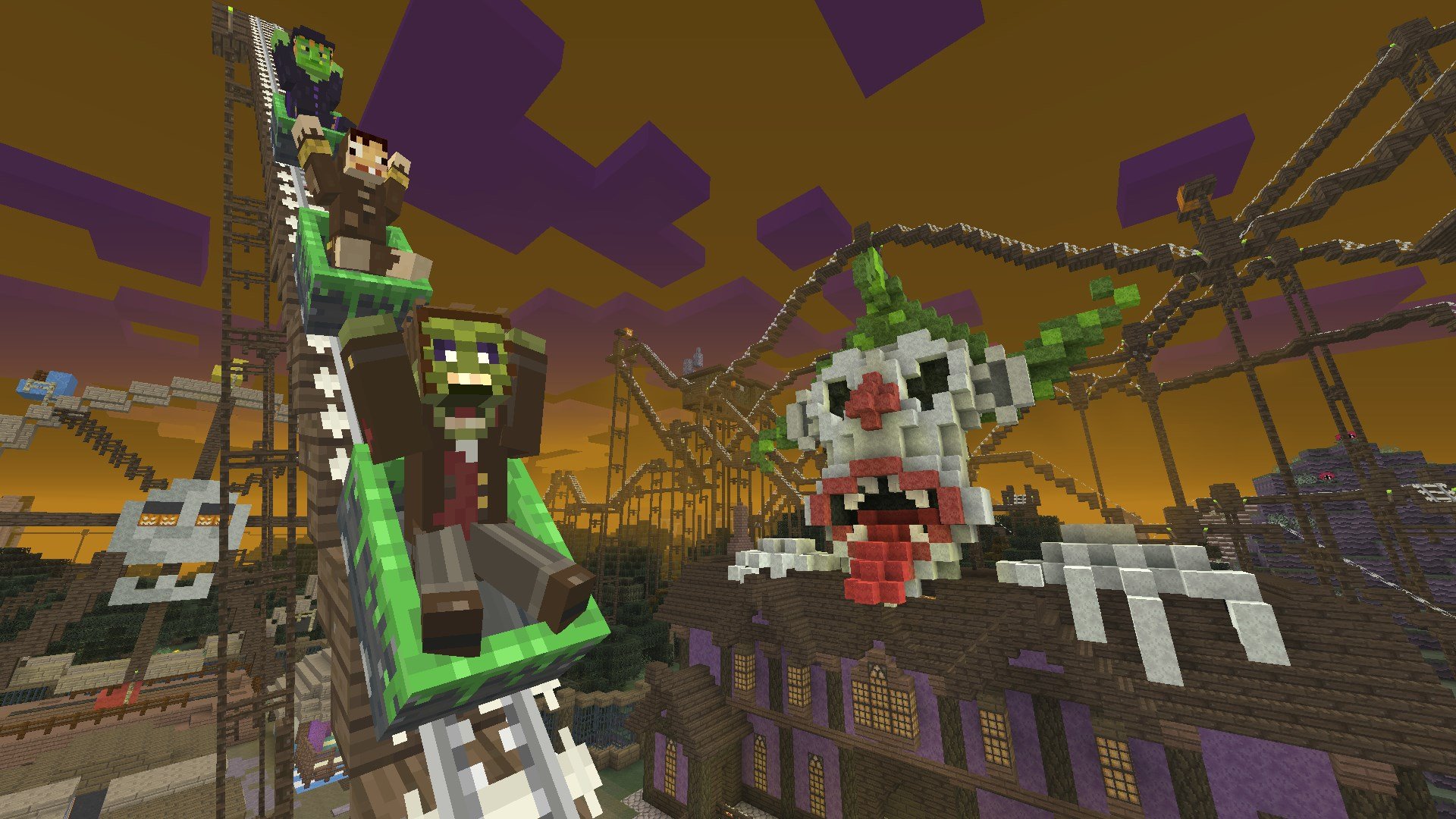
Halloween Mash-up
—


Happy Halloween! Dress suitably spookily and prepare for the ultimate Minecraft Halloween thrill ride!
This pack includes spooky textures for blocks, items, entities, UI, and new music!
Preview
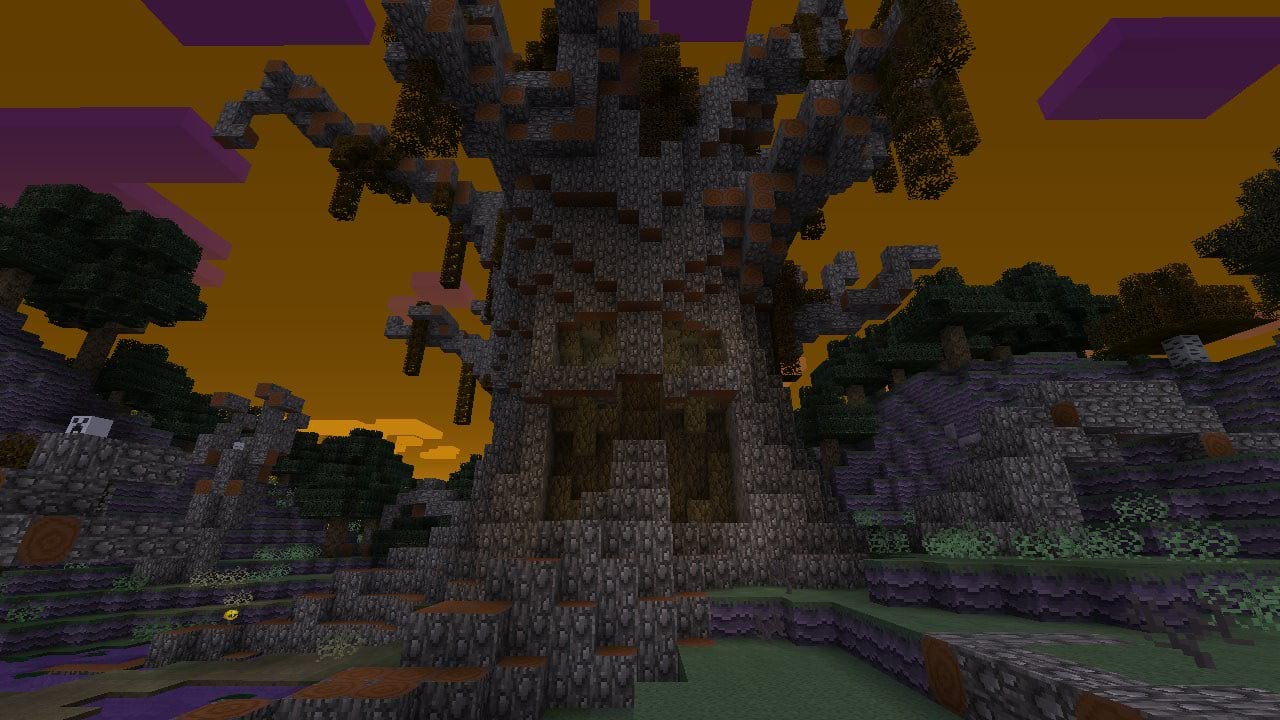
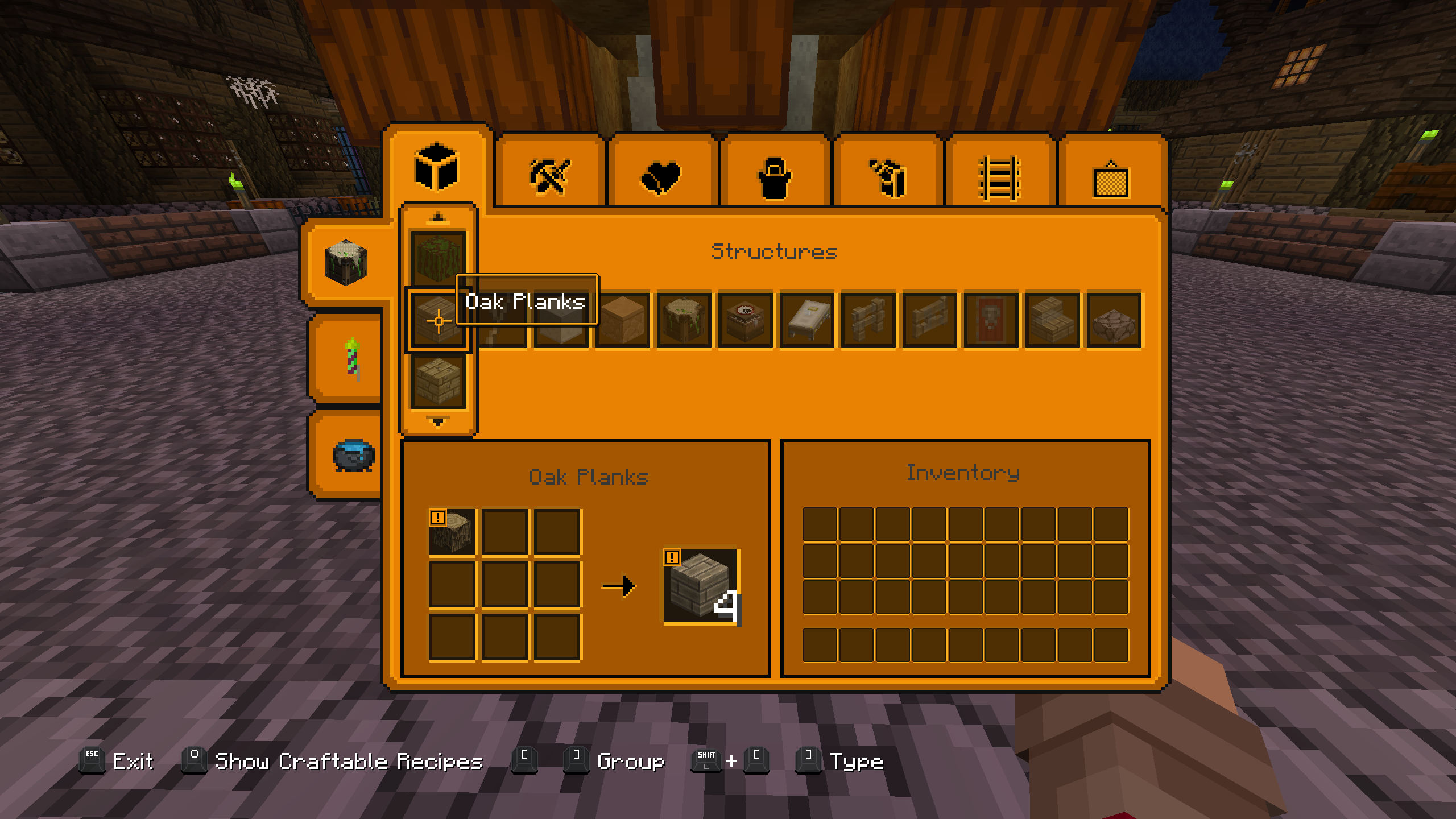
Includes support for Legacy4J mod.
More Resource Packs
| Icon |
Name |
Downloads |
 |
Plastic Texture Pack |
 |
 |
Halloween Mash-up |
 |
 |
Natural Texture Pack |
 |
 |
Festive Mash-up |
 |
 |
Fantasy Texture Pack |
 |
 |
City Texture Pack |
 |
 |
Candy Texture Pack |
 |
 |
Greek Mythology Mash-up |
 |
 |
Chinese Mythology Mash-up |
 |
 |
Cartoon Texture Pack |
 |
 |
Norse Mythology Mash-up |
 |
 |
Super Cute Texture Pack |
 |
 |
Pattern Texture Pack |
 |
 |
Pirates of the Caribbean Mash-up |
 |
 |
Mass Effect Mash-up |
 |
 |
Steampunk Texture Pack |
 |
 |
Egyptian Mythology Mash-up |
 |
—
This resource pack is a port of the Halloween Mash-up from Legacy Console Edition with updated textures from Bedrock Edition. Original textures by 4J Studios.
Haimiya Sky Overlay
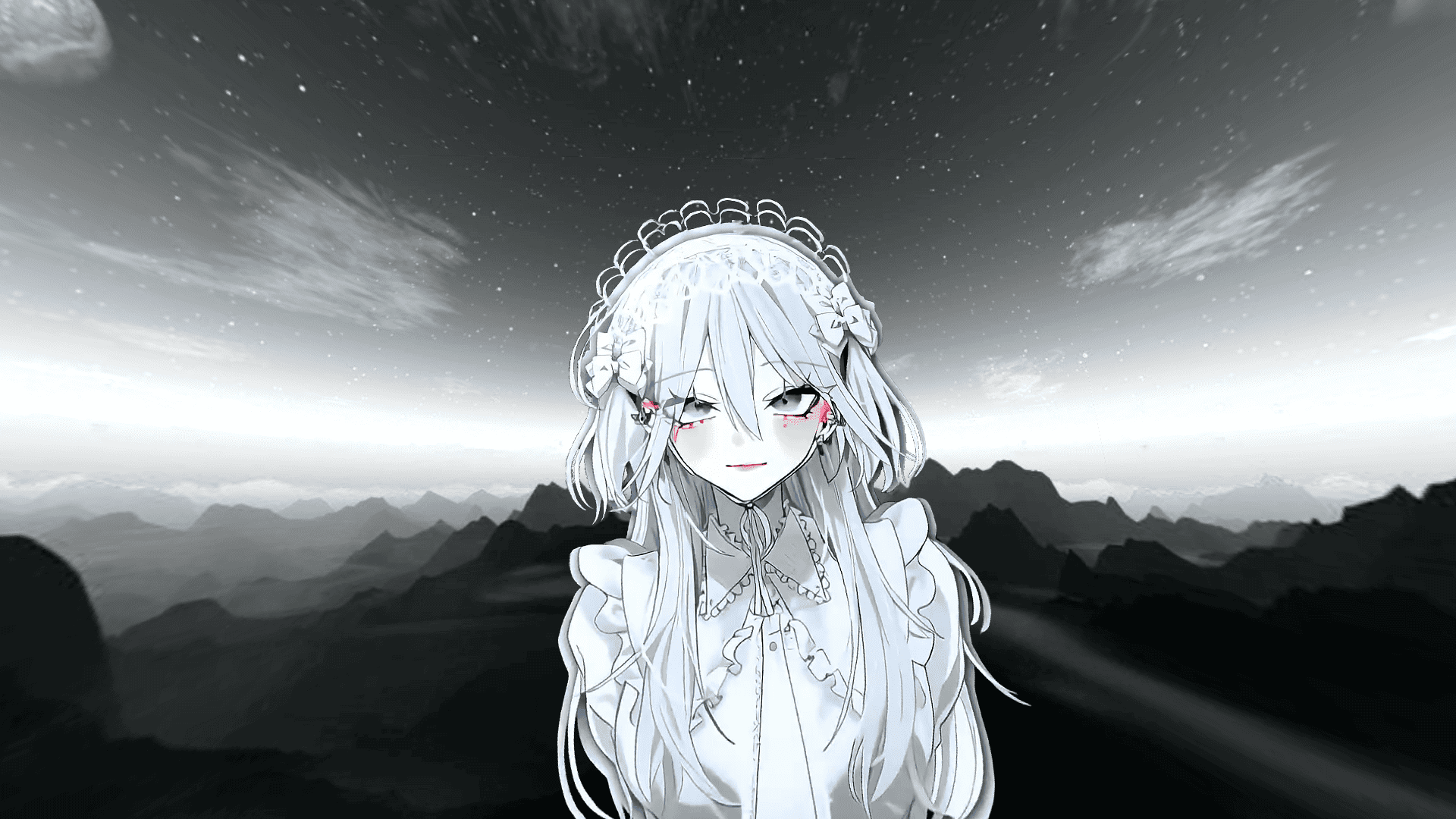
# This resource pack replaces the sky we’re used to with a dark gray sky featuring the character Haimiya.
– The sky is clearly visible regardless of the time of day (no display issues during the day)
– Version: 1.16.5-26.1.2
– For the resource pack to work properly, you need to install Optifine.
## If you encounter problems:
– Check if “Custom Sky” is enabled in your graphics settings.
– Check other included resource packs, they might be interfering.
Chroma Key – Green Screen
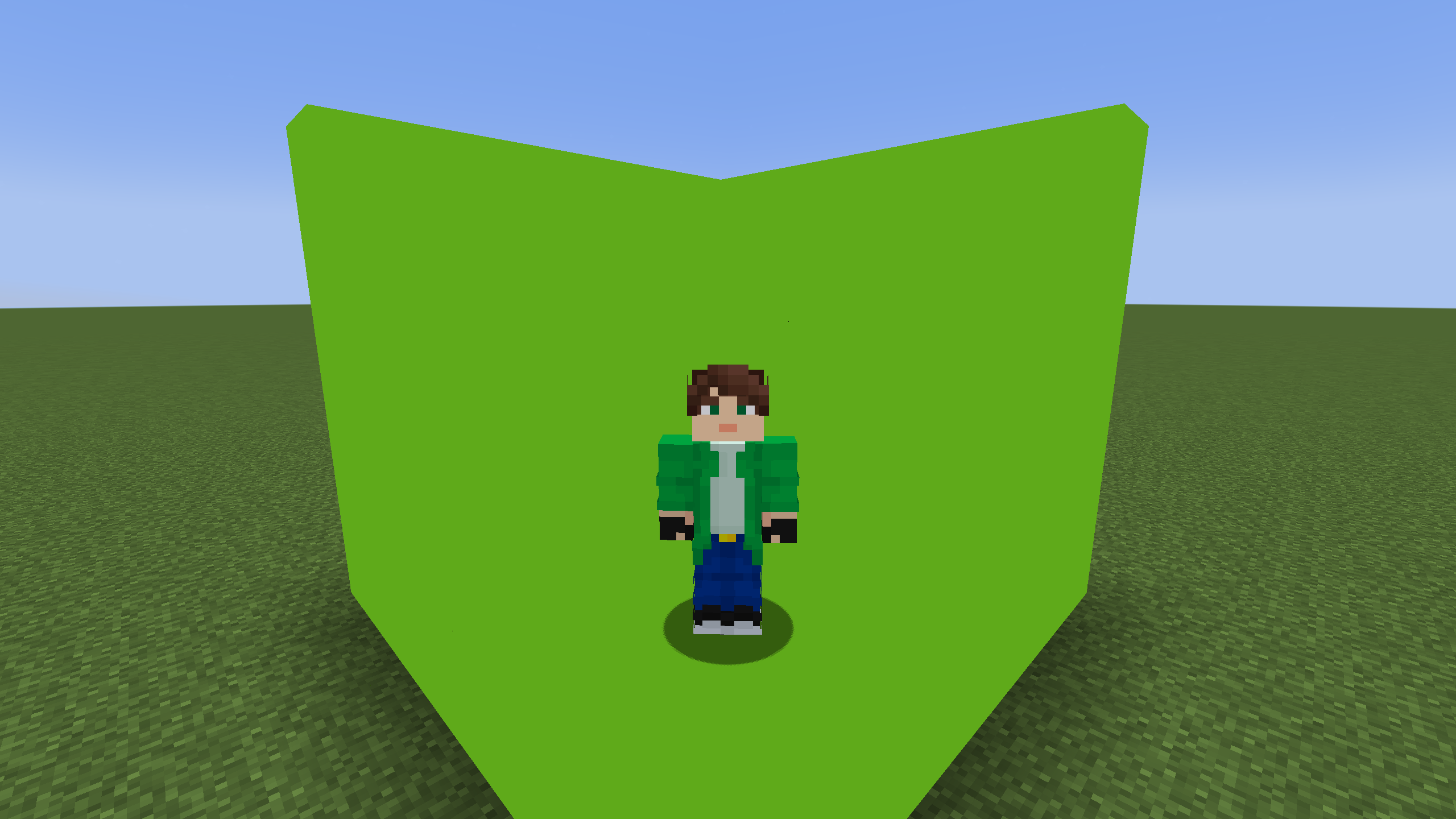
## Description
A vanilla shader that changes lime concrete to chroma key. Green screen instead of green concrete