No Fog
**Removes fog from minecraft. Works for any version of the game!**
This resource pack doesn’t change any textures, just removes the fog in all dimensions (Overworld + Nether + End) so you can spot structures/biomes much easier 😉
Does **not** require Optifine/Sodium.
No Shade + FPS Boost
## 🌟 NoShade + FPS Boost
**NoShade+** is a lightweight Minecraft resource pack designed to remove dull block shading and give your world a clean, bright, and lively look.
If you’ve ever used the *Simply No Shading* mod, you’ll instantly recognize the effect — but **NoShade+** achieves it using **only a resource pack**, meaning **no mods required**.
By flattening harsh shadows and smoothing color tones, NoShade+ makes blocks appear clearer, more vibrant, and easier on the eyes. It’s perfect for PvP, building, screenshots, and players who prefer a minimalist, modern visual style.
—
### ✨ Features
– Removes vanilla block shading
– Brighter and more vibrant colors
– Clean, flat, and smooth visuals
– Resource pack only (no mods required)
– Compatible with all Minecraft versions
– Improved visibility for PvP and building
—
### 🎯 Ideal For
– Crystal PvP & competitive gameplay
– Builders who want true block colors
– Content creators & screenshots
– Players who prefer a bright, modern aesthetic
—
Upgrade your visuals and experience Minecraft in a clearer, more alive way with **NoShade + FPS Boost **.


—
## ⚡ [ZEYRON CLOUD](https://www.zeyroncloud.com/)
Premium Game Hosting for Minecraft & Servers
## LINKS
**🌐 Website:**
https://zeyroncloud.com
**💬 DISCORD Server:**
https://discord.gg/QPSJzttKwn
Use code **OWNVERSE10** and get **10% OFF** on your **first month** of hosting!
No RGSS
_This pack is not needed on versions **1.21.11** and above because mojang now lets you manually disable it in settings. (video settings > texture filtering: none)_
—
A resource pack that prevents RGSS _(Rotated Grid Super-Sampling)_ using core shaders for improved performance.
—
### • RGSS?
> RGSS is a texture anti-aliasing method that takes multiple slightly offset samples in a rotated pattern and averages them to reduce shimmering and jagged edges in textures, although in this case we dont lose much quality from disabling it.
### • Sodium?
> No, it will not work with sodium because sodium has different core shaders to vanilla.
### • >1.21.2?
> No, before 1.21.2 core shaders where structured in a different way than newer versions.
—
### Performance comparison:
| Pack Disabled | Pack Enabled | Improvement |
|——————|——————–|——————–|
| 304 FPS | 362 FPS | 1.19× |
_(i ~~will~~ might improve this garbage table soon)_
##### You may not redistribute this resource pack anywhere without proper permission, the only official download page for this resource pack is on modrinth.
No Particles Essential


This resource pack completely disables all types of particles in Minecraft for all versions!
By using this pack, you can significantly improve performance depending on your device or the scenario you’re in.
> for example, while working on a farm.

### *If you find any type of bug or error, report it on my [discord server!](https://discord.gg/CdHqyDxMrz)*
No Particle X
This texture pack removes particles, this texture also has other features.
Feature
–
– No Particle
– No Pumpkin Blur
– Blood Moon
– RGB Destroy
Social Media
–
[](https://youtube.com/@syaripmc)
[](https://www.tiktok.com/@syaripmc09)
[](https://discord.gg/MJnmf8TR6V)
[](https://whatsapp.com/channel/0029VacppHyChq6GfmkCec2t)
Donate
–
[](https://saweria.co/SyaripMC)
No Outline
## Description
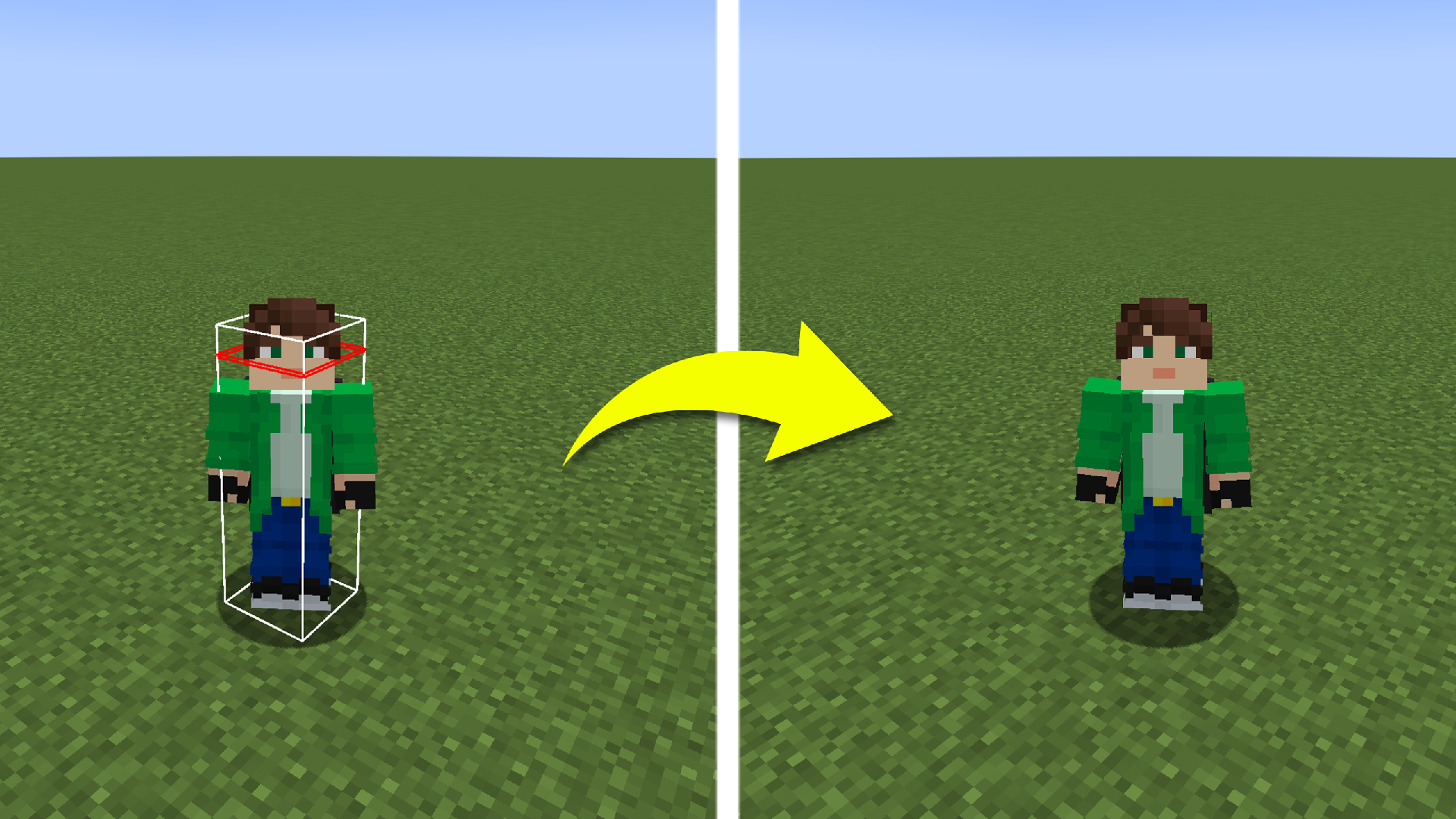
Removes all outlines in your world. This can help if the outline makes it difficult to see some small details or is just annoying.
No Name Boxes

A very simple resource pack that removes the gray box behind the player names.
This resource pack gives the impression of playing on a PvP server in version 1.8 with a client for some reason.
> If you want to change the opacity of the box to any desired percentage, just download and read the resource pack description below!
– [Custom transparence name boxes](https://modrinth.com/project/AJsGsLFj)
### *If you find any type of bug or error, report it on my [discord server!](https://discord.gg/CdHqyDxMrz)*
No Map Rendering Pack
## Description
This resource pack replaces the renderer for maps. This results in all held and item-framed maps to stop displaying it’s content. Maps will always render black with this resource pack installed. Keep in mind, that map decorations (including texts) will still render.
## Why?
On some server you may see maps that violate Twitch ToS, which could result in a Twitch ban.
No Light — No Color!
## No Light — No Color!
—
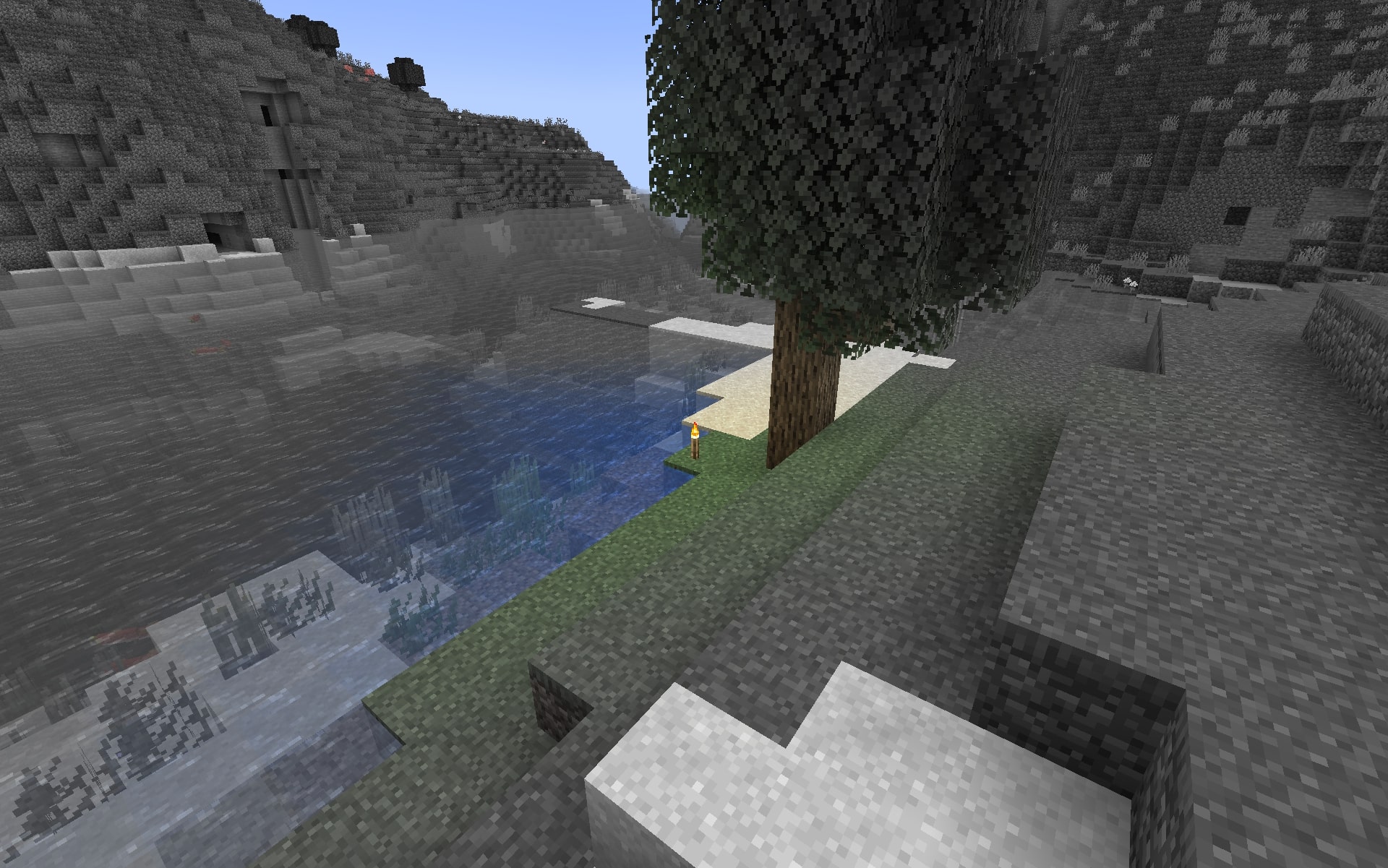
This resource pack makes blocks smoothly become less colorful when they have less block light. Sky light doesn’t affect this, only block light. Please note — this resource pack applies only **to most of the blocks**. Entities, some block entities, particles and other stuff will not be affected due to a different lighting method. Maybe I’ll try to make entities and block entities work in the future.
### Versions: 1.17 — 1.21.11+
### **Doesn’t require** **Optifine**, and works with it too.
### Works with [LambDynamicLights](https://modrinth.com/mod/lambdynamiclights) mod.
### Does **NOT** work with Sodium.
—
## Customization
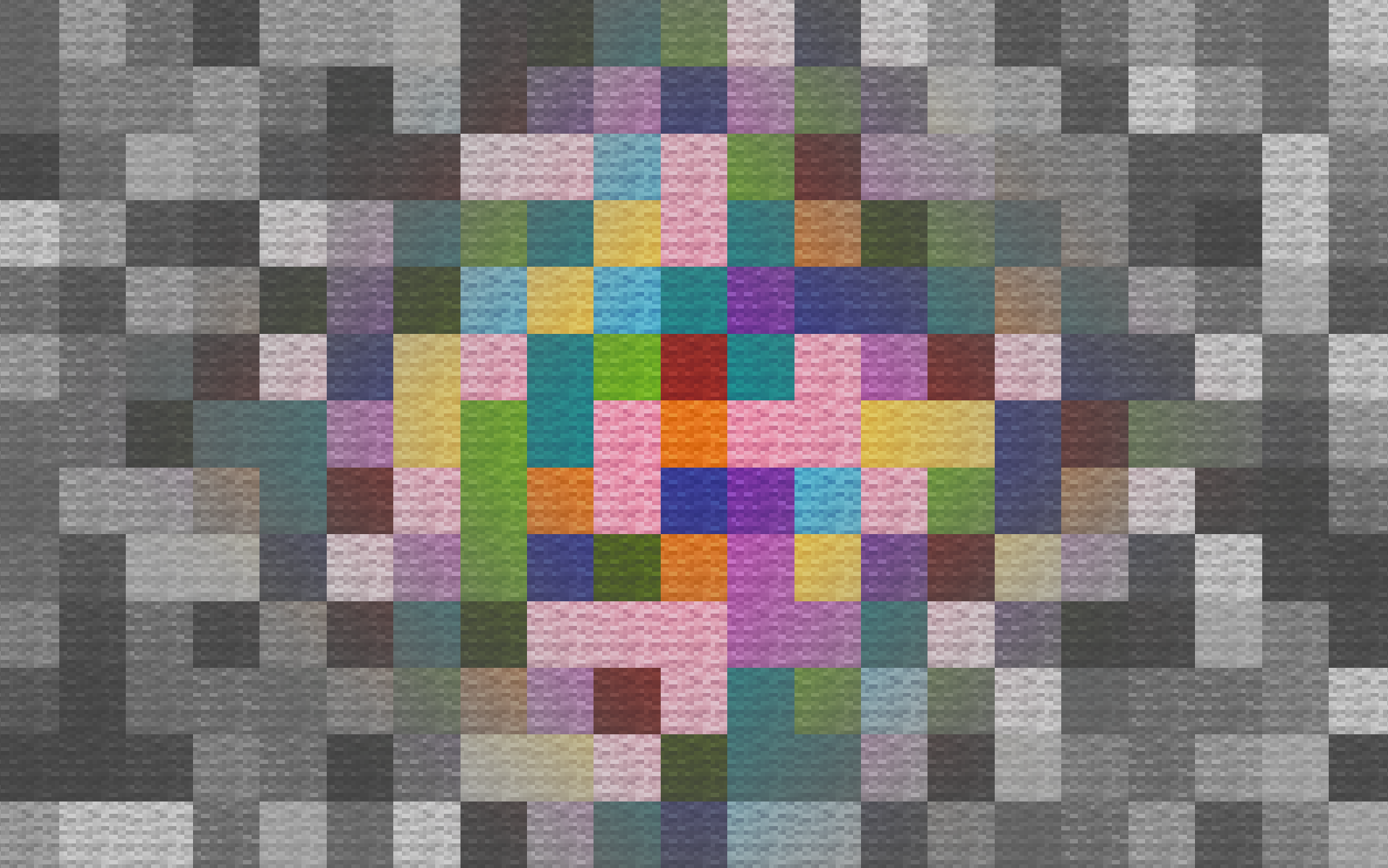
You can also adjust radius and smoothness of how light will colorize blocks.
Go into the resource pack into a file `assets/minecraft/shaders/include/no_light_no_color.glsl`. You can change the numbers in the first 2 lines. The variables don’t work very intuitively so just play around until you are comfortable with the result.
Radius variable here is set to 82:
No Item Shadow
# This resource pack is a template that allows you to completely disable vanilla shadow on item.
## How does it work ?
It works using core shaders which allow in vanilla resource pack to change how the game render
## How to use ?
1. Copy the folder “shaders” in your ressource-pack (or copy your texture-pack in my ressource-pack)
2. Then to disable shadow go to `items/*your_item*.json` and add those lines :
“`
,
“tints”: [
{
“type”: “minecraft:constant”,
“value”: [1.0, 0.0, 0.0]
}
]
“`
for example :
`paper.json` \/
“`
{
“model”: {
“type”: “select”,
“property”: “custom_model_data”,
“fallback”: {
“type”: “model”,
“model”: “item/paper”
},
“cases”: [
{
“when”: “example”,
“model”: {
“type”: “model”,
“model”: “item/example”,
“tints”: [
{
“type”: “minecraft:constant”,
“value”: [1.0, 0.0, 0.0]
}
]
}
}
]
}
}
“`
. 3. Next go to `models/item/*your_model*.json` and add this line after `”texture”: “#[]”`:
“`
, “tintindex”: 0
“`
for example :
`example_model.json` \/
“`
{
“textures”: {
“1”: “item/example_model”,
“particle”: “example_model”
},
“elements”: [
{
“from”: [4, 0, 4],
“to”: [8, 7, 12],
“rotation”: {“angle”: 0, “axis”: “y”, “origin”: [8, 3.5, 8]},
“faces”: {
“north”: {“uv”: [9.5, 8, 11.5, 11.5], “texture”: “#1”, “tintindex”: 0},
“east”: {“uv”: [4.5, 0, 8.5, 3.5], “texture”: “#1”, “tintindex”: 0},
“south”: {“uv”: [11, 0, 13, 3.5], “texture”: “#1”, “tintindex”: 0},
“west”: {“uv”: [4.5, 3.5, 8.5, 7], “texture”: “#1”, “tintindex”: 0},
“up”: {“uv”: [4.5, 12, 2.5, 8], “texture”: “#1”, “tintindex”: 0},
“down”: {“uv”: [11.5, 4, 9.5, 8], “texture”: “#1”, “tintindex”: 0}
}
},
…
“`