Origin Realms – Emissive
## Description:
**Origin Realms – Emissive** is a resource pack designed to add **emissive texture support** with shaders on Origin Realms.
### Requirements:
It works with both **Optifine** and **Iris**, so please install the necessary dependencies.
This pack does **not** reuquire **Server Pack Unlocker.**
## FAQ:
Do I need shaders to use?
Yes, you need to use this pack with shaders that support the **LabPBR** Format.
I personally use the Reimagined shaders for all my images.
Some Recommended shaders are:
– Reimagined
– Complementary
– BSL
You can more of the supported shaders [here.](https://wiki.shaderlabs.org/wiki/LabPBR_Supported_Packs)
How do I use this?
Simply drop this pack in the _resourcepacks_ folder, and apply a shader of choice.
Next up hit **F3 + O** or open the shader settings.
Toggle the RP Support to **LabPBR.**
For any bug reports and feedback, you can contact me on **Origin Realms discord**.

Ores Highlighted「矿物高亮」



### **From 2.0 :**
Glowing ores are now more harmonious with a **shader-like** look!
For **Sodium** Compatibility, [**HERE**](https://modrinth.com/resourcepack/ores-highlighted-for-sodium).
### **Pack Overview**
**Tired** of struggling to spot valuable ores in dark caves? The **Ores Highlighted** resource pack enhances **vanilla** ore models by making them emit a soft, natural **glow** in darkness—preserving the original art style while drastically improving exploration! Whether in deep underground caverns or pitch-black ravines, rare ores like **diamonds** and **ancient debris** will now stand out clearly, helping you become a master miner with ease.
### **Key Features**
✅ **Brightness Boost**: Adjusted ore textures to glow in unlit environments.
✅ **Vanilla-Friendly**: Faithful to the original ore designs—only visibility is enhanced, no visual or texture changes.
✅ **High Compatibility**: Works seamlessly with most mods and texture packs without affecting other blocks or game mechanics.
✅ **Performance-Optimized**: Only modifies model data, adding no rendering overhead—runs smoothly even on low-end devices.
### **Supported Ores**
– Coal Ore
– Iron Ore
– Gold Ore
– Diamond Ore
– Redstone Ore
– Emerald Ore
– Lapis Ore
– Nether Quartz Ore
– Ancient Debris
– And more!
### **Perfect For**
▪ Survival mode miners ▪ Speed-caving ▪ Decorative builds (glowing ore walls!) ▪ Streams/videos for better visuals
**Install and play instantly—no setup needed!** Say goodbye to torch spam and let the ores light your way!
### **My Other Works**
Playful & Joyful [**Chinese Characters**](https://modrinth.com/datapack/chinese-characters) that leave you unable to stop!
—
### **自2.0起:**
发光的矿石现在看起来**如光影般**和谐!
兼容**钠**的版本在[**这里**](https://modrinth.com/resourcepack/ores-highlighted-for-sodium)
### **资源包简介**
还在为昏暗的矿洞中难以寻找珍贵矿石而**烦恼**吗?「**矿物高亮**」资源包通过优化**原版**矿石的模型,让所有矿物在黑暗中自然散发出柔和的**光晕**,既保留了原版风格,又大幅提升了勘探体验!无论是深邃的地下洞穴还是漆黑的峡谷,**钻石、远古残骸**等稀有矿石都将清晰可见,助你轻松成为矿物猎手。
### **核心特性**
✅ **亮度提升**:调整矿石纹理,使其在无光照环境下自行发光。
✅ **原版风格**:完全基于原版矿石纹理优化,不改变外观或材质,仅增强可见性。
✅ **兼容性强**:与大多数模组、材质包共存,不影响其他方块或游戏机制。
✅ **性能友好**:仅修改模型数据,不增加渲染负担,低配设备也能流畅运行。
### **支持的矿石类型**
– 煤炭矿
– 铁矿石
– 金矿石
– 钻石矿
– 红石矿
– 绿宝石矿
– 青金石矿
– 下界石英矿
– 远古残骸
– 等等……
### **适用场景**
▪ 生存模式挖矿党必备 ▪ 洞穴探险速通 ▪ 建筑装饰(发光矿石墙!) ▪ 录制视频/直播时提升观感
**下载即装即用**,无需额外设置!告别火把海,让矿物自己为你引路吧!
### **我的其他作品**
好玩有趣的[**「汉字工艺」**](https://modrinth.com/datapack/chinese-characters),让你欲罢不能!
Omnis’ Enchantments
—
—
Accessibility
**Required:**
– [Hold My Items](https://modrinth.com/mod/hold-my-items)
– [Respackopts](https://modrinth.com/mod/respackopts)
– [Transparency Fix](https://modrinth.com/resourcepack/transparency-fix”)
– [LambDynamicLights](https://modrinth.com/mod/lambdynamiclights)
# Omnis Enchantments
Give your enchanted items an **aura of magical power!**
# Features
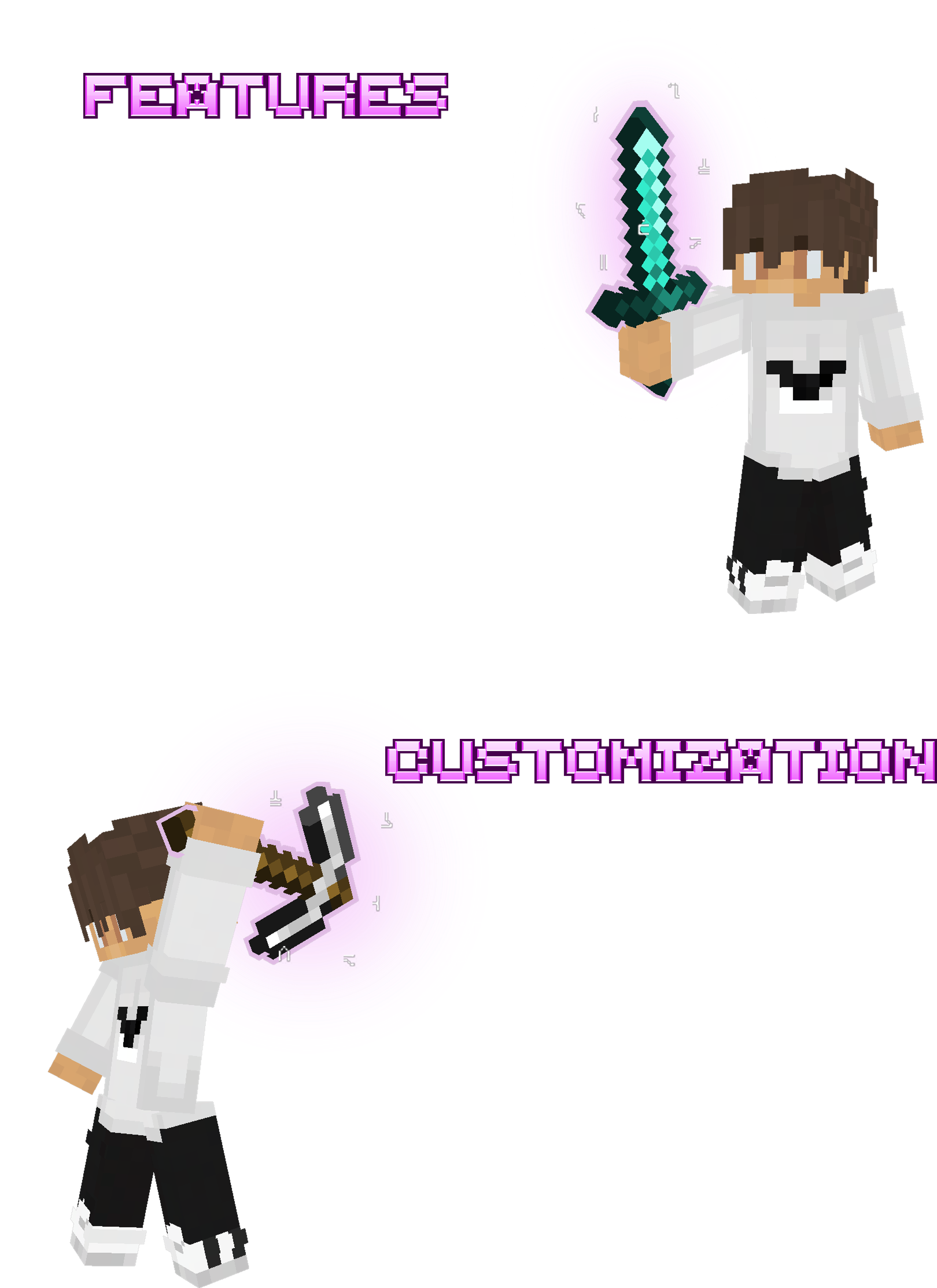
– **Outline** and **Glow Effect** for every enchanted item
– **Runic Particles** around the item
– **Dynamic Light:** enchanted items emit 8 levels of light; items enchanted with Fire Aspect, Channeling or Flame emit 10
– New **Glint** for items and armor
– **3D Arrow** in bow and crossbow pulling animation
# Customization
– Enable/disable Glow Effect **per item type**
– Enable/disable Runic Particles **per item type**
– Adjust **Glow Intensity**
– Adjust **Runic Particles Intensity**
– 3 Glint options for items: **Reworked**, **Vanilla**, and **Minimal**
– 2 Glint options for armor: **Reworked**, **Vanilla**
Ōkami
Get ready to be transported to a world of wonder and beauty with the Okami Resource Pack!
Based on the acclaimed 2006 PS2 game Okami,
The Okami Resource Pack has cel-shaded visuals and Ukiyo-e influenced textures.
this pack is 100% vanilla friendly no need for mods such as optifine features such as the custom skybox and colour changed exp where implamented via the vanilla shader system make sure to enable fabulous graphics for these features to work.
This pack is unfinished but still great.
Credits
The Ōkami Resource Pack
Originaly by
Postermahn
.
Textures by
Postermahn
Cadihu
Vanima Permai
.
Core Shader Modifications
BalintCsala
bradleyq
Enchanted_Games
.
Special Thanks
Clover Studios
Capcom
NyaPack 🤺 Minimal Armor

**NyaPack 🦋** is a resource pack that lets you show off your skin even more!
Armor becomes more like **accessories** or **situational outfits**, helping you customize your appearance without covering your character entirely.
✨ **Features:**
– **Emissives** and **animations** support in newer versions, all **without additional mods**
– Support for the new **copper armor**
– Versions **without emissive** and **without animations** are also available for those who prefer a simpler look
Give your skin more personality and style! 🦋
NightVision: Standard
### **Be Sure To Follow On Instagram to get future updates and to resolve quires:** **[@nv.labs.official](https://www.instagram.com/nv.labs.official/)**
### 💡 About this pack
This pack makes nights and caves much easier to see by editing Minecraft’s core lightmap shader instead of just maxing gamma. It keeps contrast and depth so the world still looks like Minecraft, just without the “I can’t see anything” problem. It works in survival, creative, and on servers that allow client-side resource packs, and stays lightweight without needing external shader loaders.
### **🎮 Use cases**
– Mining and caving without placing torches everywhere.
– Building at night while still clearly seeing block shapes and colors.
– Exploring, raid prep, and general gameplay when you want better visibility but not flat fullbright.
### **⚙️ Compatibility**
Made for Minecraft 1.21.x (also works with 26.1). Works with vanilla and most vanilla-style packs if this pack is above them in the resource pack list. May conflict with packs or shaders that modify the same lightmap.fsh (fullbright, night-vision fixes, etc.). Also works with [Sodium](https://modrinth.com/mod/sodium) when [PolyTone](https://modrinth.com/mod/polytone) is installed.
### **Be sure to check out our other project:** [DarkGUI](https://modrinth.com/resourcepack/dark_gui), [SmartComms](https://modrinth.com/mod/smartcomms), [NightVision: Warm](https://modrinth.com/resourcepack/nightvision-warm)
NullShade
🌌 NullShade – Absolute Brightness, Zero Shadows
NullShade transforms Minecraft into a clean, fully illuminated world by removing all block and entity shading. Every texture appears bright, crisp, and evenly lit — making your builds, landscapes, and PvP arenas shine with unmatched clarity.
Note : If you see notificat
This pack is designed for players who value visibility, simplicity, and performance. With no dark gradients or shadow overlays, your world feels smoother, lighter, and easier to navigate. Whether you’re fighting opponents, building massive projects, or exploring caves, NullShade ensures you see every detail clearly.
⚠️ Note for Sodium Users
If you see a notification saying “This resource pack is incompatible” when using Sodium, don’t worry — this is just a false warning caused by a Sodium bug.
NullShade works perfectly fine with Sodium and other performance mods.
You can safely ignore that message and continue using the pack without any issues. ✅
✨ Key Features
● Completely removes all block and entity shading
● Delivers a bright, consistent lighting experience
● Enhances visibility in all dimensions
● Lightweight and optimized for maximum FPS
● Perfect for PvP, survival, and creative play
Compatible with performance mods like Sodium, Iris, and OptiFine alternatives
⚠️ Disclaimer
NullShade is a refined visual enhancement pack inspired by OptiFine’s internal shader.
NovaLite Visuals
So ever wanted to use shaders while playing Minecraft but your device cant handle it? Well this texture pack is for you! It adds Beautiful realistic skyboxes, uses core shaders for realistic shadows, vibrant colors, all without losing much fps! Perfect for playing with friends, or just for fun too!
This is my first ever texture pack and there may be glitches (one of them being the title image quality) but i will keep updating it!
Dependencies:
Mod Skyboxify For the custom skyboxes to load
Mod Polytone For custom colors to load
Sodium core Shader Support (IMPORTANT) For realistic lighting and vibrance.
Other useful Mods (not required, just for qol):
Mod Menu to see all of the mods u have!
Thank You for using my texture pack!!!!! Hope u enjoy :3
Nova UI – Dark Mode
# Nova UI
A modern-looking vanilla-like dark mode GUI pack with support for many mods. It turns the UI to dark mode and enhances the visuals of the HUD elements by drastic messures (e.g. health, armor and food bars, hotbar). It also contains an integrated, centered crosshair.
This resource pack also comes with options for [Respackopts](https://modrinth.com/mod/respackopts), allowing you to enable or disable the integrated centered crosshair.
It also adds support for April Fools’ joke snapshots, including the Vote Update, the Poisonous Potato Update and the Craftmine Update.
## Supported Mods
41 mods in total
|Mod|26.1|1.21|1.20|1.19|
|—|:—:|:—:|:—:|:—:|
|[AppleSkin](https://modrinth.com/project/EsAfCjCV)|✓|✓|✓|✓|
|[Armor Hud](https://modrinth.com/project/AghHBZC5)|✓|✓|✓|✕|
|[Armor Hud by Mcjunky33](https://modrinth.com/project/nqagUeq9)|✓|✓|✕|✕|
|[Auth Me](https://modrinth.com/project/yjgIrBjZ)|✓|✓|✓|✓|
|[Better Advancements](https://modrinth.com/project/Q2OqKxDG)|✓|✓|✓|✓|
|[Bundles Beyond](https://modrinth.com/project/VhUy58Cq)|✓|✓|✕|✕|
|[Camera Mod](https://modrinth.com/project/oiuNWinn)|✓|✓|✓|✓|
|[Camera Utils](https://modrinth.com/project/rrwQMaWQ)|✓|✓|✓|✓|
|[Capes](https://modrinth.com/project/89Wsn8GD)|✓|✓|✓|✓|
|[Cherished Worlds](https://modrinth.com/project/3azQ6p0W)|✓|✓|✓|✓|
|[Cloth Config API](https://modrinth.com/project/9s6osm5g)|✓|✓|✓|✓|
|[Corpse](https://modrinth.com/project/WrpuIfhw)|✓|✓|✓|✓|
|[Detail Armor Bar](https://modrinth.com/project/hAt6ty93)|✕|✓|✓|✓|
|[Detail Armor Bar Reconstructed](https://modrinth.com/project/Si9Uim4y)|✓|✓|✕|✕|
|[Distant Horizons](https://modrinth.com/project/uCdwusMi)|✓|✓|✓|✓|
|[Dynamic Crosshair](https://modrinth.com/project/ZcR9weSm)|✓|✓|✓|✓|
|[EMI](https://modrinth.com/project/fRiHVvU7)|✕|✓|✓|✓|
|[Entity Model Features](https://modrinth.com/project/4I1XuqiY)|✓|✓|✓|✓|
|[Entity Sound Features](https://modrinth.com/project/IMuO8COj)|✓|✓|✓|✓|
|[Entity Texture Features](https://modrinth.com/project/BVzZfTc1)|✓|✓|✓|✓|
|[Fabric API](https://modrinth.com/project/P7dR8mSH)|✓|✓|✓|✓|
|[Inventory Profiles Next](https://modrinth.com/project/O7RBXm3n)|✓|✓|✓|✓|
|[Just Enough Items](https://modrinth.com/project/u6dRKJwZ)|✓|✓|✓|✓|
|[Language Reload](https://modrinth.com/project/uLbm7CG6)|✓|✓|✓|✓|
|[LibIPN](https://modrinth.com/project/onSQdWhM)|✓|✓|✓|✓|
|[Litematica](https://modrinth.com/project/bEpr0Arc)|✓|✓|✓|✓|
|[MaLiLib](https://modrinth.com/project/GcWjdA9I)|✓|✓|✓|✓|
|[MidnightLib](https://modrinth.com/project/codAaoxh)|✓|✓|✓|✓|
|[Mod Menu](https://modrinth.com/project/mOgUt4GM)|✓|✓|✓|✓|
|[No Chat Reports](https://modrinth.com/project/qQyHxfxd)|✓|✓|✓|✓|
|[Overflowing Bars](https://modrinth.com/project/XD7XOrAF)|✕|✓|✓|✓|
|[Packed Packs](https://modrinth.com/project/8Pq6Exn2)|✓|✓|✕|✕|
|[Puzzle](https://modrinth.com/project/3IuO68q1)|✓|✓|✓|✓|
|[Raised](https://modrinth.com/project/nCQRBEiR)|✓|✓|✓|✓|
|[ReplayMod](https://modrinth.com/project/Nv2fQJo5)|✓|✓|✓|✓|
|[Respackopts](https://modrinth.com/project/TiF5QWZY)|✓|✓|✓|✓|
|[Shulker Box Tooltip](https://modrinth.com/project/2M01OLQq)|✓|✓|✓|✓|
|[Simple Voice Chat](https://modrinth.com/project/9eGKb6K1)|✓|✓|✓|✓|
|[Trade Cycling](https://modrinth.com/project/qpPoAL6m)|✓|✓|✓|✓|
|[Trinkets](https://modrinth.com/project/5aaWibi9)|✕|✓|✓|✓|
|[uku’s Armor HUD](https://modrinth.com/project/wF189hn9)|✓|✓|✓|✕|
## Discord Server
You can give feedback, report bugs, and visit the changelogs all on my Discord server. Click on this link to join: https://discord.gg/qh7kUsWzfn
## Tools Used
– [7-Zip](https://www.7-zip.org/): Used for getting files quicker and more reliable
– [Affinity](https://www.affinity.studio/): Used for the featured gallery image
– [Blockbench](https://www.blockbench.net/): Used for working on every texture file and organizing them
– [Minecraft Wiki](https://minecraft.wiki/): Used for checking out information about Minecraft versions
– [OKLCH Color Picker & Converter](https://oklch.com/): Used for changing colors more perceptionally
– [Visual Studio Code](https://code.visualstudio.com/): Used for working on text files
## License
This project contains assets under multiple licenses.
This license (CC-BY-NC-SA-4.0) applies ONLY to original content created by SmafisNova.
> You are free to use, modify, and share original content for non-commercial purposes under the terms of the CC-BY-NC-SA-4.0 license.
>
> If you use these assets in your work, you must give appropriate credit, include a link to the license, and indicate if changes were made.
>
> If you modify or adapt these assets, you must distribute your version under the same license (CC-BY-NC-SA-4.0).
All third-party assets, including modified versions of those assets, remain under their original licenses and are NOT covered by this license.
See the LICENSES directory for full license texts, attribution, and file-to-license mapping.
Where there is any conflict, the original license of third-party content takes precedence.
—
Copyright © 2026 SmafisNova
License for original content: CC-BY-NC-SA-4.0
https://creativecommons.org/licenses/by-nc-sa/4.0/legalcode.txt
Norse Mythology Mash-up
Norse Mythology Mash-up
—


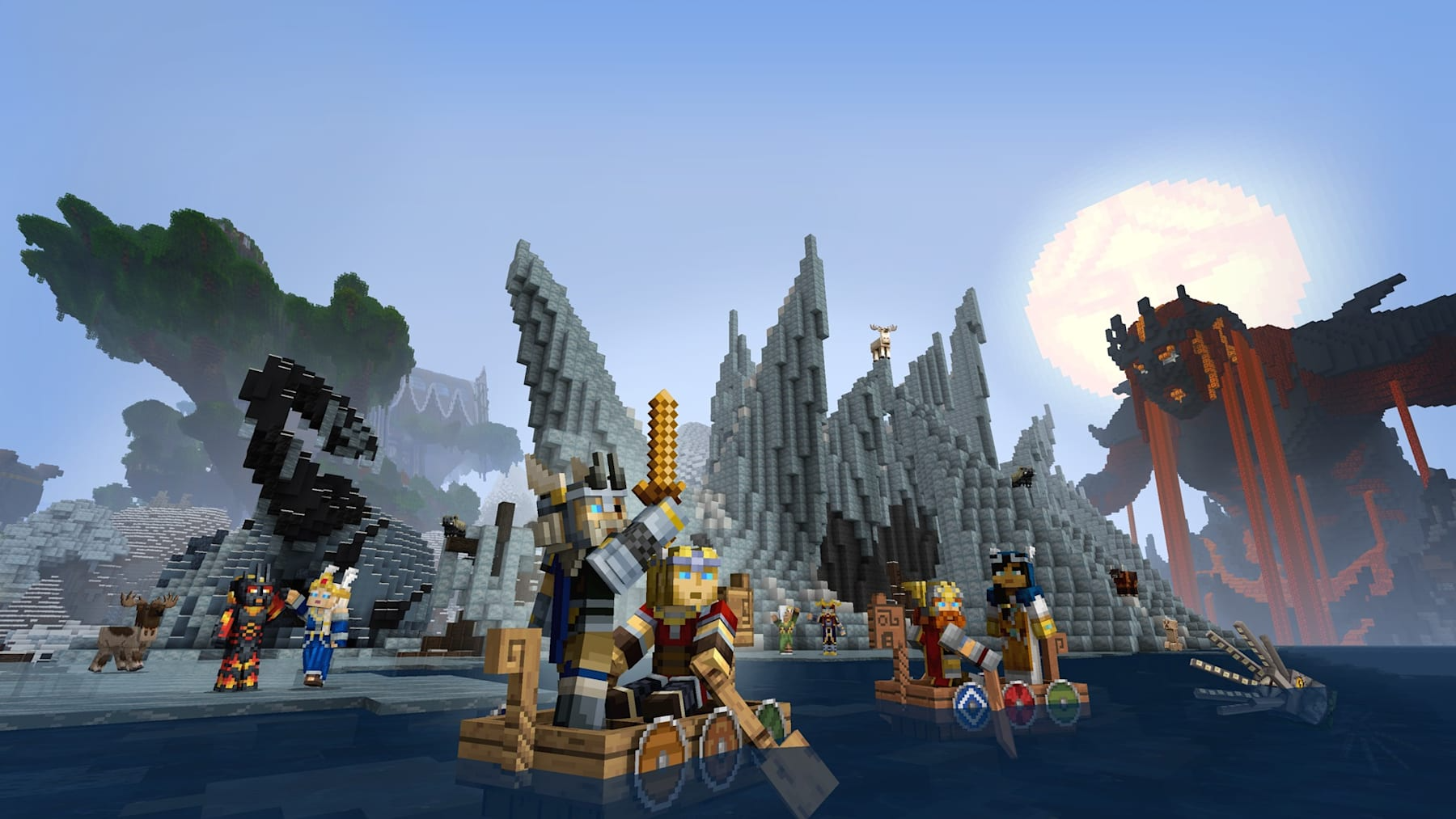
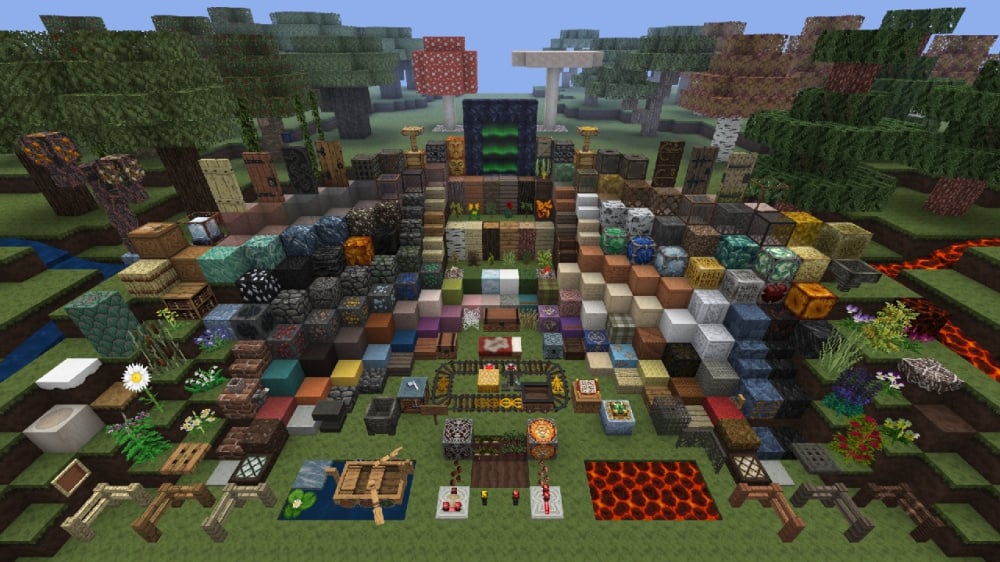
Are you heroic enough to enter the Great Hall, Valhalla? Find out in the Norse Mythology Mash-up! Compose your own grand saga as you voyage through the 9 realms, from the treetops of Yggdrasil, down into the mines of Svartalfheim and the depths of Hel! The third episode in the mythology series, this pack has hand carved textures, a thunderous soundtrack and a horde of skins. Skål!
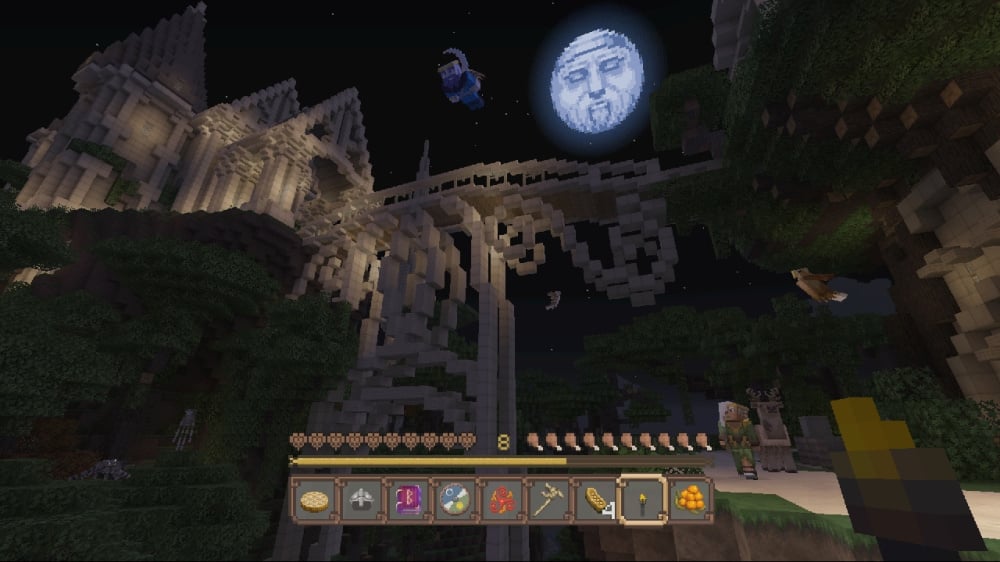
This pack adds themed textures for blocks, items, entities, UI, and new music!
Preview
More Resource Packs
—

This resource pack utilizes an OptiFine feature known as Custom Entity Models (CEM). Without it, custom entity models won’t appear. For the best experience, it’s recommended to use [OptiFine](https://optifine.net/downloads) or [Entity Model Features](https://modrinth.com/mod/entity-model-features).
Notice
Custom Entity Models are a work in progress. Some entities may not yet have their custom models.
—
This resource pack is a port of the Norse Mythology Mash-up from Legacy Console Edition with updated textures from Bedrock Edition. Original textures by 4J Studios.