Pixel Perfection Legacy
Description
Since Pixel Perfection by [XSsheep](https://www.minecraftforum.net/members/XSSheep?__cf_chl_jschl_tk__=0cd05e71855cf2e8f211c9be122b2d9798fb86ca-1594543114-0-AXuCk8wmp99Q2MLjHOpHpVxrxoPjK70-Nt948w1ABLQPhkDmAKDyldwSZU9wCbrjgULVlrXWpSufWdiIIykCD__10vLmD_-tfkNffpsZBLqAsrp_6-wFOm3KLRyZ-ecDVmcUpWtbt_VZfqtoO_T0soWb-8WLLYQFbdKE72LiDstvcnvhmJzpcJNVMF9aYhLmAhLJ52epgEza9J9KZ64uY–ykq8Jr5NQZ2hu_Jj1He7KHoDsHQuPBoNNEI3fVeF8XCO3rxYpfoKvOGMznGDB0r6iNOgUFhTuLAOehjIYYTNH) got abandoned and left unfinished in the development of 1.13 did I took it to myself to update
Fresh Animation Compability: the FreshAnimation Pixel Perfection Legacy Addon Resourcepack is stored inside the main Pixel Perfection Legacy.zip file as its own zip file. to install it, extract it and install it as a resourcepack.
It has nearly all textures to date covered to grand an experience that is still close to the original Pixel Perfection from XSSheep
I really tried to stay close to the original art style
The Texturepack is best enjoyed with [Entity Model Features](https://modrinth.com/mod/entity-model-features) and [Entity Texture Features](https://modrinth.com/mod/entitytexturefeatures)
Emissive textures
Random Entities
Connected Texture Mod support
Custom Entity Models support
THIS IS A FANUPDATE
this is only a fan update and moust textures are done by the great XSSheep, I just tried to fill in the missing textures that where missing since the project got abandoned last year.
Permission is given here: The [The Original Resourcepack Webside](https://www.minecraftforum.net/forums/mapping-and-modding-java-edition/resource-packs/1242533-pixel-perfection-now-with-polar-bears-1-11)
under “use of these textures”:
“Feel free to use these textures in any
mixpack, project, game or whatever you want (paid or unpaid). However,
I’d appreciate it if I was credited for all the hard work I’ve put into
these textures.
Pixel Perfection by XSSheep is licensed under a [ Creative Commons Attribution-Share Alike 4.0 International License](https://www.curseforge.com/linkout?remoteUrl=http%253a%252f%252fcreativecommons.org%252flicenses%252fby-sa%252f4.0%252f).”
Pixel Edge

Pixel Edge For Java Edition
Pixel Edge enhances Minecraft’s visuals with HD clarity and sharp pixel borders, giving every texture a crisp, clean, and well-defined look while keeping the original vanilla style intact.
Future Updates
This pack is currently available in 128x resolution. More resolutions will be added soon.
Recommendation
For the best visual experience, use this pack with a shader. In the preview images, I used Relta Visuals for enhanced lighting and overall appearance.
Note
This pack was originally made for the Bedrock Edition, and I have ported it to Java Edition. All preview images shown here were captured in the Bedrock version.
Pirates of the Caribbean Mash-up
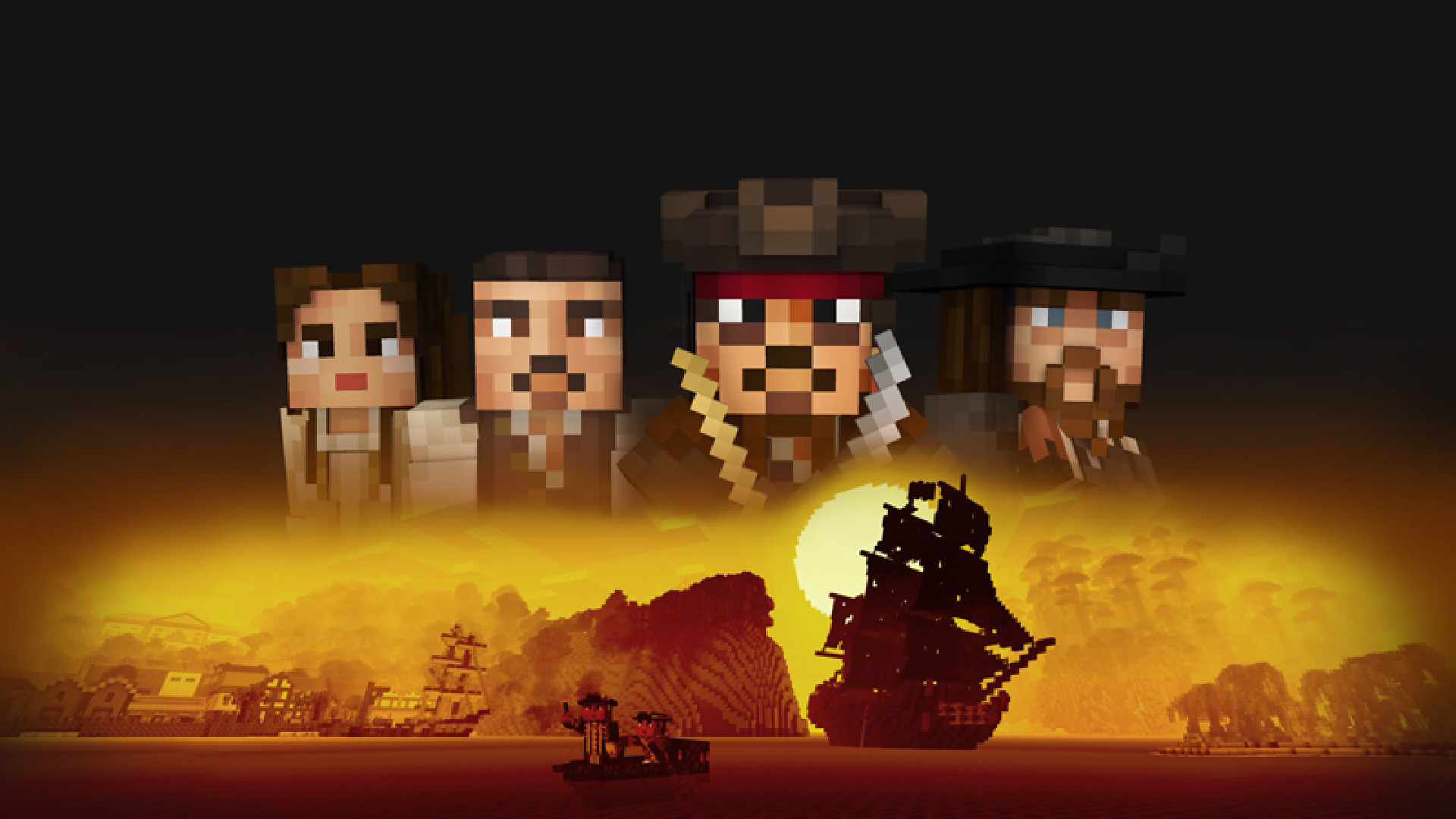
Pirates of the Caribbean Mash-up
—


Take what you can. Give nothing back! Join Jack and his crew in the Pirates of the Caribbean Mash-up, featuring all of your favorite rogues and rascals. Plot a course from Tortuga to Shipwreck Cove and all the way down to Davy Jones’ Locker. This is the day you will always remember as the day you sailed with Captain Jack Sparrow.
Featured in this pack: bespoke texture set, themed menus, and original soundtrack.
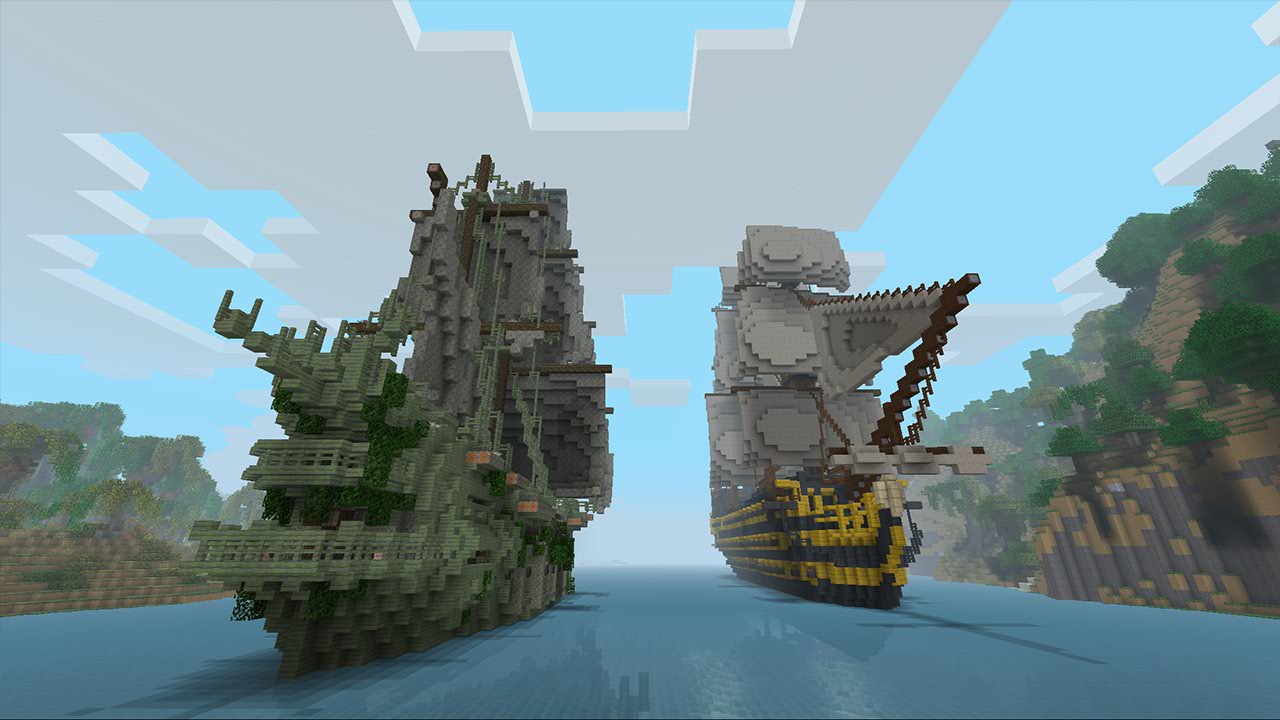
More Resource Packs
—

This resource pack utilizes an OptiFine feature known as Custom Entity Models (CEM). Without it, custom entity models won’t appear. For the best experience, it’s recommended to use [OptiFine](https://optifine.net/downloads) or [Entity Model Features](https://modrinth.com/mod/entity-model-features).
Notice
Custom Entity Models are a work in progress. Some entities may not yet have their custom models.
—
This resource pack is a port of the Pirates of the Caribbean Mash-up from Legacy Console Edition with updated textures from Bedrock Edition. Original textures by 4J Studios.
Pink Paradox / PvP RP
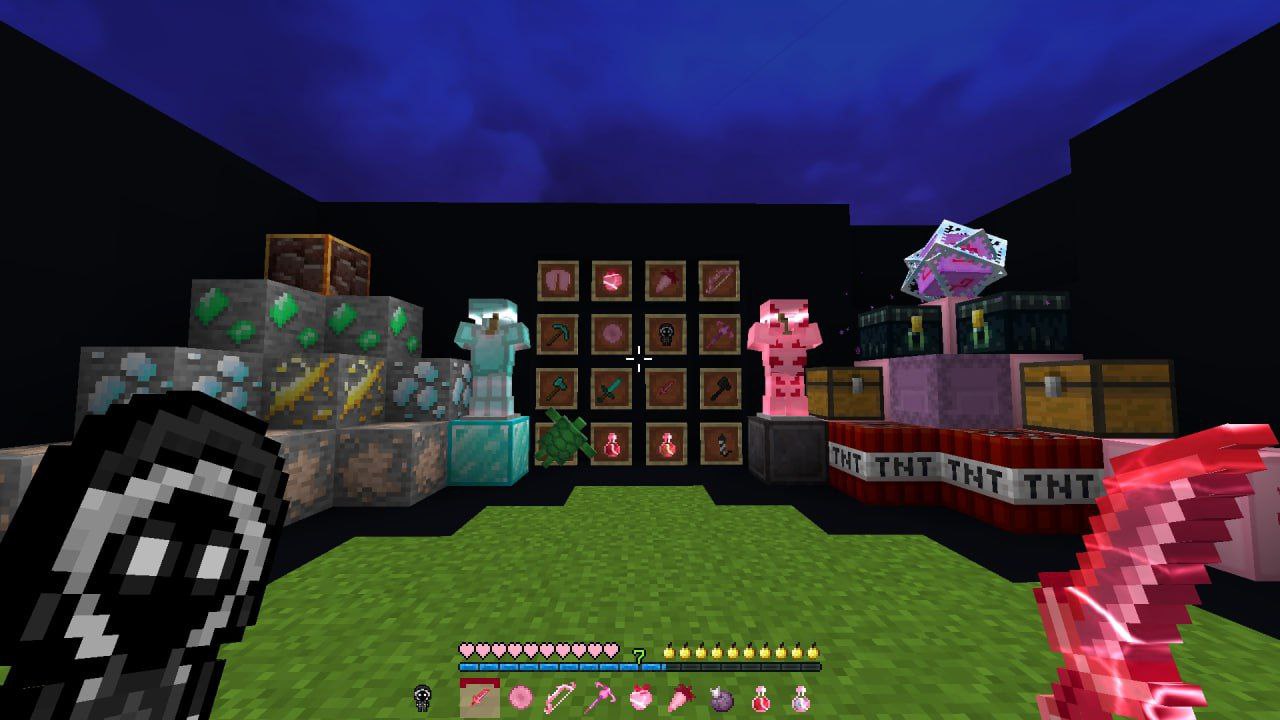
**VIDEO and PHOTO by [t.me/slivRp1](https://t.me/slivRp1):**
Bugs
RP also may **not** replace some blocks/entities/items!!! (**this will be fixed in newer versions**)
pink outline
# **When you select a block, instead of a black outline, there is a white outline.**
.
### This texture pack changes the colour of the outline that appears when you select a block.
By v1modds and follow for more & Subscribe on youtube v1modds.
**That is not mine texture pack.**
Photon – Fullbright
***

**Tired of dark caves and hard-to-see areas in Minecraft?**
Photon is a lightweight FullBright texture pack that makes caves, interiors, and dark areas fully visible while preserving vanilla colors.
***


***
> ⚠️ **Disclaimer:** Photon acts as a FullBright texture pack. Some servers may consider this a cheat. Please consult server rules before use.
## Features
– FullBright lighting for caves, interiors, and underwater
– Preserves vanilla colors and textures, no artificial glow
– Client-side only; works in multiplayer if allowed by server rules
– Fully compatible with vanilla-style gameplay
—
## Requirements
| Branch | Minecraft Version | Forge Requirement | Fabric Requirement |
|————-|————————|—————————–|—————————–|
| Legacy | 1.6 → 1.12.2 | ⚠️ OptiFine required | ❌ Not supported |
| Legacy+ | 1.13 → 1.16.5 | ⚠️ OptiFine required | ❌ Not supported |
| Future | 1.17 → 1.21.9 | Pack in development | Pack in development |
> 1.21+ versions are still being remade and are not yet available. The current 1.21+ version may not work with many releases.
—
## Why Photon?
Exploring dark areas shouldn’t be a struggle. Photon ensures you can see clearly everywhere while still feeling like vanilla Minecraft. No mods, no x-ray, just brighter, natural-looking visuals.
—
## Screenshots
### Vanilla vs Photon
**Vanilla**

**Photon**

—
## Installation
1. Download the ZIP file.
2. Place it in your Minecraft `resourcepacks` folder.
3. Enable it from the Resource Pack menu.
—
## Compatibility
– Works with all vanilla-based gameplay
– Compatible with mods that don’t replace lighting or textures
– Resource pack only, no mods or shaders required
Papercraft
## Showcase
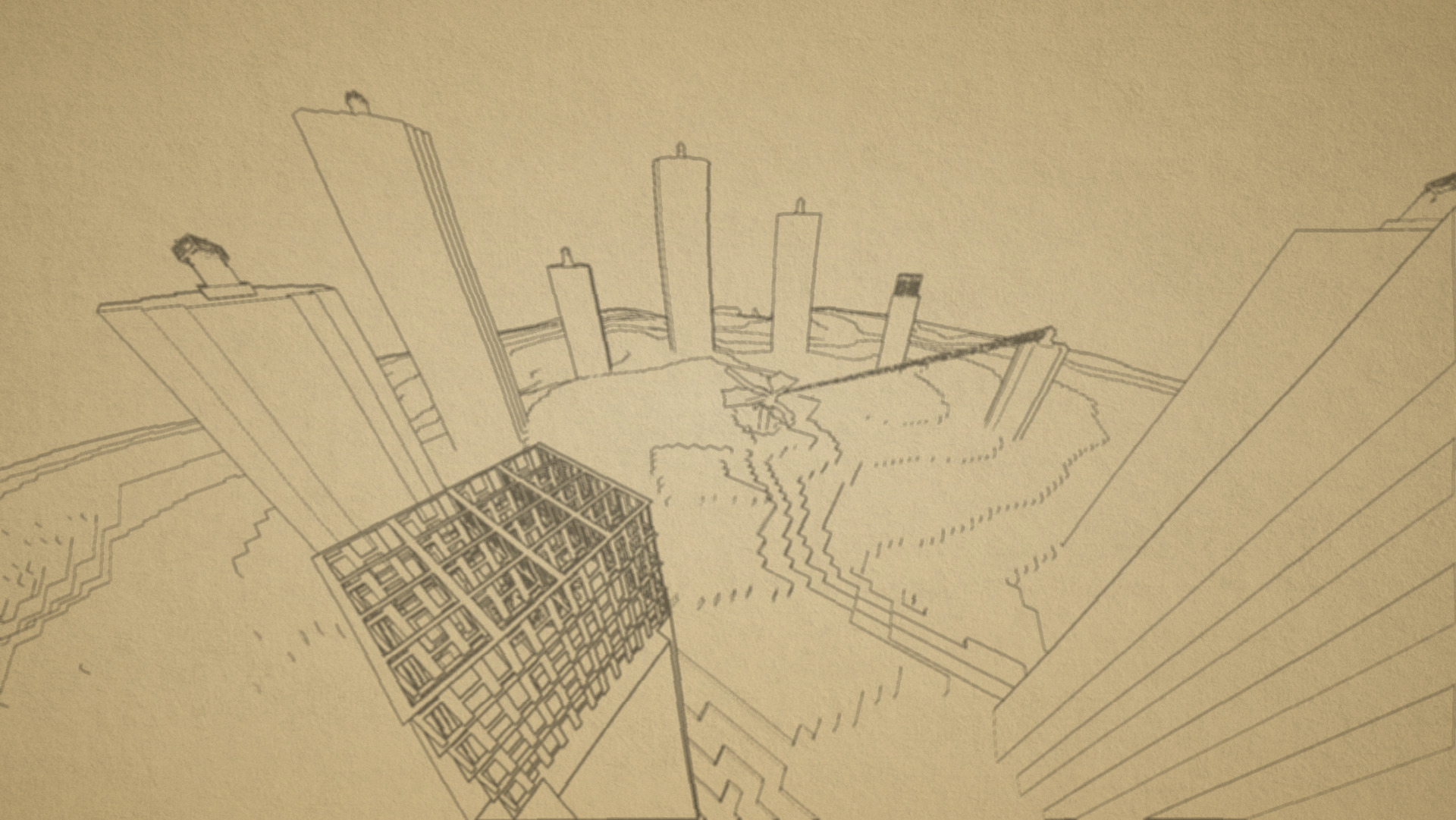
Make sure to look at [the gallery](https://modrinth.com/resourcepack/pencil/gallery) for more images and previews for how the pack looks ingame!
## Description
This is a highly customizable texture pack for Minecraft versions 1.21.2 and upwards. As you can see from the images above, it renders your game as if it was drawn on a piece of paper. This is done in Vanilla Minecraft, which means you don’t need to install any mod or client in order for it to work. All you need to do is turn on the texture pack.
There are multiple different visual effects you can achieve by editting the settings of the texture pack. You can achieve the default paper look, or you could also go to the other end of things and make your game look like a cartoon. There are instructions below on how to configure the texture pack.
## How to Use
1. Download and install the latest version of the pack, then apply it.
2. Make sure your graphics setting is set to *fabulous*, or it won’t turn on.
3. To configure the pack, open the texture pack and go to `assets/minecraft/shaders/include` then open the `config.glsl` file. Then, just edit any of the values (there will be instructions in the file)
## Support
**Join [My Discord](https://discord.gg/gymTft2GbV)**
– Report bugs
– Create suggestions
– Vote on future packs
– Interact with the community
– Ask for help with texture packs
– This is the place to ask if you can use this pack in your own pack
**Check out [The Repository](https://github.com/AlphaLeoli/Texture-Packs)**
– Report bugs
– Create suggestions
– Contribute by creating a pull request
https://www.alphaleo.li/resourcepacks
PeaToons – Shader Resource Pack
Introducing the PeaToons Resource pack! It adds shader like visuals without fps drop and no mod requried for it to work! The goal is to make it look vibrant and slightly cartoony. It is inspired directly by ReShaded. Also a humongus shoutout to [DR7](https://modrinth.com/user/DR7) for the inspiration and some file structuring reference. It is NOT compatible, however, with Iris and Sodium so keep that in mind, and not currently compatible with Sodium Core Shader Support Mod.
Check the Showcase under modrinth discord for the full video.
Pattern Texture Pack
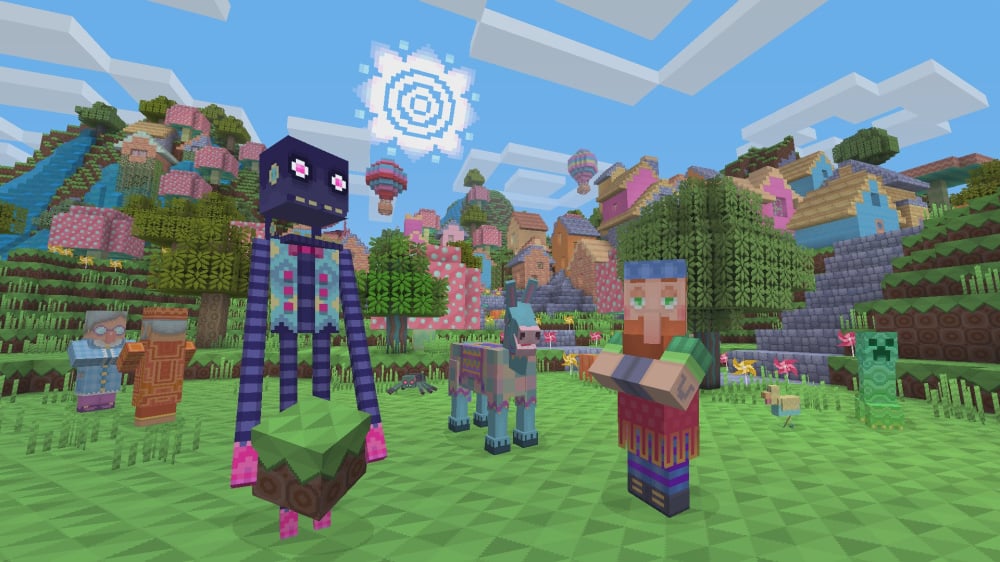
Pattern Texture Pack
—

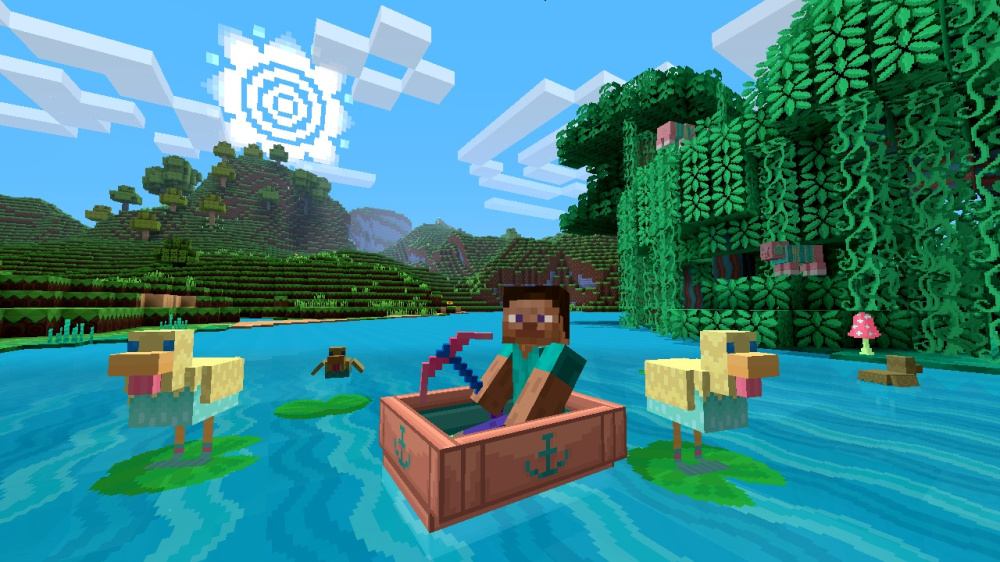
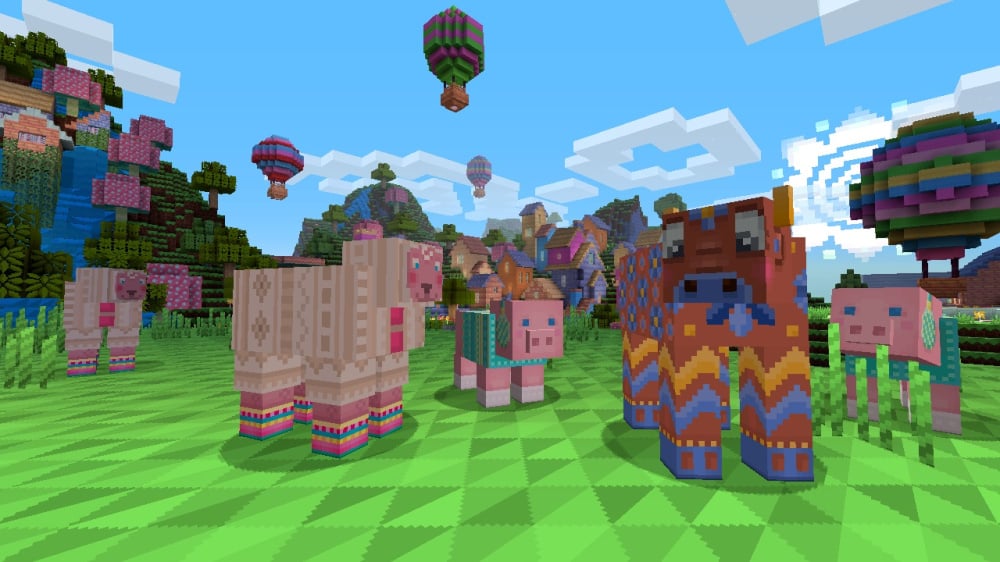
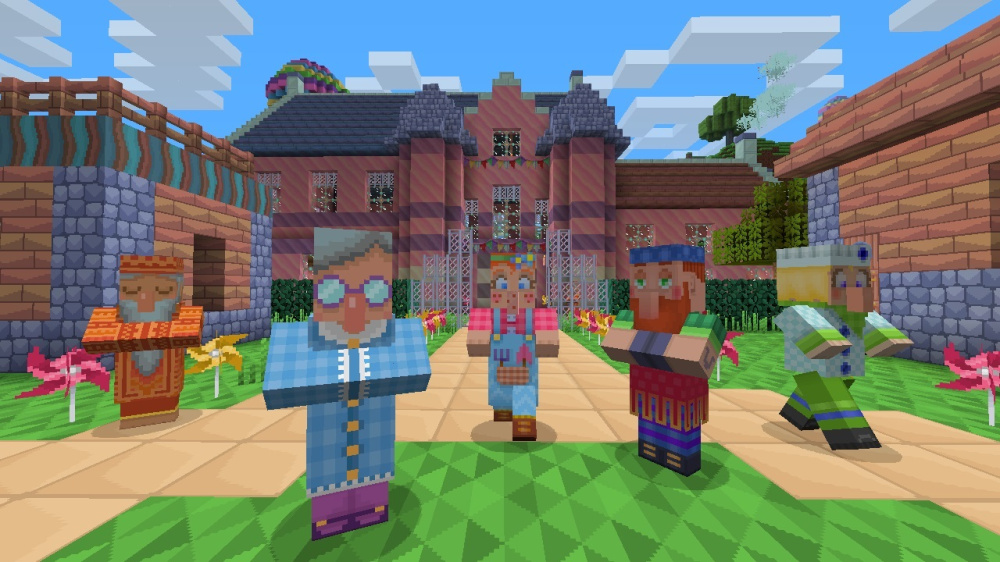
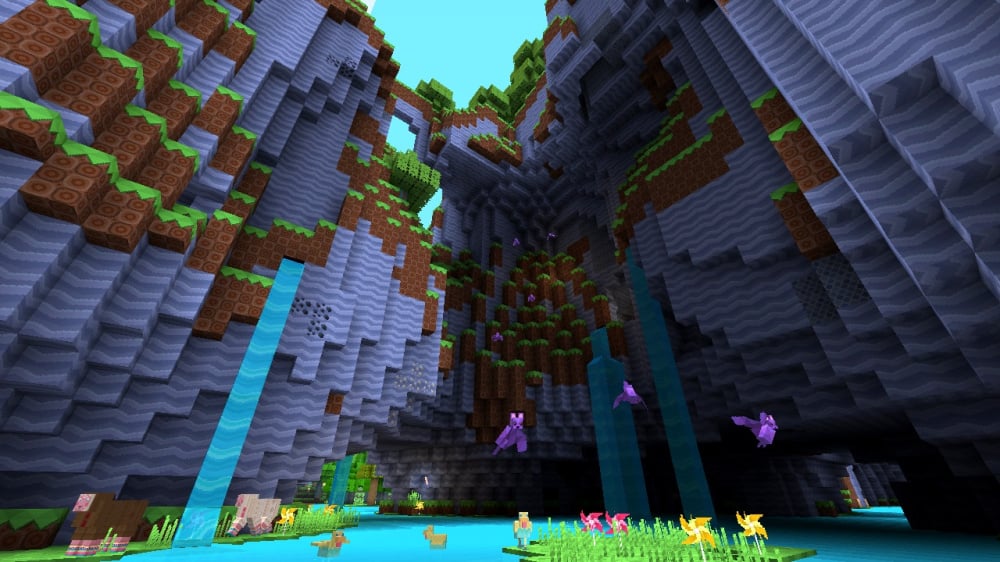
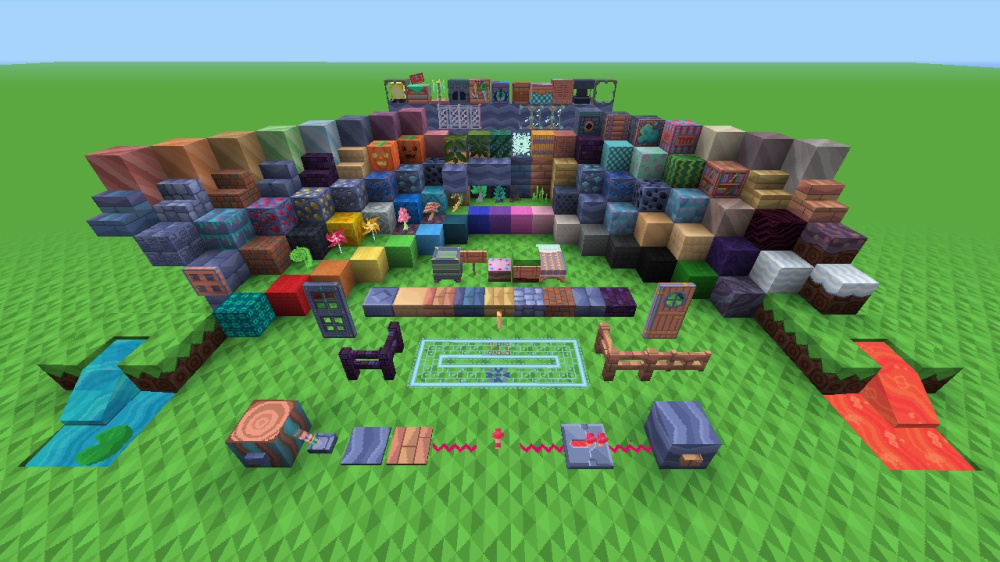
Decorate your world with this bright and colorful texture pack filled with beautiful patterns and knitted animals!
This pack adds themed textures for blocks, items, entities, and UI.
Preview
More Resource Packs
—
This resource pack is a port of the Pattern Texture Pack from Legacy Console Edition with updated textures from Bedrock Edition. Original textures by 4J Studios.
Unique Particle Effects
## Showcase
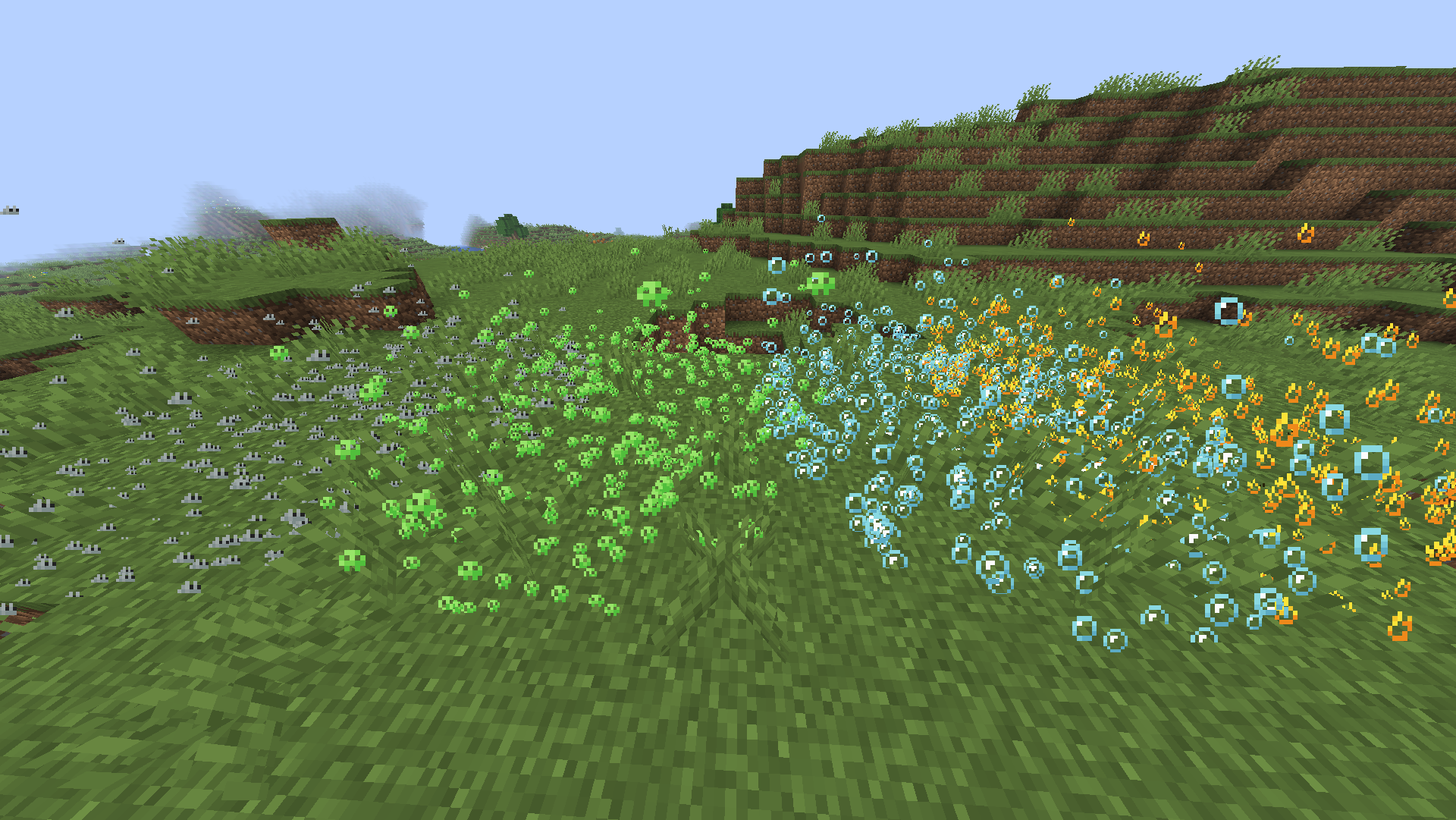
The above image shows 4 different particle types. From left to right, the particle types are Infestation, Poison, Water Breathing and Fire Resistance (A few of my favorites).
For more example images, head to [the gallery](https://modrinth.com/resourcepack/invis/gallery)
## Description
This pack uses vanilla’s core shader system in order to make a way for creators to change the texture of each potion particle to something unique. It is easy to use, fast and lightweight, and is compatible with many Minecraft versions, including the latest versions of the game. Below there is some more information on how to use it.
All textures included in this pack are from the [Particle Effects](https://modrinth.com/mod/particle-effects) mod (created by [LopyMine](https://modrinth.com/user/LopyMine) and [KlashRaick](https://modrinth.com/user/KlashRaick)), and I have been given permission to use them in this pack. All included textures are licensed under the [LGPL-3.0-only](https://spdx.org/licenses/LGPL-3.0-only.html) license, whereas the code in this texture pack is licensed as [CC-BY-NC-SA-4.0](https://creativecommons.org/licenses/by-nc-sa/4.0/deed.en)
If you want to know more about how this works, or have questions about other vanilla shader related things, you can join my discord and ask in there 🙂
## How to Use
1. Install and apply like normal
2. No configuration needed
3. For creating your own textures, refer to the section below.
## For Pack Creators
If you would like to create your own unique particle textures, this is the guide for you.
1. It is very important to keep in mind that you cannot create high resolution textures using this pack. If you would like me to add support for higher resolutions, refer to the support section below. This means the entire texture must remain 64×64, meaning each particle is 8×8 in size.
2. The very top left 8×8 texture is the default texture. This is the fallback texture if no others are found, and as default it’s just the vanilla effect texture.
4. Going from left to right top to bottom, the rest of the potion effects are in the order of their [Effect IDs](https://minecraft.wiki/w/Effect#Descriptions)
5. The very bottom right 8×8 section is reserved, as the pixel in the bottom right has the RGBA values of 55 Red, 117 Green, 120 Blue, and 97 Alpha (All out of 255). This is checked for in the code to determine if it’s currently sampling the potion particle texture or another particle texture (since they are all in the same atlas)
6. The textures at the bottom that are by default vanilla are particles that aren’t technically effects. From right to left, they control the Turtle Master particles, the Turtle Master Enhanced particles (the stronger version of turle master), the No Effects texture (like water, mundane, etc), the Uncraftable Potion texture, and the splash texture that is created when throwing a lingering potion. That last one is by default blank, which is why you only see 4 textures at the bottom.
7. The last 3 textures I mentioned can be very buggy at times. Please report any issues you encounter using the support section below. You also cannot change the texture of the Saturation particle, and instead it will use the Instant Health particle.
This is how the default “effect_5” texture looks that is included in the pack, for reference:
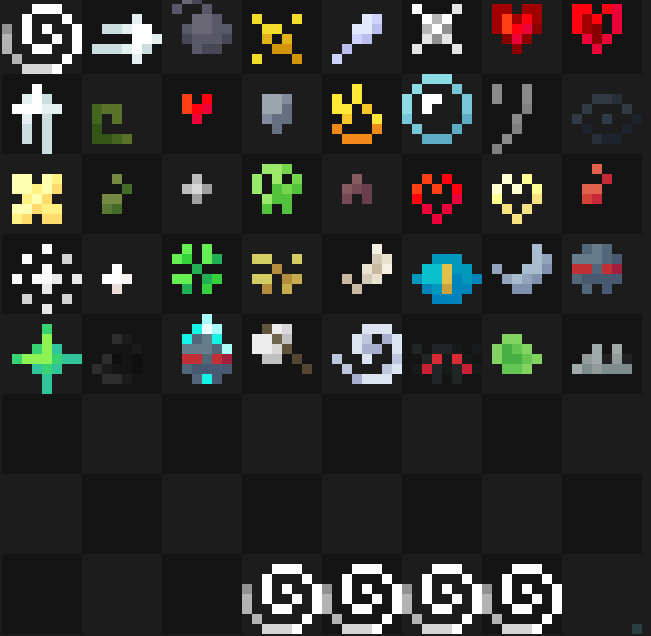
Note that you cannot use the example image above for a starting point. For that, download the pack and use the default textures included.
Here are some things to keep in mind when creating textures for this pack:
1. If you would like to post a different version of this pack, you must credit me and link back to this page. If instead you want to make a texture for this pack specifically, you can join my discord or dm me and I can add it to the project and then add you to the project.
2. All your textures will become 100% opaque after the shader is done doing its stuff. This is because otherwise everything would be slightly transparent, as you know from the steps above.
3. You most likely cannot make them HD textures.
4. For now, the only texture you can change individually is the invisibility particle. In the not too distant future, I will have a texture pack linked here that will allow you to change all particles.
## Support
**Join [My Discord](https://discord.gg/gymTft2GbV)**
– Report bugs
– Create suggestions
– Vote on future packs
– Interact with the community
– Ask for help with texture packs
– This is the place to ask if you can use this pack in your own pack
**Check out [The Repository](https://github.com/AlphaLeoli/Texture-Packs)**
– Report bugs
– Create suggestions
– Contribute by creating a pull request
https://www.alphaleo.li/resourcepacks

































