Refined Torches

[](https://discord.gg/2P8kfceSmt)
[](https://www.curseforge.com/minecraft/texture-packs/refined-torches)
[](https://modrinth.com/resourcepack/refined-torches)

This resource pack gives torches, lanterns and campfires a refined 3D look, adding more depth and detail while keeping that vanilla feel. The inventory icons stay 2D by default, so it works nicely with other packs that tweak sprites.

It also includes subtle animations, and if you’re using [InteractiveStuff](https://modrinth.com/mod/interactivestuff), [HMI](https://modrinth.com/mod/hold-my-items) or [Punchy!](https://modrinth.com/mod/punchy-fpa), you’ll get some extra animated touches in-hand too. it’s also compatible with [Fresh Animations: Player Extension](https://modrinth.com/resourcepack/fa-player-extension) or [Not Enough Animations](https://modrinth.com/mod/not-enough-animations) if you prefer a more vanilla feel! (you have to turn the compats on using [Respackopts](https://modrinth.com/mod/respackopts))


Recommended Mods
Required Mods on 1.21.5 and below

Credits
This resource pack integrates assets from the following projects:
* **[Fresh Animations: Player Extension](https://modrinth.com/resourcepack/fa-player-extension)**
* **[Fire Rekindled](https://modrinth.com/resourcepack/fire-rekindled)**
> **Note:** All credits go to the original creators. These assets are used with explicit permission from the authors.
Red-Green Colorblindness
# Description
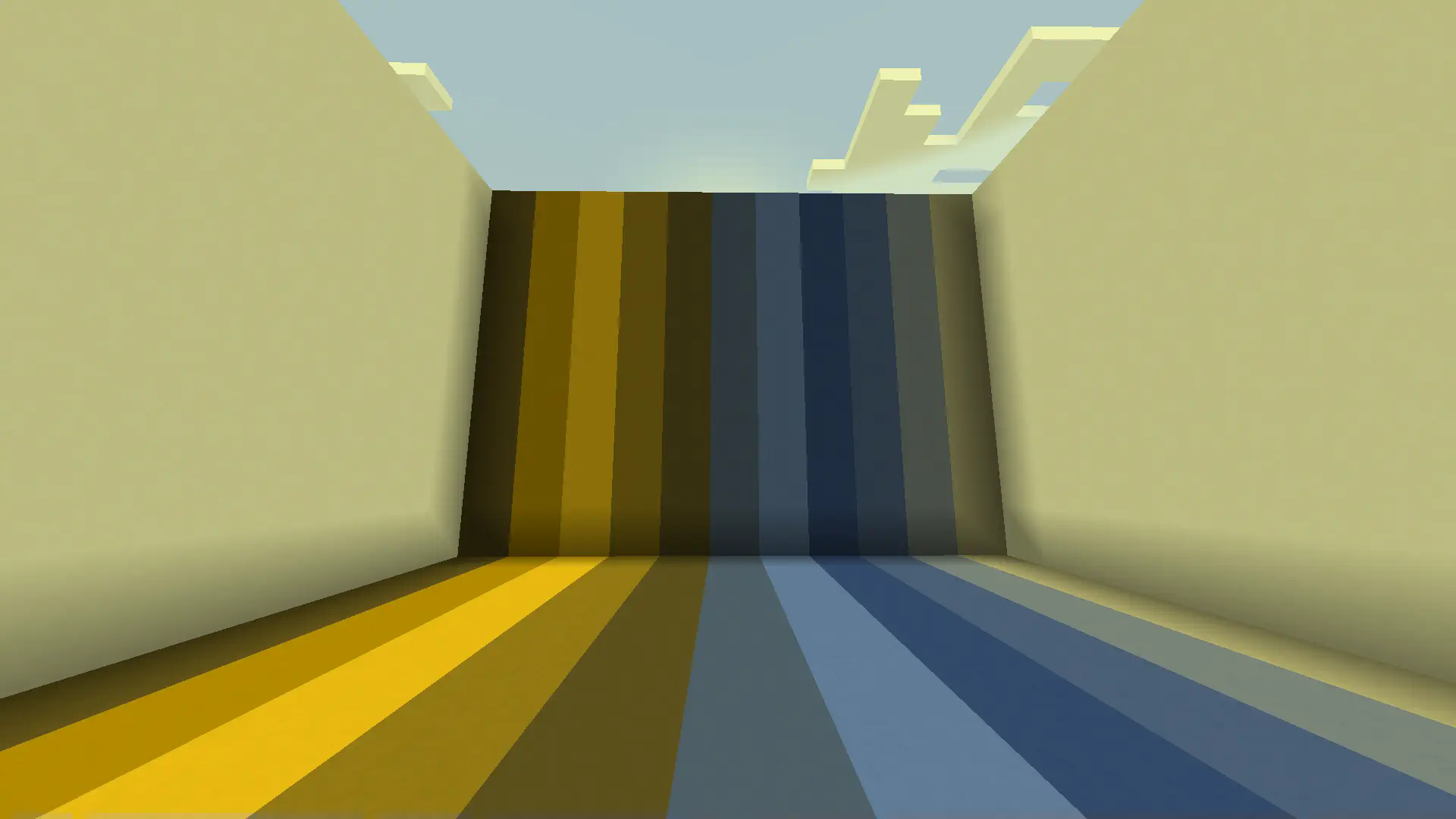
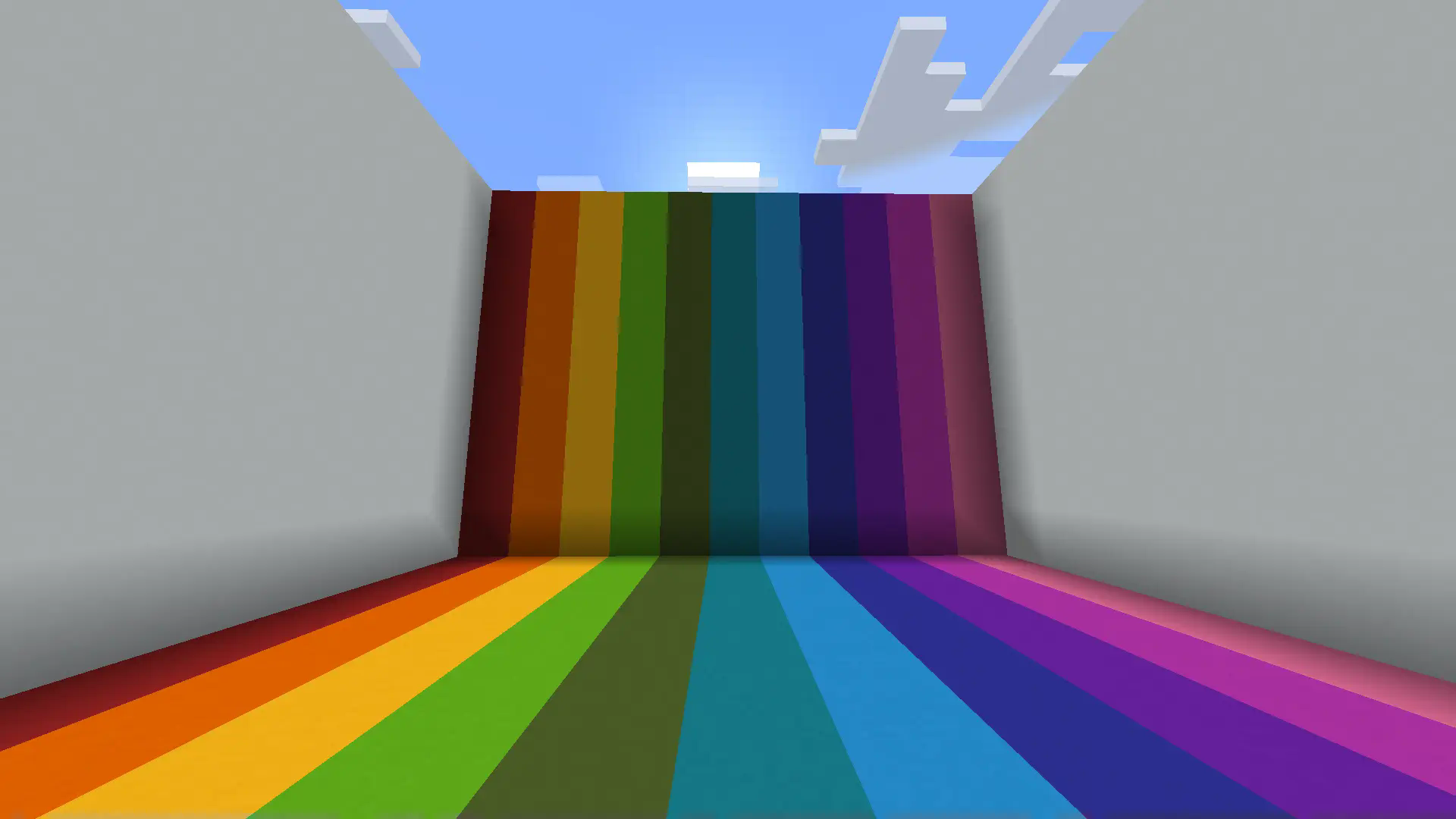
This resource pack shows you what Minecraft looks like through the eyes of someone with protanopia (red-green) colorblindness.
## Requirments/Compatability
– IMPORTANT! Due to Minecraft’s limited shader customization, for this resource pack to work you must set your Graphics Settings to _**Fabulous!**_
– This resource pack is a vanilla shader and will not work with custom shader mods.
#
### Red-Green Colorblind Vision
### Normal Vision
## Want More?
Check out the Blue-Yellow Colorblindness resource pack!
Red Block Selection Outline
**Disclaimer: This texture pack takes advantage of core shaders, and it is not possible to port it to 1.18. Please do not ask me for it. If you want a different block selection outline, then update your game.**
This texture pack changes the colour of the outline that appears when you select a block.
**Disclaimer 2: The outline is not as thick as it is in the icon. It was made thicker in the outline to be more visible, refer to the gallery to check how thick it actually is.**
All Other Colours:
[Blue Block Selection Outline](https://modrinth.com/resourcepack/blue-block-outline)
[Green Block Selection Outline](https://modrinth.com/resourcepack/green-block-selection-outline)
[Purple Block Selection Outline](https://modrinth.com/resourcepack/purple-block-selection-outline)
[Rainbow Block Selection Outline](https://modrinth.com/resourcepack/rainbow-block-selection-outline)
[White Block Selection Outline](https://modrinth.com/resourcepack/white-block-selection-outline)
[Red Block Selection Outline](https://modrinth.com/resourcepack/red-block-selection-outline)
Recolourful Containers GUI + HUD (DARK)






«Bored of Minecraft’s basic user interface? Sick of approaching your enchanting table only to be presented by the same grey menu as the crafting table? Looking to add some colour into your game?
Introducing Colourful Containers! A container GUI replacement mod that hopes to match the menu to every one of Minecraft’s colourful intractable blocks»
– Chris XENO
And now I’m introducing completely remade, retextured, reimagined version – Recolourful Containers with new versions support, new textures and even more immersion!
All GUIs were changed with inspiration taken from the block its associated with. Fixes for vanilla Minecraft textures, HUD changes, even animated GUIs in vanilla and much MUCH MORE!

Changed textures graphic:
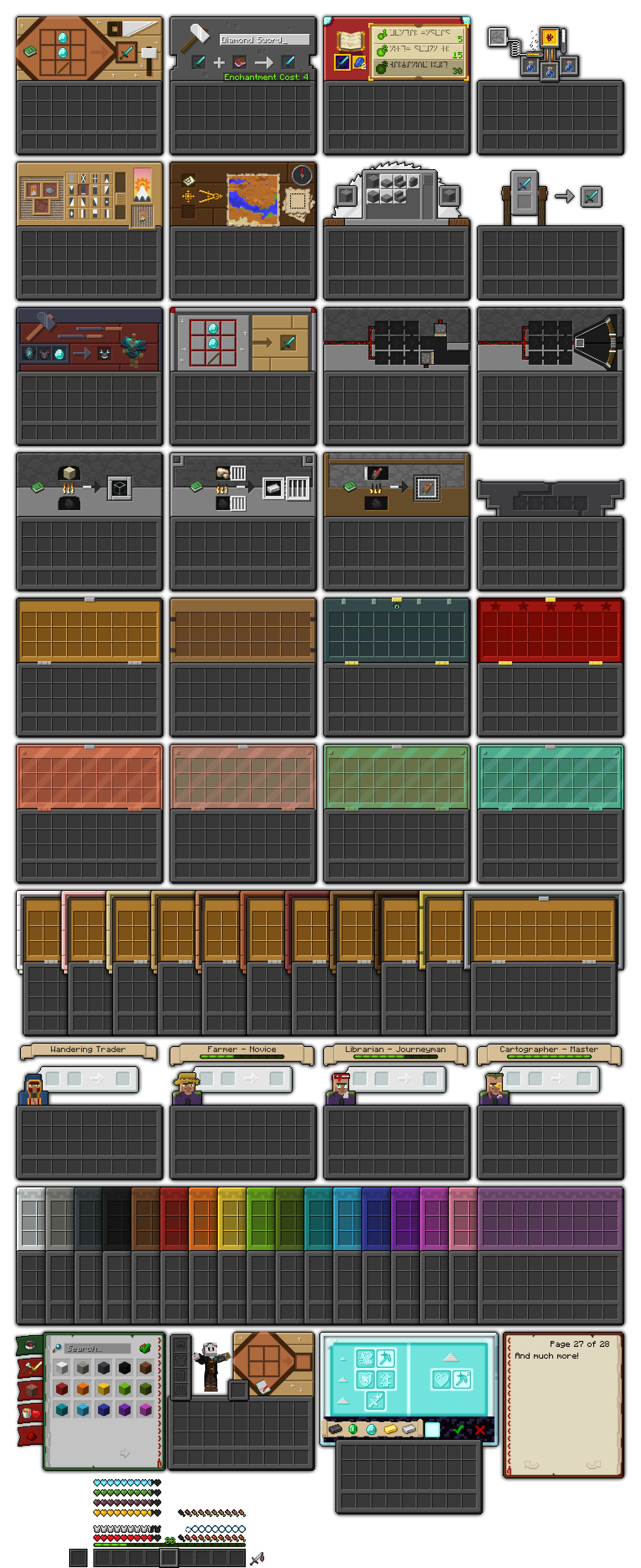
Changed textures list:
- Crafting table
- Anvil

- Enchanting table
- Brewing stand
- Loom
- Cartography table
- Stonecutter
- Grindstone
- Smithing table
- Crafter
- Dropper, Dispenser
- Furnace, Blast furnace, Smoker (1.20.2+)
- Hopper
- Chest
- Boats with chest (1.21.2+)
- Minecart with chest
- Villager
- Inventory
- Recipe book
- Book
- Beacon
- HUD
- XP bar (1.20.2+)
- Some small UI changes and fixes
“Vanilla+” features (please read “Installation guide” for more info):
- Villagers’ GUIs with professions
- Ender chest
- Barrel
- *Colored Shulker boxes (1.20.2-1.21.8)
- Horse, Skeleton horse, Zombie horse
- Camel, Mule, Donkey, Llama
*To use coloured shulker box feature, you must remove the empty symbol at the end of the shulker box name in the anvil. Do not remove empty symbol in the beginning!

OptiFine/OptiGUI features:
- Villagers’ GUIs with all combinations of types and professions (OptiGUI exclusive) (Animatica exclusive)
- Ender chest
- Trapped chest
- Christmas chests
- Barrel (OptiGUI exclusive)
- Coloured Shulker boxes
- Horse, Skeleton horse, Zombie horse
- Camel, Mule, Donkey (with and without chest – OptiGUI exclusive)
- Llama (with carpet colours)
- Chipped, Damaged anvil (OptiGUI exclusive)
- Written Book (OptiGUI+Animatica exclusive)
- Book on a lectern (OptiGUI 3.0+ exclusive)
Mod support:
- Axiom
- Cloth Config
- ItemSwapper
- Language Reload
- Mod Menu
- Recursive Resources
- Detail Armor Bar
- Armor Chroma
- Horseman

If you want full experience, combination of OptiGUI and Animatica or OptiFine is required


OR

If you don’t want to use OptiGUI, or you are using only OptiFine mod, you can activate built-in “Vanilla+” mode in the language settings
How to use:
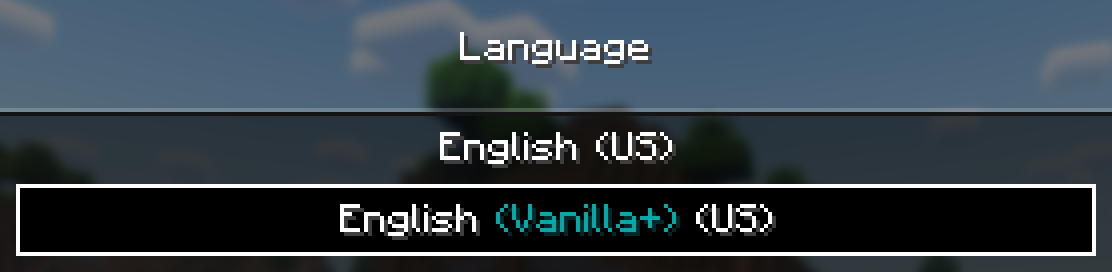
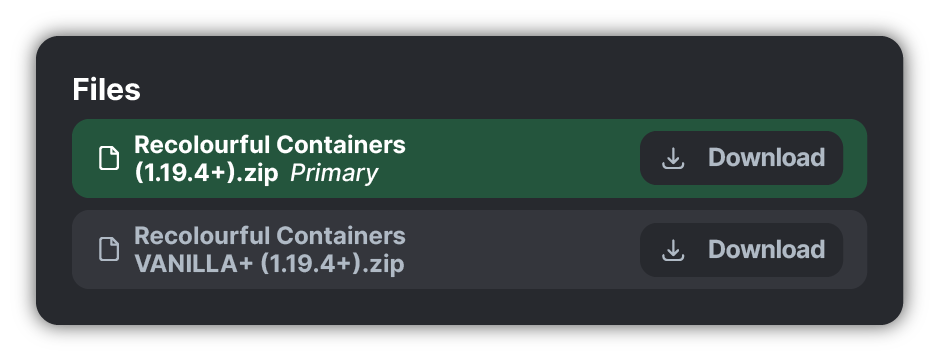
For other languages support, use separate VANILLA+ pack at the bottom of the version page below the main file

Q&A:
Q: Where can I ask about anything (that is not in this list)?
A: Join Recolourful Discord server and ask there!
List of known issues:
With OptiFine:
- Villagers professions don’t work
- Barrels show Chest GUI texture
- Boats with Chest show last visited chest-like container GUI texture
- Some horse-like entities are unsupported
It is recommended to use “Vanilla+” mode, if you are using only OptiFine
Q: Chests/shulker boxes/Villagers’ professions GUIs don’t work!
A: Check if you have either OptiGUI or OptiFine installed or changed language to “Vanilla+”
Q: Can you add support to X mod?
A: Short answer: I can, in theory. Leave your suggestions in the comments or submit them in Discord!
Q: Can I use Recolourful Containers in modpack / Can I modify Recolourful Containers / Can I do X with Recolourful Containers?
A: Check Terms of Use at the bottom of the description
Q: I want to support you! How can I do that?
A: About that…


If you don’t want a server but still want to support me, share this pack with your friends or showcase it on YouTube, TikTok, Instagram, anywhere! Just leave a link to this page, I really appreciate it!
Don’t forget to like and follow for future updates!



- Chris_XENO for his original Colourful Containers texture pack
- Shrimpsnail for helping with custom shader code, a lot of stuff has become possible thanks to him
- Kryqu for inspiration for villagers’ GUIs

Terms of use:
If you think that you can’t do something about this pack, please ask me beforehand 🙂
You can:
- Include this pack in a free modpack
- Include this pack in your private server
- Modify this pack (for personal use only)
- Use this pack in any forms of media, including YouTube, Twitch, etc.
You can not:
- Distribute this pack, it’s assets and modified assets on any platforms in any form without my consent
Recolourful Containers GUI + HUD
Real Hardcore Hearts


This RP uses core shaders so Minecraft can use hardcore hearts instead of normal ones, meaning it’s compatible with other resource packs, allowing the use of hardcore hearts from other RPs.
This RP originated [on this GitHub page](https://github.com/McTsts/mc-core-shaders) and after several tests and adjustments, it’s available for download in an organized way here.

### *If you find any type of bug or error, report it on my [discord server!](https://discord.gg/CdHqyDxMrz)*
ReachSphere
# ReachSphere
ReachSphere is a resource pack which displays the player’s attack range in Survival mode, using core shaders in vanilla minecraft.
# Notes
ReachSphere is a resource pack which uses core shaders, not a shader pack.
I am not responsible if you are banned from the server for using this.
# Known issues
Partially incompatible with Sodium.
ReShaded
# Shaders for Minecraft, with no FPS loss!
## New Shading System
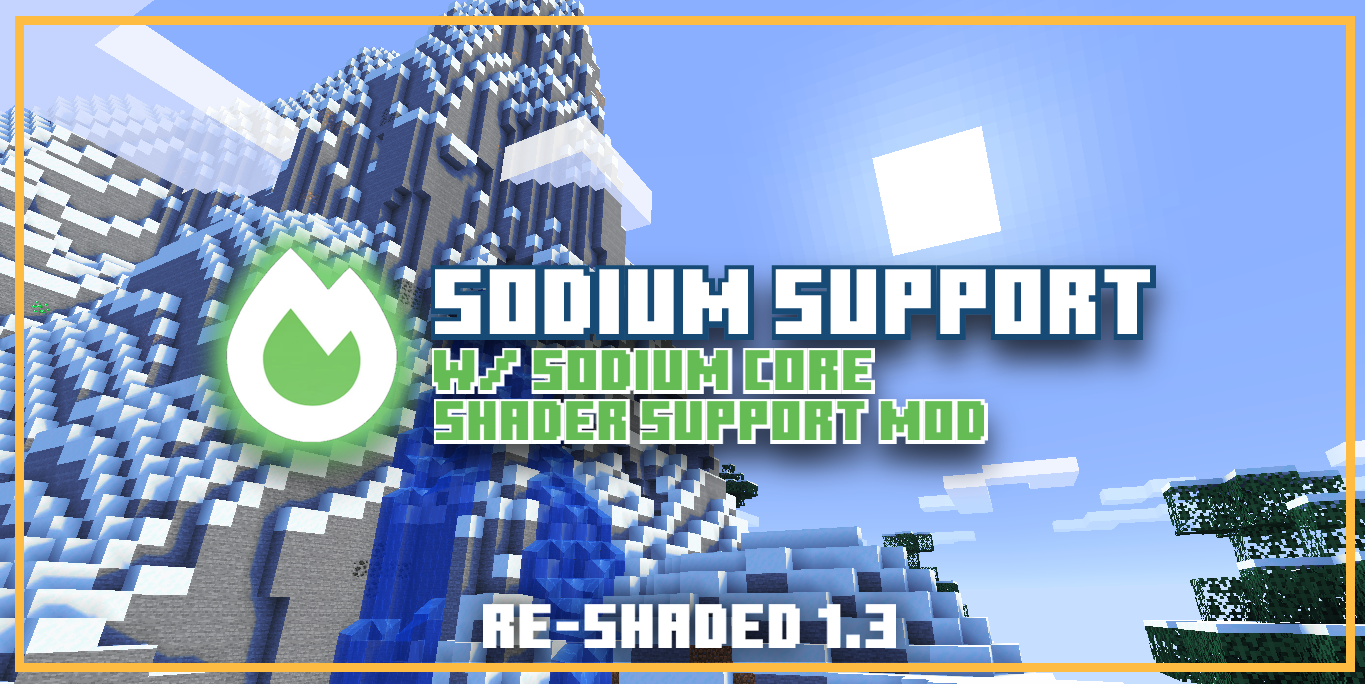
**- For Sodium Compatibility (Currently only available in versions 1.21.11-1.21.5), this Resource Pack requires [Sodium Core Shader Support Mod](https://modrinth.com/mod/sodium-core-shader-support/versions)**
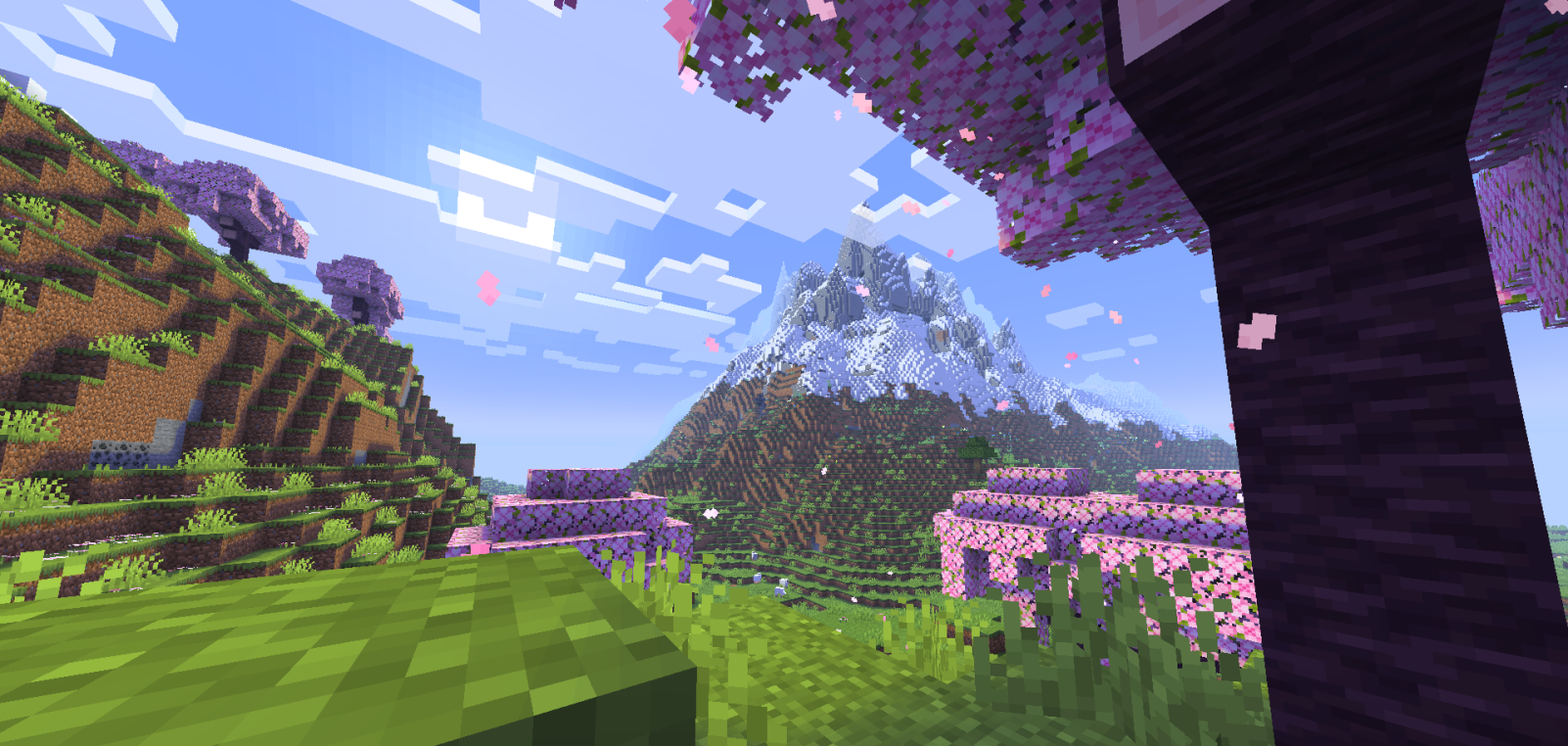
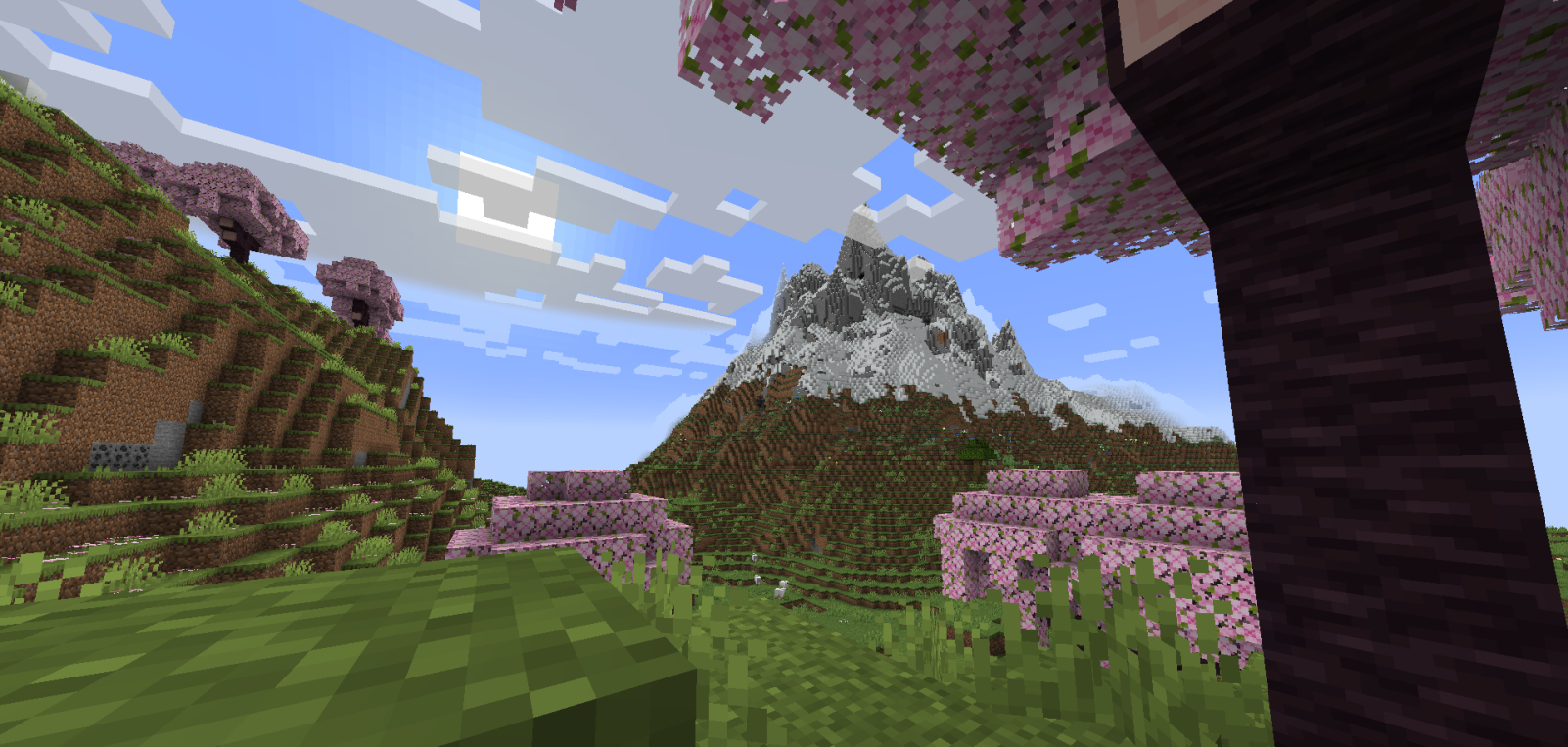
**This Resource Pack gives the game a very similar experience to Optifine or Iris Shaders, drawing shadows over blocks in strategic and well-used ways.**
[Support me on Ko-Fi! (Donations)](https://ko-fi.com/mcdr7)
[Youtube Channel ^^](https://www.youtube.com/@MC_DR7)
[Discord Server! ^^](https://discord.gg/drgJW28PJA)
– It causes no FPS loss, which is a good choice for people who want to enjoy Shaders without compromising their PC’s performance.
– It’s also good for users who prefer Shaders that enhance the game’s vanilla aesthetic without looking too exaggerated.
– The lighting balance is very well balanced; the cave lighting is very playable, and the sunlit areas don’t look too bright, giving the Shader a pleasant visual stability.
– This Resource Pack works based on Core Shaders (terrain.fsh, entity.fsh, fog.glsl, etc.), which allows you to add basic Shaders or Utilities to Minecraft.
– Thank you very much for supporting this project. If it receives support, I’ll make many more and improve this one.
-DR7
Random Loading Screens
Loading Screens – Random
This is a resource pack for the Loading Backgrounds Mod. This resourcepack adds many nature, medieval, futuristic, and city themed images to your background when loading up your minecraft worlds and switching dimensions or worlds.
Requires the mod: Loading Backgrounds
Can this be used on a server? Yes, it works on 99% of servers.
Patreon: https://www.patreon.com/Swaix
Ko-Fi: https://ko-fi.com/swaix
Support Server: [https://discord.gg/FwC2c6u3Jt](https://discord.gg/FwC2c6u3Jt)
Rainbow Block Selection Outline
**Disclaimer: This texture pack takes advantage of core shaders, and it is not possible to port it to 1.18. Please do not ask me for it. If you want a different block selection outline, then update your game.**
This texture pack changes the colour of the outline that appears when you select a block.
**Disclaimer 2: The outline is not as thick as it is in the icon. It was made thicker in the outline to be more visible, refer to the gallery to check how thick it actually is.**
All Other Colours:
[Blue Block Selection Outline](https://modrinth.com/resourcepack/blue-block-outline)
[Green Block Selection Outline](https://modrinth.com/resourcepack/green-block-selection-outline)
[Purple Block Selection Outline](https://modrinth.com/resourcepack/purple-block-selection-outline)
[Rainbow Block Selection Outline](https://modrinth.com/resourcepack/rainbow-block-selection-outline)
[White Block Selection Outline](https://modrinth.com/resourcepack/white-block-selection-outline)
[Red Block Selection Outline](https://modrinth.com/resourcepack/red-block-selection-outline)


