SunReg | Register
🌞 SunReg – The Best Free Register Plugin
Author: Not_LazyyXD
SunReg is a powerful and reliable registration plugin designed for Minecraft servers that want the quality of big networks like PikaNetwork, FireMC, and HaiderNetwork—but without the high price tag.
Unlike other paid plugins, SunReg gives you everything you need for a smooth, secure, and lag-free login system completely free. It’s built for both performance and stability, so your players can enjoy the best experience without delays or bugs.
✨ Features:
Fast & secure player registration system
Optimized for lag-free performance
User-friendly commands & configuration
Inspired by top-tier networks but 100% free
Perfect for small to large Minecraft servers
If you want a professional, free, and community-friendly register plugin, SunReg is the ultimate solution.
Subdomain Manager
## SubdomainManager Plugin & Free Subdomain Service
Get free subdomains for your Minecraft server and keep them automatically updated.
The SubdomainManager plugin ensures your server’s IP and port are always synced with your subdomain. This is especially useful for dynamic IP setups, proxy networks, or frequently changing environments.
Supported platforms:
– Velocity
– Forge
– Fabric
– BungeeCord
– Bukkit & forks
– Folia
Website: https://subdomain-manager.vercel.app
GitHub: https://github.com/spcv3/subdomain-manager-plugin
StrippedBroadcast
**StrippedBroadcast** is a recreation of the [Plugin RawMsg](https://www.spigotmc.org/resources/rawmsg.35864/).
The main purpose of the Plugin is to send a message in chat just like the command broadcast. However, when sent, the message will **not** dispose of a **prefix** and the sender can specify a **group** of **players** to send the message to. It also has an **API** available for any developer to be used.
## Commands
The main and only command of StrippedBroadcast is, you guessed it, **/sbc** (short for **/simplebroadcast**). Its syntax is:
“`/sbc “`
As explained by the Plugin itself when trying to execute the command, the first argument should represent the targets of the broadcast. These could be:
– **all**, for every player online on the server;
– **** or **player=**, the only user who will see the message;
– **me**, an alias for the command issuer;
– **world=**, for every player present in that world;
perm=, for any player who has the permission;
– **op** or **perm=op**, for every op player in the server;
– **group=**; StrippedBroadcast is compatible with **LuckPerms**, so the argument “group” will allow the user to specify a certain group of players;
– **item=- **; for every player who has that item in the server;
– **effect=**; for every player who the specified effect;
– **gamemode=**; for every player in that gamemode;
– **money=**; for every player that has that amount of money.
## Expressions
StrippedBroadcast is also able to understand **expressions** as target. The user will be able to specify certain **conditions** that will return a list of compatible players.
Every expression should be expressed in parenthesis, but there is possibility to put more parenthesis inside one.
Example:
“`/sbc (world=world_the_nether && (perm=bukkit.* || perm=minecraft.*)) Looks like you are the king of hell!“`
You will also notice that expressions accept the keywords AND (&&) and OR (||). Their functioning is really simple:
– in the above example, the OR keyword is used to get every player who has the permission “bukkit.*” **or** the permission “minecraft.*”;
– the AND keyword is then used to get every player who is in the nether **and** has one of the two permissions.
Also, the plugin uses Tab Completition, so it will be very helpful at remembering the user to close parenthesis or insert certain keywords.
## Permissions
The only permission for StrippedBroadcast is “**sbc.main**”, which will allow the user to execute the /sbc command.
## Colors
Since the Minecraft 1.16 update, **Hex Colors** were added to the game. Now, StrippedBroadcast is able not only to use the default Minecraft colors (“&”), but also custom ones using the character #. If you are on 1.16 or higher, when typing “#”, the plugin will suggest all the valid letters and numbers to be used as color codes. Also, there is a new rainbow effect available. To use it, just type [RAINBOW] in front of your message. Example:
“`/sbc all [RAINBOW] StrippedBroadcast v1.2 is an amazing plugin!“`
## BungeeCord
Recently a version of StrippedBroadcast compatible with BungeeCord was released. It uses the same functionalities as the Spigot one, however some argument do change:
– **all**, for every player online in the server;
– a **player**, the only user who will see the message;
– a server (“**server=**”), for every player present in that server;
– a **permission** (“**perm=**”), for any player who has the permission;
– a **group** (“**group=**”), for any player who is in that group (REQUIRES LUCKPERMS).
An API is available also for BungeeCord, that uses the same names as the Spigot API followed by a “B” (e.g. **PlayerUtilsB** is the **PlayerUtils** for the BungeeCord part of the Plugin). The Main Class is accessible by the name **StrippedBroadcastBungee** and it contains all of the methods to send a message to a list of players.
## API
I honestly have no idea of how this Plugin API could be implemented, but I’m very curious to see what the developers will be able to create. Anyway, after importing the Plugin into your project, you are ready to begin. Two classes will be of your interest:
### StrippedBroadcast
The class StrippedBroadcast contains the static method sendStrippedBroadcast. This will send the given message (it can be a string, a list of strings or even an array) to the list of players specified. An example is:
“`java
String[] strings = new String[]{“This”, “is”, “a”, “cool”, “message”};
StrippedBroadcastEvent.sendStrippedBroadcast(Bukkit.getOnlinePlayers(), strings);
“`
### StrippedBroadcastEvent and StrippedBroadcastEventB
The StrippedBroadcastEvent and StrippedBroadcastEventB are events called anytime a message is sent using the Plugin Command or the Methods. They contain two variables: a list of involved players and the message sent.
“`java
@EventHandler
public void onMessageSent(StrippedBroadcastEvent event) {
event.getMessage();
}
“`
“`java
@EventHandler
public void onBungeeMessageSent(StrippedBroadcastEventB event) {
event.getMessage();
}
“`
### PlayersUtil
The PlayersUtil class contains all the methods that can be used to get list of players using certain input. Just like the /sbc command, PlayersUtil supports any kind of input value, from a world, to a permission, a gamemode, a player name and so on…
To get a more accurate list of all the available methods, you can check the GitHub page. https://github.com/Fulminazzo/StrippedBroadcast
StrictCraft
# 🔒 StrictCraft
**Secure your world. Preserve your gameplay. Rule your server.**
StrictCraft is a lightweight, elegant plugin designed to lock down gamemode access, block dangerous commands, and enforce fair survival gameplay, all without the clutter.
If you’re running an SMP, PvP, or hardcore survival server and want zero tolerance for cheaters and abuse, this is your firewall in a jar.
—
## ✨ Features
– 🔐 Block specific gamemodes (Creative, Spectator, Adventure…) with full enforcement
– 🚫 Disable high-risk commands (`/give`, `/enchant`, `/item`, `/gamemode`, and more)
– 🎮 Enforce Survival mode with automatic checks and shortcut blocking (F3+F4)
– 🧱 Prevent command block placement and usage
– 🧩 Detect and block gamemode switches from any source, commands, plugins, console, or shortcuts
– 📁 Simple YAML config with clear comments and dynamic placeholders
– 🧰 No performance impact, no external dependencies
—
## 💡 Why use StrictCraft?
Because vanilla ops aren’t enough. StrictCraft doesn’t try to be flashy, it quietly guards your server’s integrity. Every feature is lean, purposeful, and built for administrators who like their gameplay pure and their tools precise.
Whether you’re protecting a survival world, running a competitive PvP arena, or hosting a community SMP, StrictCraft ensures that gamemode abuse and command exploits are no longer a threat.
—
## ✅ Tested & Supported
– 🧩 Works with Paper, Spigot, Purpur, Bukkit, Folia, BugeeCord, Velocity and Waterfall
– 🧪 Fully tested on Minecraft `1.18+`
– ☕ Requires **Java 17 or higher**
– 🔁 Plug, reload, enforce, no restart required
—
## 📄 License & Support
This project is released under the [MIT License](https://github.com/RickPerix/strictcraft/blob/main/LICENSE)
Need help or want to report an issue? Reach out on Discord: `https://discord.gg/b4MFEa7tkP`
—
Crafted with care by **RickPerix** 🛠
Enjoy StrictCraft!
**Simple. Strong. Strict.**
StreamlineCore

MUST HAVE:
– LuckPerms. [**[ FOUND HERE ]**](https://luckperms.net/download)
– BukkitOfUtils (__For Bukkit / Spigot / Paper ONLY__). [**[ FOUND HERE ]**](https://www.spigotmc.org/resources/118276/)

Please join the Streamline Hub Discord in order to get updates and for me to fully assist you with bugs, questions, or suggestions.
Discord: [**click here**](https://dsc.gg/streamline)
[**Download Modules for Streamline Here (Click)**](https://storage.drak.gg/share/75RJ__vUBVQrC_PRfuHeTg)
# Introduction to Streamline
### What is Streamline?
Streamline is a Minecraft plugin that adds limitless functionality to Minecraft servers through what is known as **Modules**. These Modules are downloadable content that you insert into the Streamline plugin’s “modules“ folder to enhance your server.
Streamline Modules can do many things and even allow server admins and developers to make their own with a very nice framework.
The currently made modules add functionality such as:
– Redirecting players from one server to another when that server goes down. (**StreamlineRedirect Module**)
– Network staff chat, whispering, and friends. (**StreamlineMessaging Module**)
– Discord to Minecraft and Minecraft to Discord. (**StreamlineDiscord Module**)
– Logging messages to your Discord server with only webhooks. (**SimpleLogger Module**)
– Aliases, buildable functions, online list (per server, per group, or network wide), cross-network tpa, cross-network homes, cross-network teleporting, and more. (**StreamlineUtilities Module**)
– Data-Driven event-based protection for proxy and backend servers. (**ProxProtect Module**)
– Send resourcepacks to players on join. (**ResourcePackUtils Module**)
– Cross-network quests system with limitless potential. (**StreamQuests Module**)
– TAB (the plugin) integration, adding support for Streamline placeholders in TAB configurations. (**TAB-SL Module**)
– Simple and easily configured MOTD system like that of MiniMOTD. (**StreamlineMOTD Module**)
– *More.*
**NOTE**: Not seeing a feature you want? Ask Drak to add it on his Discord! – [**click here**](https://dsc.gg/streamline)
### What makes Streamline special?
Streamline allows for **universal cross-platform capabilities** with its Modules.
This essentially means you can run the same modules on a BungeeCord proxy that you would on a Velocity proxy (or even your backend servers). This, with the addition of **Modularized features** means that server admins and owners can choose *exactly* what they want in their server without bloatware.
This also makes it very easy for server admins to use a specific module across different servers. Or even for Developers to develop modules for servers (or the community).
### What exactly is Streamline capable of?
Literally *anything*. Seriously.
#### Supported Proxies:
> – Velocity
> – BungeeCord
> – Waterfall
> – FlameCord
> – Travertine
> – XCord
> – Etc.
#### Supported Backend Servers:
> – Spigot.
> – Paper.
> – Folia.
> – Purpur.
> – Tuinity.
> – ImmanitySpigot.
> – FlamePaper.
> – Mohist / Banner / Youer.
> – Etc.
#### Natively-Supported Plugins:
> – Luckperms. (Required.)
> – BukkitOfUtils. (Required on Bukkit-like servers.)
> – Geyser / Floodgate. (Everything work the same for Bedrock players as would Java players!)
> – PlaceholderAPI.
> – CMI. (With Utils module.)
> – EssentialsX. (With Utils module.)

Follow the Discord setup guide [**[ FOUND HERE ]**](https://github.com/Streamline-Essentials/StreamlineWiki/wiki/Discord-Setup) to set up the discord module.
# What can I do with the `Discord Module`?
– Link **Discord to Minecraft** and **Minecraft to Discord** with `Routes`.
– Available link types:
– Natively (Without other Modules):
– **Proxy local chat** `<->` **Discord Text Channel**
– **Proxy global chat** `<->` **Discord Text Channel**
– **All online players with specific permission** `<->` **Discord Text Channel**
– **Discord Text Channel** `<->` **Discord Text Channel**
– Groups (With `StreamlineGroups` Module):
– **Guild chat** `<->` **Discord Text Channel**
– **Party chat** `<->` **Discord Text Channel**
– Messaging (With `StreamlineMessaging` Module):
– **Local Room chat** `<->` **Discord Text Channel**
– **Global Room chat** `<->` **Discord Text Channel**
– **Custom Room chat** `<->` **Discord Text Channel**
– Message formats are completely customizable.
– Avatar with player’s skin will pop up when their message is sent to Discord.
– Link player’s Discord profile with your server.
– Players can chat using their StreamlineUser profile from Discord.
– All Discord messages can be configured to be sent as completely customized Discord embedded messages

More information is found on our wiki: [**FOUND HERE**](https://wiki.plas.host/streamline)
### NOTICE ABOUT COMMANDS, PERMISSIONS, AND MESSAGES.
***All commands are completely customizable in their `.yml` file. Including permissions and message outputs!***

1. Install dependencies.
– “BukkitOfUtils“ if on Bukkit / Spigot / Paper / Forks.
– “LuckPerms“ for all platforms.
2. Download the plugin file.
3. Drop it into your server’s plugins folder.
4. Start and stop your server.
5. Fill out the configs where necessary.
– Configurations for the streamline plugin can be found in your `plugins` folder, under `StreamlineCore`.
6. Add desired modules.
– Modules can be downloaded from here: [**click here**](https://wiki.plas.host/modules)
7. Start and stop your server again.
8. Fill out module configs where necessary.
– Module files can be found in your `plugins` folder, under `StreamlineCore`, under `module-resources`.
9. Start your server again.
More information can be found on our wiki: [**click here**](https://wiki.plas.host/streamline)

1. Look on the wiki: [**click here**](https://wiki.plas.host/streamline)
2. Get in touch on the Streamline Discord: [**click here**](https://dsc.gg/streamline)
3. Submit a bug on the issue tracker (this is rarely checked): [**click here**](https://github.com/Streamline-Essentials/StreamlineCore/
# BStats
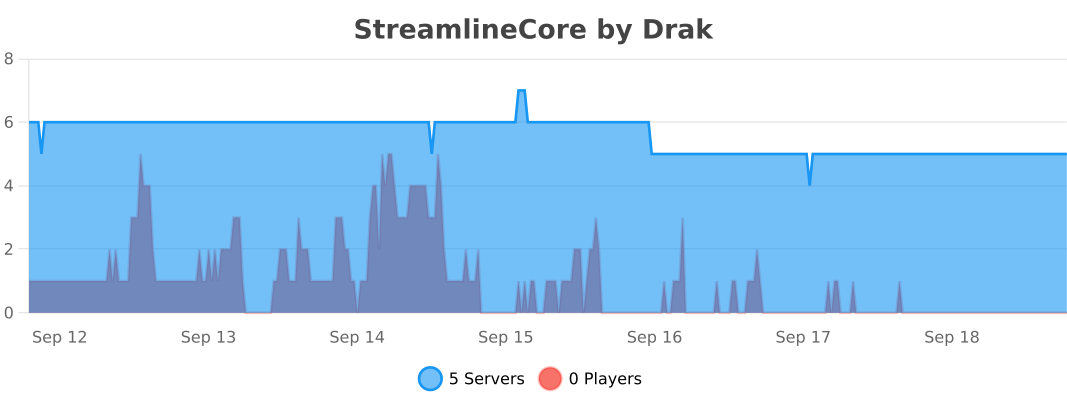
**Bukkit**
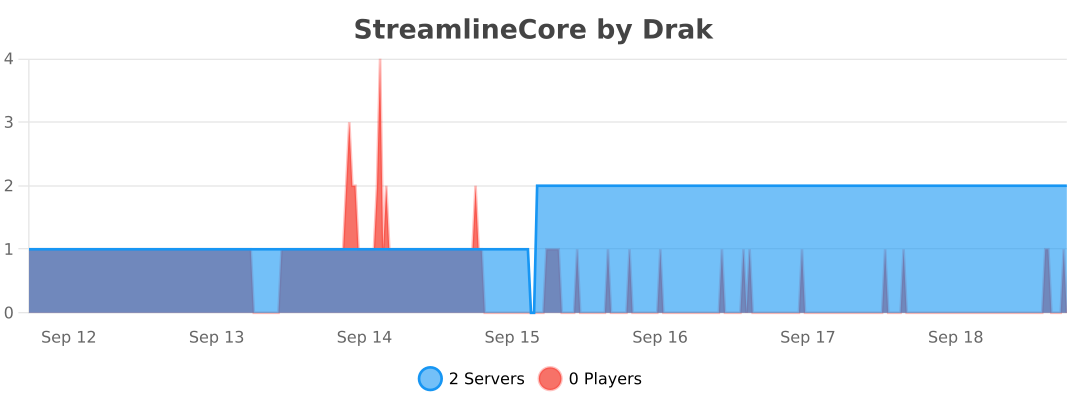
**BungeeCord**
**Velocity**
StreamingModule
# Description
StreamingModule (formerly known as “StreamingDrops”) is a Twitch integration for Minecraft with many different functions. Among other things, Twitch viewers can get Minecraft drops (similar to the Twitch (Gaming) Drops).
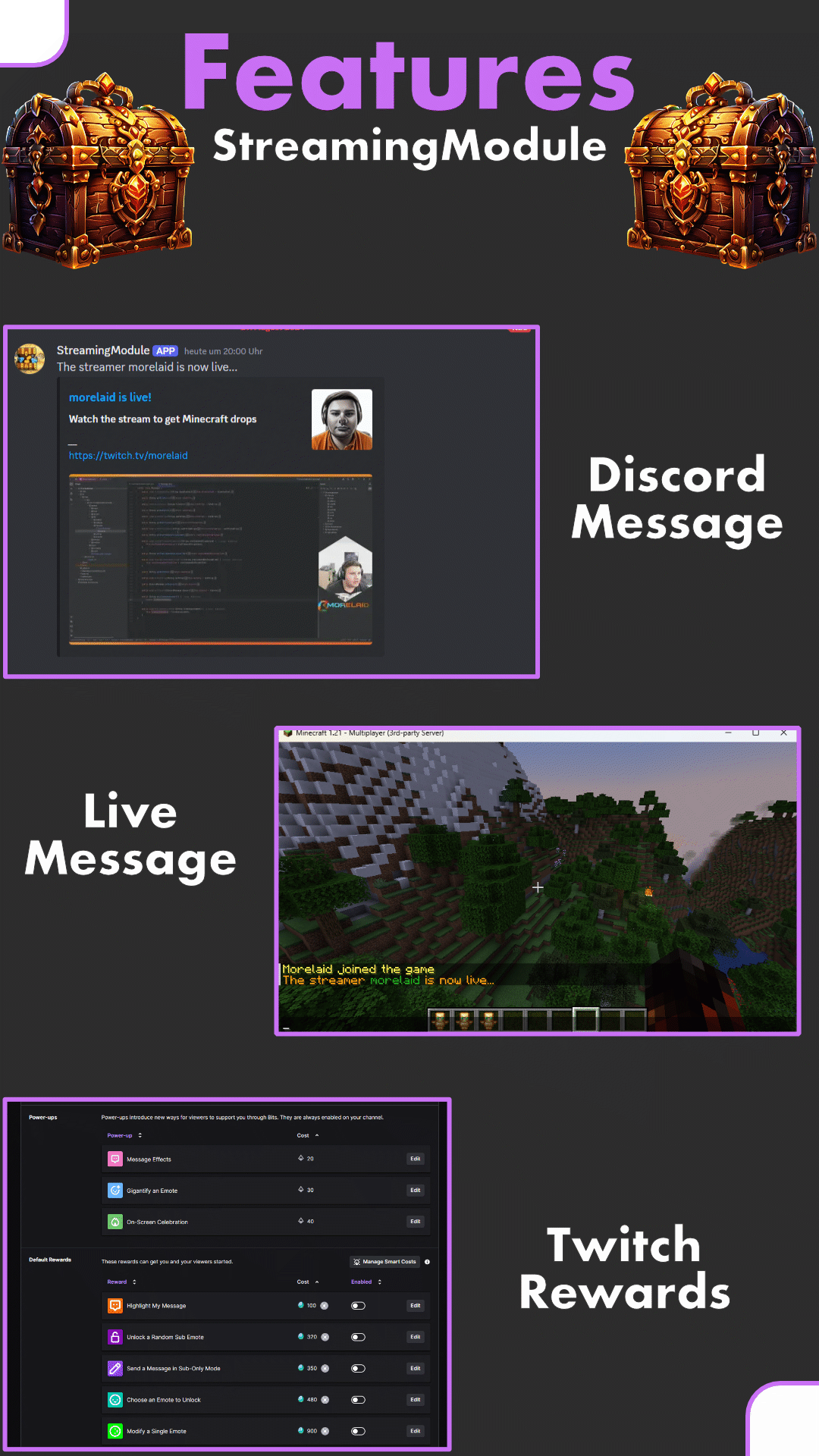
In addition, streamers can be displayed as live on the server, the streamer can see his Twitch chat directly in Minecraft or chat commands in the Twitch chat with content from Minecraft are possible. The integration of Twitch Rewards (Channel Points) is also possible for positive or negative actions
# Features
– Setup everything as twitch drop (items, money, crates, ranks & more)
– Add multiple streamers possible
– No streamkeys or oAuth-Keys necessery
– Change the drop chance
– Automated broadcast message and discord announcement, when a streamer goes live
– Livetag for streamers via PlaceholderAPI
– Offline drop support
# Requirements
– SMLib (required)
– Java 11+
– HTTPS Port open
– “StreamingModule” (the Twitch bot) must be a moderator of your twitch channel
On some servers outgoing messages / requests are blocked. This is expressed by an error message with the command “/online”, with an HTTP(S) error code. Please check at this point whether the ports have been released accordingly.
# Installation / Setup
Here is a short step by step list: [Setup (wiki)](https://github.com/morelaid/StreamModule/wiki/Setup#installation)
### Known Incompatible Plugins
– Matrix Anti-Cheat
# Support / Bugs / Suggestion
Discord: [https://discord.gg/5zuC36R](https://discord.gg/5zuC36R)
For requests, comments or emerging errors, I am happy to help. In order to be able to help quickly, I would be pleased if the following information is already filled in during the inquiry:
– Execute „/sm report“
– Join the discord server and give a short description of your problem
Requests can be made in **German** or **English**.
Stargate
The original, and still the best, MineCraft transportation solution!
An expansive yet intuitive sign-based portal system designed with player creation and usage in mind.
Highly immersive, robustly capable, deeply configurable, and easily expandable!

Discord Server: link | Website: link | Documentation: link
> **Stargate is actively undergoing a complete rewrite**.
> Until superseded, development on legacy versions (0.X.X.X) will be slow.
> For more information on the rewrite, please see this [link](https://hangar.papermc.io/Stargate/Stargate/pages/Resource-Page/Rewrite-Info); to become an alpha tester, please join our [Discord](https://sgrewritten.org/discord).
> **As a stop-gap until the rewrite is ready, this page presently distributes a “legacy” channel**.
> The legacy build is simply a maintained fork that contains all features from all other known stargate forks!
> A full migration service will be available when the rewrite releases; you will be able to import your legacy data.
___________________________________________________________________________________________________
NOTE: The features showcased below correspond to a legacy release.
This information will be replaced once the rewritten version produces a public release.
‾‾‾‾‾‾‾‾‾‾‾‾‾‾‾‾‾‾‾‾‾‾‾‾‾‾‾‾‾‾‾‾‾‾‾‾‾‾‾‾‾‾‾‾‾‾‾‾‾‾‾‾‾‾‾‾‾‾‾‾‾‾‾‾‾‾‾‾‾‾‾‾‾‾‾‾‾‾‾‾‾‾‾
| Showcase Video: |
| ——– |
| [](https://www.youtube.com/watch?v=-4uG7-5fyBM) |
Features
(Click to expand)
* Expanded teleportation script:
* Teleports vehicles (boats, minecarts) and mounts (horses, pigs, etc).
* Entering a portal with leashed entities will teleport both the player and those entities.
* Support for a wide variety of materials:
* Numerous materials may now be used as buttons (activators)
* As long as a waterproof material is used, portals can be placed underwater!
* Material tags may are now supported (for instance, #wool)
* A wide variety of technical improvements
* The legacy codebase has been refactored, with numerous bugs patched.
* An API is now available for legacy addons.
* Support for many use cases
* Vault support for economic integration
* Cross-server (i.e. bungeecord) teleportation options
* Highly customisable
* Granular player permission nodes
* Ability to create server-wide custom gate designs
* Ability to assign unique properties and behaviours to these custom designs.
* Configurable sign formatting
* Highlighting and accent colours can be set on a per-sign, per-gate, or global basis
* Full RGB and dye-colour support, both in-game and in the configuration.
* Expanded Integration`*`
* Dynmap is now supported by default.
* StargateCommand is now supported by default (edit gate properties and retrieve gate information, all from a tab-completable command)
* Deep functionality:
* Portals may be always-on, or button-activated.
* Portals may share a networks or be split into clusters.
* Portals may have a fixed destination, or a selection of options.
* Portals may be public, hidden, or private.
* Through the use of flags, portal behaviour may be customised
* Provided sufficient permissions, players may construct and use portals in survival mode.
`*` *These features will be moved to separate modules in the upcoming rewritten release.*
Background
(Click to expand)
* This plugin was originally TheDgtl’s Bukkit port of the Stargate plugin for hMod by Dinnerbone.
* After this plugin was dropped by TheDgtl, PseudoKnight began maintaining it for modern versions of Spigot (adding support for UUIDs & Material Strings).
* EpicKnarvik97 forked that version to clean up the code, added leash support, and improved vehicle support.
* LockedCraft and LittleBigBug also forked that version to add underwater and tag support, as well as a few bug fixes.
* The current legacy release combines all the forks above, and is maintained by the Stargate Rewritten project.
* As total rewrite is forthcoming, these legacy versions are (for the most part) in maintenance-only mode.
Installation / Migration
(Click to expand)
Installation and migration should be drag-and-drop.
* If there is a “Stargate” directory, SG will migrate its contents, configurations, and data into a new format.
* In theory, this migration script should support all known post-drakia (i.e. UUIDs & String-Based block IDs) stargate forks.
* If you run into any problems, please post an issue report or ask about it on discord.
* If there is no “Stargate” directory in your Plugins folder, SG will create a fresh install.
If you find any bugs, please post them here!
Support can also be found through this Discord!
StaffHQ
# StaffHQ, Staff Management Dashboard for Minecraft Networks
StaffHQ is a hosted staff management platform for Minecraft servers. The plugin connects your server to a private web dashboard at [dash.staffhq.net](https://dash.staffhq.net), providing real-time visibility into server health, staff activity, and player behaviour across your network.
**The plugin is free and open source under the MIT license. A StaffHQ subscription is required to use the dashboard.** A 7-day free trial is available with no card required at [staffhq.net](https://staffhq.net).
—
## External data transmission
This plugin transmits data to external servers. In accordance with Modrinth’s content rules, full disclosure is provided here.
**What is transmitted:**
– Player usernames, UUIDs, IP addresses (hashed by default), join/leave timestamps
– Chat messages (all channels the plugin is configured to capture)
– Commands executed by staff members
– Punishment records created by supported punishment plugins (LiteBans, AdvancedBan, BanManager, EssentialsX)
– Anticheat flag events from supported anticheat plugins (Grim, Vulcan, Matrix, AAC, Intave, Polar, Themis, Totemguard, WeGuardian)
– Block action context surfaced via CoreProtect when investigating a player
– LuckPerms group/rank change events
– Player-submitted in-game reports
– Server TPS and JVM memory snapshots on a configurable interval
**Where data goes:**
– Your private StaffHQ tenant hosted on CloudExa infrastructure in Frankfurt (EU)
– No third-party analytics, telemetry, or data brokers involved
– Data is isolated per tenant and not accessible to other customers
**Full data inventory:**
The complete list of every field transmitted, including field names and collection conditions, is in [PRIVACY.md](https://github.com/AkidHunter/staffhq-plugin/blob/main/PRIVACY.md) in the public plugin repository.
**Data export:** Available at any time from the dashboard as JSON.
A Privacy Policy and Data Processing Agreement (DPA) are available at [staffhq.net](https://staffhq.net/privacy).
—
## Features
**Server health monitoring**
– TPS, memory, and player count tracked in real time
– Configurable TPS drop alerts via Discord
**Staff performance tracking**
– Online time with AFK detection
– Commands run, punishments issued, chat volume
– Weighted leaderboard across your staff team with configurable time windows
**Player investigation**
– Full session history, punishment log, anticheat flags, chat history, and CoreProtect block activity per player
– Cross-server search
**Chat and command logs**
– Persistent, searchable chat log across all connected servers
– Staff command audit trail
**Punishment management**
– Issue bans, mutes, kicks, and warns directly from the dashboard or via Discord slash commands
– Remote punishment execution is opt-in and disabled by default in `config.yml`
**Player reports**
– In-game `/report` command feeds a claim/resolve queue in the dashboard
**Discord bot**
– Slash command interface for punishments, lookups, account linking, appeals
– Punishment alerts, TPS alerts, and staff activity notifications
– Per-staff message counts and voice session hours
– Ticket-based appeal flow auto-pulls a player’s active bans into the appeal channel
– Optional managed hosting (we run the bot for you)
**Account security**
– Two-factor authentication (TOTP) on dashboard logins, with backup codes
**Multi-server support**
– Up to 5 servers on Pro, or a negotiated count on Custom
– All data searchable and aggregated across servers
—
## Plugin integrations
Detected automatically at startup.
| Category | Plugins |
| —————- | ———————————————————— |
| Anti-cheat | Grim, Vulcan, Matrix, AAC, Intave, Polar, Themis, Totemguard, WeGuardian |
| Punishments | LiteBans, AdvancedBan, BanManager, EssentialsX |
| Permissions | LuckPerms |
| Block logging | CoreProtect |
| Claim protection | WorldGuard, WorldGuardExtraFlags, GriefPrevention |
| Combat | CombatLogX |
| Staff tooling | StaffMode, LPC |
| Placeholders | PlaceholderAPI (`%staffhq_*%`) |
—
## Compatibility
| Platform | Supported versions |
| —————————————- | —————— |
| Bukkit / Spigot / Paper / Folia / Purpur | 1.19+ |
| BungeeCord / Waterfall | 1.20+ |
| Velocity | 3.3.0+ |
Requires Java 17 or later.
—
## Plans
| Plan | Price | Max servers |
| —— | ———- | ———– |
| Pro | 10 GBP/mo | 5 |
| Custom | Contact us | Negotiated |
7-day free Pro trial, no card required. Live currency conversion on the pricing page. Credit-based billing (top up, then spend). Affiliate program available via Settings -> Referrals.
—
## Source code
Plugin source is open source under the [MIT License](https://github.com/AkidHunter/staffhq-plugin/blob/main/LICENSE). Read the code, fork it, audit it.
Repository: [github.com/AkidHunter/staffhq-plugin](https://github.com/AkidHunter/staffhq-plugin)
—
## Links
– Website and trial signup: [staffhq.net](https://staffhq.net)
– Privacy and data policy: [staffhq.net/privacy](https://staffhq.net/privacy)
– Full data inventory: [PRIVACY.md](https://github.com/AkidHunter/staffhq-plugin/blob/main/PRIVACY.md)
– Discord: [https://discord.gg/tDsxFsxb6c](https://discord.gg/tDsxFsxb6c)
StaffActivityMonitor
# StaffActivityMonitor
A simple, efficient, and highly customizable Bukkit plugin for tracking staff activity.

## Usage
All players with permission `staffactivity.staff` are tracked by the plugin.
That includes messages/commands sent and times at which the player was online.
## Commands
`/staffactivity top` – Opens the activity top GUI showing staff activity rankings
`/staffactivity view` – Opens the activity list GUI showing all staff activities
`/staffactivity view ` – Opens the activity view for a specific player
`/staffactivity reload` – Reloads the plugin configuration files
## Permissions
`staffactivity.staff` – Required permission for the plugin to track staff members
`staffactivity.commands` – Required permission to use all plugin commands
## Installation for proxy servers
* Install a Bukkit version on all non-proxy servers you wish to see staff data
* enable proxyMode in config of each bukkit subservers, and set up the database as MYSQL or Postgres
* Install a Bungeecord/Velocity version on a proxy server
* configure it to use the same database as non-proxy servers
* Now, proxy server will track staff data, and non-proxy servers will be able to show it through gui
If you have some issues, feel free to reach me on discord: `drownek` or create an issue in GitHub repository!
Server Switcher Bungee
—
**🌀 Server Switcher Bungee**
**The Ultimate Server Switcher for BungeeCord Networks**
Fast. Powerful. Fully Customizable.
—
**✨ What Is This?**
Server Switcher Bungee lets you create **clean, simple commands like `/smp`, `/lobby`, `/hub`, `/creative`**
that instantly send players to different servers — without ever typing:
“`
/server smp
“`
And now, with v3+, it goes **far beyond** simple shortcuts.
—
**🚀 Major Features**
**🔹 Short Commands → Real Server Transfers**
Create unlimited commands like:
“`
/smp → smp
/lobby → lobby
/hardcore → hardcore
“`
All with aliases, permissions, MOTD, maintenance, and confirmation.
—
**🔹 Smart Server Selection (Least Players)**
Perfect for multi-instance servers:
* `/smp` → chooses between `smp`, `smp2`, `smp3`
* Picks the *least populated* server
* Automatically avoids nearly-full servers
* Fully configurable
—
**🔹 Advanced Queue System**
When a server is full:
* Players enter a queue
* Supports **priority tiers** (staff > VIP > default)
* Shows **queue position** via actionbar
* Grace period keeps queue spot after disconnect
* `/leavequeue` to exit
* Auto-requeue if failover also full
—
**🔹 Maintenance Mode (Per Command)**
Disable a command temporarily:
“`yml
enabled: false
motd: “&cSMP is under maintenance.”
allow-permission: “shortswitch.smp.admin”
“`
—
**🔹 Clickable Confirmation**
Great for risky servers (hardcore, events):
“`yml
confirm:
commands: [“hardcore”, “event”]
“`
Players get a clickable confirmation message.
—
**🔹 Auto-Routing On Join**
Automatically redirect players when they join the proxy:
“`yml
auto-route:
default-command: “lobby”
“`
—
**🔹 Multi-Language Support**
Supports files like:
* `messages_en.yml`
* `messages_nl.yml`
Permission-based language override:
“`
shortswitch.lang.nl
“`
—
**🔹 MOTD on Switch**
Show a message before sending a player:
“`
motd: “&aWelcome to SMP!”
“`
—
**🔹 Full Permission Control**
Includes:
* Global permission
* Auto-generated per-command perms
* Maintenance bypass
* Queue priority
* Rate-limit bypass
* Cooldown bypass
—
**🔹 Hot Reload Support**
Reload *everything*:
“`
/switcher reload
“`
—
**🧠 Feature Summary**
| Feature | Description |
| —————————— | ——————————————– |
| **Custom short commands** | Create `/smp`, `/lobby`, etc. |
| **Unlimited aliases** | `/sb`, `/skyblock`, `/sky` → skyblock |
| **Global + per-command perms** | Fully configurable |
| **Maintenance mode** | Lock commands with MOTD |
| **Auto-permissions** | Auto-generate perms like `shortswitch.smp` |
| **Confirmation click** | Prevent accidental switching |
| **Smart selection** | Load-balanced routing |
| **Priority queue** | Staff > VIP > default |
| **Actionbar queue updates** | Live positions |
| **Grace period** | Keep queue spot after disconnect |
| **Auto-route on join** | Send players to lobby automatically |
| **Multi-language** | English/Dutch message files |
| **Live MOTDs** | Custom message per command |
| **Reload without restart** | `/switcher reload` |
| **Full Bungee Support** | Bungee, Waterfall, FlexPipe, FlameCord, etc. |
—
**📦 Configuration Preview**
Click to open config.yml
“`yml
auto-register: true
global-permission: “shortswitch.use”
auto-permissions:
enabled: true
prefix: “shortswitch.”
cooldowns:
enabled: true
bypass-permission: “shortswitch.bypass.cooldown”
per-command:
smp: 3
rate-limit:
enabled: true
max-switches: 5
per-seconds: 10
queue:
enabled: true
grace-seconds: 120
tiers:
staff:
permission: “shortswitch.queue.staff”
priority: 100
vip:
permission: “shortswitch.queue.vip”
priority: 50
smart-select:
enabled: true
mode: “least-players”
candidates:
smp: [“smp”, “smp2”, “smp3”]
confirm:
enabled: true
commands: [“hardcore”]
auto-route:
enabled: true
default-command: “lobby”
commands:
smp:
server: “smp”
aliases: [“survival”, “s”]
motd: “&aWelcome to SMP!”
lobby:
server: “lobby”
aliases: [“hub”]
“`
—
**🔐 Permissions Overview**
| Permission | Description |
| —————————— | ————————– |
| `shortswitch.use` | Global permission |
| `shortswitch.` | Auto-generated per command |
| `shortswitch.queue.staff` | Priority queue tier |
| `shortswitch.queue.vip` | Priority queue tier |
| `shortswitch.bypass.full` | Join full servers |
| `shortswitch.bypass.ratelimit` | Ignore rate limit |
| `shortswitch.bypass.cooldown` | Ignore cooldown |
| `shortswitch.bypass.autoroute` | Skip auto-route |
| `shortswitch.lang.nl` | Use Dutch messages |
—
**🛠 Installation**
1. Download the `.jar`
2. Place it into your proxy’s `plugins/` folder
3. Restart
4. Edit `config.yml`
5. Reload anytime:
“`
/switcher reload
“`
—
**✔ Compatibility**
* BungeeCord
* Waterfall
* FlexPipe
* FlameCord
* All Bungee-based forks
—
**❤️ Need More?**
Have ideas? Want analytics, Velocity support, or a web-based queue viewer?
**Message me — I love adding new features.**
—