Tebex
## What Is Tebex?
Tebex is a game monetization engine featuring over 120 payment methods, chargeback protection, fraud protection, and 3-day payouts. Tebex allows you to sell items, subscriptions, and more from an in-game customized shop.
Players browse your store, select and purchase their items, and Tebex automatically delivers the items when the player is next online. View more at https://tebex.io
See an interactive Tebex store using one of our free templates at https://example.tebex.io/
## Features
– **Simple and Powerful.** Create fully customizable themed web stores and start selling in minutes.
– **No Hidden Fees.** Enjoy flat-rate pricing with no surprises.
– **Worldwide Payments Support.** Accept over 120+ payment types with Tebex acting as your merchant of record, including PayPal, Paysafecard, Google Pay, and more.
– **Chargeback and Fraud Protection.** Tebex handles fraud reports and disputes/chargebacks on your behalf while providing 100% insurance.
– **Made for Everyone.** Whether you’re starting or an established network, Tebex offers a comprehensive set of shop management tools to handle every facet of your game’s economy.
## Installation and Setup
1. Create a free webstore at https://tebex.io/
2. Download the latest version of the plugin from Modrinth or any official Tebex listing.
3. Place the downloaded Tebex `.jar` in the `plugins` folder of your relevant platform.
4. Restart your server.
5. Run `/tebex secret your-key-here` as a server admin to connect the server to Tebex.
Your secret key can always be found at: https://creator.tebex.io/game-servers. Click Connect Game Server, and then choose Plugin to view your secret key.
## Usage and Commands
Tebex will automatically fulfill any orders from your webstore every two minutes. These are run as server commands, such as giving items or adding groups, which you can define in your store.
Note: Not all commands are available on all platforms. Proxy servers may have a reduced set of commands. Use `/tebex help` to get the relevant list of commands on any platform.
Below are a list of commands used to manage the plugin:
### Permissions
All commands have a permission node which matches with the exact command name. For example a player must have `tebex.help` as a permission in order to view available
commands.
### User Commands
“`
/tebex help Shows available commands
/tebex secret Sets your store’s secret key
/tebex info Shows store information
/tebex checkout Creates payment link for a package
“`
### Administrator Commands
“`
/tebex sendlink Sends payment link to player
/tebex report Reports a problem to Tebex
/tebex ban Bans a user from the webstore
/tebex lookup Looks up user transaction info
“`
### Debug Commands
“`
/tebex debug Enables debug logging
/tebex forcecheck Force runs all time-based events
/tebex refresh Reloads store and package info
“`
## Resources
Here are some additional resources to help you build your Tebex store.
– ❔ [Frequently Asked Questions](https://docs.tebex.io/creators/faq) – Get answers to common questions fast
– 🧠 [Tebex Academy](https://www.youtube.com/@tebex/videos) – Learn to build a successful Tebex store with video tutorials
– ⚙️ [Technical Support](mailto:[email protected]) – Get assistance as a buyer or seller, email us at [email protected]
– 🖥️ [Developer Documentation](https://docs.tebex.io/developers/) – Develop custom integrations to suit your needs
– 💬 [Feedback Form](https://wkf.ms/45PQwfE) – Help us build a better product by sharing your feedback
## Our Mission
Founded in 2011, our mission has always been the same: helping creators in the gaming industry create new revenue streams without having to invest the time and effort involved in processing and managing global payments.
Since then, we helped generate over half a billion dollars for our clients, providing them with a full suite of monetization features, handling all taxes, billing, and providing full insurance. Making sure they can focus on what they do best – creating great gaming experiences.
Teams API
**The universal bridge between team plugins and everything else.**
TeamsAPI is a passive, server-side bridge plugin for Paper, Spigot, Purpur, and Folia servers, inspired by Vault. It provides a single, stable interface for team operations, so any plugin that needs team data can work with any compatible team plugin, without either plugin knowing about the other.
Implemented in Factions fork: https://www.spigotmc.org/resources/pvpindex-factions.135055/
Suggest it as suggestion to teams plugins, they can send me a message so I can make a list.
## How it works
“`text
Your Plugin (consumer) -> TeamsAPI (bridge) -> Team Plugin (provider)
“`
– **Providers** — faction, clan, guild, or custom team plugins `implement TeamsService`
and register with TeamsAPI during `onEnable()`.
– **Consumers** — scoreboard plugins, chat formatters, quest plugins, or any plugin that
needs team data call `TeamsAPI.getService()` and use the returned interface.
– **Server owners** — install `TeamsAPI.jar` and one compatible team plugin. Done.
No two plugins need to know about each other. When the team plugin changes, every
consumer plugin keeps working without a recompile.
## Features
– **Provider-agnostic**: works with any team plugin that ships a `TeamsService` implementation.
– **Graceful fallback**: if no provider is present, `TeamsAPI.isAvailable()` returns `false`; consumers can disable their team features cleanly instead of crashing.
– **Read-only snapshots**: `Team` and `TeamMember` are immutable interfaces; providers own the backing data.
– **Role hierarchy**: built-in `OWNER > ADMIN > MEMBER` with `outranks()` and `canManage()` helpers.
– **Optional invite service**: providers can expose `TeamsInviteService` for invitation workflows.
– **Optional warp service**: providers can expose `TeamsWarpService` for named team warps.
– **Optional claim service**: providers can expose `TeamsClaimService` for chunk-claim management.
– **Optional power service**: providers can expose `TeamsPowerService` for player and team power values.
– **Cancellable events**: twelve Bukkit events that providers can fire so other plugins can react to or cancel team operations.
– **Lightweight**: a single shaded JAR with no runtime dependencies beyond the Bukkit API.
– **JitPack-ready**: depend on just the API module at compile time; no transitive dependencies leak into your plugin.
– **Velocity bridge** *(experimental)*: optional `teams-api-velocity` plugin for querying team data from the Velocity proxy. Supports multi-proxy networks via Redis.
– **BungeeCord bridge** *(experimental)*: optional `teams-api-bungeecord` plugin for querying team data from BungeeCord / Waterfall proxies. Supports multi-proxy networks via Redis.
## Requirements
| Requirement | Value |
|————-|——-|
| Server software | Paper / Spigot / Purpur / Folia 1.16+ |
| Java | 17+ (25 recommended) |
| Plugin dependencies | None |
## Installation (server owners)
1. Download `teams-api-plugin-VERSION.jar` from the **Files** tab of this listing or
from [GitHub Releases](https://github.com/ez-plugins/teams-api/releases).
2. Drop it into your server’s `plugins/` directory.
3. Install a compatible team plugin that provides a `TeamsService` implementation.
4. Restart the server.
TeamsAPI has no configuration files.
## For developers
Add the API artifact to your project via [JitPack](https://jitpack.io/#ez-plugins/teams-api):
### Maven
“`xml
jitpack.io
https://jitpack.io
com.github.ez-plugins
teams-api
1.4.0
provided
“`
### Gradle
“`groovy
repositories {
maven { url ‘https://jitpack.io’ }
}
dependencies {
compileOnly ‘com.github.ez-plugins:teams-api:1.4.0’
}
“`
### Consumer quick-start
Declare the dependency in `plugin.yml` (use `softdepend` if team support is optional):
“`yaml
depend:
– TeamsAPI
“`
Then use the API at runtime:
“`java
@Override
public void onEnable() {
if (!TeamsAPI.isAvailable()) {
getLogger().warning(“No team plugin found. Team features disabled.”);
return;
}
getLogger().info(“TeamsAPI found. Team features enabled.”);
}
// In a command or listener:
TeamsService teams = TeamsAPI.getService();
Optional team = teams.getPlayerTeam(player.getUniqueId());
team.ifPresent(t -> player.sendMessage(“Your team: ” + t.getDisplayName()));
“`
### Provider quick-start
Declare a soft-dependency in `plugin.yml`:
“`yaml
softdepend:
– TeamsAPI
“`
Register your implementation when the plugin loads:
“`java
@Override
public void onEnable() {
TeamsAPI.registerProvider(this, new MyTeamsService(this));
}
@Override
public void onDisable() {
TeamsAPI.unregisterProvider(teamsService);
}
“`
## API surface
### Team lifecycle & lookup
| Method | Returns | Description |
|——–|———|————-|
| `createTeam(name, ownerUUID)` | `Optional` | Creates a new team |
| `deleteTeam(teamId)` | `boolean` | Deletes a team by UUID |
| `getTeam(teamId)` | `Optional` | Looks up a team by UUID |
| `getTeamByName(name)` | `Optional` | Looks up a team by name |
| `getPlayerTeam(playerUUID)` | `Optional` | Returns the player’s current team |
| `getAllTeams()` | `Collection` | Returns every registered team |
| `getTeamCount()` | `int` | Total number of teams |
### Membership management
| Method | Returns | Description |
|——–|———|————-|
| `addMember(teamId, playerUUID, role)` | `boolean` | Adds a player with a given role |
| `removeMember(teamId, playerUUID)` | `boolean` | Removes a player from the team |
| `setMemberRole(teamId, playerUUID, role)` | `boolean` | Changes a member’s role |
| `getMemberRole(teamId, playerUUID)` | `Optional` | Returns the member’s current role |
### Invite service (optional)
Register alongside `TeamsService` if your plugin supports invitations:
“`java
TeamsAPI.registerInviteProvider(this, inviteService);
“`
| Method | Returns | Description |
|——–|———|————-|
| `invitePlayer(teamId, inviterUUID, inviteeUUID)` | `boolean` | Sends an invitation |
| `acceptInvite(teamId, playerUUID)` | `Optional` | Accepts the invitation and joins the team |
| `declineInvite(teamId, playerUUID)` | `boolean` | Declines an invitation |
Consumers check availability with `TeamsAPI.isInviteAvailable()` before calling `TeamsAPI.getInviteService()`.
### Warp service (optional)
Register alongside `TeamsService` if your plugin supports team warps:
“`java
TeamsAPI.registerWarpProvider(this, warpService);
“`
| Method | Returns | Description |
|——–|———|————-|
| `setWarp(teamId, name, location, creatorUUID)` | `boolean` | Creates or updates a named warp |
| `removeWarp(teamId, name)` | `boolean` | Deletes a warp by name |
| `getWarp(teamId, name)` | `Optional` | Looks up a warp by name |
| `getWarps(teamId)` | `Collection` | Returns all warps for a team |
Consumers check availability with `TeamsAPI.isWarpAvailable()` before calling `TeamsAPI.getWarpService()`.
### Claim service (optional)
Register alongside `TeamsService` if your plugin supports chunk claims:
“`java
TeamsAPI.registerClaimProvider(this, claimService);
“`
| Method | Returns | Description |
|——–|———|————-|
| `claimChunk(teamId, playerUUID, world, x, z)` | `boolean` | Claims a chunk for the team |
| `unclaimChunk(teamId, playerUUID, world, x, z)` | `boolean` | Removes the claim |
| `unclaimAll(teamId)` | `boolean` | Removes all claims for the team |
| `getClaimAt(world, x, z)` | `Optional` | Returns the claim at a chunk, if any |
| `getTeamClaims(teamId)` | `Collection` | All claims for the team |
| `getClaimCount(teamId)` | `int` | Number of claimed chunks |
| `isClaimed(world, x, z)` | `boolean` | Whether the chunk is claimed by anyone |
| `isClaimedBy(teamId, world, x, z)` | `boolean` | Whether the chunk is claimed by this team |
| `getTeamMaxClaims(teamId)` | `int` | Claim limit (-1 means unlimited) |
Consumers check availability with `TeamsAPI.isClaimAvailable()` before calling `TeamsAPI.getClaimService()`.
### Power service (optional)
Register alongside `TeamsService` if your plugin exposes power values:
“`java
TeamsAPI.registerPowerProvider(this, powerService);
“`
| Method | Returns | Description |
|——–|———|————-|
| `getPlayerPower(playerUUID)` | `double` | Current power of the player |
| `getPlayerMaxPower(playerUUID)` | `double` | Maximum power the player can hold |
| `setPlayerPower(playerUUID, power)` | `boolean` | Sets the player’s power |
| `getTeamPower(teamId)` | `double` | Combined power of all team members |
| `getTeamMaxPower(teamId)` | `double` | Maximum combined power the team can hold |
Consumers check availability with `TeamsAPI.isPowerAvailable()` before calling `TeamsAPI.getPowerService()`.
### Events
All events live in `com.skyblockexp.teamsapi.event`. Providers are encouraged but not required to fire them.
| Event | Cancellable | Fired when |
|——-|————-|————|
| `TeamCreateEvent` | Yes | Before a team is created |
| `TeamDeleteEvent` | Yes | Before a team is deleted |
| `TeamJoinEvent` | Yes | Before a player joins a team |
| `TeamLeaveEvent` | Yes | Before a player leaves a team |
| `TeamRoleChangeEvent` | Yes | Before a member’s role changes |
| `TeamInviteEvent` | Yes | Before an invitation is sent |
| `TeamInviteAcceptEvent` | No | After a player accepts an invitation |
| `TeamInviteDeclineEvent` | No | After a player declines an invitation |
| `TeamWarpSetEvent` | Yes | Before a warp is created or updated |
| `TeamWarpDeleteEvent` | Yes | Before a warp is deleted |
| `TeamClaimEvent` | Yes | Before a chunk is claimed |
| `TeamUnclaimEvent` | Yes | Before a chunk is unclaimed |
### Roles
| Role | Priority | Description |
|——|———-|————-|
| `OWNER` | 100 | Full control; cannot be removed by others |
| `ADMIN` | 50 | Can manage members with a lower priority |
| `MEMBER` | 10 | Regular team member |
## Links
– [GitHub](https://github.com/ez-plugins/teams-api) — source code & issue tracker
– [Developer Guide](https://ez-plugins.github.io/teams-api/developer-guide.html) — full integration walkthrough
– [API Reference](https://ez-plugins.github.io/teams-api/api.html) — complete method tables
– [JitPack](https://jitpack.io/#ez-plugins/teams-api) — Maven / Gradle dependency
—
*MIT License – free to use in any project, open- or closed-source.*
TeamChat
# TeamChat
A plugin that provides a separate chat for the server team.
## Features
– /teamchat command
– [MiniMessage](https://docs.advntr.dev/minimessage/format.html)
– [MiniPlaceholders](https://modrinth.com/plugin/miniplaceholders) support for Paper and Velocity
– [PlaceholderAPI](https://www.spigotmc.org/resources/6245/) support for Bukkit and Paper (e. g. ““)
## Requirements
– Java 21+
## Default configuration
“`
# TeamChat plugin v2.3 by BauHD
# Modrinth: https://modrinth.com/project/teamchat
# Discord: https://discord.gg/Gmxwzz2rA9
prefix: “[TeamChat] ”
permission: “teamchat.use”
aliases:
– “tc”
announce-in-console: false
format: “ » ”
no-permission: “You do not have the permission to use this command!”
usage: “Usage: /teamchat ”
team-message: “ – ”
“`
TaterLib
# TaterLib
[](https://github.com/p0t4t0sandwich/TaterLib/blob/main/LICENSE)
[](https://github.com/p0t4t0sandwich/TaterLib)
[](https://github.com/p0t4t0sandwich/TaterLib/issues)
[](https://discord.neuralnexus.dev)
[](https://wakatime.com/badge/user/fc67ce74-ca69-40a4-912f-61b26dbe3068/project/ba087a5d-fd50-4b54-9723-3effbfda7567)
A cross API code library that allows developers to write code that works across multiple modding platforms, and across a
wide range of Minecraft versions, all with one JAR file. If TaterLib runs on it, so can your plugin/mod.
Please note, some abstractions may not be fully implemented yet, and some may be missing.
If you’re looking for a specific abstraction/game event, please open an issue, and we’ll get to it as soon as possible,
or feel free to open a PR with an implementation.
[Contributions are always welcome!](https://github.com/p0t4t0sandwich/TaterLib/blob/main/.github/CONTRIBUTING.md)
Let’s cut to the chase, why should you use and/or contribute to TaterLib? Well, let’s say you have a mod/plugin that you
want to port to a different modding API. You could go through the laborious task of implementing all the events,
commands, etc. on each platform and create all your own cool fancy abstractions for each game object, or you could use
TaterLib and save yourself a lot of time. (which is why I started this project in the first place)
There’s two ways to use TaterLib, you can depend on the general API, then implement any missing features yourself on
each platform, or if something’s missing, you can start a PR with either a basic or full implementation, and we can
improve TaterLib and save you a lot of time in the future. (a bit of a win-win)
Link to our support: [Discord](https://discord.neuralnexus.dev)
## Download
[](https://github.com/p0t4t0sandwich/TaterLib/releases)
[](https://www.spigotmc.org/resources/taterlib.111852/)
[](https://hangar.papermc.io/p0t4t0sandwich/TaterLib)
[](https://www.curseforge.com/minecraft/bukkit-plugins/taterlib)
[](https://modrinth.com/mod/taterlib)
[](https://www.curseforge.com/minecraft/mc-mods/taterlib)
[](https://ore.spongepowered.org/p0t4t0sandwich/TaterLib)
[](https://builtbybit.com/resources/taterlib.40265/)
[](https://polymart.org/resource/taterlib.5552)
[](https://craftaro.com/marketplace/product/taterlib.2771)
[](https://maven.neuralnexus.dev/#/snapshots/dev/neuralnexus/taterlib-api)[](https://jenkins.neuralnexus.dev/job/TaterLibDev/)
[](https://maven.neuralnexus.dev/#/releases/dev/neuralnexus/taterlib-api)[](https://jenkins.neuralnexus.dev/job/TaterLib/)
### Adding to your project
“`gradle
repositories {
maven {
name = ‘NeuralNexus’
url = ‘https://maven.neuralnexus.dev/releases’
}
}
dependencies {
compileOnly(‘dev.neuralnexus:taterlib-api:‘)
}
“`
There’s also a snapshot repository available at `https://maven.neuralnexus.dev/repository/snapshots`
### Compatibility Cheatsheet
TaterLib supports: Bukkit, BungeeCord, Fabric, Forge, Sponge, and Velocity
General notes:
– No Fabric on 1.13
– No Fabric/Forge below 1.7.10
| Server type | Versions | Jar Name |
|————-|————-|———————————|
| 1.20.x | 1.20-1.20.4 | `TaterLib-1.20.x-.jar` |
| 1.19.4 | 1.19.4 | `TaterLib-1.19.4-.jar` |
| 1.19.2 | 1.19.2 | `TaterLib-1.19.2-.jar` |
| 1.19 | 1.19 | `TaterLib-1.19-.jar` |
| 1.18.2 | 1.18.2 | `TaterLib-1.18.2-.jar` |
| 1.18 | 1.18 | `TaterLib-1.18-.jar` |
| 1.17 | 1.17-1.17.1 | `TaterLib-1.17-.jar` |
| 1.16 | 1.16-1.16.5 | `TaterLib-1.16-.jar` |
| 1.15 | 1.15-1.15.2 | `TaterLib-1.15-.jar` |
| 1.14 | 1.14-1.14.3 | `TaterLib-1.14-.jar` |
| 1.13 | 1.13-1.13.2 | `TaterLib-1.13-.jar` |
| 1.12 | 1.12-1.12.2 | `TaterLib-1.12-.jar` |
| 1.11 | 1.11-1.11.2 | `TaterLib-1.11-.jar` |
| 1.10 | 1.10-1.10.2 | `TaterLib-1.10-.jar` |
| 1.9 | 1.9-1.9.4 | `TaterLib-1.9-.jar` |
| 1.8 | 1.8-1.8.8 | `TaterLib-1.8-.jar` |
| 1.7 | 1.7-1.7.10 | `TaterLib-1.7.10-.jar` |
| 1.6.4 | 1.6.4 | `TaterLib-1.6.4-.jar` |
| 1.2.5 | 1.2.5 | `TaterLib-1.2.5-.jar` |
| b1.7.3 | b1.7.3 | `TaterLib-b1.7.3-.jar` |
## Dependencies
– [Fabric API](https://modrinth.com/mod/fabric-api) – Required on Fabric
– [Legacy Fabric API](https://www.curseforge.com/minecraft/mc-mods/legacy-fabric-api) – Required on Fabric 1.12.2 and
below
### Optional Dependencies
– [LuckPerms](https://luckperms.net/) – For permissions/prefix/suffix support
## Commands and Permissions
| Command | Permission | Description |
|———————-|—————————–|————————–|
| `/taterlib version` | `taterlib.command.version` | Get the TaterLib version |
| `/taterlib reload` | `taterlib.command.reload` | Reload TaterLib config |
| `/taterlib dump` | `taterlib.command.dump` | Dump TaterLib info |
| `/taterlib fulldump` | `taterlib.command.fulldump` | Dump TaterLib info |
## Projects that use TaterLib
Feel free to open a PR to add your plugin/mod to this list!
– [BadSpawns](https://github.com/p0t4t0sandwich/BadSpawns)
– [BeeNameGenerator](https://github.com/p0t4t0sandwich/BeeNameGeneratorPlugin)
– [TaterComms](https://github.com/p0t4t0sandwich/TaterComms)
– [TaterUtils](https://github.com/p0t4t0sandwich/TaterUtils)
## Metrics
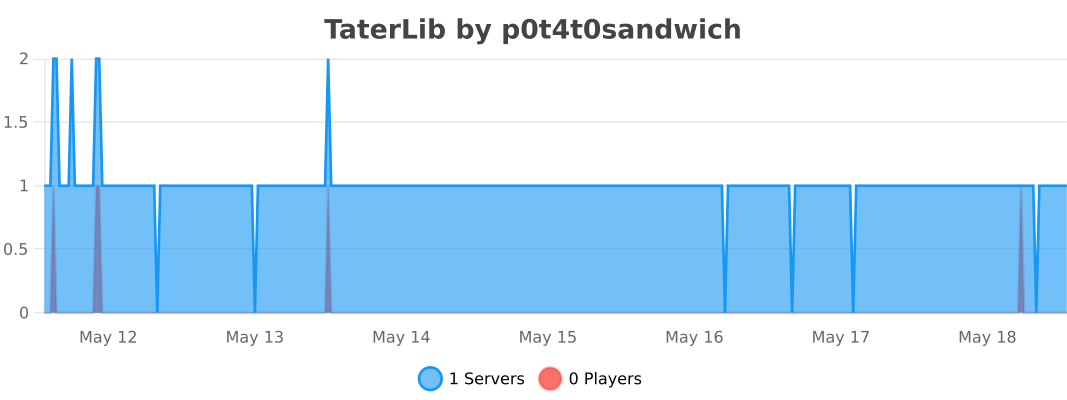
### Bukkit
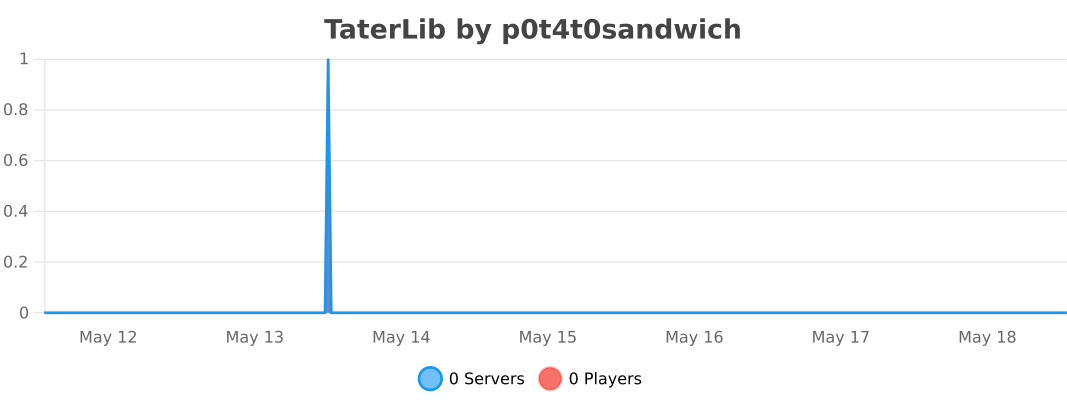
### BungeeCord
### Sponge
### Velocity
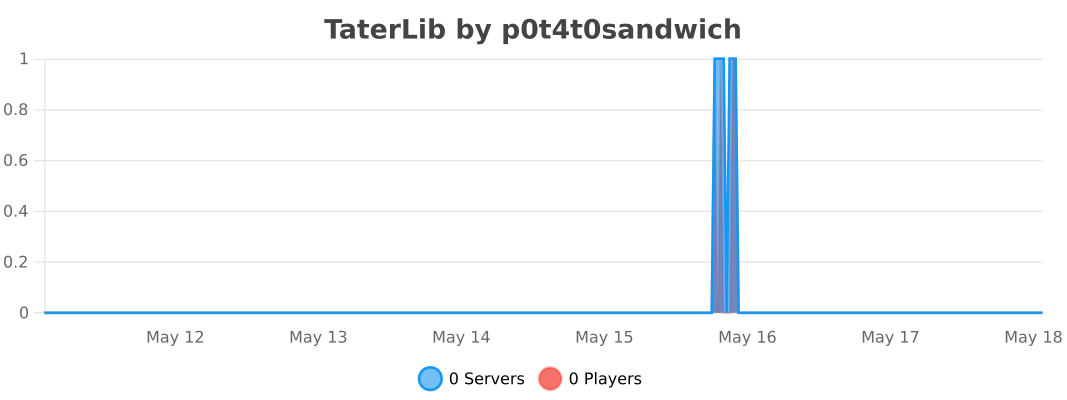
TabWhitelist
# TabWhitelist! – Command Management
**TabWhitelist** is a powerful and lightweight Minecraft server plugin designed to give administrators total control over player command visibility and execution. It allows you to hide sensitive server information, block unwanted commands, and create custom rank-based access, ensuring a clean and secure experience for your community. By filtering the tab-completion list and overwriting default system messages, you can fully brand your server’s “Unknown Command” response and keep your plugin list private.
Don’t believe it? **TRY THE LATEST RELEASE NOW!**
**⚠️ NOTE:** Java 21 or higher is required!
“`
Now also on proxy! BungeeCord, Waterfall, Velocity.
Looking for a proxy version for Java 11? Find TabWhitelist 1.1-ForProxy (Java 11)
“`
### Features
– **Full Command Control** – Easily toggle between Whitelist and Blacklist modes to decide which commands are accessible.
– **Dynamic Tab-Blocking** – Automatically hides unauthorized commands from the TAB completion menu in real-time.
– **Rank-Based Groups** – Assign specific command sets to different player ranks using custom permissions like tabwhitelist.group.vip.
– **World-Specific Rules** – Define different allowed or blocked commands based on the world the player is currently in.
– **Multi-Sensory Feedback** – Engage players with custom sounds, titles, action bars, and particles whenever a command is blocked.
– **Subcommand & Namespace Protection** – Block specific phrases (e.g., /pl, /ver) and automatically handle hidden command aliases like /minecraft:cmd.
– **Command Cooldowns** – Prevent command spam by setting per-command timers that players must wait out.
– **Admin Notifications** – Alert staff members instantly with customizable messages when a player attempts to use a restricted command.
– **Instant Reload** – Use the /twreload command to update all configurations and TAB menus without needing to restart the server.
### Commands
– /twreload – Refreshes the configuration file and updates player TAB lists instantly.
### Permissions
– tabwhitelist.admin – Access to everything (bypasses all blocks and filters).
– tabwhitelist.reload – Allows use of the /twreload command.
– tabwhitelist.group. – Grants access to a specific command group defined in the config (e.g., tabwhitelist.group.vip).
– tabwhitelist.notify – Allows staff members to receive real-time alerts whenever a player attempts to use a blocked command.
– tabwhitelist.bypass.cooldown – Grants a player the ability to ignore the command cooldown timers set in the configuration.
### How to use
Click to expand
1. Place the .jar file in the server’s plugins folder.
2. Restart the server and check the console for: [TabWhitelist] v1.2 enabled!.
3. Open the plugins/TabWhitelist/config.yml file.
4. Set your unknown-command-message to match your server’s branding.
5. Add your basic player commands to the commands list.
6. (Optional) Create custom groups in the groups section for your Ranks (VIP, MVP, etc.).
7. Assign the corresponding permissions (e.g., tabwhitelist.group.vip) to your ranks using a permission plugin like LuckPerms.
8. Run /twreload to apply changes!
## Bug report and contact
“`
[email protected] – new mail
“`
TabBlocker
# TabBlocker
TabBlocker is a secure whitelist-based TAB completion control plugin. It allows you to strictly define which commands are visible to players, hiding everything else.
Supports both Paper and BungeeCord with a single JAR file.
## Key Features
– Whitelist System: Only allowed commands appear in TAB completion.
– Cross-Platform: Works on Paper (1.21+) and BungeeCord.
– Group Support: Define different command lists for specific groups.
– Command Blocking: Prevent execution of specific commands (e.g., /plugins, /version).
– Hide Server Brand: Customize the server software name shown in the F3 debug screen.
– Discord Integration: Send webhook notifications when blocked commands are attempted.
– LuckPerms Support: Easily manage groups and bypass permissions.
## Documentation
For full installation guide, configuration examples, and commands, please read the [README](https://github.com/Murayu0225/TabBlocker) on GitHub.
TAB

TAB is an all-in-one plugin for displaying information in various places, which aims to outperform all similar plugins in terms of features, compatibility and performance.
The compact configuration allows you to get the plugin to work the way you want regardless of how simple or complex you want it to be or how experienced you are.
The default configuration already contains useful values and examples to give you a better understanding and get you started quickly with instant results.
The extensive [wiki](https://github.com/NEZNAMY/TAB/wiki) answers any of your questions.


[](https://github.com/NEZNAMY/TAB)
[](https://github.com/NEZNAMY/TAB/issues)
[](https://github.com/NEZNAMY/TAB/wiki)
# Discord?
Official support by me is no longer provided to free users due to limited time and extreme inefficiency (see [provided services]([https://github.com/NEZNAMY/TAB?tab=readme-ov-file#provided-services](https://github.com/NEZNAMY/TAB?tab=readme-ov-file#provided-services)) for more info).
However, you can join this [fresh new community discord]([https://discord.gg/YPqXt63YQj](https://discord.gg/YPqXt63YQj)) made by a nice person who promises to help everyone with all plugins, including TAB.
Before you consider requiring assistance, check out the [wiki](https://github.com/NEZNAMY/TAB/wiki) first. It will answer any questions you may have and is also constantly getting improved.


Switchboard
# TaterComms
[](https://img.shields.io/github/downloads/p0t4t0sandwich/TaterComms/LICENSE)
[](https://github.com/p0t4t0sandwich/TaterComms)
[](https://github.com/p0t4t0sandwich/TaterComms/issues)
[](https://discord.neuralnexus.dev)
[](https://wakatime.com/badge/user/fc67ce74-ca69-40a4-912f-61b26dbe3068/project/c722f2dd-f37e-4e20-9b32-e00d4d8ec34b)
A simple, cross API plugin that bridges communication between servers, using built-in Proxy methods, Discord channels and TCP sockets.
Link to our support: [Discord](https://discord.neuralnexus.dev)
## Download
[](https://github.com/p0t4t0sandwich/TaterComms/releases)
[](https://maven.neuralnexus.dev/#/releases/dev/neuralnexus/TaterComms)
[](https://maven.neuralnexus.dev/#/snapshots/dev/neuralnexus/TaterComms)
[](https://www.spigotmc.org/resources/tatercomms.110592/)
[](https://hangar.papermc.io/p0t4t0sandwich/TaterComms)
[](https://modrinth.com/mod/tatercomms)
[](https://www.curseforge.com/minecraft/mc-mods/tatercomms)
[](https://ore.spongepowered.org/p0t4t0sandwich/TaterComms)
## Usage
– [Configuration guide wiki entry](https://github.com/p0t4t0sandwich/TaterComms/wiki/Configuration-Guide)
– [Create and add a Discord bot to your server](https://discordpy.readthedocs.io/en/stable/discord.html)
– The bot will need permissions to read and send messages with whatever permission scopes you set up, and in the channels you want to use
## Known Issues
– Under certain circumstances with a proxy, prefix/suffix information is not read correctly, still narrowing down the cause
– Global chat still needs some tweaking and a proper, per-user toggle
– Sponge death messages are a tad off with how the component serializes (eg: `playerName Skeleton was shot by` instead of `playerName was shot by Skeleton`)
– Still need to tweak the pass-through system and get that working properly
– Some implementations fire the shutdown event after the plugin unloads, so the shutdown message doesn’t get sent
– Bukkit 1.6.4 doesn’t have an advancement event
– Bukkit b1.7.3 doesn’t support the following
– proper death/advancement events
– plugin messaging
## Dependencies
– [TaterLib](https://github.com/p0t4t0sandwich/TaterLib) – Required on all platforms
– [FabricAPI](https://modrinth.com/mod/fabric-api) – Required on Fabric
### Optional Dependencies
– [LuckPerms](https://luckperms.net/) – For permissions/prefix/suffix support
## Compatibility Cheatsheet
TaterComms supports: Bukkit, Bungee, Fabric, Forge, Sponge, and Velocity
| Server type | Versions | Jar Name |
|———————|————-|———————————|
| All 1.20 (Sponge11) | 1.20-1.20.2 | `TaterComms-1.20-.jar` |
| All 1.19 (Sponge10) | 1.19-1.19.4 | `TaterComms-1.19-.jar` |
| All 1.18 (Sponge9) | 1.18-1.18.2 | `TaterComms-1.18-.jar` |
| All 1.17 (Sponge9) | 1.17-1.17.1 | `TaterComms-1.17-.jar` |
| All 1.16 (Sponge8) | 1.16-1.16.5 | `TaterComms-1.16-.jar` |
| All 1.15 (Sponge8) | 1.15-1.15.2 | `TaterComms-1.15-.jar` |
| All 1.14 | 1.14-1.14.3 | `TaterComms-1.14-.jar` |
## Commands and Permissions
| Command | Permission | Description |
|———————-|——————————|—————————–|
| `/tatercomms reload` | `tatercomms.admin.reload` | Reload the plugin |
| `/discord` | `tatercomms.command.discord` | Get the Discord invite link |
## [Release Notes](https://github.com/p0t4t0sandwich/TaterComms#release-notes)
Susurritos
# Comandos
Añade /mensaje y /responder. Tiene una config.yml y messages.yml para poder ser traducido y cambiar el funcionamiento en ciertas áreas.
# Permisos
No tiene ningun permiso, es un plug-and-play, simplemente ponlo en la carpeta de plugins y ya sobreescribe el sistema Vanilla.
SuperTP
# SuperTP
SuperTP is a cross-server teleportation plugin designed for BungeeCord networks.
## Features
– Cross-server player teleportation
– Multi-language support
– Simple and intuitive commands
– Admin debugging tools
## Installation
### 1. Download the Plugin
– Get the latest release from Modrinth for spigot and bungeecord.
### 2. Plugin Setup
– Place `SuperTP-Bungee.jar` in your **BungeeCord/Velocity** plugins folder.
– Place `SuperTP-Spigot.jar` in the **plugins** folder of each **Spigot/Paper** server.
### 3. Initial Configuration
– Start and stop your servers to generate the default configuration files.
– Edit the configuration files to match your server setup.
### 4. Server Name Configuration
– Each Spigot (ONLY) server must have a unique server name.
– Set the server name in `plugins/SuperTP/config.yml`:
“`yaml
server-name: “MyServer1”
“`
– Ensure that the names match those in your **BungeeCord configuration**.
### 5. Database Configuration
– To use SuperTP YOU MUST HAVE MySQL to update the database settings in both BungeeCord and Spigot configurations:
“`yaml
database:
type: “mysql”
host: “localhost”
port: 3306
database: “supertp”
user: “your_username”
password: “your_password”
“`
– Restart your servers after making changes.
## Commands & Permissions
### BungeeCord/Velocity Commands
| Command | Description | Permission |
|———|————-|————|
| `/supertp ` | Teleport yourself to another player | `supertp.use` |
| `/supertp ` | Teleport player1 to player2 | `supertp.others` |
| `/stpdebug clearactions` | Clear all teleport actions | `supertp.admin` |
| `/stpdebug clearserver ` | Clear teleport actions for a specific server | `supertp.admin` |
### Spigot/Paper Commands
| Command | Description | Permission |
|———|————-|————|
| `/stpdebug clearactions` | Clear all teleport actions | `supertp.admin` |
| `/stpdebug clearserver ` | Clear teleport actions for a specific server | `supertp.admin` |
### Permissions
| Permission | Description | Default |
|————|————-|———|
| `supertp.use` | Allows using `/supertp` to teleport yourself | `true` |
| `supertp.others` | Allows teleporting other players | `op` |
| `supertp.admin` | Allows using admin debug commands | `op` |
## Supported Languages
SuperTP supports multiple languages:
– English (`en_US`)
– French (`fr_FR`)
– German (`de_DE`)
– Japanese (`ja_JP`)
– Korean (`ko_KR`)
– Chinese Simplified (`zh_CN`)
– Chinese Traditional (`zh_TW`)
– Czech (`cs_CZ`)
– Portuguese Brazilian (`pt_BR`)
– Russian (`ru_RU`)
To change the language, modify the `language` option in `config.yml`.
## Troubleshooting
### Common Issues & Solutions
– **Players aren’t teleporting correctly:**
– Ensure server names match in both BungeeCord and Spigot configs.
– Verify database connectivity.
– Use `/stpdebug clearactions` to clear stuck teleport actions.
– Check that permissions are set correctly.