RewardsX

Turn Engagement into Rewards


RewardsX
Is a player engagement platform where users earn Bits—a virtual currency—by completing simple, opt-in rewarding tasks. Players can redeem Bits for in-game rewards, making their experience more interactive and engaging.
For server owners, RewardsX generates real revenue when players spend Bits on rewards inside your server, creating a sustainable and scalable monetization system without affecting core gameplay.
## Key Features
– Opt-in rewarding tasks for players
– In-game currency system (*Bits*)
– Customizable reward system for your server
– Real revenue generation for server owners
– Seamless integration with existing gameplay
### **Ask help here:**
👉 [**Support Center**](https://support.rewardsx.net/help)
### **Add your server today:**
🚀 [**Get Started**](https://dash.rewardsx.net)


Any data that passes through the RewardsX plugin may be collected on our remote servers.
We do not sell your data.
See more https://rewardsx.net/privacy-policy
ReturnMe
# ReturnMe
An addon for AuthMe, for Bungeecord, that saves the last server the player was on and then reconnects them to it once the player logs back onto the server and logs in.
## How to use?
1. Download the latest release of the plugin.
2. Put the downloaded file into your plugins directory.
3. Restart your server.
4. Head to “plugins/ReturnMe/config.yml” and configure the plugin to your liking!
5. Once you’re done configuring, restart your server again!
## Permissions
`returnme.use` – If enabled, this permission is used to allow players or groups to be returned to their last location.
## Reporting Issues
If you run into an issue whilst using my plugin, feel free to [open an issue](https://github.com/RealTriassic/ReturnMe/issues) and please explain the issue you’re experiencing thoroughly with reproduction steps. Make sure to attach your config.yml alongside your report and a stacktrace of the error, if any.
ValioBungee
# ValioBungee: The RedisBungee Limework’s fork
The original project of RedisBungee is no longer maintained, so we have forked the plugin.
RedisBungee uses [Redis](https://redis.io) with Java client [Jedis](https://github.com/redis/jedis/)
to Synchronize players data between [BungeeCord](https://github.com/SpigotMC/BungeeCord)
or [Velocity*](https://github.com/PaperMC/Velocity) proxies
## Downloads
[](https://modrinth.com/plugin/redisbungee)
## Wiki
https://github.com/ProxioDev/RedisBungee/wiki
## Support
open an issue with question button
## License
This project is distributed under Eclipse Public License 1.0
You can find it [here](https://github.com/proxiodev/RedisBungee/blob/master/LICENSE)
You can find the original RedisBungee is by [astei](https://github.com/astei) and project can be
found [here](https://github.com/minecrafter/RedisBungee) or spigot
page [here, but its no longer available](https://www.spigotmc.org/resources/redisbungee.13494/)
Recon
# Recon: The Next-Generation Remote Control tool for Minecraft
**Recon** is a modern, secure, and reliable REST API-based alternative to the traditional Minecraft RCON protocol. Designed for stability and ease of integration, Recon solves the common issues associated with RCON, such as connection drops, permission management difficulties, and inconsistent response handling.

## Why Recon?
The name **Recon** stands for three core principles:
– **Re**liable-con: Built for stability. No more random connection drops.
– **Re**sponse-con: Guaranteed command execution feedback.
– **Re**st-con: Uses a standard REST API (HTTP/JSON) for effortless integration with any modern platform.
## Key Features
– **🚀 REST API Protocol**: Ditch the clunky RCON packets for clean, standard HTTP requests.
– **🔒 Security**: Every request and response is encrypted using **AES**. Includes Nonce and Timestamp validation to prevent replay attacks.
– **👥 Per-User Permissions**: Manage API access for multiple users with individual settings for:
– Whitelisted IP addresses.
– OP privilege toggling.
– Execution as a specific player.
– **📥 Command Queue**: If a player is offline when a command is sent, Recon can queue it to execute immediately upon their next login.
– **🌍 Multi-Language Support**: Built-in support for Arabic, German, English, Spanish, French, Hindi, Indonesian, Japanese, Portuguese, Russian, and Chinese.
– **🏗️ Multi-Platform Clients**: Ready-to-use client libraries for **PHP, Java, Python, JavaScript, TypeScript, Go, and Dart**.
– **⚡ High Performance**: Supports Paper, Folia (asynchronous) environments.
## Installation
1. Download the latest `Recon.jar` and place it in your server’s `plugins` folder.
2. Restart the server to generate configurations.
3. Configure the HTTP port (default: `4161`) and other settings in `config.yml`.
4. Use the `/recon` command in-game to create your first API user.
## API Specification
Recon listens for `POST` requests at the root path (`/`).
### Request Body
“`json
{
“user”: “username”,
“nonce”: “random_string”,
“timestamp”: 1234567890,
“queue”: true,
“command”: “AES_ENCRYPTED_COMMAND”
}
“`
### Response Body
“`json
{
“user”: “username”,
“nonce”: “server_random_string”,
“timestamp”: 1234567890,
“success”: true,
“response”: “AES_ENCRYPTED_RESPONSE”,
“error”: “Error message (only if success is false)”
}
“`
## Commands
| Command | Short Form | Description | Permission |
|———|————|————-|————|
| `/recon create user: password: [ip:] [op:] [player:] [permission:]` | `/recon create u: pw: [i:] [o:] [pl:] [pe:]` | Create a new profile for a specific user or player. | `recon.create.other.*` |
| `/recon create password: [ip:] [op:] [permission:]` | `/recon create pw: [i:] [o:] [pe:]` | Create your own profile (target is yourself). | `recon.create.own.*` |
| `/recon edit user: [password:] [ip:<+/-ip>] [op:] [player:] [permission:<+/-perm>]` | `/recon edit u: [pw:] [i:] [o:] [pl:] [pe:]` | Edit a specific user’s profile. Use `+` or `-` for IPs/Perms. | `recon.edit.other.*` |
| `/recon edit [password:] [ip:<+/-ip>] [op:] [permission:<+/-perm>]` | `/recon edit [pw:] [i:] [o:] [pe:]` | Edit your own connection profile. | `recon.edit.own.*` |
| `/recon info [user:]` | `/recon info [u:]` | View profile details for yourself or another user. | `recon.info.own` / `recon.info.other` |
| `/recon test` | – | Test connection stability and credentials. | (None) |
| `/recon reload` | – | Reload configuration and language files. | `recon.reload` |
| `/recon remove user:` | `/recon remove u:` | Remove a user connection profile. | `recon.remove` |
* Permissions can be set to `group.default`, `worldedit.*`, etc.
—
## Client Libraries
– [Dart](https://github.com/yamak493/Recon/tree/main/examples/Dart)
– [Go](https://github.com/yamak493/Recon/tree/main/examples/Go)
– [Java](https://github.com/yamak493/Recon/tree/main/examples/Java)
– [JavaScript](https://github.com/yamak493/Recon/tree/main/examples/JavaScript)
– [PHP](https://github.com/yamak493/Recon/tree/main/examples/PHP)
– [Python](https://github.com/yamak493/Recon/tree/main/examples/Python)
– [TypeScript](https://github.com/yamak493/Recon/tree/main/examples/TypeScript)
## Mobile Application
Recon is the Next-Generation Remote Control tool for Minecraft—an RCON alternative designed for both players and admins. 🚀
This plugin includes a function to automatically generate individual connection profiles for every player. These profiles allow players to enjoy a more streamlined gameplay experience by leveraging the application’s shortcut capabilities. ✅
Shortcuts can be uploaded to the cloud and shared by entering an ID. ☁

> **Important**:
> This application is a smartphone client for Recon. To use it, you must first install the Recon plugin on your server.
Get it on [Google Play](https://play.google.com/store/apps/details?id=net.enabify.recon) or [App Store](https://apps.apple.com/us/app/recon-remote-control-mc/id6759136210).
## License
Copyright (c) 2026 Enabify. Licensed under the MIT License with additional restrictions regarding mobile application distribution. See [LICENSE](https://github.com/yamak493/Recon?tab=License-1-ov-file#readme) for details.
> **Note**: Redistribution of this software as a mobile application on any digital app store is exclusively reserved for Enabify.
Ranker
🔹 Ranker Plugin
Take full control of your text styling with just one simple command!
With Ranker, you can easily add colors, bold, underline, and more to your ranks, messages, or tags without needing any complicated configs.
✨ Features:
Super simple /ranker command
Change font color instantly
Add bold, italic, underline, and strikethrough
Works smoothly with any server setup
Perfect for customizing ranks, chat, and announcements
📌 Example:
/ranker &c&lAdmin → Admin (bold + red)
Bring style and uniqueness to your server with Ranker!
Raknetify
# Raknetify
A Fabric mod / BungeeCord plugin that uses RakNet to improve multiplayer experience significantly
under unreliable and rate-limited connections.
# Features
– Higher reliability and lower latency under unreliable and rate-limited client connections.
– Uses RakNet’s multiple channels with priorities to achieve higher responsiveness.
– Supports ViaVersion client-side and ViaVersion server-side. (MultiConnect compatibility is unknown)
# How to use it?
https://github.com/RelativityMC/raknetify#how-to-use-it
RafflePlus


# How to Use RafflePlus
### A simple guide for players and admins
## 🎟️ For Players: Hosting a Raffle
Want to sell a valuable item but maximize your profits? Host a raffle!
1. Hold the item you want to raffle in your main hand .
2. Open the Setup Menu: /raffle sell
3. Click the Gold Ingot to set the ticket price. Type the amount in the chat when prompted.
4. Click the Emerald Block to Publish your raffle.
The item will be taken from your inventory and a broadcast will announce your raffle to the server!
5. Wait for players to buy tickets.
6. When you are ready to pick a winner, open the menu again: /raffle sell
7. Click the Redstone Block to Start the draw.
A winner will be selected randomly from all sold tickets!
## 🍀 For Players: Joining a Raffle
Feeling lucky? Win rare items for a fraction of the cost!
1. Open the Raffle Browser: /raffle
2. Click on any item to view the raffle details.
3. Click the Paper icon to purchase a ticket using your balance.
4. Wait for the seller to start the draw. If you win, you’ll receive the item immediately!
“`
📜 Commands List:
# Commands:
/raffle sell – Opens the seller menu to create a raffle (Requires r.sell)
/raffle – Opens the main menu to view and buy tickets
/raffle reload – Reloads the configuration (Requires r.reload)
“`
“`
🔐 Permissions:
# Permissions:
r.sell – Allows creating raffles (Default: true)
r.reload – Allows reloading the plugin configuration (Default: op)
“`

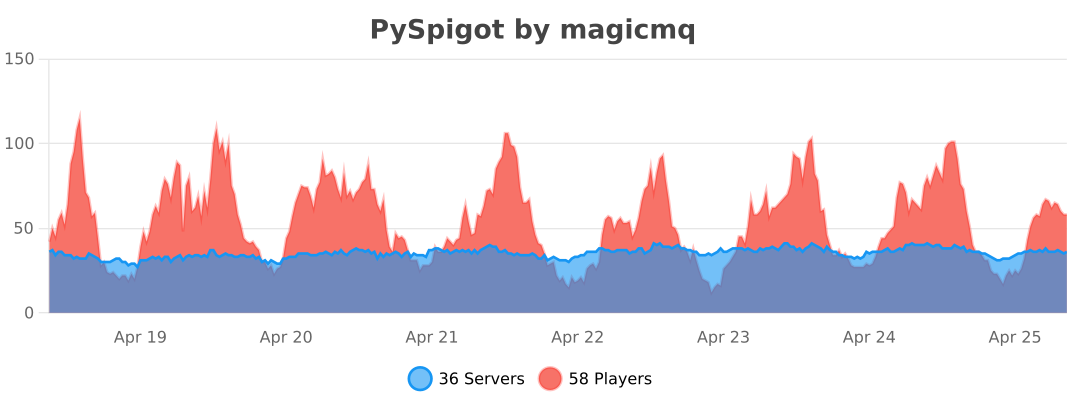
PySpigot
# Description
PySpigot is a Python scripting engine for your Minecraft server. It allows you to create scripts, which act as “mini-plugins”: they can register event listeners, commands, schedule tasks, and more!
PySpigot is a lot like [Skript](https://www.spigotmc.org/resources/skript.114544/), but **much more powerful**. PySpigot utilizes [Jython](https://www.jython.org), a Python implementation that runs entirely on Java. This means that PySpigot scripts have full access to the entire Bukkit/Spigot API, as well as APIs of any other loaded plugins. In general, a PySpigot script can do anything Python can do, and anything a plugin can do as well.
**Currently supports Bukkit server implementations, including Spigot, Paper, and Purpur, on Minecraft versions 1.16 and newer**. There is currently an unofficial, preliminary release of PySpigot for BungeeCord available for open testing. [Download it here.](https://github.com/magicmq/pyspigot/releases/download/v0.9.0/pyspigot-bungee-0.9.0.jar)
For complete documentation on the plugin and writing scripts, [visit the official documentation](https://pyspigot-docs.magicmq.dev).

Join the discord for support and to stay in the loop regarding updates!
# Features
– Load scripts on server start and via commands
– Stop, reload, and unload server scripts via commands
– Support for both single-file scripts and multi-file projects
– Register event listeners
– Register commands
– Schedule tasks (synchronous and asynchronous)
– Work with config files
– Register ProtocolLib packet listeners and send packets
– Register PlaceholderAPI placeholder expansions
– Comprehensive logging of errors and exceptions on a per-script basis, to file
– Load Java libraries you’d like to work with at runtime
– Write scripts in Python syntax
– Scripts have complete access to the Bukkit/Spigot API, as well as APIs of other plugins, so anything is possible.
– Support for working with SQL, Mongo, and redis servers
– And more!
# Commands
– `/pyspigot reload`: List some useful links (Documentation, Discord, etc.)
– `/pyspigot info [scriptname/projectname]`: Displays detailed information about a script or project, including uptime, registered listeners, commands, and more info
– `/pyspigot listscripts`: List loaded and unloaded scripts and projects
– `/pyspigot load [scriptname/projectname]`: Load a script or project with the given name
– `/pyspigot loadlibrary [libraryname]`: Load a Java library with the given name
– `/pyspigot reloadall`: Reload the entire plugin, including scripts, projects, libraries, and config
– `/pyspigot reload [scriptname/projectname]`: Reload a loaded script or project
– `/pyspigot reloadconfig`: Reload PySpigot’s config.yml
– `/pyspigot unload [scriptname/projectname]`: Unload a script or project
# Configuration
“`yaml
# If false, will disable collection of metrics information by bStats for PySpigot. You may also disable bStats server-wide in the bStats config.yml under /plugins/bStats.
metrics-enabled: true
# The delay for loading scripts (in ticks) after the server finishes loading.
script-load-delay: 20
# List of relocation rules for libraries in the libs folder. Format as |
library-relocations: []
# Date/time format for timestamps in script log files, written in Java’s SimpleDateFormat pattern: https://docs.oracle.com/en/java/javase/11/docs/api/java.base/java/time/format/DateTimeFormatter.html
log-timestamp-format: ‘MMM dd yyyy HH:mm:ss’
# If true, will print log messages to console every time a script is loaded, run, and unloaded.
script-action-logging: true
# If true, will log all redis events to the console and to a script’s logger. If false, will only log reconnect events (reconnect attempts and failures)
verbose-redis-logging: true
# If true, scripts will be automatically unloaded if a plugin the script depends on is unloaded. This is especially useful to ensure script shutdown tasks that require a depending plugin complete successfully (prior to the plugin being unloaded).
script-unload-on-plugin-disable: true
# Options that pertain to Jython. Changing options in this section requires a server restart.
jython-options:
# If true, the Jython runtime will be initialized during plugin load/server start. If false, the Jython runtime will not be initialized until the first script is loaded.
init-on-startup: true
# A list of system properties that will be passed to Jython. For a complete list, see https://javadoc.io/doc/org.python/jython-standalone/latest/org/python/core/RegistryKey.html
properties:
– ‘python.cachedir.skip=true’
# A list of args to pass to Jython when initialized. Equivalent to sys.argv in Python.
args:
– ”
# Default values for script options. If one or more options are not defined in the script_options.yml for the script, then PySpigot will fall back to these values.
script-option-defaults:
# For projects, the main script file for the project.
main: ‘main.py’
# Whether the script is enabled
enabled: true
# An integer load priority for the script
load-priority: 1
# A list of plugins the script depends on
plugin-depend: []
# Whether script log messages should be logged to its respective log file
file-logging-enabled: true
# The minimum level to log to the console and to the script’s log file
min-logging-level: ‘INFO’
# The default permission level for permissions
permission-default: ‘op’
# Advanced debug options for scripts
debug-options:
# If true, will print stack traces for all script-related exceptions to the server console
print-stack-traces: false
# If true, the plugin will show messages in console and on join (to players with the permission pyspigot.admin) when a newer version of PySpigot is available to download on spigotmc.org.
show-update-messages: true
# The logging level for Jython internals. Can be useful to set this to FINE or ALL for debugging purposes. Note: the server’s root logger will also need to be configured to accept debug messages for Jython’s debug messages to show.
jython-logging-level: ‘INFO’
# If true, PySpigot will patch the threading module on script unload (if it’s being used in the script) in order to prevent the server from hanging. For more information, see https://github.com/magicmq/pyspigot/issues/18#issue-3012022678
patch-threading: true
“`
# Some Helpful Links
– Complete documentation: https://pyspigot-docs.magicmq.dev
– Source code: https://github.com/magicmq/pyspigot
– For developers, check out PySpigot’s Javadocs here: https://javadocs.magicmq.dev/pyspigot/
# Metrics
PySpigot collects anonymous server statistics via [bStats](https://bstats.org/plugin/bukkit/PySpigot/18991), an open-source statistics collection service for Minecraft servers. You may opt out of this feature in the PySpigot `config.yml` or in `/plugins/bStats/config.yml`.
PvPIndex Battle
**PvPIndex Battles** is a competitive PvP plugin for Paper, Folia, Purpur, Spigot, BungeeCord, and Velocity servers. It adds a full **1v1 duel and ranked matchmaking system** with per-mode **ELO ratings**, persistent global leaderboards, battle replays, and a moderation suite – all synced to [pvpindex.com](https://pvpindex.com) so your players’ rankings persist across the entire network.
> **Supported game modes:** Crystal PvP · Sword PvP · Pot PvP · NoDebuff · Soup PvP · Axe PvP · Mace PvP · Boxing · Sumo · UHC
—
## Features
– **10 ranked game modes** – Crystal, Sword, Pot, NoDebuff, Soup, Axe, Mace, Boxing, Sumo, UHC – each with independent ELO ladders and separate leaderboards
– **1v1 matchmaking queue** – fully configurable 54-slot GUI with per-mode ELO, countdowns, and automatic arena teleportation
– **Cross-server duels** – `/battle challenge [mode]` works standalone or routes through a Velocity or BungeeCord proxy
– **Network-wide tab completion** – proxy broadcasts all online players so `/battle challenge ` shows names from every backend server
– **Battle replay system** – frame-by-frame recording, reviewable in-game with `/pvpmod replay `
– **Arena pool** – procedural, schematic, and world-copy generation strategies; four bundled schematics included
– **Moderation suite** – player reports, local bans, federated network-wide bans, real-time spectating
– **PlaceholderAPI integration** – ELO, rank, win/loss, queue state, and active mode placeholders for scoreboards and tab lists
– **Fully configurable messages** via `messages.yml`
– **HMAC-signed payloads** – battles are cryptographically signed before submission; the API rejects anything tampered with
– **Open ELO formula** – K=32 trust-weighted implementation published under MIT at [github.com/PVP-Index/battle-validator](https://github.com/PVP-Index/battle-validator)
– **Folia compatible** – runs on Folia, Paper, Purpur, Spigot, and Bukkit (1.21+)
—
## Requirements
| Requirement | Version |
|—|—|
| Java | 21+ (25+ for Paper API 26.1.x) |
| Paper / Folia / Purpur / Spigot | 1.21.x or 1.21.4+ (API 26.1.x) |
| Velocity or BungeeCord *(optional)* | Velocity 3.x / BungeeCord 1.21+ |
| PlaceholderAPI *(optional)* | 2.11+ |
| PvPIndex API key | Free at [pvpindex.com](https://pvpindex.com) |
—
## Installation
### Paper / Folia / Purpur / Spigot
1. Drop `PvPIndexBattles-.jar` into `plugins/`.
2. Start the server, configs are generated automatically.
3. Stop the server, then add your API key to `plugins/PvPIndexBattles/config.yml`:
“`yaml
api:
api_key: “your-api-key-here”
server:
id: “my-server”
“`
4. Restart and run `/pvpindex` to confirm everything loaded correctly.
### Velocity / BungeeCord *(optional)*
Drop `PvPIndexBattles-velocity-.jar` into your proxy `plugins/` folder and configure `plugins/pvpindex-battles/config.properties` with the same API key and shared secret as your backend servers.
→ Full proxy setup guide: [docs.pvpindex.com/server_owner/proxy-setup](https://docs.pvpindex.com/server_owner/proxy-setup)
—
## Commands
### `/battle` Players
| Command | Description |
|—|—|
| `/battle` | Open the matchmaking mode selection GUI |
| `/battle challenge [mode]` | Send a duel challenge |
| `/battle accept ` | Accept a challenge |
| `/battle decline ` | Decline a challenge |
| `/battle leave` | Leave the queue or forfeit an active battle |
### `/pvpindex` Admins
| Command | Permission | Description |
|—|—|—|
| `/pvpindex reload` | `pvpindex.reload` | Reload plugin config |
| `/pvpindex submissions` | `pvpindex.admin` | View pending battle submissions |
| `/pvpindex sync` | `pvpindex.admin` | Retry unsubmitted battles |
| `/pvpindex retryfailed` | `pvpindex.admin` | Retry failed API submissions |
### `/pvpmod` Moderation
| Command | Permission | Description |
|—|—|—|
| `/pvpmod watch ` | `pvpindex.mod` | Spectate a live battle |
| `/pvpmod replay ` | `pvpindex.mod` | Play back a recorded battle |
| `/pvpmod report ` | `pvpindex.mod.report` | Report a player |
| `/pvpmod ban ` | `pvpindex.mod.ban` | Ban a player from battles |
| `/pvpmod unban ` | `pvpindex.mod.ban` | Unban a player |
—
## PlaceholderAPI
| Placeholder | Returns |
|—|—|
| `%pvpindex_elo%` | Overall ELO rating |
| `%pvpindex_elo_%` | ELO for a specific mode |
| `%pvpindex_rank%` | Global ladder position |
| `%pvpindex_wins%` | Session wins |
| `%pvpindex_losses%` | Session losses |
| `%pvpindex_kd%` | Win/loss ratio |
| `%pvpindex_in_battle%` | `true` / `false` |
| `%pvpindex_queued%` | `true` / `false` |
| `%pvpindex_queued_mode%` | Current queue mode or `none` |
| `%pvpindex_battle_type%` | Display name of the active mode |
—
## Configuration
“`yaml
# plugins/PvPIndexBattles/config.yml
api:
api_key: “”
base_url: “https://api.pvpindex.com/api”
server:
id: “my-server”
require_signature: false # Recommended: set to true in production
debug: false
arena:
world_prefix: “pvpindex_arena”
cleanup_delay_ticks: 100
queue:
max_wait_seconds: 120
“`
→ Full reference: [docs.pvpindex.com/server_owner/configuration](https://docs.pvpindex.com/server_owner/configuration)
—
## Links
– **Website & leaderboards** – [pvpindex.com](https://pvpindex.com)
– **Documentation** – [docs.pvpindex.com](https://docs.pvpindex.com)
– **Source (plugin)** – [github.com/PVP-Index/pvpindex-battles](https://github.com/PVP-Index/pvpindex-battles)
– **Source (ELO formula / anti-cheat)** – [github.com/PVP-Index/battle-validator](https://github.com/PVP-Index/battle-validator)
– **Issue tracker** – [github.com/PVP-Index/pvpindex-battles/issues](https://github.com/PVP-Index/pvpindex-battles/issues)
—
## License
The ELO validator is published under [MIT](https://github.com/PVP-Index/pvpindex-battles/blob/main/LICENSE). See [LICENSE](https://github.com/PVP-Index/pvpindex-battles/blob/main/LICENSE) for the plugin itself.
pv-addon-nickname
## Plasmo Voice Nickname Addon
A **Plasmo Voice** addon that displays player nicknames instead of their Minecraft usernames.
Starting with **v2.0.0**, the addon ships as a **single universal jar** that runs on every server-side platform Plasmo Voice supports — drop it into `plugins/` (Bukkit-family) or `mods/` (Fabric, NeoForge via Sinytra Connector), no separate downloads.
### Example

—
## Tested matrix (v2.1.0)
Verified by booting each combination with the addon and observing both successful PV addon registration and `Done (…)` from the server thread:
| Loader | MC versions tested | Plasmo Voice | Java | Install addon in | Result |
| — | — | — | — | — | — |
| **Paper** | 1.20.1, 1.21.1, 1.21.11 | Paper 2.1.9 | 21 | `plugins/` | ✅ |
| **Folia** | 1.20.1, 1.21.4, 1.21.11 | Paper 2.1.9 | 21 | `plugins/` | ✅ |
| **Canvas** (Folia fork) | 26.1.2 | Paper 2.1.9 | 25 | `plugins/` | ✅ |
| **Fabric** | 1.20.1, 1.21.1, 1.21.4, 1.21.6, 1.21.11, 26.1.2 | Fabric 2.1.9 | 21 / 25 | `mods/` | ✅ |
| **Velocity** | 3.4.0-SNAPSHOT | Velocity 2.1.9 | 21 | `plugins/` | ✅ |
| **NeoForge** (native PV) | 21.1.228 / 1.21.1 | NeoForge 2.1.9 | 21 | `mods/` | ✅ |
| **Forge** (native PV) | 47.4.20 / 1.20.1, 52.1.14 / 1.21.1 | Forge 2.1.9 | 21 | `mods/` | ✅ |
| **Arclight Fabric** (Bukkit + Fabric hybrid) | 1.0.2-SNAPSHOT / 1.21.1 | Fabric 2.1.9 | 21 | `mods/` | ✅ |
**Note for Forge / NeoForge users:** install **Plasmo Voice’s native Forge or NeoForge build** (e.g. `plasmovoice-forge-1.21.1-2.1.9.jar` or `plasmovoice-neoforge-1.21.1-2.1.9.jar`), not the Fabric jar with Sinytra Connector. The addon ships auto-generated Forge / NeoForge entrypoints that load cleanly against the native PV builds — no Connector required.
The addon itself does not depend on any platform-internal API, so it should work on every other Plasmo-Voice-supported MC version (1.20.1 → 26.1.2) on the loaders listed above; the table above is just what was actually booted and verified.
—
## Supported platforms
One jar covers all of these:
– **Bukkit / Spigot / Paper / Purpur / Folia** (and Folia forks like Canvas)
– **Fabric** (1.20.1 → 26.1.x)
– **Forge** (uses Plasmo Voice’s native Forge build)
– **NeoForge** (uses Plasmo Voice’s native NeoForge build, no Connector required)
– **Velocity** (proxy)
– **BungeeCord** (proxy)
—
## Placeholder support
The format string in `config.toml` is parsed by the best resolver available on the running platform:
| Platform | Resolver | Notes |
| — | — | — |
| Bukkit / Paper / Folia / Purpur / Spigot | **PlaceholderAPI** | Optional. Falls back to built-in placeholders if not installed. |
| Fabric | **PB4 Text Placeholder API** | Optional. Falls back to built-in placeholders if not installed. |
| NeoForge / Velocity / BungeeCord | Built-in | Use the built-in placeholders below. |
### Built-in placeholders
Always available, regardless of platform:
– `%player_name%`
– `%player_uuid%`
– `%player_displayname%`
—
## Commands & Permissions
| Command | Permission | Default | Action |
| — | — | — | — |
| `/pvnreload` | `pv.addon.nickname.reload` | `op` | Reload `config.toml` at runtime. Works with LuckPerms / Vault / PEX on Bukkit-family. |
The config also reloads automatically when Plasmo Voice’s own `/vreload` runs.
—
## Installation
1. Install **Plasmo Voice 2.1.9** on your server or proxy. Forge / NeoForge users: use the native PV Forge or NeoForge jar (no Connector needed).
2. Drop `pv-addon-nickname-.jar` into the same `plugins/` or `mods/` folder as Plasmo Voice.
3. Start the server. A config will be generated at `plugins/pv-addon-nickname/config.toml` (Bukkit) or `config/pv-addon-nickname/config.toml` (Fabric/proxy).
### Default config
“`toml
# Built-in placeholders: %player_name%, %player_uuid%, %player_displayname%
# On Bukkit/Paper with PlaceholderAPI installed, all PAPI placeholders work.
# On Fabric with PB4 placeholder-api installed, %namespace:placeholder% syntax works.
format = “%player_displayname%”
“`
Reload with `/pvnreload` (or Plasmo Voice’s `/vreload`) after editing.
—
## Migration from 1.x
– Old `1.0.0` (plugin) and `1.1` (NeoForge) splits are merged into a single jar starting at `2.0.0`.
– Config format moved from JSON to TOML. Re-create your `format` value in the new TOML config.
– The NeoForge-only `/pvn` command was removed; the addon now uses **Plasmo Voice’s player info** path on every platform, which is what client-side mods (e.g. nickname mods) expect.
—
## Source
GitHub:
—
## Contributors
– **AsamiKafune** — original NeoForge port and internal nickname system that inspired the unified built-in resolver.