VoxaAegis
# VoxaAegis
VoxaAegis is a layered anti-bot protection system for Minecraft server networks.
It is built to reduce the impact of join floods, coordinated bot waves, repeated retry swarms, suspicious registration behavior, and abnormal post-join bot sessions through explainable server-side mitigation.
VoxaAegis does not try to be a DDoS firewall. It is a plugin-layer defense system for Minecraft traffic that helps operators detect, slow down, isolate, challenge, and block bot-like clients before they can damage the player experience.
## What It Does
VoxaAegis combines multiple protection layers instead of relying on one simple rate limit.
Main features:
– Join flood and burst-rate limiting
– Coordinated username, timing, IP, and subnet wave detection
– Risk scoring for suspicious usernames, fresh addresses, retry swarms, churn, and offender memory
– Quarantine flow for suspicious joins
– Fake entry gate / screening room for players under review
– Adaptive anti-bot challenges
– HumanityGate post-join verification
– Post-join liveness checks for physics-void and look-only sessions
– Client brand, locale, ping, movement, and interaction signal checks
– Repeated `/register` secret wave detection without storing plaintext passwords
– Persistent cooldown ledger for restart-safe mitigation memory
– Runtime bypass and temporary trust controls
– Operator-facing status, stats, diagnostics, event journal, and support dumps
## Commands
– `/voxaaegis help` — show command list
– `/voxaaegis status` — live protection overview
– `/voxaaegis stats` — mitigation and screening statistics
– `/voxaaegis profile` — current attack profile
– `/voxaaegis attacklog [limit]` — recent attack summaries
– `/voxaaegis events [limit]` — recent event journal
– `/voxaaegis dump` — write a support dump
– `/voxaaegis inspect ` — inspect a live player
– `/voxaaegis analyze [ip]` — preview join scoring
– `/voxaaegis doctor` — topology and runtime checks
– `/voxaaegis cache status` — cache and housekeeping state
– `/voxaaegis cache purge` — force cleanup
– `/voxaaegis release ` — release a quarantined player
– `/voxaaegis bypass add ` — add a runtime username bypass
– `/voxaaegis bypass add-ip ` — add a runtime IP bypass
– `/voxaaegis bypass remove ` — remove a runtime username bypass
– `/voxaaegis bypass remove-ip ` — remove a runtime IP bypass
– `/voxaaegis bypass list` — list runtime username bypasses
– `/voxaaegis bypass list-ip` — list runtime IP bypasses
– `/voxaaegis trust add ` — temporarily trust an address
– `/voxaaegis trust remove ` — remove temporary trust
– `/voxaaegis trust list` — list trusted addresses
– `/voxaaegis reload` — soft reload
– `/voxaaegis hard-reload` — full runtime rebuild reload
## Why Use It
VoxaAegis is designed for server owners who want practical anti-bot protection without losing visibility.
The plugin focuses on:
– layered mitigation instead of one brittle hard block
– readable operator diagnostics
– clear attack summaries
– configurable quarantine and challenge behavior
– safer handling of suspicious players before they reach the real server
– compatibility with authentication plugins through allowed auth commands
– actionable status output for tuning during attacks
## Supported Platforms
Primary backend line:
– Paper
– Purpur
– Pufferfish
– Spigot best-effort
Proxy / network line:
– Velocity
– BungeeCord / Waterfall
Secondary / experimental lines:
– Folia
– Sponge
– Legacy Spigot / Paper 1.16.5 – 1.19.4 through the separate legacy jar
## Version Support
Modern backend and proxy line:
– Minecraft `1.20 – 1.21.11`
Legacy backend line:
– Minecraft `1.16.5 – 1.19.4`
– Requires Java 17
– Uses the separate `voxa-aegis-legacy-0.3.jar`
## Important Notes
– Current release line: **0.3**
– Main recommended runtime: **Paper / Purpur / Pufferfish**
– Sponge is a narrow experimental line and should not be treated as equal to the Paper-family runtime.
– BungeeCord / Waterfall support exists, but Velocity is the preferred proxy platform.
– VoxaAegis is not a replacement for real network-layer DDoS protection.
– For very large attacks, use proper hosting protection and a proxy-first architecture.
Chat – Vox
**Vox** – A modern, convenient, customisable and evolving chat plugin that allows you to make your chat unique. There is a possibility of extensive configuration settings.
## Capabilities & Features
### Global Chat

### Local Chat

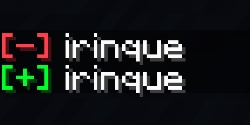
### Customizable Join & Quit Messages
### Death Messages

### Private Messages with sounds

## Commands
“`/voxchat“`, “`/vox“`, “`vc“`
## Update plan
– Chat for administration;
– Mentions;
– Scheduled Messages;
– More Customisation;
– World Channels
Vouchers
Vouchers is a lightweight and highly customizable plugin for creating vouchers and consumable items!
**Require**: PlaceholderAPI
## Features
– Fully customizable
– Cooldown and usage limit *per permission*
– *Global* usage limit
– Customize your consumable items!
– Execute multiple rewards per item
– **Shift** to bulk open!
– PlaceholderAPI support
– RGB support for items and messages
– Offline player support
– JSON logging
## Wiki
Visit the wiki to see how to use the plugin


## Support
Join my Discord server for plugin support

Votiful
## A High-Performance Vote Listener for NuVotifier
This plugin is a lightweight, high-performance addon for NuVotifier, designed specifically to handle a massive number of concurrent votes without impacting your server’s performance.
## Why Choose This Plugin?
Does your server lag when many players vote at once? This plugin was built to solve that exact problem. After struggling with performance issues on our own server, we developed a robust system capable of processing votes with extreme efficiency. It’s battle-tested and stable under pressure, ensuring your server remains responsive even during peak voting hours. If you run a demanding server and need a reliable vote-processing solution, this is the plugin for you.
## Features
This plugin expands NuVotifier by adding two core, performance-focused features:
* **Vote Statistics:** Track essential voting data with provided placeholders. Easily display total votes, top voters, and more on scoreboards, in GUIs, or anywhere else PlaceholderAPI is supported.
* **Vote Event:** A dedicated system allows admins to easily and reliably hook into the voting process to create custom rewards, trigger server commands, or integrate with other systems.
## Video
VoteRewards
# VoteRewards
**Powerful as VotingPlugin, easy as SuperbVote.** The vote reward plugin that respects
your time — full-featured out of the box, no PhD in YAML required.
## Why VoteRewards?
Most vote plugins make you choose: powerful but complex, or simple but limited.
VoteRewards gives you both — streak milestones, vote parties, weighted random rewards, and
monthly leaderboards, all working from a clean default config the moment you drop in the
jar.
## Features
– **Vote Rewards** — Run commands, give items, send messages on every vote
– **Vote Streak Tracking** — Reward players who vote consistently (3-day, 7-day, 30-day
milestones)
– **Vote Party** — Server-wide celebration when the community hits a vote threshold
– **Random Rewards** — Weighted random loot (common/rare/legendary) on each vote
– **Monthly Leaderboard** — Top voters reset each month, keeping competition fresh
– **Offline Vote Queue** — Votes while offline are saved and delivered on next login
– **PlaceholderAPI Support** — Full placeholder integration for scoreboards, holograms,
etc.
– **Vault Economy** — Give money rewards via any Vault-compatible economy plugin
– **Fully Configurable** — Every message, reward, and threshold is customizable
## Commands
| Command | Permission | Description |
|———|———–|————-|
| `/votereward` | `votereward.use` | Show help menu |
| `/votereward check` | `votereward.use` | View your vote stats, streak, and pending
rewards |
| `/votereward top` | `votereward.use` | View top voters this month |
| `/votereward reload` | `votereward.admin` | Reload configuration |
| `/votereward give ` | `votereward.admin` | Manually give vote rewards |
| `/votereward party` | `votereward.admin` | Manually trigger a vote party |
| `/votereward reset ` | `votereward.admin` | Reset a player’s vote data |
**Aliases:** `/vr`, `/vote`
## PlaceholderAPI Placeholders
| Placeholder | Description |
|————-|————-|
| `%votereward_votes%` | Player’s total all-time votes |
| `%votereward_monthly_votes%` | Player’s votes this month |
| `%votereward_streak%` | Current vote streak (days) |
| `%votereward_party_current%` | Current vote party vote count |
| `%votereward_party_needed%` | Votes remaining until party |
| `%votereward_top_N_name%` | Name of #N top voter |
| `%votereward_top_N_votes%` | Vote count of #N top voter |
## Dependencies
– **Required:** NuVotifier
(receives votes from vote sites)
– **Optional:** Vault (economy
rewards), PlaceholderAPI
(placeholders)
## Installation
1. Download the `.jar` file
2. Place it in your server’s `/plugins/` folder
3. Restart your server
4. Edit `config.yml` to customize rewards, streaks, and party settings
5. Done — default config works out of the box
## Supported Versions
Paper 1.20.x — 1.21.x (Java 17+)
VotePass-Mailer
# VotePass-Mailer
Support email notify for VotePass in game servers.
## Dependencies
– **[Necessary]** Functions based on VotePass-Game .
– **[Recommend]** Placeholders based on PlaceholderAPI .
For development dependencies, please
see Dependencies .
## Commands
The main command is `/VotePassMailer`.
“`text
# test
@ Admin command
– Send a test email to the specified email address.
# reload
@ Admin command
– Reload the configuration file.
“`
## Configurations
### Plugin Configuration (`config.yml`) .
Will be generated on the first boot up.
### Messages Configuration (`messages.yml`)
Will be generated on the first boot up.
## Permissions
“`text
# VotePass.admin
– The permissions for admin commands and functions.
“`
## Statistics

## Open Source Licence
The source code of this project adopts the GNU General Public License v3.0.
## Supports
This project is mainly developed by the Artfrom Games .

Many thanks to Jetbrains for kindly providing a license for us to work on this and other open-source projects.

VotePass
“`text
_ __ __ ____
| | / /___ / /____ / __ ____ ___________
| | / / __ / __/ _ / /_/ / __ `/ ___/ ___/
| |/ / /_/ / /_/ __/ ____/ /_/ (__ |__ )
|___/____/__/___/_/ __,_/____/____/
“`
README LANGUAGES [ [**English**](README.md) | [中文](README_CN.md) ]




# **VotePass**
> You have been **”Passed by Vote”** !
An efficient and fair verification plugin for whitelisted servers,
which supports players to submit whitelist requests by themselves
and be reviewed by all players who have passed.
> This plugin has been published on SpigotMC and Modrinth.

## Features & Advantages
– **Database Sync!** Based on database storage, data is safe and synchronized.
– **Easy to configure!** Simple and convenient configuration method, all content can be configured!
– **User-friendly GUI!** Full UI configuration, very easy for players to operate.
– **Player participation!** Players can participate in the management of the server, making them more involved.
## Screenshots


## Dependencies
– **[Recommend]** Placeholders based on PlaceholderAPI .
For development dependencies, please
see Dependencies .
## Extensions
> Have you developed an extension plugin related to this plugin?
> Welcome to submit your extension plugin in Issues
> and we will add it to the list!
### **VotePass-Mailer**
Support email notify for VotePass in game servers.
### **VotePass-QQNotify**
Support QQ notify for VotePass in lobby servers.
## Commands
The main command is `/VotePass` or `/vp`.
### Lobby side
“`text
# request
@ Player command
– Submit a whitelist request for a specific server.
– If the server has configured the rules, the rule agreement will be opened first;
– If not, the question-related GUI will be popped up directly for the player to fill in.
# accept
@ Player command
– Agree to the rules of the specified server and start filling in the answers to the questions.
# deny
@ Player command
– Refuse the rules of the specified server.
# reload
@ Admin command
– Reload the configuration file.
# toggle
@ Admin command
– Enable/Disable the vote application for the corresponding server.
“`
### Game side
“`text
# requests
@ Player command
– View all whitelist requests that have not been participated in.
# handle
@ Player command
– (Continue to) process the specified whitelist request.
# abstain
@ Player command
– Enable/Disable the auto abstain function.
# manage
@ Admin command
– Open the administrator operation GUI to directly operate the whitelist.
# reload
@ Admin command
– Reload the configuration file.
# sync
@ Admin command
– Synchronize the whitelist of the corresponding server to the database.
# migrate
@ Admin command
– Migrate the whitelist of the server from the “whitelist.json”.
# list
@ Admin command
– List all players in whitelist.
# add
@ Admin command
– Add a player to the whitelist.
– Player should joined the server(e.g lobby) at least once.
# remove
@ Admin command
– Remove a player from the whitelist.
“`
## Configurations
You can find configuration translations
at VotePass-Translations.
### Plugin Configuration (`config.yml`) .
Will be generated on the first boot up.
### Messages Configuration (`messages.yml`)
Will be generated on the first boot up.
### Server Application Configuration ([`servers/*.yml`](lobby/plugin/src/main/resources/servers/survival.yml))
All server’s application configuration are separate configuration files,
stored in the lobby’s `/servers/` for easy management.
You can edit the storage path of the server configuration file in the plugin configuration file.
## Permissions
“`text
# VotePass.admin
– The permissions for all admin commands and functions.
# VotePass.abstain
– The permission that allow user to toggle auto abstain.
“`
## Statistics


## Open Source Licence
The source code of this project adopts the GNU General Public License v3.0.
## Supports
This project is mainly developed by the Artfrom Games .

Many thanks to Jetbrains for kindly providing a license for us to work on this and other open-source projects.

VoteMe
“`
__ __ _ _ __ __
/ /__ | |_ ___| |/| | / | ___
V / _ | __/ _ |/| | |/| |/ _
_/ ___/_____/_| |_||_| |_|___/
“`
**Turn every vote into a reward. No ports. No daemons. Just a clean API.**

![MC Version]()
![API]()
![Author]()
—
## What is VoteMe?
VoteMe is a lightweight, pure API-based voting plugin for Java Edition servers. Players open a clean chest GUI, click a site, and their reward lands in their inventory — no port forwarding, no external listener, no daemon process needed.
It supports two of the biggest Minecraft server listing sites out of the box, and every single piece of behavior — sounds, messages, rewards, GUI title, vote party threshold — is configurable down to the last character.
—
## Feature Overview
“`
/vote Opens a 27-slot chest GUI
/vote list Lists all vote site links in chat
Join Reminder Tells players how many votes they haven’t claimed yet
Dual API Support Minecraft Pocket Servers + Minecraft-MP, one or both
Fully Async Zero impact on main thread — all API calls are non-blocking
Reward System Any console command as a reward (items, money, permissions)
Vote Party Server-wide reward event when a vote milestone is hit
Sound Feedback Villager + XP Orb sounds for every vote outcome
PlaceholderAPI 4 ready-to-use placeholders for scoreboards
Hot Reload /votereload — no restart needed after config changes
“`
—
## Requirements
| Requirement | Version | Notes |
|—|—|—|
| Java | 21+ | |
| Paper or Spigot | 1.21.1 | Also runs on Purpur, Pufferfish, and other forks |
| PlaceholderAPI | Any | Optional — unlocks `%voteme_*%` placeholders |
—
## Installation
**Step 1.** Drop `VoteMe.jar` into your `/plugins` folder.
**Step 2.** Start the server once to generate the config file at `plugins/VoteMe/config.yml`.
**Step 3.** Open the config and fill in your API key(s) and server page URL(s).
**Step 4.** Run `/votereload` in-game or from console. Done.
—
## Configuration
“`yaml
# ╔══════════════════════════════════════════════════════════╗
# VoteMe Configuration — by Herza
# ╚══════════════════════════════════════════════════════════╝
# ── Vote Sites ─────────────────────────────────────────────
# Set api-key to “” to disable that site.
# You can run one site, or both at the same time.
minecraft-pocket:
api-key: “”
name: “Minecraft Pocket Servers”
url: “https://minecraftpocket-servers.com/server/YOUR_ID”
minecraft-mp:
api-key: “”
name: “Minecraft-MP”
url: “https://minecraft-mp.com/server/YOUR_ID”
# ── Join Reminder ──────────────────────────────────────────
# When a player joins, VoteMe checks all enabled sites.
# If unclaimed votes exist, the player gets a private message.
# Set to false to disable.
join-reminder: true
# ── Rewards ────────────────────────────────────────────────
# Console commands executed when a player claims a vote.
# Variable: {player}
rewards:
– “give {player} diamond 1”
– “eco give {player} 500”
# ── Messages ───────────────────────────────────────────────
# Supports & color codes. Variables: {player}, {link}
# Set any value to “” to disable that message.
messages:
success: “&a[Vote] &fThank you for voting, &e{player}&f! Rewards sent.”
already-claimed: “&e[Vote] &fYou already claimed your reward today.”
not-voted: “&c[Vote] &fYou haven’t voted yet. Head to: &e{link}”
error: “&c[Vote] &fCould not reach the voting API. Try again later.”
# ── Broadcast ──────────────────────────────────────────────
# Sent to ALL online players when someone claims a vote.
# Variables: {player}, {link}. Set to [] to disable entirely.
broadcast:
– “&6[Vote] &e{player} &fjust claimed their vote rewards! Vote at &e{link}&f.”
# ── Vote Party ─────────────────────────────────────────────
# Fires every time total votes hit a multiple of this number.
# Set to 0 to disable vote party entirely.
vote-party: 50
# Console commands run for EVERY online player when the party fires.
# Variable: {player}
vote-party-rewards:
– “give {player} diamond 5”
# ── GUI ────────────────────────────────────────────────────
gui:
title: “&8» &6&lVoteMe &8«”
# ╔══════════════════════════════════════════════════════════╗
# PlaceholderAPI — requires PlaceholderAPI plugin
#
# %voteme_total_votes% All-time total votes recorded
# %voteme_party_progress% Votes in the current party cycle
# %voteme_party_target% Target to trigger a party (N/A if off)
# %voteme_party_needed% Remaining votes until next party (N/A if off)
#
# Scoreboard examples:
# “&fTotal Votes &e%voteme_total_votes%”
# “&fParty &e%voteme_party_progress%&7/&6%voteme_party_target%”
# “&fNext Party In &e%voteme_party_needed% &fvotes”
# ╚══════════════════════════════════════════════════════════╝
“`
### Where to get your API key
**Minecraft Pocket Servers** — Log into your dashboard at `minecraftpocket-servers.com`, open your server settings, and copy the API key from the voting section.
**Minecraft-MP** — Log into `minecraft-mp.com`, go to your server panel, and find the API key under the voting/API tab.
—
## Commands
| Command | What it does | Permission |
|—|—|—|
| `/vote` | Opens the vote chest GUI | `voteme.vote` |
| `/vote list` | Lists all vote site names and links in chat | `voteme.vote` |
| `/votereload` | Reloads config without restarting the server | `voteme.admin` |
—
## Permissions
| Node | Default | Description |
|—|—|—|
| `voteme.vote` | All players | Access to `/vote` and `/vote list` |
| `voteme.admin` | OP only | Access to `/votereload` |
—
## PlaceholderAPI
Install PlaceholderAPI and VoteMe registers its expansion automatically on startup — no extra commands needed.
| Placeholder | Returns |
|—|—|
| `%voteme_total_votes%` | All-time total votes recorded by the plugin |
| `%voteme_party_progress%` | Votes counted in the current party cycle |
| `%voteme_party_target%` | Vote count target to fire a party (`N/A` if disabled) |
| `%voteme_party_needed%` | Votes remaining until the next party (`N/A` if disabled) |
Works with any scoreboard plugin that supports PlaceholderAPI — CMI, FeatherBoard, AnimatedScoreboard, etc.
“`
&fTotal Votes &e%voteme_total_votes%
&fParty &e%voteme_party_progress%&7/&6%voteme_party_target%
&fNext Party &e%voteme_party_needed% &fvotes
“`
—
## How the Vote API Works
VoteMe talks directly to each site’s HTTP API. There is no listener port, no webhook server, and no firewall rules to configure.
### Minecraft Pocket Servers — two-step flow
“`
Step 1 GET /api/?object=votes&element=claim&key=KEY&username=PLAYER
Response: “1” = unclaimed | “2” = already claimed | “0” = not voted
Step 2 (only if step 1 returns “1”)
GET /api/?action=post&object=votes&element=claim&key=KEY&username=PLAYER
Response: “1” = success
“`
### Minecraft-MP — single-step flow
“`
GET /api/?action=post&object=votes&element=claim&key=KEY&username=PLAYER
Response: “1” = claimed | “2” = already claimed | “0” = not voted
“`
All requests run on a separate async thread. The main server thread is never touched.
—
## Sound Feedback
Every vote outcome plays a distinct sound sequence so players always know what happened without even reading the chat.
| Event | Sound Sequence |
|—|—|
| Vote claimed | `VILLAGER_YES` → `XP_ORB` pitch 1.2 → `XP_ORB` pitch 1.5 → `VILLAGER_CELEBRATE` |
| Not voted / already claimed / error | `VILLAGER_NO` |
| Vote party fires | `VILLAGER_CELEBRATE` → `XP_ORB` x3 rising → `VILLAGER_YES` (all online players) |
—
## Vote Party
Every time a vote is claimed, the server-wide counter goes up by one. When it hits a clean multiple of your configured `vote-party` number, every player currently online receives the `vote-party-rewards` commands and a full sound sequence.
Between milestones, a broadcast keeps everyone in the loop:
“`
[VoteParty] 23/50 votes reached! 27 more needed.
“`
Set `vote-party: 0` to turn it off entirely.
—
## Join Reminder
Two seconds after a player joins (delayed to not overlap with other join messages), VoteMe checks all enabled vote sites in the background. If any site has an unclaimed vote waiting for that player, they get a private message:
“`
[VoteMe] You still have 2 votes on our voting service. Use /vote list
[VoteMe] You still have 1 vote on our voting service. Use /vote list
“`
The count reflects exactly how many sites have an unclaimed vote — not how many times they voted. Set `join-reminder: false` to disable.
—
### Adding a New Vote Site
Feel free to request an more Vote Service
Contact me at [email protected]
## License
“`
MIT License — Copyright (c) 2025 Herza
Free to use, fork, modify, and redistribute with attribution.
See LICENSE for full text.
“`
VoteKick
# ⚡VoteKick⚡
VoteKick is a simple and easy to use vote-kicking plugin that supports 1.8 up to 1.20.6 (Paper, Bukkit, Spigot, Purpur and Folia)
There are also settings you can configure in the config.yml file and messages.yml for editing plugin messages!
# Commands
`/votekick` or `/vk`
– Permission: **votekick.***
## Here are the sub commands for `/votekick`
– /votekick **start [PLAYER]** – Start a vote kick on a player
– /votekick **yes** – Vote YES
– /votekick **no** – Vote NO
– /votekick **cancel** – Cancel the vote kick
– /votekick **check** – Check the status of the ongoing vote kick
– /votekick **reload** – Reload the configuration files
This is also my first plugin I have ever made but I never really bothered uploading it so here you go.
VoteBan Players
# VoteBan
This plugin supports ANY ban or mute system since it uses custom commands.
Commands:
– /votemute [reason] – Start a vote mute for a player online.
– /voteban [reason] – Start a vote ban for a player online.
– /votekick [reason] – Start a vote kick for a player online.
– /addvote – Vote for a current ban/kick in progress.
Permissions:
– VOTEBAN.* – Access to all commands.
– VOTEBAN.VOTE – Use the /addvote command.
– VOTEBAN.STARTKICK – Use the /votekick command.
– VOTEBAN.STARTBAN – Use the /voteban command.
– VOTEBAN.STARTMUTE – Use the /votemute command.
– VOTEBAN.BYPASS – Not allow votes on players with this permission.
Images


