Wound & Bleeding adds a bleeding mechanic to Minecraft combat. When players or mobs are hit by specific weapons—like swords, axes, or tridents—they may begin to bleed. Bleeding causes health to drain slowly over time, especially if the affected entity is moving or sprinting.
To stop the bleeding, players must use bandages. These are crafted from wool and potions and can be used by right-clicking. Bandages instantly stop bleeding and can be configured to be single-use or reusable. All features, including which weapons cause bleeding and how much damage it does, are customizable through the plugin’s config file.
You should download this plugin if you want to make combat more intense and realistic, especially in PvP or survival-based worlds. It encourages preparation, caution, and strategic healing. It works out of the box with no client mods or resource packs required.
Important to know before installing:
Requires a Paper or Spigot server running Minecraft 1.21.4
Fully server-side; players do not need to install anything
All features are configurable, including weapon bleed chance and bandage behavior
No dependencies or external plugins are required (but optional synergy is available)
Worm Rate
Wormrate enables you to have worms be given upon dirt breaking!
useful for adding whimsyness to your minecraft server! good for bentonquest, achievements, etc.
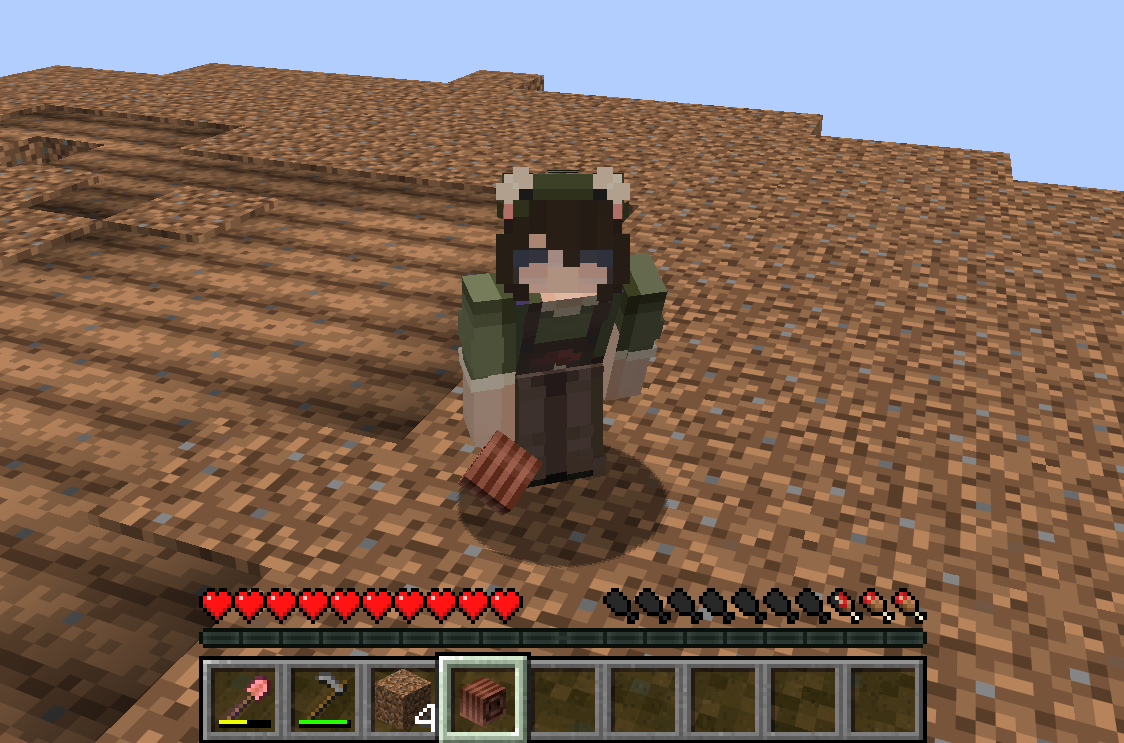
Commands:
“`
/wormrate list
/wormrate get
/wormrate set
/wormrate reset
/wormrate addblock
/wormrate removeblock
/wormrate tilling
“`
Config
“`
– DIRT
– PODZOL
– COARSE_DIRT
– GRASS_BLOCK
– MYCELIUM
– FARMLAND
– ROOTED_DIRT

### What is WorldwideChat?
WorldwideChat is a plugin that lets you communicate with people who may not speak your language. It utilizes various translation APIs to translate different parts of Minecraft on the fly.
This was made in response to the lack of existing translation plugins, and as a former server owner myself this would have come in handy at times.
_If you want to support my work, please feel free to donate at the link above 🙂 Anything is much appreciated!_
**_(Note that you MUST have at least JDK 11 installed for this plugin to function. Additionally, if you are on 1.13-1.15, please always use WorldwideChat-spigot.jar REGARDLESS of if you are actually using paper or not.)_**
**Feel free to try the plugin for yourself at the following IP address:**
– Amazon Translate, Azure Translate, ChatGPT, DeepL Translate, Google Translate, Libre Translate, Ollama, and Systran Translate support.
– Translate chat, signs, entities, items, and written books with an interactive GUI.
– Translation globally, for other players, or just you.
– The plugin itself has been translated into more than 30 languages.
– A cache that stores the most used phrases by players on your server, improving speed and reliability in the event of slow API response times.
– A blacklist to avoid translating certain phrases/words.
– Rate limits so your players don’t fill up a quota too quickly.
– Persistent translation options saved per player across server reboots and reloads.
– Stat tracker to keep track of how your players use this plugin.
– A configuration GUI to easily change config.yml.
– MySQL/MariaDB, PostgreSQL, and MongoDB support.
– Citizens (NPC Dialogue) + DecentHolograms Support.
Please avoid posting bad ratings before asking questions. If you have problems or bugs with the plugin you can either file an issue on Github, or post on the plugin discussion page. Enjoy!
WorldTP
# WorldTP
## The simplest world management plugin.
**Teleport, list, and delete worlds with clean commands — fast, lightweight, and easy to use.**
*Currently only available on versions 1.19-1.21+.* _More version support available if needed (join the discord)_
WorldTimer
# WorldTimer
A Paper 1.20.1 plugin that enforces configurable time limits for specific worlds (e.g., resource worlds) with rank-based overrides via LuckPerms.
## Features
– **Per-world time limits** — Configure how long players can stay in each world
– **Rank-based overrides** — Different ranks get different time limits and cooldowns via LuckPerms permissions
– **Cooldown system** — Players must wait before re-entering a world after their time expires
– **Warning messages** — Configurable warnings at specific time thresholds
– **Expiry actions** — Run commands when a player’s time expires (e.g., titles, effects)
– **Return teleport** — Players are teleported back to their exact pre-entry location
– **Persistent storage** — SQLite database survives restarts and crashes
– **Bypass permission** — Staff can bypass all restrictions per-world
– **LuckPerms** — For permission-based time limits and cooldowns. Without it, all players use the default values from config.
– **Multiverse-Core** — Works seamlessly with Multiverse-managed worlds
## Installation
1. Download the latest `world-timer-x.x.jar` from releases
2. Place it in your server’s `plugins/` folder
3. Restart the server
4. Edit `plugins/WorldTimer/config.yml` to configure your worlds
5. Reload with `/worldtimer reload`
## Configuration
“`yaml
# How often the plugin checks timers (in seconds)
tick-seconds: 1
storage:
type: sqlite
messages:
prefix: “&8[&bWorldTimer&8] &r”
warn: “&eYou have &6%time_remaining% &eremaining in &6%world%&e.”
expired: “&cYour time in &6%world% &chas expired.”
cooldown: “&cYou must wait &6%cooldown_remaining% &cbefore re-entering &6%world%&c.”
worlds:
resource: # World name (case-insensitive)
enabled: true
main-world: “survival” # Fallback teleport world
teleport-location: “spawn” # Currently uses return point or spawn
default-limit-seconds: 1800 # 30 minutes (used if no permission)
default-cooldown-seconds: 600 # 10 minutes (used if no permission)
limit-permission-prefix: “worldtimer.limit.resource.”
cooldown-permission-prefix: “worldtimer.cooldown.resource.”
bypass-permission: “worldtimer.bypass.resource”
warn-at-seconds: [600, 300, 60, 10] # Warn at 10m, 5m, 1m, 10s remaining
expire-commands:
– “title %player% title {“text”:”Time is up!”,”color”:”red”}”
“`
If a player has multiple cooldown permissions, the **highest** value is used.
### Other Permissions
| Permission | Description |
|————|————-|
| `worldtimer.bypass.` | Bypass all restrictions for a world |
| `worldtimer.admin` | Full access to all commands |
| `worldtimer.reload` | Access to `/worldtimer reload` |
| `worldtimer.manage` | Access to reset/addtime/setcooldown commands |
| `worldtimer.status` | Access to `/worldtimer status` |
## Commands
| Command | Description |
|———|————-|
| `/worldtimer reload` | Reload configuration |
| `/worldtimer status [player]` | View timer status for yourself or another player |
| `/worldtimer reset ` | Reset a player’s timer and cooldown |
| `/worldtimer addtime
**Alias:** `/wt`
## How It Works
### Entry Flow
1. Player teleports to a configured world
2. Plugin checks for bypass permission → if present, allow freely
3. Plugin checks for active cooldown → if active, block entry and show message
4. Plugin saves the player’s current location as their **return point**
5. Plugin resolves time limit from permissions (or uses default)
6. Timer tracking begins
### While In World
– Timer increments every tick interval
– Warnings are sent at configured thresholds
– Time is tracked per-player per-world
### On Expiry
1. Expiry message is sent
2. Configured expire-commands are executed
3. Cooldown begins (based on permissions or default)
4. Player is teleported back to their **saved return point**
5. If no return point exists, player goes to main world spawn
### Disconnect Safety
– If a player disconnects while in a limited world, their timer is saved
– On rejoin, if their timer is expired or cooldown is active, they’re teleported to safety
– This prevents bypassing limits by disconnecting or switching servers
## LuckPerms Setup Example
“`bash
# Default rank: 30 minute limit, 10 minute cooldown
/lp group default permission set worldtimer.limit.resource.30m true
/lp group default permission set worldtimer.cooldown.resource.10m true
# VIP rank: 1 hour limit, 5 minute cooldown
/lp group vip permission set worldtimer.limit.resource.1h true
/lp group vip permission set worldtimer.cooldown.resource.5m true
# MVP rank: 2 hour limit, no cooldown
/lp group mvp permission set worldtimer.limit.resource.2h true
/lp group mvp permission set worldtimer.cooldown.resource.0s true
# Staff: bypass all restrictions
/lp group staff permission set worldtimer.bypass.resource true
“`
## Without LuckPerms
If LuckPerms is not installed, the plugin still works:
– All players use `default-limit-seconds` from config
– All players use `default-cooldown-seconds` from config
– Bypass permissions still work via Bukkit’s permission system
– A warning is logged on startup
## Storage
Data is stored in `plugins/WorldTimer/data.db` (SQLite):
– **timer_data** — Per-player per-world: seconds used, cooldown timestamp
– **player_worlds** — Last known world for each player
– **return_locations** — Saved return points (world, x, y, z, yaw, pitch)
## Placeholders
Available in messages:
– `%player%` — Player name
– `%world%` — World name
– `%time_remaining%` — Formatted time remaining (e.g., “5m 30s”)
– `%cooldown_remaining%` — Formatted cooldown remaining
## Building
“`bash
mvn clean package
“`
Output: `target/world-timer-1.0-SNAPSHOT.jar`
## License
MIT
WorldTag
# Detailed Introduction to Minecraft WorldTag Plugin

WorldTag is a lightweight identification plugin specially developed for Minecraft servers. Its core positioning is to realize the associated visualization of players’ names and their current worlds, while balancing practicality, convenience and server performance optimization. It does not rely on any redundant dependency plugins, supports the deployment of Minecraft servers of all scales, provides server administrators with an efficient and flexible world identification management solution, and enhances the interactive experience between players.
## Where can I use WorldTag?
## Detailed Explanation of Core Features
As a dedicated plugin focusing on world identification display, WorldTag abandons redundant functions and focuses on the accurate implementation of core needs. Every function is optimized and designed to balance ease of use and stability.
### 1. Automatic Mounting of Player Name World Tags
The core function of the plugin is to automatically add an identification tag corresponding to the current world before players’ names, realizing intuitive visualization of players’ locations. Whenever players switch between different worlds on the server, the tags will be updated in real time without manual operation by administrators. This allows all online players to quickly identify the current world location of target players, facilitating cross-world interaction guidance between players, helping administrators quickly locate players’ scenarios, and improving server management efficiency.
### 2. Customizable Adaptation of Tag Text and Color
The plugin supports highly flexible tag customization. Server administrators can freely configure the display text and color parameters of each world tag according to their server’s operation style and world themes (such as Survival World, Creative World, Dungeon World, etc.). Through simple configuration operations, the tag text can be accurately matched with the server’s world names. Meanwhile, color parameters can be used to distinguish different world types, enhancing the recognition of tags, making world tags not only practical but also consistent with the overall visual style of the server.
### 3. Comprehensive Fault-Tolerance Adaptation Mechanism
To ensure the stable operation of the plugin, WorldTag has built-in intelligent fault-tolerance logic with special optimization for abnormal configuration file scenarios. When the plugin reads the configuration file, if it cannot recognize the target world folder on the server (such as abnormal folder naming, path changes, missing world files, etc.), it will automatically trigger the fault-tolerance mechanism and display the corresponding world tag as [Unknown]. This design can effectively avoid plugin errors, crashes or display disorders caused by configuration abnormalities, ensuring the plugin runs normally in various complex configuration environments.
## Core Advantages of the Plugin
### Lightweight Design with Low Resource Consumption
The plugin adopts a streamlined development logic, eliminating all non-core redundant code for an extremely compact size. It occupies minimal server resources during operation and does not impose any additional burden on server performance indicators such as TPS. It supports various deployment scenarios including small private servers and large public servers, and runs smoothly even on servers with limited resource configurations.
### Zero Dependencies for Easy Deployment
WorldTag does not require the installation of any extra dependency plugins or libraries. After downloading the plugin file, you can directly put it into the server plugin directory to complete deployment, without complex configuration and debugging. This greatly reduces the deployment cost and operation difficulty for server administrators. Both novice administrators and senior operation and maintenance personnel can quickly install and enable the plugin to implement world tag functions rapidly.
## Applicable Scenarios and Summary
WorldTag is suitable for all Minecraft servers with a multi-world architecture, whether it is a comprehensive server with coexisting modes such as Survival, Creative and Adventure, or a dedicated server focusing on specific gameplay. The plugin can realize standardized display of world identifications. Its features of lightweight, zero dependencies and high fault tolerance perfectly solve the pain points of inconvenient player world positioning and unclear identification in multi-world servers, while balancing server performance and management convenience.
In conclusion, WorldTag is a “small yet sophisticated” dedicated identification plugin. Guided by core functions and based on stability, it can add practical world identification functions to the server without complex operations. It not only improves the interactive experience of players but also helps administrators optimize server management efficiency, making it an ideal auxiliary plugin for multi-world Minecraft servers.
## Where can we get WorldTag?
A plugin to give every player his own world
1.18 – 1.21.5 Support
***
About
WorldSystem is a plugin where every player can get a world.
There they can do anything they want without creating stress in a single world.
The world owner can also add other players and manage their permissions on his world.
When a player creates a new world you can also set a template which will then be cloned.
Features
Features with (option) need to be enabled in the config.yml