DragonFly Model Library
_This mod uses a modified version of Fabric (Babric) and is designed only for Better than Adventure, a heavily modified version of Minecraft b1.7.3!_
For more information, join the discord server provided on this projects page.
# About
DragonFly is a model library which allows other mods made for BTA to use model formats used in modern Minecraft versions. It makes modeling and texturing able to be done through programs like BlockBench making complex models much less daunting to implement.
– DragonFly also allows texturepacks to change the models of any mod using DragonFly.
– DragonFly uses HalpLibe for texture registration and for HalpLibe’s entrypoints
– You can look at the [DragonFly Example Mod](https://github.com/UselessSolutions/DragonFlyExample) for help using DragonFly in your project
### Supported data types:
DragonFly Allows the use of
– Modern Java Block/Item Models
– Modern Java Block States
– Modern Bedrock Entity Geometries
– Modern Bedrock Entity Animations
### How to make Entity Animations (in 7.3_03 or above):
Using Animation to Json Converter Plugin from Blockbench Plugin to export json file
once export. you should place Put it under assets//animation folder
and load with
“`
// for example. ../animation/test should be
// DragonFly.loadEntityAnimations(, “test”)
DragonFly.loadEntityAnimations(, )
“`
# Installation
This mod needs a specific [MultiMC/Prism](https://github.com/Turnip-Labs/babric-instance-repo) instance to run and another other mod as a dependency:
– [HalpLibe](https://modrinth.com/mod/halplibe) by Turnip Labs
# Credits
### DragonFly:
– Useless – Block Models, Block States
– baguchan – Entity Models, Animations
– 0999312 – [MMLib](https://github.com/0999312/MMLib/tree/3e87210c9305a5724e06c492be503533a1ebcd59) (Tremendously helpful for implementing Entity Model support)
### Libraries used:
– Turnip Labs – halplibe
### BTA Developers:
– jonkadelic
– maggandgeez
– nebulabc
– bestsoft100
– sunsetsatellite (Martin)
– useless
### Babric (fork of Fabric for Beta Minecraft) Maintainers:
– calmilamsy
– 6pak
### Special thanks:
– Better than Adventure Discord Server (biggest fork of b1.7.3 with many cool features)
– BTA Modding Discord Server (community of modding pioneers of this fork, because it was possible and nobody stopped us)
DEEP
**A mod that adds a variety of new features to BTA with a focus adding more to the deeper regions of the world!**
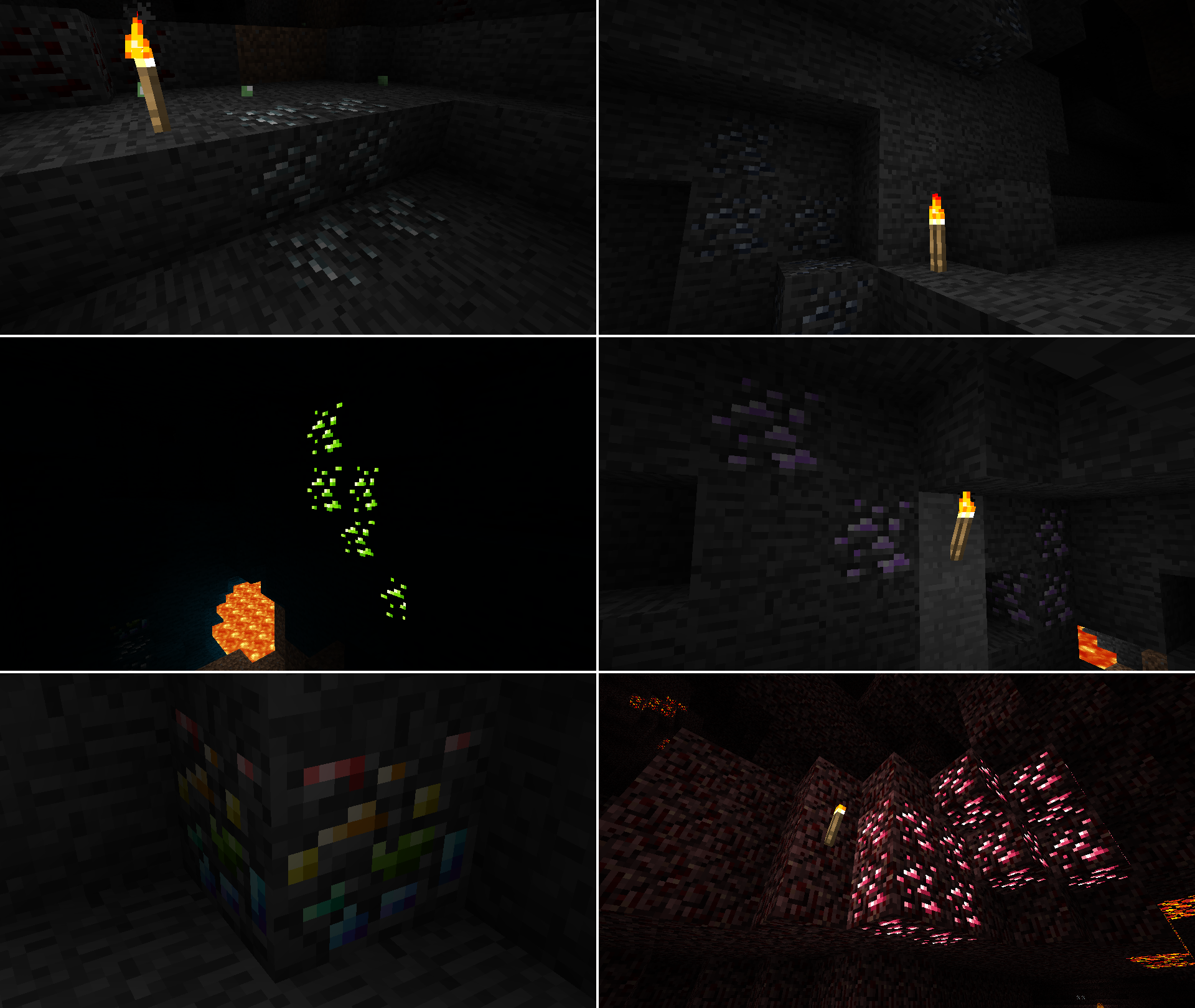
**New Ores!**
– **Silver**
– Silver is as rare as gold and can be found both in the overworld and the nether.
– Silver tools are similar to gold tools where they have silk touch. Unlike gold however they have higher durability but are much slower.
– Silver armor is similar to iron being good all around however it has slightly better combat defense and slightly worse fall defense.
– Silver can be used to make ice/snow powered freezers that can increase the stack size of certain foods by three times the amount at the cost of making them inedible unless reheated. They can also turn any stone type into permafrost and more.
– Silver Apples can be stacked up to two. Each apple heals less than a gold apple but heals more per slot making them more space effecient but more expensive.
– Silver Meshes are like gold meshes but instead of letting the item inside them through they let every item but the item inside them through.
– Silver throwing knifes are a somewhat expensive but fairly strong throwing weapon that breaks on use.
– **Lead**
– Lead is as rare as iron and only found in the overworld.
– Lead tools are similar to iron tools however they have less durability and mine faster.
– Lead armor has extremely high combat defense at the cost of lowering every other defense stat.
– Lead can be used to duplicate most dyes.
– Lead can be turned into drain buckets which can drain a singular liquid source block.
– **Uranium**
– Uranium is slightly rarer than diamond and only found in the overworld.
– Uranium can be used as fairly powerful furnace fuel.
– Uranium can be turned into tons of tnt, explosive charges, and or torches.
– **Amethyst**
– Amethyst is as rare as diamond and only found in the overworld.
– Amethyst tools are extremely fast instamining most blocks however they have extrememly low durability.
– Amethyst armor gives extremely high defense in all stats but breaks extremely easily.
– Amethyst, like diamond can also be used in jukeboxes.
– **Bismuth**
– Bismuth is much rarer than diamond and only found in the overworld.
– Bismuth can be used to fully repair tools when right clicked on with bismuth.
– **Rhodonite**
– Rhodonite is extremely common and only found in the nether.
– Rhodonite can be turned into pink dye.
– Rhodonite, like lapis is primairly decorative.
**New World Generation Features**
– **New Stone Types**
– Deep adds four new stone types to the overworld including Abyssalrite, pearlstone, peridotite, and scorched sandstone.
– **More Ocean Variety**
– Deep adds new stuff to the deep blue including lilypads, coral, cattails, salt pillars, and more.
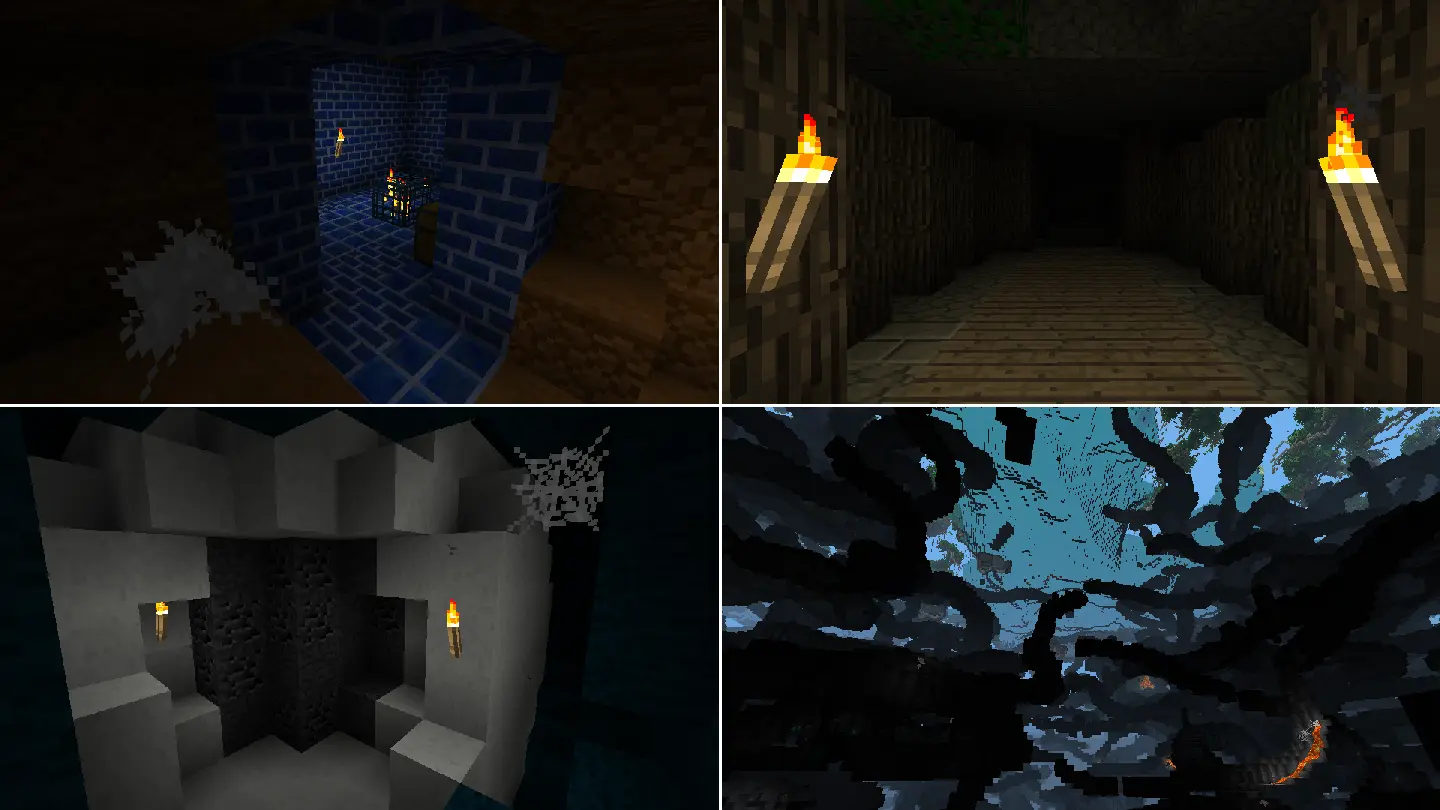
– **Updated Dungeons**
– Dungeons along with having DEEP items now come in new pallets.
– **Updated Labyrinths**
– Labyrinths along with having DEEP items now have humid variants which appear in rainforest and swamps. Humid and hot labyrinths also have diving helmets and bast statues respectively.
– **Geodes**
– Geodes are rare but have tons of ore inside of them. They also have a marble outside.
– **Tripled Cave Generation Rate**
– Caves are now three times more common. No more strip mining for hours on end without finding any caves!
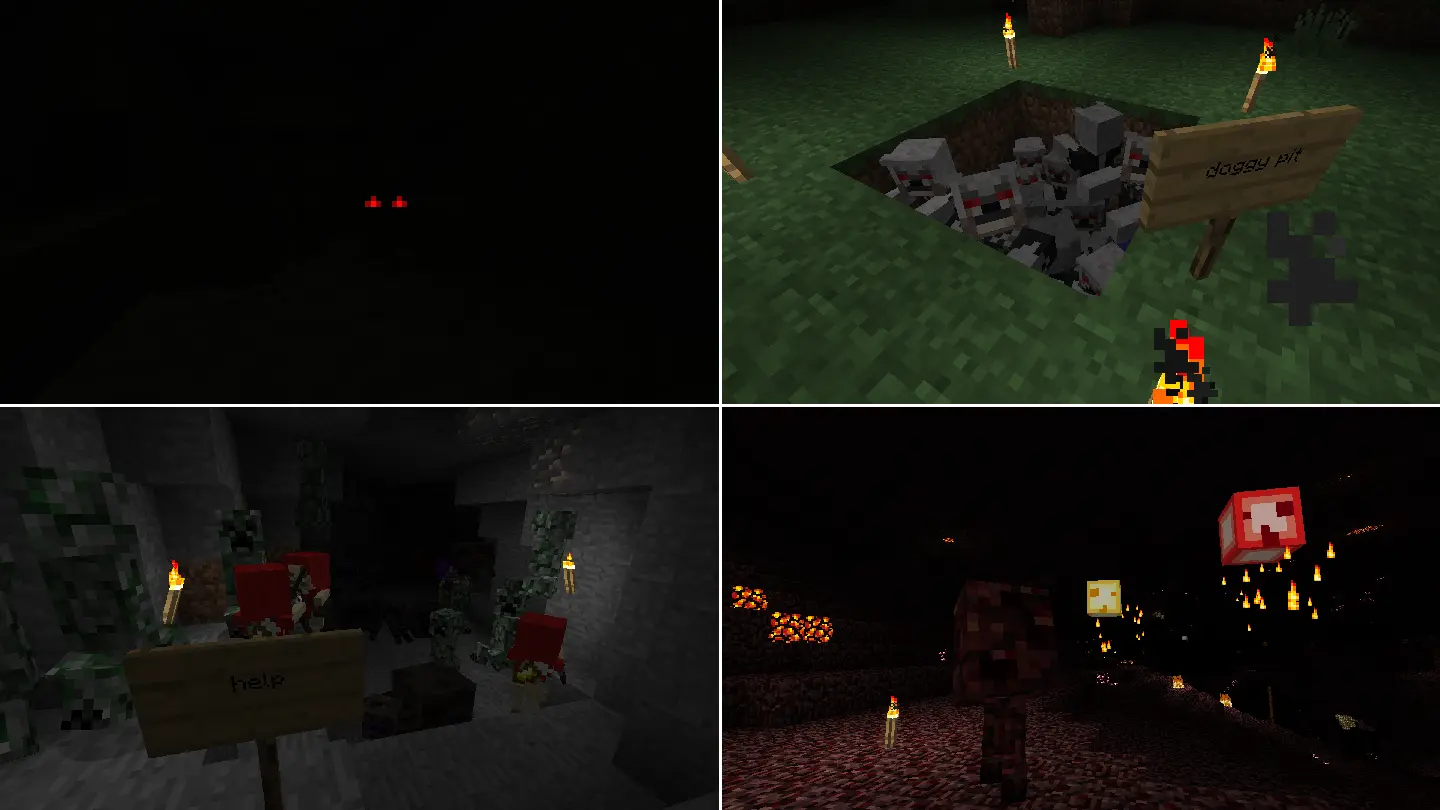
**More Mobs**
– **Elder Skeletons**
– A more agile and accurate variant of the regular skeleton. Wears a robe and a pair of leather boots.
– **Deepers**
– A more aggressive creeper that has adapted to it’s natural habitat with it’s durable stone covered body.
– **Werewolves**
– A zombie that has been bit by a werewolf and now packs a punch at the cost of being weaker. Watch your back!
– **Jellyfish**
– Jellyfish are a source of gel, a bouncy material that can be turned into slime. They can be found in lakes and oceans at night.
– **Shades**
– Shades are apparitions with great speed at the cost of their weak physical form.
– **Raging Slimes**
– Raging slimes are similar to common slimes however much more aggressive.
– **Water Slimes**
– Water slimes instead of jumping slide around with their wet bodies. This makes them much better on flatter terrain at the cost of them performing worse on rougher terrain.
– **Volatile Slimes**
– Volatile slimes are slimes that have absorbed explosives.
– **Note Block Zombies**
– A zombie holding a note block capable of summoning other zombies as backup.
– **Piston Block Zombies**
– A zombie holding a piston capable of jumping to extreme heights and lunges when attacked.
– **Beetles**
– Beetles are large bugs with a tough shell that appear underground in darkness.
– **Mother Spiders**
– Mother Spiders are large spiders that are capable of spawning their children as backup.
– **Outback Zombies**
– Outback Zombies are a kind of zombie that appear only in the warmest places of the world. They have adapted to their extremely hot environment becoming immune to the sun’s heat. Legend says these zombies even ride cows.
– **Poppers**
– A deadly netherrack abomination capable of exploding an indefinite number of times. They are found in the Nether.
– **Wisps**
– Wisps are flying enemies that charge at you and set you on fire on contact. They are found in the Nether.
**And more!**
Geniunely, there is a TON of stuff in this mod and it’s hard to list it all here. A lot of it can be understood by just exploring though.
Customizable Player Models
## Customizable Player Models
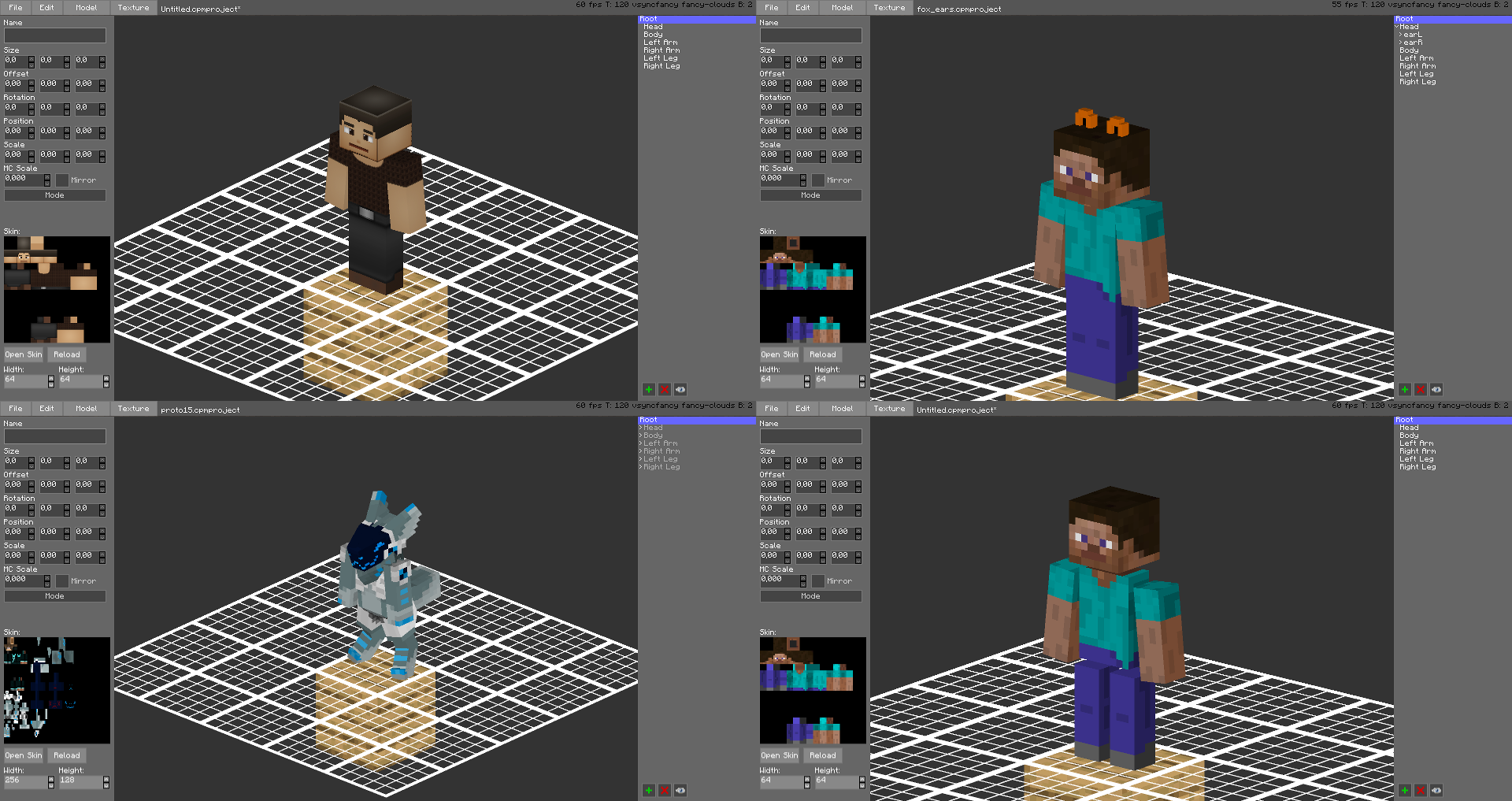
Create a custom avatar using the built-in editor.
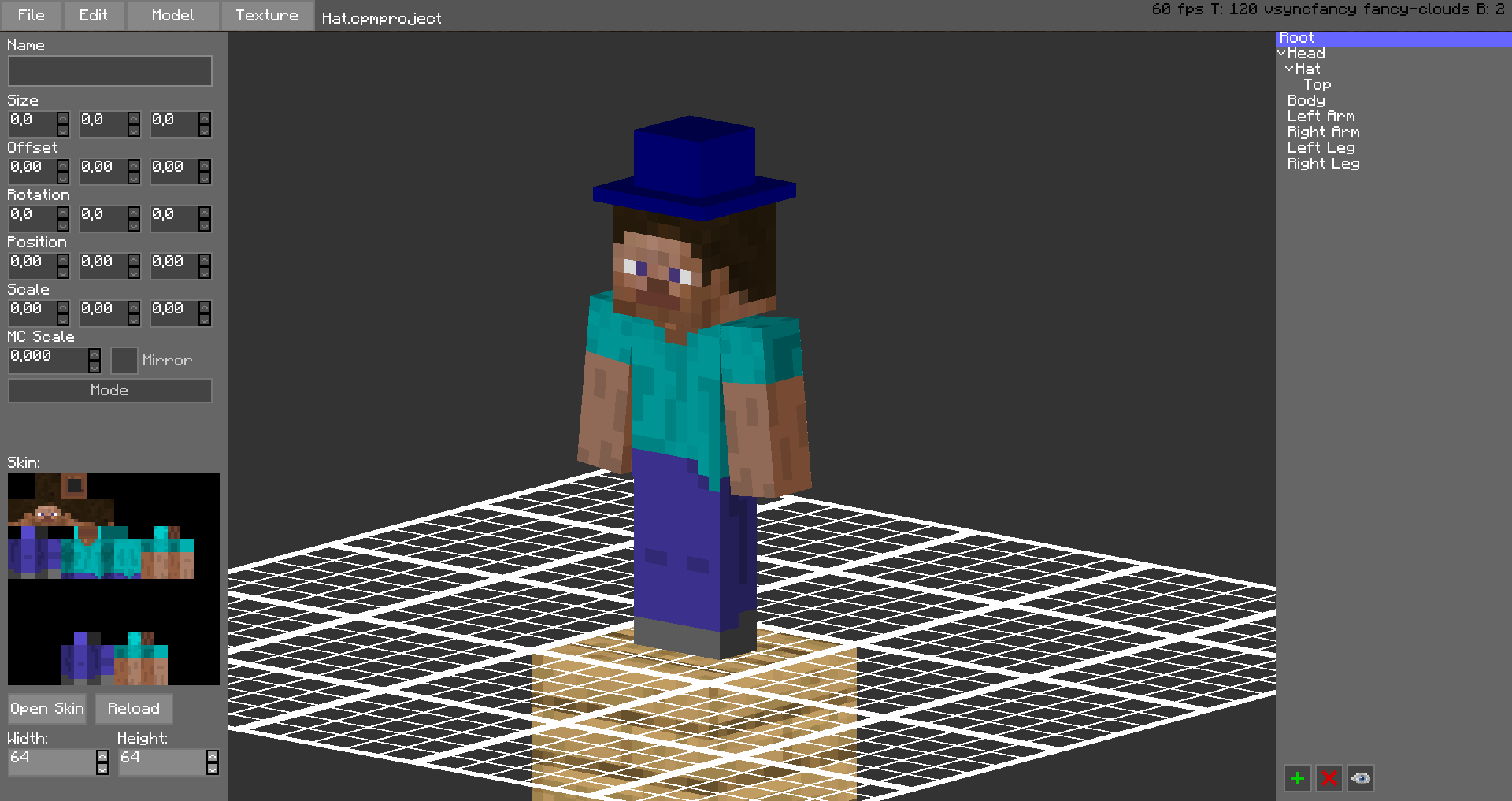
The models are stored in unused space on your Minecraft Skin, or as a Gist on GitHub.
Upload the exported image file as your skin to load the custom model.
Browse uploaded models on the [Models Website](https://cpmmodels.tom5454.com/).
The additional parts can have custom textures, higher resolution skins can be used (Steve skin from [Soartex Fanver – Vanilla](https://www.curseforge.com/minecraft/texture-packs/soartex-fanver-vanilla))
Parts of the normal player model can be hidden or moved around.
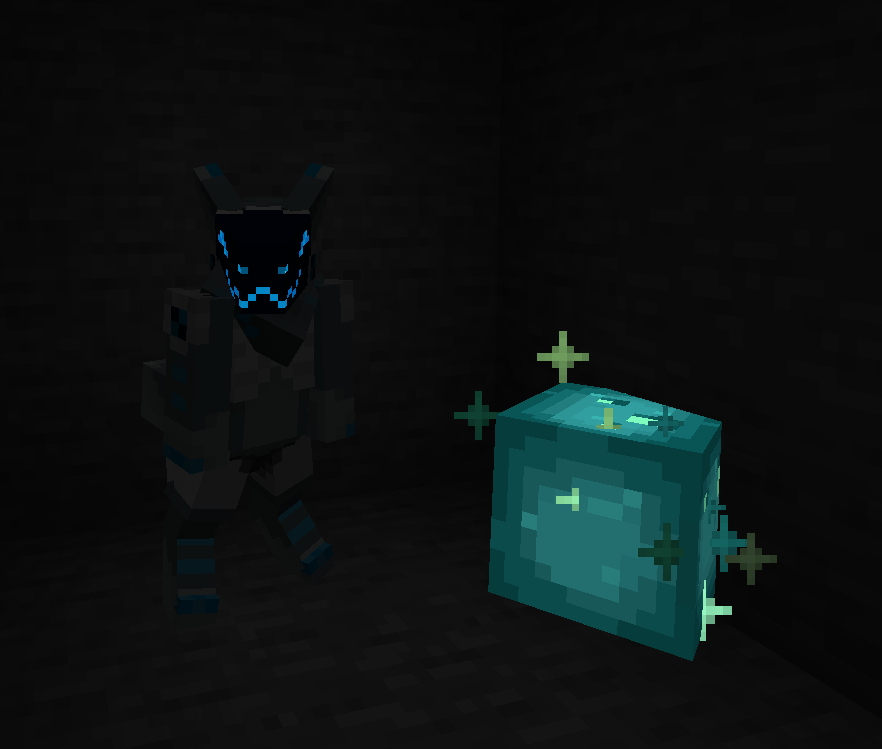
You can even make parts of your skin “glow” like a glow squid.
Plugin for Bukkit/Spigot servers for changing skins ingame (not required): [https://github.com/tom5454/CustomPlayerModels/releases](https://github.com/tom5454/CustomPlayerModels/releases)
Commandly
Single Player Command was my very first mod I have ever installed in Minecraft. While most of the commands have made to modern Minecraft some have not. This mods aim to port some if not most of the missing feature as well as new ones from Single Player Commands to Better than Adventure.
## Videos:
[Explosive growth with /grow](https://youtu.be/EyvPFxV2Q40])
[Veinmining](https://youtu.be/E9_bJC4k92M)
[Protecting again Veinminer/Treecapitator](https://youtu.be/TjqCIRhuvLo)
[Ascend and Descend](https://youtu.be/s__Z5FElhnk)
[Better with Aether Veinmining](https://www.youtube.com/watch?v=sTBhbA83-PM&feature=youtu.be)
## Important
This from release 1.1.3 all new commandly version are using a newer BTA Babric version.
## Commands
This is a comprehensive list of all the commands that this mod currently support.
For each commands I will provide what version included the command, what argument the command required and what the command does.
| Commands | Arguments | Action | Version |
| :——– | :——-: | :——- | :——-: |
| /ascend or /up |player| send player up a level | 1.1.1|
| /descend or /down |player| send player down a level | 1.1.1|
| /grow |none| grows all bonemeable plants in player loading radius| 1.0.0|
| /protect |radius/chunk/points| adds blocks to be protects from beeing veinmined or treecapitatored | 1.1.0|
Aside from commands there are also additional gamerules. Some of the game rule were previously part of my other mods and as such predate this mod.
Similar to commands, the individual rules are explained in a sentence or two; their type is shown, and the initial release version in which the rule debuted is listed.
| Gamerules | Type | Action | Version |
| :——– | :——- | :——- | :——-: |
| doGrassSpreading |boolean| prevents grass from spreading | previosly NoMossSpreading |
| doMossSpreading |boolean| prevents moss from spreading | previosly NoMossSpreading |
| veinmining |boolean| allows the mine an entire vein of ore at once just like treecapitator| 1.0.0 |
Sort Chest (BTA 7.0_02–7.3)
# Sort Chest
Organize your chest instantly with a single click
This mod added several buttons in chest GUI.
– **Sort:** sort items by id, metadata, and quantity.
– **Refill:** move same items (between chest and inventory) to chest.
– **Fill:** move items from inventory to chest.
– **Dump:** move items from chest to inventory.
> **Important**
>
> – Required [Babric](https://github.com/Turnip-Labs/babric-instance-repo/releases) to run the mod.
> – Required [HalpLibe](https://modrinth.com/mod/halplibe) in BTA version 7.1 and later.
## FAQ
### Server?
**Yes**, you can use the sort chest mod on a server. However, the item might jump for a while after sorting because the
mod will emulate mouse clicks rather than directly changing the inventory data.
### Rebind keys?
1. Open the mod menu (from [ModMenu](https://modrinth.com/mod/mod-menu-bta) mod)
2. Select “Sort Chest” mod from the left
3. Click at ⚙️ icon on the right
4. Rebind keys that you want
### How does the sort chest mod sort items?
Items are sorted by their item ID (ascending), followed by its metadata (like wool color code, ascending), and finally
by its quantity (descending).
## Contributors
– **ressidell** and **andreiqwer** for helping me migrate this mod to BTA v7.1!
– **Bigjango13** for making this mod compatible with Astoria’s Iron Chests and migrating this mod to BTA v7.2-pre2!
BTA Light Overlay
# BTA Light Overlay
Light up your world more efficiently!
# Better Than Adventure
This mod is for Better Than Adventure (Minecraft beta mod), check out the discord server https://discord.com/invite/jvwD8BKq5e
# Inspiration
[Light Level Overlay Reloaded](https://github.com/oldjunyi/LightLevelOverlayReloaded)
[MiniHUD](https://github.com/maruohon/minihud)
[LightLevel](https://github.com/Parzivail-Modding-Team/LightLevel)
Thanks to [Uncle0698](https://github.com/Uncle0698) for the original version for version before 7.3
Pie’s Building Tweaks
# Pie’s Building Tweaks
Get rid of annoying repetitive inventory actions while playing BTA!
This mod is made with multiplayer in mind, so you can use its features on any server!
## Features
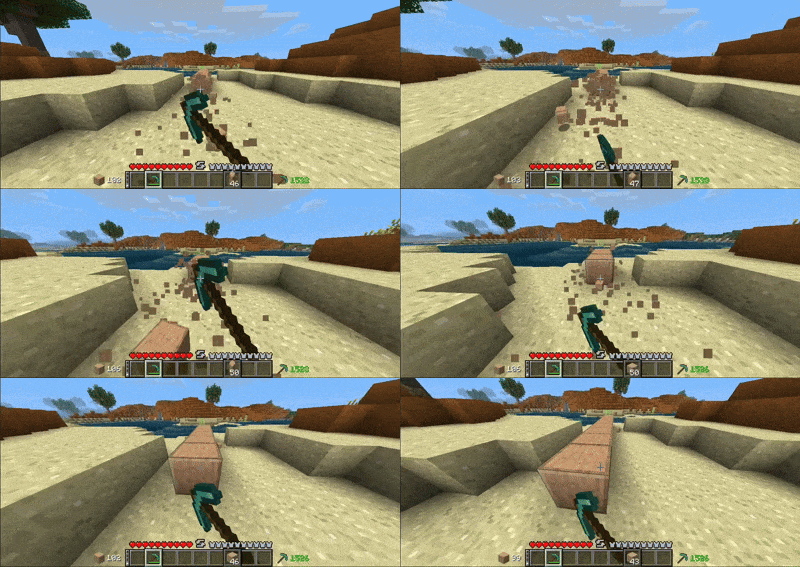
**Offhand** so you can spend less time changing slots and focus on your creations!
—
**Randomize** to randomly pick blocks utilizing offhand feature.

—
**Refill** to automatically refill items in your hand _(or offhand)_ when they run out.

—
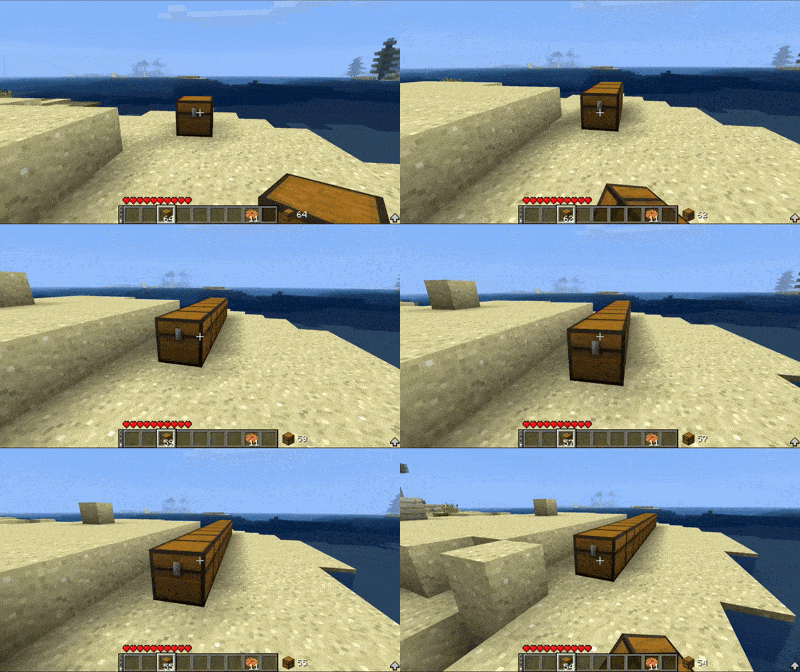
**Shift Lock** to build without interacting any blocks.
—
**Auto Tool** so you can forget about finding the right tool *(also uses silk touch if needed)*

—
_There’ll be more features in future, stay tuned!_
Bit by Bit (BTA 7.0_02)
# Bit by Bit
Eat foods Bit by Bit. Save the rest for later or split it with your friends.
> **Important**
> Required [Babric](https://github.com/Turnip-Labs/babric-instance-repo/releases) to run the mod.
## Credits
– Eating sound by Mojang
– SoundHelper by [PrismaticLibe](https://modrinth.com/mod/prismaticlibe)
Bread’s Biomes Mod
This mod uses a modified version of Fabric (Babric) and is designed only for Better than Adventure, a heavily modified version of Minecraft b1.7.3! For more information, join the discord server provided on this projects page.
This mod adds new biomes to your world.
Current list of biomes:
1. Indev Plains
Generates in areas with high temperature. Has retro grass, retro oak and two new structures with new blocks: Brick pyramid with retro bricks; Starting house with retro cobblestone and retro mossy cobblestone.
Better With Enchanting
This is updated of an existing mod from the BTA Community made by [dopeasswizard](https://github.com/dopeasswizard/BetterWithEnchanting).
This mod add enchantments into BTA.
Multiplayer compatible!
List of enchantments:
– Haste (1-3) – Increces mining speed
– Unbreaking (1-3) – Increces durability
– Quickswing – Removes mining cooldown, decreces mob hit cooldown by 25%
– Flame (1-2) – Lights mobs on fire when hit, makes bows shoot fire arrows
– Bait (1-3) – Increces fishing power