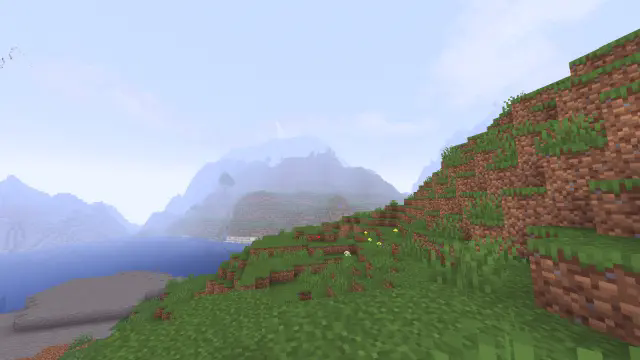
A simple high performance shader to make the game look smoother and wamer.Aswell making it more atmospheric with tweaks to the fog.Aswell as some added bloom effects in the newest version.
Based off: https://modrinth.com/shader/base-shader?version=1.21.1(licenced under CC0, so is this but please modify it (in some noticeable way) if you do intend to upload it to other places.)
I Like Vanilla
I’m currently looking for a job, if your company is looking for experienced programmers then please let me know!
Shaders typically fall into one of two camps: completely overhauling minecraft’s style or completely copying it. This shader aims to overhaul the graphics while making it feel like nothing has changed. It’s the same style as vanilla minecraft but built for my own preferences, which are:
– Beautiful and Pleasant
– Unobtrusive
– Sharp AA
– Gameplay-Oriented
– Interesting and Exciting
– Performant
### Supports [Voxy](https://modrinth.com/mod/voxy), [Distant Horizons](https://modrinth.com/mod/distanthorizons), [Colorwheel](https://modrinth.com/mod/colorwheel), and more!
### Note: Optifine is only partially supported. If you think it should be more supported, you can always let me know
## How to install:
– 1: Install either [Fabulously Optimized](https://modrinth.com/modpack/fabulously-optimized) (full modpack, preferred) or [Iris](https://modrinth.com/mod/iris)/[Occulus](https://modrinth.com/mod/oculus) (single mod, can be added anywhere)
– 2: Download the latest version of this shader
– (If you want to see the values used by each style, you can download a style-specific version)
– 3: Launch minecraft, go to the shaderpacks menu, and click the ‘Open Shader Packs Folder’ button
– 4: Put the downloaded shader zip into the shaderpacks folder
– 5: Select the shader within the shaderpacks menu
## Performance Comparisons:
I’m not sure how trustworthy these results are, but it should give you a rough idea of the performance between shaders. Also, you can compare your graphics card to mine [here](https://www.techpowerup.com/gpu-specs/geforce-gtx-1070.c2840). Tests:
### License Overview:
**This is not exact or binding in any way.**
#### You can (with restrictions):
– Use this for gameplay, screenshots, videos, etc
– Use this in modpacks
– Create public and/or private modifications
– Reuse shader code
#### You cannot (without any exceptions):
– Redistribute this shader with little to no modifications
– Create shortened / indirect links to this shader
#### You can read the full license [Here](https://github.com/What42Pizza/I-Like-Vanilla/blob/main/LICENSE).
Note: this shader has very limited testing and is very likely to break in niche cases, but I’m very open to fixing any and all bugs that are reported
Please visit your local church
Hysteria Shaders
[](https://lunapixel.studio/discord)

[](https://ko-fi.com/elocindev)
A stylized, atmospheric horror-themed Iris shaderpack with high customizability and performance.
Successor of [Insanity Shader](http://www.curseforge.com/minecraft/shaders/insanity-shader).
Based on Photon, Hysteria provides a similar feel to Insanity, but with modern features such as volumetric clouds and fog, colored lighting, distant horizons support, and more!

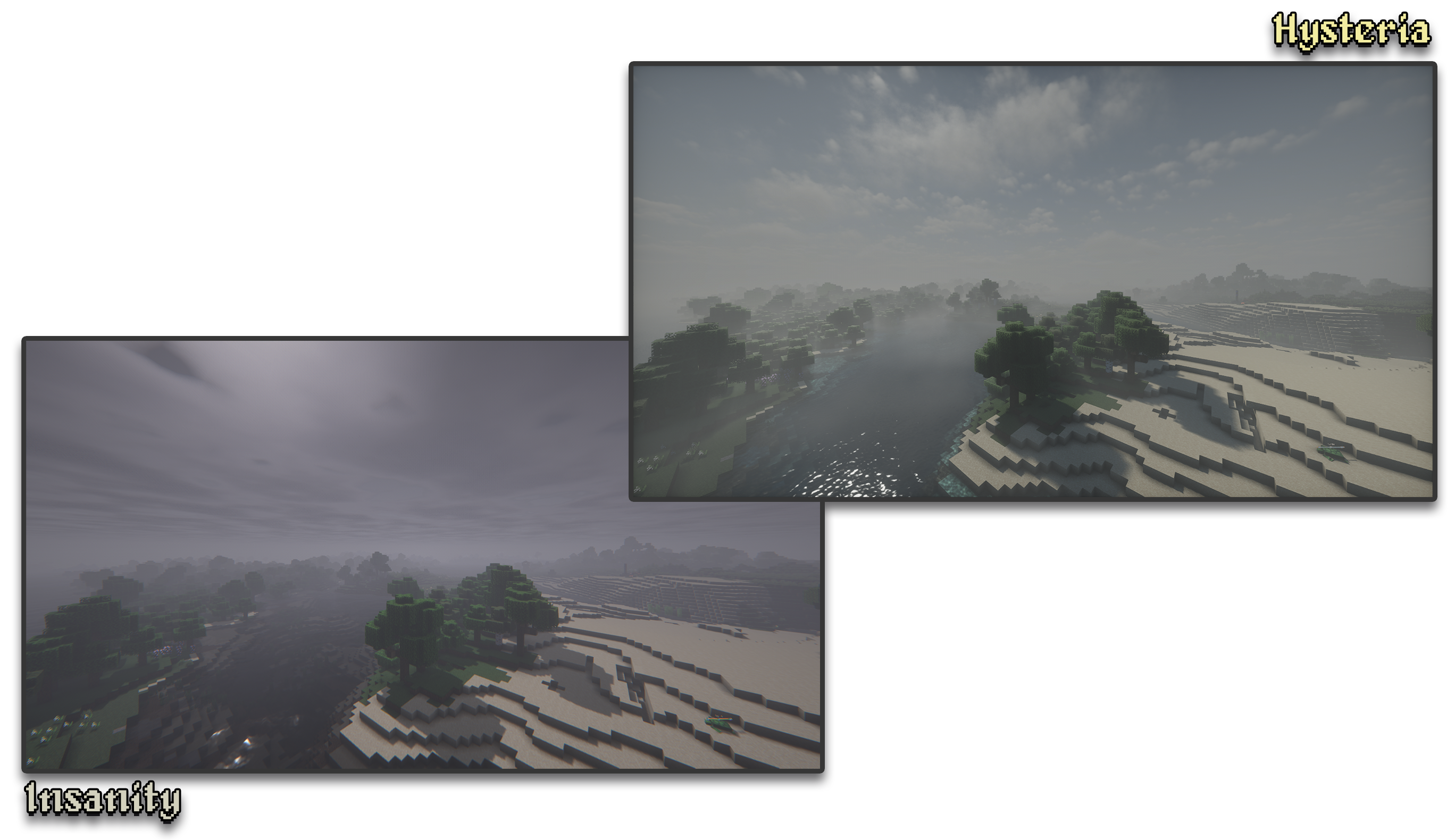
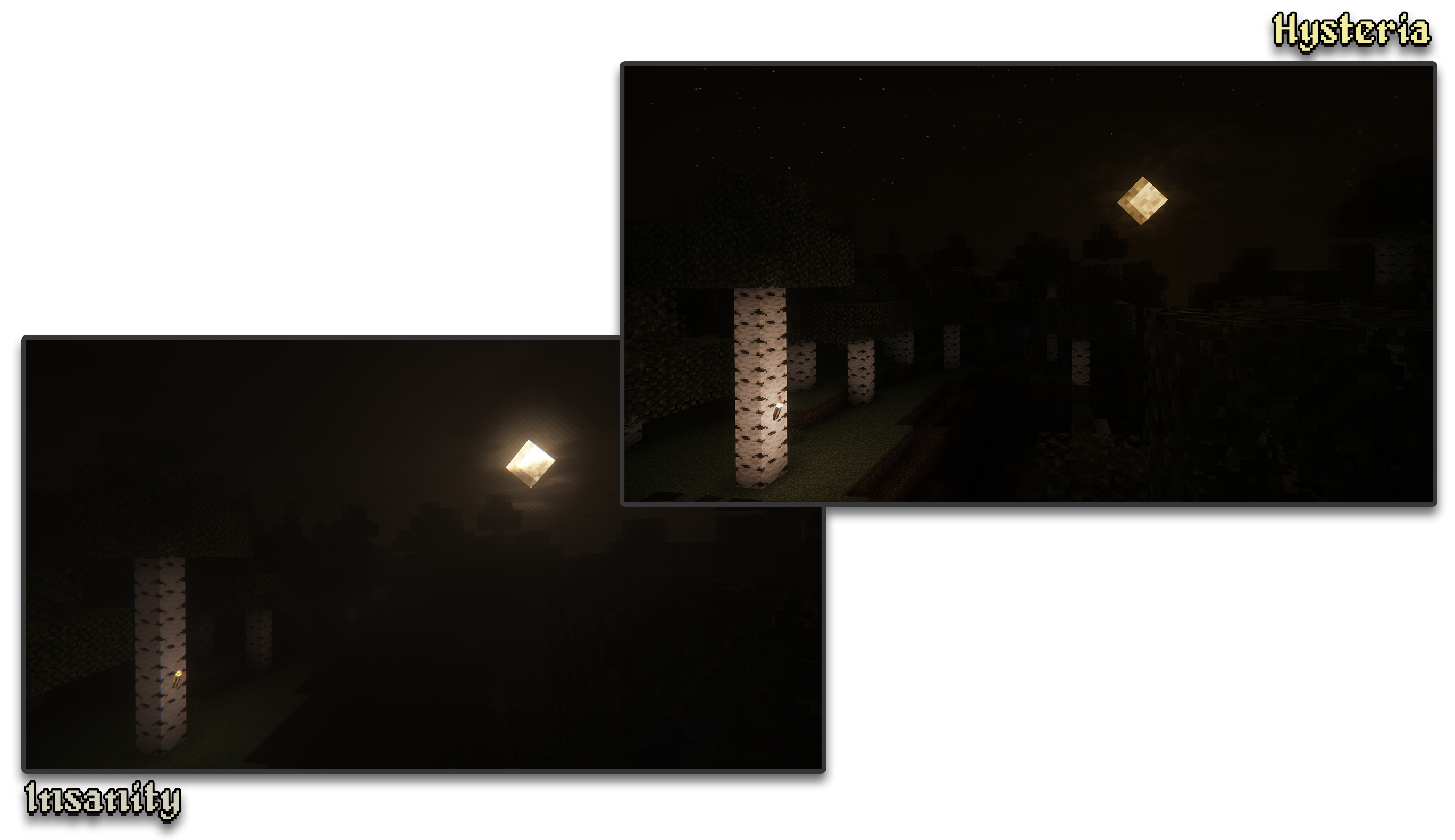
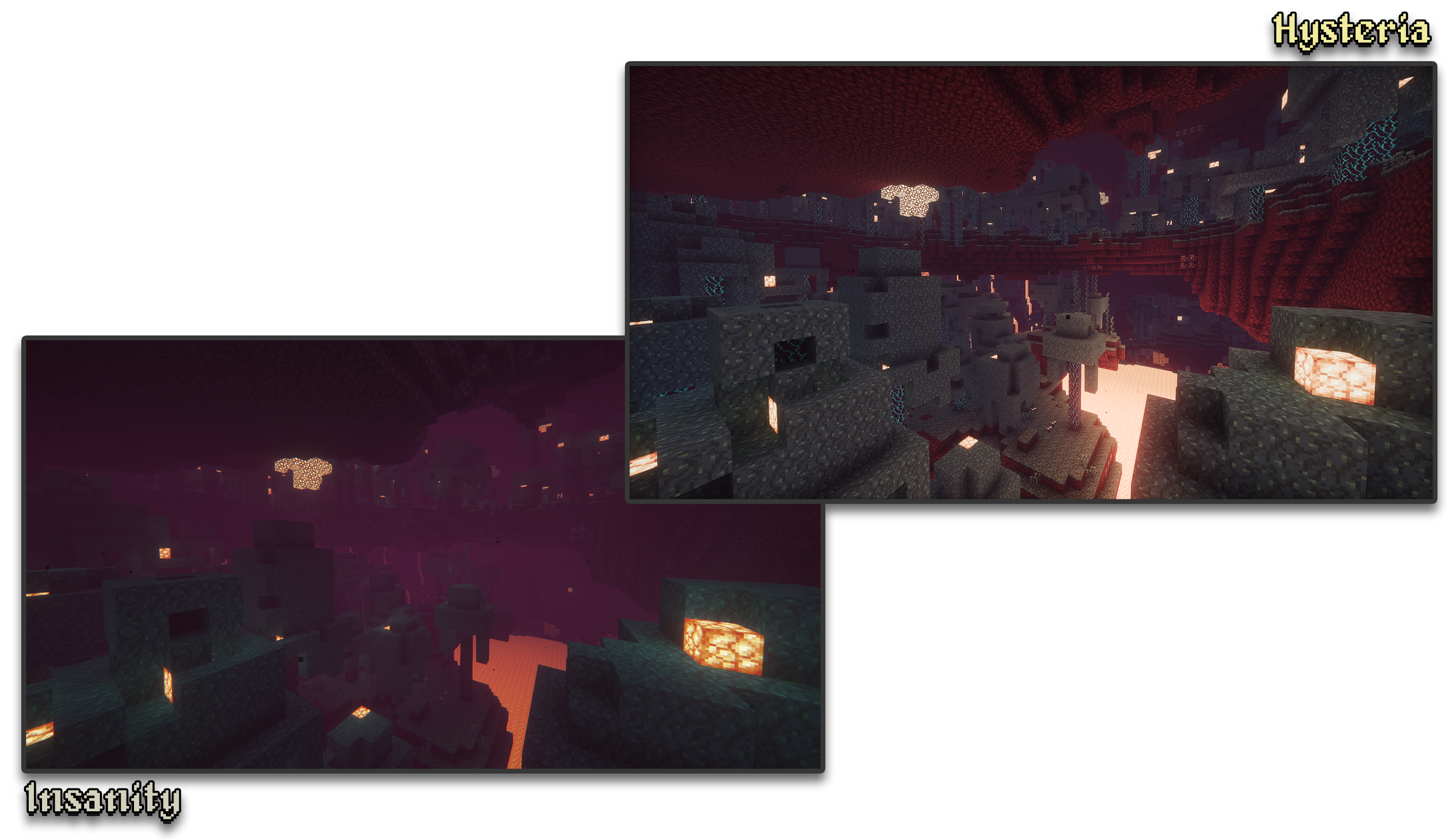
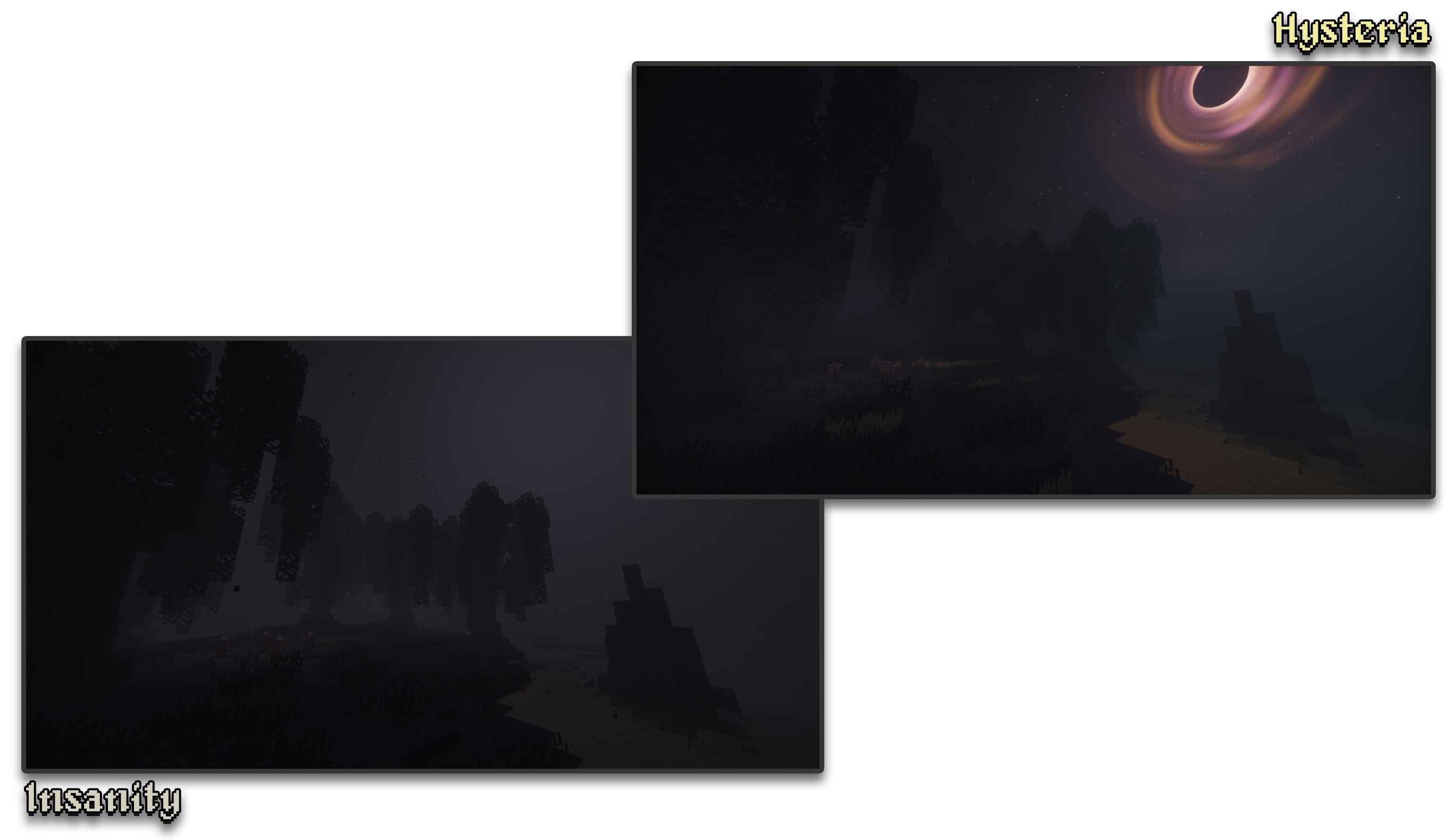
– 🧟 **Atmospheric Scary Look.** Perfect for horror & zombie modpacks!
– 📓 **Highly customizable shader configuration.** Expanded from Photon’s limits.
– ⛈️ **Immersive & Dynamic Weather.** Every day is a different day, with different clouds and colors.
– 🌫️ **Volumetric Fog & Clouds.** With ground-level and distant fog, changing volumetric clouds, and more!
– 🌎 **Distant Horizons Support.** Experimental!
– 📝 **User-friendly menu.** Including a quick options menu with easy to configure settings.
– 💻 **Runs on most modern PCs.** Optimized even for lower-end GPUs. Even better than Insanity!
– 🔦 **Always bring some torches.** Not only the night is dark, the Nether and End are even worse!
– 🌎 **Wide compatibility across versions.** Supports all newer MC versions from 1.7.10 upwards.
– ☀️ **Built-in Colored Lighting.** With support for labPBR resource packs.
– **Sixthsurge**
– For making Photon, the shaderpack that Hysteria is based on
– **Capt Tatsu**
– For making BSL, helping me start out Insanity. Without Insanity, Hysteria wouldn’t exist!
This is a lightweight, horrorfantasy shader designed to give you a dark, gritty, atmospheric experience while keeping Minecraft’s blocky, pixel aesthetic
### Modes
**Ultra vs Lite:** Ultra costs more performance but looks better, lite is my super
optimized version of the shader that looks really great but still
delivers top notch performance
### Manual Installation
**1.** Download the mod & unzip it
**2.** Install Iris
**3.** Put the file(s) found in the mod download into your “shaderpacks” folder (if it doesn’t exist, create one)
**4.** Launch the game and enjoy!
**Note:** It’s recommened to install manually so you can choose which exact version of the shader you want (Lite or Ultra). By default it will autoinstall the “Lite” version. If that is the version you want then disregard this message
### Alternative Versions
– [Fantasy Edition](https://modrinth.com/shader/hyshaders-fantasy) | A vibrant, bright, atmospheric aesthetic.
– [Vanilla Edition](https://modrinth.com/shader/hyshaders-vanilla-edition) | A vanilla-like Minecraft aesthetic.
– [Horror Edition](https://modrinth.com/shader/hyshaders-horror) | A horror, rustic, or medieval aesthetic.
### Credits & Permissions
Modpacks: Yes, you may use this shader in your modpacks
Forked version of [BSL](https://capttatsu.com/bslshaders/), with permission from the original author _(granted on 7/11/24 via X DMs)_. Tweaked for better performance, different aesthetic & color grading
HyShaders – Fantasy Edition
This is a lightweight, fantasy shader designed to give you a bright, vibrant, atmospheric experience while keeping Minecraft’s blocky, pixel aesthetic
### Modes
**Ultra vs Lite:** Ultra costs more performance but looks better, lite is my super
optimized version of the shader that looks really great but still
delivers top notch performance
### Manual Installation
**1.** Download the mod & unzip it
**2.** Install Iris
**3.** Put the file(s) found in the mod download into your “shaderpacks” folder (if it doesn’t exist, create one)
**4.** Launch the game and enjoy!
**Note:** It’s recommened to install manually so you can choose which exact version of the shader you want (Lite or Ultra). By default it will autoinstall the “Lite” version. If that is the version you want then disregard this message
### Alternative Versions
– [Fantasy Edition](https://modrinth.com/shader/hyshaders-fantasy) | A vibrant, bright, atmospheric aesthetic.
– [Vanilla Edition](https://modrinth.com/shader/hyshaders-vanilla-edition) | A vanilla-like Minecraft aesthetic.
– [Horror Edition](https://modrinth.com/shader/hyshaders-horror) | A horror, rustic, or medieval aesthetic.
### Credits & Permissions
Modpacks: Yes, you may use this shader in your modpacks
Forked version of [BSL](https://capttatsu.com/bslshaders/), with permission from the original author _(granted on 7/11/24 via X DMs)_. Tweaked for better performance, different aesthetic & color grading
**HighFrames** is a performance-focused Minecraft shader designed for players who want better visuals without sacrificing FPS. It enhances the game with soft lighting, subtle shadows, gentle bloom effects, and smooth waving water while keeping resource usage extremely low.
Unlike **heavy shaders**, HighFrames keeps everything simple and optimized, making it perfect for low-end and mid-range systems. The shader improves the overall look of Minecraft without overloading your GPU, ensuring stable and high frame rates even during intense gameplay.
Key features include lightweight shadow rendering, soft bloom for a natural glow, animated water waves for a more dynamic environment, and balanced lighting that keeps the game clean and visually pleasing.
If you want a smooth experience with just the right amount of visual upgrade, HighFrames is built for you.
Haze Shader is a lightweight shader pack that enhances Minecraft’s visuals without losing its iconic blocky style.
🧱 Stylized blocky shadows that stay true to the game’s design
🌊 Clean reflections on water, ice, and other shiny blocks
💡 Soft, refined emissive lighting for naturally glowing elements
⚡ Optimized for performance – ideal for all systems, even low-end PCs
Haze Shader focuses on subtle, smart upgrades that make your world feel more alive—without ever stepping away from what makes Minecraft, Minecraft.
Gray&Black Shader
**English version:**
**Gray&Black Shader**
This shader turns your Minecraft world into stylish grayscale! Compatible with versions 1.7.2 to 1.21.5.
If you have any questions, join our Discord or follow for updates so you don’t miss anything!
Also check out my other mods! 😎✨
Enjoy the cinematic atmosphere!
**How to install:**
1. Install OptiFine or Iris for your Minecraft version.
2. Download the Gray&Black Shader zip file.
3. Put the zip file in your `shaderpacks` folder (found in your Minecraft directory).
4. Launch Minecraft, go to Options → Video Settings → Shaders, and select “Gray&Black Shader”.
5. Enjoy the black & white world!
**Русская версия:**
**Gray&Black Shader**
Этот шейдер превращает ваш мир Minecraft в стильное чёрно-белое кино! Работает с версиями от 1.7.2 до 1.21.5.
Если возникли вопросы — заходите в наш Discord или подпишитесь на обновления, чтобы ничего не пропустить!
Также посмотрите другие мои моды! 😎✨
Наслаждайтесь кинематографичной атмосферой!
**Как установить:**
1. Установите OptiFine или Iris для вашей версии Minecraft.
2. Скачайте архив Gray&Black Shader (zip-файл).
3. Поместите zip-файл в папку `shaderpacks` (в вашей директории Minecraft).
4. Запустите Minecraft, зайдите в Настройки → Графика → Шейдеры, выберите “Gray&Black Shader”.
5. Наслаждайтесь чёрно-белым миром!
Glimmer
[](https://ko-fi.com/jbritain)
[](https://discord.gg/b9SHNcvs6c)
Shader development is hard and takes a lot of time. If you enjoy my shaders, please consider supporting my work!
Glimmer is a Minecraft shaderpack designed to be simple and performant whilst maintaining a physically based and natural look.
## Features
– ‘Potato’, ‘Toaster’, ‘Integrated Graphics’ and ‘Dedicated Graphics’ presets, designed to run on anything from your fridge to a NASA supercomputer.
– Colored block lighting!
– Distant Horizons & Voxy support!
– Colorwheel support
– ‘Infinite Ocean’, adding water stretching out of render distance.
– Complete LabPBR 1.3 compliance.
– Shadows, using either the shadow map or approximated from the lightmap.
– Screen space reflections and refractions.
– Procedural 2D clouds.
– Temporal filtering to reduce noise at low sample counts.
– Bloom
## Compatibility
– OpenGL 4.3+ – macOS is *not* supported, nor is the Raspberry Pi. Most modern GPUs (integrated or dedicated) should work fine.
– Iris 1.6+, OptiFine is *not* supported.
## Acknowledgements
– Andrew Hilmer, for his [Shadertoy implementation](https://www.shadertoy.com/view/slSXRW) of Sébastien Hillaire’s [‘A Scalable and Production Ready Sky and Atmosphere Rendering Technique’](https://github.com/sebh/UnrealEngineSkyAtmosphere)
– [Belmu](https://github.com/BelmuTM) – Reference code for SSR
– [Emin](https://github.com/EminGT) – Shadow bias calculation from [Complementary](https://github.com/ComplementaryDevelopment/ComplementaryReimagined)
– [NinjaMike](https://github.com/NinjaMike) – Directional lightmapping method
– [sixthsurge](https://github.com/sixthsurge) – A decent amount of code reference from [Photon](https://github.com/sixthsurge/photon)
– [Null](https://github.com/Null-MC/) – Help porting in the atmospheric scattering code
– As always, the members of the ShaderLABS Discord server who have helped me get this far learning how to do all this
– Many other people, there are links scattered throughout the code
## Get in touch
If you have an issue with Glimmer or just want to chat, you can [join my Discord server](https://discord.gg/b9SHNcvs6c) or find me in `#jbritains-shaderpacks` in the [shaderLABS Discord server](https://discord.gg/RpzWN9S).
GlacierShaders is a shader pack for Minecraft Java Edition, carefully crafted for low-end device users who want to enjoy warm and appealing visuals without sacrificing FPS. It delivers a clean, stylized look with blue-toned water, a calm vanilla-inspired sky — all while avoiding performance-heavy features like waving leaves or ultra-realistic lighting.
GlacierShaders offers blue-toned water, a clean vanilla-style sky with soft glowing clouds, and disables heavy effects like waving leaves and foliage to ensure maximum FPS. These choices are made to support low-end devices, keeping visuals smooth and enjoyable without performance drops.
**How to report BUGS!!**
Our GlacierDevelopment Discord server is Live you can report bugs and Chat with other GlacierShaders users, report bugs, get help with issues, and join exciting giveaways — all in one place!