Visual Infested Stones
**Introduction**
Do you hate accidentally mixing up stone blocks with their infested variants? Or do you hate accidentally breaking infested stone bricks in Strongholds? Then this pack introduces a Vanilla-friendly way of telling them apart.
**Modified features**
All Infested Blocks now have unique textures with little silverfish faces to distinguish them from their regular counterparts
**Notes**
Hypothetically, the pack should be compatible with versions older than 1.21.4 and the newly introduced item model format. However, I haven’t got to testing them yet.
**Issues and feedback**
If you encounter any problems with the pack or would like to leave any other feedback, feel free to contact me on Discord: @miau_the_cat
Visual honey levels
**Visual Honey Levels** is a simple texture pack that adds clear visual indicators of honey levels in hives.
Now you can instantly tell when a hive is ready for harvesting without having to check it manually. This makes honey farms more convenient and beginner-friendly. :3
Visual Enhancements
This Minecraft resource pack is designed for improved visibility and immersion. It outlines all ores for easier mining, marks crops that are ready to harvest, and makes infested blocks distinct with bumblebee stripes to prevent accidental mining. It also minimizes the obstructive pumpkin blur for a better viewing experience and renames music discs with unique, identifiable item names rather than just the default “Music Disc”. It also fixes the helmet item textures by adding a nosepiece and shows a visual indicator for bow pulling.
Visual Effects+
### **Please read the description carefully!**
—

Visual Effects+ is a resource pack that overhauls Minecraft by reworking every single biome in the game, changing vanilla particles, adding a bunch of new ones, introducing dynamic and colorful fog, a new weather system, and much more.
————————————————————————————————





————————————————————————————————
## Compatibility:
**Resource pack compatibility:**
You can add any resource pack you want and get unique experience with VFX+ resource pack!
**Shader compatibility:**
VFX+ isn’t compatible with any shader that replaces fog or turns off particles.
————————————————————————————————
### **IMPORTANT! RECOMMENDED SETTINGS!**
—
Recommended settings
### 1. Pack should be always on top!
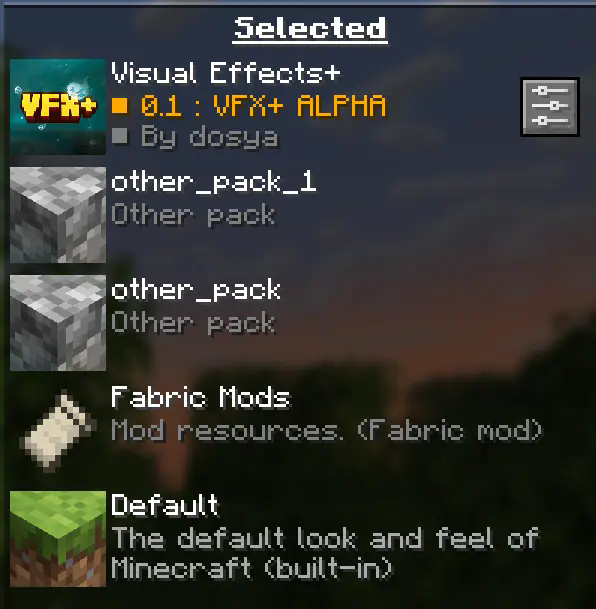
Your pack should be always on top to prevent any polytone related issues.
### 2. Turn off fog occlusion!
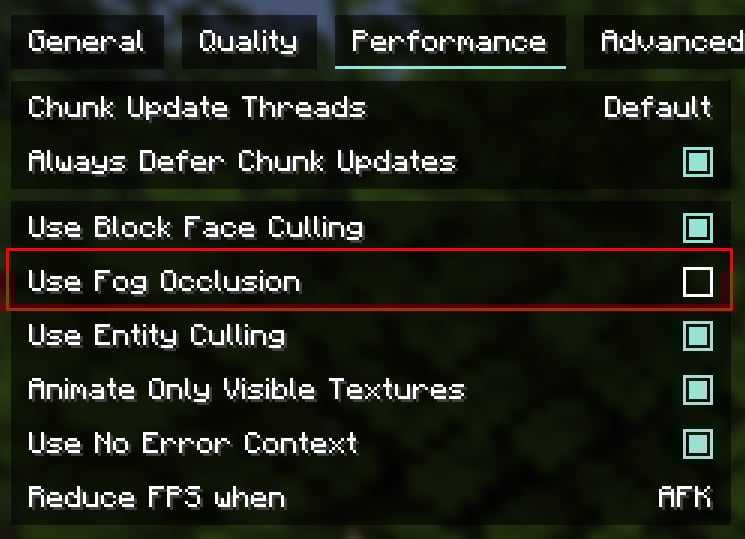
You can find this option in **”Performance”** tab.
**For low-end PC left it turned on**
**Recommended render distance is 12 – 16 chunks, but you can modify this value as you want**
————————————————————————————————
“This resource pack is in **early development** and alot of things might change by release time.
Also this pack might have bugs or any other issues. **If something went wrong you can state about it on Visual Effects+ discord server.**
————————————————————————————————
**Features:**
————————————————————————————————
**You can find more new particles and overhauled biomes by playing the game with Visual Effects+ resource pack!**
————————————————————————————————
CREDITS
Tealover – testing, suggestions and other help.
sapling. – testing, suggestions and other help.
Cubert – helped to decide a title for a project, testing,
suggestions and other help.
Peanut Butter Jelly – testing and suggestions.
VFX+ discord server – big thank you for community feedback and support.
sapling. Mods discord server – big thank you for community feedback and support.
MehVahdJukaar – helping out with polytone.
Visibly Sus
### Makes suspicious sand and gravel have an emissive outline in order to make archaeology easier and to hopefully make it harder to accidentally break suspicious sand and gravel when digging.
!DISCLAIMER! Emissve and connecting features require Optifine or any CTM port that functions identically. For fabric users i recommend Continuity.
If used without Optifine or Continuity it will still work but the outlines wont connect, each block will have it’s own outline, and it wont be emmisive.


Visible Vault
## Visible Vaults!
This texture pack simplifies your gameplay by removing the bars from Vaults in Trial Chambers. Now you can clearly see the items inside, making it much easier to hunt for the Heavy Core and other rare loot. Enjoy the game!
## IMPORTANT
– ### **Want to use it on Bedrock Edition?**
You can port the texture pack yourself, as long as you comply with all license terms.
– ### **Pack version warning ?**
There is a high chance that resource packs will work with different versions of Minecraft without the need to change the version of the pack, unless there is a major update that breaks resource packs.
Visible Unobtainium
This is a simple resource pack that replaces the Unobtainium Ore’s (from Mythic Metals fabric mod) textures with ones that are much better visible.
Tested on 1.20.1, but should work on any version that Mythic Metals is on, unless they change where the textures are located for some reason.
Visible Tripwires
# Visible Tripwires
Visible Tripwires is a Minecraft resource pack that makes tripwires easier to see by changing their textures and models. It can really help players who want to spot tripwires more clearly.
The resource pack adds three different looks for tripwires:
1. **Normal State**: In this state, the tripwire lies on the ground and has a standard white texture.
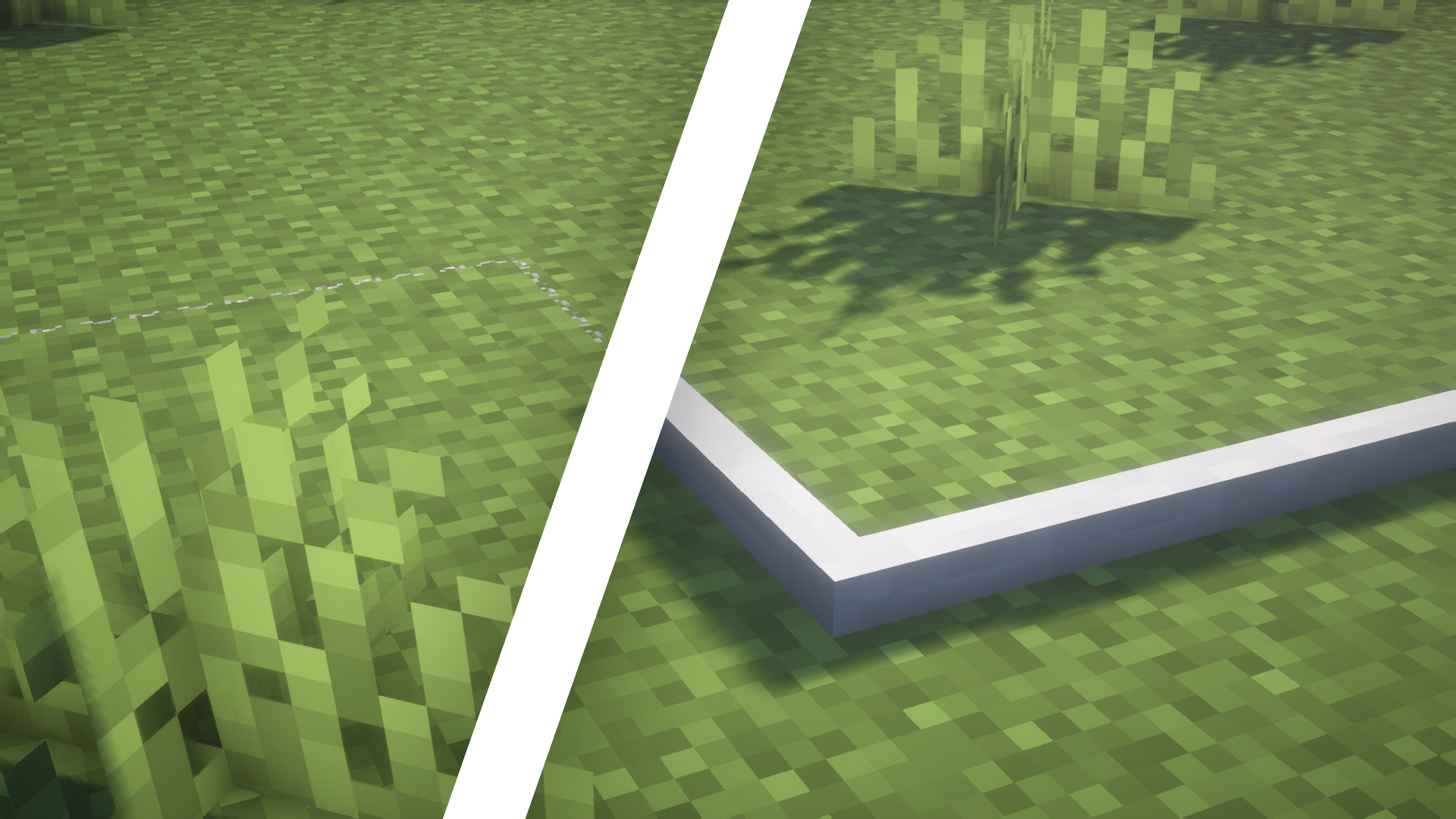
2. **Attached State**: When stretched between two tripwire hooks, the wire lifts off the ground and turns blue.
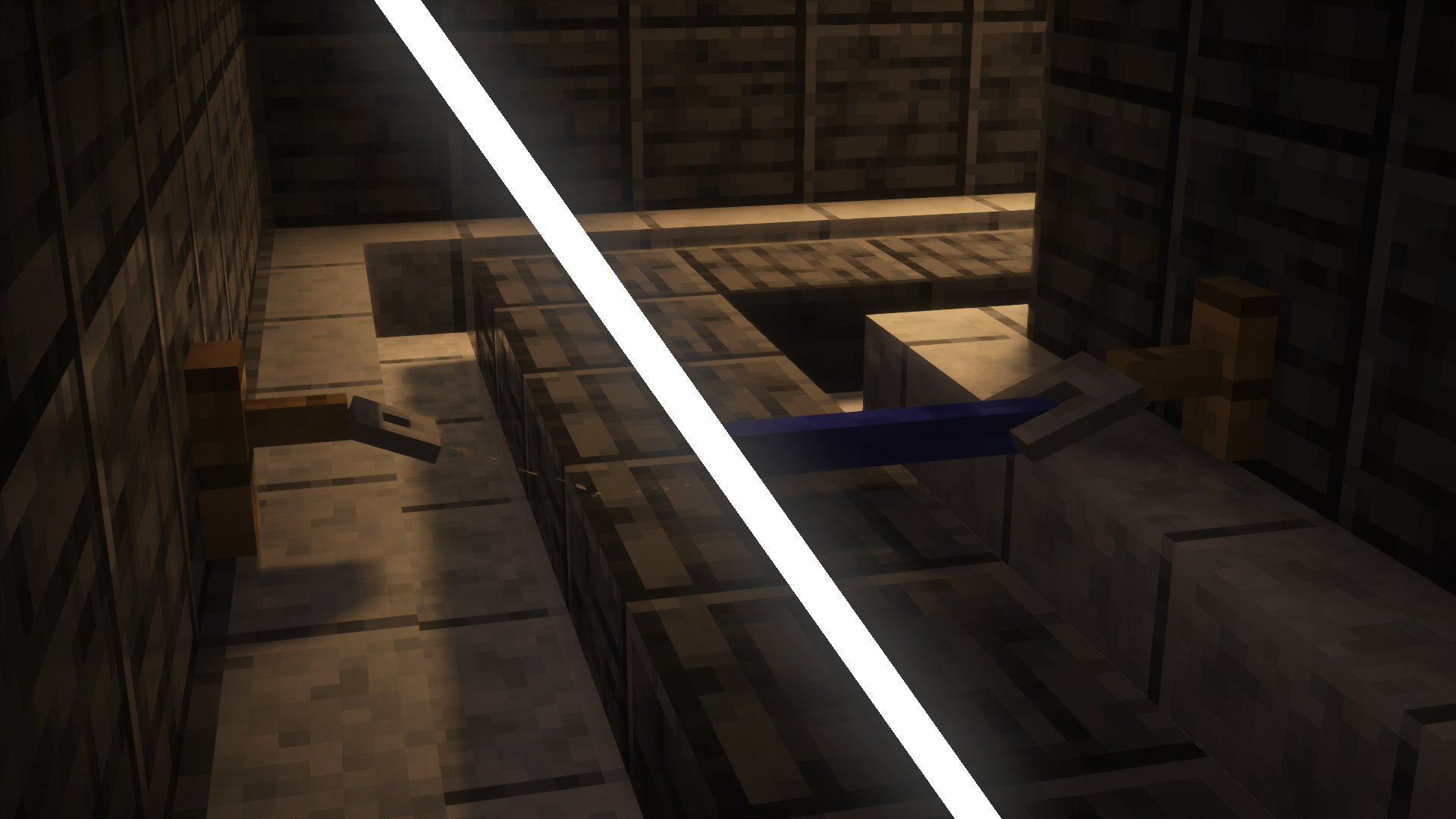
3. **Powered State**: When something touches the wire after it’s been set up, it moves back down to the ground and turns red.
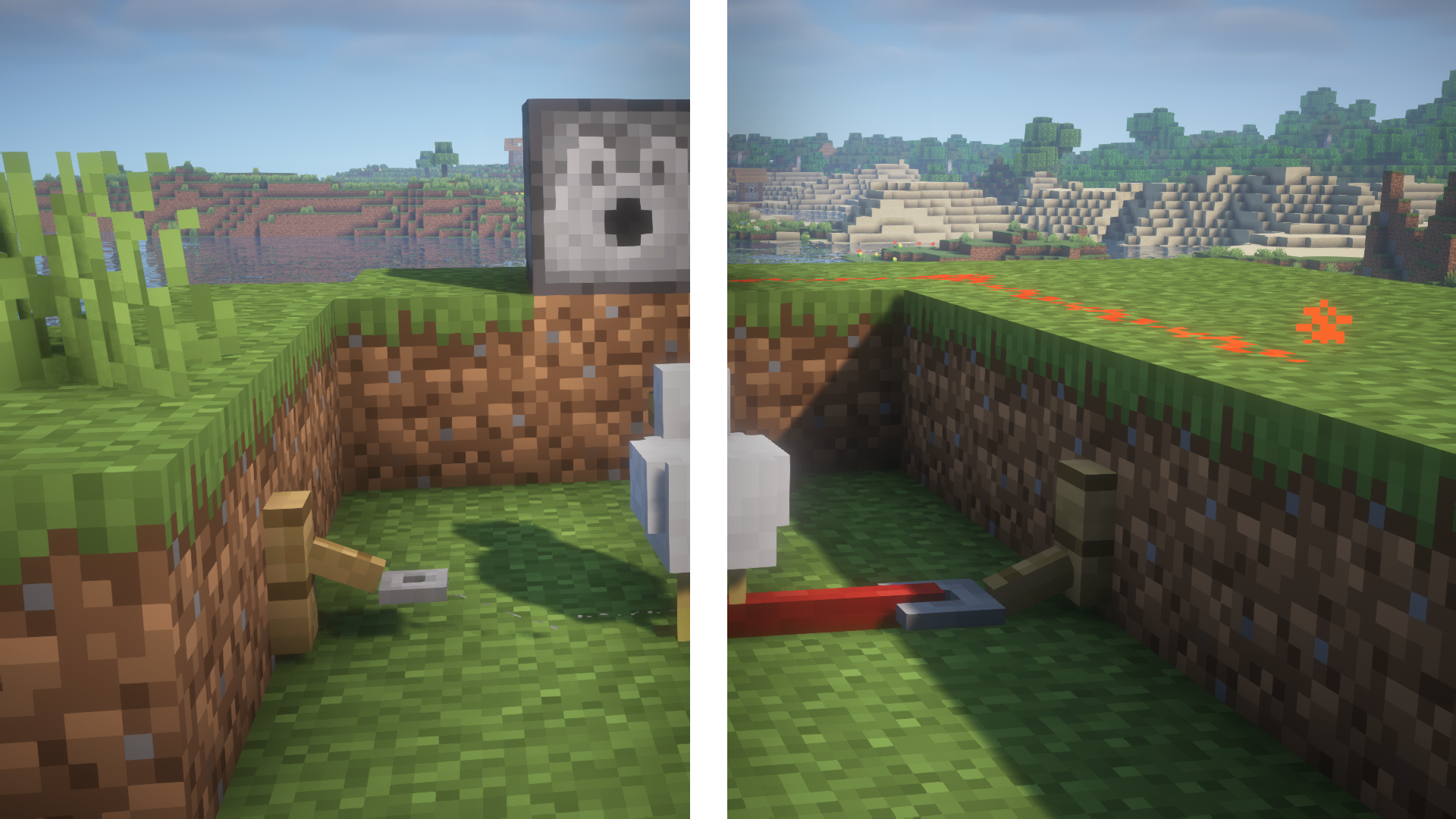
Also, the pack changes how the tripwire hooks look so they match the new style of the wires.
For more screenshots, check out the gallery here.
Visible Trapped Chest


Makes The Trapped Chest Easier to See by Making it Red.
Visible Trails Ruins
Set the texture of the blocks that compose the visible part of trail ruins to make them much easier to find!
**Got an issue or a question? → Send me a message on Discord: enigmusse**
By the way, I’m also on the Modrinth and CurseForge Discord servers.
**How to use it?**
1. Copy it into the resource packs folder of your Minecraft instance.
2. Open the escape menu, click **Resource Packs**, and select **”Visible Trails Ruins”**!
**Compatibility Notice**
The resource pack functions correctly despite the compatibility warning. Simply confirm by selecting **Yes** when prompted.
To suppress this notification completely, install the mod:
– No Resource Pack Warnings (Modrinth)
Without this solution, I’d need to create and upload a separate archive for nearly every minor Minecraft version — even though the textures remain unchanged — leading to unnecessary extra work.