# The VL+ pack
is made to give the best experience on the Ventureland RPG server. Adding many things via CIT that makes it easy to differantiate between items and GUI icons. It also changes particles and fire to make the Psycho Bandit boss fight alot more bareable visually. RET/ETF is also added to make exploring a little more fun now that mobs that would normally look the same look different now!
### Recomended and used version is 1.21.1
will ofc work on other versions but thats wat Ventureland Utils is on
Note: there are certain issues using OF fabric alternatives
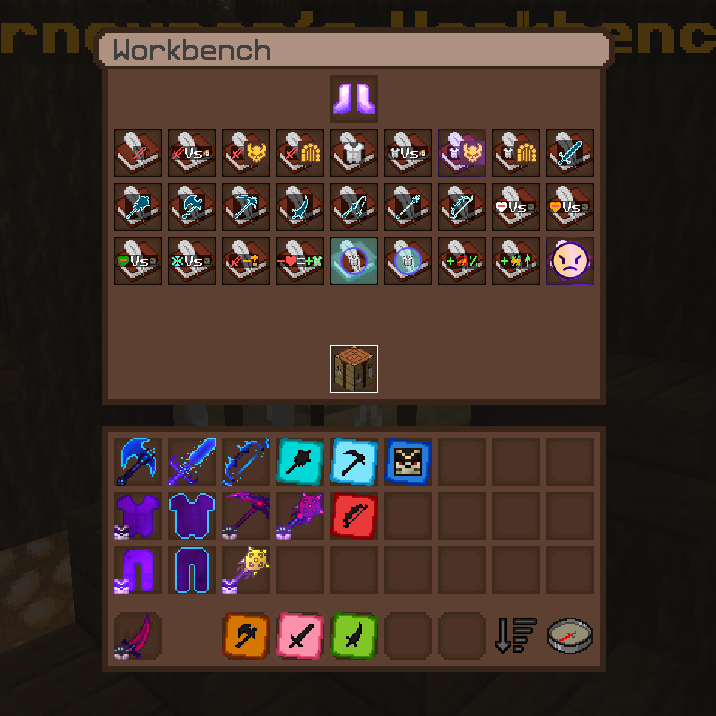
Note this is an Add-on pack meaning u will need to download the original server pack to truly get the best experience,
this can be done by simply using the command /resource on the server and choosing to use and download the original pack.
also note that u should get a CIT mod for most of the textures to show up aswell as a RET/ETF mod for custom mob textures. U can use the Respackopt mod for more options in the resourcepack menu for the pack
Check versions tab and click a version to see its dependecies
VJ’s STYLE
### Have you ever dreamed of a texture pack that adds simplistic blocks, like trailers, unique custom 3D models, new features, and a whole host of other new things?
## **VJ’s STYLE is here to fill your need!**
Enjoy an immersive gaming experience with **new user interfaces**, **new water colors**, **3D items**, new **3D plants**, **3D blocks**, and **much more**.
You can use BSL shaders to make your game look just like the photos 🙂
By using this texture pack, you’ll enjoy all these new features easily, without downloading multiple texture packs…
Credits to JoseMan, VJelPRO127, and many more; you can see them inside the texture pack.
**ENJOY** THIS NEW EXPERIENCE AND WAY TO PLAY :)!
P.S.: THIS TEXTURE PACK IS NOT BARE BONES.
Use Continuity or Optifine for unlock some features that new end blocks or comnected glass.
Show me bugs and memes in the discord.
VividHorizons
# VividHorizons by ilb0tta (1.6.1 – 26.1.2)

⚙️ Installation guide
– Go into the **Versions** tab of this page and download the resource pack for the version that you need.
– Now put the file you just downloaded into the Minecraft’s **resourcepacks** folder, which is situated in this directory.
“`
C:UsersYOUAppDataRoaming.minecraftresourcepacks
“`
– No need to unzip or changing file structure.
– Go into Minecraft –> Options –> Go into Resource packs and apply the resource pack you’ve just put in.
## 🎁 What is the point of this pack?
This simple resource pack aims to create a better and more enjoyable experience for all Minecraft players, by changing biomes, grass and foliage (e.g. leaves) colors to make them more vivid and colorful.
Ah, and **NO MODS OR OPTIFINE NEEDED**.
## ✨ Features
– Boosted Biomes colors,
– Boosted Grass colors,
– Boosted Foliage and Dry variant colors,
– Usable with other resource pack, such as 32x ones.
– Always (or near) up to date for the latest Minecraft version!
## ❤️ Support and Questions
If you have any kind of questions or run into issues with the resource pack, don’t hesitate to leave a comment or ask a question, and I’ll be happy to help.
Found a bug? / Report an issue. Click here.
Have a question or suggestion? Click Here.
## 📖 License and more…
This pack is licensed under **ARR**, which stands for “All Rights Reserved”.
What does this mean?
This means that this work is owned by me, **ilb0tta**, and you, the user, are allowed to download and use this pack **only from official sources where it has been published by me** (such as Modrinth.com).
Any other use is **strictly prohibited**, including, but not limited to:
– Reposting or redistributing the pack;
– Modifying the pack and sharing the modified version;
– Selling any part of this work;
– Using assets from this pack in other projects.
If you have any questions or doubts feel free to contact me.
My goal is to provide the community with high-quality content that improves players’ gameplay. So please, don’t steal, copy or redistribute someone else’s work. Making something with your own hands makes you feel more confident and grateful towards yourself. ❤️
## 💎 Sponsors
### NextDNS
Browse safer with **_NextDNS_**, it automatically blocks ads, trackers, and malicious sites **before they can even load**, across all your sites, apps, devices and networks, with zero hassle.
Protect your family with **built-in parental controls** and manage everything easily from a simple, **real-time dashboard**. With **encrypted DNS servers** in multiple locations, your privacy stays secure wherever you are.
**Create an account through this link** and get **_unlimited protection on all your devices_** for **just $19.99 per year!**
### HidenCloud
Need a powerful **AMD-powered DDR5 RAM** Dedicated Minecraft Hosting platform that **doesn’t break the bank**? Check out **HidenCloud**, starting at just less than **50$/YEAR** for a good MC plan. **Try HidenCloud now with this link** to get a **5% DISCOUNT CODE** on your entire order. (And support my projects!)
NOTE: to get the discount simply click the link, scroll down and click “**set up**” a plan, then your discount code will be **already applied at your checkout!**
TIP: you can **stack** coupons!
Thank you for supporting my projects, I truly appreciate it!,
ilb0tta.
Visuals
📸 Visuals 👀
## FAQ
### What is this?
Click for answer
The goal of this resource pack is to give any items (and blocks) that have extra data associated with them unique textures, showing as much information about the block/item as possible. This usually comes in the form of checking unused block states for blocks and unused item components for items.
Visuals is a superset of Visual: Armor Trims and Visual: Paintings.
Polytone Recommended (for creative mode spawn eggs tab). Be warned though I do not know how server anticheats will react if you are pulling normally inaccessible items out of thin air.
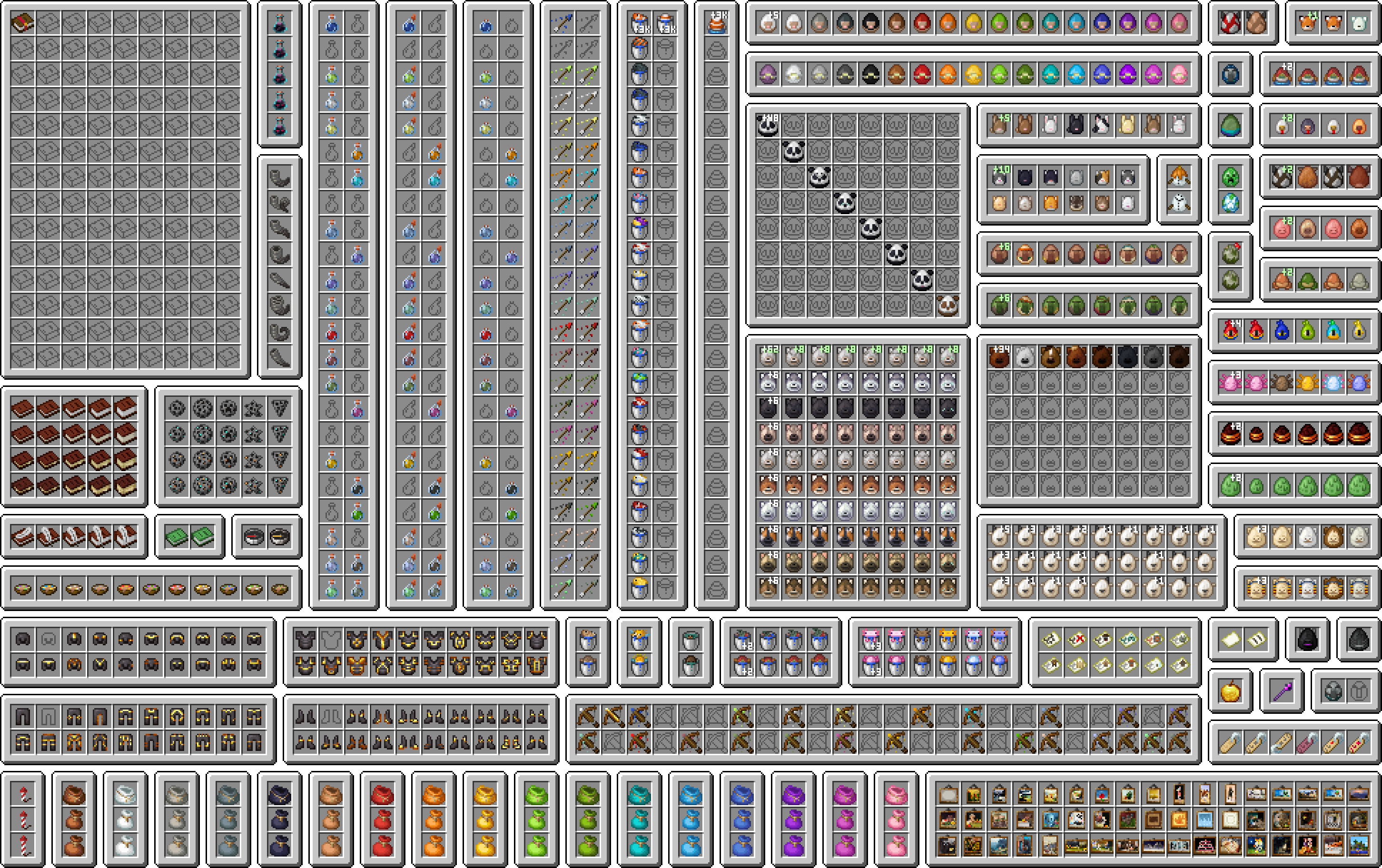
In the cases where something is partially possible (within reason), this pack will complete it to the best of its ability.
Please see the Changelog and the Gallery for an idea of what this resource pack changes.
### How do I get it to work?
Click for answer
This resource pack requires Minecraft 1.21.5+ for the item edits, as it uses the new item model definitions.
Visual: Armor Trims and Visual: Paintings do have support for older versions, but require mods.
See their respective pages for compatibility.
## Links
If this pack interests you, come and join the Discord server!
If you have found a broken texture in this pack, or would like to request a feature, please raise an issue on the issues page.
This pack does not have a CurseForge page.
## Credit
Huge thank you to the following people on Discord:
Click for credits
@un_pogaz – build scripts and project organization contributions
@malimiau – discovering data component predicates, and how to use them
@feycional – discovering that NBT can actually be matched as a string, suggesting the inclusion of context_entity bow arrows for strays/bogged/wither_skeletons, and Turkish translation
@its_markis – figuring out that visual crossbows are actually possible
@pineapple7462 – the idea of giving special maps unique textures
@pikuler – lolcat translation
@ramder007red – generic spawn egg variant number idea
@sharkinglot – empty writable book texture idea
@darkfire_ninja – firework/firework star fade texture ideas
The visual tropical fish bucket textures are somewhat inspired by Visual Fish Buckets by SixFootBlue. No assets from that resource pack are used.
If you are a resource pack developer and enjoy my work, I would love if you included any of my textures or models from this pack in yours. Be sure to credit me though!
If you would like to upload a video showcasing this resource pack to a third party platform like YouTube, credit would be highly appreciated, and be sure to let me know, I might include it here!
## Support Me
The best way to support me at the moment is by downloading and following my resource packs!
If you would like to:
– Ask a question about this pack, or something related
– Request a commission, or
– Donate, to me directly
please either join the Discord or raise an issue on the Github page.
Visual Trapped Chest (Items)
This pack aims to be a companion piece to some packs from Vanilla Tweaks, “Visual Infested Stone (Items)” and “Visual Waxed Copper (Items)”, which add a border to a few block items to make them more distinguishable to the player.
In this pack’s case, it does this with trapped chests, adding a red border reminiscent of redstone. The pack does not alter how the block looks when placed however.
Visual Target Levels
# Visual Target Levels
A small utility pack that changes the target block to display its power level.
OptiFine NOT required!
Thanks to Shock Micro for VanillaDynamicEmissives, which makes some of this pack’s features possible!
Terms of usage
If you use or feature this resourcepack through any medium (PMC, YouTube, Curseforge, etc.), you must credit me and link to this page and/or my profile.
If you would like to use this in your public resourcepack, please ask me first, and include credit and a link to this page both in a credits.txt in the resourcepack file and in the description.
Usage must be a modification or addition to your pack, not a repost.
If you see anyone using my content without permission, please let me know so I can sort it out 🙂
If you are using Sodium, Continuity must also be installed for emissive textures.
This resourcepack is licensed under Creative Commons Attribution-NonCommercial-ShareAlike 4.0 International License
Visual Redstone Vanilla Plus
## About
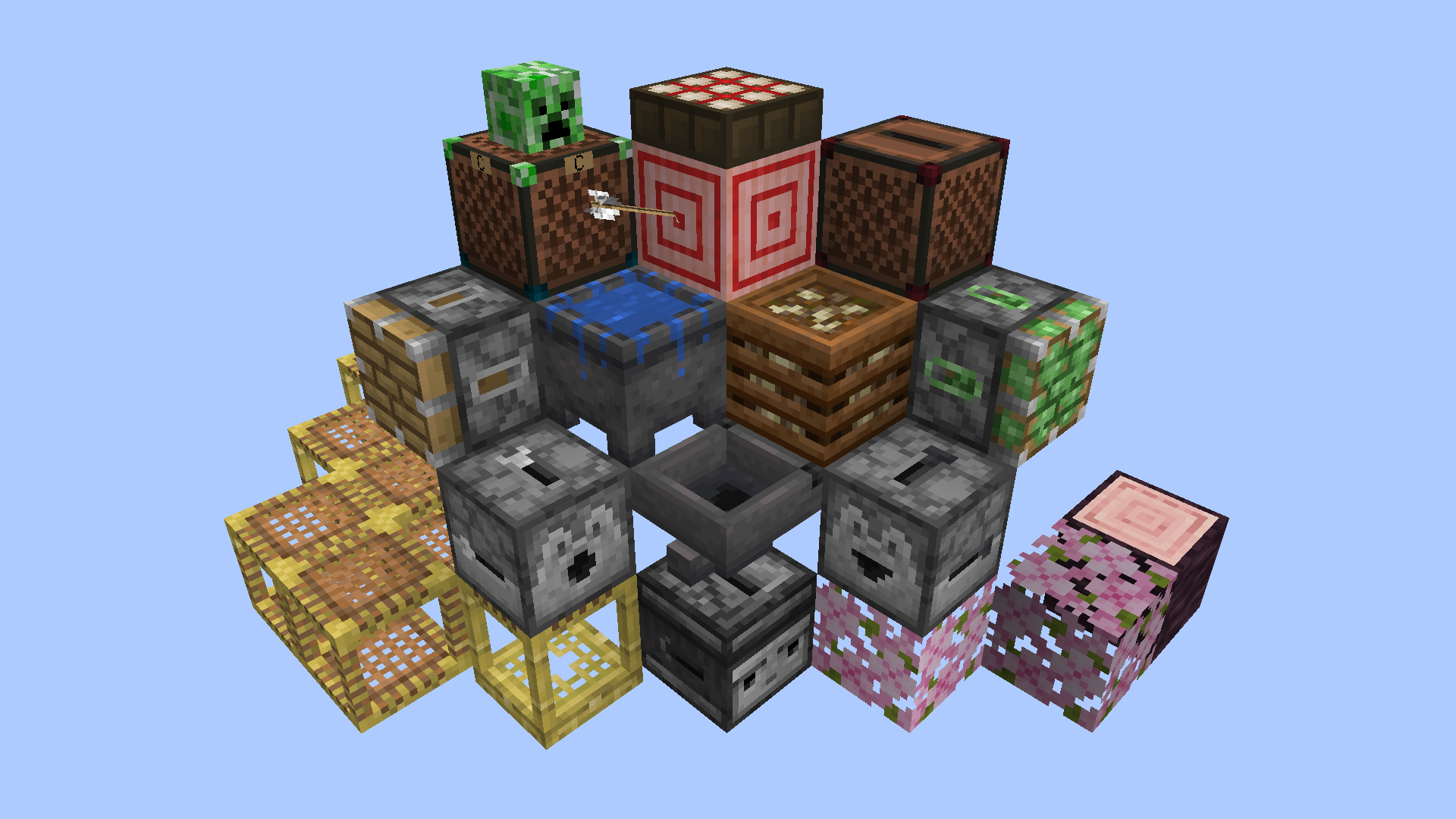
This resource pack makes it easier to see and understand redstone devices by adding visible mechanisms, lights and other indicators to various blocks while remaining as vanilla-looking as possible.
Inspired by Vanilla Tweaks and Redstone Tweaks, and also uses some of those packs’ model files and a handful of edited textures as a base for this pack’s custom tweaks. No straight-up copies.
I recommend the ‘Unlit Redstone Ore’, ‘Groovy Levers’ and ‘Visual Honey Stages’ Vanilla Tweaks to go alongside this pack, as they complement it perfectly. Place VRVP at the top of the resource pack list so it has priority over everything else that might overwrite it.
Check the Gallery images and descriptions to see how these blocks are changed.
## Credits
Made by batbrain55
Inspired by, and using .json files and a few edited textures from Redstone Tweaks: https://www.curseforge.com/minecraft/texture-packs/redstone-tweaks
Inspired by, and using an edited version of the Pixel Consistent Tripwire from Vanilla Tweaks for older versions: https://vanillatweaks.net/
Base textures and the video game of Minecraft by Mojang
Visual Powder Snow
In this Pack the Texture of powder snow is changed to a more alarming one
LeoTweaks Visual Leaves
### This Resourcepack gives all Leaves their own distinction, depending on decayability.
—
Once you’re familiar with the pack, you’ll be able to tell if a leaf is Decaying, Placed by another player or natural – at just a glance!
Inspired by the works of 6_28318530717958
Visual Leaf Decay
# Visual Leaf Decay
This resource pack changes leaves to look dead and brown when they are decaying.
This can be useful to tell if you have removed all the logs from a tree, or just as a general aesthetic improvement.
Click here for a bushy leaves version.
Click here for a programmer art version.
how the pack works:
Terms of usage
If you use or feature this resourcepack through any medium (PMC, YouTube, Curseforge, etc.), you must credit me and link to this page and/or my profile.
If you would like to use this in your public resourcepack, please ask me first, and include credit and a link to this page both in a credits.txt in the resourcepack file and in the description.
Usage must be a modification or addition to your pack, not a repost.
If you see anyone using my content without permission, please let me know so I can sort it out 🙂




