Waxed Copper Overhaul
Waxed Copper Overhaul add a new copper color WITHOUT REMOVING ANY VANILLA TEXTUREOxidized Copper and Waxed Oxidized copper are almost the same block since the copper cannot age any further.
So instead of having duplicates of the same blocks .This ressource pack aim to add a new copper color while being compatible with vanilla minecraft , you can install this pack into your world and all of your builds will be same.
You will just need to scrap a few waxed copper block if you want to turn them teal again.Also double cut copper slab of all variant have a unique look to look like the original copper texture that was shown
The pack is already compatible with all the new copper blocks added in 1.21 so enjoy a wide variety of brassy coppers bulbs , grates , trapdoors and doors and more and I will update the pack if we get new coppers blocks in the future.
Wavy Sand Sides

**Wavy Sand Sides** gives sand types a wavy side texture, with mirroing on its sides, while keeping its rotations on its top and bottom faces.
Wavy Sand
In real life, sand, both in deserts and on the seabed, is often covered in small waves. This resource pack adds this to Minecraft. I’m sure many would like a block with a similar texture, but until one exists, you can play with Wavy Sand!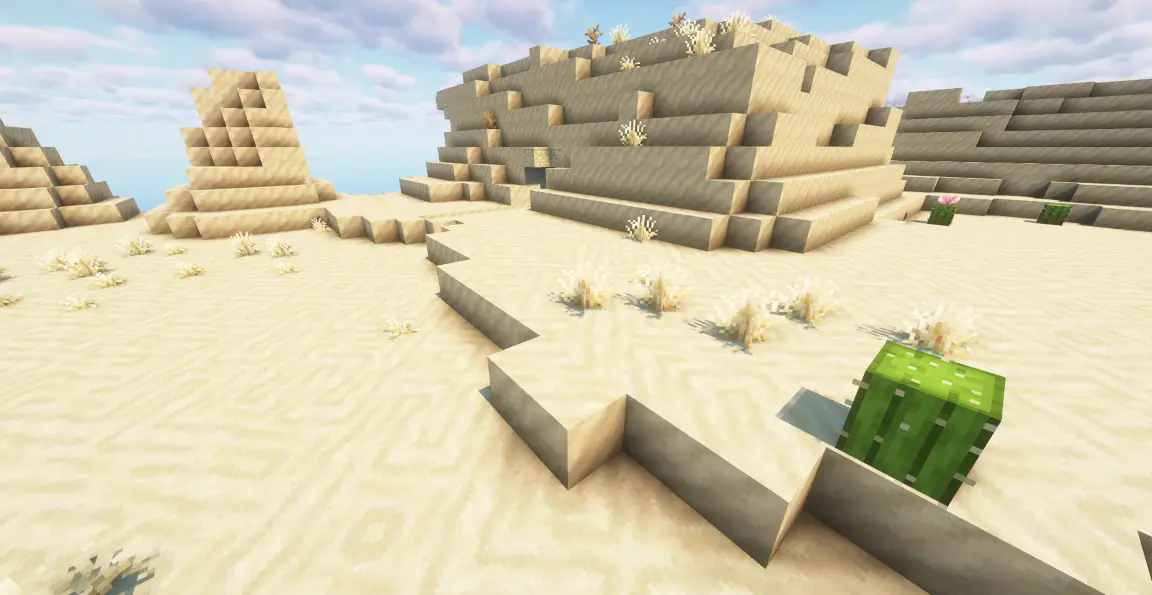
Wavy Water
## Showcase

To see more previews, check out [the gallery](https://modrinth.com/project/waves/gallery)
## Description
This is a texture pack (not a mod or shaderpack) that works in Vanilla Minecraft. To use, all you need to do is apply the pack. No other required installs and no required settings tweaks. There are optional settings that you can access in the texture pack itself or with an optional mod called respackopts.
The waves in the texture pack are extremely simple, and is done by calculating a sine wave for the x direction and a cosine wave for the z direction (both based on height, speed and frequency) then just taking the average of the two. The waves are not meant to be realistic, and instead are meant to add more depth to the base game.
## How to Use
1. Download and install the texture pack like normal
2. Optionally, install [respackopts](https://modrinth.com/mod/respackopts) for more control on how the waves look. After installing this, you should see a settings icon appear on the texture pack.
3. If the effect isn’t working, try disabling other packs. This texture pack also notably does not work with the Sodium mod.
4. If you can’t find the texture pack in the list, try enabling folder view in the bottom left if you have recursive resources and then searching for it with the search bar.
5. To configure the pack without respackopts, open the texture pack file and then head to `assets/minecraft/shaders/include` then open the `config.glsl` file. There will be 3 values that you can change to any number you want.
## Support
**Join [My Discord](https://discord.gg/gymTft2GbV)**
– Report bugs
– Create suggestions
– Vote on future packs
– Interact with the community
– Ask for help with texture packs
– This is the place to ask if you can use this pack in your own pack
**Check out [The Repository](https://github.com/AlphaLeoli/Texture-Packs)**
– Report bugs
– Create suggestions
– Contribute by creating a pull request
https://www.alphaleo.li/resourcepacks
WaterBobbu
A cartoony water resprite! Pairs well with other resource packs that tweak terrain blocks and worldgen overhauls!
Made with love by us, The Bobbus, in Aseprite and with some assistance from our dear friend Kayla_the_Bee!
Water Vision Transparent
## 🌊 Water Vision – Transparent Water Texture Pack
**Water Vision** is a clean and lightweight Minecraft texture pack that makes water highly transparent while preserving its natural color, flow, and vanilla appearance.
It greatly improves underwater visibility, allowing players to explore oceans, rivers, and caves with ease—no shaders required.
Designed for PvP, exploration, and survival players who want clarity without breaking the vanilla feel.
—
### ✨ Features
– Highly transparent water
– Keeps vanilla water color & animation
– Clear underwater visibility
– No shaders required
– Lightweight & performance-friendly
—
### 🎮 Best For
– PvP & Crystal PvP
– Ocean and cave exploration
– SMP & survival worlds
– Clean & minimal visuals
—


—
## ⚡ [ZEYRON CLOUD](https://www.zeyroncloud.com/)
Premium Game Hosting for Minecraft & Servers

## LINKS
**🌐 Website:**
https://zeyroncloud.com
**💬 DISCORD Server:**
https://discord.gg/QPSJzttKwn
Use code **OWNVERSE10** and get **10% OFF** on your **first month** of hosting!
### 📦 Compatibility
– Works with most Minecraft versions
– Compatible with popular clients
Water and Lava Normals
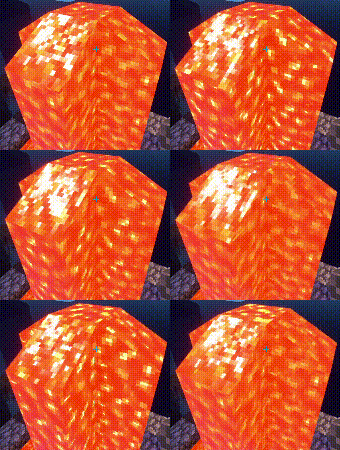
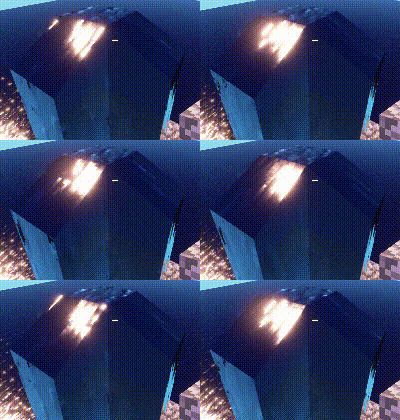
Based on Vibrant visuals. It makes water in shaders have reflections to make it prettier. And also adds normals to lava, to also make it look better. it is more notable when shown against daylight.
It works on both LabPBR and SeusPBR. Just need to activate Advanced materials depending on the shaders you are using.
Water Lilies!
## 📃 Info!
This Resource Pack aims to Visually Improve Swamps & Builds that use Lily Pads in your World!
## Redesingned Lily Pad

## Water Lily Colors


Water Caustics

**Water Caustics** is an **experimental** resource pack that gives blocks animated textures using Continuity to simulate water caustics. These animations appear only on the top faces of blocks between Y-levels 55 and 62, and using Polytone, only applies to ocean biomes and rivers.

Current Blocks
Every block that can be found natrually in water biomes between Y-levels 55 and 62 by default, have animations.
– Log Types
– Plank Types
– Andesite
– Diorite
– Granite
– Polished Granite
– Stone
– Stone Brick Types
– Coral Block Types
– Clay
– Terracotta
– Dirt
– Sand
– Gravel
– Sandstone Types
– Prismarine
– Prismarine Bricks
– Netherrack
– Obsidian
– Packed Ice
– Blue Ice
– Dripstone Block
Slabs, stairs, trapdoors and fences included.
Affected Biomes
– Ocean
– Cold Ocean
– Lukewarm Ocean
– Warm Ocean
– Frozen Ocean
– Deep Ocean
– Deep Cold ocean
– Deep Lukewarm ocean
– Deep Frozen ocean
– River
CTM can’t detect water or fluid states, so blocks can’t connect directly to water. Instead, the texture is determined by Y-level and biomes. If any other biomes were added to the list, caustics could appear on blocks that aren’t actually underwater, such as beaches or any land biomes bordering the ocean.
For creative uses, a workaround for this, is making caustics appear next to land biomes that border oceans and rivers, by using Axiom [(?)](https://axiomdocs.moulberry.com/tools/painting/biomepainter.html) or WorldEdit [(?)](https://worldedit.enginehub.org/en/latest/usage/regions/regionops/#setting-biomes) to change the water’s biome to one of the ocean biomes.

Natrual Textures
For the best results, use [Natrual Textures](https://modrinth.com/resourcepack/natrual-textures) to give blocks rotations, which rotate the water caustics with it, to look more natrual, as shown in screenshots.

– [Continuity](https://modrinth.com/mod/continuity/versions)
– [Polytone](https://modrinth.com/mod/polytone)
Warden Garden
Warden Garden is a Minecraft resource pack that gives the “Pale Garden” biome a complete visual overhaul inspired by the deep, mysterious aesthetic of Sculk-themed blocks. This pack transforms the environment to feel more eerie, ancient, and alive with darkness—ideal for players who want to create otherworldly builds or immerse themselves in a deep, corrupted garden ambiance.
Features:
– Replaces all Pale Garden textures with custom Sculk-themed designs.
– Includes glowing emissive textures for specific blocks to enhance atmosphere in low light.
– Compatible with vanilla Minecraft – no mods required.
– Optional: For best visual experience, it’s recommended to use OptiFine or an equivalent mod to enable block glow effects in darkness (via emissive textures).
This pack focuses solely on textures. It does not modify sounds, models, or animations. It works in both singleplayer and multiplayer environments, and supports versions 1.20+ (including snapshots and minor updates).