What the blocks!?
# What the blocks!?
What did happen to all blocks? Not looking like Fortnite chapter 2 but also not looking like April 1st! Go on an epic adventure with buggy textures and buggy models!
Message from your tourist guide: “Just be careful not to fall in a cave! The world is your enemy!”
# READ THIS
By using this pack you agree that you have informed yourself about what your favorite Minecraft server allows and doesn’t allow! Some servers may count this as x-ray but it doesn’t give you a big advantage! This is NOT a x-ray resourcepack!
Whafful’s Darker Dark Oak
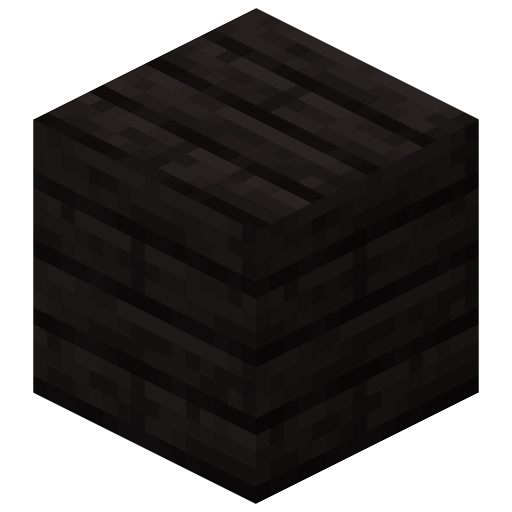
This resource pack retextures the dark oak wood set to be black, taking inspiration from ebony and African blackwood. Everything dark oak related is changed other than the bark of the logs and the cartography table.
Plank Render
Weskerson’s Nature
Upgrade your overworld with these expansive 3d flora! This pack adds custom 3d Flowers with their own custom 3D item models!
This pack covers a range of different flora and fungi, making your overworld and nether (soon the end too ;P) livelier than ever.

Terms of Use:
**Terms and Conditions:**
– By downloading or using this resource pack, you agree to follow these terms.
– **Weskerson** is the original creator and rights holder of this resource pack.
– These terms apply only if you plan to use this resource pack in publicly shared content.
– The official Modrinth project page contains the most up-to-date terms, which take precedence over any other licenses, readme files, or terms included elsewhere, including within the resource pack itself.
– If you incorporate assets from this resource pack into your own, proper credit must be given—ideally by crediting its name and linking to its official Modrinth page.
– The creator has the final authority in determining how these terms apply to the use of this resource pack and its assets.
– These terms are subject to change at any given time
**With this resource pack, you may:**
– You may modify this resource pack for personal use only, but you may not share modified versions publicly.
– You are allowed to include this resource pack in a mod pack or server.
– You can use this resource pack in content such as videos, live streams, or blog posts, as long as proper credit is given
– You may use an edited version of this resource pack in videos, live streams, or blog posts, as long as the edited version is not shared publicly.
– alter (remix, transform, build) the resource pack for use in your own, within reason, if proper credit is given
**With this resource pack, you may not:**
– You are not allowed to redistribute this resource pack.
– You may not port this resource pack or its assets for use in Minecraft Bedrock Edition.
– You cannot include unedited assets from this resource pack in your own resource pack.
– You may not use assets from this resource pack in a paid product or behind a paywall.
Weeping stone
💧 Revamps _dripstone caves_ and making them more **weepingly**
#
**Changes:**
– 🎵 adds ambient sounds
– 🎨 new dripstone texture variant
– ✨ blinking animation to dripstone
#
⛰️ did you hear _that_? _Weeping stone_ is somewhere near… someone says _it_ can see you
Cobweb Outlines
## Showcase
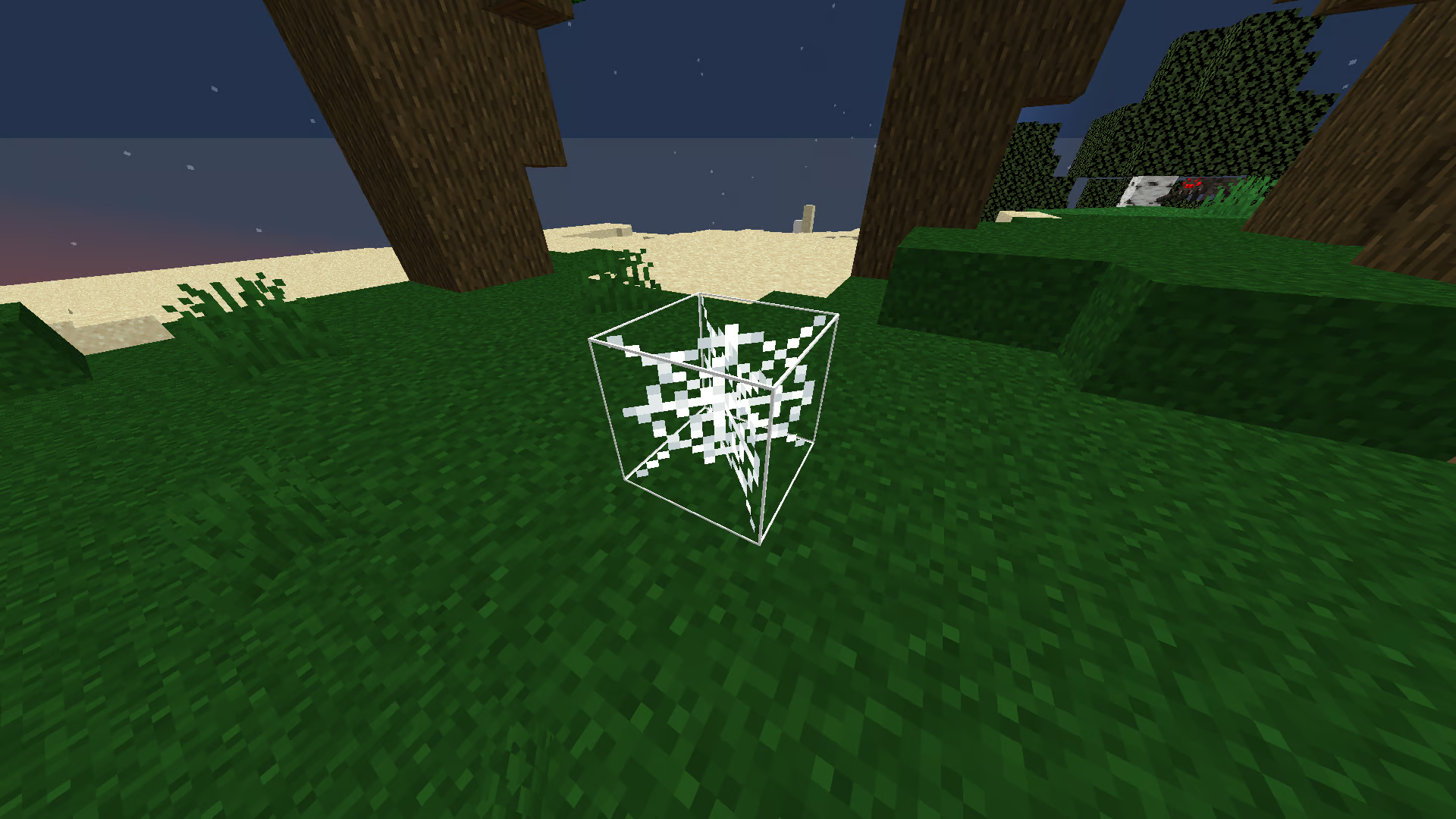
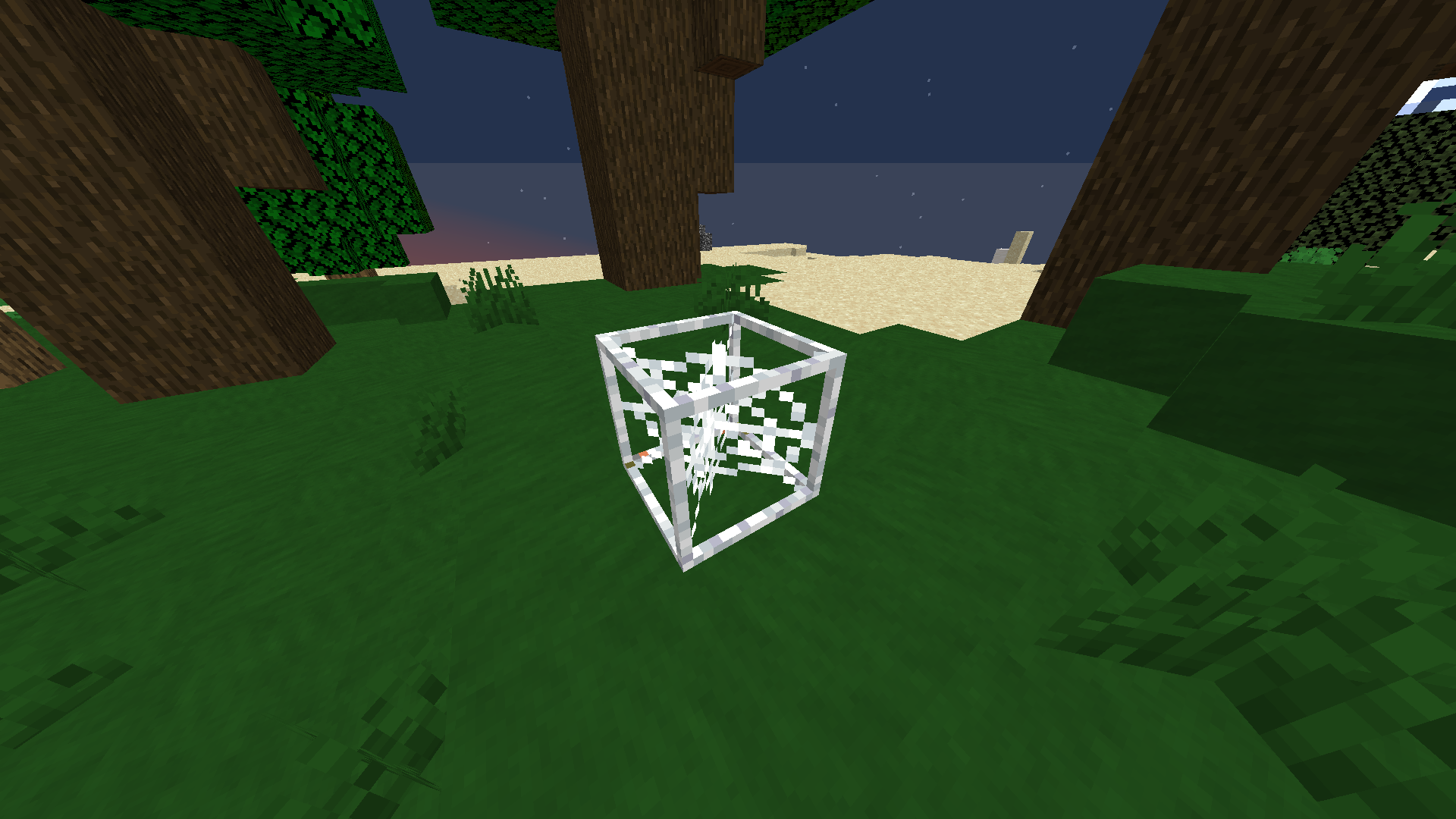
See the “How to Use” section below for picking your preferred version of the pack.
## Description
This is a texture pack that adds an outline to the cobweb model. This makes it seem more like a full block, which makes it easier and more intuitive to place things on it or avoid it.
There are two versions of the pack. The first one is to get [thin outlines](https://modrinth.com/resourcepack/web/version/1.0.2) around the cobweb, and the second one is to get [thick, blocky outlines](https://modrinth.com/resourcepack/web/version/1.0.1).
I originally made this for the UHC gamemode on [mctiers](https://mctiers.com), since it makes it way easier to know the actual cobweb hitbox in order to place lava or water on it. As mentioned before, it also makes it a lot easier to avoid getting into, since before you might completely miss the cobwebs and still get into it since the original Minecraft model doesn’t accurately represent the hitbox.
## How to Use
1. Choose your preferred version of the pack. You can either download [Thin Outlines](https://modrinth.com/resourcepack/web/version/1.0.2) or [Thick Outlines](https://modrinth.com/resourcepack/web/version/1.0.1).
2. After downloading, put it in your `%APPDATA%/.minecraft/resourcepacks` folder. Then, you can apply it ingame. Alternatively, you can drag the downloaded folder into the resourcepacks screen ingame.
3. After applying the pack, your cobwebs should immediately be changed.
## Support
**Join [My Discord](https://discord.gg/gymTft2GbV)**
– Report bugs
– Create suggestions
– Vote on future packs
– Interact with the community
– Ask for help with texture packs
– This is the place to ask if you can use this pack in your own pack
**Check out [The Repository](https://github.com/AlphaLeoli/Texture-Packs)**
– Report bugs
– Create suggestions
– Contribute by creating a pull request
https://www.alphaleo.li/resourcepacks
WeatherPM
This adds programmer art-esc textures for ProtoManly’s weather. I am not quite sure _why_ anyone would want this, but maybe if you use something like [Programmer Art+](https://modrinth.com/resourcepack/programmer-art-plus) or the [Programmer Art Continuation Project](https://modrinth.com/resourcepack/pacp), this might be useful to blend in the textures. This will (hopefully) be updated to support any changes with PMWeather 0.15-alpha.
This also brings back the old Weather2 siren sound!
**Credits**
[Weather2](https://www.curseforge.com/minecraft/mc-mods/weather-storms-tornadoes), as i have used some of their textures. _Please contact me if you would like these to be replaced (even though i am very likely to in the future anyway)_
Weapons pack rp
# Weapons pack
This resource pack will add models of firearms. To do this, you will need to rename a certain weapon on the anvil.
# Dependencies
This pack requires Optifine or CIT Resewn, either can be downloaded below:
– [Optifine](https://www.optifine.net/home)
– [CIT Resewn](https://modrinth.com/mod/cit-resewn)
# Weapon Names:
bow:
* AK 47
* M416/B114
* mac10
* Mauser
* revolver
* thompson
* BFG 9000
* tec 9
crossbow:
* AWM
* shotgun
* winchester
* RPG-7
* signal rocket
* grenade launcher
netherite/diamond sword:
* Finka NKVD
arrows:
* patron
* shotgun cartridge
* bullet
splash/linerring potion:
* grenade
TNT:
* nuclear bomb
WazaPack

**Pack Version** (Last)**:** v1.1
**Created by:**
> Me ( [@GalacticUniv](https://discord.gg/72dHTWJr6R) )
**Available in the following versions:**
1.12.2 | 1.16 – 1.20.1 | 1.20.2+
**Tags**:
> Service, Black, White, 32x, Wazaaa
**Description:**
> WazaPack is another texture pack I originally created for version 1.12.2. This pack was initially designed as a way to support a specific community or team that was active at the time. In the end, I completed it, and I loved the design so much that I decided to update it for modern versions. What truly inspired me to update it was the custom totem design—so here it is! The pack includes everything needed for the latest versions, so you don’t have to worry about missing textures.
> This texture pack is diamond-only, but you can download the Netherite version here!
> Don’t forget that downloading the texture pack from the official sources (In PlanetMinecraft) is a huge way to support us! <3
> If you have any questions or want to report a bug, feel free to do so through our official Discord:
>
> You can also follow us on social media! 😀
>

– You can download Apple Skin here: [Download Apple Skin (Modrinth)]()
– You can download Fabric Sky Boxes here: [Download Fabric Sky Boxes (Modrinth)]()
Way Lower Shield
# Lower Shield PvP Pack
This texture pack makes shields sit much lower than in most other packs (maybe the lowest, not fully sure). It was inspired by the Minecraft YouTuber **ManePear’s** texture packs, so I decided to create one myself.
## Compatibility
– Tested on: 1.21.4 – 1.20 (Main version: 1.21+)
– Other versions: not tested
## Requirements
– No mods required, this pack works on vanilla Minecraft.
## Credits
– Pack created entirely by **[_Melted](https://modrinth.com/user/_Melted)**.
– Inspired by **[ManePear](https://www.youtube.com/@ManePear)**.
Waxed Indicators
## About
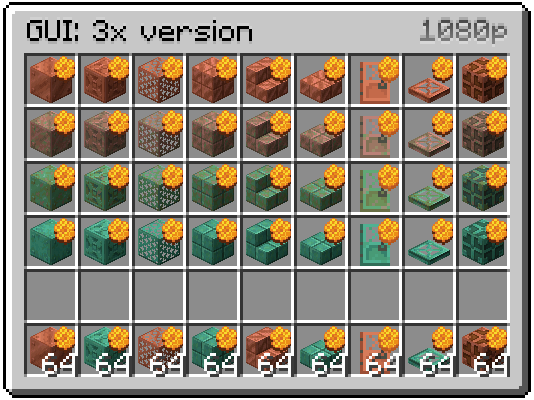
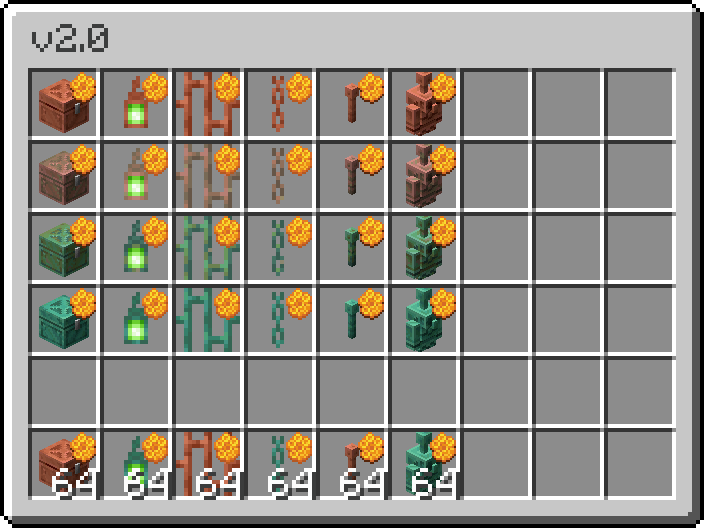
Honeycomb indicators for waxed copper items, which are only visible in the inventory.
## Two Versions
– 3x GUI Scale users – [get this version](https://modrinth.com/resourcepack/waxed-indicators/version/3xGUI_2.1)
– 4x GUI Scale and 2x users – [get this version](https://modrinth.com/resourcepack/waxed-indicators/version/4xGUI_2.1)
Gallery