Simple Saturation Shader
**A very light shader pack for Iris that adds a saturation slider, to allow you to change the saturation of your game**
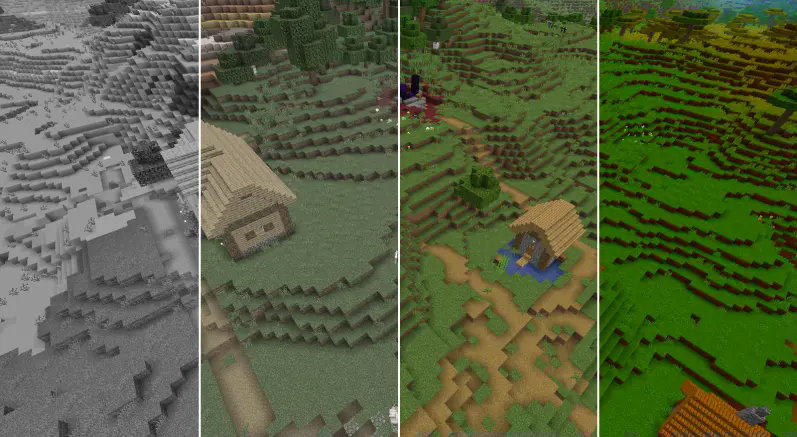
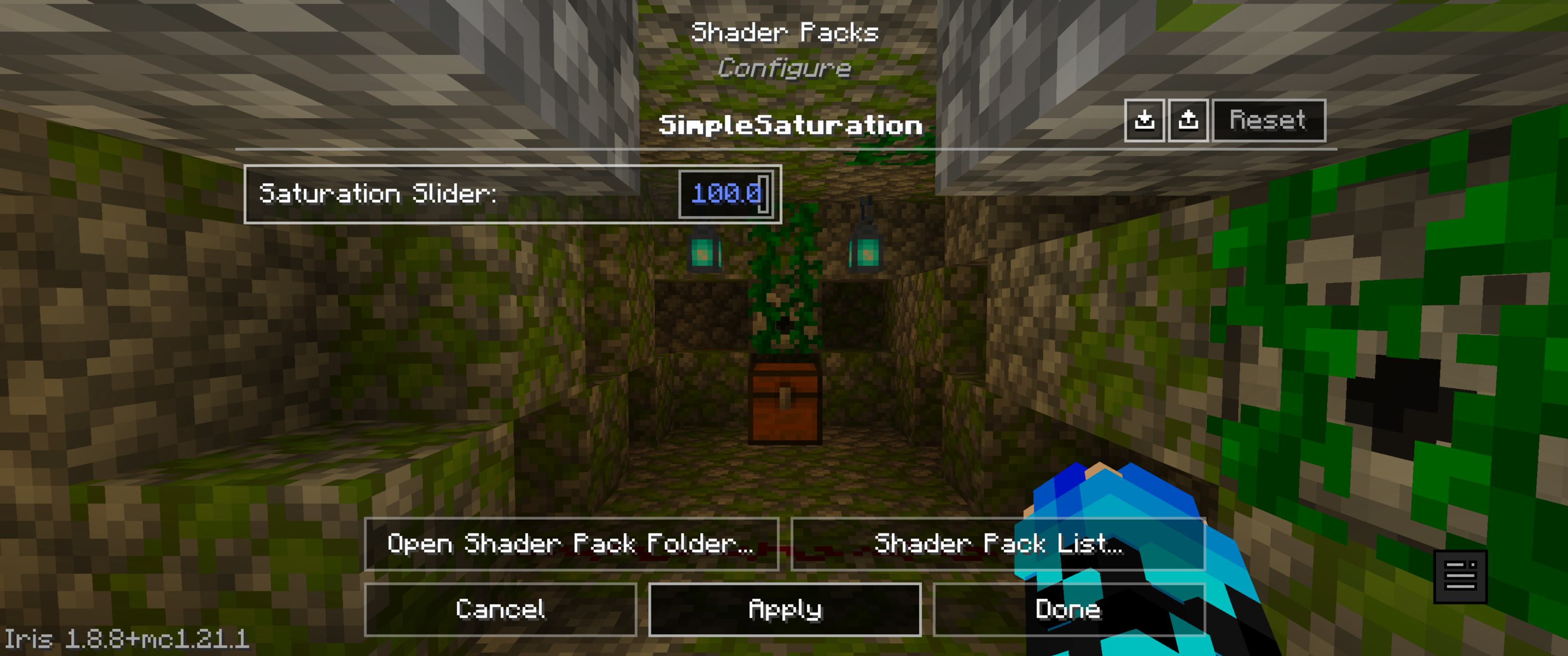
The sliders vary from:
“0.0 0.05 0.10 0.15 0.20 0.25 0.30 0.35 0.40 0.45 0.50 0.55 0.60 0.65 0.70 0.75 0.80 0.85 0.90 0.95 1.0 1.05 1.10 1.15 1.20 1.25 1.30 1.35 1.40 1.45 1.50 1.55 1.60 1.65 1.70 1.75 1.80 1.85 1.90 1.95 2.0 3.0 100”
With 1 being normal saturation, 0 being none and 100 being max.
This shader pack was made by MrBrose, with help from RJ_Infinity
Base code based off of “Base-Shader” by Bestsoft100
https://modrinth.com/shader/base-shader
Simple Saturation
# About Shader
* This lightweight shaderpack allows you to precisely adjust the overall saturation of your Minecraft world through a simple in-game slider.
# Gallery
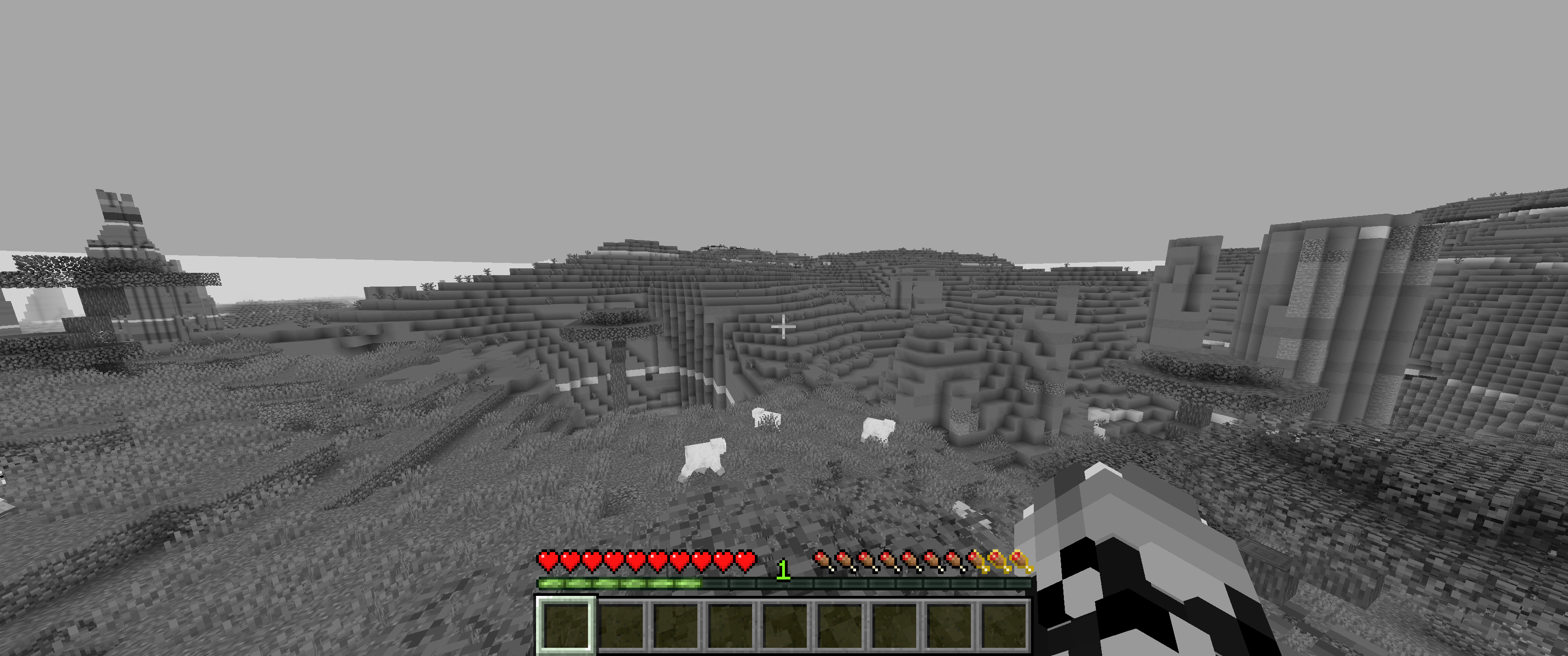
## 0% Saturation
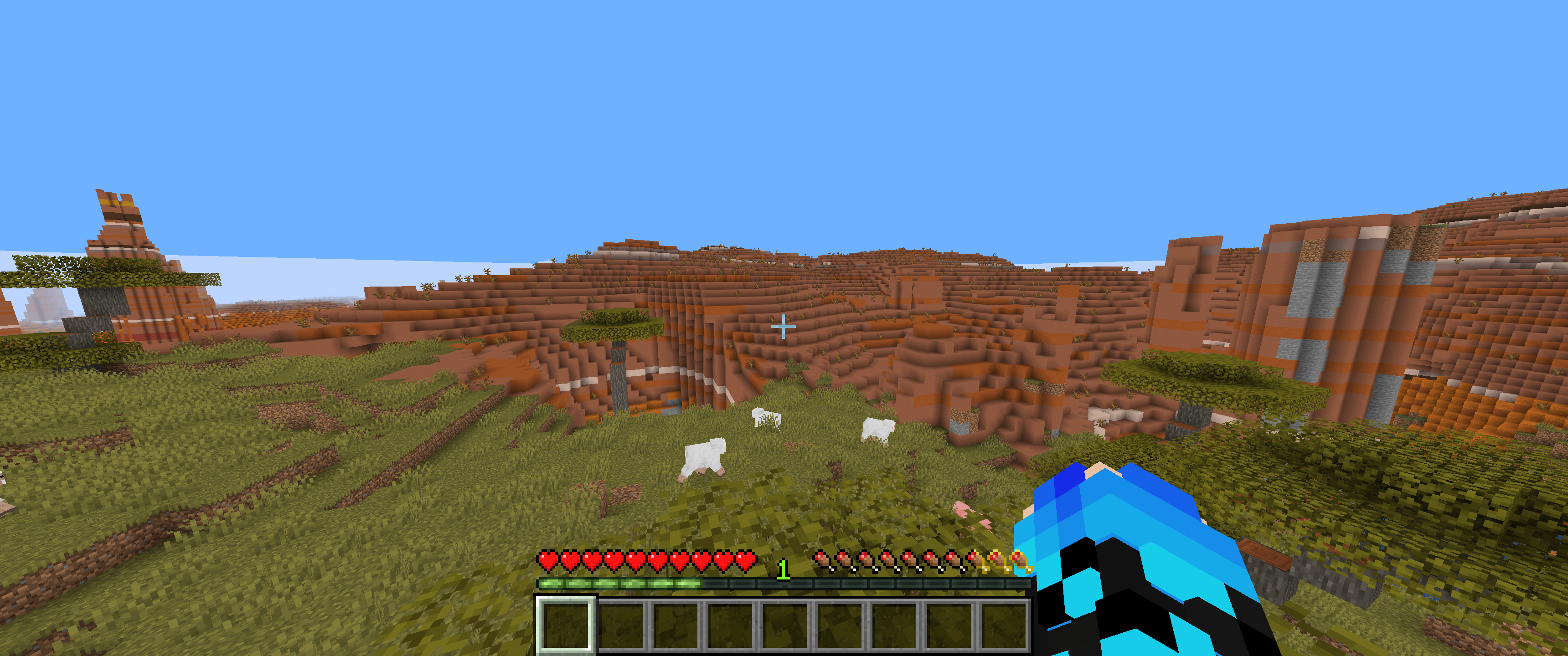
## 50% Saturation (Normal colors)
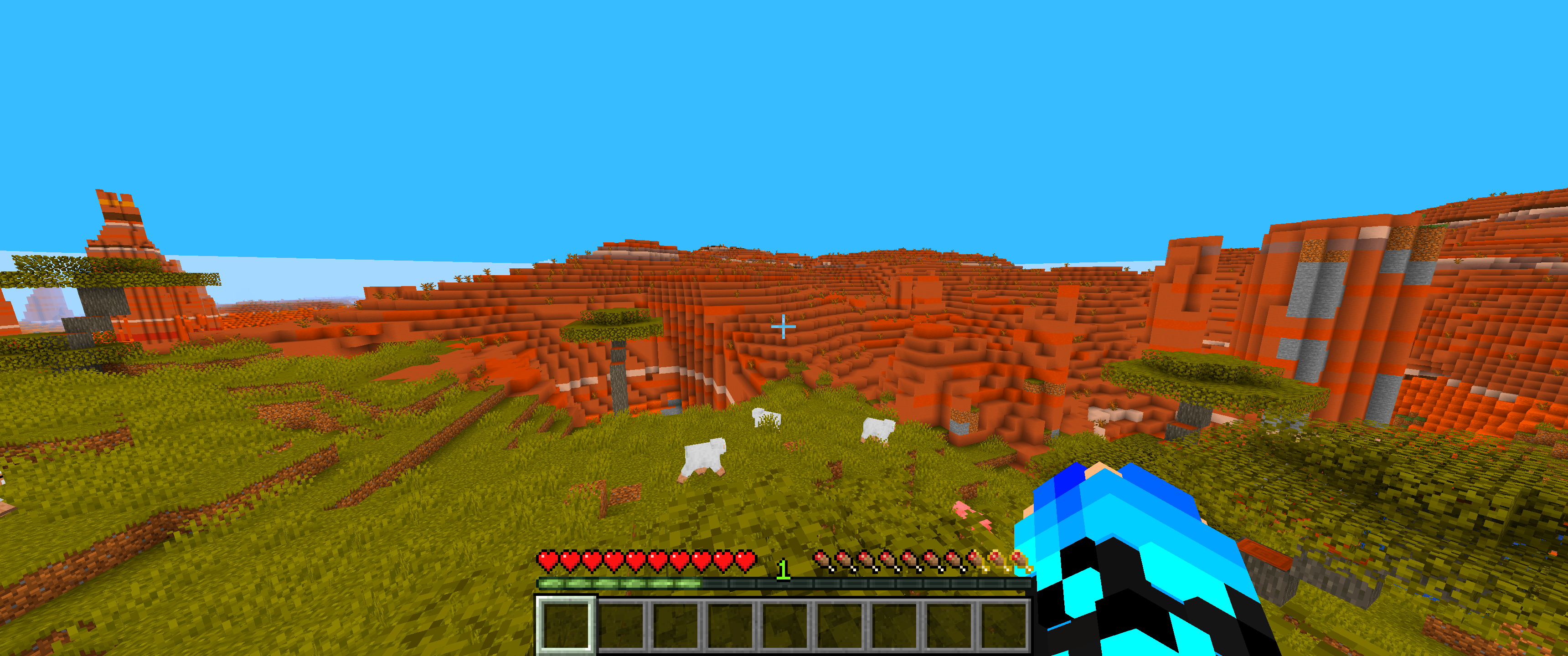
## 100% Saturation
## Slider
# Feedback & Support:
Found an issue or have a suggestion? Please report it here: [Issue Tracker](https://github.com/JamesCoalchiPortfolio/SimpleSaturationShader/issues)
Shrimple
A Minecraft Java shader that attempts to maintain a minimal “vanilla” aesthetic, while adding some optional features:
– Waving Plants.
– FXAA (anti-aliasing).
– Sharp/Soft Shadows.
– CSM (Cascaded Shadow Mapping). *****
– Dynamic colored lighting. *****
– Ray-Traced block-light shadows. *****
– Volumetric fog lighting.
– POM (Parallax Occlusion Mapping).
– Normal Mapping.
– Specular (shininess).
***** Feature only available with [Iris 1.6](https://discord.com/channels/774352792659820594/1093675994025566268) or later!
#### Special Thanks
– Fayer: _very_ extensive help with QA, support, repairs, and motivation.
– Builderb0y: help with optimized bit-magic supporting the core of voxelization.
– Bálint: Created the fancy Iris warning, as well as more help with bit-shifting madness.
– Tech: Helped implement improved soft shadow filtering & dithering.
Shader_vanilla
### ✨ Features
Improved lighting and shadows
Soft, dynamic shadows add depth to your world
Improved entity shadows with reduced error
Subtle ambient occlusion for realistic depth perception
Warm glow from light sources with gentle flicker
Waving plants
Trees, flowers, and crops sway in the wind
Particle improvements
Improved particle rendering and effects
Better integration of particles with the environment
Performance optimizations
Built with performance in mind
Minimal impact on game FPS
Compatible with a wide range of hardware
### 💻 Performance
Shader_vanilla is designed to be lightweight while still delivering beautiful visuals. It should run smoothly on mid-range hardware, though performance may vary depending on your configuration.
Recommended Specs:
GPU: GTX 1050 or equivalent (or integrated graphics with 2GB+ VRAM)
CPU: Intel i5 / AMD Ryzen 3 or better
RAM: 8GB+
____
[](https://discord.gg/PfknxDj2y)
SCAN
# ABOUT:
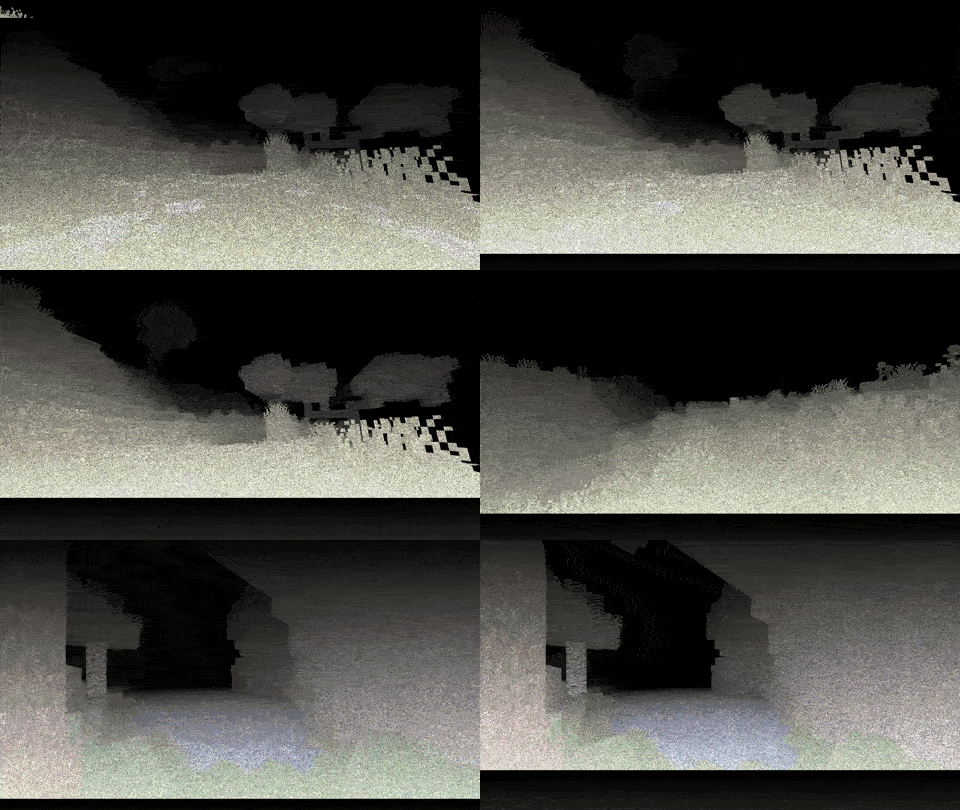
My unusual attempt to create an oppressive atmosphere and fear due to the poor visibility of the device. Every 2 seconds, the device’s update bar moves from top to bottom, illuminating the surrounding space, which helps you orient yourself at least a little. You can see more details in the GIF.
The ideological heir: **[LiDAR](https://modrinth.com/shader/lidar-s)**
##### _Inspired by the game Scanner Sombr._
### GIF:
## LINKS:
– [Discord](https://discord.gg/Cz2sCWz5Wh) (Discuss, Bug Reports, Etc.)
– [YouTube](https://www.youtube.com/@lolip_p)
– [Telegram](https://t.me/LoLip_p_Community)
## INSTALL THE SHADERS
– Download Client Which Supports Installing Shaders Such As Optifine And Iris
– Download The Shaders
– Copy Shaders to /.minecraft/shaderpacks
– Launch Minecraft, Go To Options –> Video Settings –> Shaders
– Choose **SCAN**
Rose World Shader
**English version:**
Rose World Shader — See the World Through Rose-Colored Glasses 🌹
Transform your Minecraft into a dreamy, romantic world with a warm pink tint. Soft peach highlights, deep rose shadows, a gentle dreamy flicker, and a subtle vignette — like you’re literally wearing rose-colored glasses. Perfect for Valentine’s Day or just a more magical Minecraft experience.
**Features:**
– Warm pink tint across the entire world
– Deep rose shadows, soft peach highlights
– Subtle dreamy light flicker
– Gentle goggle-style vignette
– Beautiful pink sky and rose-tinted moon at night
– No performance cost
Compatible with Minecraft 1.17–1.21.x via OptiFine or Iris.
Subscribe so you don’t miss any updates! If you have questions or need support, join our Discord.
**Русская версия:**
Rose World Shader — Смотри на мир через розовые очки 🌹
Превращает твой Майнкрафт в сказочный романтичный мир с тёплым розовым тинтом. Мягкие персиковые хайлайты, глубокие розовые тени, лёгкое мерцание и нежная виньетка — как будто ты буквально надел розовые очки. Идеально для Дня влюблённых или просто более волшебного Майнкрафта.
**Возможности:**
– Тёплый розовый тинт на весь мир
– Глубокие розовые тени, мягкие персиковые хайлайты
– Лёгкое сказочное мерцание света
– Нежная виньетка как через очки
– Красивое розовое небо и розовая луна ночью
– Никаких потерь производительности
Совместимо с Minecraft 1.17–1.21.x через OptiFine или Iris.
Подписывайтесь, чтобы не пропустить обновления! Если есть вопросы — заходите в Discord за поддержкой.
Reverie
Reverie is a minecraft shader with a semi-realistic, dreamy style. It features a physically based atmosphere and advanced indirect lighting techniques.
Support for both **Distant Horizons** and **Voxy** is available, with more mods coming in the future.
### Dynamic weather system
Weather elements such as cloud cover, fog, and wind direction adapt dynamically based on biome, season, and altitude. Still, having every location always look the same would feel repetitive. To keep things fresh, these parameters are slightly randomized every time the shader loads, so each day looks unique, much like in the real world!
### Powerful & Customizable
Reverie has a streamlined customization system. Most light colors are customizable (with more to come). If you’re performance constrained, then rest assured. Set the profile to ‘Toaster’ and enjoy good performance (60fps on my laptop’s integrated graphics) with minimal visual compromises.
### Beautiful screenshots
The built-in screenshot mode freezes the weather, so you can get your shots lined up just right! Enable cinematic effects like depth of field, lens flare or chromatic aberration, to get the vibe you want exactly. Reverie also has advanced color balancing options, as well as several tonemappers to choose from.
### Requirements
– Iris 1.8 or higher.
– Minecraft 1.21+ (older versions might work)
### Hardware compatibility
– Nvidia: works
– AMD (windows): works
– Intel (windows): unkown
– Mesa: works
– Mac: broken, and cannot be fixed
### Issue reporting
If you’re running into problems, head over to [GitHub](https://github.com/thecmk/reverie-shader) and report them.
Retrowave Shader
**English version:**
Retrowave Shader — Transform Minecraft into a Synthwave World 🌆
Turn your Minecraft into a stunning retrowave aesthetic. Purple-pink gradient sky, neon-shifted terrain colors, CRT scanlines, chromatic aberration and a vignette — like playing inside an 80s synthwave music video.
**Features:**
– Purple-pink gradient sky with stars
– Neon color shift — blues become electric, greens become cyan
– CRT scanlines for that retro monitor feel
– Chromatic aberration — neon color bleed
– Boosted saturation for vivid neon visuals
– Dark purple ambient tint on terrain
– Subtle vignette
– No performance cost
Compatible with Minecraft 1.17–1.21.x via OptiFine or Iris.
Subscribe so you don’t miss any updates! If you have questions or need support, join our Discord.
—
**Русская версия:**
Retrowave Shader — Превратите Minecraft в мир Synthwave 🌆
Превращает твой Minecraft в потрясающую ретровейв эстетику. Фиолетово-розовый градиент неба, неоновые цвета, CRT сканлайны, хроматическая аберрация и виньетка — как будто играешь внутри клипа synthwave 80-х.
**Возможности:**
– Фиолетово-розовый градиент неба со звёздами
– Неоновый сдвиг цветов — синий становится электрическим, зелёный — циановым
– CRT сканлайны для ретро монитора
– Хроматическая аберрация — неоновое свечение по краям
– Усиленная насыщенность для ярких неоновых цветов
– Тёмный фиолетовый амбиент тинт на terrain
– Лёгкая виньетка
– Никаких потерь производительности
Совместимо с Minecraft 1.17–1.21.x через OptiFine или Iris.
Подписывайтесь, чтобы не пропустить обновления! Если есть вопросы — заходите в Discord за поддержкой.
retroview
# retroview
[](https://modrinth.com/shader/retroview)
[](https://curseforge.com/minecraft/shaders/retroview)
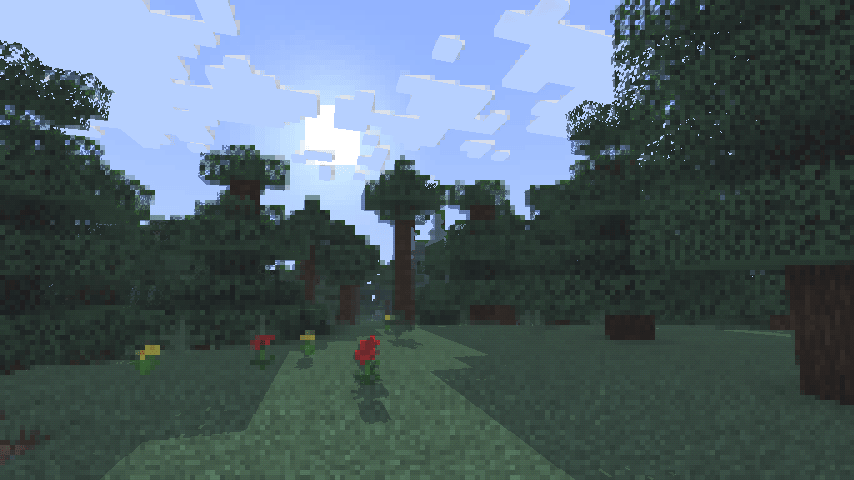
A simple, lightweight, retro-style shader pack for Minecraft!
## What does it add?
retroview instantly transforms your Minecraft world with a classic retro screen look, giving everything that retro, pixelated, console feel. It’s pure visual nostalgia layered right on top of vanilla (or your favorite resource packs). No new blocks, no new mechanics. Just a charming retro filter that makes every world feel fresh and different.
## Key Features
* Extremely lightweight: Runs smoothly even on lower-end PCs
* Easy installation through Iris
* Works perfectly with vanilla Minecraft and most resource packs
* Supports all Minecraft versions
## Why would you want this?
If you’re craving a fun, nostalgic twist on Minecraft, retroview is perfect for you.
### Great for:
* Reliving that classic gaming vibe
* Taking cool retro-style screenshots or videos
* Making your survival or creative worlds feel unique and charming
* Just wanting a light, no-fuss visual change that still feels 100% like Minecraft
Created as a simple passion project to bring retro vibes back to modern Minecraft.
## Compatibility
* Requires the Iris shader mod
* Tested on Minecraft 1.16.5 – 26.2.1
## Download
retroview is available to download on [Modrinth](https://modrinth.com/shader/retroview) and [Curseforge](https://curseforge.com/minecraft/shaders/retroview).
Rethinking Voxels
# Rethinking Voxels
This shader is an edit of [Complementary Reimagined](https://www.complementary.dev/reimagined) that aims to be decently fast (when compared to path tracing shaders) while having block lights cast sharp shadows.
### Notes
The lighting system is not perfect. Occasional sudden brightness changes are a side-effect of the way it works and cannot be completely removed without hurting performance or removing sharp shadows from light sources. To do the latter, disable `Per-Pixel Lighting` in the `Rethinking Voxels Settings`.
This shader is developed on Iris, using an AMD graphics card on linux, and it is also tested on an NVidia graphics card on linux. While it usually works on other platforms, bugs that appear only there are not caught by my testing and hence they take longer to fix. To use this shader pack, the Iris shader loader is required. Beta 18d and older versions also work on OptiFine.
### Contact
If you need support, please join the [shaderLabs discord server](https://discord.gg/8wT5KxF4TZ), where this shader has a channel (#rethinking-voxels-gri573).
### Partnership
I have entered a partnership with Ember, a Minecraft server hosting provider. This is because Ember hosts the complementary SMP server and has provided a better hosting experience / customer support than the previous hosting service, and because they reached out asking about it. If you need to host a Minecraft server and wish to support Rethinking Voxels’ development at the same time, do check them out! Using the promotional code `RETHINKING` in a first-time purchase will redirect 70% of the first month’s fee to me as well as give you a 10% discount.
[](https://billing.ember.host/aff.php?aff=13)
### Media
Video by youtube user iambeen that showcases rethinking voxels beta 18d (with custom settings), compared to the original reimagined: