Vanilish Shaders


## **Vanilish Shaders**
Vanilish Shaders are lightweight shaders designed to bring a realistic atmosphere to the Minecraft world while maintaining the classic vanilla feel. These shaders provide soft lighting, natural water reflections, and warm sky and world colors.
With a balance between visual quality and efficiency, Vanilish Shaders are suitable for a wide range of devices — from low-end to high-end PCs. They deliver a more vibrant gameplay experience while preserving Minecraft’s signature look.
This shader is a modification of MakeUp Ultra Fast Shaders, with improvements in color, lighting, and atmospheric effects to achieve a more natural and immersive appearance.
### **Features :**
• Shadows
• Depth of field
• Temporary anti-aliasing
• Improved ambient occlusion
• Chromatic aberration
• Motion blur
• Volumetric clouds
• Volumetric light
• Reflexes
• Waving plants
• … and more
### **If you have any suggestions, found a bug, etc.,contact me on Discord. :**
▪︎ https://discord.gg/GfcRKJxXfk
### **Credits :**
Original creator: Javier Garduño Links:
• https://www.planetminecraft.com/mod/makeup-ultra-fast-shader
• https://www.planetminecraft.com/mod/makeup-ultra-fast-shader
• https://www.curseforge.com/minecraft/customization/makeup-ultra-fast-shader
• https://www.curseforge.com/minecraft/customization/makeup-ultra-fast-shader
### **BUG REPORTS :**
▪︎ https://discord.gg/ZgEWDbke
Valentine Shader
## Valentine Shader
[](https://modrinth.com/shader/valentine) [](https://modrinth.com/shader/valentine)
[](https://curseforge.com/minecraft/shaders/valentine-shader)
[](https://curseforge.com/minecraft/shaders/valentine-shader)
Based on [**SuperDuperVanilla**](https://modrinth.com/shader/super-duper-vanilla)
Supports Distant Horizons AND PBR!
**WARNING**: this is kinda just a silly holiday shader, and may not recieve updates.
[WIP] Valentine Shader is a modified version of [**SuperDuperVanilla**](https://modrinth.com/shader/super-duper-vanilla), with quite a few tweaks to suit a more love/valentines themed aesthetic. **It is an Official Amethyst Group Project, made by gamerbenyt.**
**Modifications:**
– **PINK PINK EVERYWHERE**
– **Overworld Skies are Pink, with different tones depending on the daylight time.**
– **Shadows reflect new colors.**
– **Nether (Currently) Remains Untouched from the original shader.**
– **The Black Hole in The End is now a purply-pink color, with pink spirals.**
### Notice:
Though Valentine Shader is based on [**SuperDuperVanilla**](https://modrinth.com/shader/super-duper-vanilla), it **WILL NOT** be getting updates when SDV does, and the only updates that will be brought over from [**SuperDuperVanilla**](https://modrinth.com/shader/super-duper-vanilla), is their updated license, though updates to the license are very rare, as they seem to have stopped development. We include the FlameRender Studios License and follow it, but you must also agree to [**Our License**](https://github.com/gamerbenyt/Amethyst/blob/main/LICENSE)
## Watch Our Showcase!!
## Compatibility
Valentine Shader was build and playtested using [**Iris**](https://modrinth.com/mod/iris) but should have some compatibility with [**Optifine**](https://optifine.net/home), as [**SuperDuperVanilla**](https://modrinth.com/shader/super-duper-vanilla) works on [**Optifine**](https://optifine.net/home). We cannot guarantee that all features will be functional, or function correctly on [**Optifine**](https://optifine.net/home), but most people use [**Iris**](https://modrinth.com/mod/iris) nowadays anyways, so it should be no problem.
UShader
[](https://youtu.be/XPqMHXbSd4M)
## **What is the UShader?**
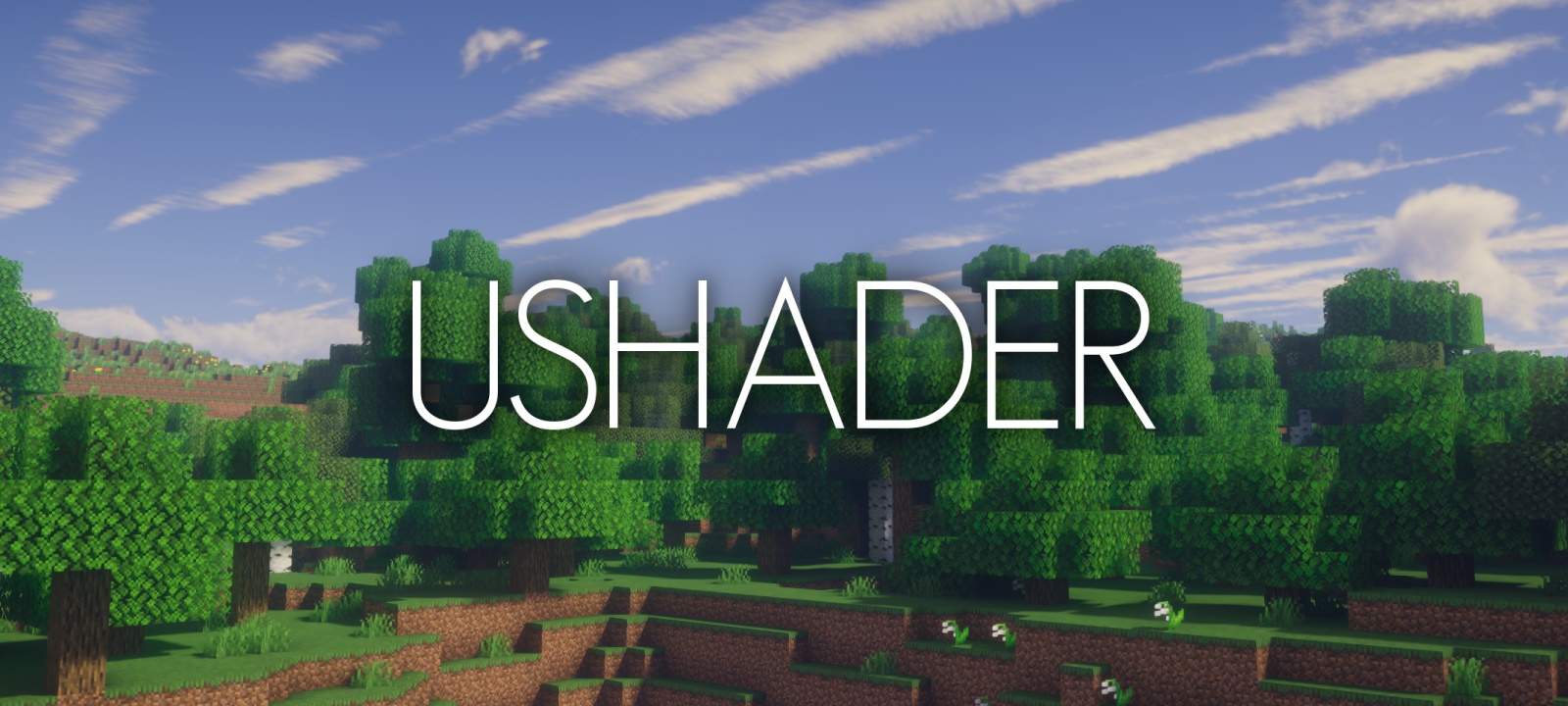
This shaderpack is a recreation of a modified version of SEUS v10.1 I used privately for a long time. Took me a while to match some of the unique looks the SEUS version had but I eventually figured it out.
Please note that this pack does **not** perform better than SEUS v10.1 with the default settings due to many new effects that didn’t exist in that version, like volumetric clouds and fog. With the correct settings however it is able to outperform it by a lot while producing much better visuals.
It is also important to note that this pack does **not** use any code from SEUS v10.1.
## **What features does it offer?**
* atmospheric sky
* volumetric fog
* volumetric clouds
* dynamic shadows
* soft shadows
* screen-space raytraced ambient occlusion (RTAO)
* water volume
* dimension support
* wind effects
* temporal anti-aliasing and upscaling (TAAU)
* motionblur
* bloom
## **Any Requirements?**
* Optifine for 1.16 or newer/Iris 1.5.0 or newer
* GTX 1050/RX 560 or similar/better (has to support OpenGL 4.0)
* something faster is generally recommended though
* Windows/Linux
* **DUE TO REPEATED ISSUE-REPORTS: Intel HD 5000 Graphics and older are NOT supported!**
## **External Links:**
* My Website: [Link](https://rre36.com/vanilla-plus)
* My Discord Server: [Link](https://discord.gg/y5xzQ6H)
[](https://www.patreon.com/bePatron?u=19790203)
Turtle Shaders
[](https://modrinth.com/shader/turtleshaders)

[](https://fastclient.net/gamesofdev)
**ABOUT**
Turtle Shaders is a high-end Minecraft shader pack designed for players who want stunning visuals and a calm, immersive experience. It features beautifully wavy water, realistic clouds, and an overall peaceful tone that enhances the world without being overly aggressive. Turtle Shaders is not made for low-end PCs; it’s optimized for mid-range systems, delivering advanced visual quality with high-end features comparable to other premium shaders. Perfect for players who want realism, smooth atmosphere, and premium visuals without compromise.
[](https://www.youtube.com/@GlacierServicesMC)
### Features
– Wavy water with smooth, natural movement
– Realistic clouds for an immersive atmosphere
– Water reflections on blocks during rain
– [Distant horizon](https://modrinth.com/mod/distanthorizons) support for extended view distance
– High-end visual effects similar to other premium shaders
– Peaceful and balanced visual tone for a calm experience
### How to report BUGS!!
Our GlacierDevelopment Discord server is Live you can report bugs and Chat with other GlacierShaders users, report bugs, get help with issues, and join exciting giveaways — all in one place!
[](https://discord.gg/TpsGTtTnSm)
### OFFER!!

TrueLightFX
Our Community Discord: [Klick me](https://discord.ogcraftnet.vip/)
TrueLightFX Shader for Minecraft
TrueLightFX is a custom Minecraft shader based on the open-source Prismarine Shader. This shader aims to enhance the visual experience of Minecraft by adding realistic lighting, shadows, and atmospheric effects while maintaining good performance. With TrueLightFX, players can enjoy immersive gameplay with improved light dynamics, smooth water reflections, and vibrant colors—perfect for both low-end and mid-range systems. Credits to Septonious: [Source Project ](https://github.com/Septonious/Prismarine-Shader)
TrueLight FX Lite
## Showcase/Tutorial:
Huge thanks to [@Titanaraa](https://www.youtube.com/@Titanaraa) for creating this awesome video!
# TrueLightFX Lite
– Looking like Vibrant-visuals without the FPS cost. A lightweight shader built for low to mid-range PCs that refuses to look boring.
## What You Get:
### – Realistic Waves – animated water surface with adjustable size and speed
### – God Rays – light shafts through trees and windows, with intensity control
### – Dynamic Fog – golden daylight tones, naturally dark nights and caves
### – Glowing Ores – real additive emission that cuts through cave darkness
### – Underwater Caustics – animated light patterns via fast sine-wave math
### – Wavy Plants – wind-affected leaves, sand, and vegetation
### – Bloom – adjustable post-processing glow
### – TAA + FXAA – your choice of anti-aliasing
### – Two Cloud Styles – Standard or Enhanced
### – Smart Profiles – instant presets from “low” to “your pc isnt that slow isnt it”.
Credits to Ukrech for the [Source Project](https://github.com/mateuskreuch/minecraft-miniature-shader).
Compatibility:
TrueLightFX works with Minecraft versions 1.8.2 – 1.17, but older versions may experience bugs and reduced smoothness. For the best experience, it is strongly recommended to use Minecraft 1.17 or newer.
True Black & White Shader (Grayscale)
The shader converts images in Minecraft to black and white using the average of the colors (R + G + B) / 3. It is applied to the world, but does not change the colors of the interface (GUI). 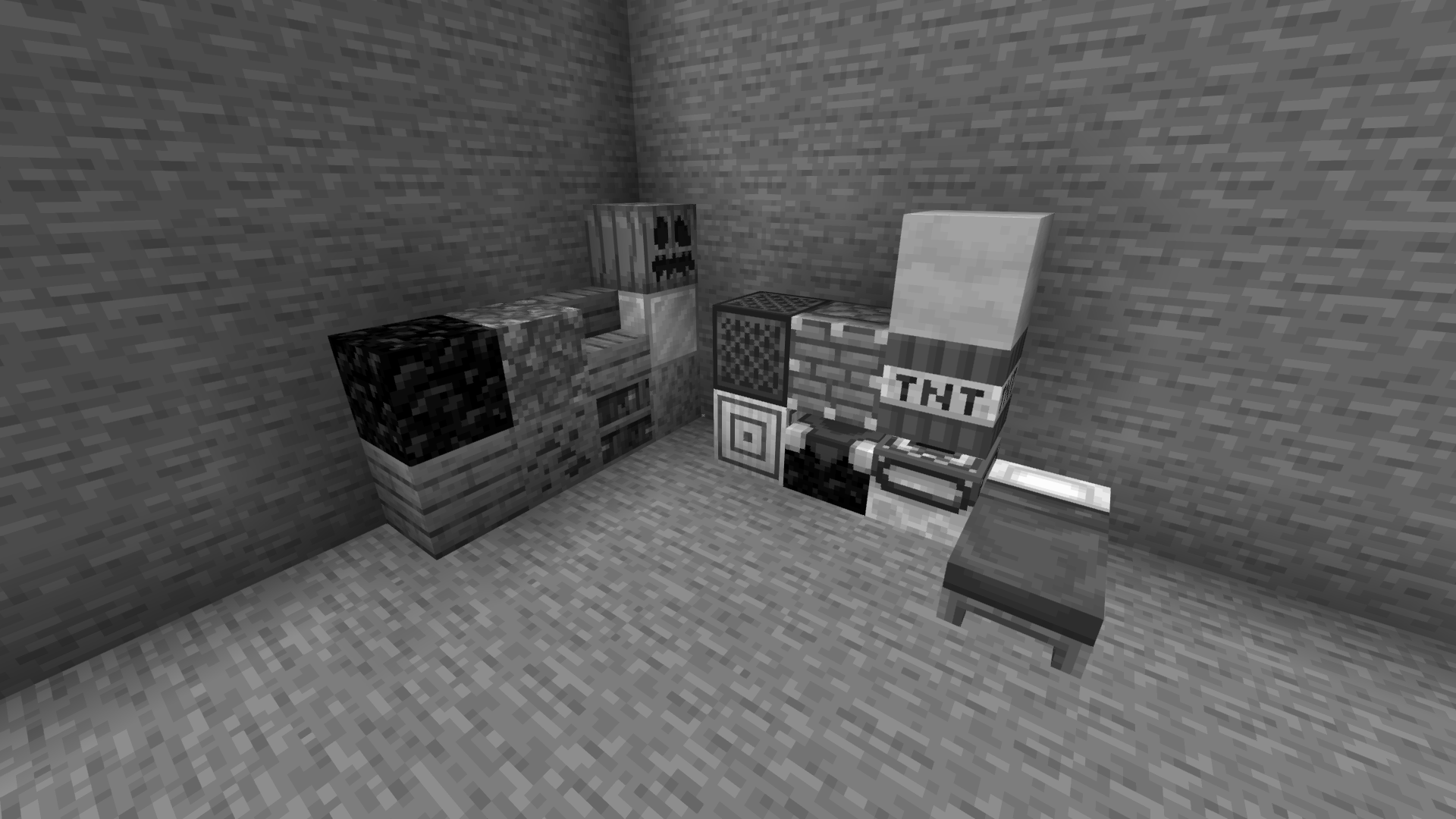
Tricked Shaders
## What are Luminary Shaders?
Based on [Mellow Shader](https://modrinth.com/shader/mellow)
Tricked Shaders enhance the visuals of Minecraft while maintaining a respectable level of performance (at least for me) and staying true to the original aesthetic. It focuses on refining what is already there rather than attempting to make Minecraft a hyper-realistic experience.
In contrast to the original Mellow Shader, my version reduces overall brightness without compromising color or clarity, giving the game a deeper, more atmospheric appearance. In every lighting scenario, the end, nether, and overworld all feel more balanced, richer, and immersive. All settings are customizable, but profiles are gone as to not ruin the settings.
# Original Description
### Features
– Broad mod compatiblity: Distant Horizons, Voxy, Colorwheel etc.
– Several preset color schemes
– Extensive & customizable fog system
– Multiple styles of clouds
– Lightmap or shadowmap based shadows
– Extensive olor grading (saturation, exposure, color balancing tool etc.)
– Easily adjustable colors
### Compatibility
– At the moment only versios 1.17 and up are being tested. Earlier versions may or may not work.
– Modern Nvidia, AMD and Intel gpus are supported on both Windows and Linux. Macs may or may not work.
– Please use the latest Iris version (any version that supports custom uniforms should work). Optifine has some small bugs, but it should also mostly work.
Trailer Shaders
[](https://fastclient.net/gamesofdev)
### ABOUT
Trailer Shaders is a lightweight shader pack inspired by the visuals seen in official Minecraft trailers. While many high-end players combine Complementary Shaders with BareBones texture packs to achieve that clean, cinematic look, BareBone Shaders delivers the same trailer-like aesthetic with higher FPS. It’s designed to give you vibrant lighting, smooth shadows, and a true “Minecraft trailer vibe” — all optimized for performance on low to mid-
end PCs.
### Features
Trailer Shaders comes with simple yet powerful features designed to give your game a clean, trailer-like look with smooth performance.
– Bloom Effect: Adds a soft glow to lighting for a cinematic feel. You can easily turn it on or off in the shader settings.
– Custom Color Control: Adjust the red, green, and blue levels in settings to fine-tune the overall tone and mood of your game.
[](https://www.youtube.com/@GlacierServicesMC)
### How to report BUGS!!
Our GlacierDevelopment Discord server is Live you can report bugs and Chat with other GlacierShaders users, report bugs, get help with issues, and join exciting giveaways — all in one place!
[](https://discord.gg/TpsGTtTnSm)
### OFFER!!

Tilde
# ~
Tilde is a highly performant geometry shader that makes the world feel _alive_.
—
The shader **only modifies the geometry of distant terrain**1, making it extremely lightweight. If you’re able to run Minecraft without shaders, you can run Tilde!
Comes with three presets: `Default`, `Increased Motion`, and `Reduced Motion`.
> 1. Small deviations from vanilla may be present as of this time. Modifying the terrain geometry in a shader
> like this means we have to replicate some aspects of the vanilla style ourself, such as the hand
> and cloud appearance for example. Feel free to report an issue if you find anything that looks off!
## Installation
Please note that the shader is still under development, and has only been only tested with [Iris](https://modrinth.com/mod/iris) on `1.21.4` – but it should surely work on other versions as well!
1. Make sure the mods [Sodium](https://modrinth.com/mod/sodium) and [Iris](https://modrinth.com/mod/iris) are installed.
2. Inside the game, navigate to **Options 🡒 Video Settings 🡒 Shader Packs…** (or use the default shortcut `O`) and click the **Open Shader Pack Folder…** button.
3. Download the latest shaderpack [here](https://github.com/Kattjakt/tilde/archive/refs/heads/main.zip) and drag the file to your newly opened shaderpack folder.
4. It should now appear in your shaderpack list in-game, so select it and click apply!