Black And White Shaders
## 🎮 About this shader
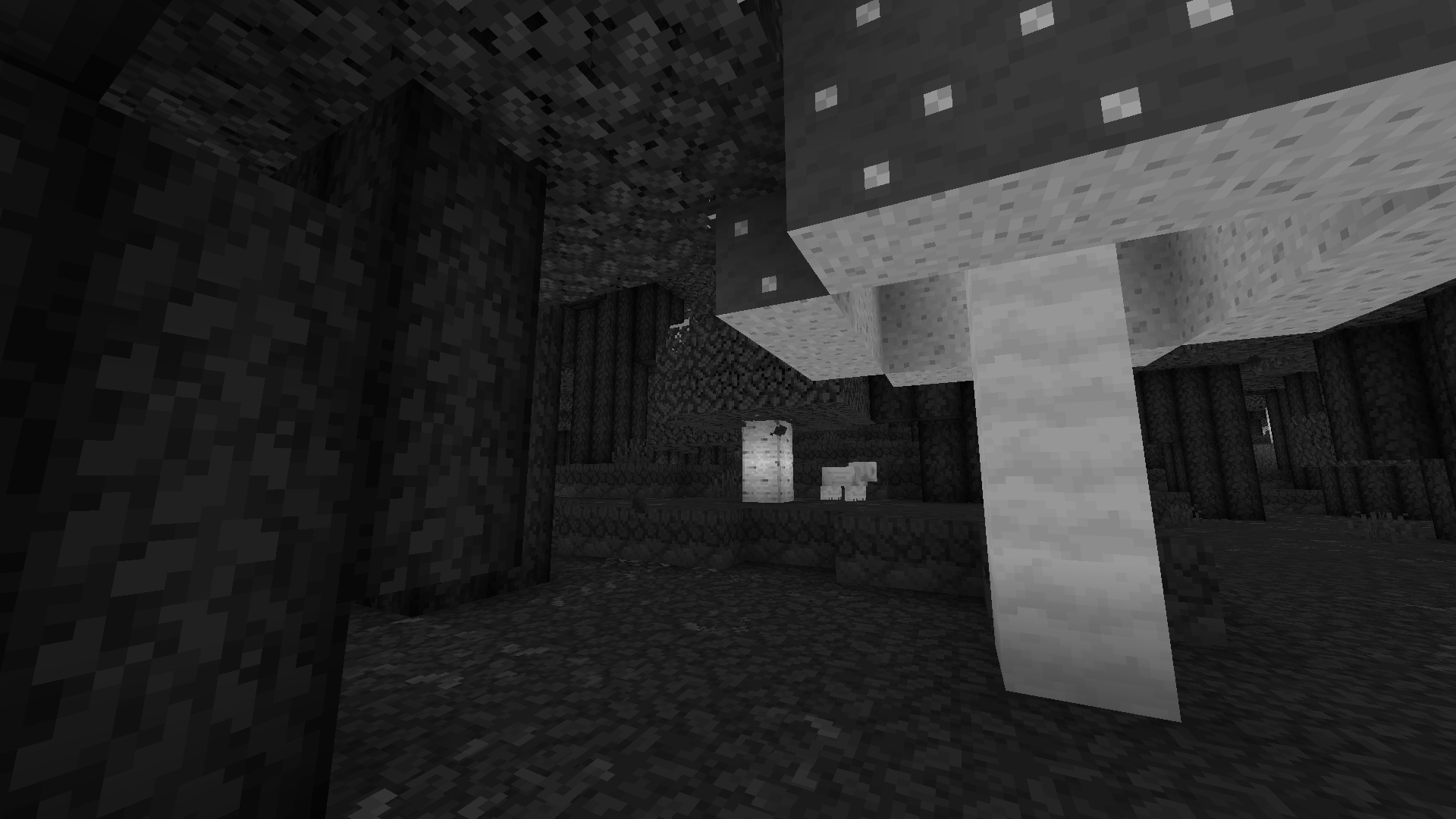
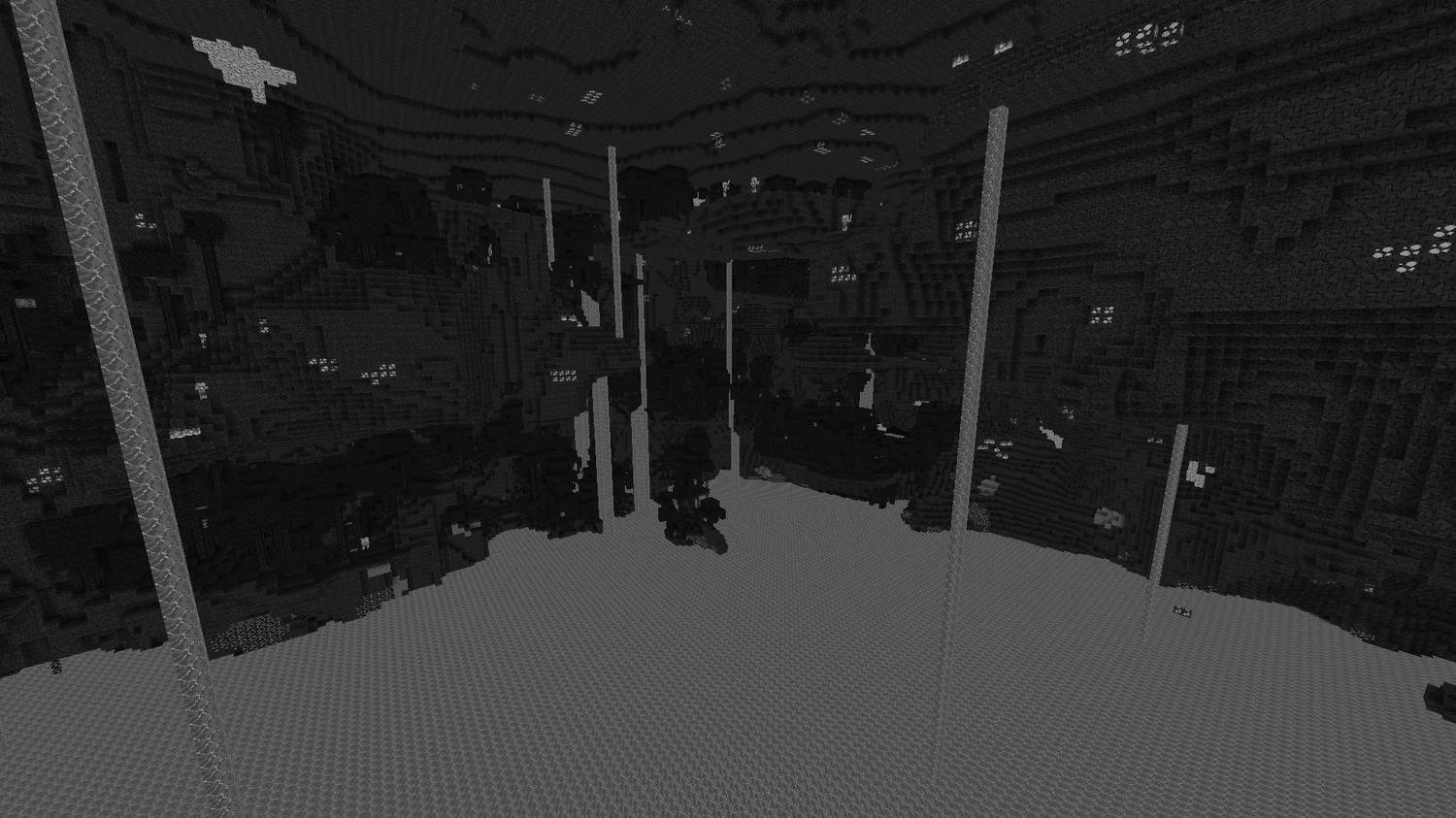
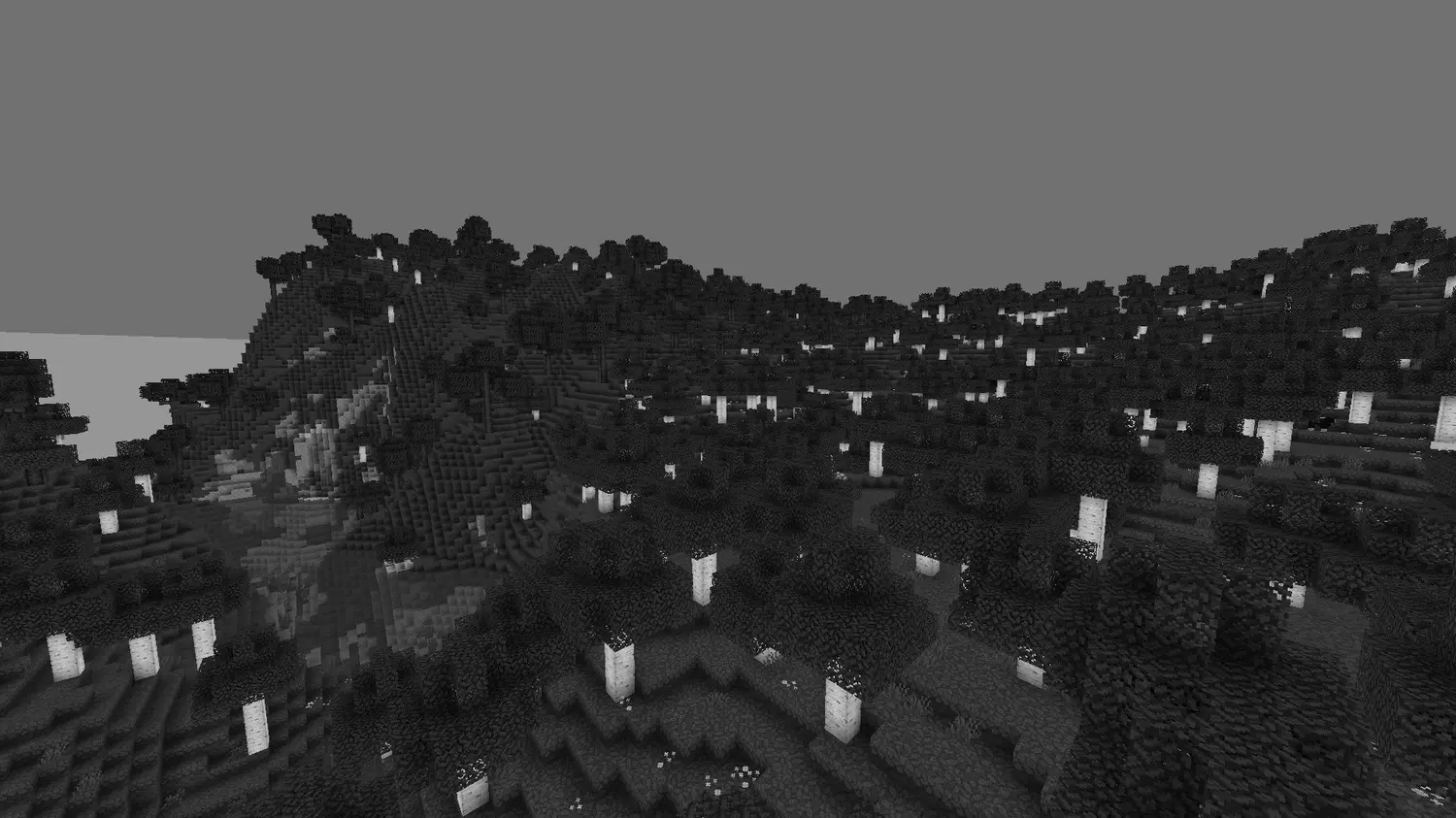
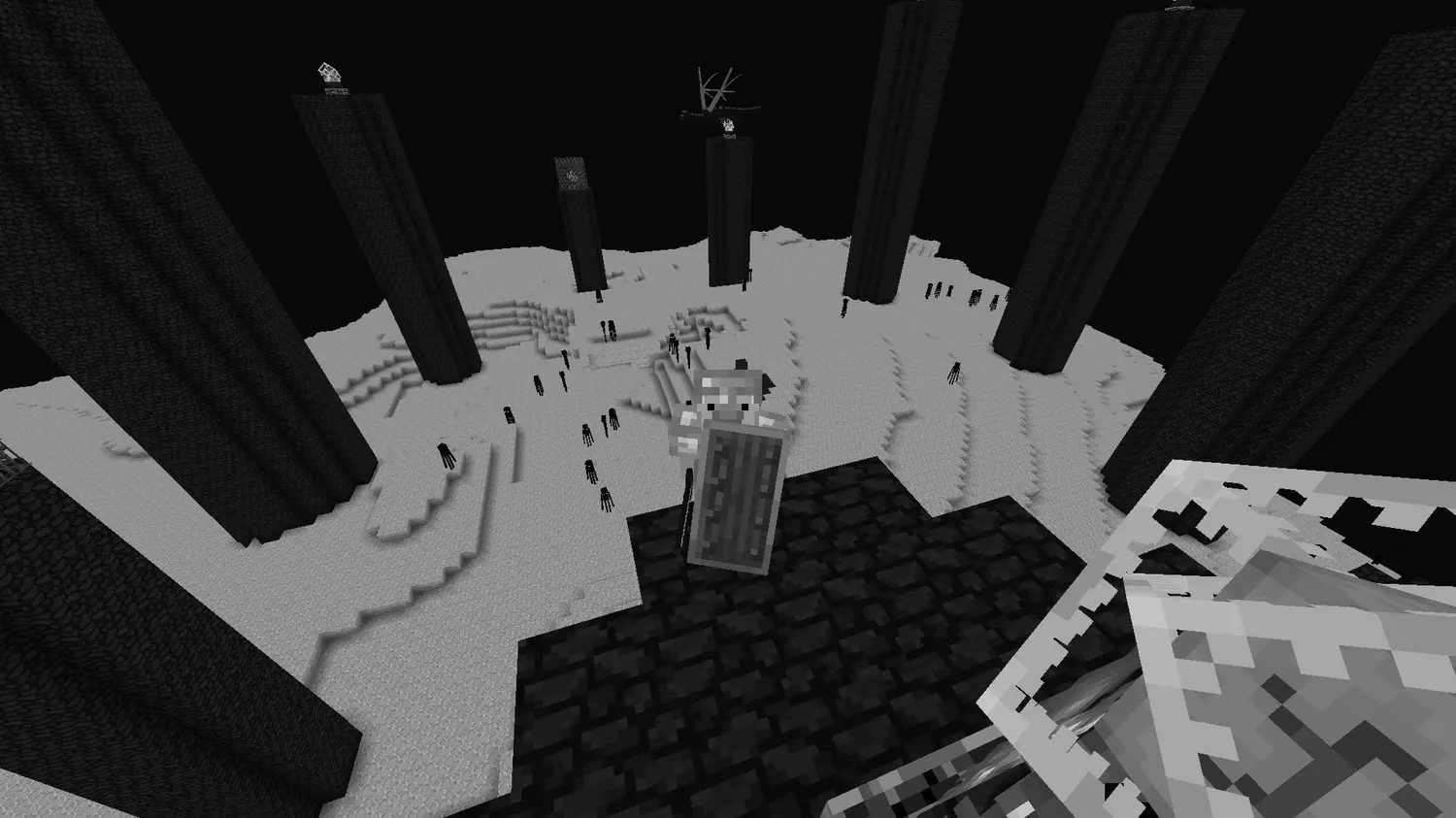
This is a **minimal grayscale shader pack** that transforms Minecraft into a cinematic black and white experience.
All colors are removed and replaced with carefully balanced shades of gray, creating a unique, atmospheric and stylized look. The shader enhances contrast and depth, making the world feel more dramatic while still keeping lighting and details readable.
## ✨ Features
🎨 Full grayscale conversion
🎬 Cinematic black & white look
🌗 Enhanced contrast for better depth
💡 Preserved lighting and shadows
⚡ Lightweight and simple performance impact
## 🧠 Perfect for
* cinematic gameplay
* horror atmosphere
* minimalist visual style
* challenge runs or creative screenshots
## 🖥️ Requirements:
* Minecraft with shader support (Iris or OptiFine)
* A compatible GPU with OpenGL support
BitNixelet
# BitNixelet Shader Pack
## ⚠️ BETA VERSION ⚠️
**Hey! This shader is still in development, so there might be bugs and weird stuff. If something breaks – don’t panic, that’s normal for beta :)**
## What is this?
Basically, I’m making a shader that turns Minecraft into an old-school pixel game from the 90s. You know, like on old consoles – everything square and with huge pixels? Something like that.
*For now only pixelation works, I’ll add the rest later*
## What it does
### 🎮 Makes everything pixelated
– You can adjust how much to “pixelate” (from 1 to 100)
– I set 32 by default – looks pretty good
– Works simply: takes a bunch of pixels, mixes them into one big one making an 8-bit game analog
### 🎨 Old colors
– Cuts the palette down to 16 shades per color (like in old games)
– Creates those “steps” between colors
– Just like on ancient computers
### ✨ Tweaks the picture
– Slightly changes brightness so it’s not too dark
– Makes colors 20% brighter
– Generally tries to make it look good
### 📺 TV Noise (optional)
– Adds old CRT TV static noise effect
– Animated grain that moves over time
– Can be turned on/off in shader settings
– Makes it feel like playing on an old television
## How to configure
### Main settings
– `PIXELATION` – how much to pixelate (1-100)
– 1 = almost no pixelation (very fine)
– 100 = strong pixelation (big squares)
– `NOISE` – TV static effect (0/1)
– 0 = no noise
– 1 = old TV static noise
### How it works inside
1. Takes the picture and “rounds” pixels into blocks
2. Cuts the number of colors to 16 per channel
3. Adjusts brightness and saturation so it doesn’t look ugly
## What it runs on
– Need Iris (won’t work without it)
– Minecraft 1.16+ (haven’t tested on older versions, might not work), recommend playing on 1.20.1
– Doesn’t lag even on weak computers
– OpenGL 2.1 is enough (that’s a very old standard)
## How to install
1. Download and install Iris if you don’t have it yet
2. Drop the `BitNixelet` folder into the `shaderpacks` folder
3. In Iris settings select this shader
4. Adjust the pixelation setting as you like
## What’s currently buggy
– Sometimes artifacts appear if you pixelate too much
– Some blocks might look weird
– Interface gets blurry with strong pixelation (don’t know how to fix this yet)
## Fixed bugs
– Fixed wrong pixelation math that caused weird scaling
– Fixed edge artifacts by preventing texture sampling outside bounds
– Fixed pixel centering for cleaner pixelation blocks
– Fixed potential crashes from division by zero in color calculations
– Fixed color overflow issues with proper clamping
– Fixed inverted pixelation logic (now higher values = more pixelation)
– Fixed NOISE setting not working properly with true/false values
– Optimized luminance calculations for better performance
—
*Made for those who miss pixel games from childhood*
Beyond Vanilla
# Beyond Vanilla – Minecraft Shader Pack
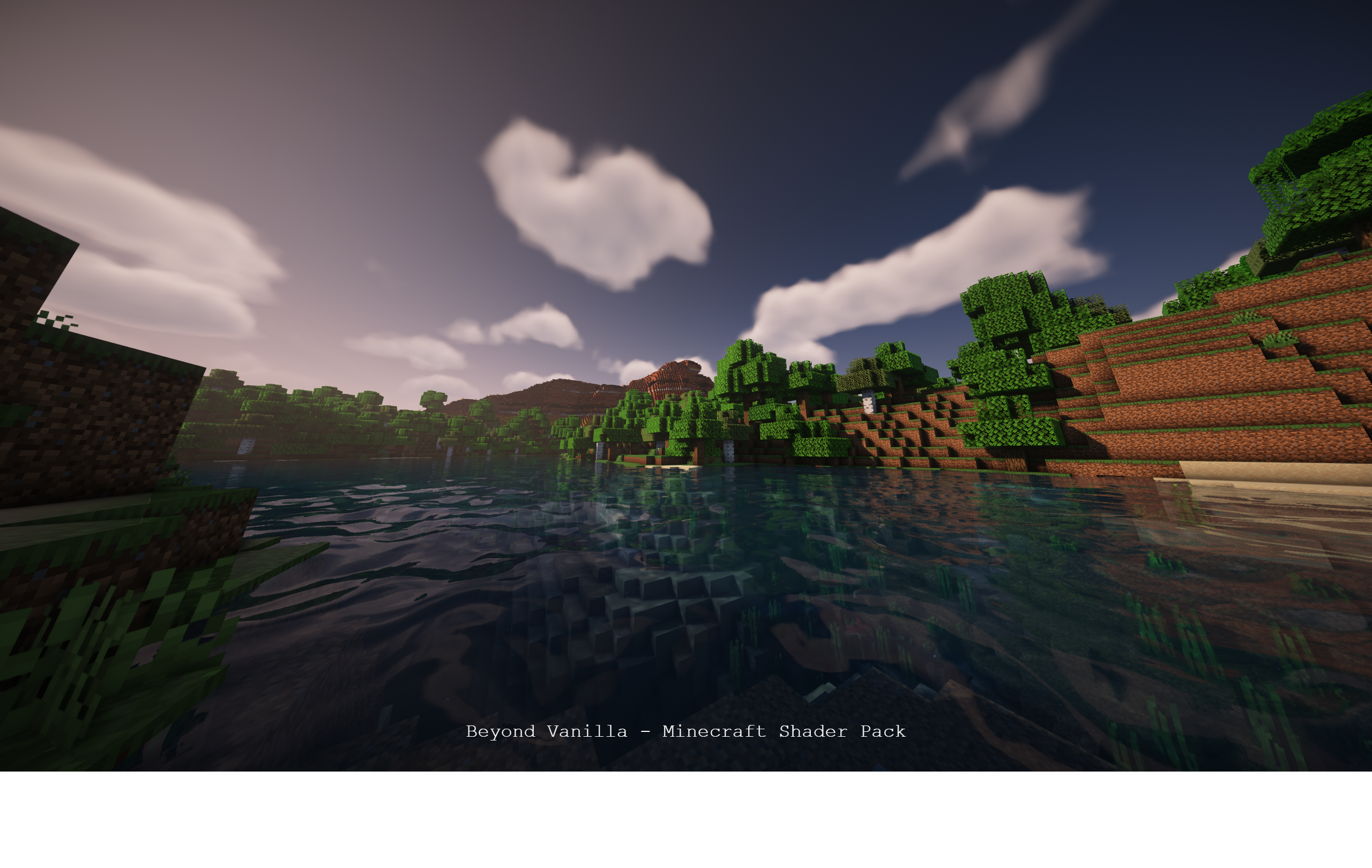
Welcome to an immersive visual experience! Beyond Vanilla is a shader pack designed to take your Minecraft adventures to the next level.
## Installation Guide:
### Links:
– Modrinth: Download Here
– Forge: (Coming Soon)
– GitHub: Project Repository
### Have an issue or feature request?
Open an issue here.
1. **Download:**
– Visit the green “Releases” tab and download the latest release.
– Extract the contents of the ZIP file.
2. **Installation:**
– Open your Minecraft launcher.
– Navigate to the “shaderpacks” folder inside the “shaderpacks” directory in your Minecraft game folder (usually located in `%appdata%/.minecraft/shaderpacks`).
– Move the extracted folder into the “shaderpacks” directory.
3. **Launch Minecraft:**
– Select the profile with the installed shader pack.
– Start the game.
### Shader Features:
– Experience a stunning visual upgrade with enhancements to lighting, shadows, and atmospheric effects.
– Immerse yourself in the game with carefully crafted details.
### Compatibility:
– Tested on Iris and Sodium 1.1.6.
– Optimized for mid to low-tier devices.
– Not tested on Optifine.
– Compatible with Nvidia GPUs (tested on a 4070 Ti).
– Not tested on AMD or Mac platforms.
### Upcoming Enhancements:
– [✅] More screenshots for a comprehensive preview.
– [✅] Enhanced sky in the end.
– [✅] Improved portal visuals.
– [✅] Sun and moon enhancements.
– [✅] Uploaded to Modrinth for wider availability.
– [] Fix more bugs
– [] Performance improvements for smoother gameplay.
– [] Additional features to elevate your gaming experience.
– [] Add a feature from the commuity..
– [] Quality of life features
– [] Glass blur
– [] Revamped GUI for a polished interface.
– [] Add more to the todo
### Partner!!
Are you interested in supporting me and the development of beyond vinilla? If so, I suggest trying out BisectHosting. As a new customer, use the hotsuop to receive a 25% discount on your first month of a gaming server. With 24/7 support and rapid response times, you can expect outstanding service for all your gaming needs.

### Credits:
– **Hotsuop:** Creator of the base shader.
– **CaptTatsu:**: For creating BSL Shaders, which this is based off of.
If you contribute to the repository, your name could be featured here!
Better End Portal Shader
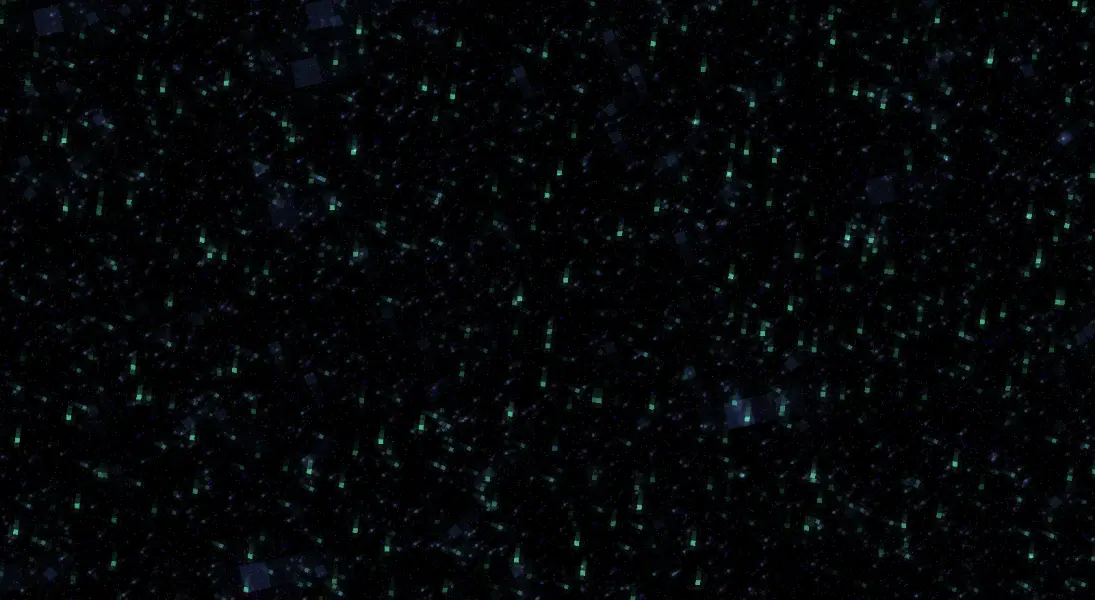
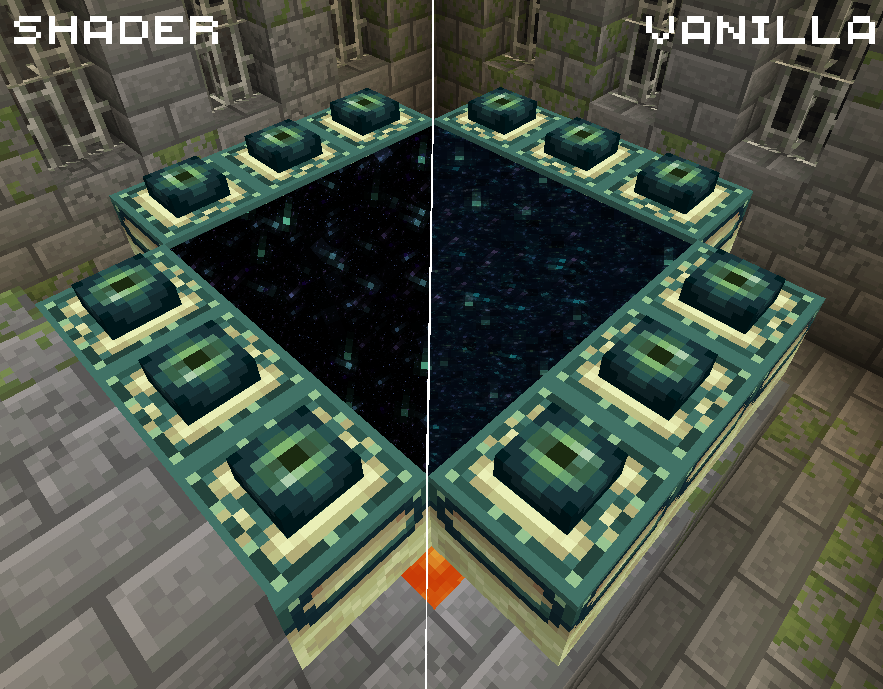
**A very light shader pack for Iris that only changes the End Portal effect, to make it slightly better looking.**
The rest of the shader is exactly the same as vanilla
Showcase Video: https://www.youtube.com/watch?v=GNHyX-OU-tc
**This shader pack was made by MrBrose, with help from RJ_Infinity**
You have permission to use this code in your own shader, however please link to this page somewhere in your project.
Base code based off of “Base-Shader” by Bestsoft100
https://modrinth.com/shader/base-shader
Baseline Shader
# BASELINE SHADER
Baseline Shader is a lightweight shaderpack designed to enhance visual immersion without straying far from the vanilla aesthetics.
JoaquiX Note:
It’s just my first shaderpack, it might be unstable in its current state.
With my current knowledge I only intend to make a shaderpack that’s Vanilla Like.
### Added:
– Shadows
– Subsurface Scattering
– Auto Exposure
– Border Fog
– Atmospheric Fog
– Bloom
– Depth Of Field
– Motion Blur
– Bloom Based Colored Lighting
– Health Based Fisheye Effect
– Health Vignette
– Lottes Tonemap
– Nether Dimension Support
– End Dimension Support
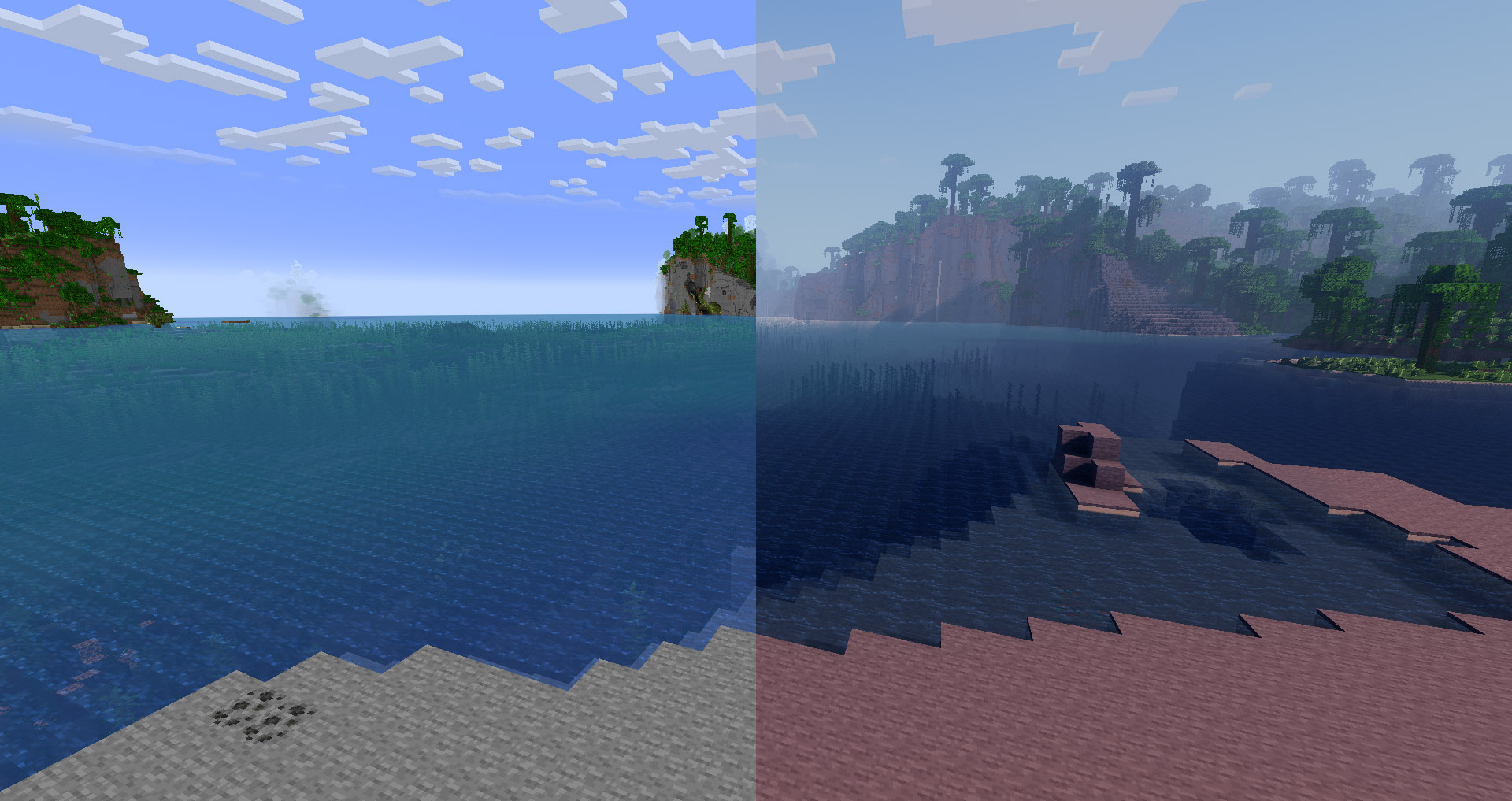
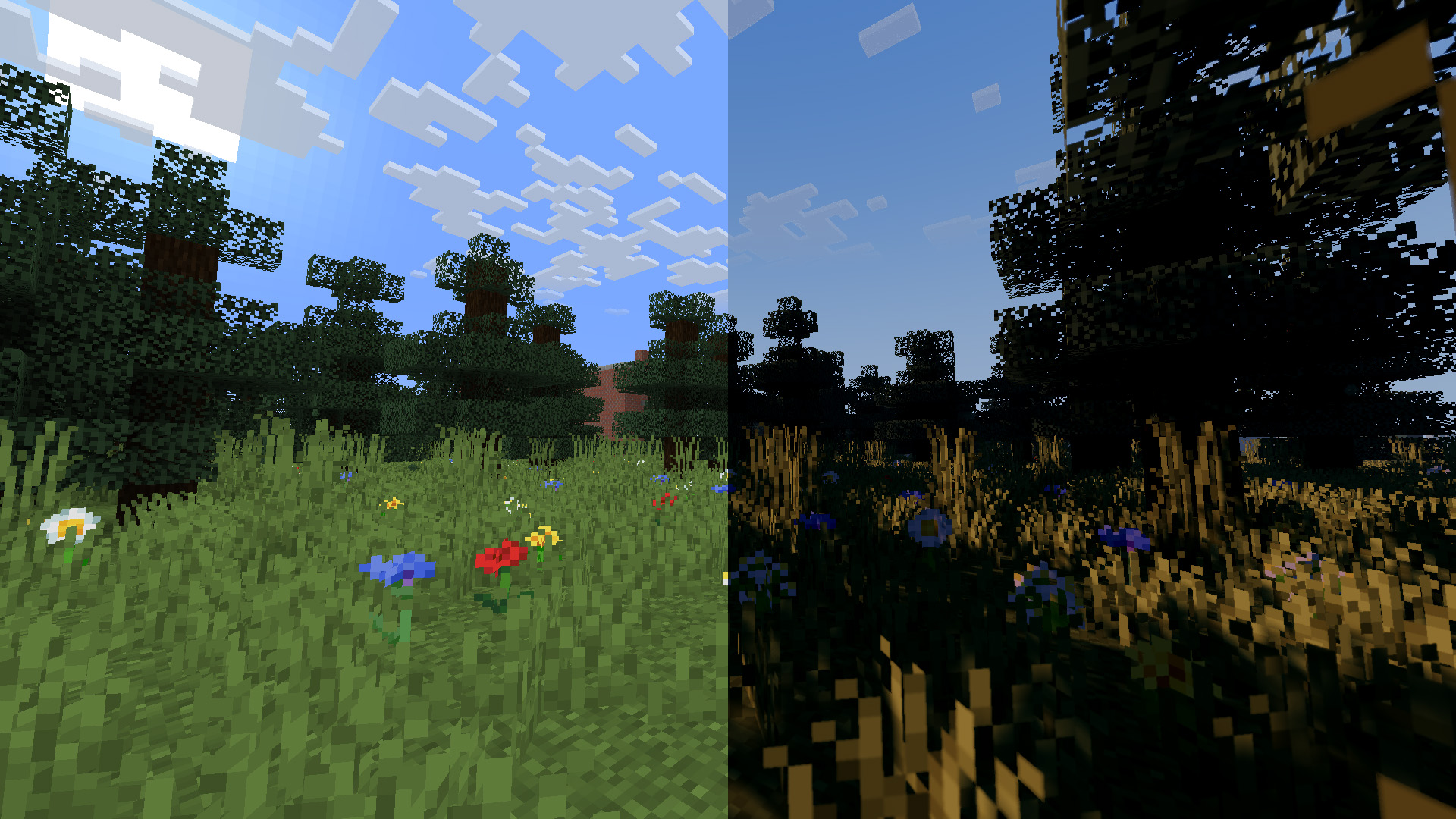
*This shader does not support OptiFine. It relies on Iris(1.7+) exclusive features for light detection and bloom-based colored lighting.*
B&W Shader
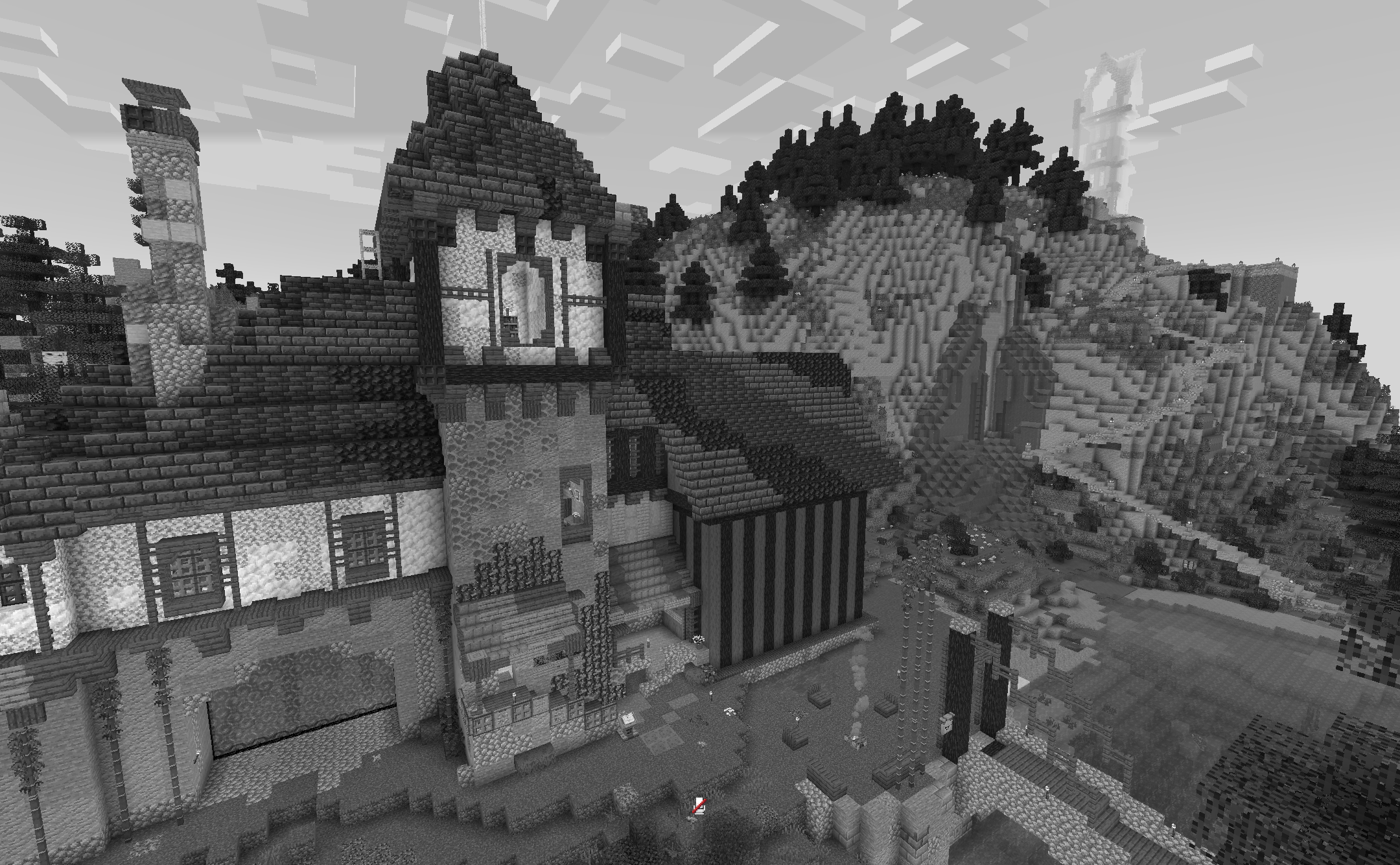
A shader that turns your game into its black and white version. It does not affect performance and works with all versions from 1.12 to 26.1.2 Suitable for iris and optifine
AxoShaders
Axolotls Shaders — Vibrant & Reimagined
A lightweight, atmospheric shader pack designed to enhance the default Minecraft look without sacrificing performance. This shader combines the punchy, vibrant colors of Bedrock Edition with advanced Java-side lighting techniques.
✨ Key Features
Cinematic Lighting: Utilizing ACES Tonemapping for rich, balanced colors that avoid “crushed blacks” or overblown highlights.
Soft Shadows: Optimized PCF shadows with adaptive bias to eliminate “shadow acne” and provide smooth depth.
Vibrant Atmosphere: A custom fog system that reacts to the time of day, creating beautiful golden hours and deep, moody nights.
Living World: Subtle, procedural wind animations for leaves, grass, and crops.
Correct Gamma Workflow: Full sRGB-to-Linear conversion ensures that torchlight and sunlight mix realistically.
🛠️ Compatibility
Loaders: Iris (Recommended) or OptiFine.
Versions: Minecraft 1.20.x, 1.21.x, and above.
Hardware: Designed to run well on both dedicated GPUs and modern integrated graphics.
AxolotlShaders

**ABOUT**
AxolotlShaders brings a bright, vibrant, and natural look to Minecraft while staying smooth and lightweight.
Designed for players who want beautiful skies, clean lighting, and colorful visuals without losing FPS, this shader enhances the world with soft atmospheres, realistic sun glow, gentle fog.
With boosted vibrance, natural blue skies, and optimized performance, AxolotlShaders makes your world feel alive—perfect for survival and cinematic gameplay.
Features
Natural blue sky with smooth gradients and atmospheric scattering
Bright, realistic sunlight with improved glow
Enhanced fog and atmospheric depth
Increased color vibrance while maintaining natural tones
Improved water shading with reflections
Optimized lighting for day and night
FPS-friendly performance suitable for PvP and low-end PCs
Smooth ACES tonemapping to remove dull colors
Instant sky and sun rendering without dela
**How to report BUGS!!**
Our GlacierDevelopment Discord server is Live you can report bugs and Chat with other GlacierShaders users, report bugs, get help with issues, and join exciting giveaways — all in one place!

Aurora Fantasy


What is Aurora Fantasy? Aurora Fantasy is a Minecraft shader pack designed to make your world look magical and cinematic without making your computer lag. It focuses on beautiful fantasy lighting, vibrant colors, and stunning night skies featuring the Northern Lights (Auroras).
Whether you have a high-end PC or a simple laptop, this shader is optimized to give you a “Fantasy” atmosphere while keeping your gameplay smooth and fast.

> 🛠️**Profiles Fix**: Resolved internal issues within HIGH and EXTREME presets.
> ☁️ **Cloud Rendering**: Fixed a bug where clouds were not appearing when using HIGH or EXTREME profiles.
> ☀️ **Solar Layering**: Fixed the visual glitch where the sun would incorrectly appear above the clouds.
> 🌐 **Distant Render Fix**: Corrected an issue in the Distant Render Mod where stars could appear on the ground.

– 🌌 **Ethereal Nights** – Watch the mesmerizing Aurora Borealis and realistic stars transform the night sky.
– ☁️ **Atmospheric Clouds** – Dynamic clouds and soft fog that add depth and life to the horizon.
– 💧 **Living Water** – Realistic waves and water reflections with white foam where the water hits the land.
– 💎 **Modern Reflections** – High-quality reflections (SSR) on water and wet surfaces for a polished look.
– 🌧️ **Dynamic Weather Effects** – Surfaces appear wet during rain, featuring simulated puddle reflections and animated ripple effects.
– 🏜️ **Immersive Weather** – Experience realistic dust and sandstorms in desert biomes during rain.
– 🚀 **Extreme Optimization** – Built to run on a wide range of devices, from “Potato” PCs to Gaming rigs.
– 🌍 **Ultra-Distance Support** – Compatibility for large-scale rendering mods. (Must be enabled in shader settings).
– 🎮 **Graphics Profiles** – Choose between MEDIUM, HIGH, or EXTREME.

– **Fantasy Aesthetic**: Unlike realistic shaders, this pack is tuned for a magical, dream-like vibe.
– **Elevated Vanilla Experience**: It enhances the game’s beauty and lighting while staying true to the core Minecraft atmosphere you love.
– **Advanced Rain Surfaces**: Includes custom-coded wetness effects where reflections and ripples appear on the ground during rain, simulating a dynamic, stormy environment.
– **Better Sun & Moon**: Say goodbye to square suns! Enjoy high-quality circular shapes with smooth horizon fading.
– **Advanced Mod Integration**: Fully compatible with mods that increase render distance (like Distant Horizons) via a simple toggle in the settings—perfect for massive, cinematic views.
– **Simple Profiles**: Choose from 3 easy presets (Medium, High, Extreme) to find your perfect balance of speed and beauty.

**Minimum** (Medium Profile):
> GPU: Intel HD 630 / GT 710
>
> RAM: 4GB (2GB Allocated)
**Recommended** (High Profile):
> GPU: GTX 1050 Ti / RX 570+
>
> CPU: i5-4000 / Ryzen 3 1200+
>
> RAM: 8GB (4GB Allocated)
> ⚠️ **Note on EXTREME Profile**: This preset is not covered by the recommended specs above. To run the EXTREME profile smoothly, you will need significantly more powerful hardware than what is listed in the Recommended section.

**Original Creator**: KDXavier
**Based on**: MakeUp – Ultra Fast
**Modified by**: in2bubble
**Origina GitHup source**
**License**: GNU Lesser General Public License v3.0
Aurora Fantasy


What is Aurora Fantasy? Aurora Fantasy is a Minecraft shader pack designed to make your world look magical and cinematic without making your computer lag. It focuses on beautiful fantasy lighting, vibrant colors, and stunning night skies featuring the Northern Lights (Auroras).
Whether you have a high-end PC or a simple laptop, this shader is optimized to give you a “Fantasy” atmosphere while keeping your gameplay smooth and fast.

> 🛠️**Profiles Fix**: Resolved internal issues within HIGH and EXTREME presets.
> ☁️ **Cloud Rendering**: Fixed a bug where clouds were not appearing when using HIGH or EXTREME profiles.
> ☀️ **Solar Layering**: Fixed the visual glitch where the sun would incorrectly appear above the clouds.
> 🌐 **Distant Render Fix**: Corrected an issue in the Distant Render Mod where stars could appear on the ground.

– 🌌 **Ethereal Nights** – Watch the mesmerizing Aurora Borealis and realistic stars transform the night sky.
– ☁️ **Atmospheric Clouds** – Dynamic clouds and soft fog that add depth and life to the horizon.
– 💧 **Living Water** – Realistic waves and water reflections with white foam where the water hits the land.
– 💎 **Modern Reflections** – High-quality reflections (SSR) on water and wet surfaces for a polished look.
– 🌧️ **Dynamic Weather Effects** – Surfaces appear wet during rain, featuring simulated puddle reflections and animated ripple effects.
– 🏜️ **Immersive Weather** – Experience realistic dust and sandstorms in desert biomes during rain.
– 🚀 **Extreme Optimization** – Built to run on a wide range of devices, from “Potato” PCs to Gaming rigs.
– 🌍 **Ultra-Distance Support** – Compatibility for large-scale rendering mods. (Must be enabled in shader settings).
– 🎮 **Graphics Profiles** – Choose between MEDIUM, HIGH, or EXTREME.

– **Fantasy Aesthetic**: Unlike realistic shaders, this pack is tuned for a magical, dream-like vibe.
– **Elevated Vanilla Experience**: It enhances the game’s beauty and lighting while staying true to the core Minecraft atmosphere you love.
– **Advanced Rain Surfaces**: Includes custom-coded wetness effects where reflections and ripples appear on the ground during rain, simulating a dynamic, stormy environment.
– **Better Sun & Moon**: Say goodbye to square suns! Enjoy high-quality circular shapes with smooth horizon fading.
– **Advanced Mod Integration**: Fully compatible with mods that increase render distance (like Distant Horizons) via a simple toggle in the settings—perfect for massive, cinematic views.
– **Simple Profiles**: Choose from 3 easy presets (Medium, High, Extreme) to find your perfect balance of speed and beauty.

**Minimum** (Medium Profile):
> GPU: Intel HD 630 / GT 710
>
> RAM: 4GB (2GB Allocated)
**Recommended** (High Profile):
> GPU: GTX 1050 Ti / RX 570+
>
> CPU: i5-4000 / Ryzen 3 1200+
>
> RAM: 8GB (4GB Allocated)
> ⚠️ **Note on EXTREME Profile**: This preset is not covered by the recommended specs above. To run the EXTREME profile smoothly, you will need significantly more powerful hardware than what is listed in the Recommended section.

**Original Creator**: KDXavier
**Based on**: MakeUp – Ultra Fast
**Modified by**: in2bubble
**Origina GitHup source**
**License**: GNU Lesser General Public License v3.0