Butter Shaders

## **BUTTER | Shaders**
Butter Shaders is a lightweight Minecraft shaderpack designed to bring a warm, soft, and realistic atmosphere to your world.
Based on MakeUp Ultra Fast Shaders, it enhances the original project with improved lighting, smoother water reflections, and refined sky rendering while keeping excellent performance.
Featuring smooth lighting, natural water reflections, dynamic clouds, and vibrant sunsets, this shader focuses on beauty and performance balance — perfect for both low-end and high-end devices.
### **Features :**
• Shadows
• Depth of field
• Temporary anti-aliasing
• Improved ambient occlusion
• Chromatic aberration
• Motion blur
• Volumetric clouds
• Volumetric light
• Reflexes
• Waving plants
• … and more
### **If you have any suggestions, found a bug, etc.,contact me on Discord. :**
▪︎ https://discord.gg/GfcRKJxXfk
### **Credits :**
Original creator: Javier Garduño Links:
• https://www.planetminecraft.com/mod/makeup-ultra-fast-shader
• https://www.planetminecraft.com/mod/makeup-ultra-fast-shader
• https://www.curseforge.com/minecraft/customization/makeup-ultra-fast-shader
• https://www.curseforge.com/minecraft/customization/makeup-ultra-fast-shader
[BTB] Back To Basics
## About
BTB simulates the physical restrictions of the PS1 3D games to transform your Minecraft in a nostalgic moment.
It’s so good that it optimises your game!
## Features
– Low screen resolution
– Affine texture mapping
– 16bit colors
– Dithering
BSL Shaders – Classic
**Notice: BSL Classic is now discontinued. A config file with classic’s look is available here.**


## ABOUT
BSL Shaders – Classic is a shaderpack made exclusively for Minecraft: Java Edition. It’s oriented towards vanilla aesthetics. This shader includes realtime shadows, volumetric light, ambient occlusion, bloom, customizable clouds and water, and built in anti-aliasing. Additional effects are available, such as depth of field, motion blur, specular and normal mapping, celshading, world curvature, and more.
## QUICK LINKS
– **capttatsu.com** is this project’s official site, read the detailed description, FAQs and changelog here.
– Follow me on **Bluesky** and/or **X/Twitter** to get news on my shaderpack.
– **Join my discord server** for discussion, question, feature request, and bug report.
– Like my shaderpack? Consider supporting on **Patreon**.
## AGREEMENT
You’re allowed to…
– Use this shaderpack for taking screenshots and videos.
– Modify the shaderpack for personal use.
– Publish your heavily modified version of the pack.*
– Redistribute the shaderpack for modpack / server with my permission.*
You’re not allowed to…
– Redistribute the shaderpack without my permission.
– Claim (and rename) my shaderpack (or its code) as your own.
– Use monetized URL shorteners to my site or files.
*My shader and myself (the author) should be credited clearly, add link to my site if possible.
## INSTALLATION
– Download and install Optifine or Iris
– Download the shaderpack
– Put the shaderpack inside .minecraftshaderpacks
– Launch Minecraft
– Open Options, Video Settings, Shaders
– Choose BSL Shaders
BSL Shaders

## ABOUT
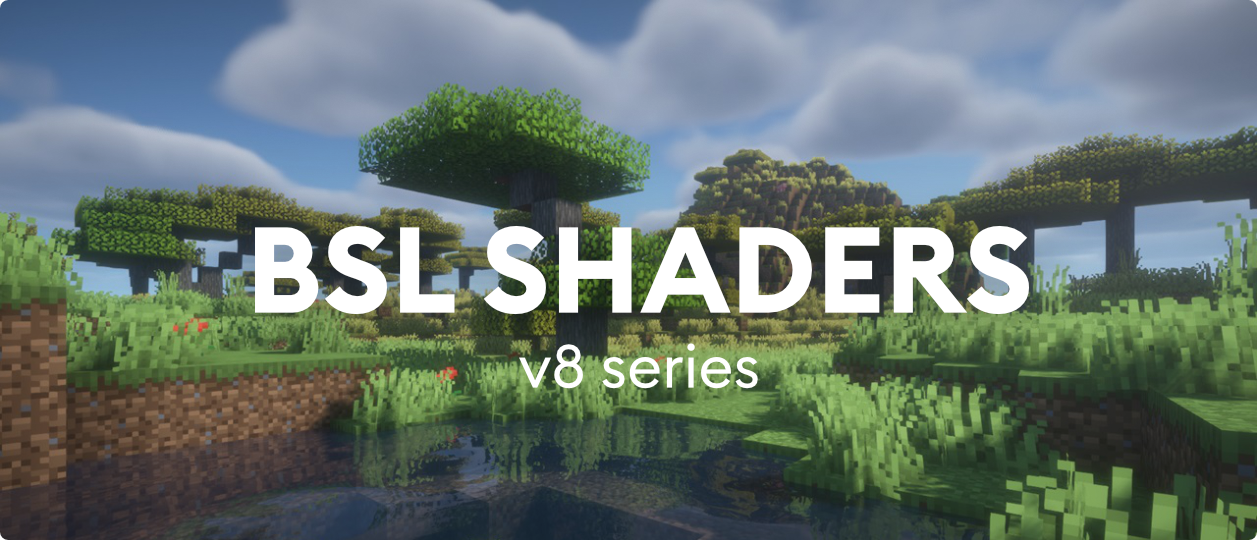
BSL Shaders is a shaderpack made exclusively for Minecraft: Java Edition. It’s bright, colorful, and distinct. This shader includes realtime shadows, volumetric light, ambient occlusion, bloom, customizable clouds and water, and built in anti-aliasing. Additional effects are available, such as depth of field, motion blur, specular and normal mapping, celshading, world curvature, and more.
## QUICK LINKS
– **capttatsu.com** is this project’s official site, read the detailed description, FAQs and changelog here.
– Follow me on **Bluesky** and/or **X/Twitter** to get news on my shaderpack.
– **Join my discord server** for discussion, question, feature request, and bug report.
– Like my shaderpack? Consider supporting on **Patreon**.
## AGREEMENT
You’re allowed to…
– Use this shaderpack for taking screenshots and videos.
– Modify the shaderpack for personal use.
– Publish your heavily modified version of the pack with my permission.
You’re not allowed to…
– Redistribute the shaderpack without my permission.
– Claim (and rename) my shaderpack (or its code) as your own.
– Use monetized URL shorteners to my site or files.
## INSTALLATION
– Download and install Optifine or Iris
– Download the shaderpack
– Put the shaderpack inside .minecraftshaderpacks
– Launch Minecraft
– Open Options, Video Settings, Shaders
– Choose BSL Shaders
Breeze Flow Shaders
BreezeFlow is a modified edition of Complementary Shaders for Minecraft Java Edition, created to preserve its exceptional attention to detail, quality, and optimization while pushing a more cinematic, realistic look at higher frame rates on weaker devices. Complementary Shaders began as an edit of BSL Shaders in 2018 and has since evolved through countless major updates, community feedback, and a full rewrite to meet modern standards; BreezeFlow is built on that legacy and gives full credit to the original project.
BreezeFlow’s mission is simple: keep the signature Complementary look and polish, but make it run smoother on integrated GPUs and lower-end systems without sacrificing atmosphere. It is designed to feel cinematic and immersive while remaining practical for everyday gameplay.
There are many optimizations done, too many to be listed. However most of the work was based on reducing the amount of calculations performed and a LOD system was implemented.

All credits go to the original shader Complementary Shader
This shader is simply a variant of Complementary with optimization changes and color grading changes alongside new features.
An example of a new feature (Meteor Showers):

Better Nebula:

I highly recommend checking out the gallery page to understand how the shader looks – many gallery pictures are only at low preset and will look better at higher presets.
——————————————————————————————–
Like all shaders, Sodium and Iris or Optifine is required. I recommend using the mods listed as well.
——————————————————————————————–
– Fps at 1080p:
– Potato: 75-113 fps
– Very Low: 65-100 fps
– Low: 65-87 fps
– Medium: 45-70 fps
– High: 40-60 fps
– Very High: 39-59 fps
– ULTRA: 25-39 fps
——————————————————————————————–
– Device Info:
– Cpu: i7-13700H
– Gpu: Integrated Iris Xe Graphics
– Memory: 16 GB
– Fabric 1.21.10
——————————————————————————————–
Mods Used:
Intellium:
Improves CPU and GPU workload to further optimize performance on Intel GPU’s. Only works on Intel GPU’s and is made by me. The mod may not be published yet when you are viewing this page.
C2ME:
Improves world generation and chunk loading by using multiple CPU threads, making terrain load faster and reducing lag.
Cloth Config Api:
A library mod that provides config menus for other mods. Doesn’t do anything on its own.
Entity Culling:
Stops rendering entities you can’t see (like ones behind walls), improving FPS.
Fabric Api:
Core library required for most Fabric mods. Adds hooks and systems mods depend on.
FerriteCore:
Reduces memory usage, especially RAM, helping performance and stability.
ImmediatelyFast:
Speeds up UI and rendering performance, especially menus and HUD elements.
Iris:
Adds shader support to Fabric (lets you use shaders like OptiFine does).
Lithium:
Optimizes game logic (AI, physics, ticking), improving overall performance.
Mod Menu:
Adds a menu to view and configure installed mods in-game.
Nosium-Forked:
Optimizes world generation noise calculations, improving chunk generation speed.
RenderScale:
Lets you render the game at a lower resolution and upscale it for better performance.
Sodium:
Major rendering optimization mod that significantly boosts FPS and reduces lag.
——————————————————————————————–
If you are not getting similar fps it may be due to the resolution, use the mod Render Scale to reduce your resolution to get higher fps.
The Default is also Very Low, reduce it to Potato if you are not getting your target fps
——————————————————————————————–
Again huge thanks the original shader Complementary Shader
Without it this project wouldn’t exist.
Support Me or Complementary
– Me: https://ko-fi.com/slrrxx
– Complementary: https://www.patreon.com/emingt
– Complementary Website:
(https://www.complementary.dev/shaders/)
Body Camera


EN 🌐
# ABOUT:
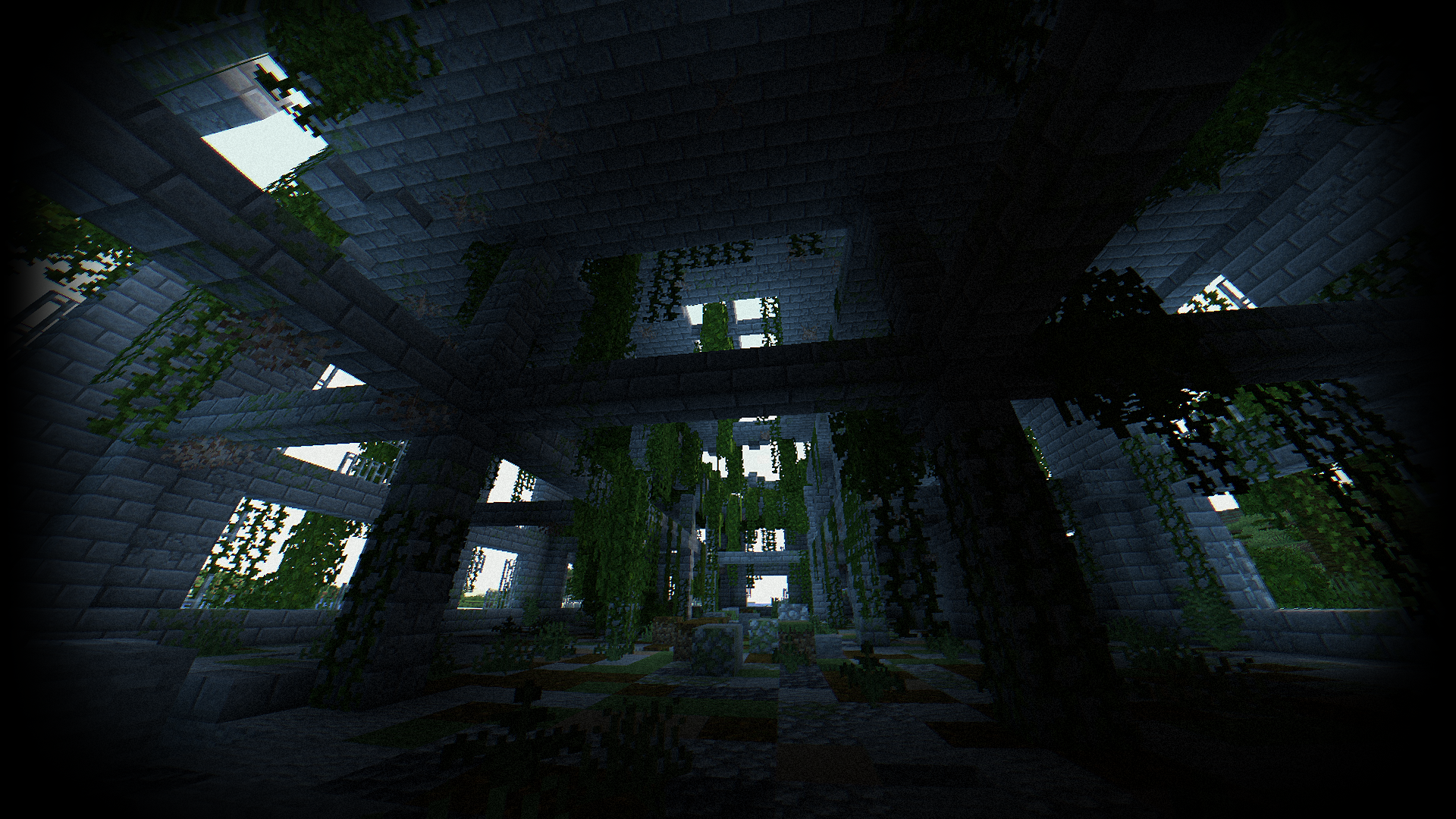
**Hi, I’m LoLip_p! This is a shader that simulates the effects of a body camera.**
### Looking for more realism?
I’ve released a **Next-Gen** version of this shader! It’s a complete overhaul based on Rethinking Voxels, bringing RTX lighting to the bodycam aesthetic.
Check it out on my Patreon!
# Base version:
### SCREENSHOT:
### Performance: 160 FPS+
– 2K (2560×1440)
– 10 chunks
– GPU: RX 580 _(8GB)_
– CPU: Ryzen 5 1500X
## THE SHADER HAS:
– Fisheye Effect
– Auto Exposure
– Support Better Clouds
– Support Distant Horizons
– PBR support _(LabPBR)_
– Chromatic Aberration
– Thermal Imager
– Night vision goggles
– Support 3 language: _EN RU FR_
### Recommended settings:
– Brightness: 0
– Field of view (Fov): 110
## LINKS:
– Discord (Discuss, Bug Reports, Etc.)
– Telegram
– YouTube
## INSTALL THE SHADERS
– Download Client Which Supports Installing Shaders Such As Optifine And Iris
– Download The Shaders
– Copy Shaders to /.minecraft/shaderpacks
– Launch Minecraft, Go To Options –> Video Settings –> Shaders
– Choose **Body Camera Shader**
## DEMO VIDEO
RU 🐻
# О:
**Привет, я LoLip_p! Это шейдер, который имитирует эффекты камеры, установленной на теле.**
### Ищете больше реализма?
Я выпустил **Next-Gen** версию этого шейдера! Это полностью переработанная версия, основанная на подходе «Rethinking Voxels», которая добавляет освещение RTX в стиле «bodycam».
Посмотрите его на моем Patreon!
# Базовая версия:
### СКРИНШОТ:

### Производительность: 160 FPS+
– 2K (2560×1440)
– 10 chunks
– GPU: RX 580 _(8GB)_
– CPU: Ryzen 5 1500X
## ШЕЙДЕР ИМЕЕТ:
– Эффект рыбьего глаза
– Авто экспозиция
– Поддержка Better Clouds
– Поддержка Distant Horizons
– Поддержка PBR _(LabPBR)_
– Хроматическая аберрация
– Тепловизор
– Очки ночного видения
– Поддержка 3 языков: _EN RU FR_
### Рекомендуемые настройки:
– Яркость: 0
– Поле зрения (Fov): 110
## ССЫЛКИ:
– Discord (Discuss, Bug Reports, Etc.)
– Telegram
– YouTube
## УСТАНОВКА ШЕЙДЕРА
– Скачать клиент, поддерживающий установку шейдеров, таких как Optifine и Iris
– Скачать шейдеры
– Копировать шейдеры в /.minecraft/shaderpacks
– Запустите Minecraft, перейдите в «Настройки» –> Видео Настройки –> Shaders
– Выбери **Body Camera Shader**
## ДЕМО-ВИДЕО
CH 🐉
# 关于:
**你好,我是LoLip_p!这是模拟随身摄像机效果的着色器**
### 想要更逼真的效果吗?
我已经发布了这款着色器的 **次世代** 版本!这是基于《Rethinking Voxels》进行的一次全面重制,将 RTX 光照技术融入了随身摄像头的视觉风格。
欢迎前往我的 Patreon 查看!
# Base version:
### 屏幕截图:

### 性能: 160 FPS+
– 2K (2560×1440)
– 10 chunks
– GPU: RX 580 _(8GB)_
– CPU: Ryzen 5 1500X
## 着色器具有:
– 鱼眼效果
– 自动曝光
– 支持Better Clouds
– 支持Distant Horizons
– PBR支持 _(LabPBR)_
– 色差
– 热成像仪
– 夜视镜
– 支持3种语言:_EN RU FR_
### 推荐设置:
– 亮度:0
– 视野(Fov):110
## 链接:
– Discord (Discuss, Bug Reports, Etc.)
– Telegram
– YouTube
## 安装着色器
– 下载支持安装着色器的客户端(如Optifine或Iris)
– 下载着色器资源包
– 将着色器文件复制到 /.minecraft/shaderpacks 目录
– 启动Minecraft,进入选项 –> 视频设置 –> 着色器
– 选择 **Body Camera Shader**
## 演示视频
BR 🎭
# SOBRE:
**Olá, sou o LoLip_p! Este é um shader que simula os efeitos de uma câmera corporal.**
### Quer mais realismo?
Lancei uma versão **Next-Gen** deste shader! Trata-se de uma reformulação completa baseada no Rethinking Voxels, que traz iluminação RTX para a estética das câmeras corporais.
Confira no meu Patreon!
# Base version:
### CAPTURA DE TELA:

### Desempenho: 160 FPS+
– 2K (2560×1440)
– 10 chunks
– GPU: RX 580 _(8GB)_
– CPU: Ryzen 5 1500X
## O SHADER TEM:
– Efeito olho de peixe
– Exposição automática
– Suporte para Better Clouds
– Suporte para Distant Horizons
– Suporte PBR _(LabPBR)_
– Aberração cromática
– Termovisor
– Óculos de visão noturna
– Suporte a 3 idiomas: _EN RU FR_
### Configurações recomendadas:
– Brilho: 0
– Campo de visão (Fov): 110
## LINKS:
– Discord (Discuss, Bug Reports, Etc.)
– Telegram
– YouTube
## INSTALE OS SHADERS
– Baixe um cliente que suporte a instalação de shaders, como Optifine e Iris
– Baixe os shaders
– Copie os shaders para /.minecraft/shaderpacks
– Inicie o Minecraft, vá para Opções –> Configurações de vídeo –> Shaders
– Escolha **Body Camera Shader**
## VÍDEO DE DEMONSTRAÇÃO
DE 🍺
# ÜBER:
**Hallo, ich bin LoLip_p! Dies ist ein Shader, der die Effekte einer Körperkamera simuliert.**
### Lust auf noch mehr Realismus?
Ich habe eine **Next-Gen**-Version dieses Shaders veröffentlicht! Es handelt sich um eine komplette Überarbeitung auf Basis von „Rethinking Voxels“, die RTX-Beleuchtung in die Bodycam-Ästhetik integriert.
Schau sie dir auf meinem Patreon an!
# Base version:
### SCREENSHOT:

### Leistung: 160 FPS+
– 2K (2560×1440)
– 10 chunks
– GPU: RX 580 _(8GB)_
– CPU: Ryzen 5 1500X
## DER SHADER VERFÜGT ÜBER:
– Fisheye-Effekt
– Automatische Belichtung
– Unterstützung für Better Clouds
– Unterstützung für Distant Horizons
– PBR-Unterstützung _(LabPBR)_
– Chromatische Aberration
– Wärmebildkamera
– Nachtsichtbrille
– Unterstützung für 3 Sprachen: _EN RU FR_
### Empfohlene Einstellungen:
– Helligkeit: 0
– Sichtfeld (Fov): 110
## LINKS:
– Discord (Discuss, Bug Reports, Etc.)
– Telegram
– YouTube
## INSTALLIEREN SIE DIE SHADER
– Client herunterladen, der die Installation von Shadern wie Optifine und Iris unterstützt
– Shader herunterladen
– Shader nach /.minecraft/shaderpacks kopieren
– Minecraft starten, zu Optionen –> Videoeinstellungen –> Shader gehen
– **Body Camera Shader** auswählen
## DEMO VIDEO
FR 🥐
# À PROPOS:
**Bonjour, je suis LoLip_p ! Voici un shader qui simule les effets d’une caméra corporelle.**
### Envie d’un rendu encore plus réaliste ?
J’ai publié une version **Next-Gen** de ce shader ! Il s’agit d’une refonte complète inspirée de « Rethinking Voxels », qui intègre l’éclairage RTX à l’esthétique des caméras corporelles.
Découvrez-la sur mon Patreon !
# Base version:
### CAPTURE D’ÉCRAN:

### Performance: 160 FPS+
– 2K (2560×1440)
– 10 chunks
– GPU: RX 580 _(8GB)_
– CPU: Ryzen 5 1500X
## LE SHADER DISPOSE DE :
– Effet fisheye
– Exposition automatique
– Prise en charge de Better Clouds
– Prise en charge de Distant Horizons
– Prise en charge PBR _(LabPBR)_
– Aberration chromatique
– Imageur thermique
– Lunettes de vision nocturne
– Prise en charge de 3 langues : _EN RU FR_
### Paramètres recommandés :
– Luminosité : 0
– Champ de vision (Fov) : 110
## LIENS:
– Discord (Discuss, Bug Reports, Etc.)
– Telegram
– YouTube
## INSTALLER LES SHADERS
– Téléchargez un client prenant en charge l’installation de shaders tels que Optifine et Iris
– Téléchargez les shaders
– Copiez les shaders dans /.minecraft/shaderpacks
– Lancez Minecraft, allez dans Options –> Paramètres vidéo –> Shaders
– Choisissez **Body Camera Shader**
## VIDÉO DE DÉMONSTRATION
Bloop Shaders
# ABOUT BLOOP
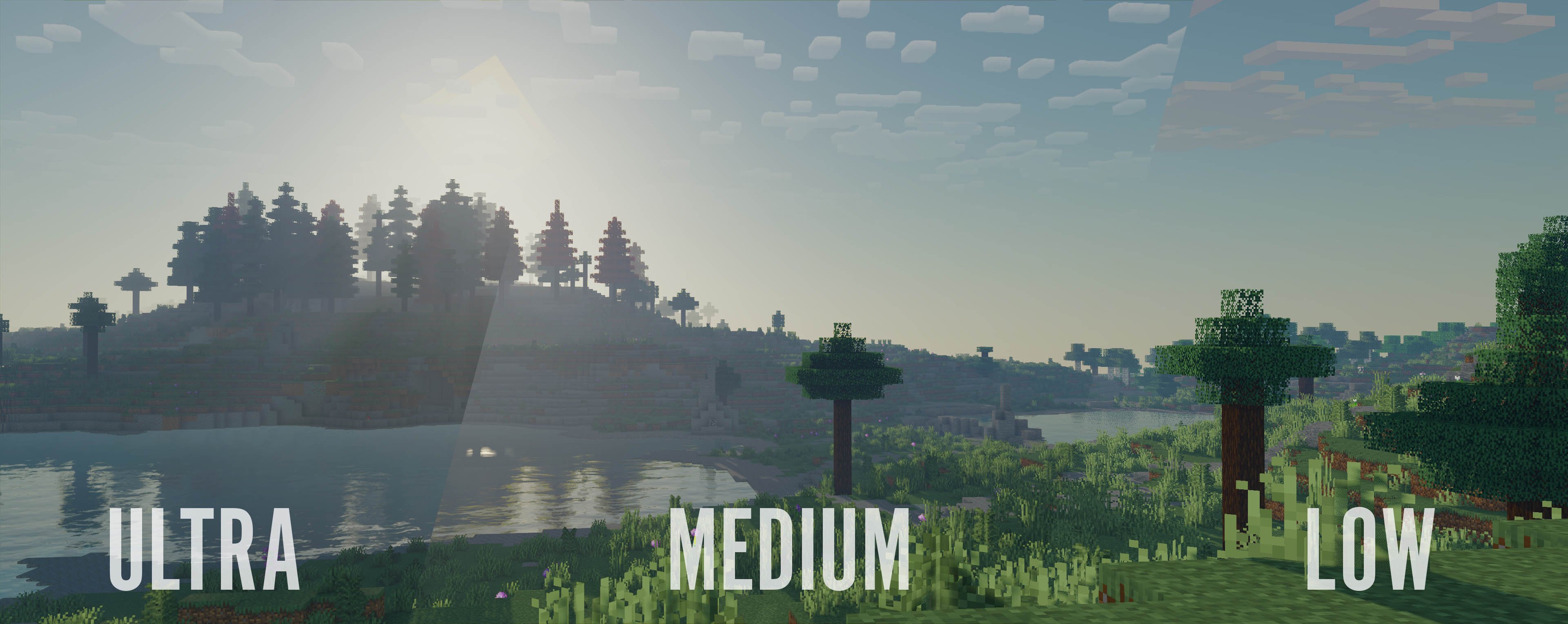
Bloop is a Minecraft shader designed to deliver excellent graphics while maximizing performance.
Perfectly scalable, it offers smooth gameplay on low-end PCs and higher graphics options for more powerful systems, from integrated graphics to an RTX 3090.
Enjoy an enhanced visual experience without compromising on frame rates.
# This shader includes:
– Performance oriented profiles and simple settings
– Realtime Shadows with simple and advanced shadow filtering
– Distant Horizons support, Including Shadows
– Physics Mod support
– Floodfill lighting
– Advanced and Simple AO
– Full LabPBR compatibility
– POM and Material SSR
– Volumetric Light and Mist
– cloud and contact shadows
– Bloom
– Depth of field
– Volumetric and vanilla cloud support
– Custom tonemapping
– TAA with support for anti ghosting on entities
– Support for various modded blocks
and a lot more
# Performance Comparison
Performance Table
Ryzen 9 7900X with Integrated Graphics at 1080p, Render distance 8
“`
┌──────────────────────────┬──────────────────────┬───────────┬───────────────┬───────────────────┬─────────┐
│ Shader │ Preset │ Shadows │ Shadow Range │ Shadow Resolution │ FPS │
├──────────────────────────┼──────────────────────┼───────────┼───────────────┼───────────────────┼─────────┤
│ No shaders │ NA │ NA │ NA │ NA │ 180 fps │
├──────────────────────────┼──────────────────────┼───────────┼───────────────┼───────────────────┼─────────┤
│ Bloop │ Lowest │ Yes │ 8 chunks │ 1024 px │ 45 fps │
│ │ Low │ Yes │ 8 chunks │ 1024 px │ 40 fps │
│ │ Med Low │ Yes │ 10 chunks │ 1024 px │ 30 fps │
│ │ Medium │ Yes │ 10 chunks │ 2048 px │ 20 fps │
│ │ Med High │ Yes │ 16 chunks │ 2048 px │ 15 fps │
│ │ High │ Yes │ 16 chunks │ 4096 px │ 10 fps │
│ │ Ultra │ Yes │ 16 chunks │ 4096 px │ 5 fps │
├──────────────────────────┼──────────────────────┼───────────┼───────────────┼───────────────────┼─────────┤
│ Makeup UltraFast │ shadowless low │ No │ NA │ NA │ 60 fps │
│ │ shadowless Medium │ No │ NA │ NA │ 40 fps │
│ │ shadowless High │ No │ NA │ NA │ 30 fps │
│ │ Low │ Yes │ NA │ NA │ 25 fps │
│ │ Medium │ Yes │ NA │ NA │ 23 fps │
│ │ High │ Yes │ NA │ NA │ 20 fps │
├──────────────────────────┼──────────────────────┼───────────┼───────────────┼───────────────────┼─────────┤
│ Bliss │ Default │ Yes │ 8 chunks │ 2084 px │ 10 fps │
├──────────────────────────┼──────────────────────┼───────────┼───────────────┼───────────────────┼─────────┤
│ Complementary reimagined │ Potato │ No │ NA │ NA │ 20 fps │
├──────────────────────────┼──────────────────────┼───────────┼───────────────┼───────────────────┼─────────┤
│ Potato Shaders │ NA │ No │ NA │ NA │ 25 fps │
├──────────────────────────┼──────────────────────┼───────────┼───────────────┼───────────────────┼─────────┤
│ RenderPearl │ Lowest │ Yes │ 2 chunks │ 512px │ 55 fps │
│ │ lower │ Yes │ 6 chunks │ 512px │ 40 fps │
│ │ Low │ Yes │ 8 chunks │ 1024 px │ 35 fps │
│ │ medium │ Yes │ 10 chunks │ 2048 px │ 20 fps │
│ │ high │ Yes │ 10 chunks │ 2048 px │ 15 fps │
├──────────────────────────┼──────────────────────┼───────────┼───────────────┼───────────────────┼─────────┤
│ Aurora │ Default │ No │ NA │ NA │ 20 fps │
├──────────────────────────┼──────────────────────┼───────────┼───────────────┼───────────────────┼─────────┤
│ Mellow │ Low │ No │ NA │ NA │ 100 fps │
│ │ fancy │ No │ NA │ NA │ 70 fps │
│ │ fabulous │ No │ NA │ NA │ 50 fps │
└──────────────────────────┴──────────────────────┴───────────┴───────────────┴───────────────────┴─────────┘
“`
Bloody Shaders
## Bloody Shaders
### Description
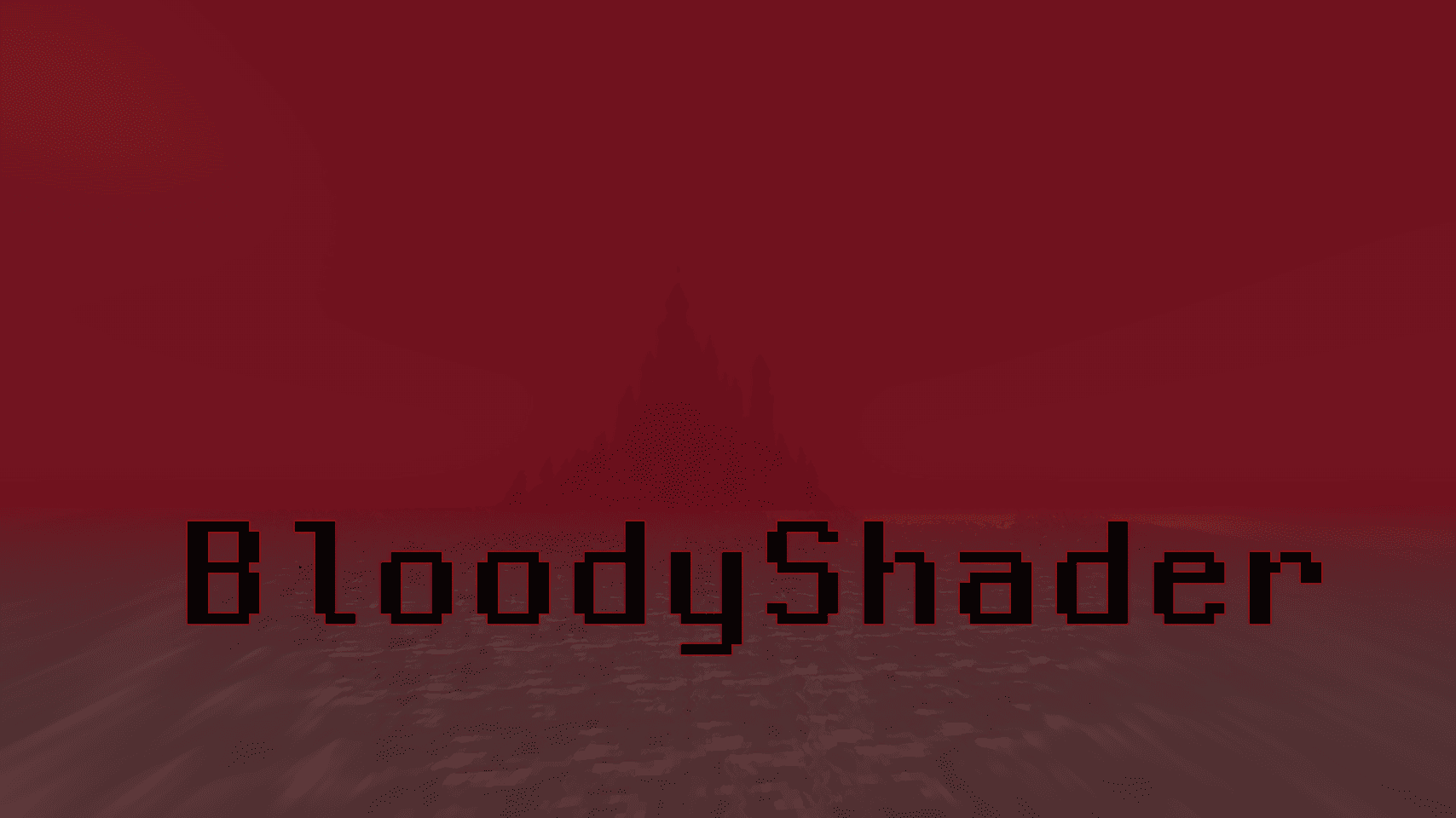
Bloody Shaders is designed to give Minecraft a darker, more apocalyptic atmosphere. By adding a red-tinted fog, this shader brings a gloomy, somber touch to the game, perfect for those who want an eerie and unsettling experience.
Realistic Water: Replaces vanilla water with a highly optimized, realistic water effect, adding a more immersive experience.
Pixelated Shadows: New pixelated shadows for a more atmospheric and unsettling vibe.
Red Fog Effect: The shader adds a red fog that creates a haunting, end-of-the-world vibe across landscapes, making the game feel eerie and melancholic.
Future Features:
Stay tuned for upcoming updates, which will include:
Additional lighting and shadow improvements.
New fog colors and effects to further enhance the atmosphere.
Note:
Feedback and suggestions are very welcome! Let me know what you’d like to see improved or added in future updates.
Blocky Shader
# Blocky
Blocky Enhances the Vanilla Style in a Performance Friendly Way

**Feature include:**
– Shadows
– Colored Shadows
– Distant Horizon Support
– Basic PBR Support (RP Required, Normals and Specular)
– Anti Aliasing (FXAA, From Simon Rodriguez’s blog post)
– Height Based Analytical Height Based Fog
– Waving Tree Leaves and Water
– Bloom
– Hardcoded Emmissives
Bliss Shaders
# About The Shader
_**Bliss is a big edit of Chocapic13’s V9.0 – V9.1; The original shaders can be found here!**_
I liked chocapic13’s shaders, but i could not be satisfied. I decided i wanted to try and bring my own visual goals out in the shader while i learn how to develop shaders. So here i am, with a pretty sizeable edit that stands to be quite different from the original shader!
# Requirements
– The mod “Iris”. The mod “Optifine” might work as well.
– Designed for Minecraft versions 1.17.0+
– AMD, Intel, and NVidia graphics are supported
– Apple devices have limited support due to OpenGL version restrictions. Please refer to this thread for more info
# Questions? Bugs? Want to help test unstable versions?
– Contact me on my Discord server
– Alternatively, contact me on the ShaderLabs Discord
– Test the unstable github branch here (there is a download guide in the README)
– Report a bug, request a feature, or ask a question here
– Want to support me? Throw money at me here