ResourceFix
Warning
This pack is by no means a stable fix to make all 1.19.2 packs work perfectly on 1.12.2. You may experience crashes and rendering glitches with certain packs. ResourceFix will not load on vanilla 1.12.2, and requires OptiFine as the game will refuse to load the pack.
In addition, the assets from vanilla 1.19.2 are required to load this pack. Directions on doing that are given below.
ResourceFix
ResourceFix is a resource pack for 1.12.2 that makes it possible to load resource packs from 1.17 – 1.19.2.
Pack Order
The following pack order is required for ResourceFix to function correctly:
- ResourceFix
- Packs to be loaded with ResourceFix (includes Programmer Art)
- 1.19.2 assets (2nd to bottom)
- Default (bottom)
ResourceFix may override a few things, and in that case if you’re feeling adventurous you can try loading a pack on top of ResourceFix. ResourceFix handles most things correctly, and loading a pack on top of ResourceFix (especially one that messes with models or blockstates) can lead to crashes and instability.
Prerequisites
ResourceFix does NOT provide the vanilla models and textures. If you load ResourceFix with nothing below it, you will see missing models or the game will potentially crash.
Directions
To get ResourceFix working with the vanilla 1.19.2 assets:
- Locate a 1.19.2 jar file. If you are on Windows this may be in %appdata%/.minecraft/versions/1.19.2/, on macOS it may be in /Library/Application Support/minecraft/versions/1.19.2/, and on Linux it may be in ~/.minecraft/versions/1.19.2/
- Open the jar file and find the assets folder
- Open the resource pack folder for your 1.12.2 instance
- Make a new folder with any name you choose
- Copy the assets folder into the new folder you made
- Find a pack.mcmeta file from any pack and copy it into that folder
- Load the pack under ResourceFix
To get Programmer Art:
- Go back to the main folder where you have Minecraft installed (should be .minecraft or minecraft)
- Open assets/indexes/1.19.json
- Search through the file for “programmer” and find the hash. Remember the first 5 letters and numbers
- Go up one level and find the objects folder
- Enter the directory that matches the first two characters of the hash
- Locate the file that matches the hash
- Copy it into your instance’s resource packs folder and rename it to have the .zip extension
State of the project
At the moment, ResourceFix only covers block models. Item models will be supported in the future, and most packs that change things such GUI textures and fonts should work.
Entity models such as chests are bugged, and I plan to use OptiFine’s custom entity model system to fix them at some point.
While this pack should work with most packs and has worked with many of the packs I have tested, if the game crashes look at the game log and replace the blockstate file with one from vanilla.
Unresolvable Issues
Redstone, mushroom blocks and glass panes use the models from 1.12.2 but are redirected to use the modern textures, so any models from a pack loaded with ResourceFix that affect those blocks will not work.
CTM will also never work, as 1.12.2 and 1.13+ use different names and models can’t affect those names.
Since custom models can’t be defined for liquids, water and lava will use the texture from 1.12.2.
Results
As stated earlier, ResourceFix is only meant to target block models and textures at the moment. These results do not factor in any rendering glitches or bugs with items/entities.
🟢 means that the loaded pack appeared to work perfectly fine
🟡 means that there were some minor issues
🔴 means that there were major issues such as crashes or the loaded pack not functioning at all
- Bare Bones 🟢
- Stay True 🟢
- XRay Ultimate 🔴
- Patrix 32x 🔴
- Faithful 32x and 64x 🟢
- Golden Days 🟢
- UltimaCraft v1.4 🟡 (saplings use missing model)
Renewed Animals
**This resource pack is intended for use with Fabric.**
**_–overview–_**
The pupils of the animals’ eyes have been emphasized, and the models of cows, pigs, sheep, and squids in particular have been significantly changed.
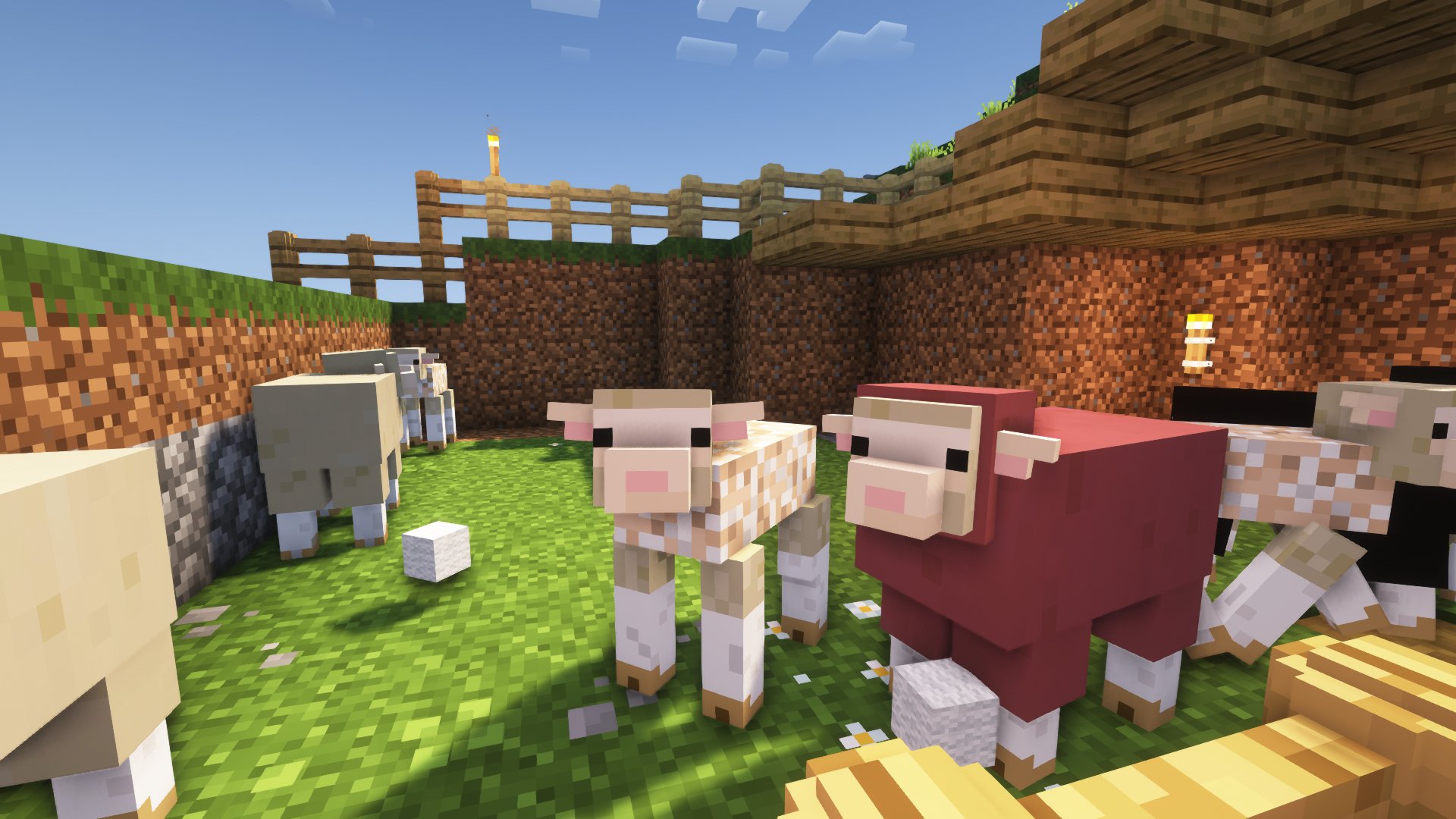
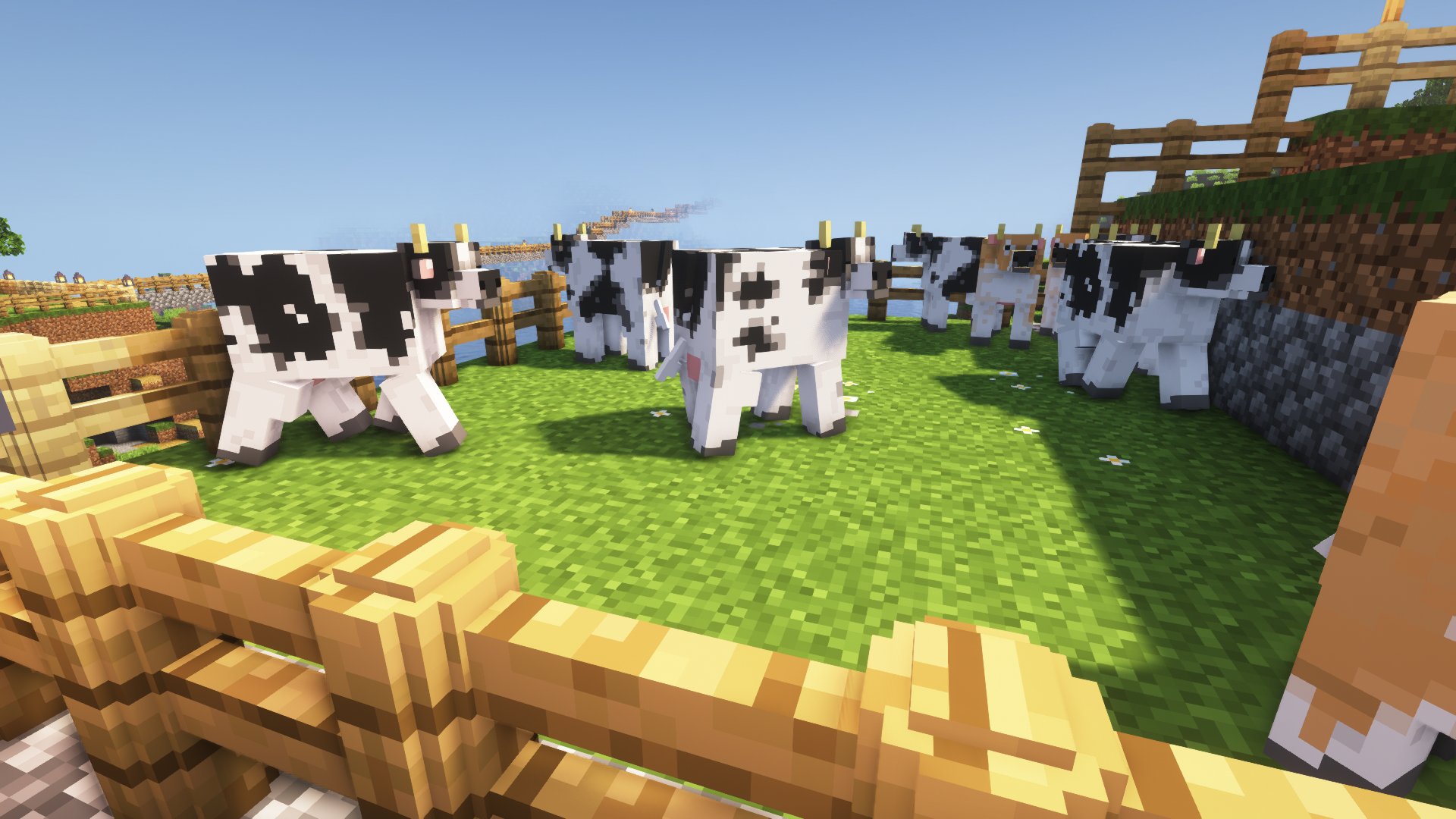
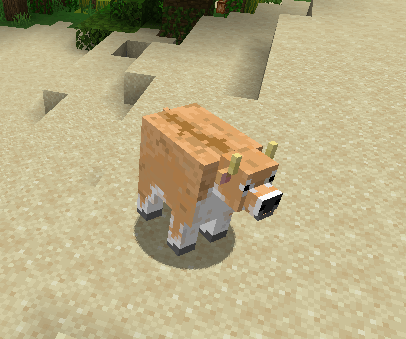
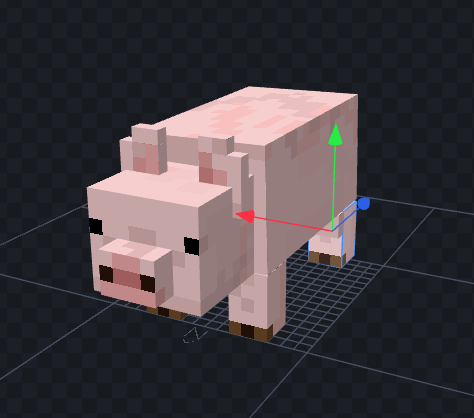
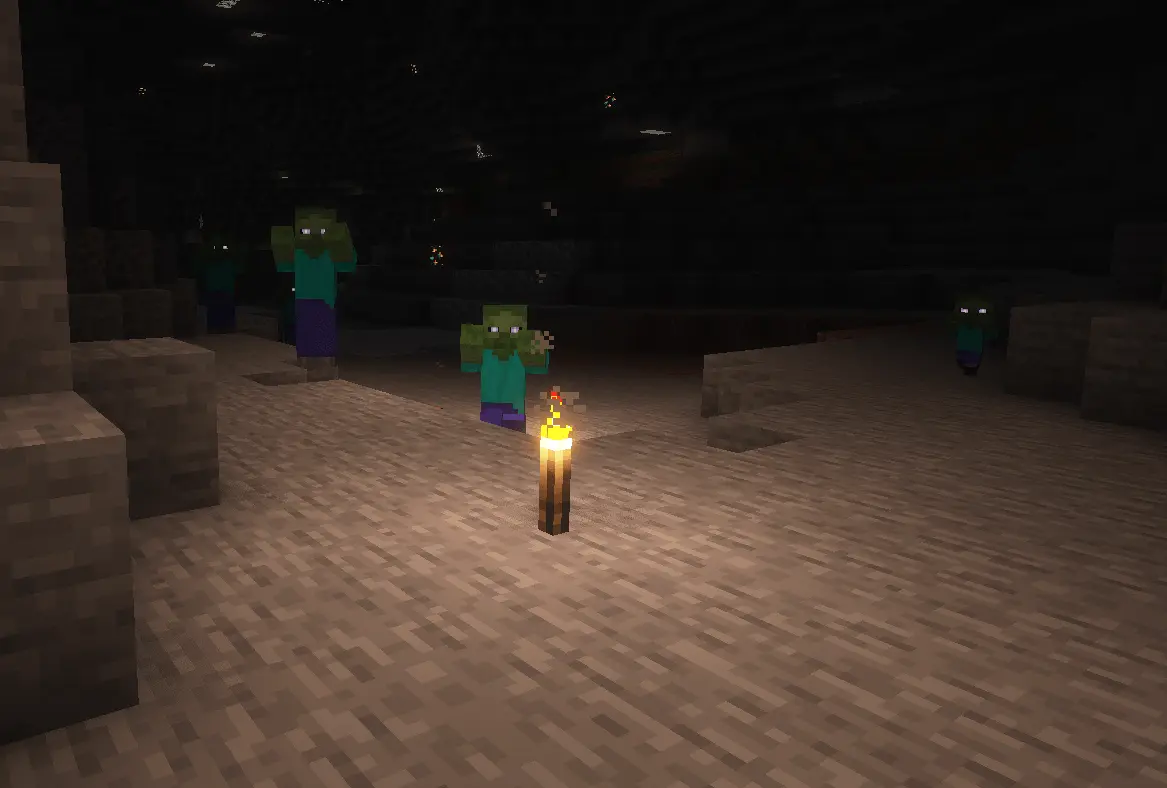
Villagers and pillagers have changing faces, and many hostile mobs have glowing eyes, adding to the fear they inspire as they approach from the dark.
**_–requirements–_**
[[EMF] Entity Model Features](https://modrinth.com/mod/entity-model-features)
[[ETF] Entity Texture Features](https://modrinth.com/mod/entitytexturefeatures)
**_–Support ご支援–_**
We would appreciate your support in creating this resource pack.
The link will take you to a Japanese site called Pixiv.
PixivFANBOXから、活動へのご支援いただけるととっても喜びます!
https://messron-et-cross.fanbox.cc/
Remove Potion Particles
Compatibility: **_1.6.1_** to **_1.21.1_**.
===========================================
Remove Potion Particles completely eliminates the visual clutter caused by potion and beacon particles.
* * *
### Additional Information:
At only 3.6KB, this is a super-lightweight resource pack that prevents the particle effect particles from being loaded into VRAM. Paired with other performance-enhancing mods, you can expect a framerate increase upwards of 15 FPS using this resource pack making it perfect for lower-end systems.
While it does a great job of removing particle effects, it does unfortunately have a single drawback: it can sometimes make it slightly harder to confirm if a Zombie Villager has been splashed with a Potion of Weakness during the curing process. If you’re actively working with Zombie Villagers it might be easier to temporarily disable this resource pack until you’ve finished curing the Zombie Villager.
* * *
### Support development:
If you enjoy this resource pack and would like to support my work, please consider making a donation. Even a donation as little as £1 or $1 is appreciated and helps keep me motivated to continue development on this resource pack.
* [Support development via Ko-fi!](https://ko-fi.com/brandontgs)
or if you’d like, through a Cryptocurrency of your choice! 😀
* Ethereum (ETH): `0x52Bb639Ce58bDa894eEbc583831158213Af9F8F3`
* Bitcoin (BTC): `bc1qvu6pa9kzlwe6te54drta7w85apanuk7m5zyv78`
* Monero (XMR): `4B5LzGGRTKz2hn1ETd7Nwo7a6k7Kkhr7nGKmos3cNgdofmhqRGAxr4ZXDcitjkavogXrzur7RJdeeaqgYzqre7qCTVxzBL8`
* Dogecoin (DOGE): `DGpyWyJtRJyikSkEUoaiwcc3C9GTGvnrfp`
Thank You! 🥰
=============
Reina Aharen (Aharen san wa hakarenai)
🫧 Reina Aharen Totem Resourcepack — *Aharen-san wa Hakarenai Edition*
Carry quiet unpredictability—replace your Totem of Undying with Reina Aharen from *Aharen-san wa Hakarenai*!
This resourcepack transforms the vanilla totem into a custom Reina model, perfect for fans of her soft-spoken charm, sudden closeness, and adorable awkwardness.
✨ Features
✅ Replaces the Totem of Undying with Aharen
🧩 Compatible with vanilla gameplay and datapacks
🔁 Modular asset structure for easy editing and anime swaps
🛠️ Works with Minecraft 1.16+
Redstone Tweaks Overlaid Gadget
original author:ZiYun
Add-on package author:w_y
Be sure to put it on top of Redstone Tweaks Overlaid!!!!
Be sure to put it on top of Redstone Tweaks Overlaid!!!!
Be sure to put it on top of Redstone Tweaks Overlaid!!!!
Redstone Tweaks Overlaid download link:[https://modrinth.com/resourcepack/ziyun-redstone-cover](https://modrinth.com/resourcepack/ziyun-redstone-cover)
1.Add has_record=true status to jukebox
2.The model of the open fence gate was changed to XK Highlight Block style
3.Observer model changed to look like the XK Redstone Display.
4.The model of the piston was changed to look like the XK Redstone Display.
5.Distinguish state 6 from 9 for redstone wires.
6.calibrated_sculk_sensor is now directionally distinguishable on the sides, back and bottom.
6.The dropper, dispenser and hopper point more obviously, cf. XK Redstone Display
7.sculk shrieker’s can_summon=true status does the showing
8.The debug stick model was changed to a bedrock stick?
Red FPS
# Red FPS Texture Pack
The **Red FPS** PvP Texture Pack is a sleek, performance-optimized resource pack designed to enhance your Minecraft PvP experience while boosting your frame rates. Centered around a modern red aesthetic, it features smooth, simplified textures that reduce lag without compromising on visual quality.
## 📦 **Features**
– ✨ **Custom Particles**
– 🗡️ **Custom Weapon Textures**
– 🔥 **Red Low Fire**
– 🏹 **Colored Bow & Crossbow Stages**
– 📋 **Transparent GUIs**
– 🔮 **No Enchantment Animation**
– 🚀 **FPS Boost**
– 🧱 **Custom Blocks**
[](https://bisecthosting.com/nikinok)
**Game Version:** 1.7 – 1.8.9
**Optimized:** FPS BOOST ✔️
Red Crosshair
Just a Red crosshair with a different shape
you want to use this because it is red
and not the boring old white one
use it for amazing gameplay
[Use Low Brightness In Game For Best Result!]
[How to use]
1 Open minecraft
2 go to options
3 click resource pack
4 click open file folder
5 drag and drop the .zip file or enable it through minecraft
Red Trapped Chest
Ever wanted to be able to see a trapped chest quicker instead of looking at the indication on the chest? Well this texture pack does just that, this texture pack turns the basic Minecraft trapped chest texture into a more noticeable red/orange look.
Red Powdered Snow
This resource pack turns the normal powdered snow texture, into a more red seeable version to notice powdered snow better. Using this resource pack, it will help guide you through mountains to not fall into any powdered snow that is there.
Vanilla soundtrack tweaks (Reactive Music: OFF)
This resourcepack copies vanilla but as a songpack for Reactive Music.
This pack can be helpful as a template for other songpacks based on vanilla music or if you want to change music to vanilla without disabling the mod.
# How to install the resource pack
– Download [Reactive Music mod](https://modrinth.com/mod/reactive-music)
– Download this resource pack
– Open Reactive Music settings (use [Mod Menu](https://modrinth.com/mod/modmenu) or `/reactivemusic` command in the world)
– Choose **Reactive Music: OFF** in the list
– There are a few different special versions available that you can choose if you want
# Different versions in one file
### There are different versions of the songpack all stored inside the pack:
– Available in Reactive Music menu by default:
– latest version preset;
– Alpha 1.2.0 / Beta 1.7.3 preset;
– C418 songs only preset;
– Old main menu songs only preset;
– Creative mode exclusive songs only;
– Creative mode presets based on multiple presets:
– latest version;
– Alpha 1.2.0 / Beta 1.7.3;
– C418 songs only;
– Available only by unarchiving the songpack:
– presets for every Minecraft version where new music were added.
How to choose the version of the pack:
– Some of the main presets are already available in Reactive Music menu. Just select it if it’s there;
– If you want something more specific, unarchive the songpack;
– Copy yaml file of the version you want to use from _songpack-versions_ folder;
– Past it in songpack root folder (the folder where _README.txt_ is);
– Preferably archive the pack again;
– Select this version in Reactive Music menu.