Glare Sky Overlay
### What is this resource pack?
This resource pack is an overlay which replaces the default minecraft sky with a different sky.
—
### Requirements
– Needs [Optifine](https://optifine.net/downloads) OR [FabricSkyboxes](https://modrinth.com/mod/fabricskyboxes)
– Custom Sky should be turned on (IF USING ON OPTIFINE)
– Stars / Sun and Moon should be turned on (IF USING ON OPTIFINE)
—
### How to use this resource pack?
This is compatible with all other resource packs, just make sure you put it on top of the one you are already using.
—
### **Support Me:**
**[https://www.patreon.com/Ouranos](https://www.patreon.com/Ouranos)**
Benefits:
No Ads 🚫 : Get rid of those annoying ads you need to go through to download my sky overlays.
Sneak Peeks 👀 : Be among the first to see glimpses of my upcoming sky overlays.
Patreon Spotlight 🌟: Get mentioned in every single sky overlay I upload on Planet Minecraft and Modrinth in the Patreon Spotlight section.
Early Access 🕒 : Get access to all of my texture packs 2-3 days before everyone else.
Voting Power 📊 : Get the ability to vote on polls which decide my upcoming sky overlays or the ability to comment ideas for sky overlays.
VIP Events 🎉 : Get access to things such as competitions (with prizes) and Q&A sessions with me.
Personal Custom Sky 🎨 : I will make 1 custom sky overlay of your choice for you.
Exclusive Support 🛠️ : You will get exclusive support from me if you are having problems with the texture pack or want me to make changes personally for you etc.
Exclusive Sky Overlays 🏆 : Get access to exclusive sky overlays posted once every month.
**[https://www.buymeacoffee.com/ouranos](https://www.buymeacoffee.com/ouranos)**
Glacial Edge
“Glacial Edge” is a high-definition texture pack designed for Minecraft tools, featuring a frosty theme that transforms the game’s tools into icy masterpieces. Each tool, from pickaxes to swords, is meticulously crafted with intricate details and cool blue hues, immersing players in a chilly and visually stunning world. With its 256x resolution, “Glacial Edge” offers unparalleled clarity and depth, enhancing every aspect of gameplay with its captivating frosty aesthetic. Embrace the frozen landscape and embark on a thrilling adventure like never before with this enchanting texture pack.
Geometric Font Edge

[](https://modrinth.com/resourcepack/geometric-font-2) [](https://modrinth.com/resourcepack/geometric-font) [](https://modrinth.com/mod/caxton)
## About
There are a lot of HD font remakes out there, but none that go for a sharper style that (in my opinion) suits vanilla better. Another issue with most other HD fonts is that they use bitmap images, which will look jagged and distorted unless set to a specific GUI scale. That’s why this font exists!
**Geometric Font** started out as a custom font dedicated to another resourcepack project -[Dracula Theme](https://modrinth.com/resourcepack/dracula-theme)- but ended up becoming [its own pack](https://modrinth.com/resourcepack/geometric-font), which is now named GeoFont Legacy.
GeoFont Edge is a completely rebuilt version of the original font with full OpenType support and heavily stylized to be even sharper then the original. The sci-fi vibe still looks great in vanilla Minecraft, or right alongside any sleek or futuristic GUI pack! Check the
(https://modrinth.com/resourcepack/geometric-font-edge/gallery) for more examples!
#### [Caxton](https://modrinth.com/mod/caxton) is highly recommended for crisper font rendering and full italic+bold support! (automatically enabled if installed)
## Resources
– Want to use this font in your own works? See the [license](https://github.com/Xetheon/mc-geometric-font/blob/edge/LICENSE.md) and dedicated repo for [GeoFont (Typeface)](https://github.com/Xetheon/GeoFont)
– Curious about updates on things I work on or just want to hang out? Join my [Discord!](https://discord.gg/3gtNAQgv2G)
Geometric Font 2

[](https://modrinth.com/resourcepack/geometric-font-edge) [](https://modrinth.com/resourcepack/geometric-font) [](https://modrinth.com/mod/caxton)
## About
There are a lot of HD font remakes out there, but none that go for a sharper style that (in my opinion) suits vanilla better. Another issue with most other HD fonts is that they use bitmap images, which will look jagged and distorted unless set to a specific GUI scale. That’s why this font exists!
**Geometric Font** started out as a custom font dedicated to another resourcepack project -[Dracula Theme](https://modrinth.com/resourcepack/dracula-theme)- but ended up becoming [its own pack](https://modrinth.com/resourcepack/geometric-font), which is now named GeoFont Legacy.
GeoFont 2 is a completely rebuilt version of the original font with full OpenType support and better consistency. Check the
(https://modrinth.com/resourcepack/geometric-font-2/gallery) for more examples!
#### [Caxton](https://modrinth.com/mod/caxton) is highly recommended for crisper font rendering and full italic+bold support! (automatically enabled if installed)
## Resources
– Want to use this font in your own works? See the [license](https://github.com/Xetheon/mc-geometric-font/blob/main/LICENSE.md) and dedicated repo for [GeoFont (Typeface)](https://github.com/Xetheon/GeoFont)
– Curious about updates on things I work on or just want to hang out? Join my [Discord!](https://discord.gg/3gtNAQgv2G)
– Interested in other packs I’ve made? Check out [this list!](https://gist.github.com/Xetheon/c3d677e0762658f8d79cf05e2c6e65ff)
Geometric Font Legacy

> A sharp, clean remake of the default mojangles font in full HD
# GUI Scale Matters!
The default download is meant for scale 4, but if you use a different size make sure to click on the latest release and download the one you play with for the best experience! You can also use [this link](https://modrinth.com/resourcepack/geometric-font/version/1.1.1) to go there.
# The Font Has Been Remade!
[**Geometric Font 2**](https://modrinth.com/resourcepack/geometric-font-2) has been rebuilt from the ground up as an OpenType font with new features and better consistency. There’s also [**Geometric Font Edge**](https://modrinth.com/resourcepack/geometric-font-edge), a new sci-fi stylized variant! Both can be found using the buttons bellow:
[](https://modrinth.com/resourcepack/geometric-font-2) [](https://modrinth.com/resourcepack/geometric-font-edge)
## About
There are a lot of HD font remakes out there, but none that go for a sharper style that (in my opinion) suits vanilla better. That’s what this font aims to do!
Another problem with HD fonts, due to the way the game displays GUIs, high-resolution textures will look jagged and distorted if you don’t use them with the GUI scale they’re meant for. This pack solves that too! Just make sure to download the version for your preferred GUI scale.
## Resources
– Want to use this font in your own works? See the [license](https://github.com/Xetheon/mc-geometric-font/blob/main/LICENSE.md)
– Curious about updates on things I work on or just want to hang out? Join my [Discord!](https://discord.gg/3gtNAQgv2G)
– Interested in other packs I’ve made? Check out [this list!](https://gist.github.com/Xetheon/c3d677e0762658f8d79cf05e2c6e65ff)
Fruity GUI
**Fruity GUI – a delightfully fresh and juicy take on interface design! This vibrant texture pack transforms your UI into a tropical paradise, bursting with colorful fruits, adorable hearts, and a smoothly animated armor display that adds a whole new level of charm.**
—
**”The heart and food images are taken from the Cyberia texture pack: [Fresh Food](https://modrinth.com/resourcepack/fresh-food)”**
—
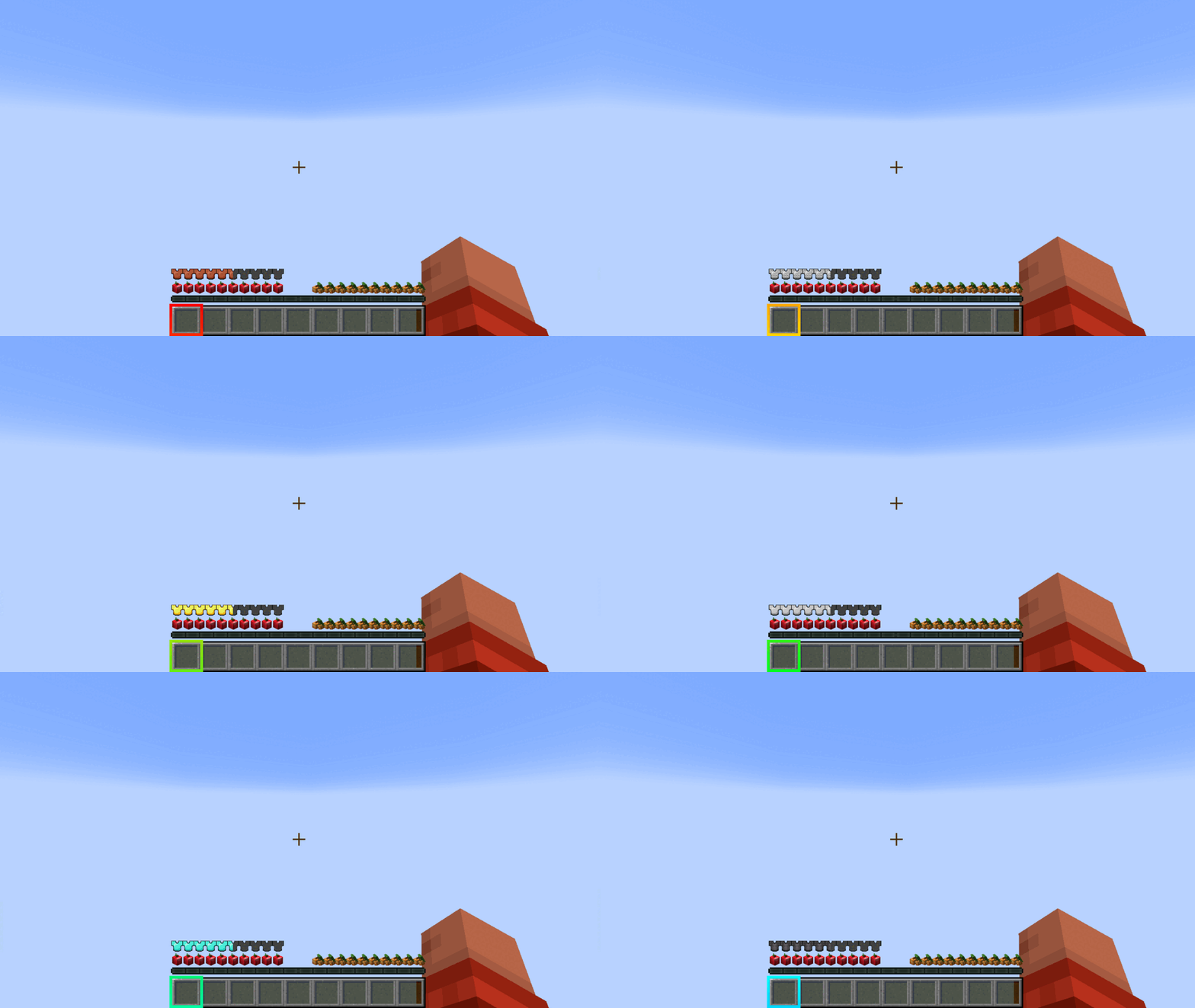
**Every element is infused with playful energy, making your in-game experience not just visually appealing but also uniquely satisfying. Whether it’s the lively food icons or the dynamic armor bar, Fruity GUI turns ordinary menus into a feast for the eyes!**
**Sweet, stylish, and simply irresistible! 🍎🍊🍓**
Fresh AI Tweaks
**Requires:**
**-Fresh Animation v1.9 or higher, v1.9.2 is the most recommended for versions 1.21.1 and below while 1.10.1 for versions 1.21.5 and above!**
-[Mob AI Tweaks](https://modrinth.com/mod/mob-ai-tweaks) mod
-Entity Model Features or Optifine
A pack that allows Mob AI Tweaks to work with Fresh Animations
Features:
-Eating animation for Pillagers.
-Reworked bow pulling animation for skeletons.
-Improved special attack animations for Wither Skeletons and Evokers.
-Improved swimming and throwing animations for Drowned.
-Attack animations for Allays.
-And much more!
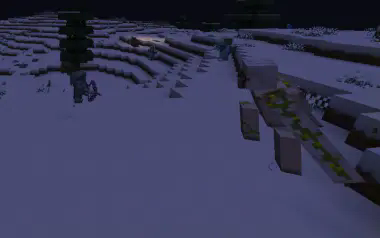
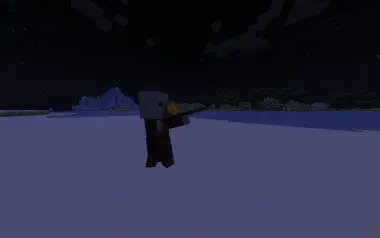
Sample images:
Load order:
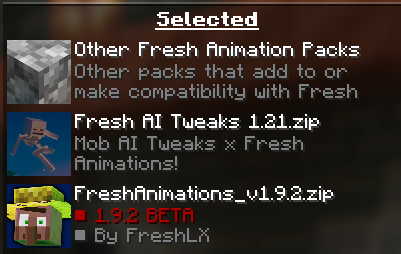
**Notice:** not all FA extension packs are supported, some of them changes the animations even further which leads to them overrididing this pack’s custom animation fixes. Sadly, can’t do much as it is a limitation with EMF/Optifine’s animator engine. The best solution is to make my own fixes to those resource packs but it might be painful to maintain.
**Known Issues:** Armor rendering is incorrect on baby skeletons for 1.21.5-10 versions. This is an EMF issue!
Foggy Pale Garden (FPG) x Polytone


Resource Pack adds fog to the Pale Garden biome exactly as it appears in both vanilla and backporting mods.
—
This is a resource‑pack–based evolution of the [Foggy Pale Garden](https://modrinth.com/mod/foggypalegarden) mod, built on top of the capabilities provided by the [Polytone](https://modrinth.com/mod/polytone) and [Respackopts](https://modrinth.com/mod/respackopts) mods.
—
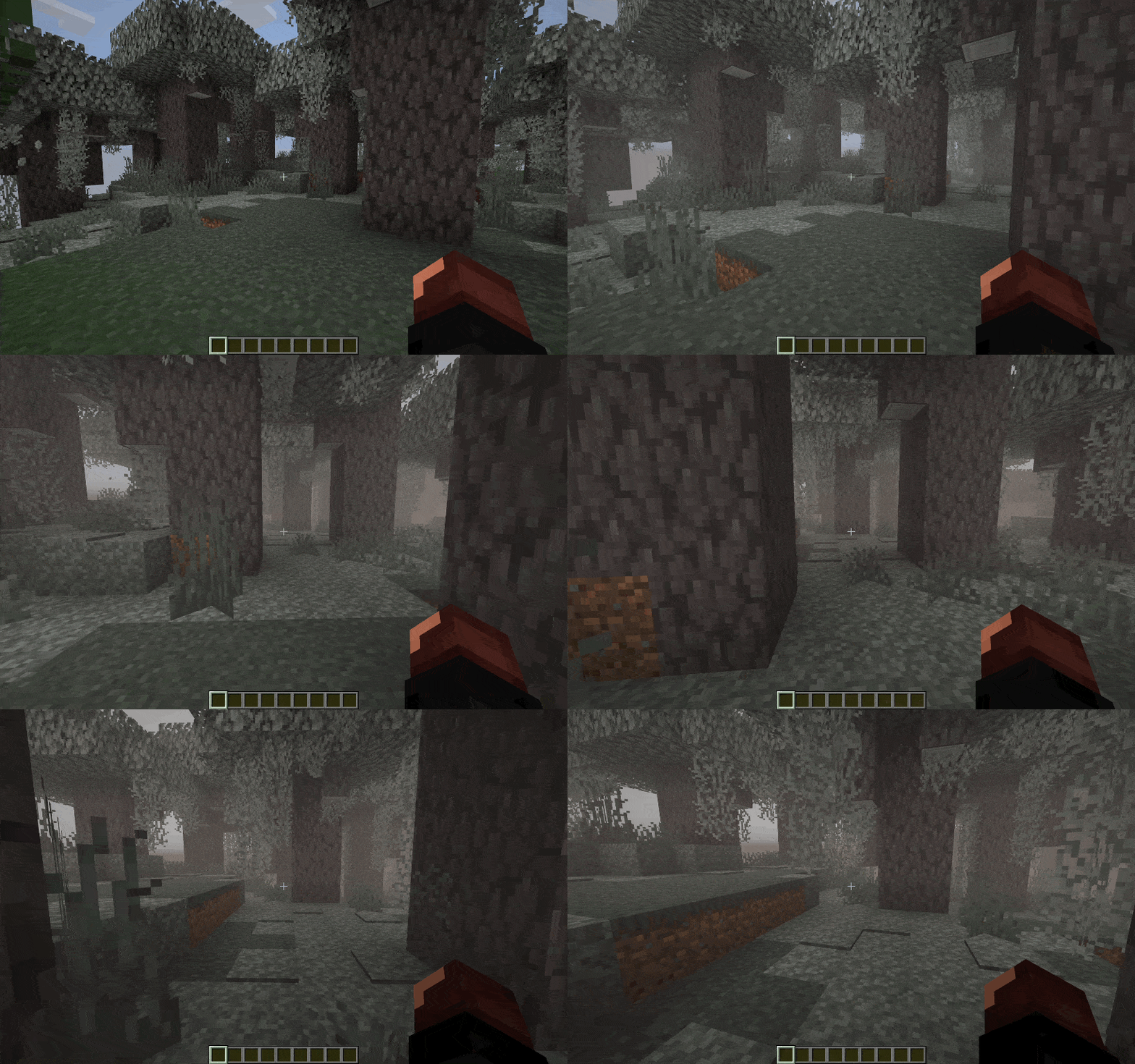
## ✨ Features
🧠 Smart Fog in the Pale Garden Biome
The resource pack not only adds fog but also takes your convenience into account.
– 🪽 Fog dissipates when you fly over the biome above the cloud layer
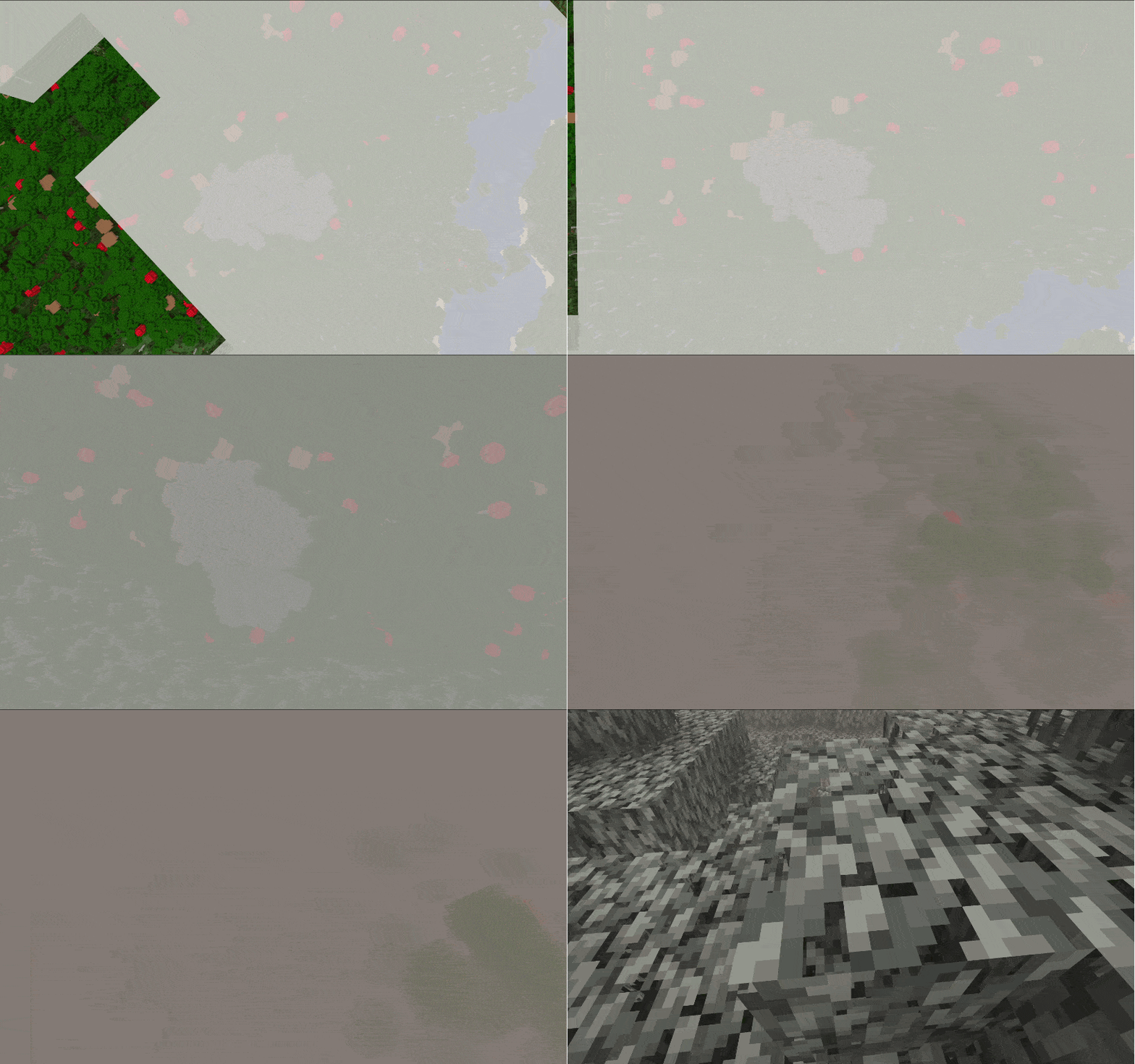
– 🕳️ Fog dissipates when you descend into caves beneath the biome
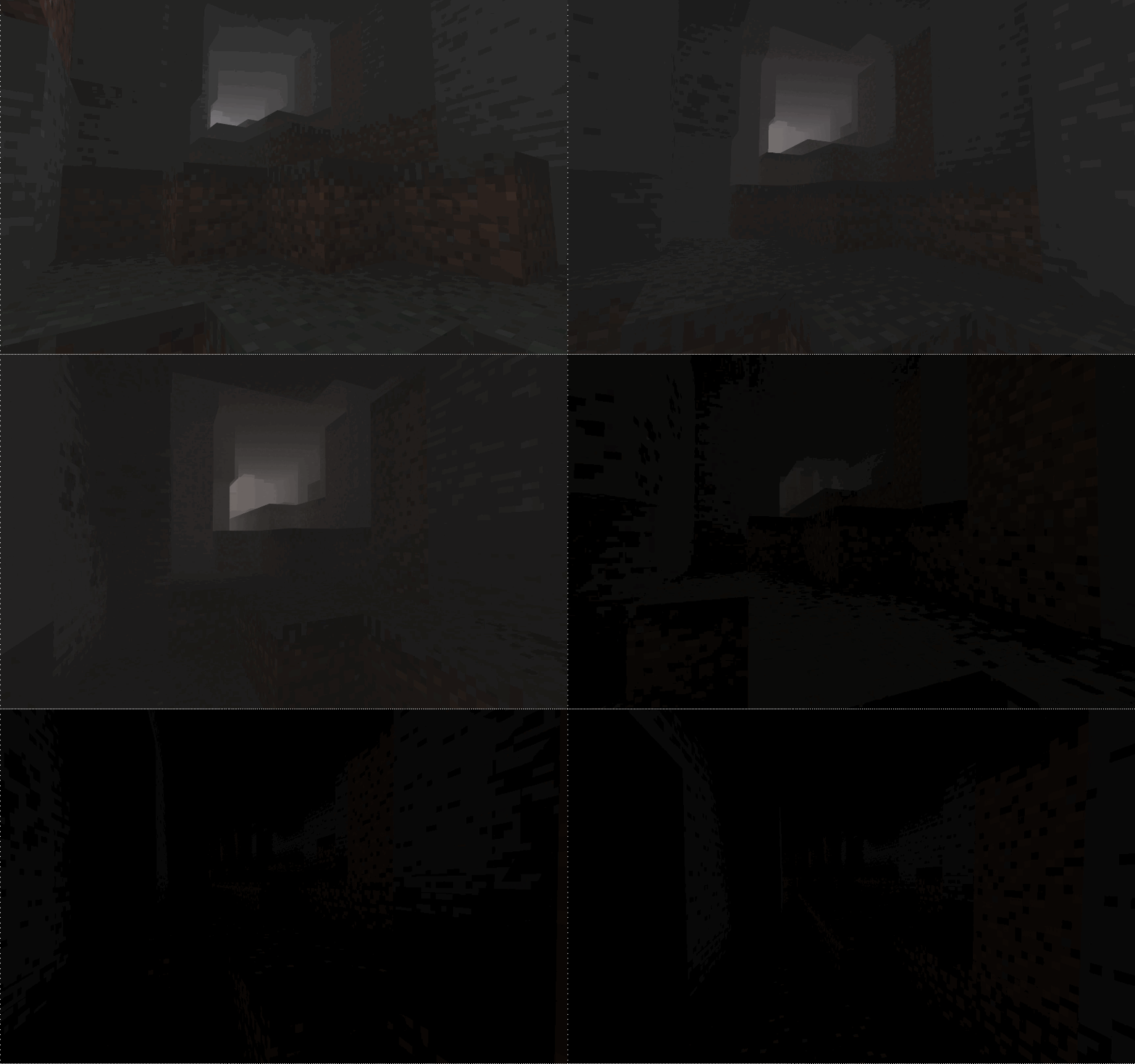
⏮️ Backport Support for “The Garden Awakens”
Fog is added to every biome named `pale_garden`, providing automatic compatibility with almost all Pale Garden backport mods.
Tested with:
– [Perfect Parity Neo: Pale Garden Awakens](https://modrinth.com/mod/perfect-parity-pale-garden-awakens)
– [I want it earlier 1.21.4](https://modrinth.com/mod/i-want-it-earlier)
– [Pale Garden and Creaking](https://www.curseforge.com/minecraft/mc-mods/pale-garden)
– [Pale Garden – Update](https://www.curseforge.com/minecraft/mc-mods/palegarden-update)
– [Vanilla Backport](https://modrinth.com/mod/vanillabackport)
🔧 Visual Settings & Localization
With the [Respackopts](https://modrinth.com/mod/respackopts) mod, you can adjust the fog settings and use built‑in presets directly
from this resource pack.
– `Radius` – how far the fog extends from the player
– `Fade` – smoothness of fog dissipation
– `Minimum Sky Light` – the sky brightness threshold below which fog clears (useful for caves and mines)
– `Maximum Height` – the highest altitude at which fog appears (lets you fly above the biome without entering fog)
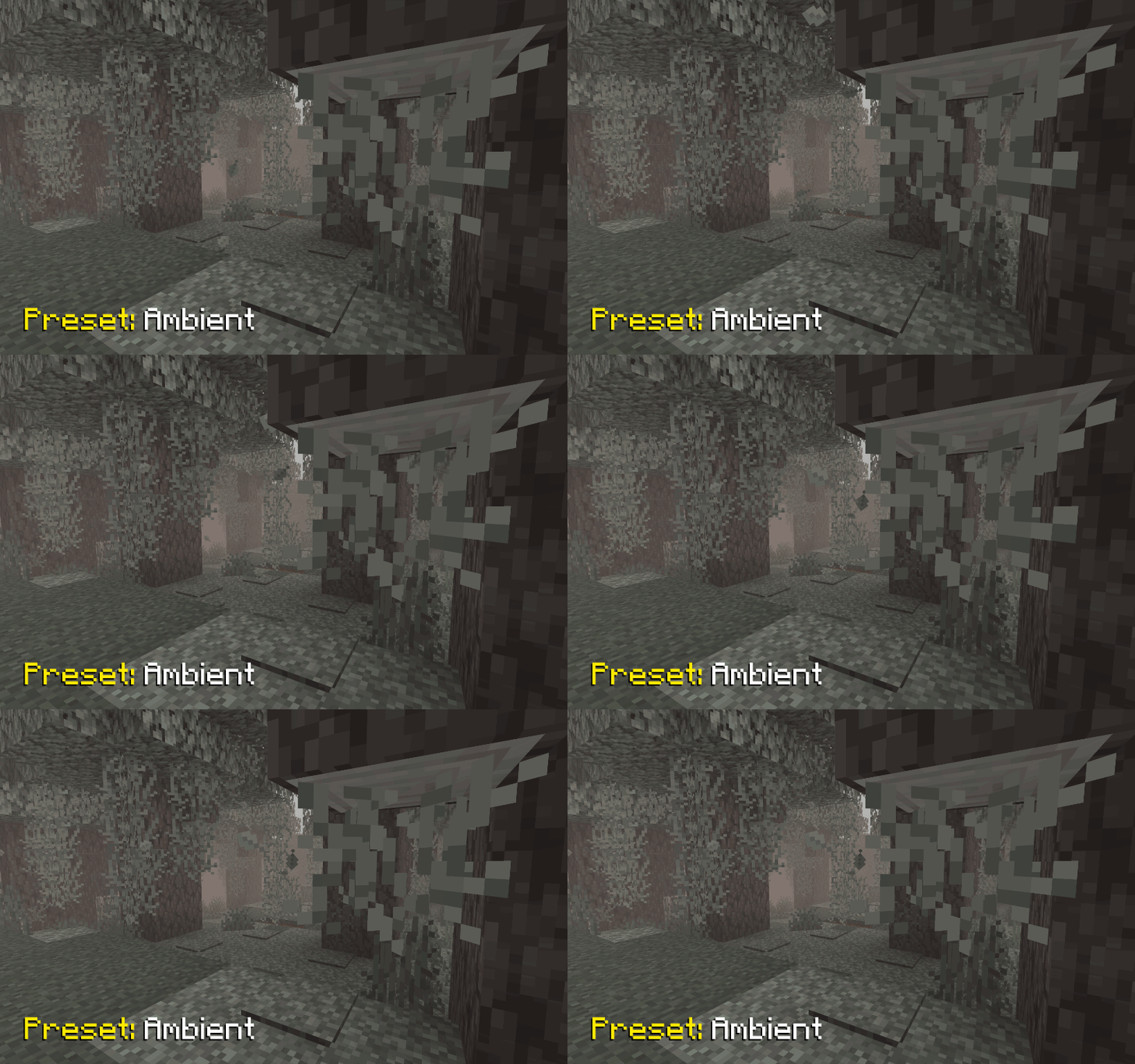
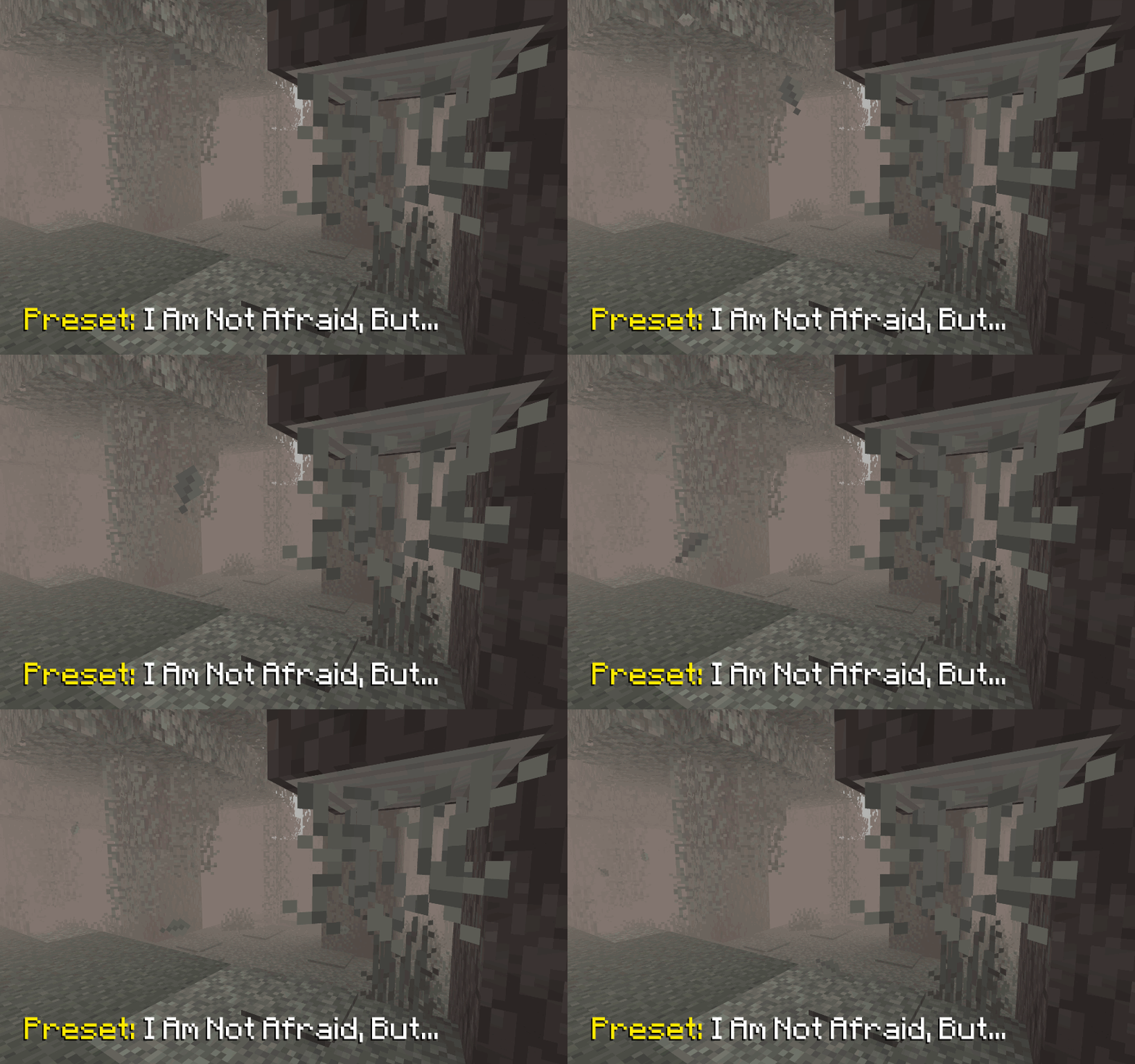
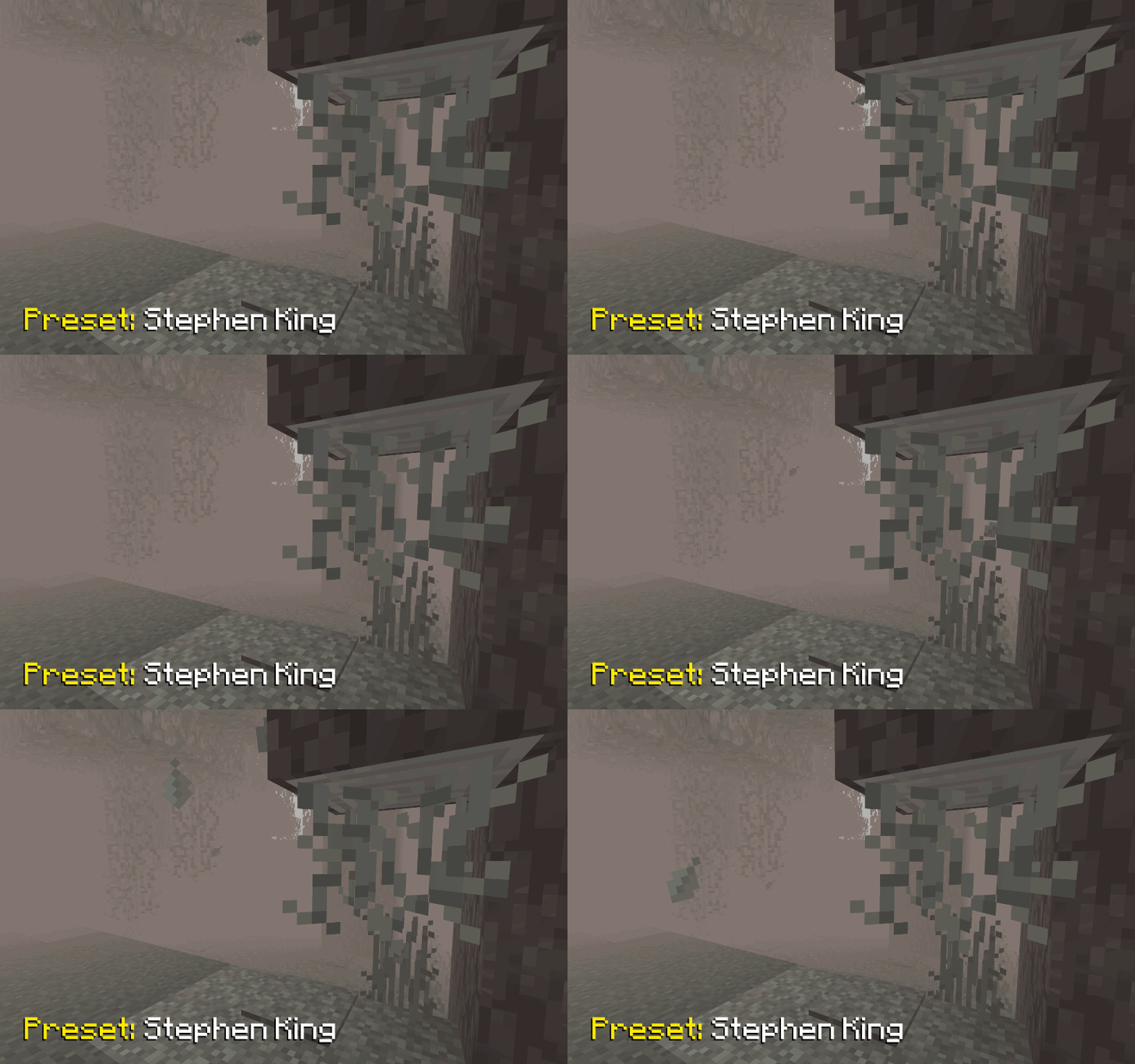
🎨 Fog Density Presets
In the pack’s settings you’ll find several ready‑to‑use presets with varying fog densities:
– `Ambient` – adds a light, atmospheric fog that doesn’t hinder movement
– `I Am Not Afraid, But…` – introduces a slightly denser fog
– `Stephen King` – a very thick fog that makes encountering a Creaking truly unexpected (just like in the novella *The Mist*)
## 📥 Installation
Supported on all Minecraft versions and mod loaders that include Polytone v3 or higher.
1. Install the [Polytone](https://modrinth.com/mod/polytone) mod
2. Install the [Respackopts](https://modrinth.com/mod/respackopts) mod to access pack settings and presets
3. [Download](https://modrinth.com/resourcepack/foggypalegarden-rp) the resource pack and place it in your `resourcepacks` folder
4. Enable **Foggy Pale Garden** in the in‑game resource pack menu
## 🐞 Known Bugs
### Presets Not Applied from Zip Archive
Currently, presets are indeed not applied if the resource pack is loaded as a zip archive. However, they are successfully applied if it is loaded as a folder.
It appears to be an issue with Respackopts. I have opened an issue in their tracker https://youtrack.frohnmeyer-wds.de/issue/RPO-40 (fixed in 4.13.6)
## 🤗 Modpacks
You’re free to include this resource pack in modpacks without requesting permission.
Shizotoaster’s Flat Capes
## Warning! [JsonEM](https://modrinth.com/mod/jsonem) or [EMJ](https://www.curseforge.com/minecraft/mc-mods/entity-model-json) required to work
### [This pack is also available for Bedrock](https://github.com/shizotoaster/flatcapes/releases/)
# Overview
Just makes capes flat, pretty simple
# FAQ
* – Is this pack compatible with ?
– Should be. Text me if something is broken
* – Can I use this in my modpacks?
– For sure! Just leave a link to this page in credits
* – Not working!!
– You need JsonEM or EMJ installed. If the issue is not fixed by installing them, dm me in discord (bhs#4531), telegram (@shizotoaster) or vk (@svtlng)
* – Make it work on 1.16/1.12/any other version lower than 1.17!!
– This pack is using model features introduced by Mojang in 1.17, backport of the pack is not possible
* – Compatible with OptiFine?
– As long as the mods are
Faithful Font for GUI Scale 3x
## This is not a Faithful pack, but a small Font addon for GUI Scale 3x
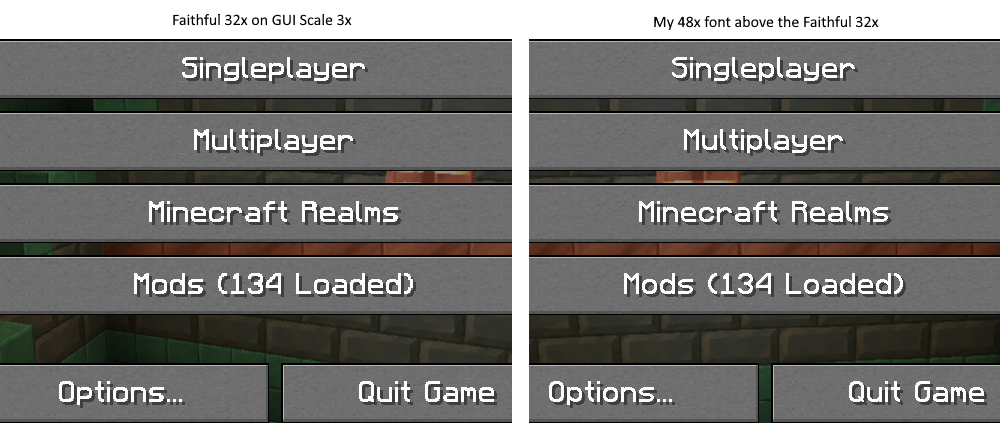
This is a small pack that makes the font in the Faithful packs 48x, meaning it is a middle between Faithful 32x and 64x, but also works well with GUI Scale 3x and looks sharper compared to using any of the official fonts from the official packs. Updates including unicode support may come in the future as well as a Curseforge mirror.
## Note
I will also make a GUI pack to go along with this font, to fix artifacts on buttons and interfaces on GUI Scale 3x sometime in the future.
## Check out my SharpFonts packs!
– [GUI Scale 3x SharpFonts pack](https://modrinth.com/resourcepack/sharp-fonts-48x)


