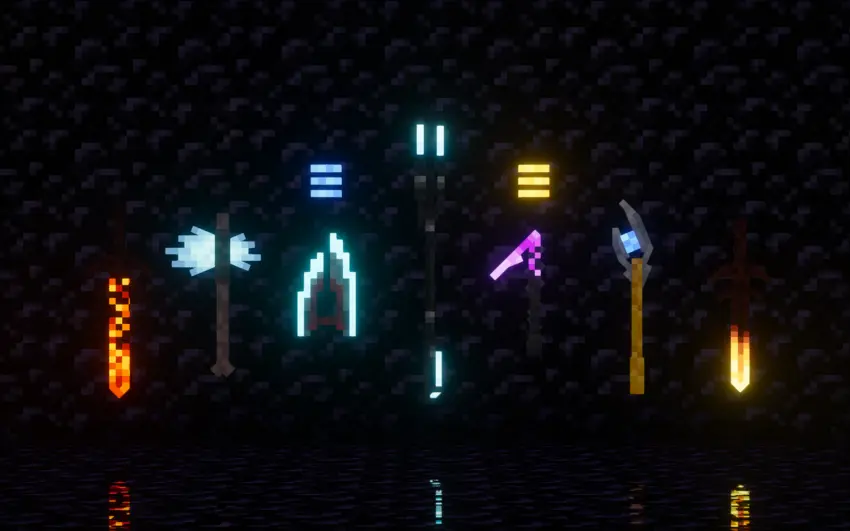
Just Another Menu Panorama
## The title describes this resourcepack in some detail.
### Optifine / Sodium / OptiGUI / CITResewn **not required**.
** **
Version 1.x made with [Complementary Shaders](https://modrinth.com/shader/complementary-unbound/version/v4.7.2)
2.0 made with [Rethinking Voxels](https://modrinth.com/shader/rethinking-voxels)
Made at 4K resolution.
ItemSymbol
When designing storages, you usually use frames, because you can put an item on them. This is clearer than writing text on signs.
But the frames have many minuses: fragility, high cost and a limit of 1 item.
This resourcepack makes it possible to write on signs (chat, books, names of items, etc.) any texture of blocks and items!
You can write several textures on one signs, write text, draw pictures, write icons in chat and much more!
FAQ:
Spoiler
Q: How do I write this on a sign?
A: Click on the “Wiki” or [this button](https://4epbrk6rk6rk.github.io/test/). Start typing the name of the texture (it often matches with the name of the item) in search field and press Enter, similar options should be displayed on the right. Then select the size you need: 1 or 3 rows. Click on the texture you want to copy. And finally insert it into the game using Ctrl+V
Q: Where can these symbols be used?
A: In ANY text fields inside the game. In addition to tablets, you can write in chat, books, names of objects or mobs, perhaps even in the names of worlds and servers. But remember that the symbols are NOT displayed outside the game
Q: What languages are supported?
A: Any! The resourcepack uses a unused custom unicode character range, that does not replace any usable character
Q: Why the symbol I write on the sign is black?
A: The text on the signs is black by default, which is why the texture is completely blacked out. Click the sign with a white dye and the texture will be fully colored as original item! (You can also use colored and glowing dyes. Experiment with other colors!)
Q: Some textures are flattened, how can I fix it?
A: Due to the way the game works, animated textures may not be displayed correctly. To fix it, you need to fix the code manually for each texture. I plan to fix all vanilla animated textures soon
Q: Is it compatible with other resource packs?
A: Fully compatible! All textures are taken from the active resourcepack. You can even use high-resolution resourcepacks!
Q: Will the resource pack work on a server?
A: Yes. Most servers will not interfere with it’s functioning and other players that are using it will see everything as you do
Q: The resource pack has many versions, will it work if I update the game?
A: Yes! I try to keep full compatibility between versions. You won’t see textures from new versions of the game on the old version. If you are using the portable version, it has all the textures in it, so you will see block textures that are not present on your version of the game
Please give me feedback in the comments on [PlanetMinecraft](https://www.planetminecraft.com/texture-pack/itemsymbol)! I will be very grateful to you
I’m testing a “Portable” version for fast loads! It should behave the same as the original version, but it should load much faster due to the fact that I saved it in a faster format, sacrificing the support of the user’s resource pack. If you want to see your textures on the signs use the original version!
Hermitcraft Villagers Modded Addon
**Not updated to match 3.0.0**

### This is an addon for modded to be used along side [Hermitcraft Villagers](https://modrinth.com/resourcepack/hermitcraft-villagers)
Supported mods:
– Guard Villagers (Both [Fabric](https://modrinth.com/mod/guard-villagers-(fabricquilt)) and [Forge](https://modrinth.com/mod/guard-villagers))
“`
You must use the regular guard model, not the steve one
You can get any skin by renaming just like villagers. List of possible names in the .pdf inside the pack
But only a few soldier skined Hermit will naturally spawn
“`
– [Straw Statues](https://modrinth.com/mod/straw-statues)
“`
Rename a straw statue in the style tab will give it the texture
“`
##
### This pack require at least [Entity Texture Features 6.1](https://modrinth.com/mod/entitytexturefeatures), [Entity Model Features 2.1](https://modrinth.com/mod/entity-model-features) & [Entity Sound Features](https://modrinth.com/mod/esf)
[Chime](https://modrinth.com/mod/chime) & [Omega Mute](https://modrinth.com/mod/omega-mute) are optional but recommanded for the immersion
It uses some ETF/EMF exclusive features and therefore is not compatible with optifine!
Hermitcraft Villagers

### [Hermitcraft website](https://hermitcraft.com/)
This pack uses some [ETF](https://modrinth.com/mod/entitytexturefeatures)/[EMF](https://modrinth.com/mod/entity-model-features) exclusive features and therefore **is not compatible with optifine!**
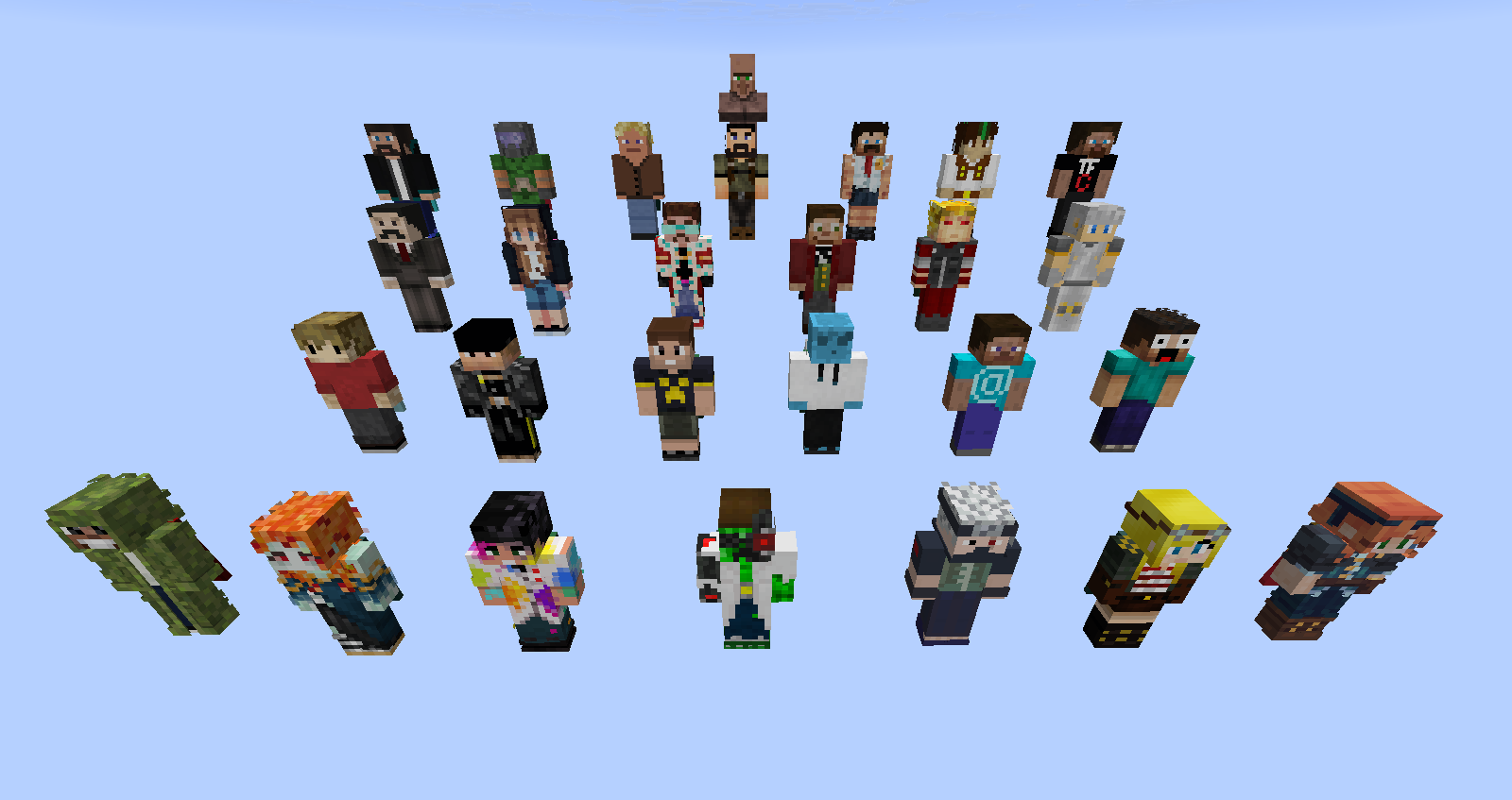
This pack will give player skins from the Hermitcraft smp members. Vanilla villagers will still spawn from time to time.
# Addons:
Keep track of what versions of my packs are compatible with wich addon version with this file: [[with this link](https://1drv.ms/x/c/5017ea34619ff0f9/EYARtfWSbd1IsoYWCn7M-CkBHKTpT6MVfBMwl93LenDkAg?e=dbVTA0)]
– [[Animations]](https://modrinth.com/resourcepack/semos-animations-lib) With Semos Animations Lib the model will have Fresh Animations inspired animations.
– [[Capes]](https://modrinth.com/resourcepack/semos-cape-addon) Hermits will randomly display their corresponding capes.
– [[Sounds]](https://modrinth.com/resourcepack/semos-villagers-sound-addon) Hermits will shout random short phrase instead of the huuuum!
– [[Cosmetics]](https://modrinth.com/resourcepack/semos-cosmetic-addon-lib) Let you use several cosmetics packs Warning! Can be heavy on performances
– [[Multi Semos Villagers pack]](https://modrinth.com/resourcepack/semos-villagers-compat-pack) You like this one but also another of my villagers pack? You can mix them with the help of this addon. My other packs: [[Songs Of War Villagers]](https://modrinth.com/resourcepack/songs-of-war-villagers) and [[Alex and Steve Villagers]](https://modrinth.com/resourcepack/alex-and-steve-villagers)
– [[Biome fix]](https://modrinth.com/resourcepack/semos-villagers-biome-fix)
For 1.21.9+ Display the biome outfits of villagers. Warning! Very heavy on performances
– [[Job fix]](https://modrinth.com/resourcepack/semos-villagers-job-fix)
For 1.21.9+ Display the job outfits of villagers. Warning! Very heavy on performances
– Upcomming:
– ~~Custom Items~~ (comming soon)
– ~~Musics~~ (comming soon)
– ~~Modded support~~ (comming soon)
# Compatibility:
Since this pack still display few of the vanilla villagers, it should be compatible with other pack that change the villager model as long as they are using the vanilla one. (suffix one)
Before 1.21.9, villager professions and biome will render on my models but won’t be affected by packs changing them. Those that add variations to those will not work properly on the vanilla models villagers. My pack will randomize 10 of their textures. To retain their full fonctionality you will need to edit their “`.properties“` texture files. you should copy the following at the top of those properties files:
“`
modelSuffix.2=100-500
skins.2=1000
“`
(And increments the suffixes accordinly) Those packs will also need to be on top of mine in the ressource pack list!
Since and after 1.21.9, my villagers won’t show any professions or biome unless you use the add-ons that fix this. If you do so, any pack changing those textures will apply normaly to my villagers. I hope someday I can support that fully without a massive loss in fps, but so far I can’t do much.
# Advanced Control:
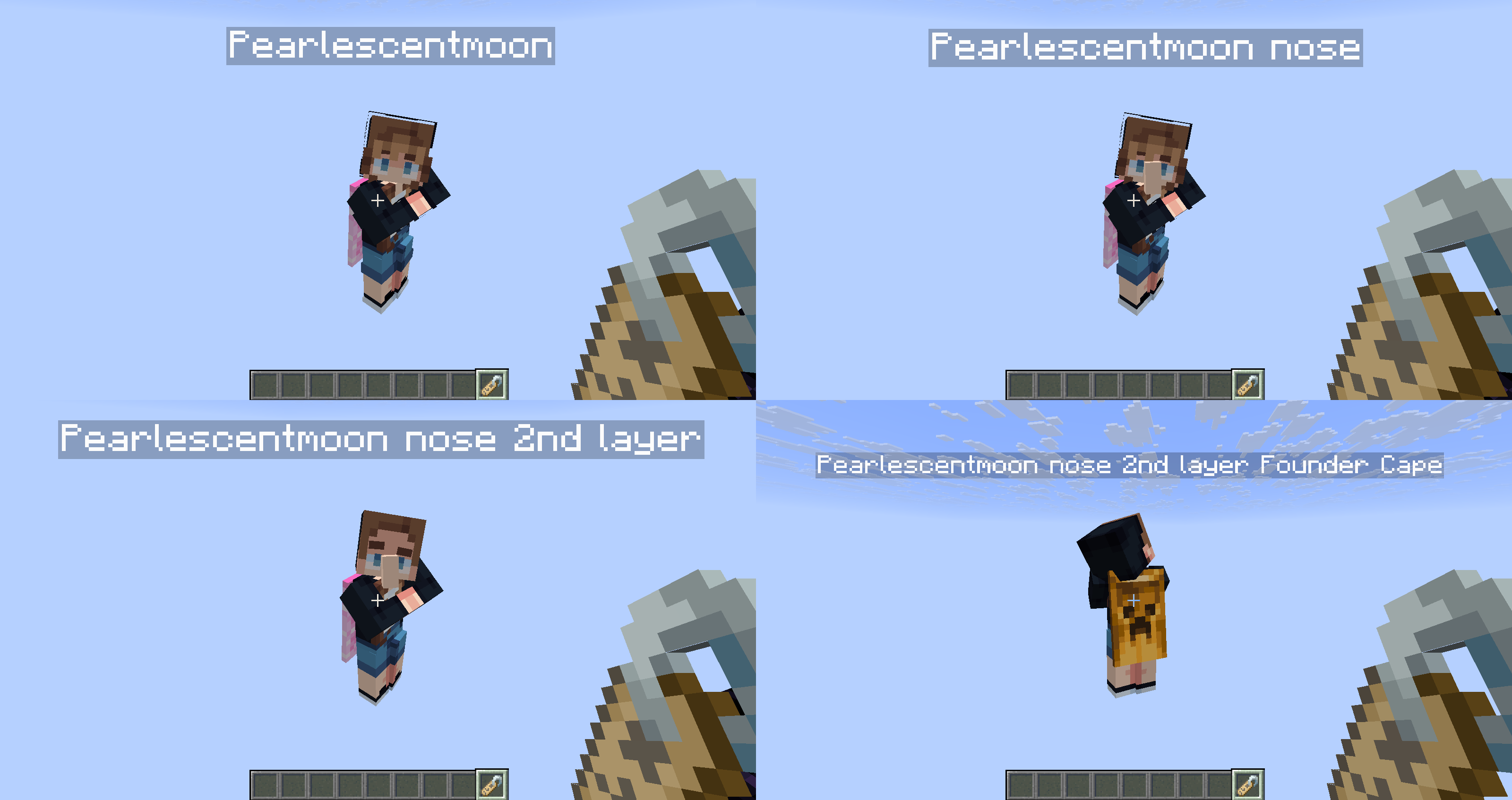
You can control the texture by using a name tag. You can also toggle a nose and the second layer visibility.
The list of Custom names for each hermit is below. Use “`nose“` and “`2nd layer“` to toggle the later. Additionaly, you can control the cape displayed if you use the cape addon pack, the list is on the ressource pack page.
The order in the custom name has no importance.
### Custom names list:
This list is also in a pdf inside the pack.
BDoubleO:
– Bdubs MFM
– Beated Bdubs
– Beated Moss Boy
– Bigeyes Bdubs
– Bold Bdubs
– Boomer Bdubs
– Costume Bdubs 1
– Costume Bdubs 2
– Disguised Bdubs
– Gardener Bdubs
– Glow Lichen Boy
– Glowstone
– Golden Moss Boy
– Moss Boy Bdubs
– Professor Bdubs
– sbudB
– Sporty Bdubs
– Tennisman Bdubs
– Warrior Bdubs 2
– WarriorBdubs 1
Zombie Cleo:
– Blue Hair Cleo
– Cleo 1
– Cleo 2
– Cleo 3
– Cleo 4
– Cleo 5
– Cleo 6
– Hive-Dr8 Cleo
– Xmas Cleo
Cubfan 135:
– Cubfan 135
– Dyed Cubfan
– Extra Dyed Cub
– OG Cub
– Permit Office Cub
– Pharaoh Cub
– Sculk Cub
– Vex Magic
Docm 77:
– Docm77
– GOAT
– Hippie Doc
– Sniffer Doc
Ethoslab:
– Ethoslab 1
– Ethoslab 2
Falsesymmetry:
Demised False
– Falsesymmetry 1
– Falsesymmetry 2
– Falsesymmetry 3
– Falsesymmetry 4
– Falsesymmetry 5
– Falsesymmetry 6
– Falsy 1
– Falsy 2
– Froggy False 1
– Froggy False 2
– Queen of PVP
– Spooky False
– Swampy False
– Xmas False 1
– Xmas False 2
Gemini Tay:
– Froggy Gem
– Gemini Tay 1
– Gemini Tay 10
– Gemini Tay 11
– Gemini Tay 2
– Gemini Tay 3
– Gemini Tay 4
– Gemini Tay 5
– Gemini Tay 6
– Gemini Tay 7
– Gemini Tay 8
– Gemini Tay 9
Grian:
– Big Eyes Grian
– Bold Grian
– Costume Grian
– Demised Grian
– Evil Grian
– Grain
– Grian 1
– Grian MFM
– Grinch
– Hippie Grian
– Mumbrian 1
– Mumbrian 2
– Permit Office Grian
– Poultry Man
– Rgani
– Side Grian
– Spooky Grian
– Up Down Grian
– Xmas Grian 1
– Xmas Grian 2
Hypno:
– Green Belt Hypno
– Hypno 1
– Orange Belt Hypno
– Yellow Belt Hypno
Impulse SV:
– Cyber Pulse
– Demised Impulse
– Dwarfpulse
– Fit Impusle
– Hippie Impulse
– Impulse 1
– Impulse SV
– Impulsus
– OG Impulse
– Warrior Impulse
– Xmas Impulse
I Jevin:
– Bat Jevin
– Costume Jevin
– Cow Jevin
– Demised Jevin 1
– Demised Jevin 2
– Double Face Jevin
– Froggy Jevin
– Green Jevin
– Jevin 1
– Jevin MFM
– Jeviracer
– Pumpkin Jevin
– Susvin
– Xmas Jevin
Joe Hills:
– Blury Joe
– Demised Joe
– Demised Juppet
– Joe Green
– Joe Hills 1
– Joe Hills 2
– Joe Hills 3
– Joe Hills Difference
– Juppet 1
– Juppet 10
– Juppet 11
– Juppet 2
– Juppet 3
– Juppet 4
– Juppet 5
– Juppet 6
– Juppet 7
– Juppet 8
– Juppet 9
Keralis 1:
– ArticRalis 1
– ArticRalis 2
– Beeralis
– Demised Keralis
– Keralis 1
– Keralis 2
– Keralis 3
– Keralis 4
– Keralis MFM
– Moonalis
– ooooooooo 1
– ooooooooo 2
– Soldier Keralis
– Spookalis
– Worker Keralis 1
– Worker Keralis 2
– Xmas Keralis
– Yacht Keralis
Mumbo:
– Bmuom
– Demised Mumbo
– Evil Mumbo
– Mumbo 1
– Mumbo 2
– Mumbo Big Baggins
– Mumbo Mayor
– Mumbo MFM 1
– Mumbo MFM 2
– Old Mumbo 1
– Old Mumbo 2
– Old Mumbo 3
– Old Mumbo 4
– oooooo Pants
– Potato Boy 1
– Potato Boy 2
– Potato Boy 3
– Secret Mumbo
PearlescentMoon:
– Cleaning Lady
– Crash Test Pearl
– Magic Pearl
– Pearl 1
– Pearl 2
– Pearl 3
– Pearl 4
– Pearl 5
– PearlescentMoon
– Post Pearl
– Sleepy Pearl
Ren The Dog:
– Christmas Reaper
– Christmas Ren
– Demised Ren
– Ghasketball Ren
– HWF Ren 1
– HWF Ren 2
– HWF Ren 3
– Lil Ren
– OG Ren
– Ren The King
– Rendog 1
– Rendog 2
– Rendog 3
– Speedy Ren
– The Reaper
– Tomato Yoshi
– War OG Ren
GoodTimewithScar:
– Buffed Scar
– Costume Scar
– Dead Scar
– Demised GTWS 1
– Demised GTWS 2
– Demised Torned Scar
– Hot Guy
– IndianaScar
– Jelly Scar
– Lego Scar
– Mayor Scar
– Mr Scar
– Scagrian Guy
– Scar 1
– Scar 2
– Scar 3
– Scar 4
– Scar MFM
– Suit Scar
– SW Scar
– The Matador
– Torned Scar
– Wizscard 1
– Wizscard 2
– Worker Scar
– Xmas Scar
– Zoo Explorer Scar
Tango Tek:
– Boomer Tango
– Decked Out Master
– Demised Tango
– Moon Tango
– Spooky Tango
– Tango 1
– Tango 2
– Tango 3
– Tango Tek
– Warrior Tango
– Xmas Tango
– Yeti Tango
TinfoilChef:
– Demised TFC
– TinfoilChef
Welsknight:
– Prank War Wels
– Welsknight
XB Crafted:
– Green Belt XB
– XB Baggings
– XB Crafted
– XB MFM
– Zombicrafted
Xisuma:
– Axolotl
– Beesuma 1
– Beesuma 2
– Beesuma 3
– Beesuma Trader 1
– Beesuma Trader 2
– Beesuma Trader 3
– Beesuma Trader 4
– Beesuma Trader 5
– Bone Mage
– Creaksuma
– Darthsuma
– Eggsuma
– Evil Xisuma
– Ghastsuma
– Ratsuma
– Strisuma
– Wardsuma
– Xisuma 1
– Xisuma 2
– Xisuma 3
– Xisuma Two
– Xmas X
– Xmasuma
– Yellow X
– Yetisuma
Zedaph:
– Chef Zedpah
– Cow Zedaph
– Fit Zedaph
– Golf Zedpah
– Rocket Man 1
– Rocket Man 2
– Scientist Zedpah
– Skizzlzed
– Spooky Zed 1
– Spooky Zed 2
– Xmas Zedpah
– Zedaph 1
– Zedaph 2
– Zedaph 3
– Zedaph Trader
– Zemumgrskxclft6045
Vintage Beef:
– Alien Beef
– Beef 1
– Beef 2
– Beef 3
– Beefy Beef
– Blue Belt Beef
– Lumberjack Beef
– Scientist Beef
Skizzleman:
– Fit Skizz
– Freedom Skizz
– Judge Skizz
– ooooo Skizz
– PoPo Skizz
– Skizzleman 1
– Skizzleman 2
– Snow Skizz 1
– Snow Skizz 2
– Spooky Skizz
Smallishbeans:
– Shrekbeans
– Smallishbeans 1
– Smallishbeans 2
– Smallishbeans 3
# Issues:
🛠️ Known issues:
– Jobs and Biomes outfit currently not supported by my custom model. I hope this will be in the future
– Fresh Animation villagers will not close their eyes when sleeping
Heartsteel Crit

—
### 🏛️ [About the resource pack]
> If you’ve played **League of Legends**, you know there’s an item called **Heartsteel** that, when charged, deals increased **damage**. This resource pack adds a **33% chance** that when a critical hit occurs, the **Heartsteel** sound will play instead of the standard vanilla one.
—
### ⚙️ [Settings]
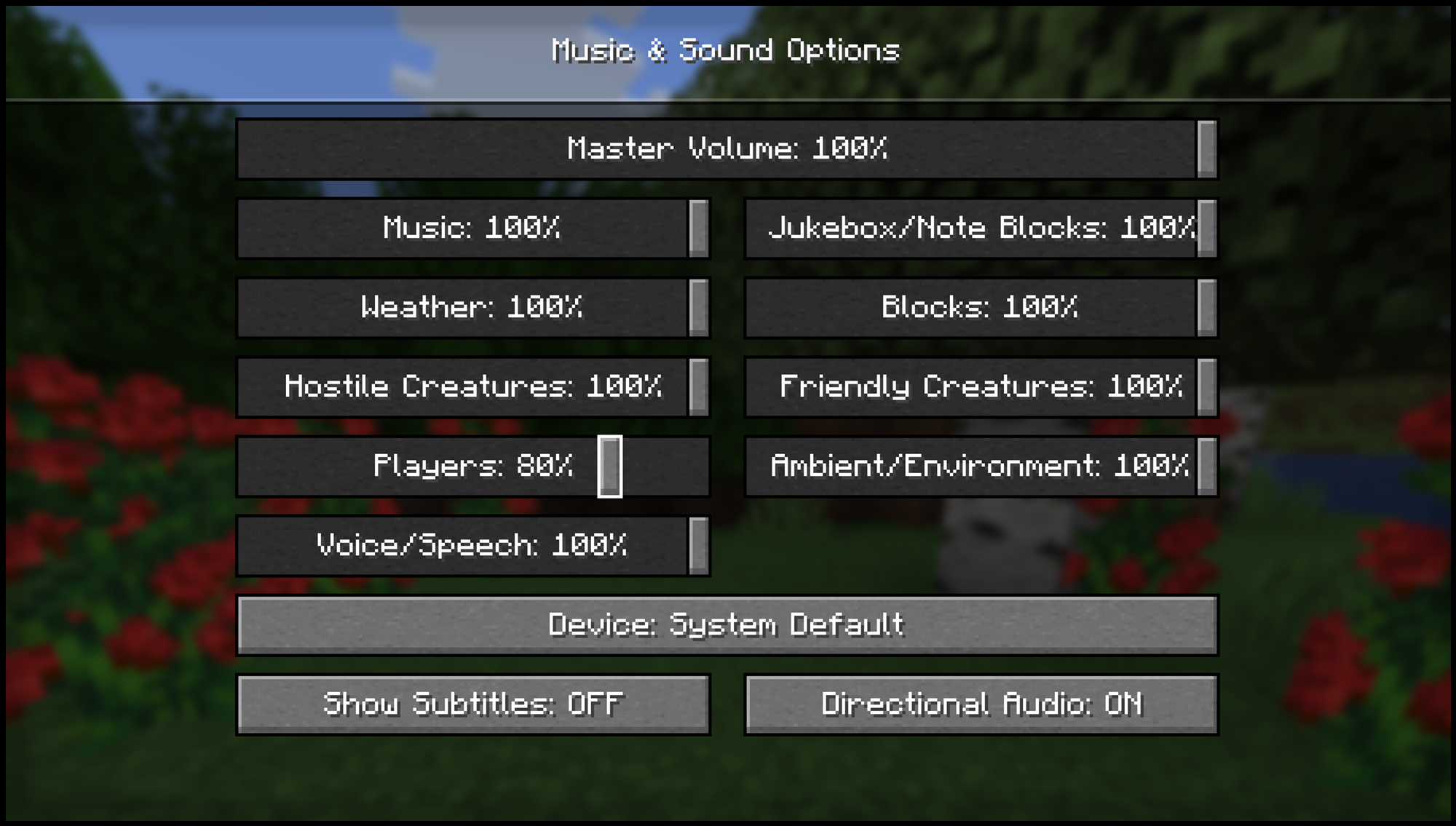
> If for some reason the modified audio seems too loud, you can change its volume in the **”Music & Sound Options”** tab by adjusting the volume of the **”Players”** slider.
—
### 🧱 [No mods required!]
> This resource pack works on vanilla Minecraft — just install it and enjoy.
> No OptiFine, no Fabric, no extra setup needed.
—
ㅤㅤㅤㅤㅤㅤㅤㅤㅤㅤㅤㅤㅤㅤㅤㅤㅤУкраїнський переклад опису
—
### 🏛️ [Про ресурс-пак]
> Якщо ти грав у **League of Legends**, то знаєш, що там існує предмет **Heartsteel**, який після накопичення заряду завдає посилений **урон**. Цей ресурс-пак дає **33% ймовірності**, що при спрацюванні критичного удару буде звучати звук **Heartsteel** замість стандартного звуку з Minecraft.
—
### ⚙️ [Налаштування]
> Якщо з якоїсь причини звук здається занадто гучним, ти можеш змінити його гучність у меню **”Музика та звуки”**, зменшивши рівень гучності повзунка **”Гравці”**.
—
### 🧱 [Без модів!]
> Цей ресурс-пак працює на ванільному Minecraft — просто встанови та насолоджуйся.
> Не потрібні ні OptiFine, ні Fabric, ні додаткові налаштування.
—
ㅤㅤㅤㅤㅤㅤㅤㅤㅤㅤ ㅤㅤㅤㅤㅤ ㅤㅤРусский перевод описания
—
### 🏛️ [О ресурс-паке]
> Если ты играл в **League of Legends**, то знаешь, что есть предмет **Heartsteel**, который, накопив заряд, наносит усиленный **урон**. Этот ресурс-пак добавляет **33% шанс**, что при срабатывании крититического удара будет звучать звук **Heartsteel** вместо стандартного ванильного.
—
### ⚙️ [Настройки]
> Если звук кажется слишком громким, ты можешь уменьшить его громкость в меню **”Музыка и звуки”**, сдвинув ползунок **”Игроки”**.
—
### 🧱 [Без модов!]
> Этот ресурс-пак работает на ванильном Minecraft — просто установи и играй.
> Не нужен ни OptiFine, ни Fabric, никаких дополнительных настроек.
—
HD Totem Texture Fix
Ever changed you totem texture to something super high resolution and the texture just fought you every step of the way?
Me neither, but now it’s fixed.
Guide Pack Litematica
En Français
Le Complementary Resource Pack for Litematica n’est plus a jour depuis la 1.17 et le développeur ne donnant plus signe de vie depuis, je les mis a jour pour tous en 1.19/26.1.2.
Je les appeler ” GuidePackLitematica ” pour qu’il sois plus facile a trouver.
Le pack ” Complementary Resource Pack for Litematica” a était crée par: kawayifork.
https://www.curseforge.com/minecraft/texture-packs/complementary-resource-pack-for-litematica
J’ai créé cette mise à jour à partir de son travail, merci a lui d’avoir eu cette bonne idée de pack
Le guide pack Litematica est un ressource pack qui fonctionne avec le mods Litematica qui aide avec les repaire , comment placer correctement les escaliers, les dalles , les enclumes , les différentes version de la terre cuite émaillée , et les différentes couche de neige
lien vers Litematica : https://modrinth.com/mod/litematica
In English
The Complementary Resource Pack for Litematica is no longer up to date since 1.17 and the developer has not given any sign of life since then, I updated them for all to 1.19/26.1.2.
I call them “GuidePackLitematica” to make it easier to find.
The “Complementary Resource Pack for Litematica” pack was created by: kawayifork.
https://www.curseforge.com/minecraft/texture-packs/complementary-resource-pack-for-litematica
I created this update from his work, thanks to him for having this good idea for a pack
The Litematica guide pack is a resource pack that works with the Litematica mods which helps with lairs, how to correctly place stairs, slabs, anvils, different versions of glazed terracotta, and different layers of snow
link to Litematica: https://modrinth.com/mod/litematica
Green enchanted Glint
My first project, I dont like other resourse packs because on new versions armor does not changes but in this project every enchanted glint changes on green enchanted glint. This project took seven days to fix bug with armor enchanted glint. I will be glad if you download this resourse psck :). Made with MCreator
Goliath Arsenal
# Goliath Arsenal
The weapons from arsenal are rather large; but what if they were bigger?
Introducing Goliath Arsenal! A pack that resizes the base arsenal weapons from clasic 32×32, to a gargantuan 48×48.
Within this pack are most of arsenal’s weapons (and skins) sized up, the exeption being the folly tree branch, and the scisors, both of wich I have left small.
If you happen to find any problems; please send an email to [email protected] containing the description of the issue, and how it can be replicated.
Also: for anyone wanting a custom pack made for them; also send a dm to Lime_void on the Imortals Packs discord with your specific suggestion, your reason (if you have one) and a colour pallet if you want, a size, a name (optional) and what mod (or base minecraft) it should be for within.
Immages will be posted soon.
Glow Legendary Arsenal
# ✨Glow texture weapons from [Legendary Arsenal](https://modrinth.com/mod/legendary-arsenal) Mod