Color Enchantment

### Pack adds Color Coded Enchantment.
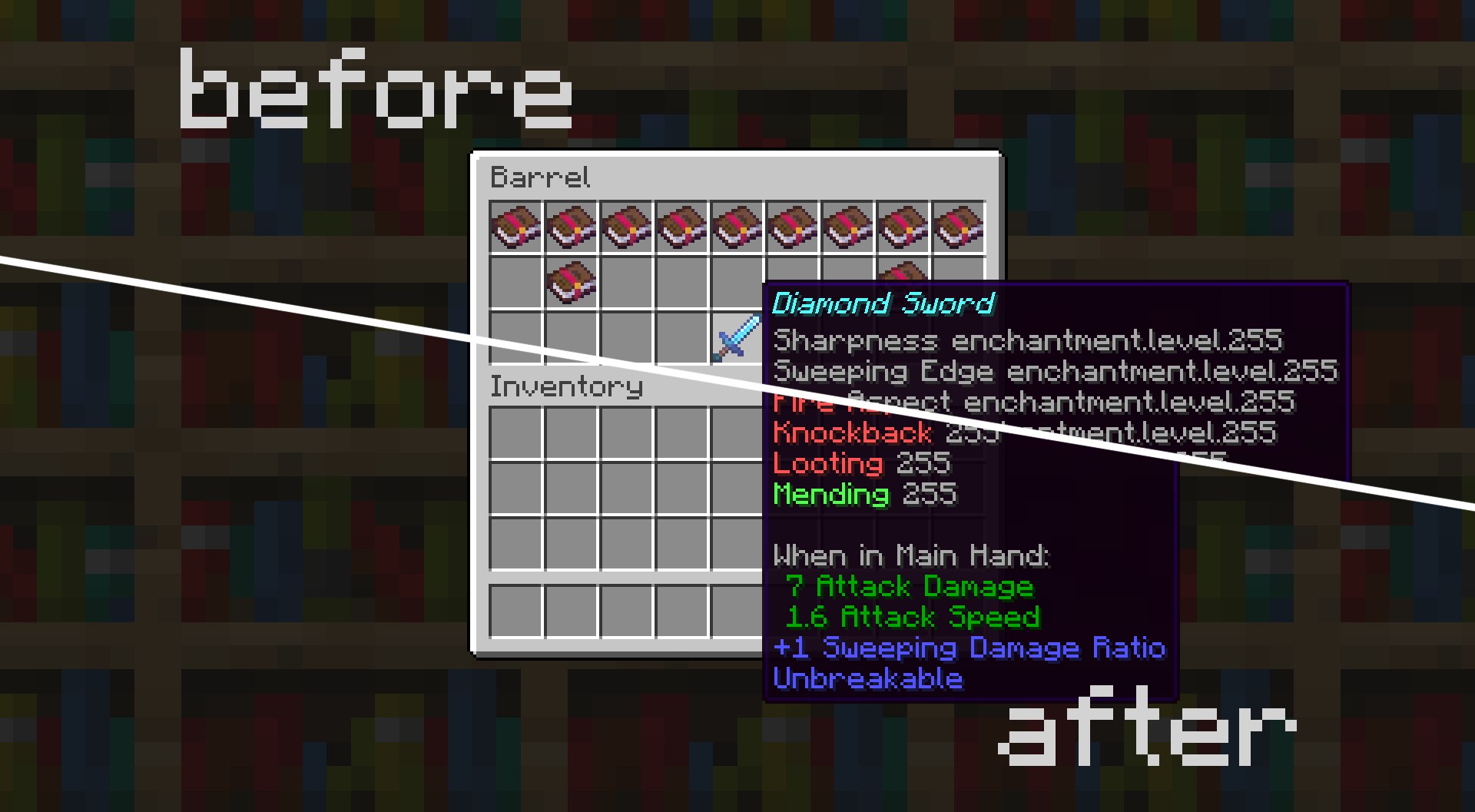
**Color’s:**
– Curse – Dark Red
– Trident – Dark Aqua
– Mace – Dark Gray
– Spear – White
– Sword – Red
– Bow – Yellow
– Tool’s – Light Purple
– Fishing Rod – Blue
– Crossbow – Gold
– Armor’s – Aqua
– General – Green
Levels **11 – 256**
> for potions for enchantments
**Supported All Languages**


❤ Don’t forget to **Follow**
Color Palette Switcher
## Showcase
This image was taken using a monochromatic color palette on color mode 0 (Closest Luminance)
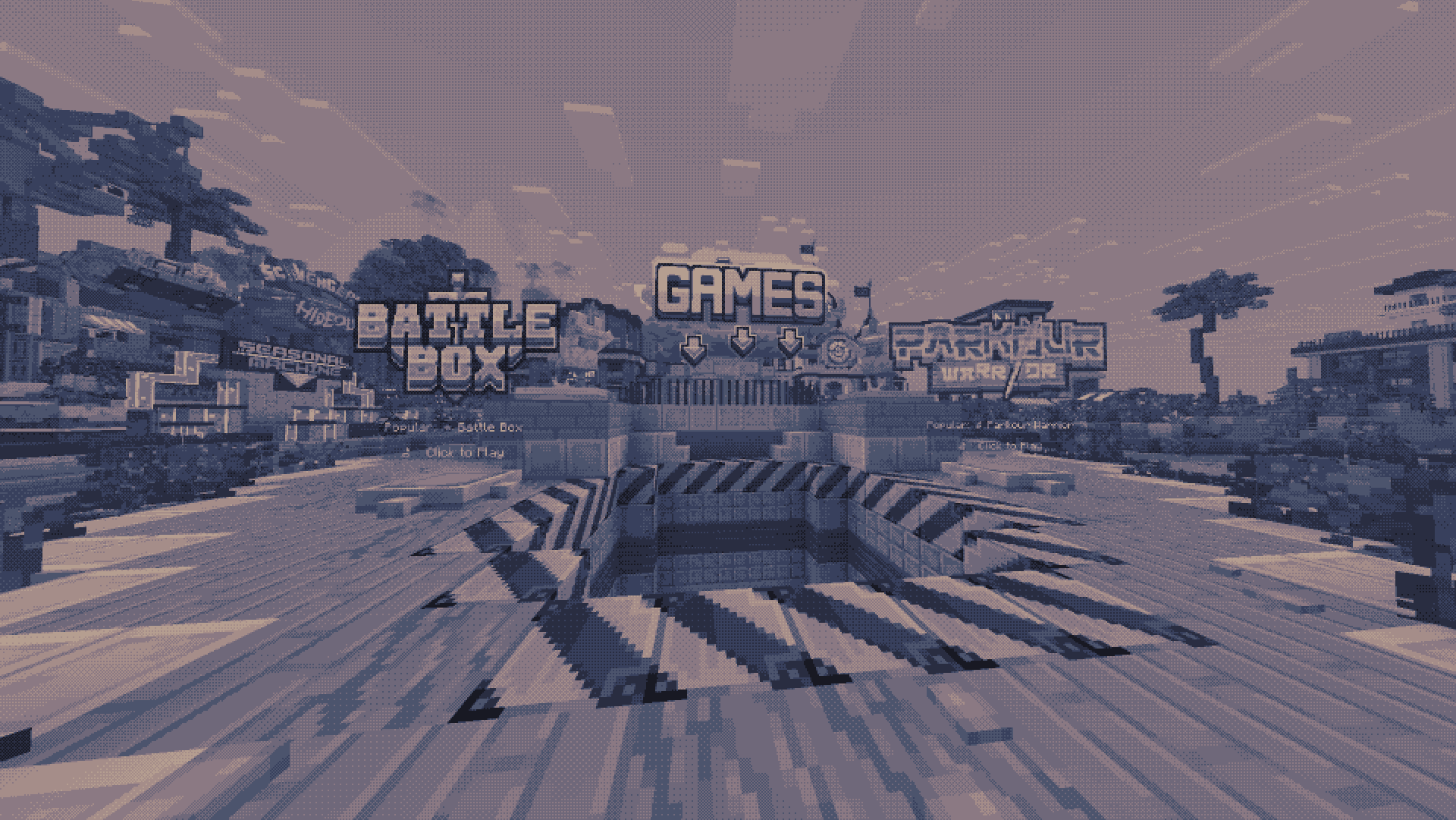
This image was taken using a polychromatic color palette on color mode 1 (Closest Color)
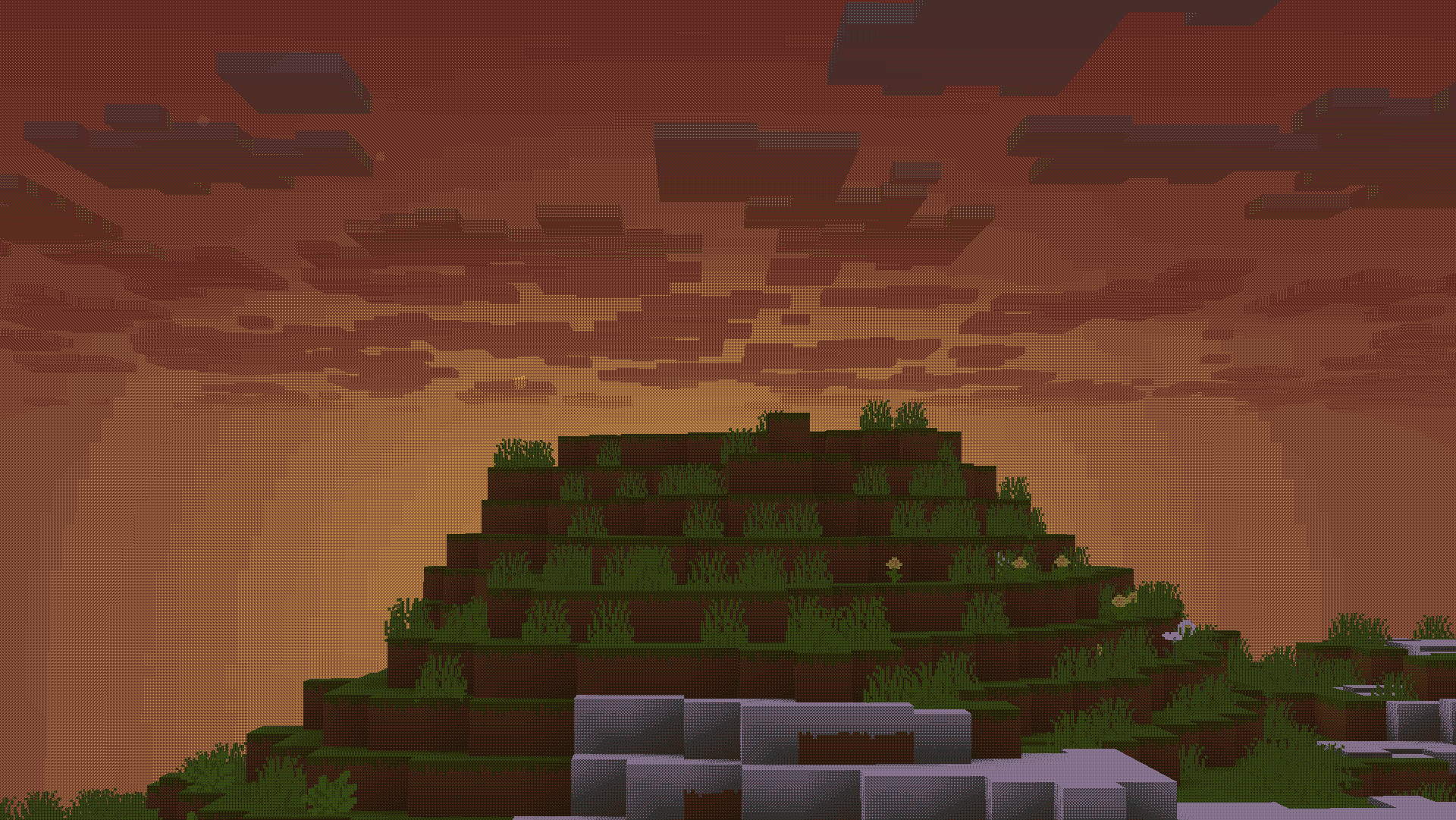
There are more images to show you what the pack looks like, all you need to do is go look at [the gallery](https://modrinth.com/project/color/gallery)
## Description
This is a texture pack that allows you to make Minecraft use whatever color palette you want. You can have up to 32 colors in a single palette, which may get expanded upon in a future update. You can use [respackopts](https://modrinth.com/mod/respackopts) if you want an easier experience configuring the pack, but it’s entirely possible (and quite simple) to do without it. You can find instructions on using the pack below, for both with respackopts and without.
This texture pack was inspired in part by [Acerola’s video about color](https://www.youtube.com/watch?v=fv-wlo8yVhk). I recommend you give it a watch, because very near the beginning it shows both how this pack works in concept, and it’s also very interesting. Note that this pack is not a LUT (Lookup Table) pack, and instead chooses the colors in real time using one of two color modes.
## How to Use (No Respackopts)
1. Install and apply the pack as normal. By default, it will be using the Starry color palette with Dither Mode 2, which you can see a preview of [here](https://cdn.modrinth.com/data/yLU7Op2S/images/68492467f72d16da6b2eef1855eebbba6e00d694.png)
2. In order to configure the pack, you must open the resourcepack. Once you are in, click on `assets`, `minecraft`, `textures`, `effect`. This is where you will find all the palettes that are included by default, and also where you can add your own. Palettes should be sized anywhere from `1×1` to `32×1`, and you can find many premade palettes on [Lospec](https://lospec.com/palette-list). Just make sure you download the `PNG Image (1x)` version of whatever palette you want.
3. After importing your preferred palette, you need to apply it. For this, go back to the start of the texture pack. If you are on 1.21.2 or above, go into `(your version)`, `assets`, `minecraft`, `post_effect`, then `transparency.json`. If you are on 1.21.1 or below, go into `1_20_5-1_21_1`, `assets`, `minecraft`, `shaders`, `post`, then `transparency.json`. For both versions, you must then press `ctrl+f` on your keyboard and search up `starry`. You will replace that with the name of your palette. Note that you cannot include spaces, so you should probably replace them with an underscore. You do not need to change the width of the texture, just leave it as is.
4. After changing the name, make sure to save the file. Then, head back into Minecraft and press `ctrl+f` to reload your resources. You should see the game using your color palette.
5. If it doesn’t look quite right, then open the texture pack back up again. This time, head to `assets`, `minecraft`, `shaders`, `include`, then `config.glsl`. Open the file, and you should see a list of options. Above each option will have text telling you how to configure it and what it does. If you’re using a monochrome color palette (single colored), then make sure the `COLOR_MODE` option is set to `0`. If not, set it to `1`. If you’re using a multi-colored color palette and you have it set to the right value, then try changing the `OKLAB_COMPARISONS` option to `0`, or the other way around if it is already.
## How to Use (Respackopts)
1. This tutorial is for people who have the [repackopts](https://modrinth.com/mod/respackopts) mod installed. If you are not using this, either follow the tutorial above or install it using the link.
2. First, make sure you have the texture pack properly installed (you should see your game change to some pinkish colors)
3. If you don’t want to upload your own color palette and instead want to choose one of the defaults (some are shown in [the gallery](https://modrinth.com/project/color/gallery)), click the top left of the respackopts settings screen where it says `Presets`. Here, you can choose between some premade ones.
4. You can choose between a few different options. Hovering over them will tell you what they are used for.
5. If at this point you would like to upload your own palette, you must first open the texture pack folder. Then, go to `assets`, `minecraft`, `textures`, then `effect`. In here, you should see many color palettes that are preinstalled. In order to upload your own, you must choose (or create) a color palette. A good website for choosing premade color palettes is called [Lospec](https://lospec.com/palette-list).
6. Make sure the palette you downloaded or created is between the size of `1×1` and `32×1` pixels, otherwise your extra colors won’t work. It must also be a png, not a jpg or any other image file format. Another thing to remember is the name must not include spaces or special characters, so make sure you remove any special characters and replace spaces with underscores. After making sure your palette follows all these rules, you can upload it. Make sure you remember what you named it.
7. After uploading your custom color palette, you must go back into the respackopts settings. There, you change the color palette that it’s currently using to the name of your own file. If everything was done correctly, you should be able to see your color palette ingame! If it doesn’t look quite right, try playing around with the settings until it looks good. If you have any trouble, you can refer to the troubleshooting section below.
## Troubleshooting
1. If you can’t even find the pack in your pack list, it might be because you have recursive resources. If you have it, click “Folder View” in the bottom left and then search for it manually. It’s called “Palette Switcher”.
2. If you changed a setting in respackopts and it doesn’t show the change ingame, try reloading resources manually by clicking `F3+T` on your keyboard. You can also install a mod like [Shader Reload](https://modrinth.com/mod/shader-reload) (for versions 1.21.5 and below) or [SUMR](https://modrinth.com/mod/stop-unloading-my-resourcepacks) (for versions 1.21.6 and above), which will make it load a lot quicker by pressing `F3+R` to reload it instead.
3. If this did not fix your issue, have a look at the support section below.
## Support
**Join [My Discord](https://discord.gg/gymTft2GbV)**
– Report bugs
– Create suggestions
– Vote on future packs
– Interact with the community
– Ask for help with texture packs
– This is the place to ask if you can use this pack in your own pack
**Check out [The Repository](https://github.com/AlphaLeoli/Texture-Packs)**
– Report bugs
– Create suggestions
– Contribute by creating a pull request
https://www.alphaleo.li/resourcepacks
Cloudy Nights Sky Overlay
### What is this resource pack?
This resource pack is an overlay which replaces the default minecraft sky with a different sky.
—
### Requirements
– Needs [Optifine](https://optifine.net/downloads) OR [FabricSkyboxes](https://modrinth.com/mod/fabricskyboxes)
– Custom Sky should be turned on (IF USING ON OPTIFINE)
– Stars / Sun and Moon should be turned on (IF USING ON OPTIFINE)
—
### How to use this resource pack?
This is compatible with all other resource packs, just make sure you put it on top of the one you are already using.
—
### **Support Me:**
**[https://www.patreon.com/Ouranos](https://www.patreon.com/Ouranos)**
Benefits:
No Ads 🚫 : Get rid of those annoying ads you need to go through to download my sky overlays.
Sneak Peeks 👀 : Be among the first to see glimpses of my upcoming sky overlays.
Patreon Spotlight 🌟: Get mentioned in every single sky overlay I upload on Planet Minecraft and Modrinth in the Patreon Spotlight section.
Early Access 🕒 : Get access to all of my texture packs 2-3 days before everyone else.
Voting Power 📊 : Get the ability to vote on polls which decide my upcoming sky overlays or the ability to comment ideas for sky overlays.
VIP Events 🎉 : Get access to things such as competitions (with prizes) and Q&A sessions with me.
Personal Custom Sky 🎨 : I will make 1 custom sky overlay of your choice for you.
Exclusive Support 🛠️ : You will get exclusive support from me if you are having problems with the texture pack or want me to make changes personally for you etc.
Exclusive Sky Overlays 🏆 : Get access to exclusive sky overlays posted once every month.
**[https://www.buymeacoffee.com/ouranos](https://www.buymeacoffee.com/ouranos)**
Classic Piston Sounds
**About**:
————
– This pack was made because I felt that the 24w20a piston sounds weren’t particularly good, and that the original sounds were more appealing despite being quite loud.
– 24w21a reverted the pistons to the original sound but at a lower volume, making this pack much less necessary.
– for the sake of having a full volume version this pack will remain available here.
all this pack changes are the two piston sounds.
it should work with every version of minecraft after 1.20.6
**My other work**:
————
– [Gerudoku Faithful](https://modrinth.com/resourcepack/gerudoku-faithful)
– [Doku’s RPG](https://modrinth.com/resourcepack/dokus-rpg)
– [Biome Color Removed](https://modrinth.com/resourcepack/biome-color-removed)
– [Classic Full Block Chest](https://modrinth.com/resourcepack/classic-full-block-chest)
– [Better Cactus Flower](https://modrinth.com/resourcepack/better-cactus-flower)
Classic cards
## Description
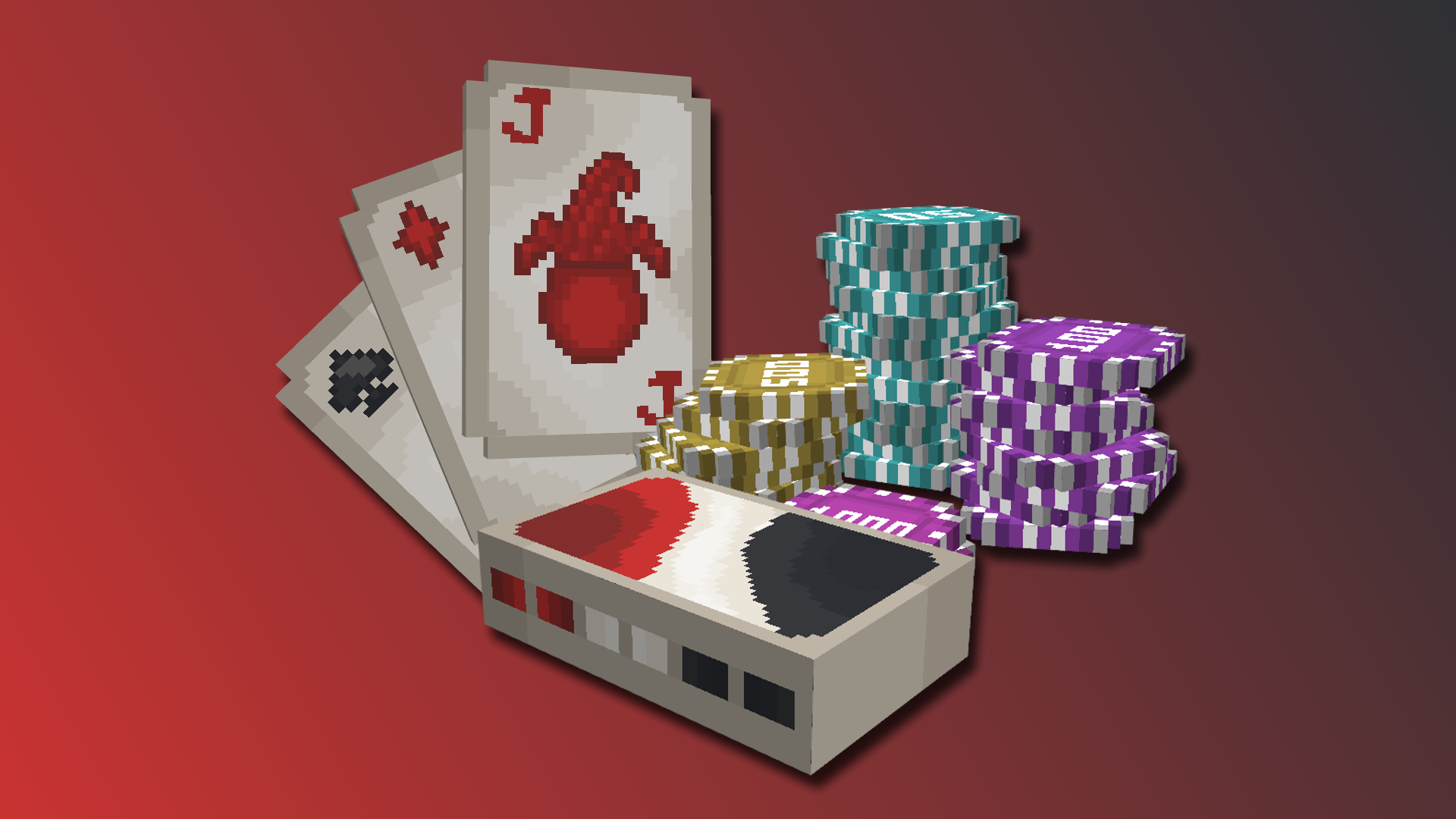
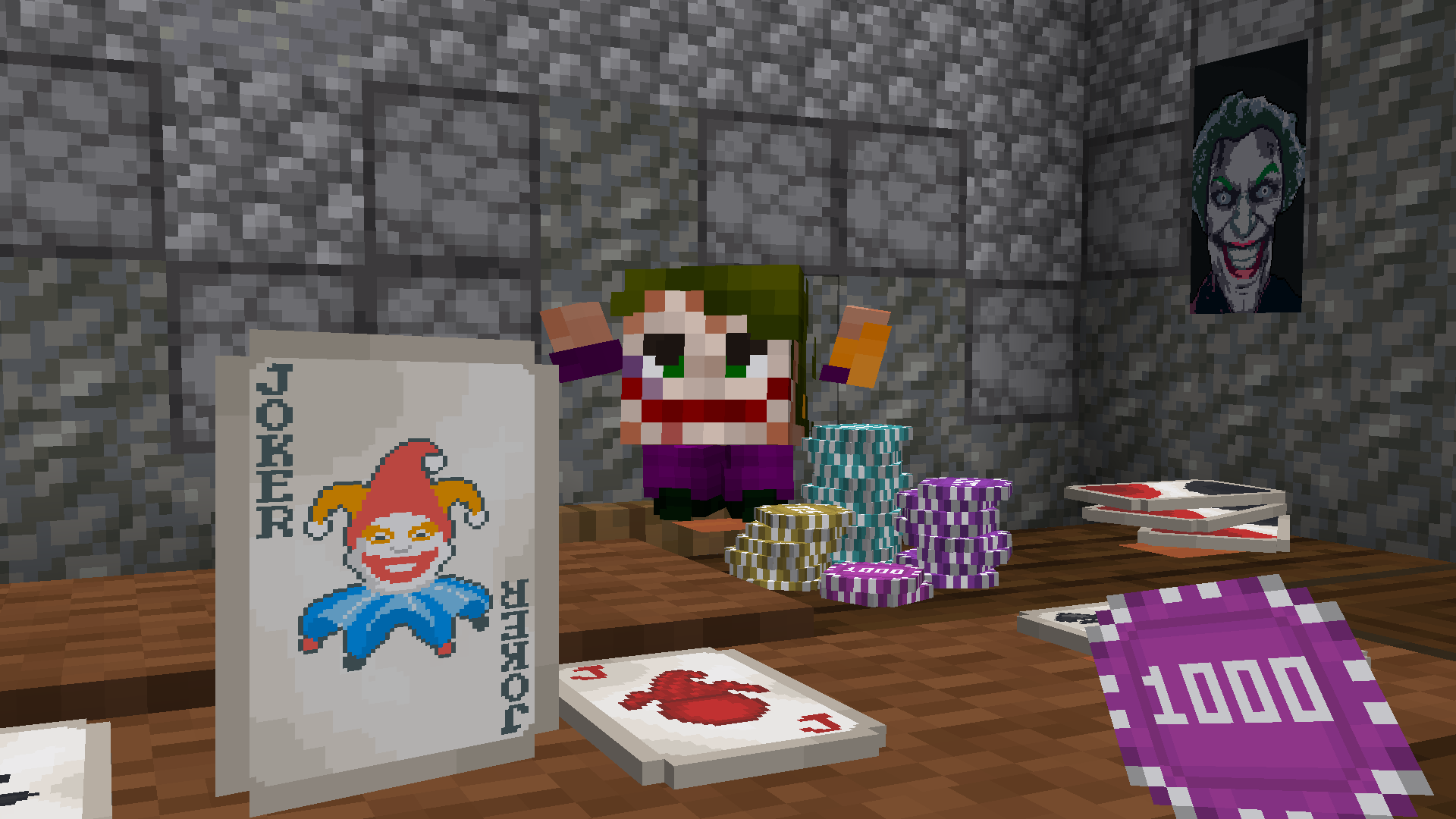
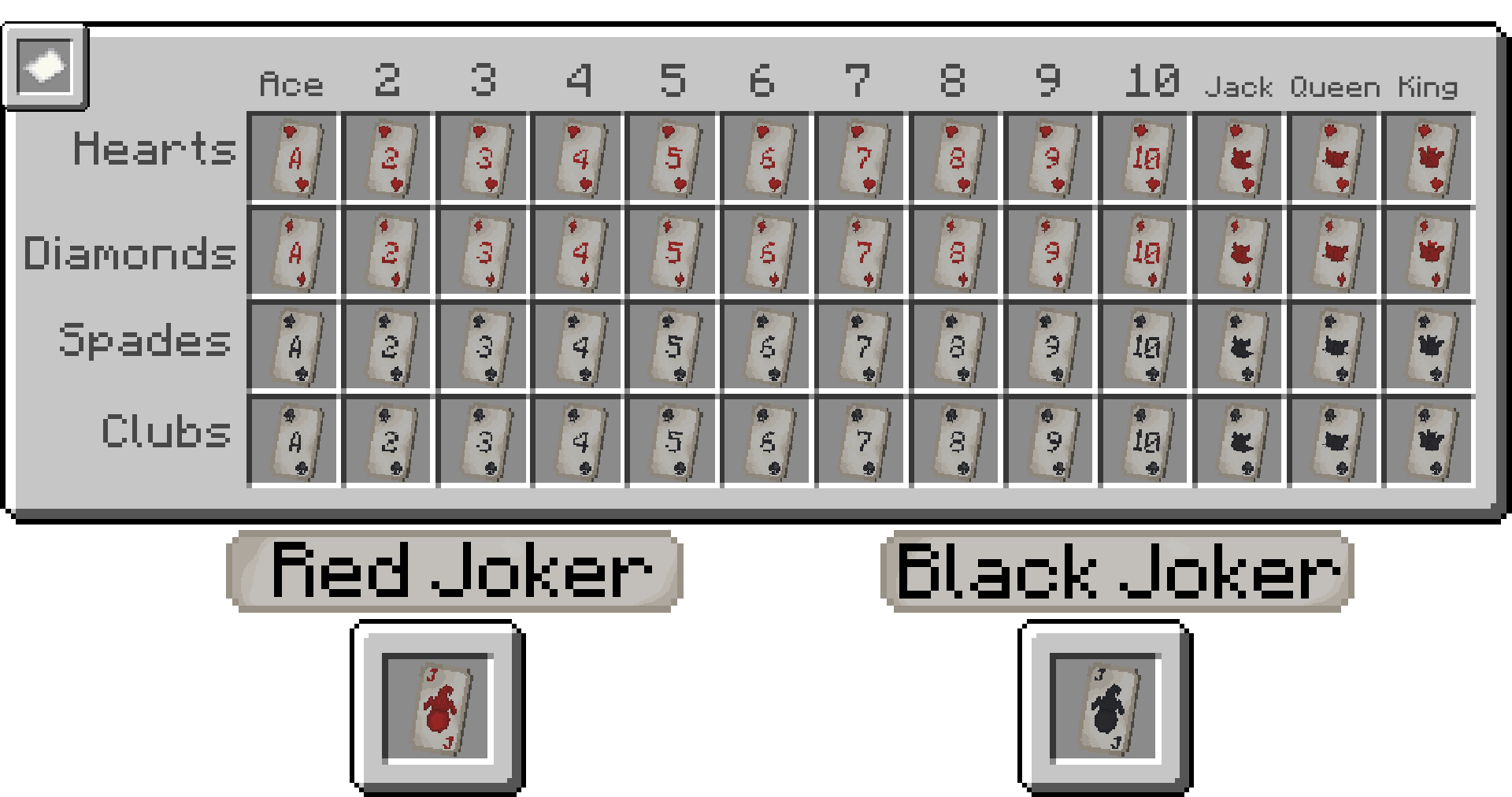
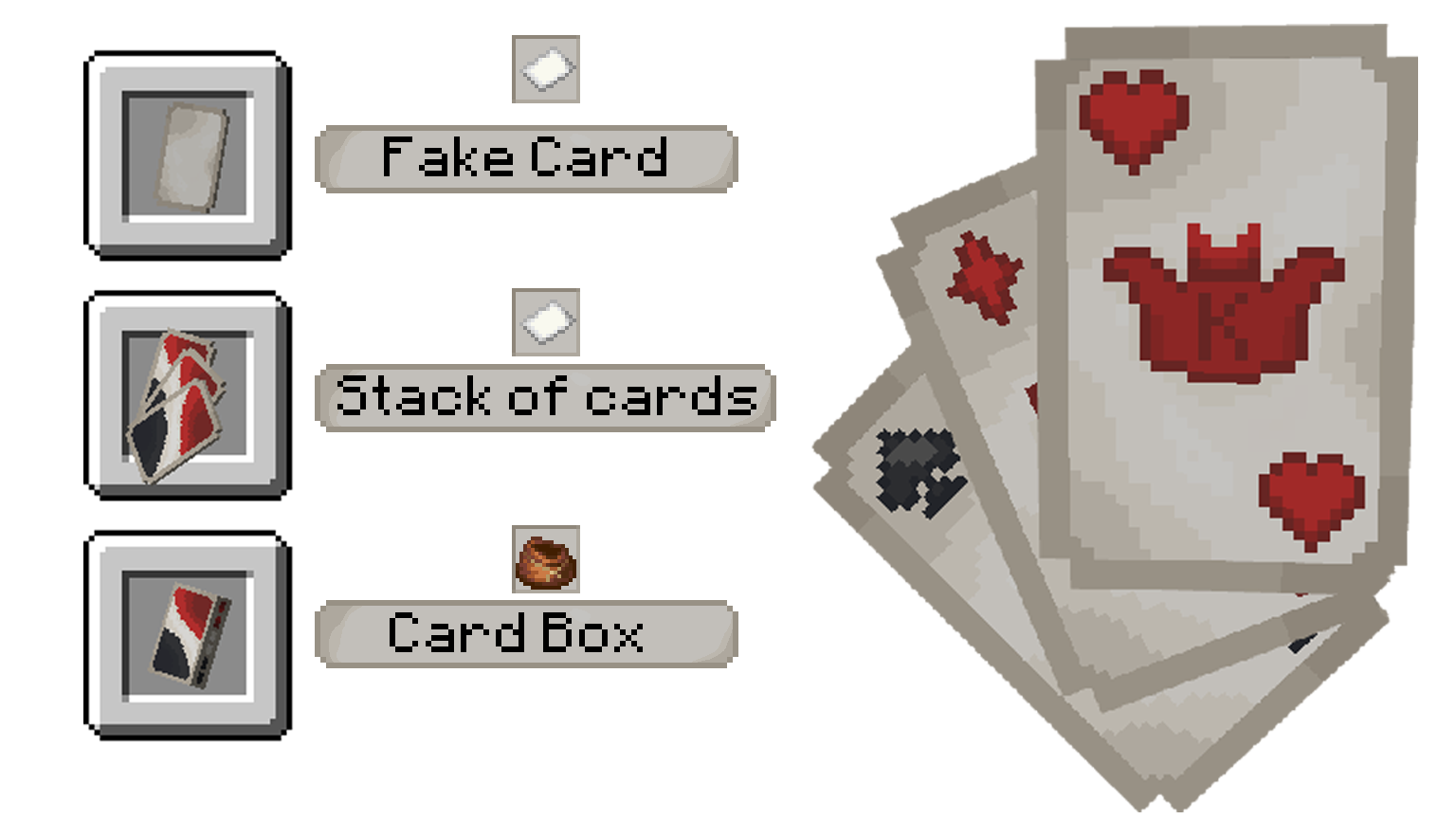
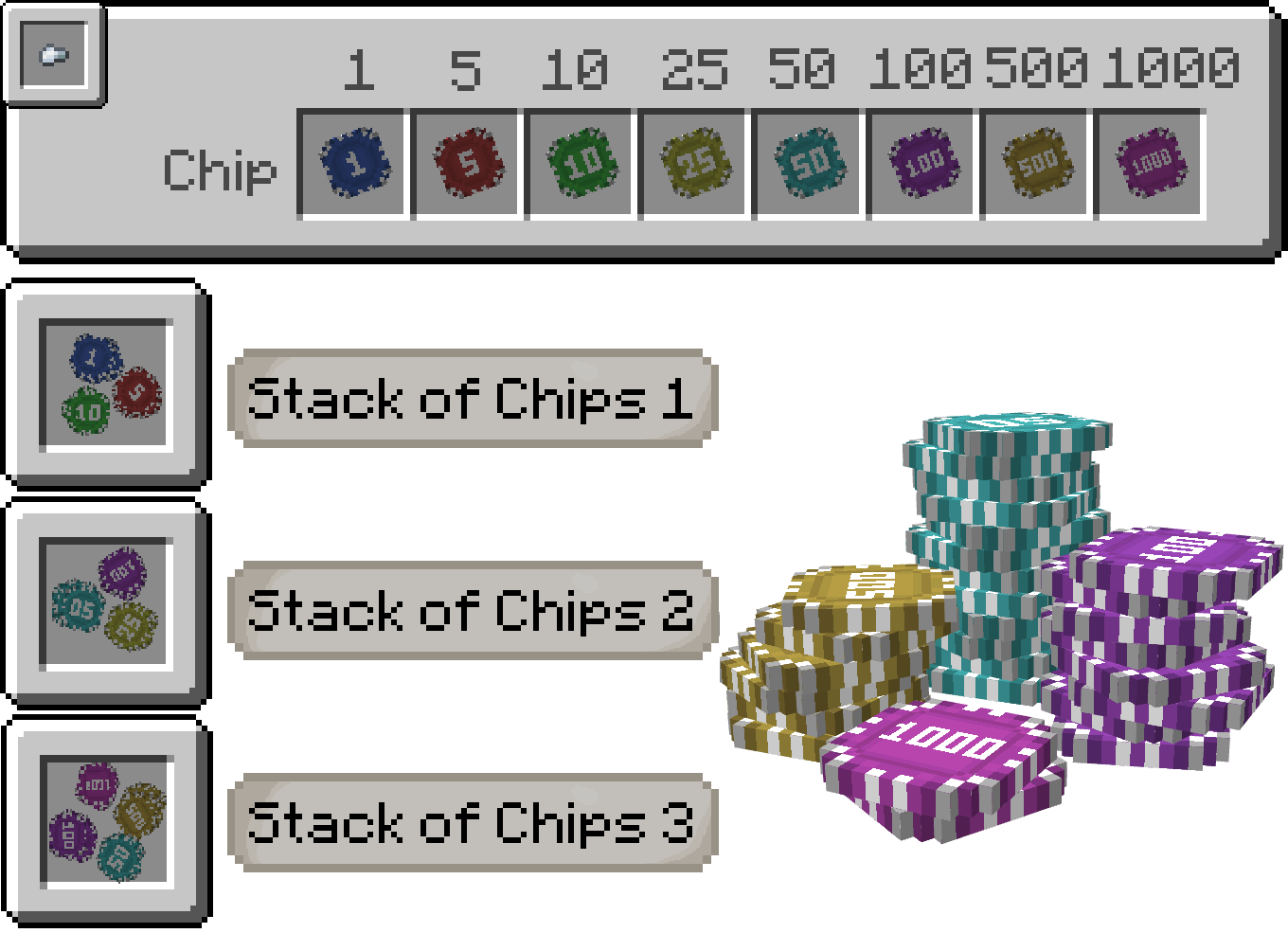
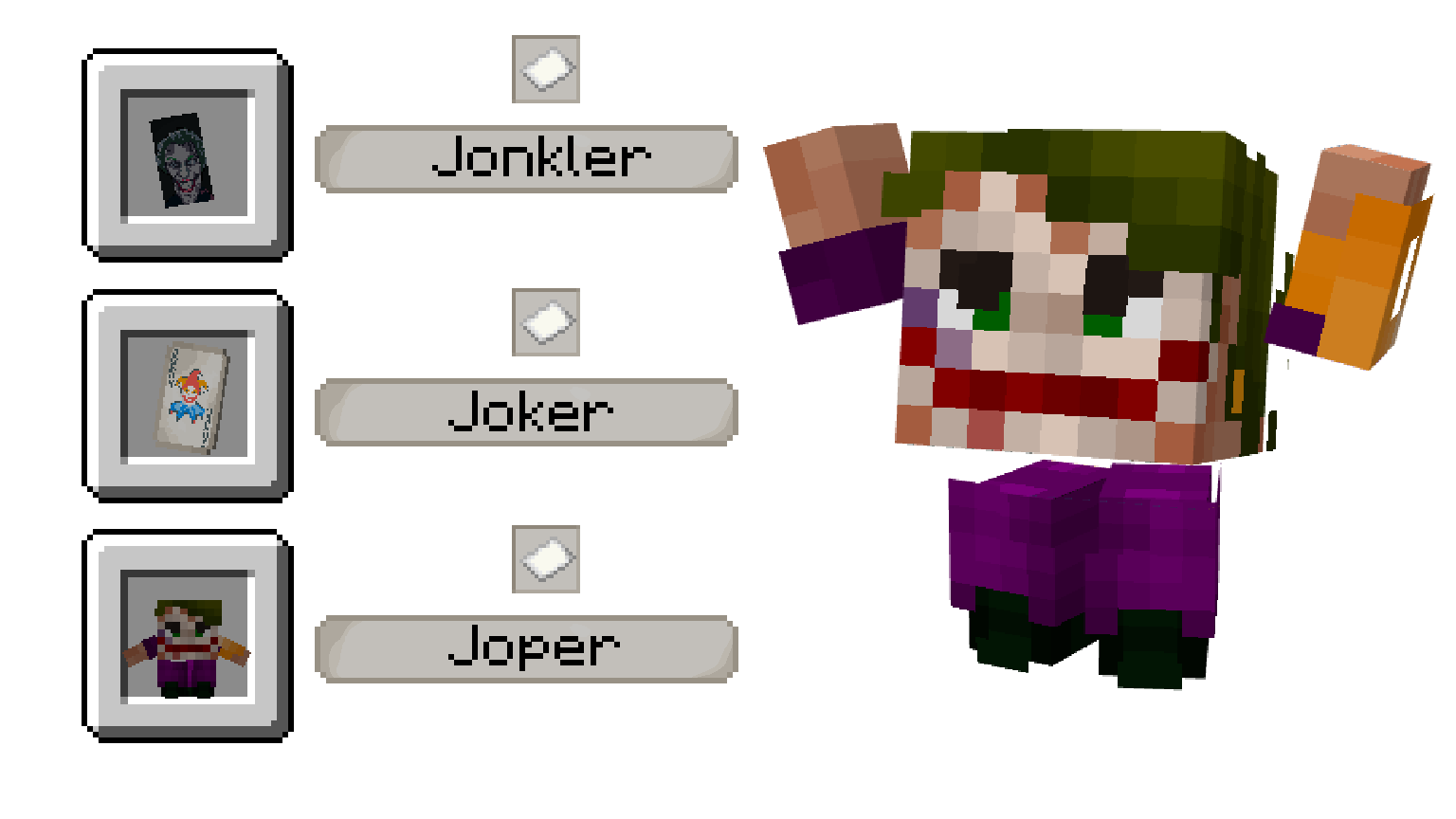
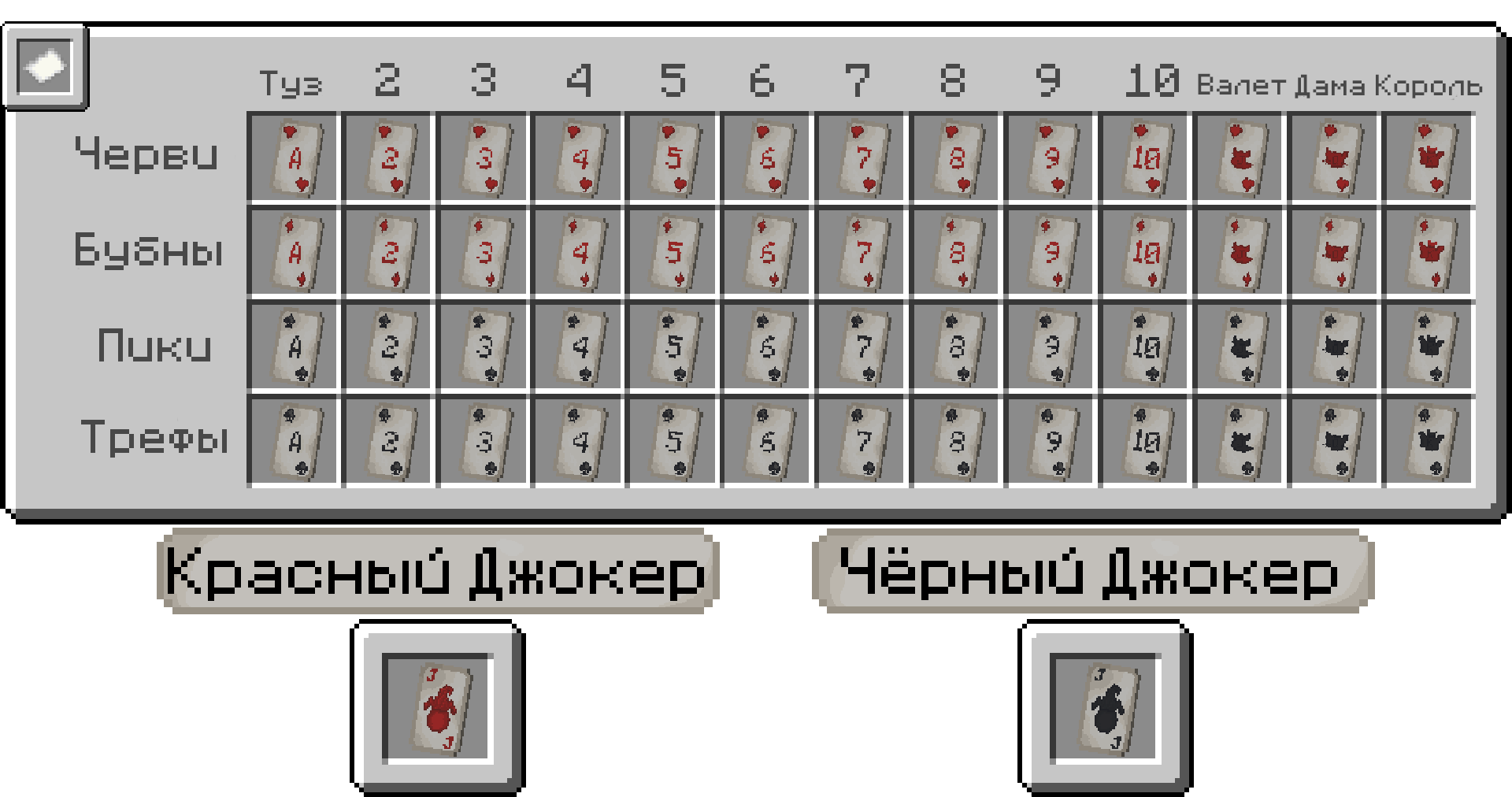
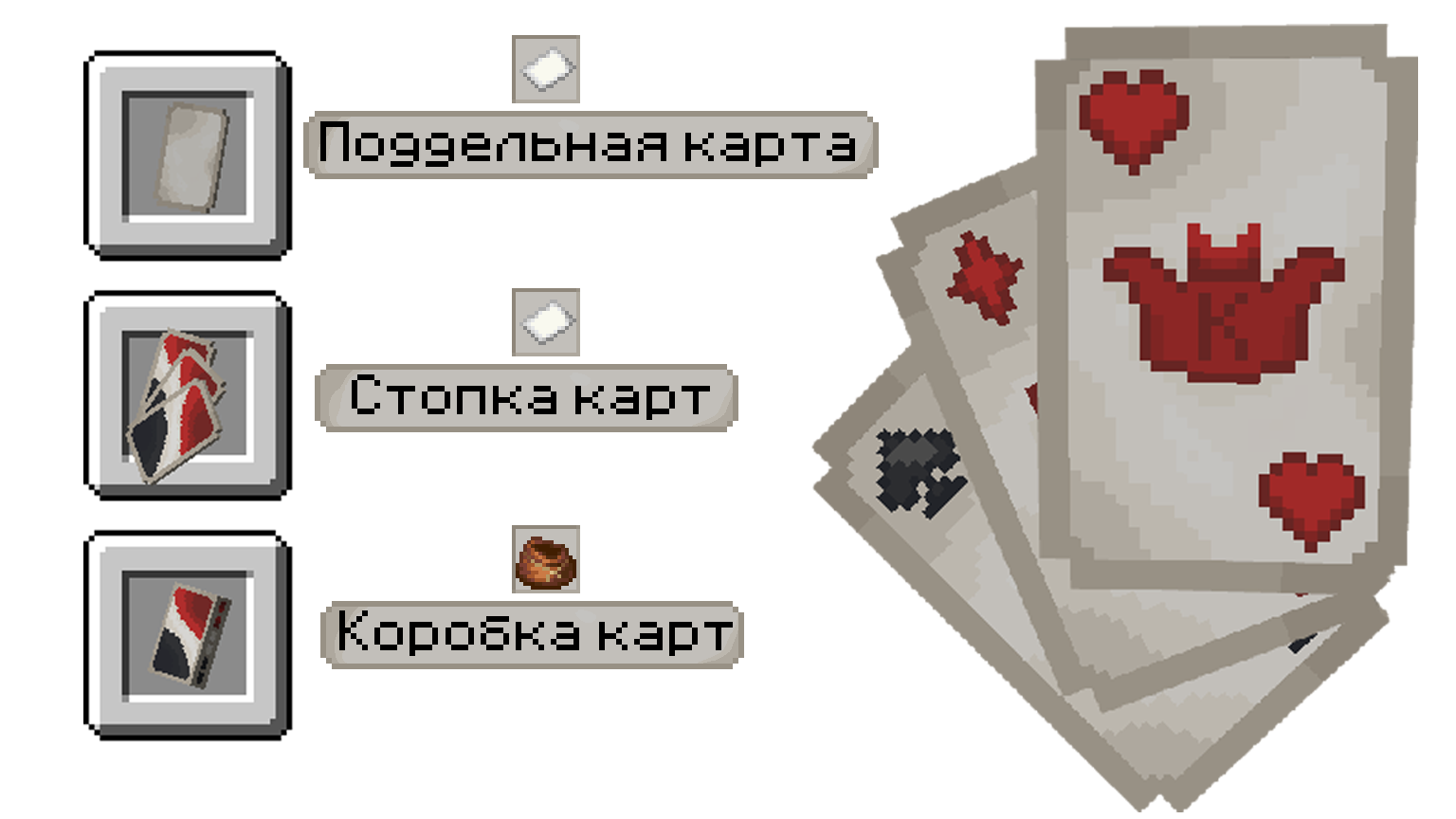
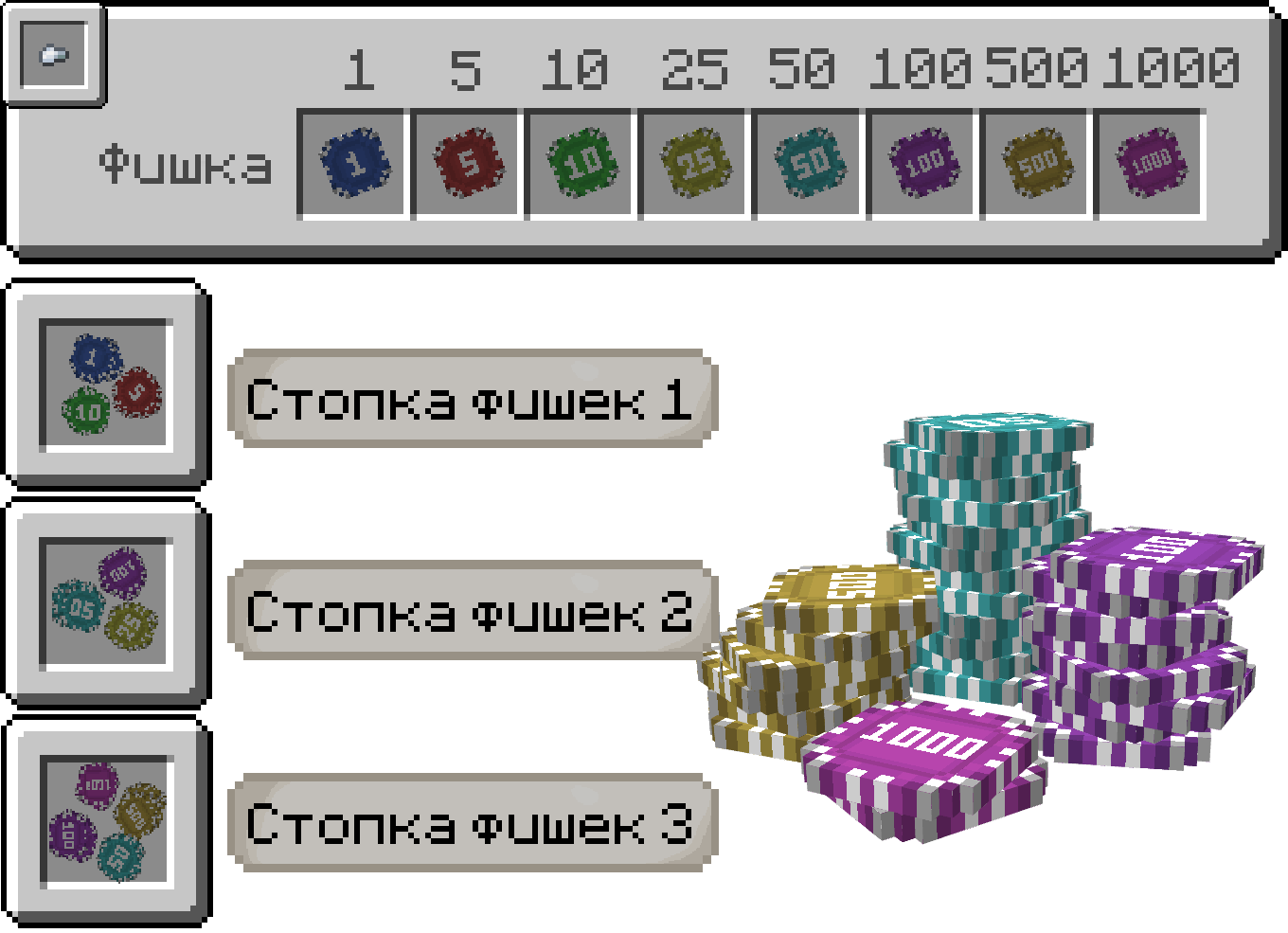
**Classic cards** – This resource pack adds playing cards and poker chips. You can play card games with your friends and place bets!
– – – –

This pack uses an OptiFine feature called CIT Resewn.
– – – –
## English
## RU

Clarico Sky Overlay
### What is this resource pack?
This resource pack is an overlay which replaces the default minecraft sky with a different sky.
—
### Requirements
– Needs [Optifine](https://optifine.net/downloads) OR [FabricSkyboxes](https://modrinth.com/mod/fabricskyboxes)
– Custom Sky should be turned on (IF USING ON OPTIFINE)
– Stars / Sun and Moon should be turned on (IF USING ON OPTIFINE)
—
### How to use this resource pack?
This is compatible with all other resource packs, just make sure you put it on top of the one you are already using.
—
### **Support Me:**
**[https://www.patreon.com/Ouranos](https://www.patreon.com/Ouranos)**
Benefits:
No Ads 🚫 : Get rid of those annoying ads you need to go through to download my sky overlays.
Sneak Peeks 👀 : Be among the first to see glimpses of my upcoming sky overlays.
Patreon Spotlight 🌟: Get mentioned in every single sky overlay I upload on Planet Minecraft and Modrinth in the Patreon Spotlight section.
Early Access 🕒 : Get access to all of my texture packs 2-3 days before everyone else.
Voting Power 📊 : Get the ability to vote on polls which decide my upcoming sky overlays or the ability to comment ideas for sky overlays.
VIP Events 🎉 : Get access to things such as competitions (with prizes) and Q&A sessions with me.
Personal Custom Sky 🎨 : I will make 1 custom sky overlay of your choice for you.
Exclusive Support 🛠️ : You will get exclusive support from me if you are having problems with the texture pack or want me to make changes personally for you etc.
Exclusive Sky Overlays 🏆 : Get access to exclusive sky overlays posted once every month.
**[https://www.buymeacoffee.com/ouranos](https://www.buymeacoffee.com/ouranos)**
Elytra Airplanes
## Overview
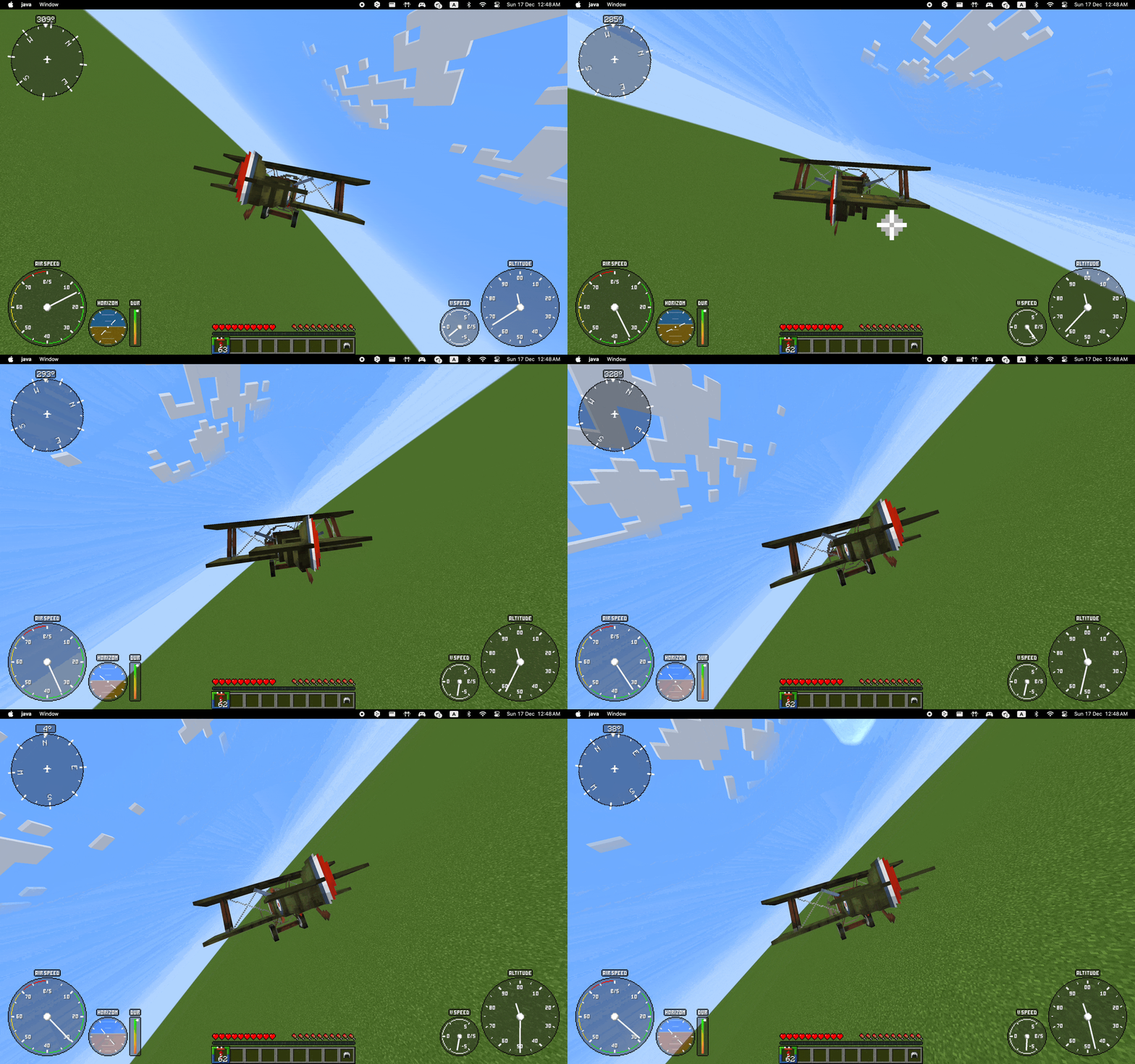
Elytra Airplanes is a small resource pack that adds 6 airplanes you can fly. Usually I use it with [Do a Barrel Roll](https://modrinth.com/mod/do-a-barrel-roll) and [Elytra HUD](https://modrinth.com/mod/elytra-hud) to get better flight experience. This is CIT resource pack, so it needs [CIT Resewn](https://modrinth.com/mod/cit-resewn) or Optifine to work
## Airplanes models
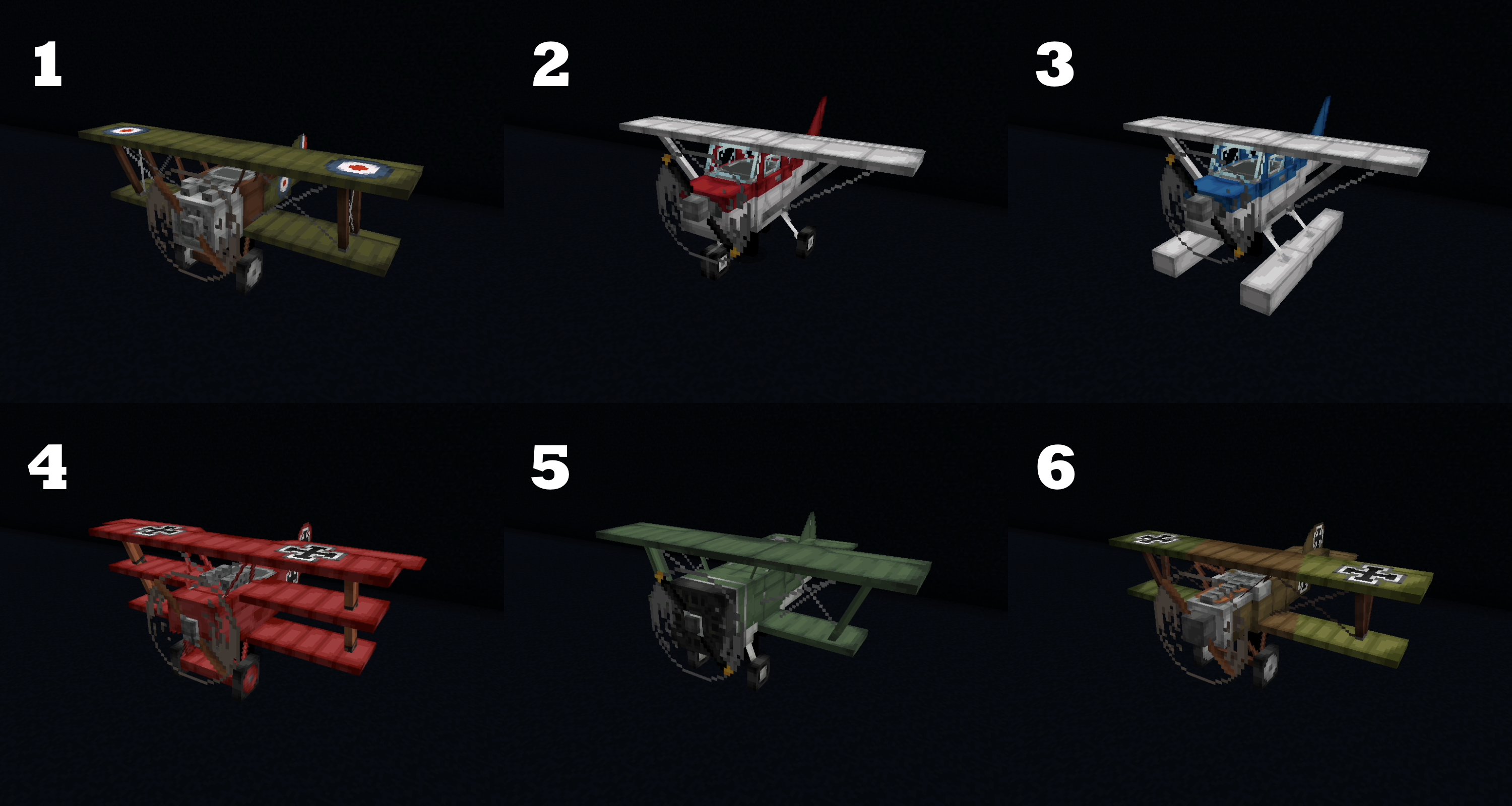
Renames of **carved pumpkin**:
1. Airplane Sopwith
2. Airplane Cessna
3. Airplane Water Cessna
4. Airplane Red Baron
5. Airplane I-15
6. Airplane Albatros
## Dependencies
This is CIT resource pack, so it needs [CIT Resewn](https://modrinth.com/mod/cit-resewn) or Optifine to work
## Credits
Based on role-play resource pack by [KSPSP](https://vk.com/ksepsp)
Chromakey Blocks
**A resource pack for adding chromakey blocks in Minecraft! This makes it easy to take out the background from screenshots or videos.**
Sea lanterns -> blue
Glowstone -> green
Shroomlight -> red
## Support
If you have any problems, ideas, or other feedback about this project, please contact me via discord or email. You can contact me on Discord by sending a friend request, so you can send me a message.
Discord: tibodp
Mail: [email protected]
## 🌟 My other projects:
– [Torchcraft Lobby Panorama](https://modrinth.com/resourcepack/torchcraft-lobby-panorama)
– [The Ultimate Creator](https://modrinth.com/modpack/the-ultimate-creator)
– [Chromakey Blocks](https://modrinth.com/modpack/the-ultimate-creator)
– [No Worldborder](https://modrinth.com/modpack/the-ultimate-creator)
– [Vuurwerkshow Modpack](https://modrinth.com/modpack/the-ultimate-creator)
– [Vuurwerkshow Panorama](https://modrinth.com/modpack/the-ultimate-creator)
– [Vuurwerkshow Paintings](https://modrinth.com/resourcepack/vuurwerkshow-paintings)
Rewritten End Credits
# Rewritten End Credits ✨
**Rewritten End Credits** transforms the Minecraft endgame experience by replacing the vanilla End credits with a mysterious, unsettling narrative that adds layers of uncertainty and intrigue. Alongside this, the mod refreshes the main menu splash texts by introducing two secret messages that hint on something…👁️🗨️
Perfect for players who want their journey’s end to feel deeper and more haunting, this lightweight texture pack subtly shifts the tone of Minecraft’s finale without altering gameplay or visuals.
## Features 🔥
– Rewritten, atmospheric End credits text 📝
– Two new secret splash texts on the main menu ✨
– Fully Vanilla 🎮
—

celestial moon demo
This resourse pack doesn`t work without mod [celestial](https://modrinth.com/mod/celestial)
I create this resourse pack for demonstration moon cycles realised with mod celestial minecraft. This is a banal idea, but I don’t know why no one has figured it out yet.
In start, we have:
standart sky, but stars make smaller, sun and moon also.
Basicly, moon cycles has length 29.53 days and 8 phases.
Recently, I updated the resource pack and now the moon and the sun change their height depending on the time of the year. The time of the year is calculated as follows: day 0 = January 1, the year lasts 365 days without a leap year, so that compatibility with other mods is better.