Waxed Indicators
## About
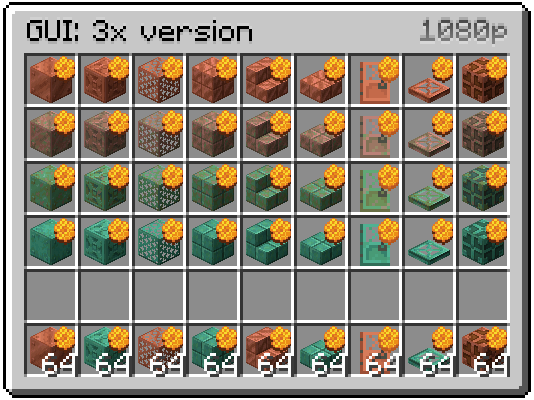
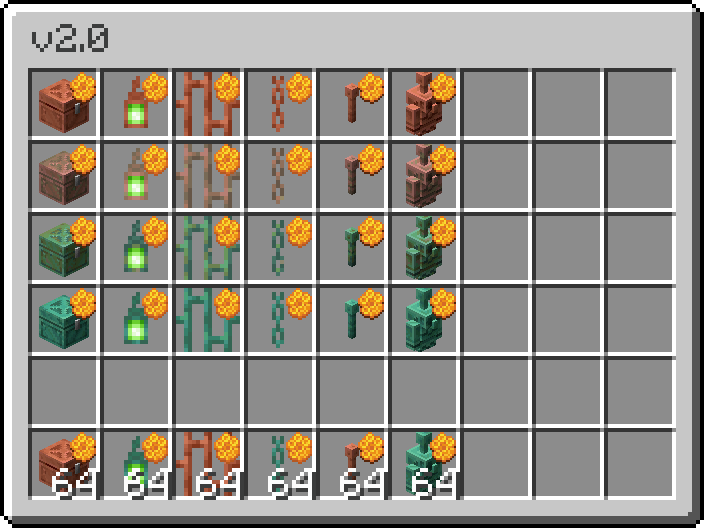
Honeycomb indicators for waxed copper items, which are only visible in the inventory.
## Two Versions
– 3x GUI Scale users – [get this version](https://modrinth.com/resourcepack/waxed-indicators/version/3xGUI_2.1)
– 4x GUI Scale and 2x users – [get this version](https://modrinth.com/resourcepack/waxed-indicators/version/4xGUI_2.1)
Gallery

Japanese samurai hat
—
### 🪖 Samurai Helmets Pack
This is my **first resource pack**, which adds a collection of custom **samurai-style warrior helmets** inspired by pumpkins.
It works best when used **together with OptiFine** (for CIT support).
—
### ⚔️ Features
* Added **8 Samurai Helmets** — craft them by **renaming a Pumpkin** to:
“`
Samurai 1
Samurai 2
Samurai 3
…
Samurai 8
“`
* Each helmet has a unique samurai-inspired design.
* Includes a **prototype Viking helmet**, which will be expanded in future updates.
—
### 🛠️ Future Plans
I plan to add:
* More **helmet variations**
* Additional **custom gear and decorative items**
—
### 💬 Feedback
Your feedback means a lot!
You can check out my post and share your thoughts here:
🔗 [https://x.com/Black_Bunny_303/status/1787531388344033605](https://x.com/Black_Bunny_303/status/1787531388344033605)
—
Warning Sign “axe”
If you want to turn your axe into a warning sign, then this set of resources is for you ! _**To get a warning sign, just rename the axe to “Sign”.**_ ! 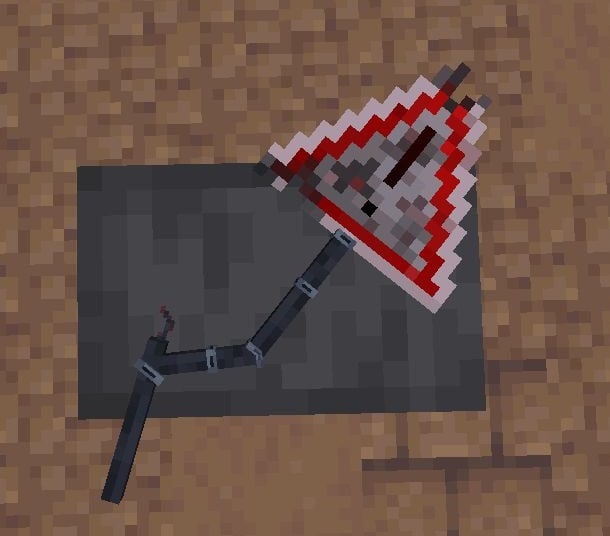
VonDoomCraft
[All Future Downloads](https://www.patreon.com/VonDoomCraft)
Beta 8.8 Now Available
CrystalAim Crosshair
## 🎯 VoidDot – Crystal PvP Crosshair
**VoidDot** is a minimal dot-style Minecraft crosshair designed specifically for **Crystal PvP**.
It provides a clear center point for precise aiming, fast crystal placement, and better focus during intense combat.
By removing unnecessary lines and visual clutter, VoidDot helps you react faster and keep your crosshair exactly where it needs to be.
### ✨ Features
– Minimal **dot-only** crosshair
– Optimized for **Crystal PvP**
– Pixel-perfect clean design
– Reduces screen clutter
– Compatible with most clients & versions


—
## ⚡ [ZEYRON CLOUD](https://www.zeyroncloud.com/)
Premium Game Hosting for Minecraft & Servers
## LINKS
**🌐 Website:**
https://zeyroncloud.com
**💬 DISCORD Server:**
https://discord.gg/QPSJzttKwn
Use code **OWNVERSE10** and get **10% OFF** on your **first month** of hosting!
### 🔍 Best For
– Crystal PvP
– Competitive PvP players
– Clean & minimal HUD lovers
VoidCosmos
VoidCosmos transforms the Minecraft universe into a celestial playground, where players traverse through stunning interstellar vistas. The pack replaces the traditional sky with mesmerizing views of distant galaxies, swirling nebulae, and ominous black holes. Each block reflects the cosmic theme, with starry patterns adorning terrain and structures. From alien landscapes to futuristic architecture, every element evokes a sense of awe and wonder. Whether building a space station or exploring unknown realms, VoidCosmos offers a unique journey through the infinite expanse of the universe.
Void
—
# Void 32x
## Description
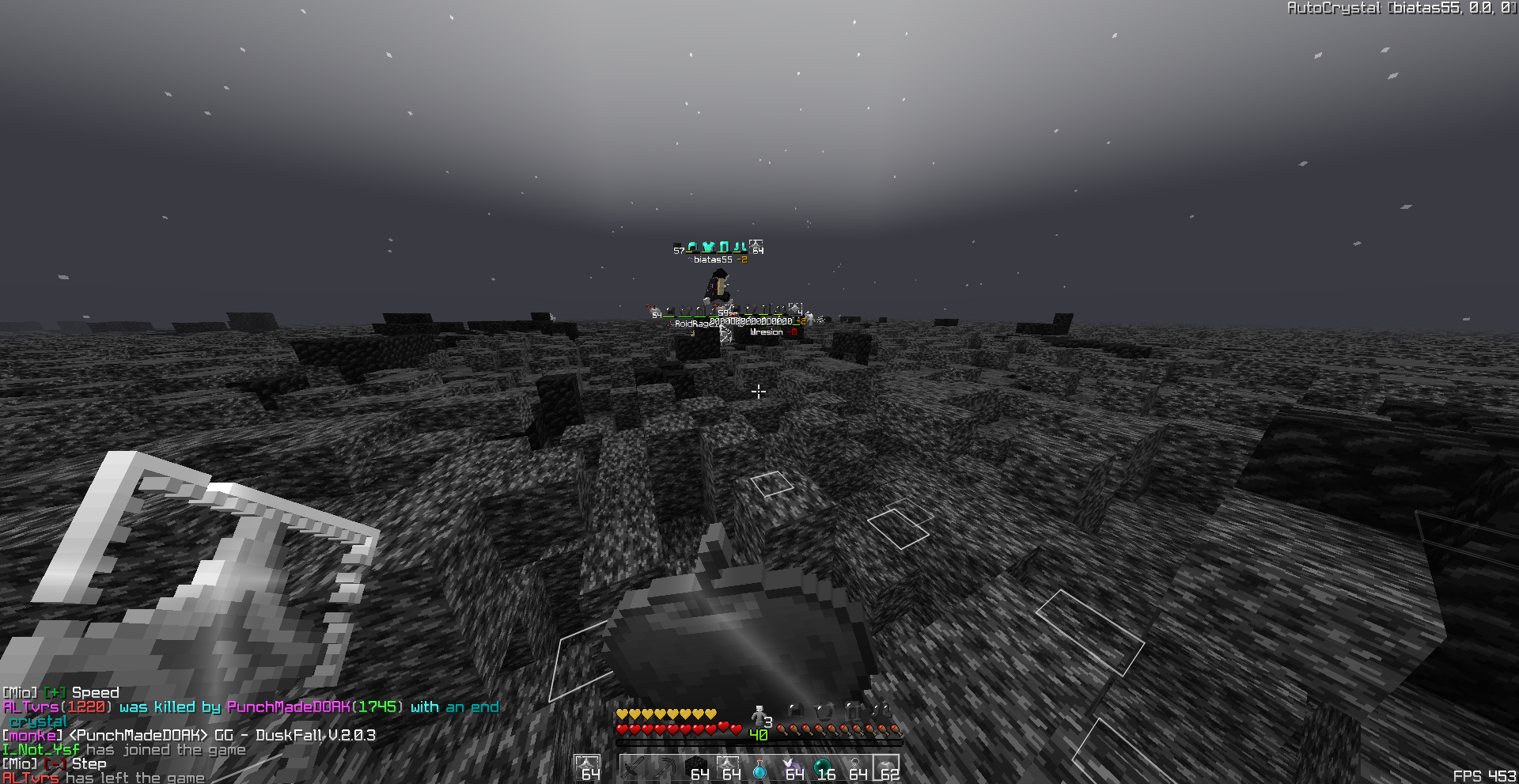
**Void** is a sleek, grey-themed 32x resource pack that transforms Minecraft’s look with a modern, minimalist aesthetic. Designed for players who appreciate a clean and moody atmosphere, Void swaps out the vibrant colors of vanilla for cool greyscale tones and smooth detail, bringing a calm and focused energy to your builds and adventures.
* Minimalist and modern with a sharp greyscale palette
* Crisp 32x resolution for refined detail and texture
* Preserves Minecraft’s iconic style while introducing a bold, desaturated look
—
## Features
* Reimagined blocks and items with grayscale tones
* Subtle shading and smooth transitions for a polished feel
* Faithful to vanilla structure and geometry for seamless integration
—
## Installation Guide
1. Download the `.zip` file
2. Move it into your `.minecraft/resourcepacks` folder
3. Open Minecraft → Options → Resource Packs
4. Enable **Void** in your list
—
## Feedback & Community
Want to share your builds, ideas, or get in touch with other users?
Join the conversation here: [https://discord.gg/factory](https://discord.gg/factory)
—
VL+ CS Knifes Add-on
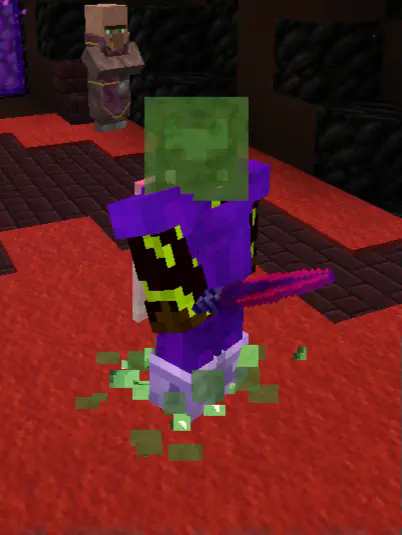
This VL+ add-on pack is made to give the unique daggers offered in the Ventureland server a new twist by getting insperation from the very apreciated knifes from the Counter Strike 2 game
Grab this pack if u wanna make those unique daggers stand out even more!
## note this pack uses OF CIT on Shears
if any1 want a vanilla working one let me know
VL+
# The VL+ pack
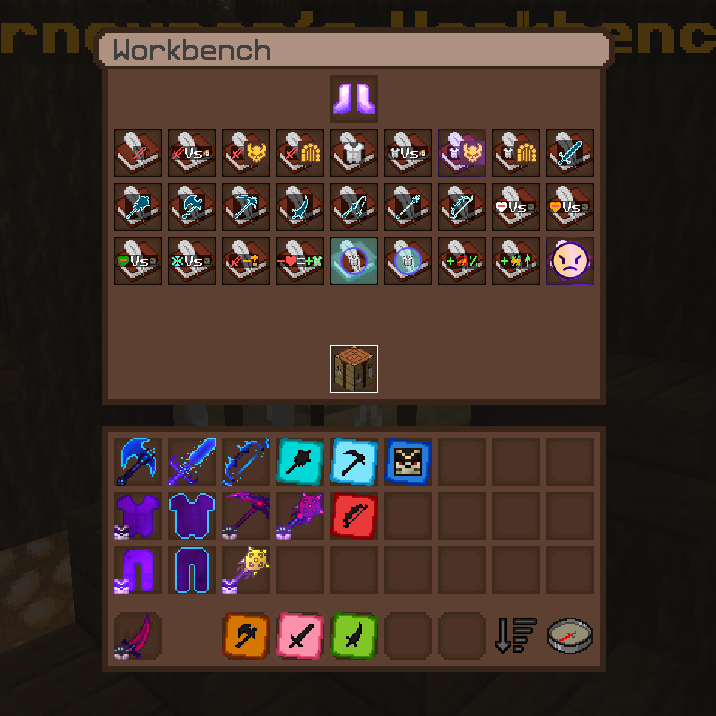
is made to give the best experience on the Ventureland RPG server. Adding many things via CIT that makes it easy to differantiate between items and GUI icons. It also changes particles and fire to make the Psycho Bandit boss fight alot more bareable visually. RET/ETF is also added to make exploring a little more fun now that mobs that would normally look the same look different now!
### Recomended and used version is 1.21.1
will ofc work on other versions but thats wat [Ventureland Utils](https://modrinth.com/project/oA3tu0Cm) is on
Note: there are certain issues using OF fabric alternatives
Note this is an Add-on pack meaning u will need to download the original server pack to truly get the best experience,
this can be done by simply using the command /resource on the server and choosing to use and download the original pack.
also note that u should get a CIT mod for most of the textures to show up aswell as a RET/ETF mod for custom mob textures. U can use the Respackopt mod for more options in the resourcepack menu for the pack
Check versions tab and click a version to see its dependecies
Visual Items
This is my recourcepack. There are many like it, but this one is mine.
# Content
A small recourcepack I am working on for making things more clear by representing attributes by textures.
– For example the ominous bottle texture changes with the level it has
– Axolotl in a Bucket has the correct color instead of the default one
– Some enchantments are represented on the item sprite (pickaxes for now)
– Goat Horns are decorated with different materials to keep them apart