Roboto Bold
This resource pack changes your Minecraft font to an higher quality one across all menus. It is compatible with all languages the default font is, aka not many Asian languages. You can use this along with any other resource pack, just move it to the top in activated resource packs’ order.
[Looking for the regular version? Click here.](https://modrinth.com/resourcepack/roboto-regular)
[Looking for Product Sans? Here is a similar one.](https://modrinth.com/resourcepack/glacial-indifference)
Are you in Bedrock Edition? Just enable “Noto Sans” from in-game chat settings for a similar font.
The font requires 1.13 or higher, no modifications necessary.
> Roboto is Google’s signature family of fonts, the default font on Android and Chrome OS, and the recommended font for Google’s visual language, Material Design. The font family supports all Latin, Cyrillic, and Greek characters in Unicode 7.0, as well as the currency symbol for the Georgian lari, to be published in Unicode 8.0.
I do not claim any ownership to the font and have not made any changes to it’s appearance, it is only redistributed according to the owner’s license.
[Read more about the font on GitHub.](https://github.com/google/roboto/)
Is your Minecraft <1.17 crashing with the pack? It's not my fault, see [MC-180529](https://bugs.mojang.com/browse/MC-180529) for help.
RJs HD Dark Dreary Paintings
Dark and dreary (spooky, creepy, ominous) High-quality full-color HD paintings.
From 64x up to 512x resolutions. A good fit for dark and creepy settings.
(Most are vanilla style, some are a little different).
All images were custom AI generated, then manually modified.
Custom designed dark wood frame added to all paintings.
Also includes the four “operator utilities” paintings (earth, wind, water, fire).
(Added version 1.2 for 1.21.10)
Rick Ghastley
Ik you been wanting this since they got added brah, me 2.
RHG PVP resource pack
This resource pack adds the textures from the newer Minecraft textires. Not all textures are 512x most are 16x. This resource pack is made for FPS. It doesn’t make a difference in FPS when using default minecraft textures or using my resource pack. Please support me and my socials.
[YouTube](https://www.youtube.com/@rhghuntergamer2085)
[Twitch](https://www.twitch.tv/rhghunter)
[Discord](https://discord.gg/BQVV56jaxK)
Reworked elevators
This pack reworks some features and looks of core MTR lifts/elevators.
**The pack includes:**
– Reworked Even Lift Doors
– Reworked Odd Lift Doors
– Reworked Even Elevator Displays
– Reworked Call Buttons
– Reworked up/down arrows for lifts
– Some reworked GUI changes
_Some models from IVR were used, I have permission from the owner of IVR to use them in the pack.
The pack is very highly detailed, which might cause some PCs to crash when the pack is equipped. I suggest doing a backup before trying the pack out._
[Join my discord server!](https://discord.gg/UKRFNZYfre)
Strawberry Textures
# Strawberry crew, c’est quoi?
**Notre ressource pack a été créé afin de répondre au mieux à notes attentes en temps que builders alors on l’espère, aux votres aussi.**
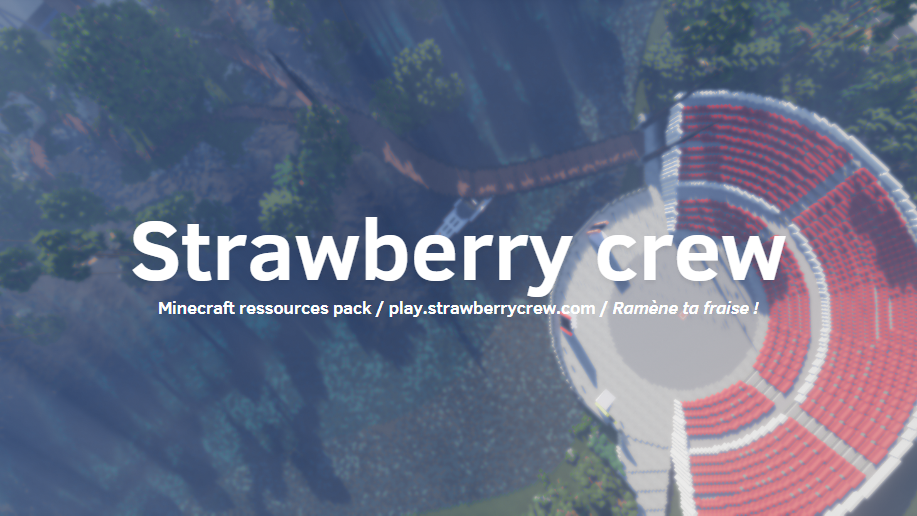
Strawberry textures est un pack de ressources Minecraft à l’aspect réaliste conçu pour les passionnés de construction et les architectes en herbe ! Entre textures Optifine et models 3D le pack vous donne un nombre infini de possibilités. Et tout ça, sans mods !
Ce pack est actuellement en cours de développement et continuera à être mis à jour et amélioré avec l’avis de la communauté.
***Ne manquez pas les nouvelles mises à jour !***
## Ce dont vous avez besoin !
Le ressource pack requiert [__optifine__](https://optifine.net/downloads) !
Assurez-vous d’activer dans les options les textures connectées et les arbres de bonnes qualités !
[Biomes informations](https://strawberrycrew.com/biomesinfo)

—————-> [**Ramène ta fraise sur le discord pour un support, on l’espère, de qualité !**](https://discord.gg/eX86caFW68) <----------------

Nous avons beaucoup de constructions réalisées avec le pack de ressources strawberry en plus d'une map où le pack par défaut est le bienvenue !
Avec la commande /warp pack vous aurez accès au warp avec toutes les textures !
___________________________________________________________________________________________

# Strawberry crew, what is this?
**Our resource pack has been created to meet our builders' expectations as closely as possible, so we hope it will meet yours too.**
Strawberry textures is a realistic-looking Minecraft resource pack designed for construction enthusiasts and budding architects! With Optifine textures and 3D models, the pack gives you an infinite number of possibilities. And all without mods!
This pack is currently under development and will continue to be updated and improved with community feedback.
***Don't miss any new updates!***
## what you need !
The resource pack requires [__optifine__](https://optifine.net/downloads) !
Make sure you activate connected textures and high quality trees in the options!
[Biomes informations](https://strawberrycrew.com/biomesinfo)

-------------> [**Bring your strawberries to the discord for what we hope will be quality support. !**](https://discord.gg/eX86caFW68) <-------------

We've got a lot of builds using the strawberry resource pack, as well as a map where the default pack is very welcome!
Use the /warp pack command to access the warp with all the textures!
ResourceFix
Warning
This pack is by no means a stable fix to make all 1.19.2 packs work perfectly on 1.12.2. You may experience crashes and rendering glitches with certain packs. ResourceFix will not load on vanilla 1.12.2, and requires OptiFine as the game will refuse to load the pack.
In addition, the assets from vanilla 1.19.2 are required to load this pack. Directions on doing that are given below.
ResourceFix
ResourceFix is a resource pack for 1.12.2 that makes it possible to load resource packs from 1.17 – 1.19.2.
Pack Order
The following pack order is required for ResourceFix to function correctly:
- ResourceFix
- Packs to be loaded with ResourceFix (includes Programmer Art)
- 1.19.2 assets (2nd to bottom)
- Default (bottom)
ResourceFix may override a few things, and in that case if you’re feeling adventurous you can try loading a pack on top of ResourceFix. ResourceFix handles most things correctly, and loading a pack on top of ResourceFix (especially one that messes with models or blockstates) can lead to crashes and instability.
Prerequisites
ResourceFix does NOT provide the vanilla models and textures. If you load ResourceFix with nothing below it, you will see missing models or the game will potentially crash.
Directions
To get ResourceFix working with the vanilla 1.19.2 assets:
- Locate a 1.19.2 jar file. If you are on Windows this may be in %appdata%/.minecraft/versions/1.19.2/, on macOS it may be in /Library/Application Support/minecraft/versions/1.19.2/, and on Linux it may be in ~/.minecraft/versions/1.19.2/
- Open the jar file and find the assets folder
- Open the resource pack folder for your 1.12.2 instance
- Make a new folder with any name you choose
- Copy the assets folder into the new folder you made
- Find a pack.mcmeta file from any pack and copy it into that folder
- Load the pack under ResourceFix
To get Programmer Art:
- Go back to the main folder where you have Minecraft installed (should be .minecraft or minecraft)
- Open assets/indexes/1.19.json
- Search through the file for “programmer” and find the hash. Remember the first 5 letters and numbers
- Go up one level and find the objects folder
- Enter the directory that matches the first two characters of the hash
- Locate the file that matches the hash
- Copy it into your instance’s resource packs folder and rename it to have the .zip extension
State of the project
At the moment, ResourceFix only covers block models. Item models will be supported in the future, and most packs that change things such GUI textures and fonts should work.
Entity models such as chests are bugged, and I plan to use OptiFine’s custom entity model system to fix them at some point.
While this pack should work with most packs and has worked with many of the packs I have tested, if the game crashes look at the game log and replace the blockstate file with one from vanilla.
Unresolvable Issues
Redstone, mushroom blocks and glass panes use the models from 1.12.2 but are redirected to use the modern textures, so any models from a pack loaded with ResourceFix that affect those blocks will not work.
CTM will also never work, as 1.12.2 and 1.13+ use different names and models can’t affect those names.
Since custom models can’t be defined for liquids, water and lava will use the texture from 1.12.2.
Results
As stated earlier, ResourceFix is only meant to target block models and textures at the moment. These results do not factor in any rendering glitches or bugs with items/entities.
🟢 means that the loaded pack appeared to work perfectly fine
🟡 means that there were some minor issues
🔴 means that there were major issues such as crashes or the loaded pack not functioning at all
- Bare Bones 🟢
- Stay True 🟢
- XRay Ultimate 🔴
- Patrix 32x 🔴
- Faithful 32x and 64x 🟢
- Golden Days 🟢
- UltimaCraft v1.4 🟡 (saplings use missing model)
Remove Potion Particles
Compatibility: **_1.6.1_** to **_1.21.1_**.
===========================================
Remove Potion Particles completely eliminates the visual clutter caused by potion and beacon particles.
* * *
### Additional Information:
At only 3.6KB, this is a super-lightweight resource pack that prevents the particle effect particles from being loaded into VRAM. Paired with other performance-enhancing mods, you can expect a framerate increase upwards of 15 FPS using this resource pack making it perfect for lower-end systems.
While it does a great job of removing particle effects, it does unfortunately have a single drawback: it can sometimes make it slightly harder to confirm if a Zombie Villager has been splashed with a Potion of Weakness during the curing process. If you’re actively working with Zombie Villagers it might be easier to temporarily disable this resource pack until you’ve finished curing the Zombie Villager.
* * *
### Support development:
If you enjoy this resource pack and would like to support my work, please consider making a donation. Even a donation as little as £1 or $1 is appreciated and helps keep me motivated to continue development on this resource pack.
* [Support development via Ko-fi!](https://ko-fi.com/brandontgs)
or if you’d like, through a Cryptocurrency of your choice! 😀
* Ethereum (ETH): `0x52Bb639Ce58bDa894eEbc583831158213Af9F8F3`
* Bitcoin (BTC): `bc1qvu6pa9kzlwe6te54drta7w85apanuk7m5zyv78`
* Monero (XMR): `4B5LzGGRTKz2hn1ETd7Nwo7a6k7Kkhr7nGKmos3cNgdofmhqRGAxr4ZXDcitjkavogXrzur7RJdeeaqgYzqre7qCTVxzBL8`
* Dogecoin (DOGE): `DGpyWyJtRJyikSkEUoaiwcc3C9GTGvnrfp`
Thank You! 🥰
=============
Reduce the Vignette Effect – Less intense Shadow Borders/Corners
Reduces the Vignette Effect (The dark corners effect of the screen).
## New Effect:

## Vanilla Effect:

Redstone Tweaks Overlaid Gadget
original author:ZiYun
Add-on package author:w_y
Be sure to put it on top of Redstone Tweaks Overlaid!!!!
Be sure to put it on top of Redstone Tweaks Overlaid!!!!
Be sure to put it on top of Redstone Tweaks Overlaid!!!!
Redstone Tweaks Overlaid download link:[https://modrinth.com/resourcepack/ziyun-redstone-cover](https://modrinth.com/resourcepack/ziyun-redstone-cover)
1.Add has_record=true status to jukebox
2.The model of the open fence gate was changed to XK Highlight Block style
3.Observer model changed to look like the XK Redstone Display.
4.The model of the piston was changed to look like the XK Redstone Display.
5.Distinguish state 6 from 9 for redstone wires.
6.calibrated_sculk_sensor is now directionally distinguishable on the sides, back and bottom.
6.The dropper, dispenser and hopper point more obviously, cf. XK Redstone Display
7.sculk shrieker’s can_summon=true status does the showing
8.The debug stick model was changed to a bedrock stick?