Zarba Respack
**Attention: This resourcepack will stop updating from April 2025 due to the encryption of the RainbowPixel**
# **Zarba Respack**
**A resoucepack based on RainbowPixel**
| Resourcepack | Latest Ver. | Minecraft Ver. | Optifine |
| :-: | :-: | :-: | :-: |
| Zarba Base | 1.2 | 1.21.3 | Required |
| Zarba GUI | 2.0 | 1.21.x | Not required |
| Zarba 3D | 1.0 | 1.21.x | Not required |
| Minecraft Ver. | Zarba Base | Zarba GUI | Zarba 3D |
| :-: | :-: | :-: | :-: |
| 1.21.x | Available | Available | Available |



**Dedicated to players who enjoy using the Rainbowpixel Resourcepack**
#
**How to import Zarba Resourcepack**
1. Open your Minecraft
2. Click `Option`
3. Click `Resource Packs`
4. Drag the Zarba Resourcepack into the window or click `Open Pack Folder` and copy the Zarba Resourcepack to that folder.
**Notes**
1. They are avalible at [Zecoar Modpack](https://modrinth.com/modpack/zecoar-modpack) [(EX)](https://modrinth.com/modpack/zecoar-modpack-ex)
2. Zarba Base require Optifine, if you are using Fabric, please install Optifabric or any mods that can instead of Optifabric.
————————————————————————————————————————————————————

**注意:该材质包从2025年4月起停止更新,原因是彩虹像素被加密**
# **Zarba 材质包**
**一款基于 彩虹像素 的材质包**
| 材质包 | 最新版本 | 我的世界版本 | Optifine |
| :-: | :-: | :-: | :-: |
| Zarba Base | 1.2 | 1.21.3 | 需要 |
| Zarba GUI | 2.0 | 1.21.x | 不需要 |
| Zarba 3D | 1.0 | 1.21.x | 不需要 |
| Minecraft Ver. | Zarba Base | Zarba GUI | Zarba 3D |
| :-: | :-: | :-: | :-: |
| 1.21.x | 可用 | 可用 | 可用 |



#
**怎么导入 Zarba 材质包**
1. 打开您的我的世界
2. 单击`选项`
3. 单击`资源包`
4. 将 Zarba 材质包拖入窗口或者单击`打开包文件夹`并将 Zarba 材质包复制到该文件夹
**备注**
1. 他们已在 [Zecoar Modpack](https://modrinth.com/modpack/zecoar-modpack) [(EX)](https://modrinth.com/modpack/zecoar-modpack-ex) 中可用
2. Zarba Base需要Optifine, 如果您正在使用Fabric请安装Optifabric或者其他可以替代Optifabric的模组
Sapphire 16x
Sapphire 16x is a blue themed pvp texturepack for all of you blue enjoyers. It features a recolor of most pvp items to make you appreciate your favourite colour even more. Here are just some of the textures:
– All diamond set
– All netherite set
– Enchantement glint
– Totem of Undying
– Golden Apples
– Enderpearls
– End Crystals and Respawn Anchors
– Bows and Crossbows
– And MUCH more…
yyz’s Backpack + Cobblemon GUI
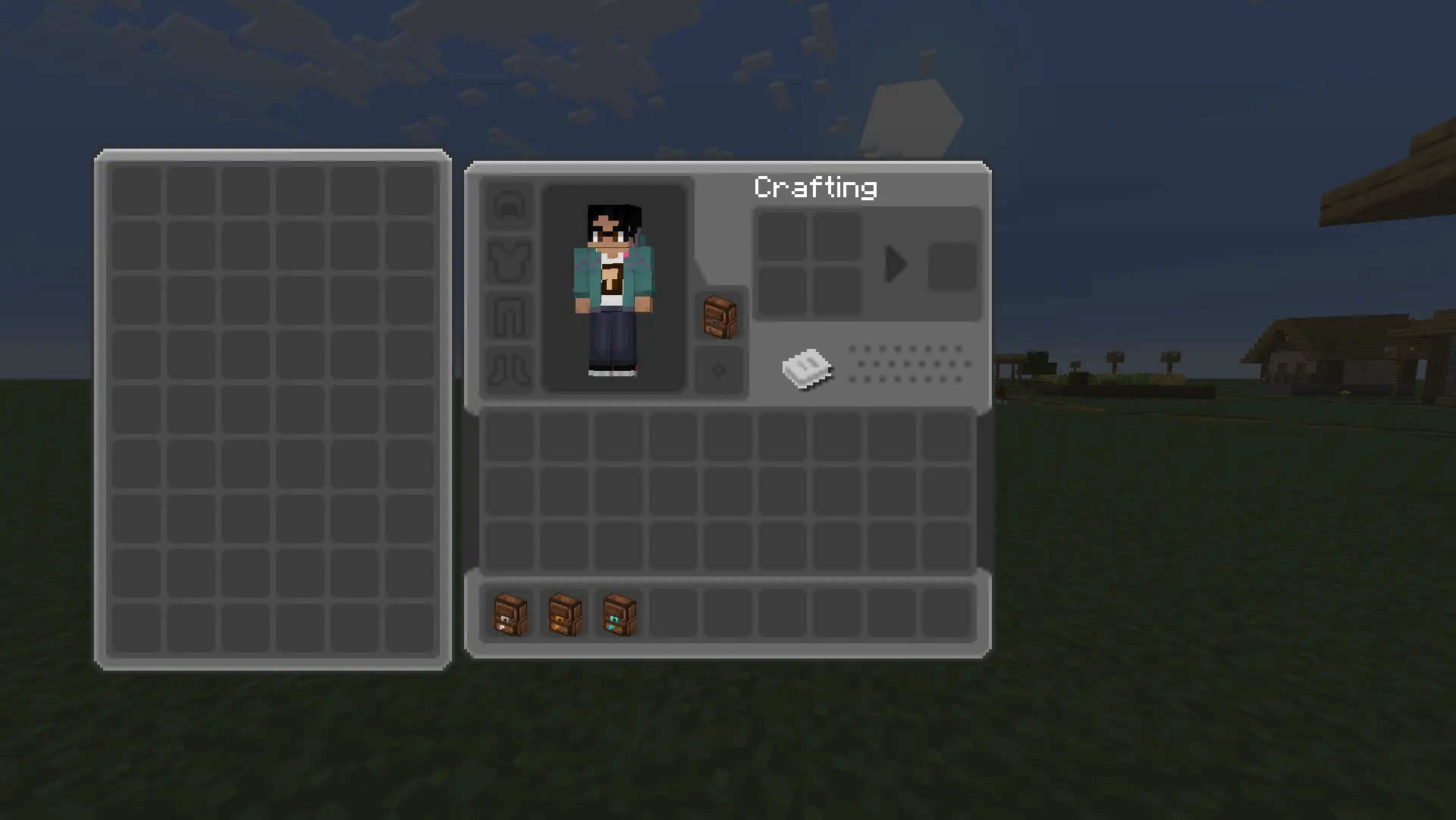
Added GUI textures for [yyz’s backpack](https://modrinth.com/mod/yyzs-backpack) with [Cobblemon Interface](https://modrinth.com/resourcepack/cobblemon-interface) textures to better fit [Cobblemon](https://modrinth.com/mod/cobblemon) mod aesthetics. Not much else!
Yuushya 16x

Yuushya is a Minecraft resource pack makes overall changes to the appearence of almost everything in the game. If you don’t feel enough **”Realistic”** of the Vanilla Minecraft, Yuushya is a cool choice for you. With fully elaborated texture to both environment and building blocks, Yuushya is ready for you to discover through the survival and creative modes.
Some of the further texture features required **Optifine** to work.
Also here we made a bushy leaves pack [Yuushya Foliage Addon](https://www.planetminecraft.com/texture-pack/yuushya-foliage-addon/) which is better with shaders on.
Yumsy Food
#
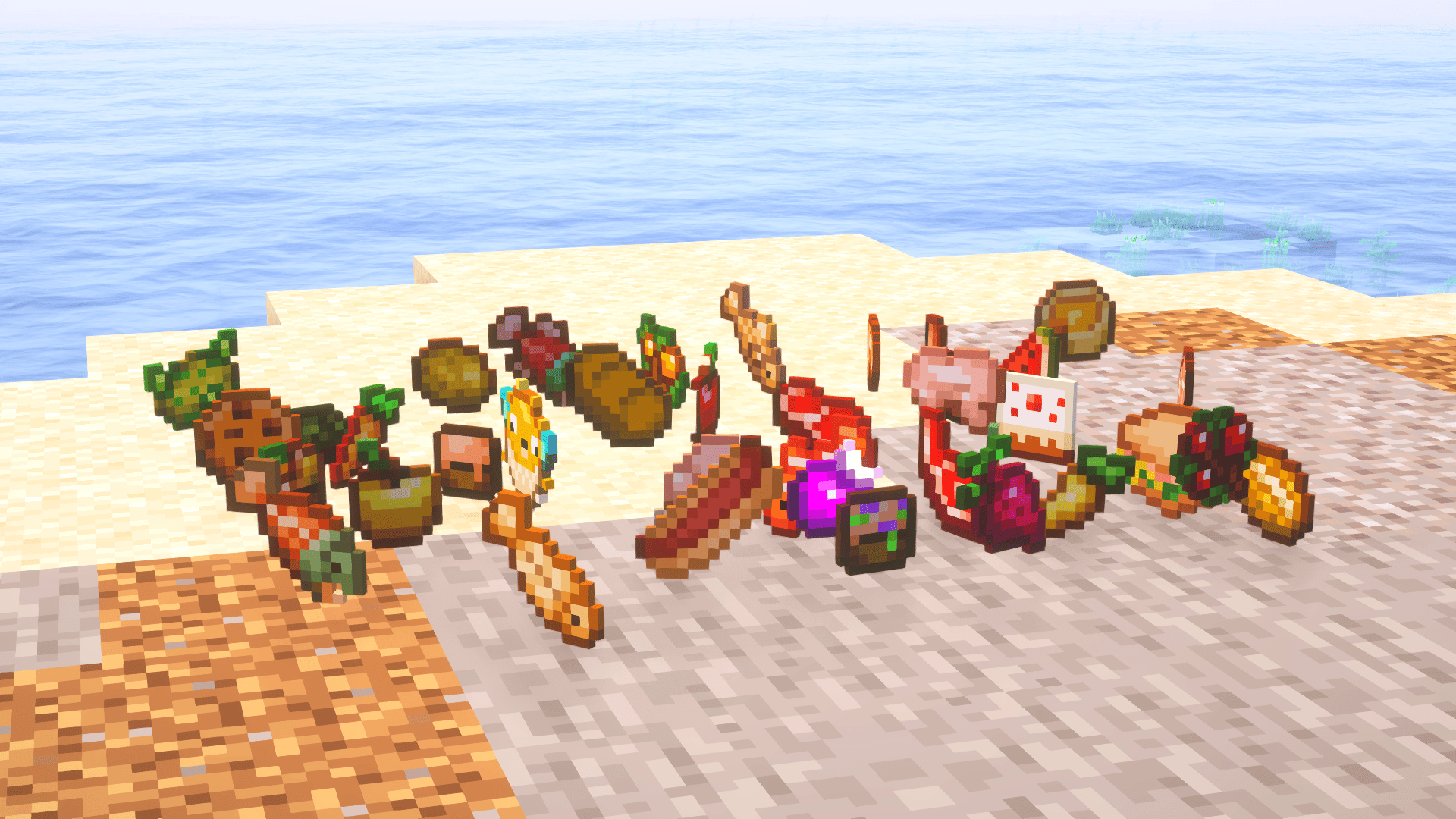
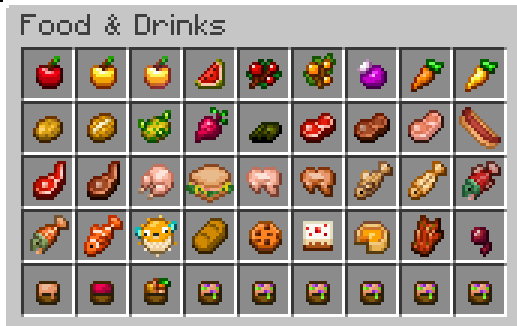
🍎 **Yumsy – Minimal & Fun Food Textures**
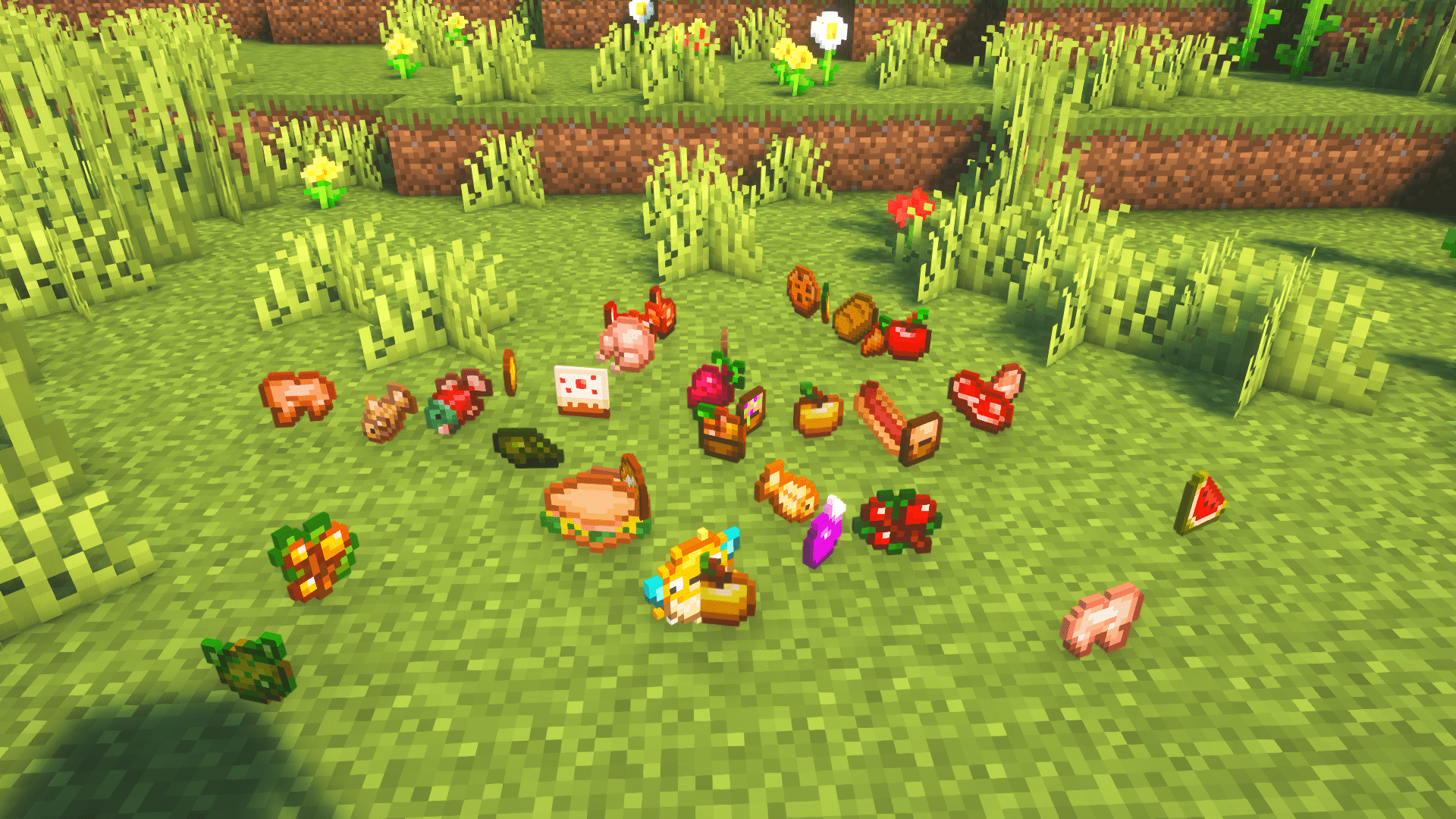
The Yumsy texture pack is a custom Minecraft pack designed to make all in-game food look clean, minimal, and visually appealing while adding a touch of fun and charm. Each food item has been carefully reimagined to be simple, modern, and easy to recognize, giving your inventory and gameplay a fresh, polished feel.
Whether you’re cooking, exploring, or enjoying survival mode, Yumsy makes your meals more delightful and instantly recognizable, keeping your focus on the game without visual clutter.
# ✨ **Features**
– 🍎 All food items retextured with minimal, clean designs.
– 🎨 Fun and approachable style, keeping gameplay lighthearted.
– 🧩 Modern and visually consistent, enhancing both casual and competitive play.
– 🌐 Works seamlessly in singleplayer and multiplayer environments.
– 🚫 No intrusive visuals—everything is intuitive, clean, and simple.
Perfect for players who enjoy a playful yet polished aesthetic, Yumsy brings a fresh, minimal look to Minecraft’s food textures while keeping the game fun and engaging.
_For further questions, contact polar882 on discord._

Yummy Dirt
The texture for dirt (and related blocks) has almost never been changed, even after 1.14 (“The Texture Update”). So I decided to change all of the textures to be less noisy(?) and, some may say, tastier.
– Changed dirt, coarse dirt, rooted dirt, grass, podzol, mycelium, snowy grass, and hanging roots
– Every one has at least 2 texture variations and multiple rotation variations
(don’t eat dirt)
Yummie Mushies
## About
**A simple resource pack that changes the texture of mushrooms and fungi in item form**
## Terms Of Use
– **Feel free to moodify the pack as much as you like**
– **don’t claim the pack as your own**
– **don’t use unmodified assets of this pack unless they are for personal use**
– **if you use the pack in a video would appriciate if you inclue the pack’s name in the decription or mention the name**
## Reporting Problems
**If you have any problems join my [discord server](https://discord.com/invite/anhAK7f6cN) or tell me in my discord dm @_hellay**
yourskintotem
sitting miniversion of your skin on totem
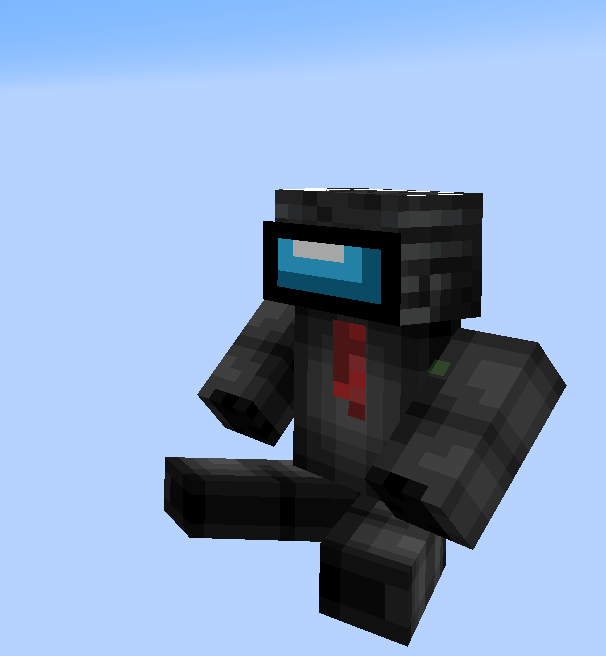
how to install your skin?
1. open resource pack
2. go by this path:
assetsminecrafttexturesitem
3. and replace totem_of_undying.png with your skin
You’re In Grave Danger x Barebones (UNSUPPORTED)
Bare Bones textures for all of [You’re In Grave Danger](https://modrinth.com/mod/yigd)
Your totem is your skin
# What the goal of this pack?
I think have your skin as a totem is pretty, then I created this pack.
You can found a tutorial in the pack (its name is tutoral.txt)
# How I can set the pack in my Resource packs?
Go in your .minecraft, resourcepacks, and drag and drop the pack.
# I can’t modify the pack
Just unzip the pack with right click, and select “Extract All…”
# How to setup the pack?
TUTORIAL
1. Grab your own skin
go on https://namemc.com
search your pseudo
click on your profile
under your skin preview, there is all your skins and click on your latest
click on the download button
2. Put the skin in the Resource Pack
Go in your downloads, click on your skin and press Ctrl + X
Go in the resource pack : assets, minecraft, textures, item and press Ctrl + V
Rename your skin “totem” (verify the extension : it’s normally png)
There it is!
If you have questions, ask me on my discord : https://dsc.gg/somroti (it’s a french server but you can use Google Translate)
Here’s my discord for suggest ideas or report an issue : https://discord.gg/7yXRx6yVVy