VoidCosmos
VoidCosmos transforms the Minecraft universe into a celestial playground, where players traverse through stunning interstellar vistas. The pack replaces the traditional sky with mesmerizing views of distant galaxies, swirling nebulae, and ominous black holes. Each block reflects the cosmic theme, with starry patterns adorning terrain and structures. From alien landscapes to futuristic architecture, every element evokes a sense of awe and wonder. Whether building a space station or exploring unknown realms, VoidCosmos offers a unique journey through the infinite expanse of the universe.
Vinegar King Crimson (JCraft: EOE)
Replaces KC skin1 with its appearance on Vento Aureo Volume 58
Sorry, King Crimson has kinda boring alternate appearances.
Changes the apparence of your JoJo stand
Type “Subsetg4ming” in your search bar to find everything by me!
Villagers to player
# **Not updated yet!!!! to match my other villagers pack!!! description doesn’t fit the current file you can donwload**
This ressource pack in itself doesn’t do much. It will only display a Steve and Alex texture for you villagers.
It is meant to be edited by you so you can add player skins.
# Step 1
### Setting up the texture path
This first step in optional
In “`assetsminecraftemfcem“` you will find the model for both the villager and the baby villager. Internatly the files are the same. Open those files with a text editor. You need to change the third line about the texture
“` json
“texture”: “semos:textures/entities/humanoides/template/example.png”,
“`
You can set it to whatever file or folder you wanna your pack to use. Don’t forget to do it for both models and save them.
# Step 2
### Prepare your texture
This second step is also optional
BUT! you have to make sure your skin texture don’t have any pixels outside of the normal texture zones. My packs uses some of those for eyes animations. If you want those eyes animations you should so edit the texture accordinly.
Follow the template below for help. There is also the template in 64*64 in the pack so you can use it as a guide in your editing software.
First, copy your face and the very top left. Edit this corner so it doesn’t have what you want animated. (eyes, mouth, brows). Simply put the pixel of each part where they are in each square. You can check the steve texture of the pack for better understanding.
Note, the white parts of the eyes needs to be extended to where the puplis are!

# Step 3
### This one is not optional 😀
Just put your texture from step 2 in the folder you choose in step 1.
You can have many textures using the usual optifine method, but more on that below
# Step 4
### This one is a little bit tricky.
This is to make the model display the arms correctly if the skin is a slim one or not.
Open the semos_villagers_to_player_animations.jpm that is located in “`assetssemosentity_animationsnon_lib_animations“`
First, if the skin can be set by renaming the villagers, you’ll need to add the custom name for the slim skin in the list of the variable “`”varb.slim_skin_custom_named”“` (If the custom name has a space in it, the regex need to be “`\s“` instead (example: “`My slim skin“` would be “`My\sslim\sskin“`
In the “`”var.texture”“` variable, “`round(lerp(random(id),2,4))“` 2 and 4 can be set to whatever you want.
For each entity this number will be different and this will let you have group of skin if you will. But you will need to make sure this group is only made of slim or wide skins.
You will also need to add the result for slim skin in the variable “`”varb.slim_skin”“`
You will then use the variable “`var.texture“` in the .propertie like so:
“` properties
var.1.texture=2
skins.1=1-9
“`
This would chose on skin between the sufix 1 to 9 when the variable is equal to 2
If you want custom names rules, they need to be set up BEFORE the var.x.texture ones
You can add other variables in this file if you wish. But this is assuming you know how to do it
# Step 5
### Load the game, load the pack and enjoy 🙂
# Addons:
### This pack is compatible with the following addons of my other packs
Keep track of what versions of my packs are compatible with wich addon version with this file: [[with this link](https://1drv.ms/x/c/5017ea34619ff0f9/EYARtfWSbd1IsoYWCn7M-CkBHKTpT6MVfBMwl93LenDkAg?e=dbVTA0)]
– [[Animations]](https://modrinth.com/resourcepack/semos-animations-lib) With Semos Animations Lib the model will have Fresh Animations inspired animations.
– [[Capes]](https://modrinth.com/resourcepack/semos-cape-addon) Capes will have about 50% chances to render. The texture distribution follow the actual number of owner per cape
– [[Cosmetics]](https://modrinth.com/resourcepack/semos-cosmetic-addon-lib) Let you use several cosmetics packs Warning! Can be heavy on performances
– [[Biome fix]](https://modrinth.com/resourcepack/semos-villagers-biome-fix)
For 1.21.9+ Display the biome outfits of villagers. Warning! Very heavy on performances
– [[Job fix]](https://modrinth.com/resourcepack/semos-villagers-job-fix)
For 1.21.9+ Display the job outfits of villagers. Warning! Very heavy on performances
# Sharing
You are free to use this model in your own pack, but please change the texture location to you own namespace to avoid conflicts with other pack that would do so
Please put a link to this pack in your description on the website as well as somewhere in the pack itself 🙂
Villagers Extra Professions
## Villager Extra Professions
**Villager Extra Professions** is a compatibility resource pack designed to bridge the gap between the [More Villagers: Re-employed](https://modrinth.com/mod/more-villagers-re-employed) mod and the [Villagers [Male and Female]](https://modrinth.com/resourcepack/villagers-male-and-female) resource pack.
The *Villagers [Male and Female]* resource pack replaces the default villager model with custom male and female models. However, the additional professions introduced by *More Villagers: Re-employed* are designed for the vanilla villager model and therefore do not display correctly when used together.
This resource pack solves that problem by **recreating and adapting the textures of the extra professions from *More Villagers: Re-employed*** so they correctly align with the villager models used by *Villagers [Male and Female]*. The result is full visual compatibility, allowing the new professions to render as intended without broken or misaligned textures.
![Comparison of extra profession textures from More Villagers: Re-employed with and without this compatibility pack. Without it, textures are misaligned on the custom models from Villagers [Male and Female]; with it, they are properly adapted and render correctly.](https://cdn.modrinth.com/data/cached_images/cafe4eb424777417b4bfa69b7099c9bcdcd0a48a.jpeg)
## Credits & Attribution
This resource pack includes **adapted textures originally created for the mod [More Villagers: Re-employed](https://modrinth.com/mod/more-villagers-re-employed)**, authored by **[frikinjay](https://modrinth.com/user/frikinjay)**.
The textures are used in this resource pack with the author’s express permission.
## Important Notes
– This is **not a standalone resource pack**.
– It **requires** the **Villagers [Male and Female]** resource pack to function.
– It also **requires** the **More Villagers: Re-employed** mod.
– If either dependency is missing, this resource pack will have no effect.
## Load Order
To ensure proper functionality, place **Villager Extra Professions** **right before** *Villagers [Male and Female]* in your resource pack list, since it requires the model from *Villagers [Male and Female]* to be loaded first.
## Scope
– No new professions are added.
– No gameplay changes are introduced.
– This pack only provides **visual compatibility** between the two projects.
Villager Armor Stands (VAS)
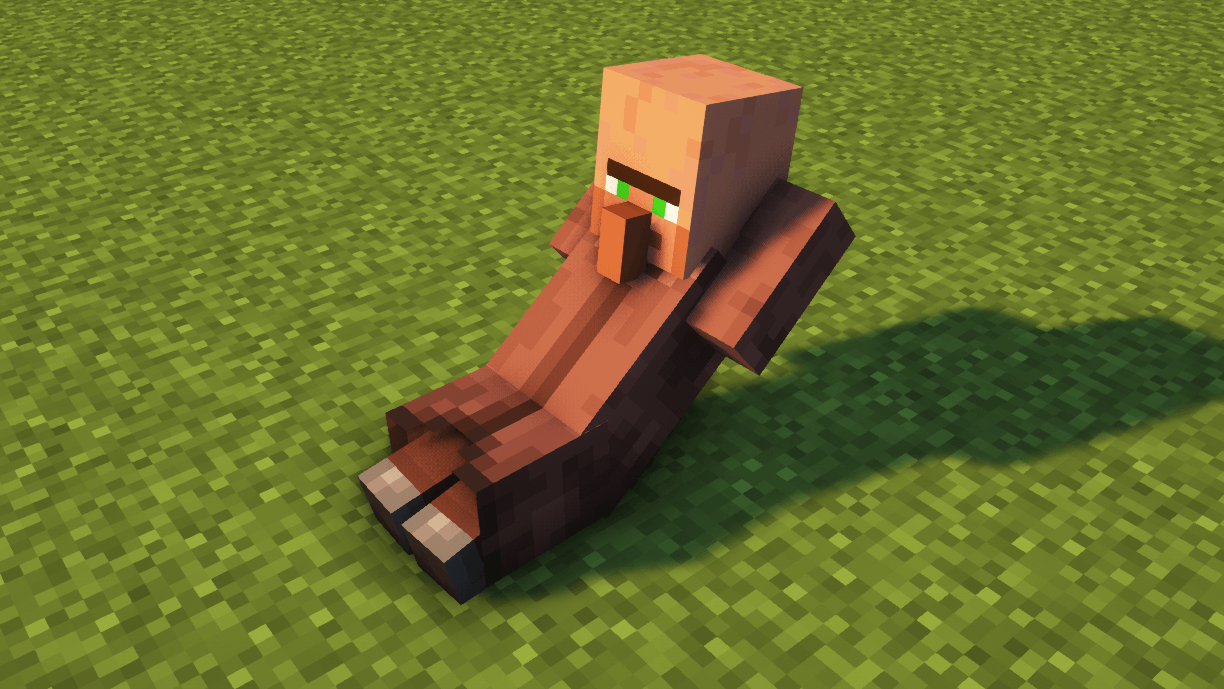
In this project, I have changed the texture of the Armor Stands to look like villagers doing different tasks like sleeping, training, laying down or even being dead.
The models are animated to make them realistic. Some villagers have a breathing animation (such as the sleeping villager or the bowing villager), or villagers doing a workout do the full movement (such as push-ups or sit-ups). Dead villagers have no animation for obvious reasons.
OPTIFINE IS REQUIRED BUT, IF YOU PLAY WITH SODIUM, YOU CAN USE A CEM MOD INSTEAD
To see each villager, you have to tag the armor stand with the following tags:
– Tag “Villager”: Randomly put one of the following villager skins.
– Tag “Villager1”: Dead villager 1
– Tag “Villager2”: Dead villager 2
– Tag “Villager3”: Dead villager 3
– Tag “Villager4”: (Animated) Villager sitting sleeping.
– Tag “Villager5”: (Animated) Villager doing push ups, exercise.
– Tag “Villager6”: (Animated) Head down sad villager.
– Tag “Villager7”: (Animated) Villager doing crunches, exercise.
I have tried this texture packs with the most famous shaders and I have not found any problem. If you have any review or suggestion you can leave it in the comments. Thank you.
The use of this texture pack for personal use is only allowed, sharing it with third parties or using it for advertising or profit-making purposes is prohibited. All rights reserved.
It is forbidden to upload videos featuring my texture pack to YouTube, Instagram, TikTok or other platforms without my consent.
Any questions or proposals, you can send an email to [email protected].
villager wood face texture
this texture pack makes the villagers like wood and specifically makes their faces look like “patient stripped oak log” from the mod “chipped”
VibrantPBR
# VibrantPBR
This resource pack supports all features of **LabPBR**.
### Including:
– Parallax
– AO[Ambient Occlusion]
– Emission
– SSS[Sub-Surface Scattering]
– Porosity
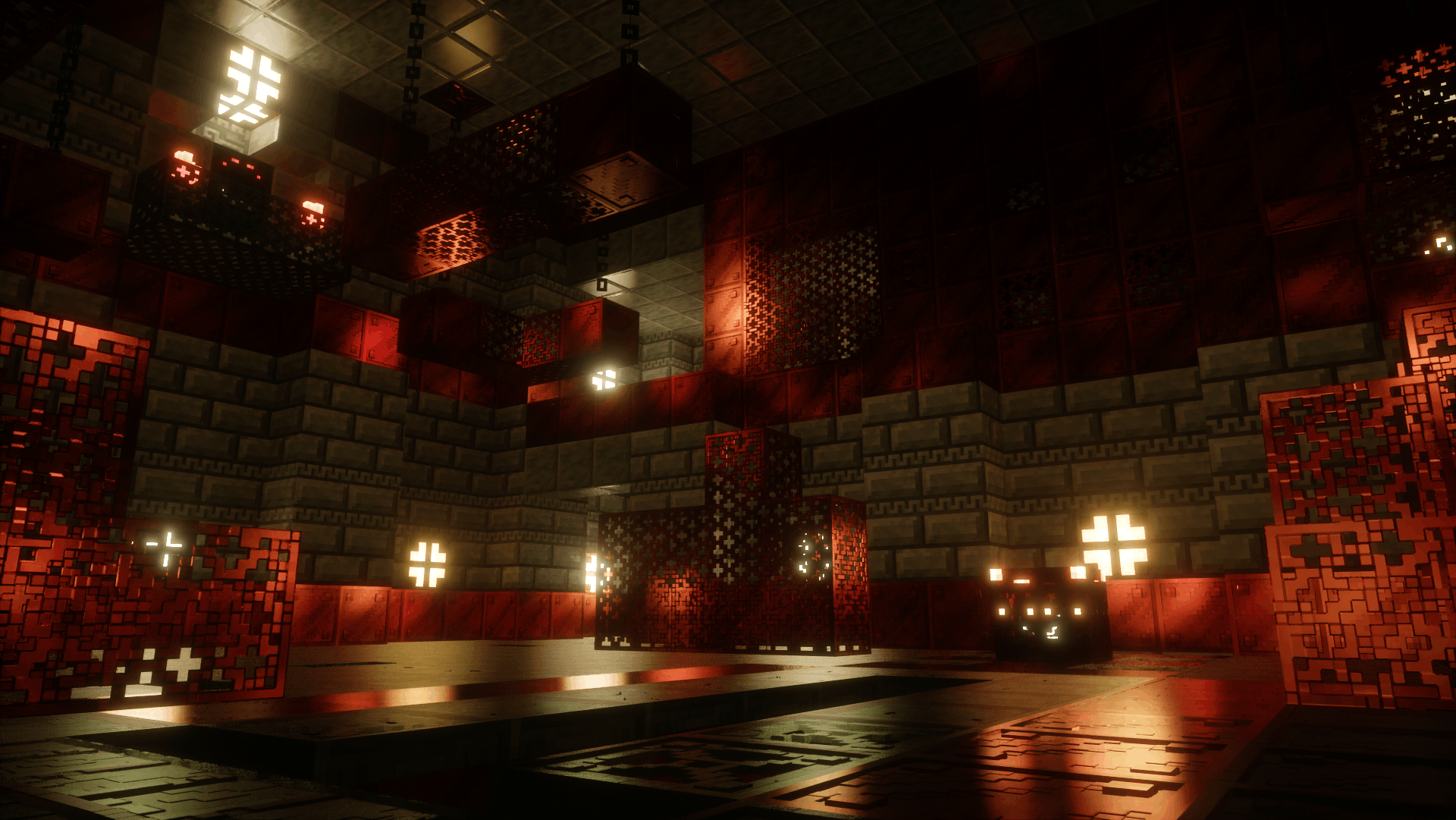
## 3D Models
Most 3D models are not added more models will be added in the future.
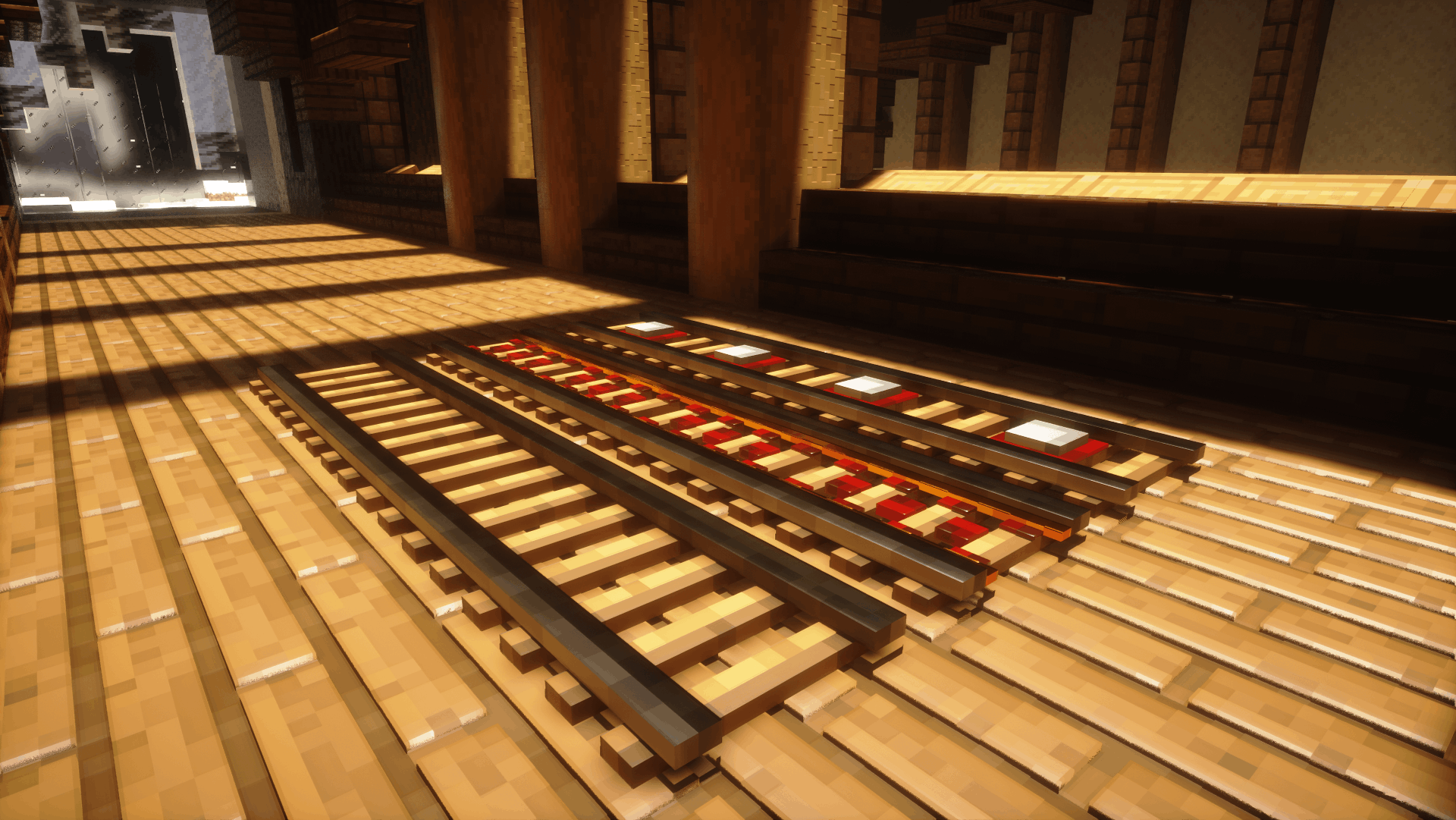
## How to get the best visual of VibrantPBR
**First**, you need to make sure your shader supports **LabPBR**.
Here are some recommended shaders
– Sundial
– Nostalgia
– Kappa
– Bliss
– Complementary
– SEUS GFME
– Photon
– BSL
**Second**, make sure you have enabled **all features of LabPBR** and **Parallax**
## Future
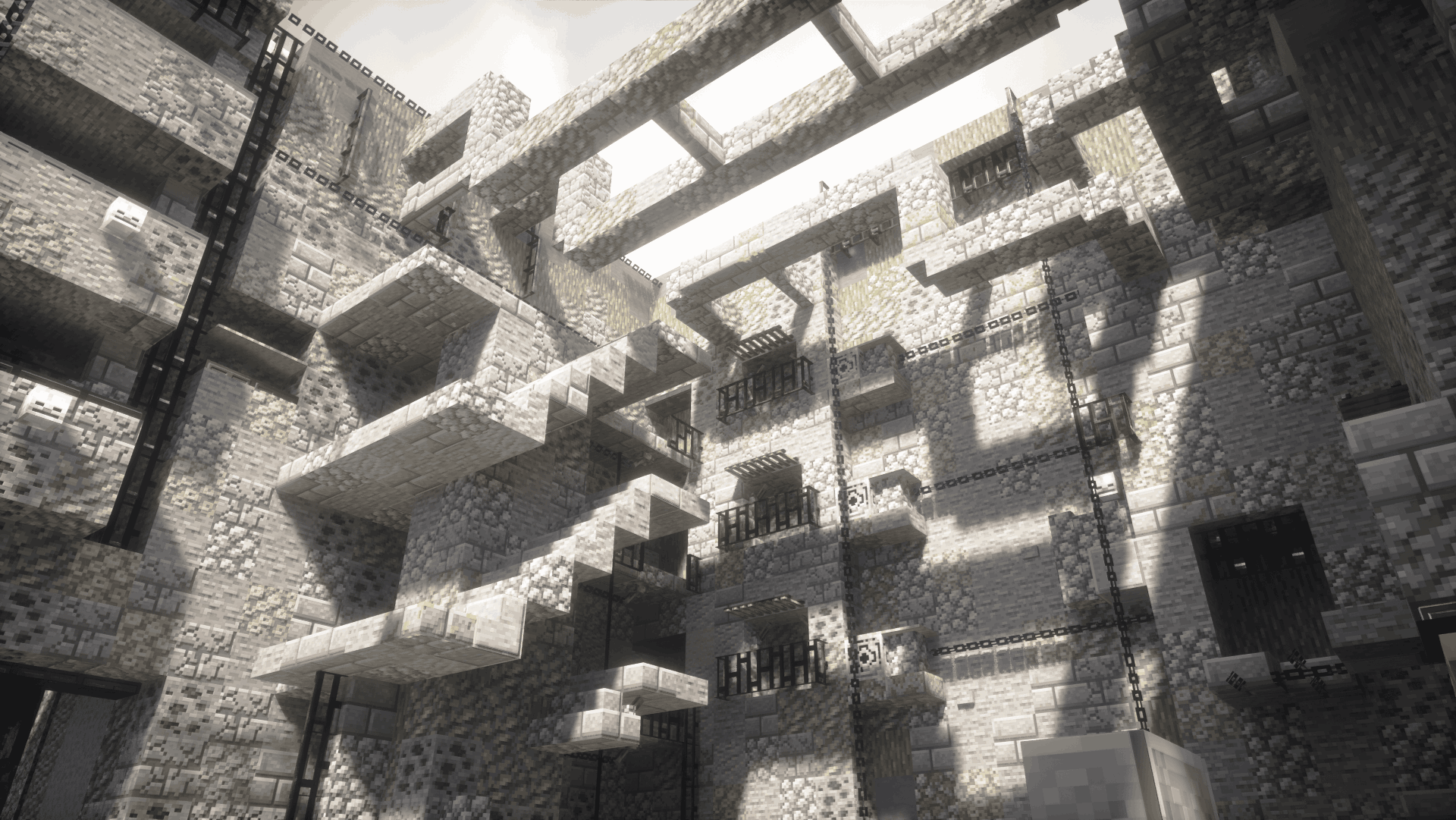
This resource pack is still in development more blocks and models will be added in the future
VH_defalt
# What does this resource pack add?
At the time this description was written, this resource pack added small, useful things, for example:
– wool
– some armor
– various items
– bare bones-type minerals with edges (soon to be shiny)
That’s it for now :D, check out the gallery to see the resources in more detail!
Credits for Description: [@Uanderson_Test3](https://modrinth.com/user/Uanderson_test3)
Vermeil 128x
Anime resource pack Vermeil in gold 128x.
As planned, it will be used on pvp 1.8.9 (Wait for version 1.16.5!)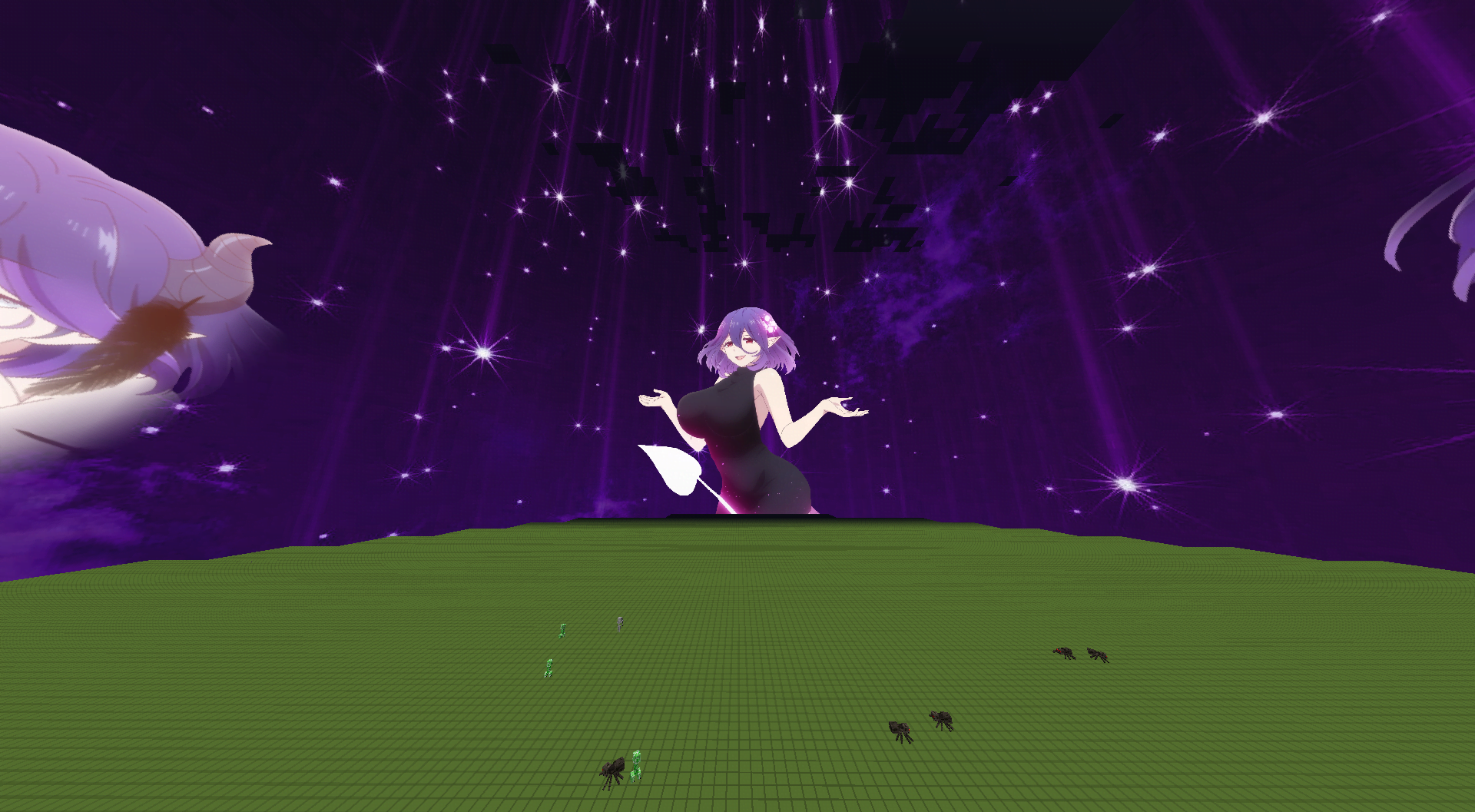
Have you always wanted a resource pack for pvp on 1.8.9? Here it is! Anime resource pack for pvp! Take out everyone!!!
VanillaStylized
# VanillaStylized
### Recommended Shader: Kappa, Nostalgia or SEUS PTGI
**VanillaStylized adds PBR textures on the basic Minecraft textures
which is used to make some relief on the blocks**
### [The upgrade is now free (learn more)](https://gabrieldjalayer.wixsite.com/gabrieldja-gaming-yt/en/post/vanillastyled-is-now-free)
## 🖼️ Preview
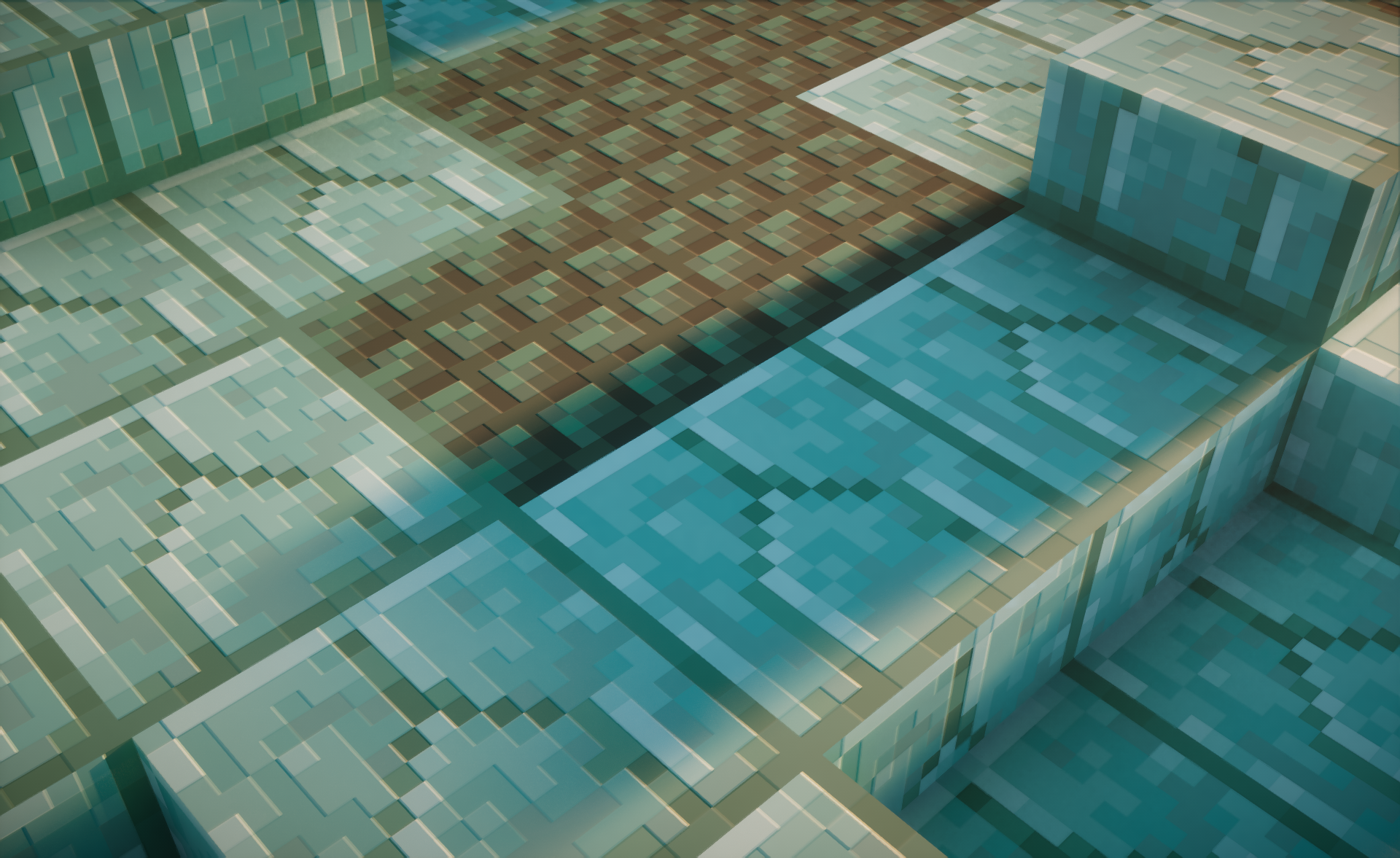
## ✨ Partners
[](http://www.rocketnode.com/gabrieldja)
## Also available on
[](https://www.curseforge.com/minecraft/texture-packs/vanillastylized)
[](https://modrinth.com/resourcepack/vanillastylized)
[](https://ko-fi.com/gabrieldja)
[](https://gabrieldjalayer.wixsite.com/gabrieldja-gaming-yt)