tenkuma’s library
This is a dependency for my other projects. This does not do anything on it’s own.
## Why do I have to install this alongside your plugins?
You may think that installing two plugins instead of one is installing unecessary bloat that is useless. But it’s not, libraries hold code that is common to more than one project, so you avoid having the same code repeated twice or more in your server. Also it’s easier for the developer that has to improve only a single codebase to improve all the rest of the dependants.
TelsTerrain StationAPI
# TelsTerrain StationAPI for Minecraft Beta 1.7.3
A StationAPI mod for Minecraft Beta 1.7.3 that tweaks ore generation, sand generation, and more!
* Mod works on Multiplayer with [GlassConfigAPI](https://modrinth.com/mod/glass-config-api) version 3.0+ used to sync configs!
* All changes are disabled by default, enable what you want!
* NOTE: Terrain tweaks do not affect already generated chunks.
## Water and Lava Shaping
This mod adds the ability to enable water and lava shaping using wooden bowls:
* Right click any water or lava block with a wooden bowl to lower its level
* Lava will consume the bowl when its level is lowered, bring a lot of bowls if you want to shape lava significantly
## Old Terrain Features
This mod adds the ability to disable any vanilla terrain decorations that you don’t want!
* For the Overworld you can now disable:
* Cave & Soil Features: caves/tunnels, dungeons, dirt deposits, gravel deposits, and beach clay
* Fluid Features: waterfalls, lavafalls, ponds of water, and ponds of lava
* Ores: Coal, iron, gold, diamond, lapis lazuli, and redstone
* Small Plants: dandelions, roses, tall grass, dead bushes, sugar cane, cacti, red mushrooms, and brown mushrooms
* Trees: small oak, large oak, birch, and pine
* For the Nether you can now disable:
* Tunnels
* Lava Springs/Lavafalls
* Fire Patches
* Glowstone Clusters: A & B
* Small Plants: red mushrooms and brown mushrooms
## New Terrain Features
This mod adds the ability to enable custom biome ore/soil feature distribution (pros/cons list):
* NOTE: Soil types only effect generation if their block generation is enabled (i.e. sand, sandstone, ice, and clay).
* Also note that cave soil blocks only generate between Y levels 0 and 47.
| Biome | Soil Type | Pros | Cons |
|:—————:|————-|:————–|:————-|
| Rainforest | Sandy | 150% Dungeons | 50% Pumpkins |
| Plains | Sedimentary | 150% Dirt | 50% Gravel |
| Swamps | Clayey | 150% Coal | 50% Gold |
| Taiga | Icy | 150% Gravel | 75% Redstone |
| Forest | Normal | 150% Iron | 50% Lapis |
| Desert | Sandy | 200% Lapis | 50% Roses |
| Savanna | Sandy | 200% Diamonds | 75% Dungeons |
| Tundra | Icy | 150% Redstone | 75% Dirt |
| Seasonal Forest | Normal | 200% Gold | 75% Iron |
| Shrubland | Sedimentary | 200% Pumpkins | 75% Coal |
| Ice Desert | Icy | 200% Roses | 50% Diamonds |
* Ability to enable cave sand, affects the following biomes
* Rainforest
* Desert
* Savanna
* Ability to enable cave sandstone, affects the following biomes
* Plains
* Shrubland
* Ability to enable cave ice, affects the following biomes
* Taiga
* Tundra
* Ice Desert
* Ability to enable cave clay, affects the following biomes
* Swamps
* Ability to enable desert stone/gravel swap
* Below deserts swaps stone for sandstone and gravel for sand
* Ability to increase sandstone blast resistance (recommended if you enable desert stone swap)
* Ability to enable nether clay
* Adds a very very small amount of clay to the nether walls and ceiling
## Tips and Tricks (Icy Caves)
Cave ice can be really annoying to deal with. I recommend using a mod like [GoldenTweaks](https://modrinth.com/mod/goldentweaks-stationapi) to collect the ice.
You could also use a mod like [NowObtainableRecipes](https://modrinth.com/mod/nowobtainablerecipes-stationapi) to get a sponge to soak up the water from melted ice.
This mod also provides water shaping with a wooden bowl that you could use to remove melted ice water.
Another suggestion is to use an alternative light source in ice caves since torches can be knocked out easily by flowing water.
## Installation using Prism Launcher
1. Download an instance of Babric for Prism Launcher: https://github.com/babric/prism-instance
2. Install Java 17 and set the instance to use it: https://adoptium.net/temurin/releases/
3. Add GlassConfigAPI 3.0.2+ to the mod folder for the instance: https://modrinth.com/mod/glass-config-api
4. Add Glass Networking to the mod folder for the instance: https://modrinth.com/mod/glass-networking
5. (Optional) Add StationAPI to the mod folder for the instance: https://modrinth.com/mod/stationapi
6. (Optional) Add Mod Menu to the mod folder for the instance: https://modrinth.com/mod/modmenu-beta
7. Add this mod to the mod folder for the instance: https://github.com/telvarost/TelsTerrain-StationAPI/releases
8. Run and enjoy! 👍
## Feedback
Got any suggestions on what should be added next? Feel free to share it by [creating an issue](https://github.com/telvarost/TelsTerrain-StationAPI/issues/new). Know how to code and want to do it yourself? Then look below on how to get started.
## Contributing
Thanks for considering contributing! To get started fork this repository, make your changes, and create a PR.
If you are new to StationAPI consider watching the following videos on Babric/StationAPI Minecraft modding: https://www.youtube.com/watch?v=9-sVGjnGJ5s&list=PLa2JWzyvH63wGcj5-i0P12VkJG7PDyo9T
TelsDrinks StationAPI
# TelsDrinks StationAPI for Minecraft Beta 1.7.3
### How to get ingredients:
This mod adds apples as a rare drop from seasonal forest oak leaves and as a super rare drop from normal forest oak leaves.
* Look for the green grass!
* Apples are used to make apple cider and hot cider.
This mod also adds cocoa as a rare drop from rainforest oak leaves.
* Look for ferns on top of really green grass!
* Cocoa is used in the brewing of many of the mods signature drinks <3
Sticks were added as a rare oak leaf drop in other biomes to help signify that the mod is working.
* If the biome is dropping sticks it won't drop apples or cocoa!
### How the mod works:
* Kettles are heated by placing lava, fire, or a lit furnace below them.
* When kettles are heated the hot variant of a drink is given.
* Right click with a mug to take a drink out of a kettle.
* Each kettle has a liquid level meter on the side to show how much is left.
* Drinks can be used to restore hearts, poison your friends, or just be aesthetically pleasing :)
## Installation using Prism Launcher
1. Download an instance of Babric for Prism Launcher: https://github.com/babric/prism-instance
2. Install Java 17 and set the instance to use it: https://adoptium.net/temurin/releases/
3. Add StationAPI to the mod folder for the instance: https://modrinth.com/mod/stationapi
4. (Optional) Add Mod Menu to the mod folder for the instance: https://modrinth.com/mod/modmenu-beta
5. Add this mod to the mod folder for the instance: https://github.com/telvarost/TelsDrinks-StationAPI/releases
6. Run and enjoy! 👍
## Feedback
Got any suggestions on what should be added next? Feel free to share it by [creating an issue](https://github.com/telvarost/TelsDrinks-StationAPI/issues/new). Know how to code and want to do it yourself? Then look below on how to get started.
## Contributing
Thanks for considering contributing! To get started fork this repository, make your changes, and create a PR.
If you are new to StationAPI consider watching the following videos on Babric/StationAPI Minecraft modding: https://www.youtube.com/watch?v=9-sVGjnGJ5s&list=PLa2JWzyvH63wGcj5-i0P12VkJG7PDyo9T
TaterLib
# TaterLib
[](https://github.com/p0t4t0sandwich/TaterLib/blob/main/LICENSE)
[](https://github.com/p0t4t0sandwich/TaterLib)
[](https://github.com/p0t4t0sandwich/TaterLib/issues)
[](https://discord.neuralnexus.dev)
[](https://wakatime.com/badge/user/fc67ce74-ca69-40a4-912f-61b26dbe3068/project/ba087a5d-fd50-4b54-9723-3effbfda7567)
A cross API code library that allows developers to write code that works across multiple modding platforms, and across a
wide range of Minecraft versions, all with one JAR file. If TaterLib runs on it, so can your plugin/mod.
Please note, some abstractions may not be fully implemented yet, and some may be missing.
If you’re looking for a specific abstraction/game event, please open an issue, and we’ll get to it as soon as possible,
or feel free to open a PR with an implementation.
[Contributions are always welcome!](https://github.com/p0t4t0sandwich/TaterLib/blob/main/.github/CONTRIBUTING.md)
Let’s cut to the chase, why should you use and/or contribute to TaterLib? Well, let’s say you have a mod/plugin that you
want to port to a different modding API. You could go through the laborious task of implementing all the events,
commands, etc. on each platform and create all your own cool fancy abstractions for each game object, or you could use
TaterLib and save yourself a lot of time. (which is why I started this project in the first place)
There’s two ways to use TaterLib, you can depend on the general API, then implement any missing features yourself on
each platform, or if something’s missing, you can start a PR with either a basic or full implementation, and we can
improve TaterLib and save you a lot of time in the future. (a bit of a win-win)
Link to our support: [Discord](https://discord.neuralnexus.dev)
## Download
[](https://github.com/p0t4t0sandwich/TaterLib/releases)
[](https://www.spigotmc.org/resources/taterlib.111852/)
[](https://hangar.papermc.io/p0t4t0sandwich/TaterLib)
[](https://www.curseforge.com/minecraft/bukkit-plugins/taterlib)
[](https://modrinth.com/mod/taterlib)
[](https://www.curseforge.com/minecraft/mc-mods/taterlib)
[](https://ore.spongepowered.org/p0t4t0sandwich/TaterLib)
[](https://builtbybit.com/resources/taterlib.40265/)
[](https://polymart.org/resource/taterlib.5552)
[](https://craftaro.com/marketplace/product/taterlib.2771)
[](https://maven.neuralnexus.dev/#/snapshots/dev/neuralnexus/taterlib-api)[](https://jenkins.neuralnexus.dev/job/TaterLibDev/)
[](https://maven.neuralnexus.dev/#/releases/dev/neuralnexus/taterlib-api)[](https://jenkins.neuralnexus.dev/job/TaterLib/)
### Adding to your project
“`gradle
repositories {
maven {
name = ‘NeuralNexus’
url = ‘https://maven.neuralnexus.dev/releases’
}
}
dependencies {
compileOnly(‘dev.neuralnexus:taterlib-api:‘)
}
“`
There’s also a snapshot repository available at `https://maven.neuralnexus.dev/repository/snapshots`
### Compatibility Cheatsheet
TaterLib supports: Bukkit, BungeeCord, Fabric, Forge, Sponge, and Velocity
General notes:
– No Fabric on 1.13
– No Fabric/Forge below 1.7.10
| Server type | Versions | Jar Name |
|————-|————-|———————————|
| 1.20.x | 1.20-1.20.4 | `TaterLib-1.20.x-.jar` |
| 1.19.4 | 1.19.4 | `TaterLib-1.19.4-.jar` |
| 1.19.2 | 1.19.2 | `TaterLib-1.19.2-.jar` |
| 1.19 | 1.19 | `TaterLib-1.19-.jar` |
| 1.18.2 | 1.18.2 | `TaterLib-1.18.2-.jar` |
| 1.18 | 1.18 | `TaterLib-1.18-.jar` |
| 1.17 | 1.17-1.17.1 | `TaterLib-1.17-.jar` |
| 1.16 | 1.16-1.16.5 | `TaterLib-1.16-.jar` |
| 1.15 | 1.15-1.15.2 | `TaterLib-1.15-.jar` |
| 1.14 | 1.14-1.14.3 | `TaterLib-1.14-.jar` |
| 1.13 | 1.13-1.13.2 | `TaterLib-1.13-.jar` |
| 1.12 | 1.12-1.12.2 | `TaterLib-1.12-.jar` |
| 1.11 | 1.11-1.11.2 | `TaterLib-1.11-.jar` |
| 1.10 | 1.10-1.10.2 | `TaterLib-1.10-.jar` |
| 1.9 | 1.9-1.9.4 | `TaterLib-1.9-.jar` |
| 1.8 | 1.8-1.8.8 | `TaterLib-1.8-.jar` |
| 1.7 | 1.7-1.7.10 | `TaterLib-1.7.10-.jar` |
| 1.6.4 | 1.6.4 | `TaterLib-1.6.4-.jar` |
| 1.2.5 | 1.2.5 | `TaterLib-1.2.5-.jar` |
| b1.7.3 | b1.7.3 | `TaterLib-b1.7.3-.jar` |
## Dependencies
– [Fabric API](https://modrinth.com/mod/fabric-api) – Required on Fabric
– [Legacy Fabric API](https://www.curseforge.com/minecraft/mc-mods/legacy-fabric-api) – Required on Fabric 1.12.2 and
below
### Optional Dependencies
– [LuckPerms](https://luckperms.net/) – For permissions/prefix/suffix support
## Commands and Permissions
| Command | Permission | Description |
|———————-|—————————–|————————–|
| `/taterlib version` | `taterlib.command.version` | Get the TaterLib version |
| `/taterlib reload` | `taterlib.command.reload` | Reload TaterLib config |
| `/taterlib dump` | `taterlib.command.dump` | Dump TaterLib info |
| `/taterlib fulldump` | `taterlib.command.fulldump` | Dump TaterLib info |
## Projects that use TaterLib
Feel free to open a PR to add your plugin/mod to this list!
– [BadSpawns](https://github.com/p0t4t0sandwich/BadSpawns)
– [BeeNameGenerator](https://github.com/p0t4t0sandwich/BeeNameGeneratorPlugin)
– [TaterComms](https://github.com/p0t4t0sandwich/TaterComms)
– [TaterUtils](https://github.com/p0t4t0sandwich/TaterUtils)
## Metrics
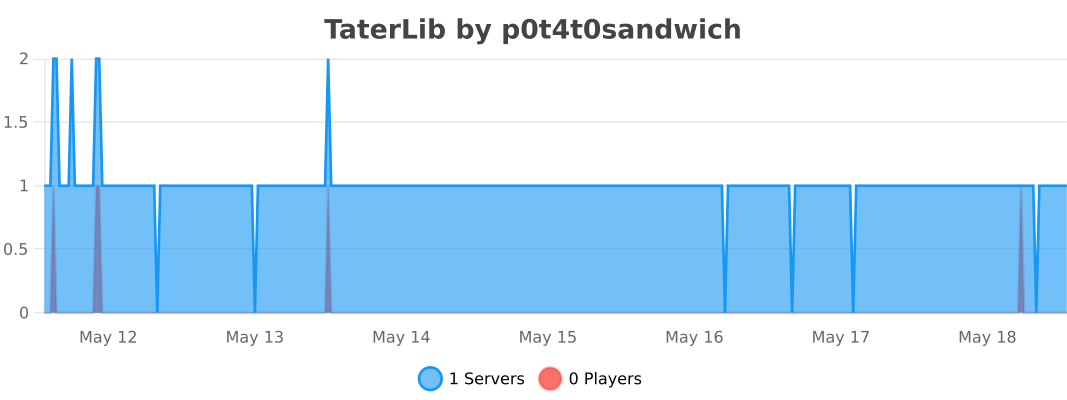
### Bukkit
### BungeeCord
### Sponge
### Velocity
tag_games
# 🕹️ TAG-GAMES
TAG-GAMES is a mini-games plugin for **Minecraft Beta 1.7.3 (CB1060)** that adds multiple **tag-style game modes** to your server.
Run, survive, freeze, infect, protect or conquer the hill!
Perfect for **small multiplayer servers and friends**.
—
## 🎮 Game Modes
### ❄️ Freeze Tag
– 1 player starts as the **Freezer**
– When the freezer touches a runner, the runner becomes **frozen**
– Free runners can **unfreeze teammates by touching them**
– The freezer wins if **all players are frozen**
– Runners win if **at least one player is still free when the timer ends**
—
### 🐺 Wolves
– The game starts with **1 wolf** (or **2 wolves if 6+ players**)
– When a wolf touches a runner, the runner **becomes a wolf**
– The infection spreads to all players
– The **last surviving runner wins**
– If everyone becomes wolves, the **first wolf wins**
—
### 🥔 Hot Potato
– One player starts with the **Hot Potato**
– The potato can be **passed by touching another player**
– When the timer ends, the player holding the potato is **eliminated**
– A new round begins with the remaining players
– The **round timer gets shorter each round**
– The **last surviving player wins**
—
### 🏹 Hunter / Runner
– 1 player is chosen as the **Hunter**
– The hunter must **catch all runners** before the timer ends
– Caught runners are eliminated
– The **hunter wins** if all runners are caught — **runners win** if at least one survives
—
### 🧟 Zombie
– 1 player starts as **Patient Zero**
– Touching a human **infects them** — they become a zombie
– The infection spreads across all players
– The **last surviving human wins**
– If all humans are infected, the **first zombie wins**
—
### 🛡️ Shield
– 3 roles are assigned: **Hunter**, **Shield**, and **Target**
– The hunter must tag the target — but the **shield can intercept**
– If the shield is tagged, they **swap roles** with the hunter
– The **hunter wins** by tagging the target directly
– The **target wins** by surviving until the timer ends
—
### 👑 King of the Hill
– A zone is defined around the arena spawn
– Players **fight for control** of the zone
– Only the **last player standing in the zone scores points**
– If multiple players are in the zone, **nobody scores**
– First player to reach the **score limit wins**
—
## ⚙️ Features
– 7 tag-style mini-game modes
– Majority vote system to choose the mode before each game
– Configurable via `config.yml` (min players, durations, zone radius…)
– French & English language support (`lang/fr.yml`, `lang/en.yml`)
– Works on **CraftBukkit 1060**
– Designed for **Minecraft Beta 1.7.3 servers**
—
## 👥 Recommended Players
3 – 12 players
—
## Commands
“`
/tag join — Join the queue
/tag leave — Leave the queue / game
/tag vote — Vote for a game mode
/tag status — Show current game status
/tag setspawn — Set the arena spawn [OP]
/tag stop — Force stop the game [OP]
/tag reload — Reload config & language [OP]
“`
**Available vote keywords:**
`glacon` · `loups` · `patate` · `chasseur` · `zombie` · `bouclier` · `roi`
*(English aliases: `freeze` · `wolves` · `hotpotato` · `hunter` · `shield` · `hill`)*
Syncretic
Minecraft Beta 1.7.3 – released in 2011, this is the most popular version from Minecraft’s “golden age.” Many are drawn to it due to the simplicity and charm it holds – a small thought-out collection of items and blocks, whimsical terrain generation and a retro aesthetic, yet many are deterred by its somewhat clunky playstyle. As with any beta release of a game, it is buggy and lacks many features that keep fans of modern Minecraft from giving it a real chance.
This modpack aims to change that. Running on a modified version of Fabric specifically for Beta 1.7.3, this modpack fixes many of those bugs, backports features loved by modern Minecrafters, and polishes gameplay (with complete customizability!) – all while maintaining compatibility with existing vanilla worlds.
Features
– Completely configurable through Mod Menu
– Modern GUI, QOL features, configs and controls
– Skin and authentication fixes
– Modern F5 mode
– Cloud height adjustment
– Alpha cobble texture parity texture pack
– Place otherwise unsupported trapdoors
– Boat fixes
– Chests can open with a block above them
– Fence shape and connection fixes
– Slab placement fixes
– Modern and QOL crafting recipes
– Tools all break correct blocks
– World hosting
– Creative mode added
– Creative mode spawn eggs added
– Creative mode music plays in survival
– C418 nether-specific music added
– C418 main menu themes added
– Main menu panorama added
– Better sound mixing
– Major performance optimizations
– Font rendering fix
– Translations added
– Configurable F3 screen
– Freecam added
– Discord RPC
– Apple Silicon colors and windows fix
– Hotbar placement fix
– Customizable HUD
– Commands system (see below)
– And much more…
### Pre-install notes
– Always back-up your saves! – this is a heavily modified version of a very old game 🙂
– **As of MacOS Tahoe, Syncretic will not launch due to a StationAPI bug – until it is fixed, the only way to play Syncretic on Apple silicon devices is through [Asahi Linux](https://asahilinux.org/)**
– Designed specifically for use with [Prism Launcher](https://prismlauncher.org/)
### Installation
– Install the latest release of Syncretic in Prism Launcher
– Download Syncretic Babric Patches, found in “files” under the latest release of Syncretic, and extract the downloaded folder into Syncretic’s instance folder, replacing any existing files
– Navigate to Syncretic’s instance “Settings” tab and select Java 17 under “Java installation”
– If running MacOS, disable the “SmoothBeta” mod
### Post-install notes
– Make sure Java 17 is up-to-date from time to time
– Each time Syncretic is updated, Syncretic Babric Patches will need to be re-installed
– A mod called “Retro Commands” is included, disabled by default – when enabled, it will grant global operator permissions
### Multiplayer
– To host a save using the integrated hosting mod (BetaLan), first copy your Java 17 file path, then navigate to the “Mods” menu in game, open BetaLan’s config, and paste your Java 17 file path under “Java Path”
– Now Syncretic can host a local game – load into any save and select “Open to Lan”
– Once your save has first been hosted, several server related files (such as “server.properties” and “white-list.txt”) will be generated in Syncretic’s “minecraft” folder, which apply globally to all hosted saves – additionally, saves are automatically backed-up each time they are hosted (configurable)
– Connecting players on devices outside of your local network requires you either port forward or use a mesh VPN such as [Tailscale](https://tailscale.com)
_**Syncretism** – the practice of combining different beliefs and various schools of thought._
Bad Apple Shaders
# Bad Apple Shaders
  
This is an Iris/OptiFine shader which changes rendering to look like [【東方】Bad Apple!! PV【影絵】](https://youtu.be/FtutLA63Cp8)
 
## Screenshots

## FAQ
Q: Does this work on OptiFine?
A: Yes. **This does come with an epilepsy warning if you are on an m-series mac.**
Q: Does this work on Iris/Oculus?
A: Yes.
Q: Does this work on 1.8?
A: The Legacy version should work with 1.8.
## Pridepack
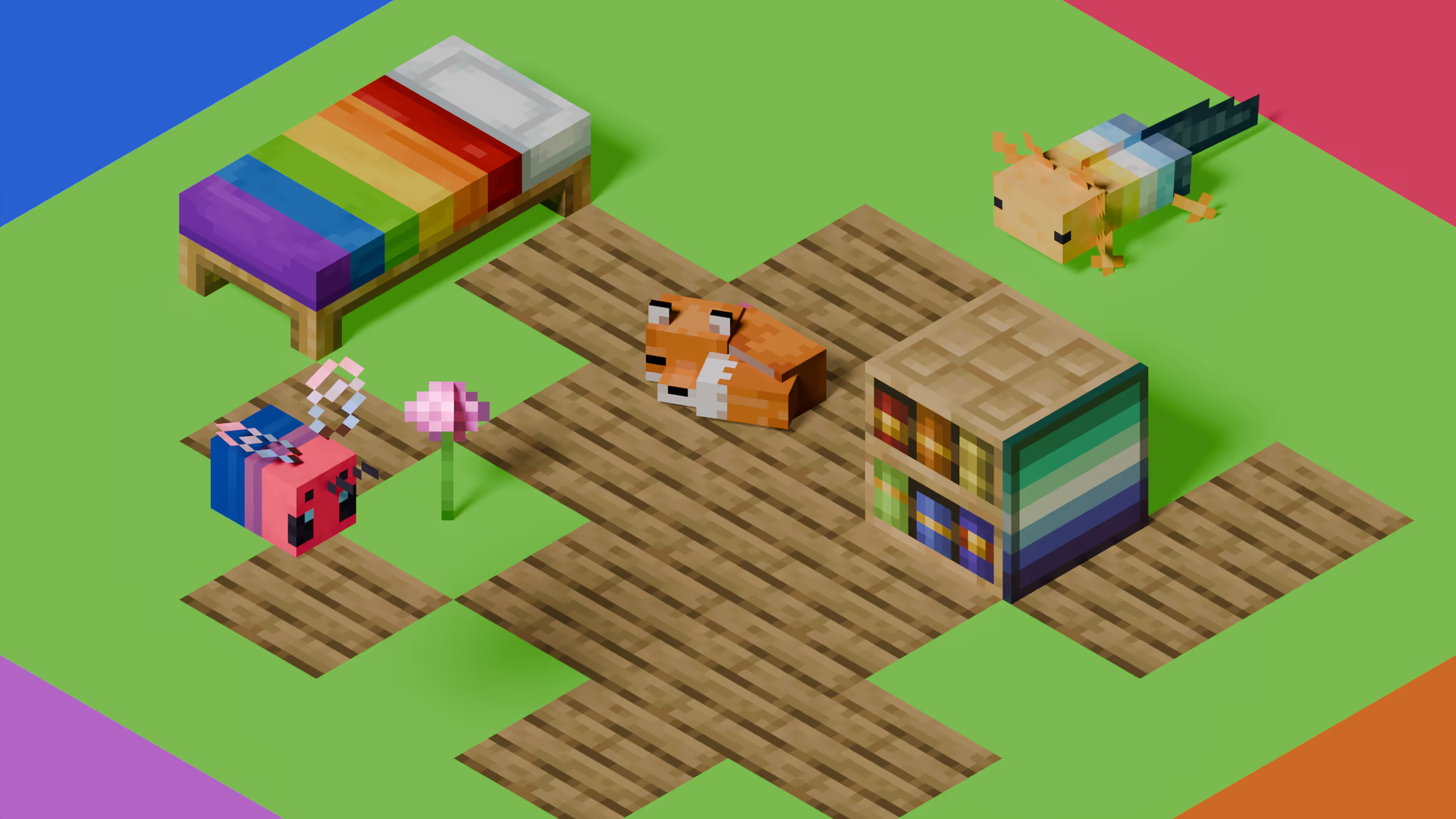
[Pridepack](https://pridecraft.gay/pridepack) is a Resource Pack made by [Pridecraft Studios](https://pridecraft.gay). It comes with many LGBT Pride additions, such as paintings, beds, mobs and Main Menu changes. If you’re interested in gaying your game, you should check it out!
Steak = Cooked Beef
Makes steak called cooked beef because it makes more sense and it will make a friend of mine happy because he likes beef!
It’s very simple, does nothing else, just this!
(And maybe a little easter egg, try to find it 😀 )
StationAPI
StationAPI provides numerous systems and APIs for modding Minecraft Beta 1.7.3
From simple events to advanced renderer and world save format.
Wiki: https://github.com/ModificationStation/StationAPI/wiki
Stanley Temperature
#### Better than adventure
This mod uses a modified version of Fabric (Babric) and is designed only for Better than Adventure, a heavily modified version of Minecraft b1.7.3! For more information, join the discord server provided on this projects
## StanleyLib updated to 1.2.0-7.2pre2
*A temperature mod and lib*
### What’s this mod?
This mod introduces a library of functions aimed at managing player body temperature, enhancing gameplay through realistic environmental challenges and efficient resource management of thermal clothing and heat sources.
### Main features:
* Accessible functions for managing player temperature
* New damage types
* Fully configurable
* Classes and methods to monitor player temperature changes
* And more!
**Gameplay features can be deactivated.**
To deactivate:
### stanleylib.cfg
“`cfg
stanley.activate.temperature_management=false
“`
**You can use only library features.**